
VHDL and C System initialisation Overview In this


- Slides: 18
VHDL and C System initialisation
Overview • In this lecture we will look at what happens when systems power on, boot up, run an operating system and power down • We will look at a standard PC configuration as a reference point • We will also look at how embedded boards vary • Finally, we will look at the TS-7300 boot sequence
Bring systems up and down Power on BIOS Bootloader Kernel Init /sbin/init RUNNING Shut down Power off
Points to note • On most systems the names of stages (and their function) varies • For example on embedded board the BIOS is often called a BSP or Firmware • Bootloaders (also called boot managers) may not exist, the operating system may boot straight from BIOS • The running system may not be an OS as we know it.
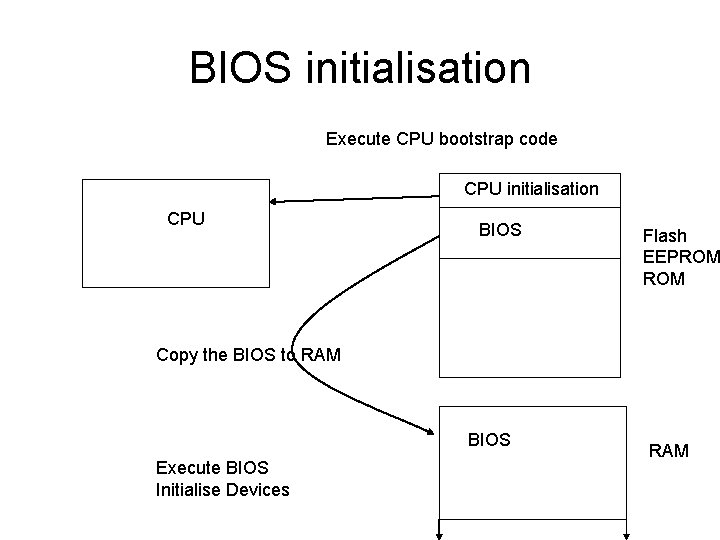
BIOS/BSP/Firmware • From power on the system must get itself together from scratch (hence boot loading) • The first part of booting will not use all of the systems resources – Memory may not be configured – Memory management/protection will be off – Most devices will be inactive • The first thing that the BIOS must do is set up memory and a run time environment.
BIOS initialisation Execute CPU bootstrap code CPU initialisation CPU BIOS Flash EEPROM Copy the BIOS to RAM BIOS Execute BIOS Initialise Devices RAM
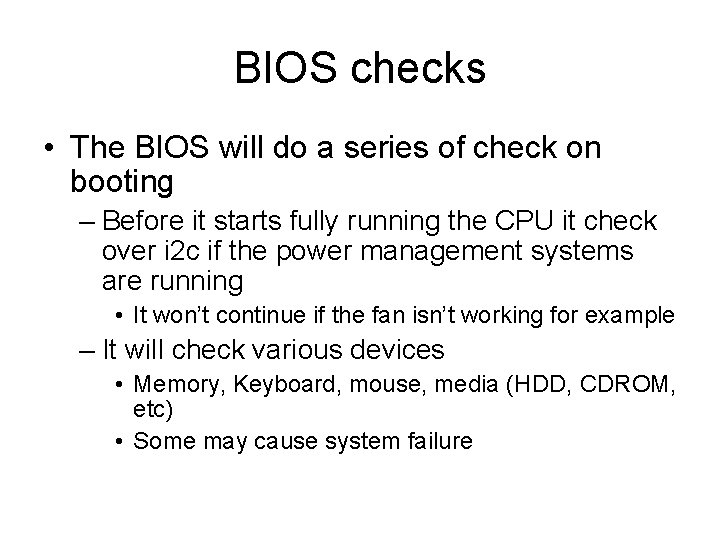
BIOS checks • The BIOS will do a series of check on booting – Before it starts fully running the CPU it check over i 2 c if the power management systems are running • It won’t continue if the fan isn’t working for example – It will check various devices • Memory, Keyboard, mouse, media (HDD, CDROM, etc) • Some may cause system failure
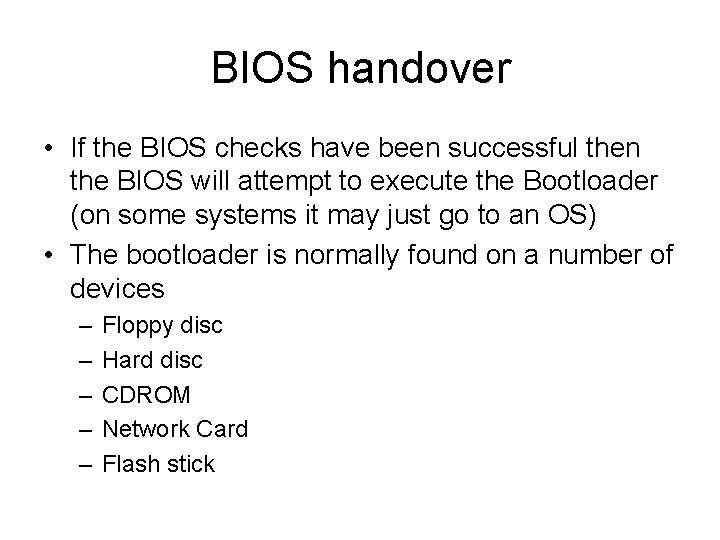
BIOS handover • If the BIOS checks have been successful then the BIOS will attempt to execute the Bootloader (on some systems it may just go to an OS) • The bootloader is normally found on a number of devices – – – Floppy disc Hard disc CDROM Network Card Flash stick
Bootloaders • These programs are used to load operating systems • They allow – Multi boot systems – Parameters to be passed to the Operating System on boot – Allows creation of initial ram discs (initrds) – Recovery of Operating Systems
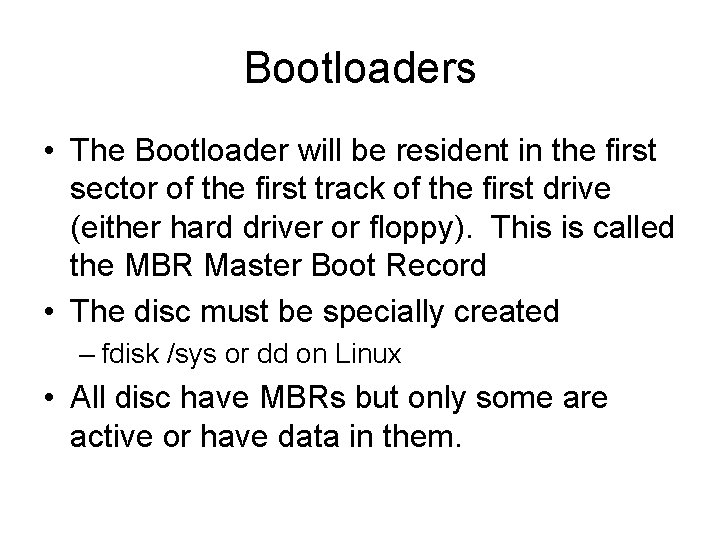
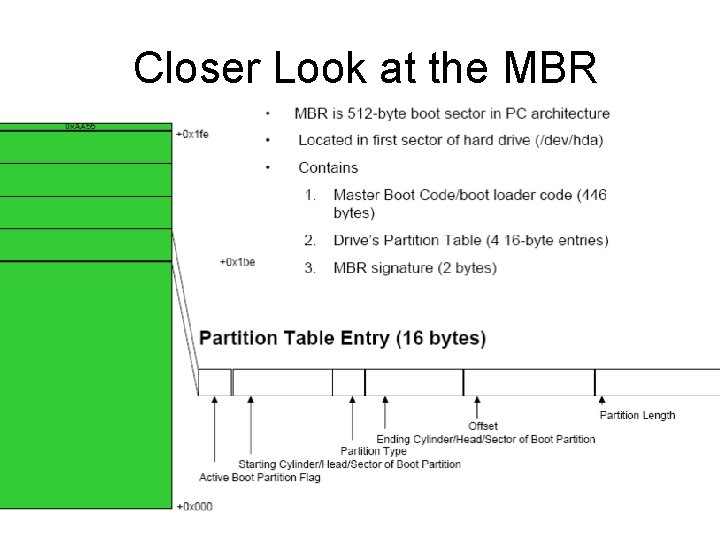
Bootloaders • The Bootloader will be resident in the first sector of the first track of the first drive (either hard driver or floppy). This is called the MBR Master Boot Record • The disc must be specially created – fdisk /sys or dd on Linux • All disc have MBRs but only some are active or have data in them.
Closer Look at the MBR
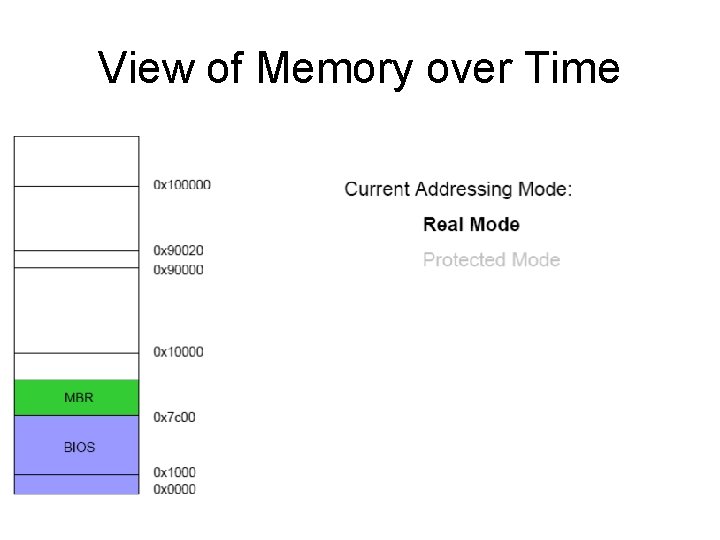
View of Memory over Time
Bootloaders • On PC systems GRUB and, to a lesser extent, LILO are used as boot loaders • On embedded boards you may not use a bootloader • The Bootloaders task is to allow selection, parameterisation and execution of the OS image on disc.
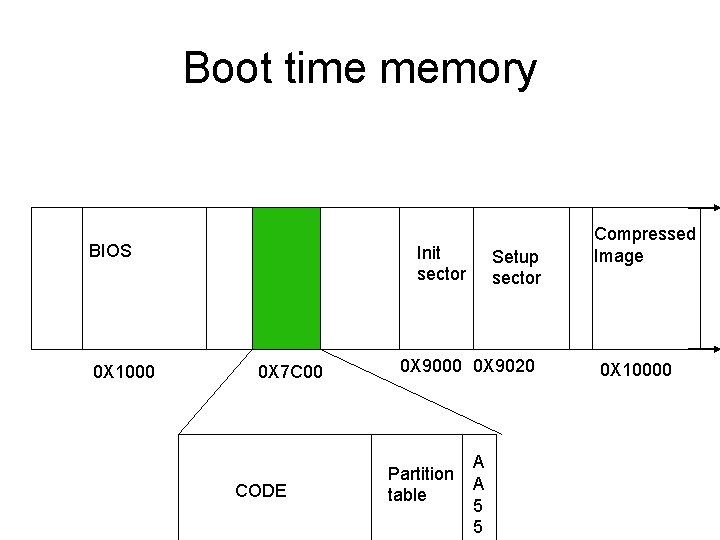
The Bootloader • Load Kernel into Memory – Copies kernel image referenced in /etc/lilo. conffrom hard drive using BIOS services – GRUB can do this or can read the file system so find a vmlinux – Loads kernel image to 0 x 90000 (using firmware functions): – 0 x 900000 (bootsector) – 0 x 900200 (setup sector) – 0 x 1000000 (compressed image) – Jumps to label start_of_setup@ 0 x 90200 • Alternative to bootloader–using bootsect. S
Boot time memory BIOS 0 X 1000 Copy of MBR 0 X 7 C 00 CODE Init sector Setup sector 0 X 9000 0 X 9020 Partition table A A 5 5 Compressed Image 0 X 10000
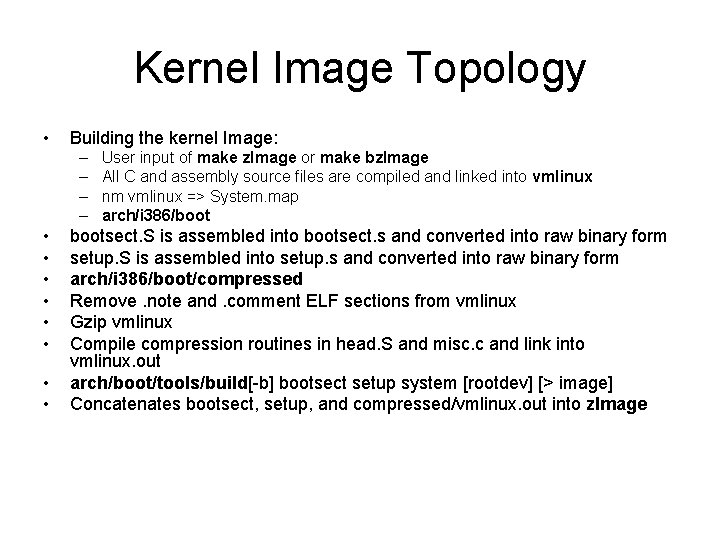
Kernel Image Topology • Building the kernel Image: – – • • User input of make z. Image or make bz. Image All C and assembly source files are compiled and linked into vmlinux nm vmlinux => System. map arch/i 386/bootsect. S is assembled into bootsect. s and converted into raw binary form setup. S is assembled into setup. s and converted into raw binary form arch/i 386/boot/compressed Remove. note and. comment ELF sections from vmlinux Gzip vmlinux Compile compression routines in head. S and misc. c and link into vmlinux. out arch/boot/tools/build[-b] bootsect setup system [rootdev] [> image] Concatenates bootsect, setup, and compressed/vmlinux. out into z. Image
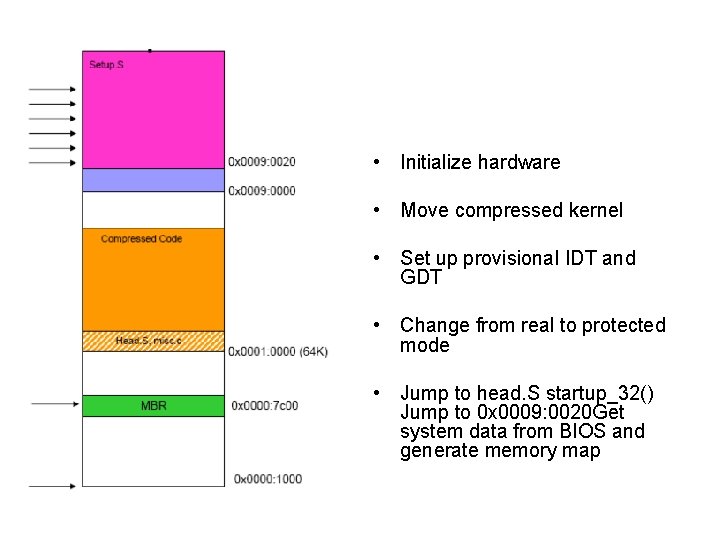
• Initialize hardware • Move compressed kernel • Set up provisional IDT and GDT • Change from real to protected mode • Jump to head. S startup_32() Jump to 0 x 0009: 0020 Get system data from BIOS and generate memory map
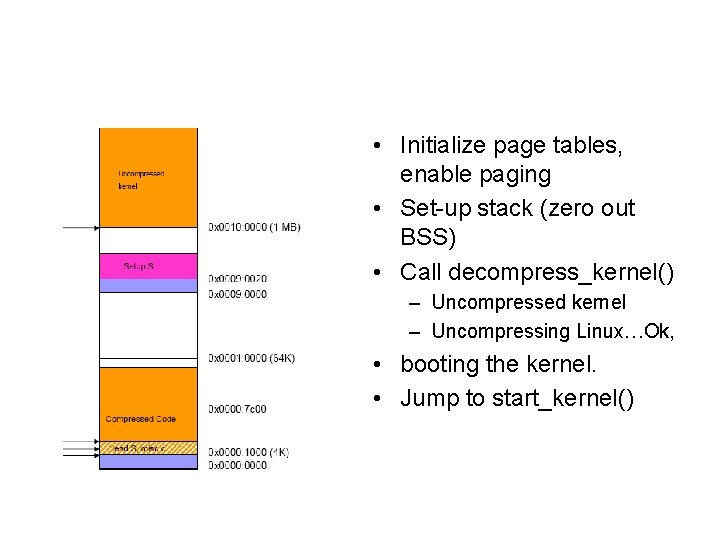
• Initialize page tables, enable paging • Set-up stack (zero out BSS) • Call decompress_kernel() – Uncompressed kernel – Uncompressing Linux…Ok, • booting the kernel. • Jump to start_kernel()