
Version 20160226 Configure the Firewall Goal of this


- Slides: 21
Version 20160226 Configure the Firewall
Goal of this Module ● Correctly Setup the Firewall for 3 CX ● Concepts of: ○ NAT & Port Preservation ○ SIP ALG ○ Setup for Provider ○ Setup for 3 CX Client, SBC & Bridges ○ Setup Remote IP Phone (Stun) ○ Validation
Firewall Configuration - Why? ● Voice Calls need to pass through the firewall to reach your PBX ● Voice calls use several ports (SIP for signaling and RTP for audio) ● Firewall will block traffic by default ● Need to configure firewall / router to forward calls to PBX
Prerequisites for this Module ● Fundamental Knowledge of routing required ● Configurable Firewalls: ○ pf. Sense ○ Watchguard ○ Sonicwall (req. hotfix) ● Good knowledge of the Firewall Device ● Note: 3 CX will not configure your Firewall! http: //www. 3 cx. com/docs/manual/firewall-router-configuration/
Concept: NAT & Ports ● Translates Public (IPv 4) to Private IP Addresses (NAT/PAT) ● Allows Access or Restricts it (ACLs) ● Required to allow connections to 3 CX from: ○ Provider(s) ○ 3 CX Clients ○ Supported IP Phones ○ 3 CX SBC
Concept: Full Cone NAT ● 3 CX PBX requires Full Cone NAT ● Allows Incoming Traffic from uncontacted sources ○ Required for ■ Vo. IP Provider (Multiple IPs) ■ Mobile Devices (Routed IPs) ■ Home Offices (Dynamic IPs)
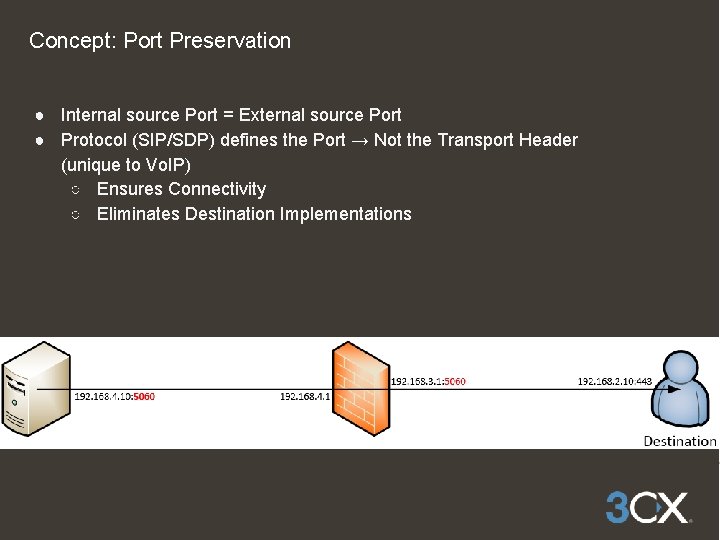
Concept: Port Preservation ● Internal source Port = External source Port ● Protocol (SIP/SDP) defines the Port → Not the Transport Header (unique to Vo. IP) ○ Ensures Connectivity ○ Eliminates Destination Implementations
Concept: Disable SIP ALG ● ALG = Application Layer Gateway (Firewall) ○ Inspects Content of Packages ○ Tampers Uncontrolled with Content (and you can't see it) ○ Made for Clients NOT Servers ○ Google: e. g. : “Cisco ASA disable SIP ALG”
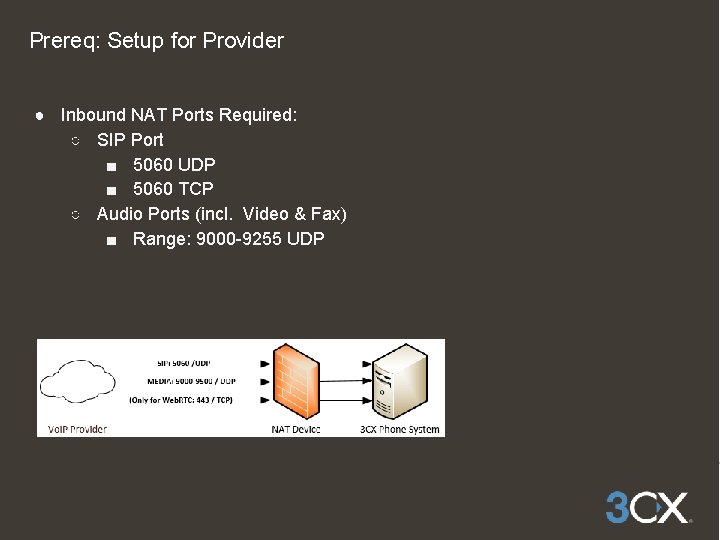
Prereq: Setup for Provider ● Inbound NAT Ports Required: ○ SIP Port ■ 5060 UDP ■ 5060 TCP ○ Audio Ports (incl. Video & Fax) ■ Range: 9000 -9255 UDP
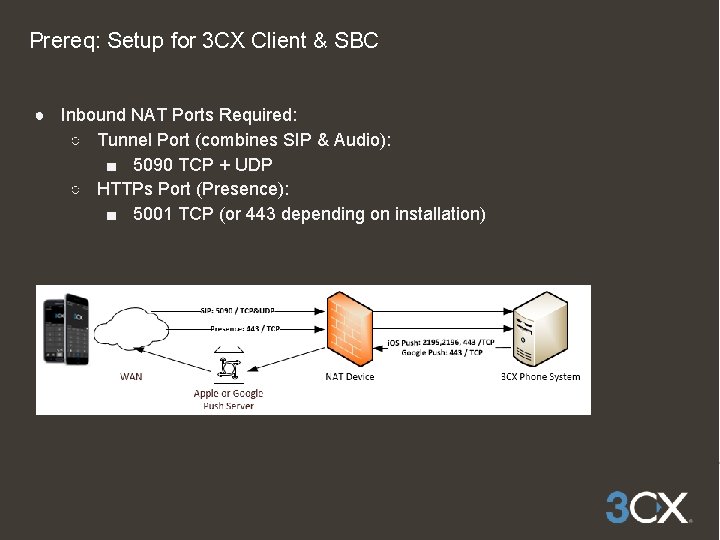
Prereq: Setup for 3 CX Client & SBC ● Inbound NAT Ports Required: ○ Tunnel Port (combines SIP & Audio): ■ 5090 TCP + UDP ○ HTTPs Port (Presence): ■ 5001 TCP (or 443 depending on installation)
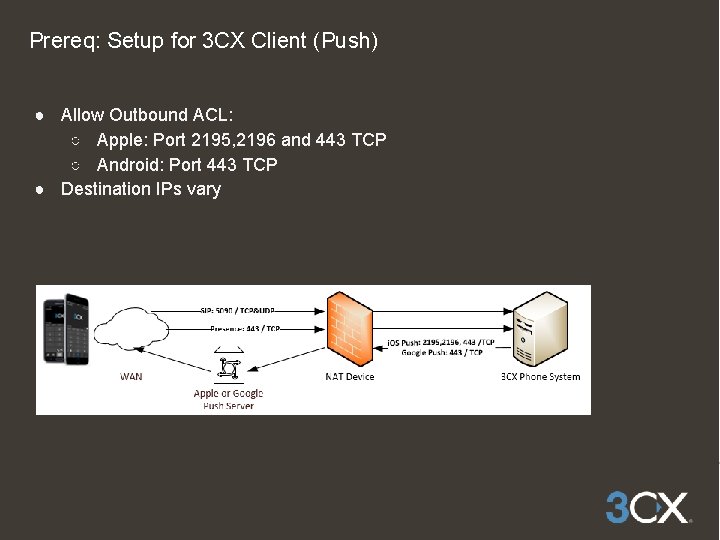
Prereq: Setup for 3 CX Client (Push) ● Allow Outbound ACL: ○ Apple: Port 2195, 2196 and 443 TCP ○ Android: Port 443 TCP ● Destination IPs vary
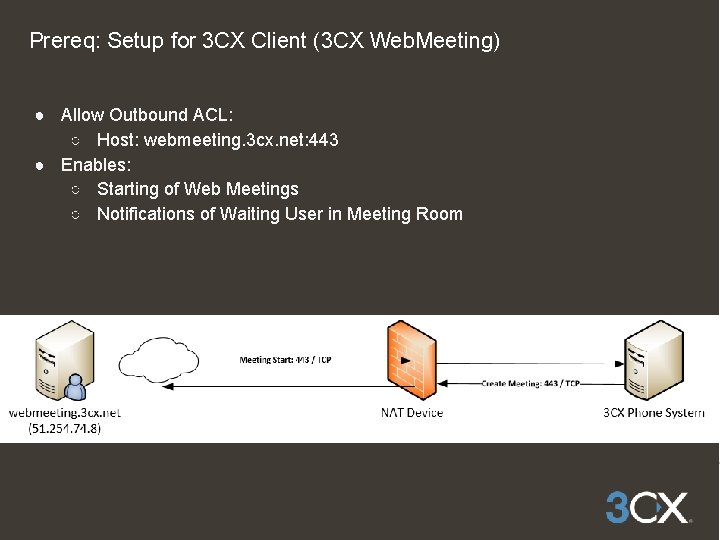
Prereq: Setup for 3 CX Client (3 CX Web. Meeting) ● Allow Outbound ACL: ○ Host: webmeeting. 3 cx. net: 443 ● Enables: ○ Starting of Web Meetings ○ Notifications of Waiting User in Meeting Room
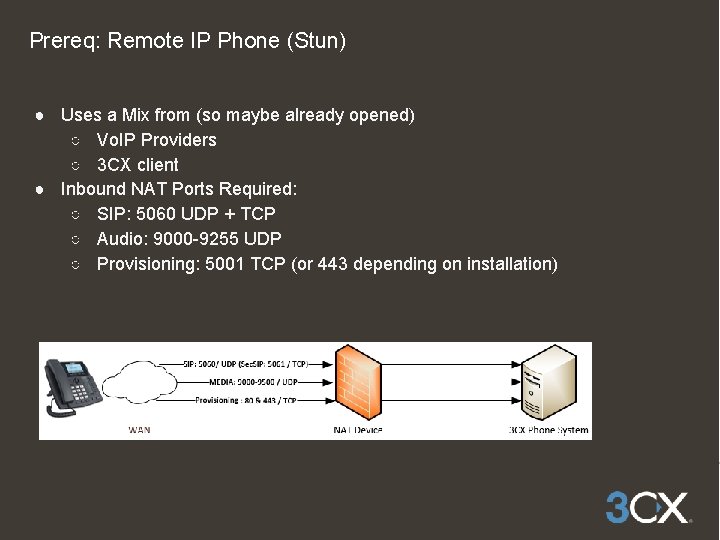
Prereq: Remote IP Phone (Stun) ● Uses a Mix from (so maybe already opened) ○ Vo. IP Providers ○ 3 CX client ● Inbound NAT Ports Required: ○ SIP: 5060 UDP + TCP ○ Audio: 9000 -9255 UDP ○ Provisioning: 5001 TCP (or 443 depending on installation)
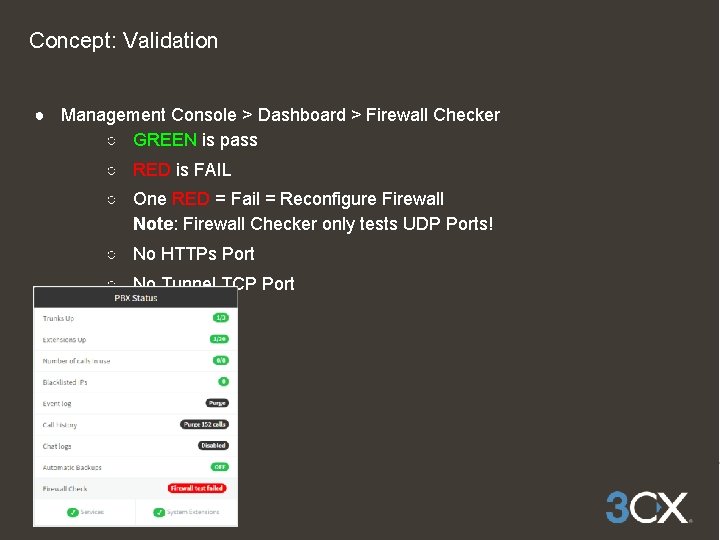
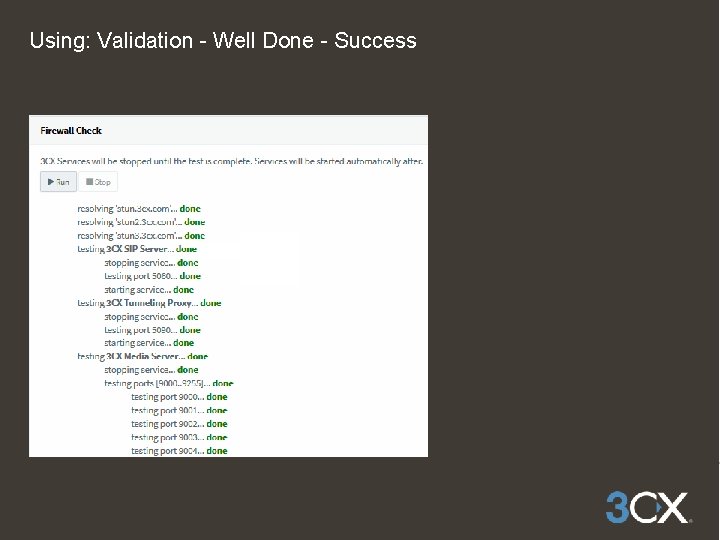
Concept: Validation ● Management Console > Dashboard > Firewall Checker ○ GREEN is pass ○ RED is FAIL ○ One RED = Fail = Reconfigure Firewall Note: Firewall Checker only tests UDP Ports! ○ No HTTPs Port ○ No Tunnel TCP Port
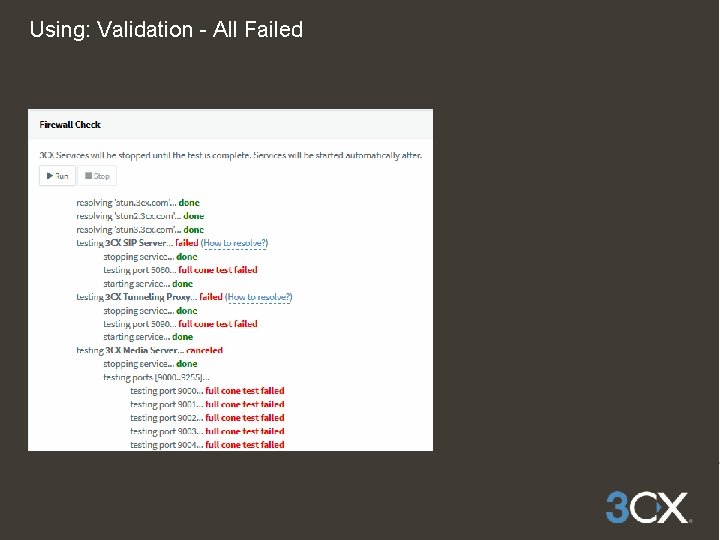
Using: Validation - All Failed
Validation: Part 1 ● Firewall configuration does not work or has not been made ● Contact firewall manufacturer support if needed ● Do not call 3 CX Support for assistance configuring your firewall ● Do not attempt to create SIP Trunks, Bridges or Remote Extensions ● Remote Extensions or SIP Trunks won’t register
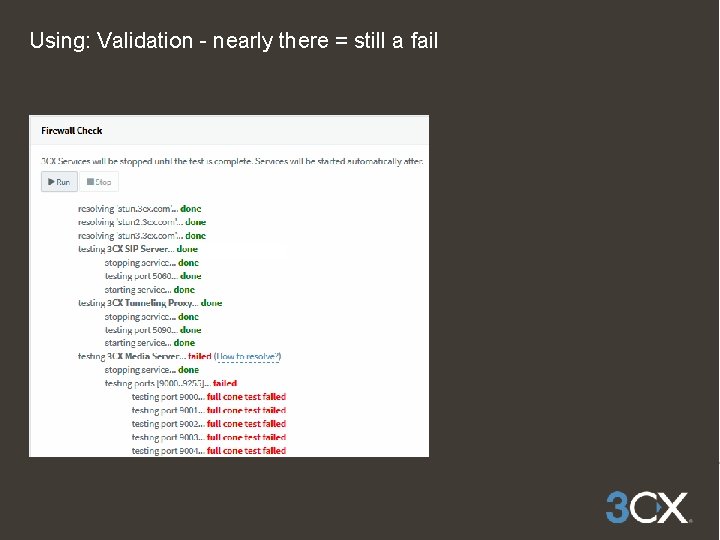
Using: Validation - nearly there = still a fail
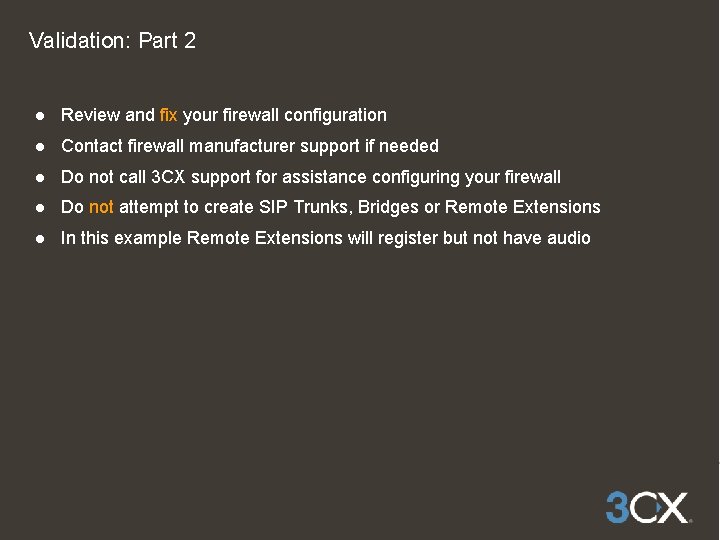
Validation: Part 2 ● Review and fix your firewall configuration ● Contact firewall manufacturer support if needed ● Do not call 3 CX support for assistance configuring your firewall ● Do not attempt to create SIP Trunks, Bridges or Remote Extensions ● In this example Remote Extensions will register but not have audio
Using: Validation - Well Done - Success
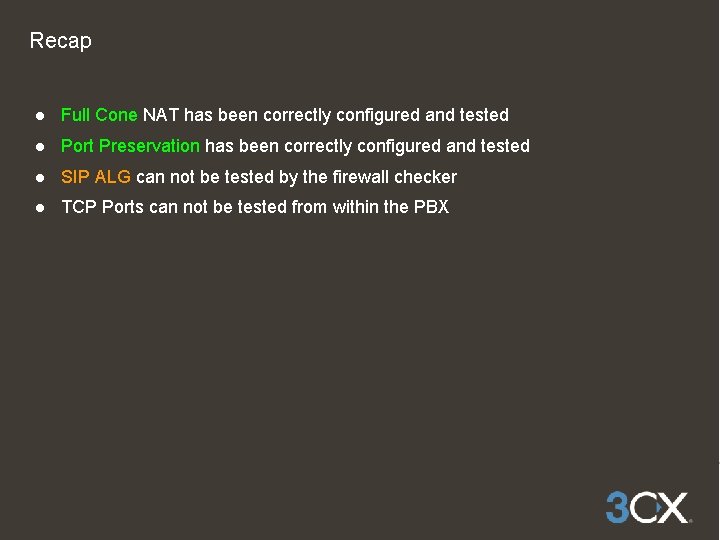
Recap ● Full Cone NAT has been correctly configured and tested ● Port Preservation has been correctly configured and tested ● SIP ALG can not be tested by the firewall checker ● TCP Ports can not be tested from within the PBX
More Training Material at: www. 3 cx. com/3 CXAcademy