
Verilog Synthesis FSMs EECS 150 Spring 2008 Lab
Verilog Synthesis & FSMs EECS 150 Spring 2008 – Lab Lecture #3 Shah Bawany 10/27/2020 EECS 150 Lab Lecture #3 1
Today n n n n 10/27/2020 Designing Digital Logic Efficient Hardware Design HDL Simulation Blocking vs. Non-Blocking Administrative Info Lab #3: The Combo Lock FSMs in Verilog EECS 150 Lab Lecture #3 2
Designing Digital Logic (1) n High Level Design n Top-Down Design n n Implementing the Design n Follow the flow of data n n Port specifications for modules provided in lab document Simple FSM n n n 10/27/2020 Break down a larger module (ie combo lock) into smaller more manageable parts Get inputs Update state Generate outputs EECS 150 Lab Lecture #3 3
Designing Digital Logic (2) n Start with Inputs n What are they? n n n In this case values from the dipswitches as well as reset, reset combo and enter They’ll often be outputs from other modules Process Them n Raw inputs are often not what you need n 10/27/2020 i. e. Lab 3, current combination is stored in registers, so we can process the inputs using a comparator before handing it off to the FSM EECS 150 Lab Lecture #3 4
Designing Digital Logic (3) n Determine State n What does the module need to remember? n n n Design Memory for State n n n 10/27/2020 Common tasks are determining if it seen a particular input or counting how many cycles have passed since an event In this lab, our FSM only knows of correct versus incorrect entries, as we have abstracted away knowledge of specific inputs Generalized FSM - Mutli-purpose using 2 always @ blocks Counter - Generally good for timing events Shift Register - Serial <--> Parallel EECS 150 Lab Lecture #3 5
Designing Digital Logic (4) n Generate Outputs n What are they? n n Values passed outside the module Create the outputs n n Don’t set them, they’re not variables Compute them from state (and inputs) n n 10/27/2020 Learn to think in Boolean equations assign is helpful EECS 150 Lab Lecture #3 6
Efficient Hardware Design (1) always @ (*) begin if (a) Z = A + B; else Z = A + C; end always @ (*) begin if (a) aux =B; else aux = C; Z = A + aux; end OR assign Z = A + (a ? B : C); 10/27/2020 EECS 150 Lab Lecture #3 7
Efficient Hardware Design (2) assign B = 3; assign Z = A * B; Multipliers are bad for synthesis assign Z = A + (2 * A); assign Z = A + (A << 1); assign Z = A + {A, 1’b 0}; 10/27/2020 EECS 150 Lab Lecture #3 8
HDL Simulation (1) n Software Based Simulation n n Drawbacks n n n 10/27/2020 Fast, simple and mostly accurate Allows for simulation at any precision Easy to see any signal - perfect Visibility Simulator Dependant Time to simulate a single clock cycle is much slower than the actual clock speed, so extensive testing may take longer Simulation != Synthesis EECS 150 Lab Lecture #3 9
HDL Simulation (2) n Implications n Some blocks of Verilog are not executed n n n 10/27/2020 Things don’t necessarily happen in order Verilog is SIMULATED Need to specify test input vectors, which can be painful EECS 150 Lab Lecture #3 10
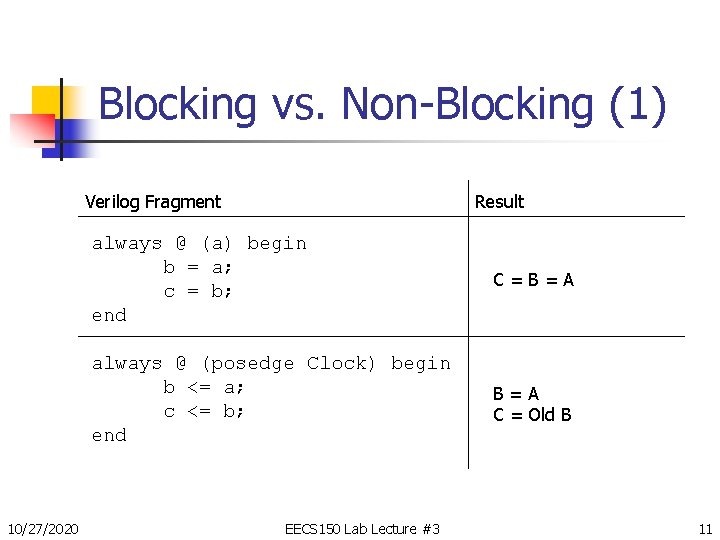
Blocking vs. Non-Blocking (1) Verilog Fragment 10/27/2020 Result always @ (a) begin b = a; c = b; end C=B=A always @ (posedge Clock) begin b <= a; c <= b; end B=A C = Old B EECS 150 Lab Lecture #3 11
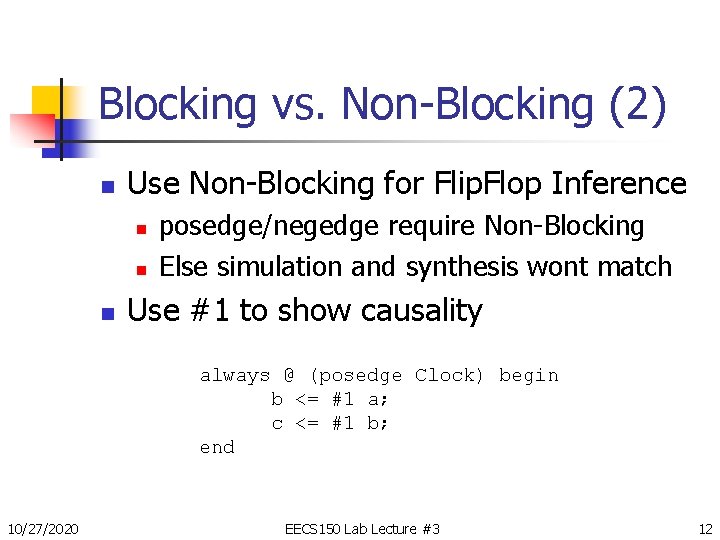
Blocking vs. Non-Blocking (2) n Use Non-Blocking for Flip. Flop Inference n n n posedge/negedge require Non-Blocking Else simulation and synthesis wont match Use #1 to show causality always @ (posedge Clock) begin b <= #1 a; c <= #1 b; end 10/27/2020 EECS 150 Lab Lecture #3 12
Administrative Info n Don’t expect to be checked off during any lab times other than your own n 10/27/2020 You should get checked off during your lab or during your lab TA’s office hours If your another TA does check you off, bring your checkoff sheet to your regular lab TA At the end of lab, come up and put your 5 digit cardkey access number on the sheet if you didn’t already during lab. EECS 150 Lab Lecture #3 13
Administrative Info (2) n Partners - 1 week warning n You MUST have one for Lab 4 and later… n n n If you do not have a partner: n n 10/27/2020 Try to keep the same one for the project They must be in your lab section Find one now! Post to the newsgroup EECS 150 Lab Lecture #3 14
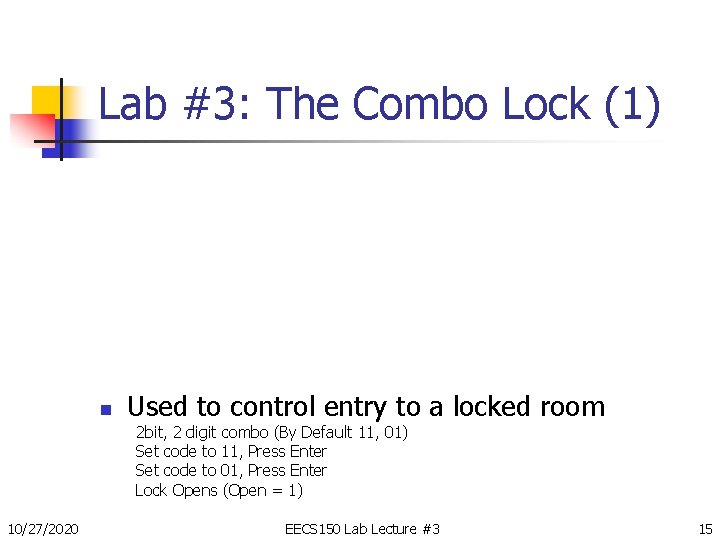
Lab #3: The Combo Lock (1) n Used to control entry to a locked room 2 bit, 2 digit combo (By Default 11, 01) Set code to 11, Press Enter Set code to 01, Press Enter Lock Opens (Open = 1) 10/27/2020 EECS 150 Lab Lecture #3 15
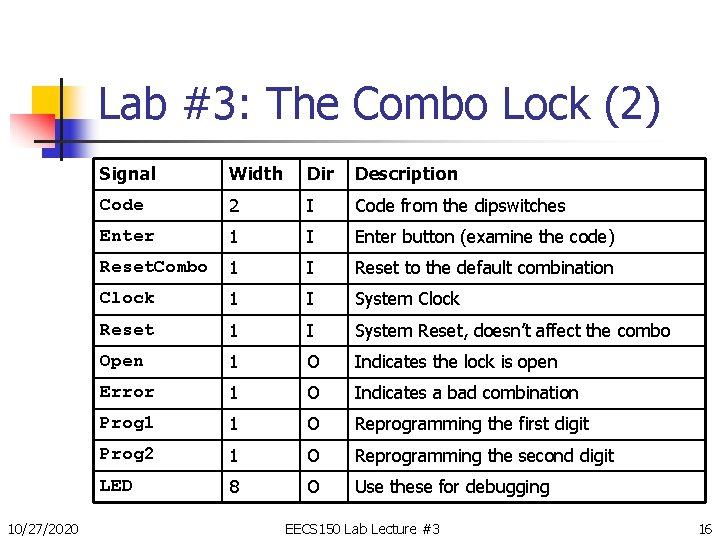
Lab #3: The Combo Lock (2) 10/27/2020 Signal Width Dir Description Code 2 I Code from the dipswitches Enter 1 I Enter button (examine the code) Reset. Combo 1 I Reset to the default combination Clock 1 I System Clock Reset 1 I System Reset, doesn’t affect the combo Open 1 O Indicates the lock is open Error 1 O Indicates a bad combination Prog 1 1 O Reprogramming the first digit Prog 2 1 O Reprogramming the second digit LED 8 O Use these for debugging EECS 150 Lab Lecture #3 16
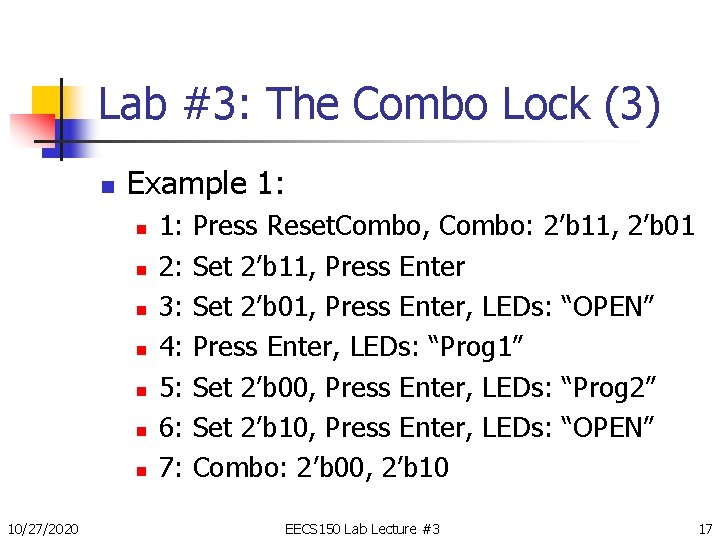
Lab #3: The Combo Lock (3) n Example 1: n n n n 10/27/2020 1: 2: 3: 4: 5: 6: 7: Press Reset. Combo, Combo: 2’b 11, 2’b 01 Set 2’b 11, Press Enter Set 2’b 01, Press Enter, LEDs: “OPEN” Press Enter, LEDs: “Prog 1” Set 2’b 00, Press Enter, LEDs: “Prog 2” Set 2’b 10, Press Enter, LEDs: “OPEN” Combo: 2’b 00, 2’b 10 EECS 150 Lab Lecture #3 17
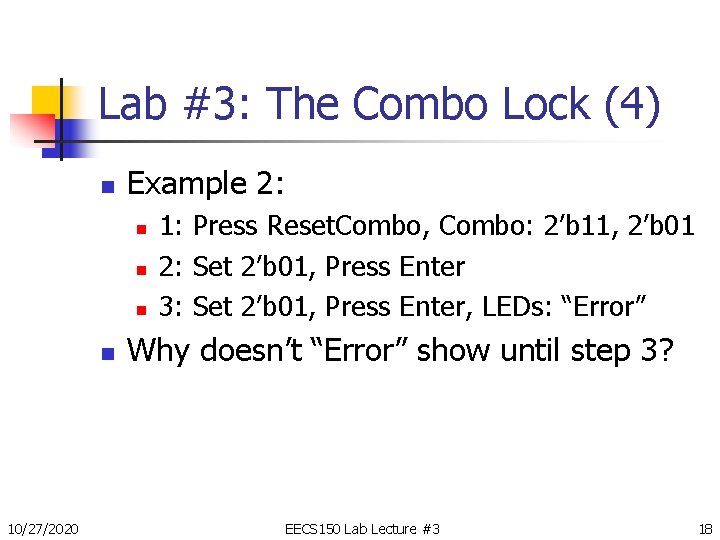
Lab #3: The Combo Lock (4) n Example 2: n n 10/27/2020 1: Press Reset. Combo, Combo: 2’b 11, 2’b 01 2: Set 2’b 01, Press Enter 3: Set 2’b 01, Press Enter, LEDs: “Error” Why doesn’t “Error” show until step 3? EECS 150 Lab Lecture #3 18
Lab #3: The Combo Lock (5) 10/27/2020 EECS 150 Lab Lecture #3 19
Lab #3: The Combo Lock (6) 10/27/2020 EECS 150 Lab Lecture #3 20
Lab #3: The Combo Lock (7) n Debugging with LEDs n A powerful way to debug n n Easy to understand Lower overhead than other debugging tools A great way to see Next. State/Current. State Drawbacks n n n Slow, can’t see fast events No timing information, no waveform Limited number n 10/27/2020 Dipswitches! EECS 150 Lab Lecture #3 21
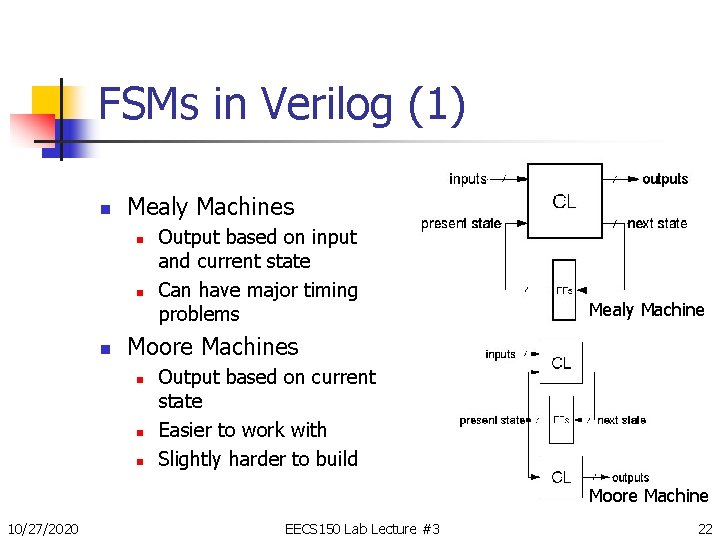
FSMs in Verilog (1) n Mealy Machines n n n Output based on input and current state Can have major timing problems Mealy Machine Moore Machines n n n Output based on current state Easier to work with Slightly harder to build Moore Machine 10/27/2020 EECS 150 Lab Lecture #3 22
FSMs in Verilog (2) n Two or Three always blocks n 1 st: Current. State Register n n 2 nd: Generates Next. State (+ Outputs in Mealy) n Uses Current. State and Inputs n Combinational 3 rd: Generates Outputs (Optional) n n 10/27/2020 Clocked Handles Reset Uses Current. State only (for Moore Machines) Might be replaced with a few assigns EECS 150 Lab Lecture #3 23
FSMs in Verilog (3) module My. FSM(In, Out, Clock, Reset); input In, Clock, Reset; output Out; parameter STATE_Idle = STATE_Run = STATE_X = 1’b 0, 1’b 1, 1’bx; reg Current. State, Next. State, Out; always @ (posedge Clock) begin if (Reset) Current. State <= STATE_Idle; else Current. State <= Next. State; end … 10/27/2020 EECS 150 Lab Lecture #3 24
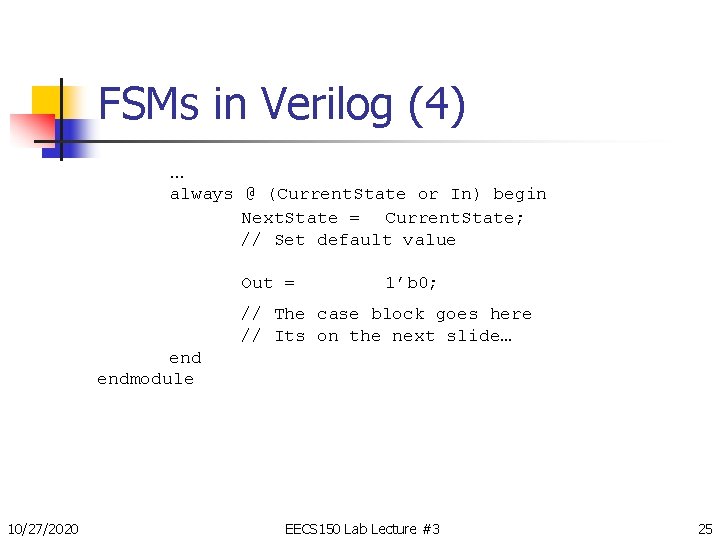
FSMs in Verilog (4) … always @ (Current. State or In) begin Next. State = Current. State; // Set default value Out = 1’b 0; // The case block goes here // Its on the next slide… endmodule 10/27/2020 EECS 150 Lab Lecture #3 25
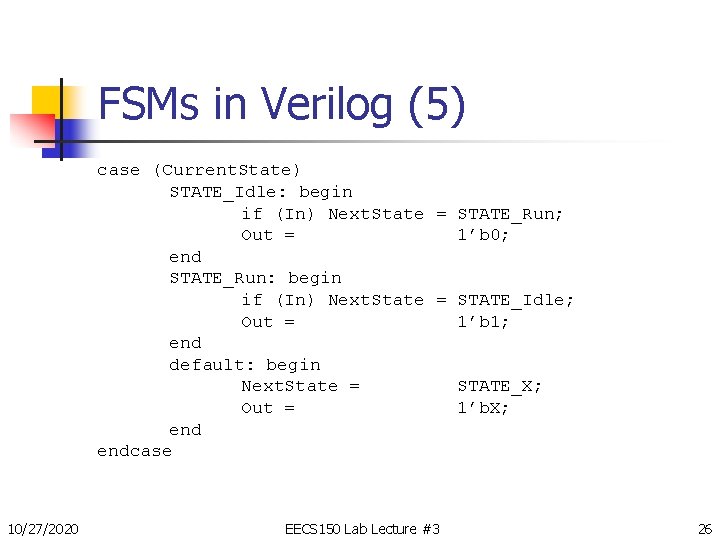
FSMs in Verilog (5) case (Current. State) STATE_Idle: begin if (In) Next. State = STATE_Run; Out = 1’b 0; end STATE_Run: begin if (In) Next. State = STATE_Idle; Out = 1’b 1; end default: begin Next. State = STATE_X; Out = 1’b. X; endcase 10/27/2020 EECS 150 Lab Lecture #3 26
- Slides: 26