
Verification Monitoring Interface VMI Verify and Monitor Barcode
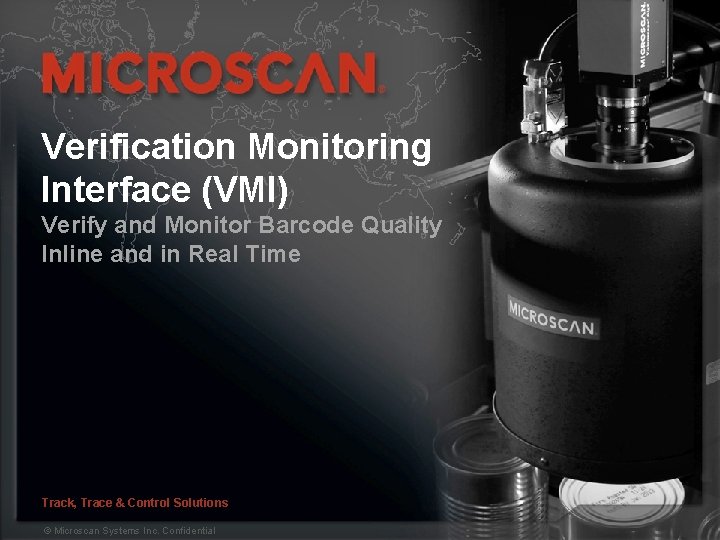
Verification Monitoring Interface (VMI) Verify and Monitor Barcode Quality Inline and in Real Time Track, Trace & Control Solutions 1 © Microscan Systems Inc. Confidential
Topics § Barcode Quality: The Challenges § The Trouble with Today’s Methods § The Answer: Machine Vision Verification § Microscan Verification Kits § Verification Monitoring Interface (VMI) § Part Numbers and Configurations § Frequently Asked Questions § Key Takeaways 2 © Microscan Systems Inc. Confidential
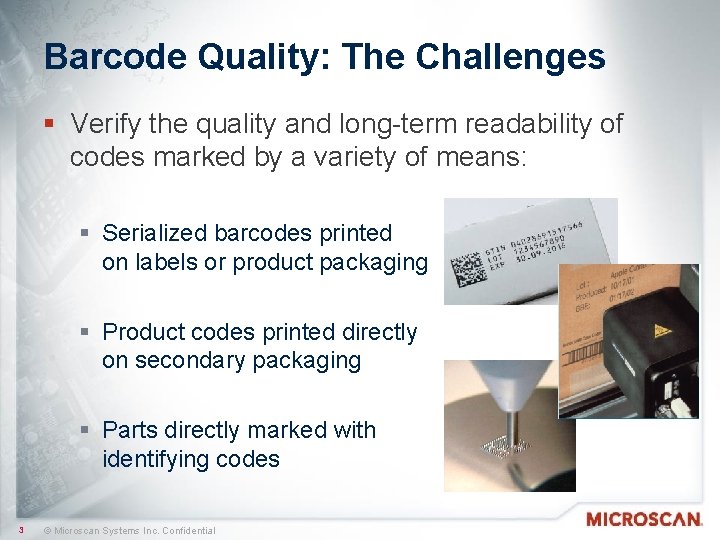
Barcode Quality: The Challenges § Verify the quality and long-term readability of codes marked by a variety of means: § Serialized barcodes printed on labels or product packaging § Product codes printed directly on secondary packaging § Parts directly marked with identifying codes 3 © Microscan Systems Inc. Confidential
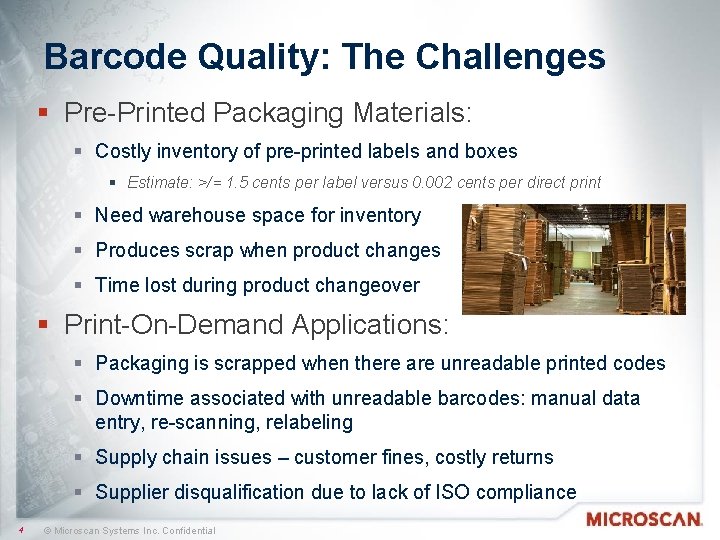
Barcode Quality: The Challenges § Pre-Printed Packaging Materials: § Costly inventory of pre-printed labels and boxes § Estimate: >/= 1. 5 cents per label versus 0. 002 cents per direct print § Need warehouse space for inventory § Produces scrap when product changes § Time lost during product changeover § Print-On-Demand Applications: § Packaging is scrapped when there are unreadable printed codes § Downtime associated with unreadable barcodes: manual data entry, re-scanning, relabeling § Supply chain issues – customer fines, costly returns § Supplier disqualification due to lack of ISO compliance 4 © Microscan Systems Inc. Confidential
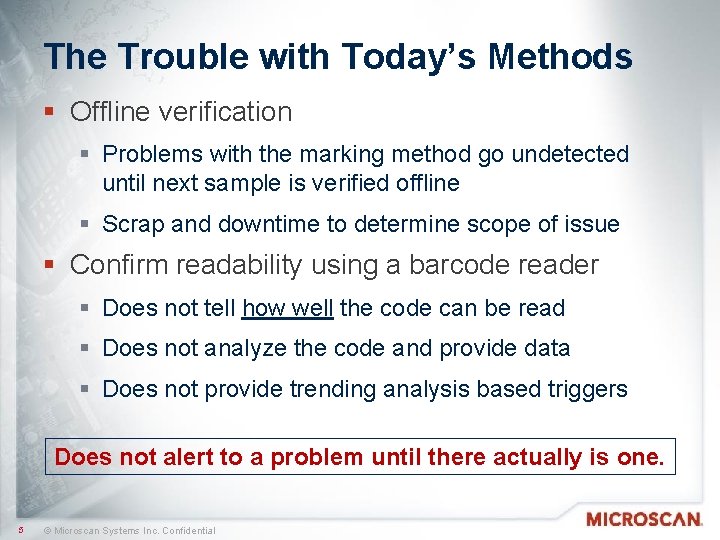
The Trouble with Today’s Methods § Offline verification § Problems with the marking method go undetected until next sample is verified offline § Scrap and downtime to determine scope of issue § Confirm readability using a barcode reader § Does not tell how well the code can be read § Does not analyze the code and provide data § Does not provide trending analysis based triggers Does not alert to a problem until there actually is one. 5 © Microscan Systems Inc. Confidential
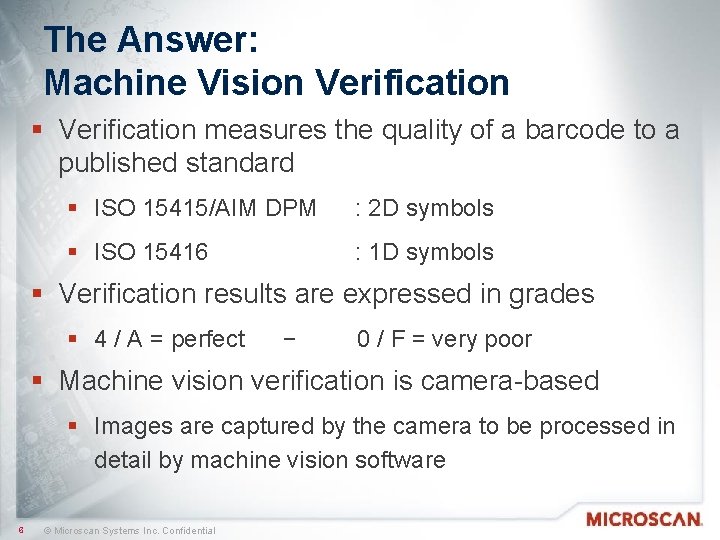
The Answer: Machine Vision Verification § Verification measures the quality of a barcode to a published standard § ISO 15415/AIM DPM : 2 D symbols § ISO 15416 : 1 D symbols § Verification results are expressed in grades § 4 / A = perfect − 0 / F = very poor § Machine vision verification is camera-based § Images are captured by the camera to be processed in detail by machine vision software 6 © Microscan Systems Inc. Confidential
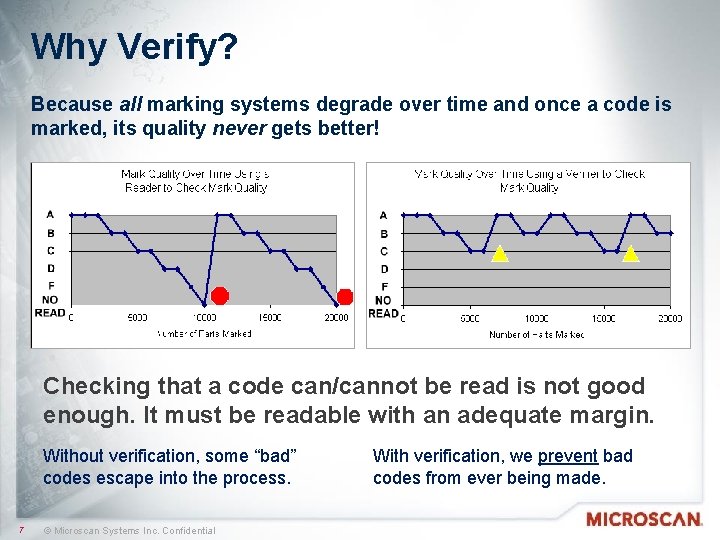
Why Verify? Because all marking systems degrade over time and once a code is marked, its quality never gets better! Checking that a code can/cannot be read is not good enough. It must be readable with an adequate margin. Without verification, some “bad” codes escape into the process. 7 © Microscan Systems Inc. Confidential With verification, we prevent bad codes from ever being made.
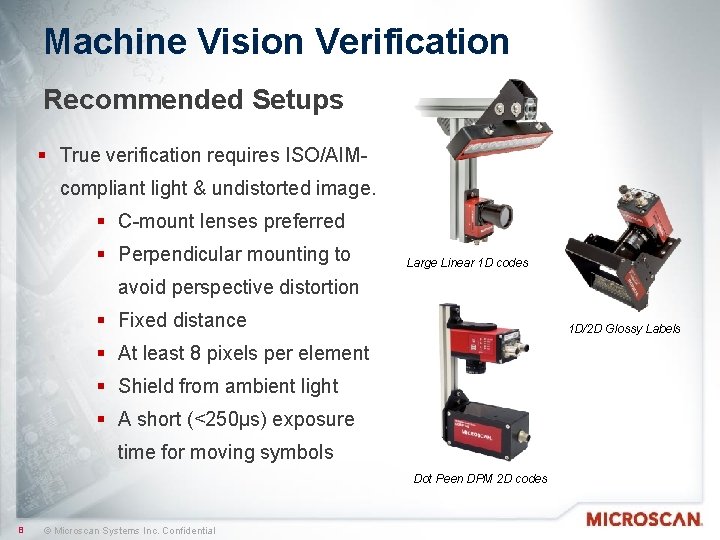
Machine Vision Verification Recommended Setups § True verification requires ISO/AIMcompliant light & undistorted image. § C-mount lenses preferred § Perpendicular mounting to Large Linear 1 D codes avoid perspective distortion § Fixed distance 1 D/2 D Glossy Labels § At least 8 pixels per element § Shield from ambient light § A short (<250µs) exposure time for moving symbols Dot Peen DPM 2 D codes 8 © Microscan Systems Inc. Confidential
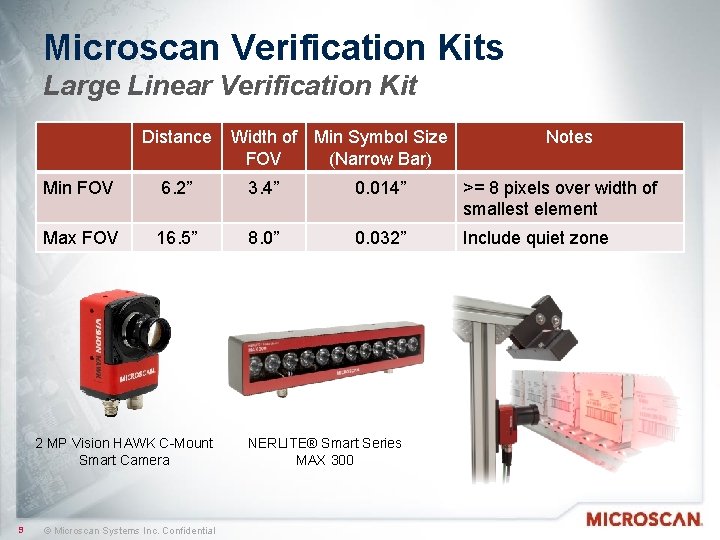
Microscan Verification Kits Large Linear Verification Kit Distance Notes Min FOV 6. 2” 3. 4” 0. 014” >= 8 pixels over width of smallest element Max FOV 16. 5” 8. 0” 0. 032” Include quiet zone 2 MP Vision HAWK C-Mount Smart Camera 9 Width of Min Symbol Size FOV (Narrow Bar) © Microscan Systems Inc. Confidential NERLITE® Smart Series MAX 300
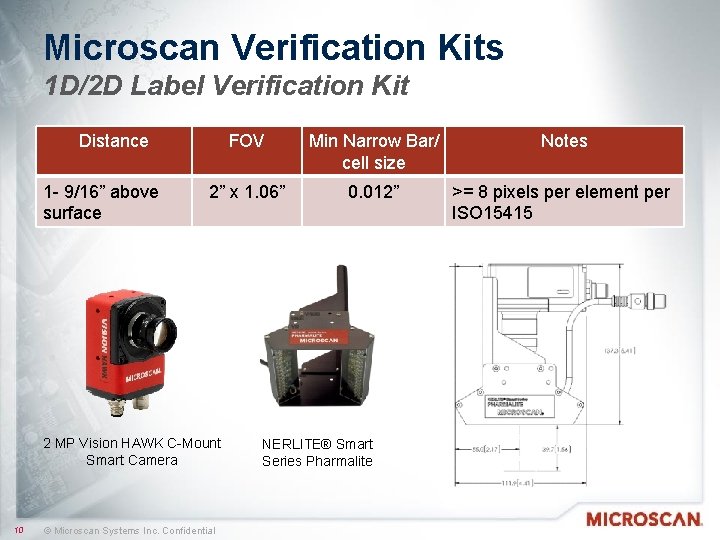
Microscan Verification Kits 1 D/2 D Label Verification Kit Distance 1 - 9/16” above surface FOV Min Narrow Bar/ cell size Notes 2” x 1. 06” 0. 012” >= 8 pixels per element per ISO 15415 2 MP Vision HAWK C-Mount Smart Camera 10 © Microscan Systems Inc. Confidential NERLITE® Smart Series Pharmalite
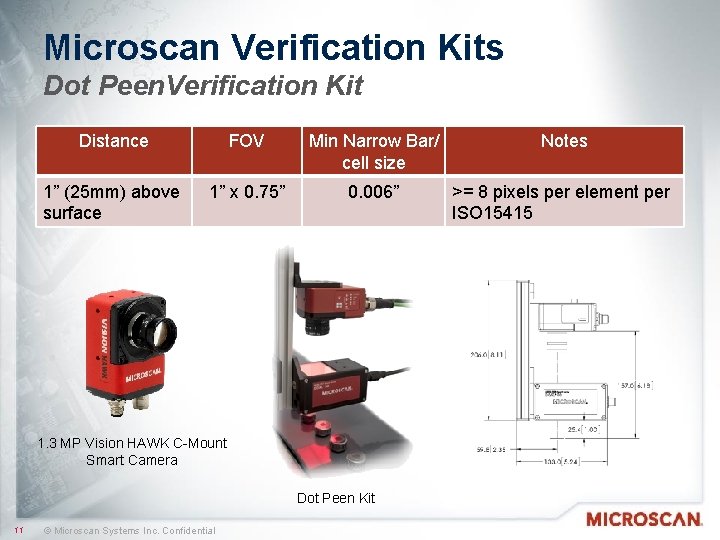
Microscan Verification Kits Dot Peen. Verification Kit Distance FOV Min Narrow Bar/ cell size Notes 1” (25 mm) above surface 1” x 0. 75” 0. 006” >= 8 pixels per element per ISO 15415 1. 3 MP Vision HAWK C-Mount Smart Camera Dot Peen Kit 11 © Microscan Systems Inc. Confidential
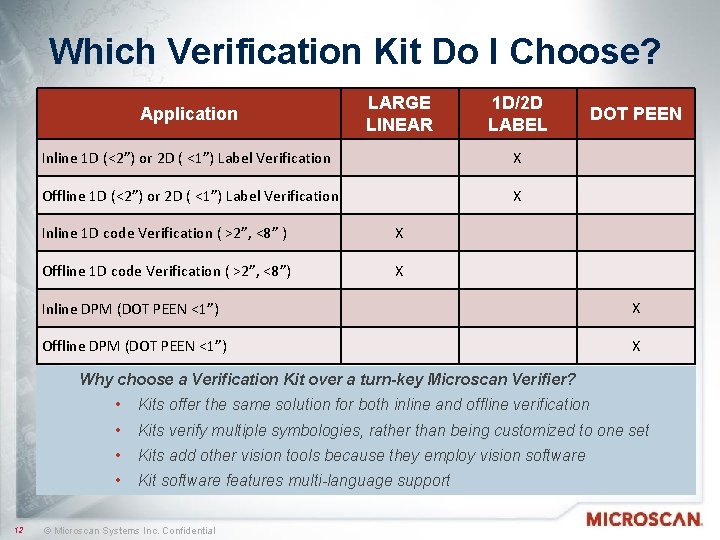
Which Verification Kit Do I Choose? Application LARGE LINEAR 1 D/2 D LABEL Inline 1 D (<2”) or 2 D ( <1”) Label Verification X Offline 1 D (<2”) or 2 D ( <1”) Label Verification X Inline 1 D code Verification ( >2”, <8” ) X Offline 1 D code Verification ( >2”, <8”) X DOT PEEN Inline DPM (DOT PEEN <1”) X Offline DPM (DOT PEEN <1”) X Why choose a Verification Kit over a turn-key Microscan Verifier? 12 • Kits offer the same solution for both inline and offline verification • Kits verify multiple symbologies, rather than being customized to one set • Kits add other vision tools because they employ vision software • Kit software features multi-language support © Microscan Systems Inc. Confidential
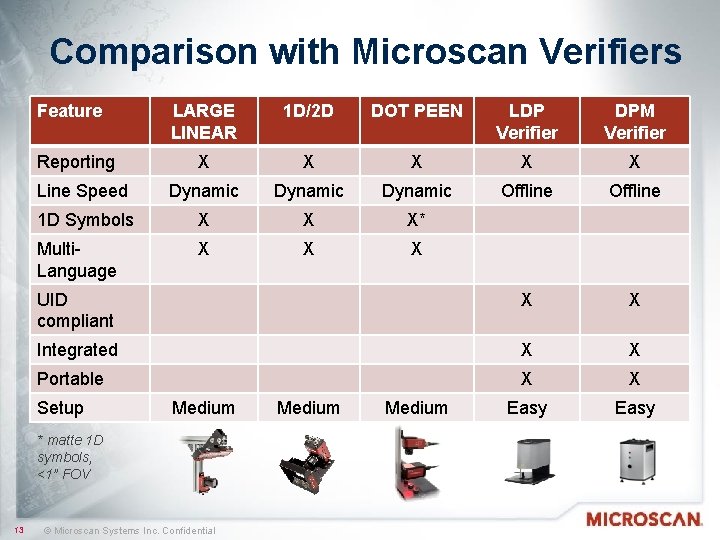
Comparison with Microscan Verifiers Feature LARGE LINEAR 1 D/2 D DOT PEEN LDP Verifier DPM Verifier X X X Line Speed Dynamic Offline 1 D Symbols X X X* Multi. Language X X X UID compliant X X Integrated X X Portable X X Easy Reporting Setup Medium * matte 1 D symbols, <1” FOV 13 © Microscan Systems Inc. Confidential Medium
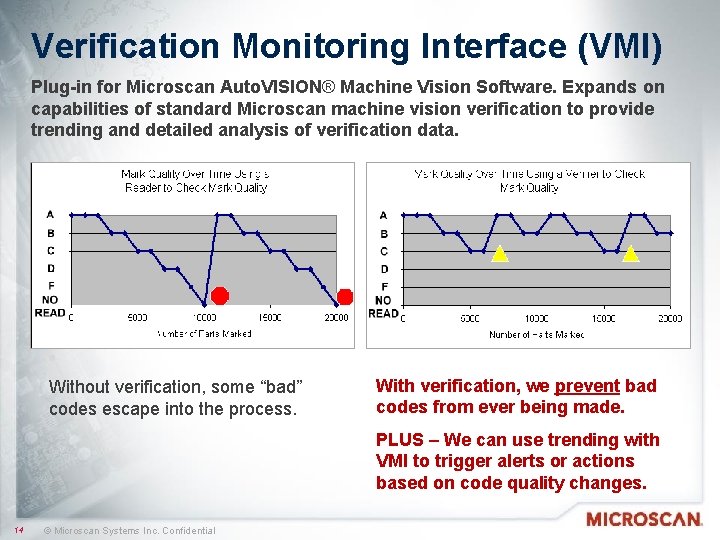
Verification Monitoring Interface (VMI) Plug-in for Microscan Auto. VISION® Machine Vision Software. Expands on capabilities of standard Microscan machine vision verification to provide trending and detailed analysis of verification data. Without verification, some “bad” codes escape into the process. With verification, we prevent bad codes from ever being made. PLUS – We can use trending with VMI to trigger alerts or actions based on code quality changes. 14 © Microscan Systems Inc. Confidential
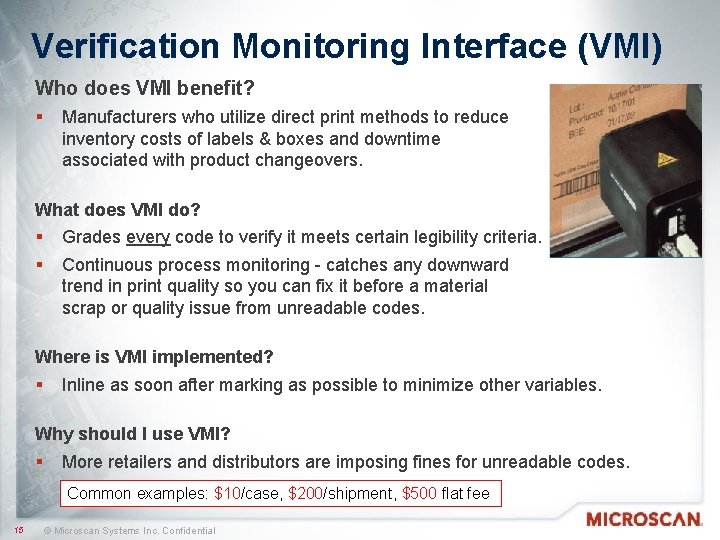
Verification Monitoring Interface (VMI) Who does VMI benefit? § Manufacturers who utilize direct print methods to reduce inventory costs of labels & boxes and downtime associated with product changeovers. What does VMI do? § § Grades every code to verify it meets certain legibility criteria. Continuous process monitoring - catches any downward trend in print quality so you can fix it before a material scrap or quality issue from unreadable codes. Where is VMI implemented? § Inline as soon after marking as possible to minimize other variables. Why should I use VMI? § More retailers and distributors are imposing fines for unreadable codes. Common examples: $10/case, $200/shipment, $500 flat fee 15 © Microscan Systems Inc. Confidential
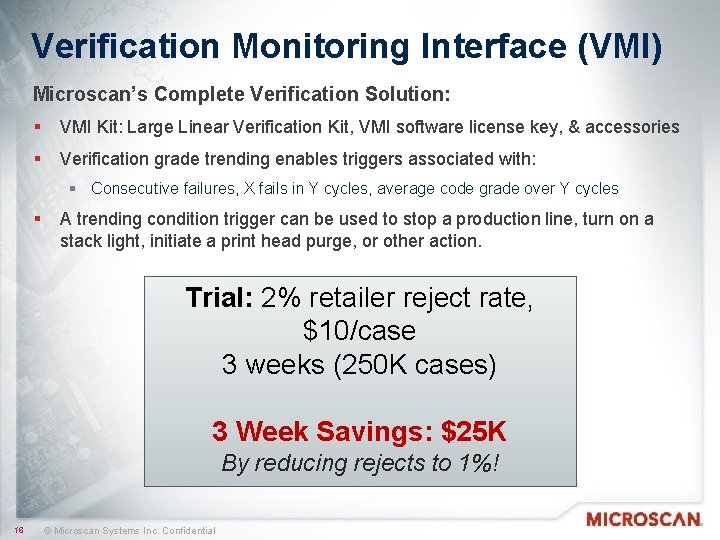
Verification Monitoring Interface (VMI) Microscan’s Complete Verification Solution: § VMI Kit: Large Linear Verification Kit, VMI software license key, & accessories § Verification grade trending enables triggers associated with: § Consecutive failures, X fails in Y cycles, average code grade over Y cycles § A trending condition trigger can be used to stop a production line, turn on a stack light, initiate a print head purge, or other action. Trial: 2% retailer reject rate, $10/case 3 weeks (250 K cases) 3 Week Savings: $25 K By reducing rejects to 1%! 16 © Microscan Systems Inc. Confidential
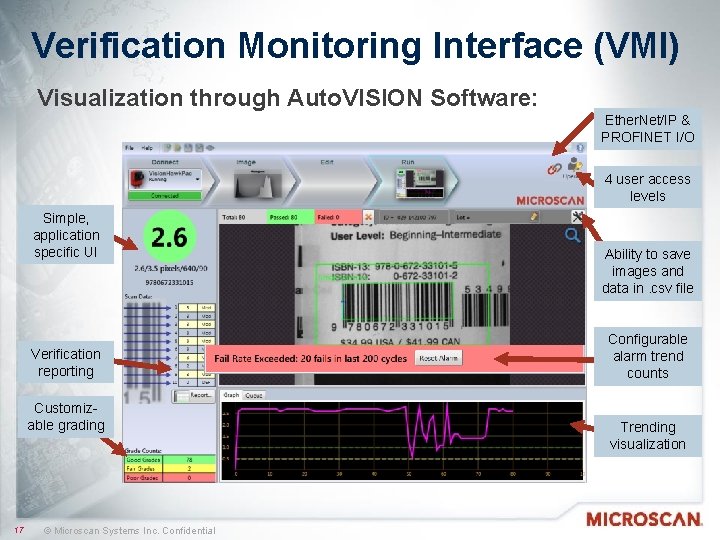
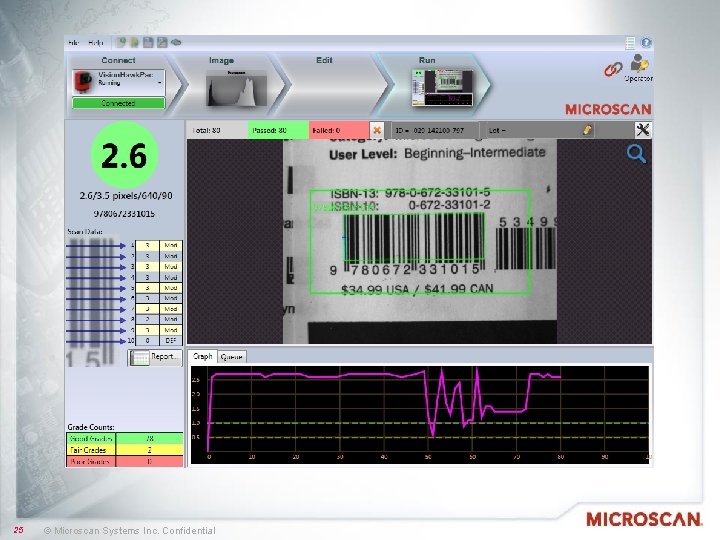
Verification Monitoring Interface (VMI) Visualization through Auto. VISION Software: Ether. Net/IP & PROFINET I/O 4 user access levels Simple, application specific UI Verification reporting Customizable grading 17 © Microscan Systems Inc. Confidential Ability to save images and data in. csv file Configurable alarm trend counts Trending visualization
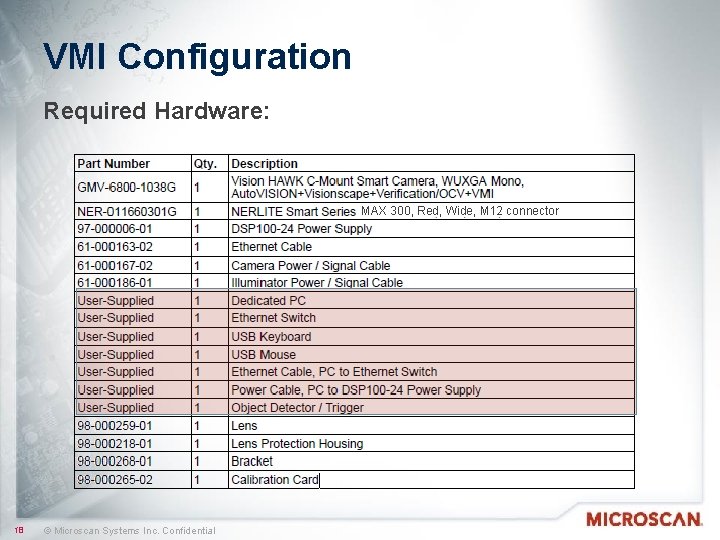
VMI Configuration Required Hardware: MAX 300, Red, Wide, M 12 connector MAX 18 © Microscan Systems Inc. Confidential
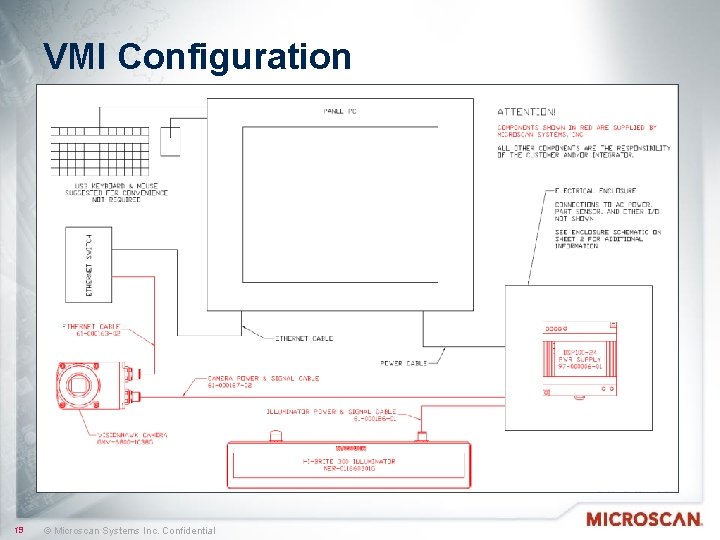
VMI Configuration 19 © Microscan Systems Inc. Confidential
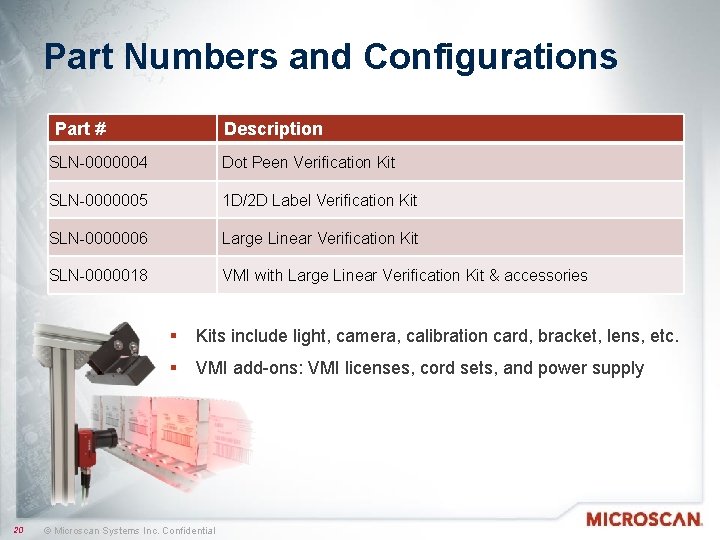
Part Numbers and Configurations Part # 20 Description SLN-0000004 Dot Peen Verification Kit SLN-0000005 1 D/2 D Label Verification Kit SLN-0000006 Large Linear Verification Kit SLN-0000018 VMI with Large Linear Verification Kit & accessories § Kits include light, camera, calibration card, bracket, lens, etc. § VMI add-ons: VMI licenses, cord sets, and power supply © Microscan Systems Inc. Confidential
Frequently Asked Questions § Where do I get the VMI software? § VMI is available for download on the Microscan website to be used in Emulator mode (license key required to use on camera). § Is VMI a standalone software? § No. Users must install Auto. VISION® machine vision software before installing VMI. A custom version of Auto. VISION is required, and is part of the VMI download package. § Can VMI be used with existing hardware? § Yes, on Auto. VISION hardware with a software upgrade license. In order to meet barcode quality standards, VMI is not recommended for products with integrated lighting or optics. § 98 -000217 -05, Verification & VMI License (A) 21 © Microscan Systems Inc. Confidential
Frequently Asked Questions § How fast is VMI? § Verification for trend monitoring is processing-intensive and saving images and data taxes the smart camera even more. With the 2 MP camera set to collect all images and data, the maximum recommended speed is 30 ppm. § For faster speeds, the system can be configured to turn off image capture. The user may also need to use a lower-resolution camera such as the WVGA. § Can human-readable text like date & lot codes be read using VMI? § Yes, text can be read using Auto. VISION OCR/OCV tools available through the VMI plug-in provided the data is within the FOV and you can still achieve the minimum 8 pixels per element. 22 © Microscan Systems Inc. Confidential
Key Takeaways § Quality barcodes are critical for ensuring product tracking and identification § Code quality is affected by factors from degradation of marking methods to simple wear and tear § Confirming barcode readability by random offline sample checking or using barcode readers does not ensure 100% quality or long-term readability § Machine vision verification prevents bad codes from being made, preventing no-reads, scrap, downtime and customer fines 23 © Microscan Systems Inc. Confidential
Key Takeaways § Microscan VMI makes it easy to visualize, monitor, and trigger actions based on detailed verification data § User-friendly plug-in for Microscan Auto. VISION® Machine Vision Software, featuring complete machine vision inspection tools § Verification to ISO 15416 § Preconfigured jobs and simple verification-specific user interface § Trend analysis to monitor barcode quality inline, in real time § Trend visualization and image monitor queue § Configurable alarms based on verification grade trending § Ability to save all data and images for future review 24 © Microscan Systems Inc. Confidential
25 © Microscan Systems Inc. Confidential

Thank You • ANY QUESTIONS? • Contact Information: 555 -5555 • email@microscan. com Track, Trace & Control Solutions 26 © Microscan Systems Inc. Confidential
- Slides: 26