
Vehicle Mechatronics Control Everybody loves ROS Slides Jari
Vehicle Mechatronics: Control Everybody loves ROS Slides: Jari Vepsäläinen & Pavithra Gopalakrishnan July 1, 2020
Contents 1. ROS Basics • • What is ROS? ROS Tools These lecture slides have been inspired by • ROS wiki (wiki. ros. org) • Stanford ASL course AA 274: Principles of Robot Autonomy 1 • Robot Ignite Academy: ROS Basics 2. ROS Architecture • Master, Nodes, Messages, Workspace, Packages and Launch Files 3. ROS Development • Packages and ROS program files (Node, launch files, …) 4. ROS Applications • Example application 5. ROS Debug

ROS Application
An example project • Creating a package • Creating a node • Creating a launch file • Creating a service server • Calling the server • Creating an action server • Calling the server
![Example project video [INSERT VIDEO HERE]](http://slidetodoc.com/presentation_image_h/2768dc303d4914ce7b59ce981126d19c/image-5.jpg "Example project video [INSERT VIDEO HERE]")
Example project video [INSERT VIDEO HERE]

ROS Debug
ROS Debug methods • ROS WTF $roswtf • ROS Logs • RQt (Qt-based GUI framework) • CONSOLE - show logs $rqt console • PLOT - plot data $rqt plot • GRAPH - check connections $rqt graph • Record data $rosbag
ROS WTF (What the F*ck) • Seems like a joke, but it is actually a useful tool • A general firsthand approach $ roswtf • Prints out a message, which helps you in two ways: 1. File system issues • Packages, launch files, environmental variables, … 2. Connection issues • • Nodes, topics, services, actions, … Can also be used to check individual files: $ roswtf <yourlaunchfile>. launch
ROS Logs • ROS publishes a lot of information in logs • Severity levels: DEBUG, INFO, WARN, ERROR, FATAL • Print all log messages with $ rostopic echo /rosout • Problem: a lot information • Level of severity can be set initializing a node rospy. init_node(<‘name’>, log_level. rospy. DEBUG)
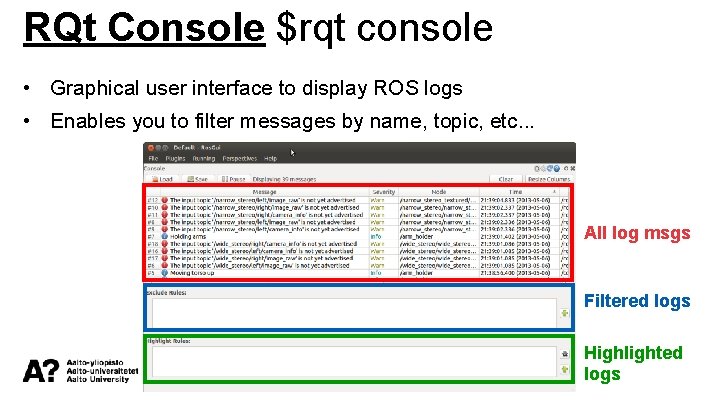
RQt Console $rqt console • Graphical user interface to display ROS logs • Enables you to filter messages by name, topic, etc. . . All log msgs Filtered logs Highlighted logs
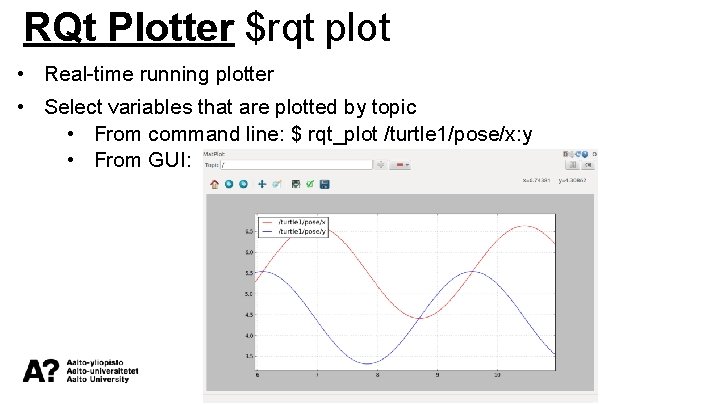
RQt Plotter $rqt plot • Real-time running plotter • Select variables that are plotted by topic • From command line: $ rqt_plot /turtle 1/pose/x: y • From GUI:
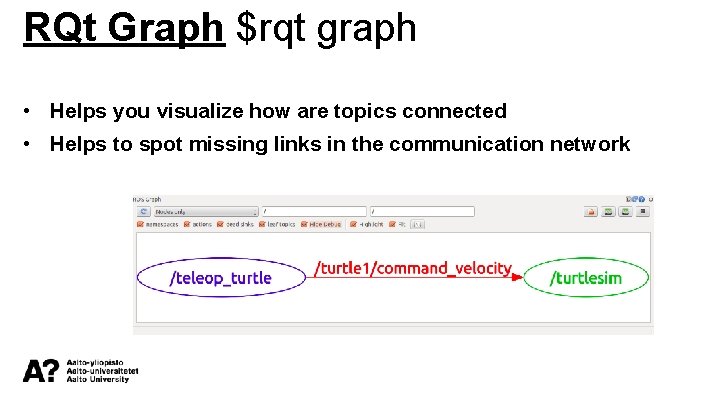
RQt Graph $rqt graph • Helps you visualize how are topics connected • Helps to spot missing links in the communication network
ROS Bag $rosbag (1/2) • Record data to later use… • analysis of a test, making plots • recreating a scenario for a new test or checking how it worked • When bag data is replayed, the same topics are subscribing and publishing as it was when recorded
ROS Bag $rosbag (2/2) 1. Record data • ALL data: $ rosbag record -a <name_of_bag_file>. bag • Topic based: $ rosbag record -O <name_of_bag_file>. bag topic 1 topic 2 topic. N 2. General info of. bag file: $ rosbag info <name_of_bag_file>. bag 3. Replay data: rosbag play <name_of_bag_file>. bag
End of third ROS session – Thank you!
- Slides: 15