
VBScript Session 3 Dani Vainstein 1 What We
VBScript Session 3 Dani Vainstein 1
What We learn Last seasson? How to declare arrays. Working with one dimensional a multidimensional arrays. Working with Dynamic arrays. Arrays utilities (Array, UBound, LBound) Dani Vainstein 2
Subjets for Session 3 Const Statement. Operators. Arithmetic. Comparision. Logical. Dani Vainstein 3
![Constants Const Statement [Public | Private] Const constname = expression A constant is a](http://slidetodoc.com/presentation_image_h2/53e794d65eaf8e68fe1d48e8582b4a66/image-4.jpg "Constants Const Statement [Public | Private] Const constname = expression A constant is a")
Constants Const Statement [Public | Private] Const constname = expression A constant is a meaningful name that takes the place of a number or string and never changes. VBScript defines a number of intrinsic constants. You create user-defined constants in VBScript using the Const statement. Dani Vainstein 4
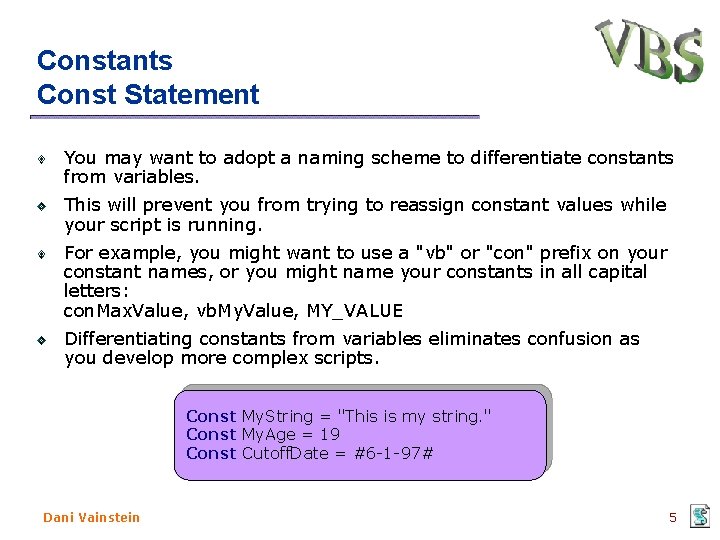
Constants Const Statement You may want to adopt a naming scheme to differentiate constants from variables. This will prevent you from trying to reassign constant values while your script is running. For example, you might want to use a "vb" or "con" prefix on your constant names, or you might name your constants in all capital letters: con. Max. Value, vb. My. Value, MY_VALUE Differentiating constants from variables eliminates confusion as you develop more complex scripts. Const My. String = "This is my string. " Const My. Age = 19 Const Cutoff. Date = #6 -1 -97# Dani Vainstein 5
VBScript Operators VBScript has a full range of operators, including arithmetic operators, comparison operators, concatenation operators, and logical operators. When several operations occur in an expression, each part is evaluated and resolved in a predetermined order called operator precedence. You can use parentheses to override the order of precedence and force some parts of an expression to be evaluated before others. Operations within parentheses are always performed before those outside. Dani Vainstein 6
VBScript Operators When expressions contain operators from more than one category, arithmetic operators are evaluated first, comparison operators are evaluated next, and logical operators are evaluated last. Comparison operators all have equal precedence; that is, they are evaluated in the left-to-right order in which they appear. Arithmetic and logical operators are evaluated in the following order of precedence. Dani Vainstein 7
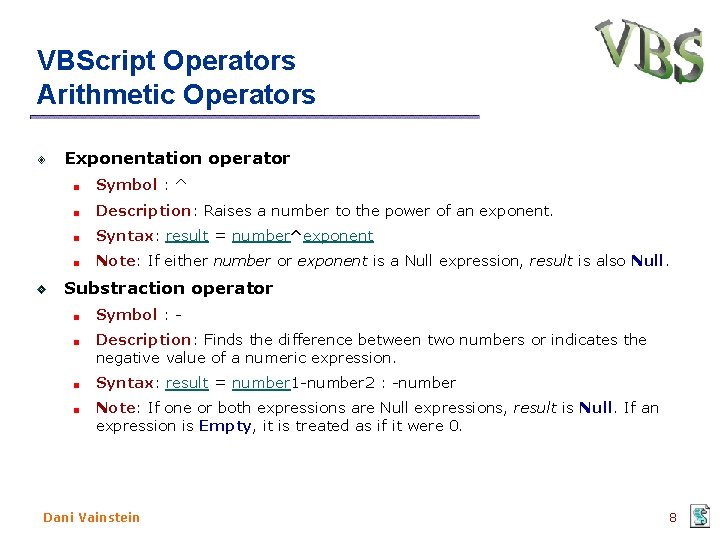
VBScript Operators Arithmetic Operators Exponentation operator Symbol : ^ Description: Raises a number to the power of an exponent. Syntax: result = number^exponent Note: If either number or exponent is a Null expression, result is also Null. Substraction operator Symbol : Description: Finds the difference between two numbers or indicates the negative value of a numeric expression. Syntax: result = number 1 -number 2 : -number Note: If one or both expressions are Null expressions, result is Null. If an expression is Empty, it is treated as if it were 0. Dani Vainstein 8
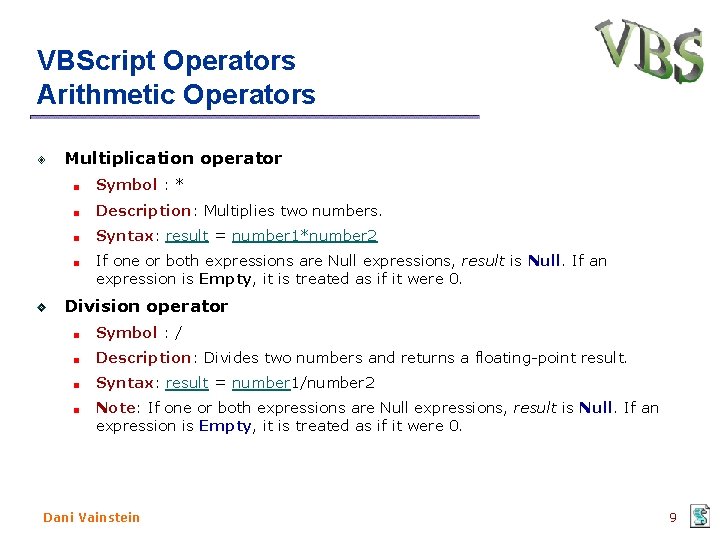
VBScript Operators Arithmetic Operators Multiplication operator Symbol : * Description: Multiplies two numbers. Syntax: result = number 1*number 2 If one or both expressions are Null expressions, result is Null. If an expression is Empty, it is treated as if it were 0. Division operator Symbol : / Description: Divides two numbers and returns a floating-point result. Syntax: result = number 1/number 2 Note: If one or both expressions are Null expressions, result is Null. If an expression is Empty, it is treated as if it were 0. Dani Vainstein 9
VBScript Operators Arithmetic Operators Integer Division operator Symbol : Description: Divides two numbers and returns an integer result. Syntax: result = number 1number 2 Note: Before division is performed, numeric expressions are rounded to Byte, Integer, or Long subtype expressions. If any expression is Null, result is also Null. Any expression that is Empty is treated as 0. Dani Vainstein 10
VBScript Operators Arithmetic Operators Modulus arithmetic operator Symbol : Mod Description: Divides two numbers and returns only the remainder. Syntax: result = number 1 Mod number 2 Notes: The modulus, or remainder, operator divides number 1 by number 2 (rounding floating-point numbers to integers) and returns only the remainder as result. If any expression is Null, result is also Null. Any expression that is Empty is treated as 0. Dani Vainstein 11
VBScript Operators Arithmetic Operators Addition operator Symbol : + Description: Sums two numbers. Syntax: result = number 1+number 2 Note: Although you can also use the + operator to concatenate two character strings, you should use the & operator for concatenation to eliminate ambiguity and provide self-documenting code. Dani Vainstein 12
VBScript Operators Arithmetic Operators Concatenation operator Symbol : & Description: Forces string concatenation of two expressions. Syntax: result = expression 1 & expression 2 Notes: Whenever an expression is not a string, it is converted to a String subtype. If both expressions are Null, result is also Null. However, if only one expression is Null, that expression is treated as a zero -length string ("") when concatenated with the other expression. Any expression that is Empty is also treated as a zero-length string. Dani Vainstein 13
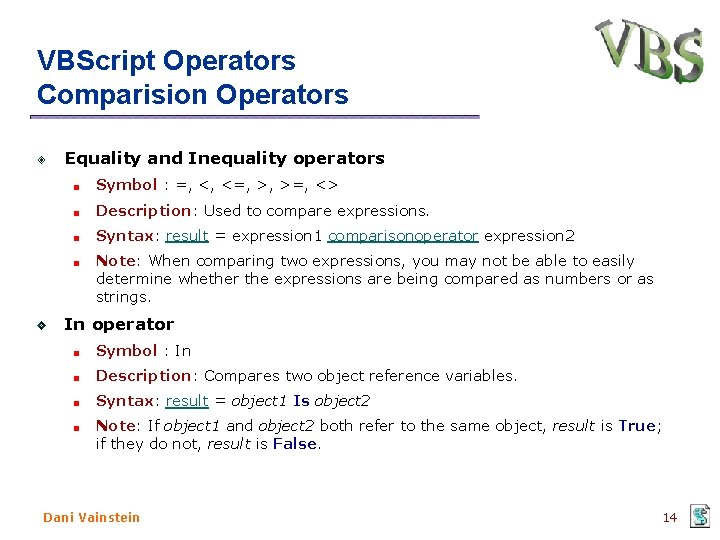
VBScript Operators Comparision Operators Equality and Inequality operators Symbol : =, <, <=, >, >=, <> Description: Used to compare expressions. Syntax: result = expression 1 comparisonoperator expression 2 Note: When comparing two expressions, you may not be able to easily determine whether the expressions are being compared as numbers or as strings. In operator Symbol : In Description: Compares two object reference variables. Syntax: result = object 1 Is object 2 Note: If object 1 and object 2 both refer to the same object, result is True; if they do not, result is False. Dani Vainstein 14
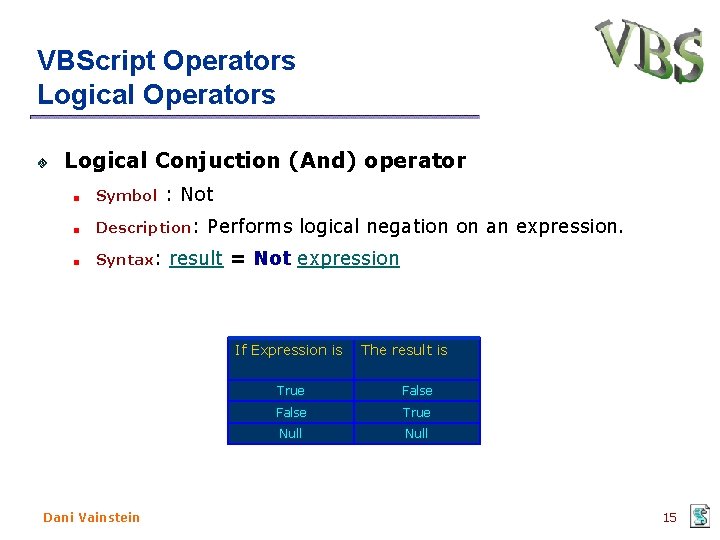
VBScript Operators Logical Conjuction (And) operator Symbol : Not Description: Syntax: Performs logical negation on an expression. result = Not expression If Expression is Dani Vainstein The result is True False True Null 15
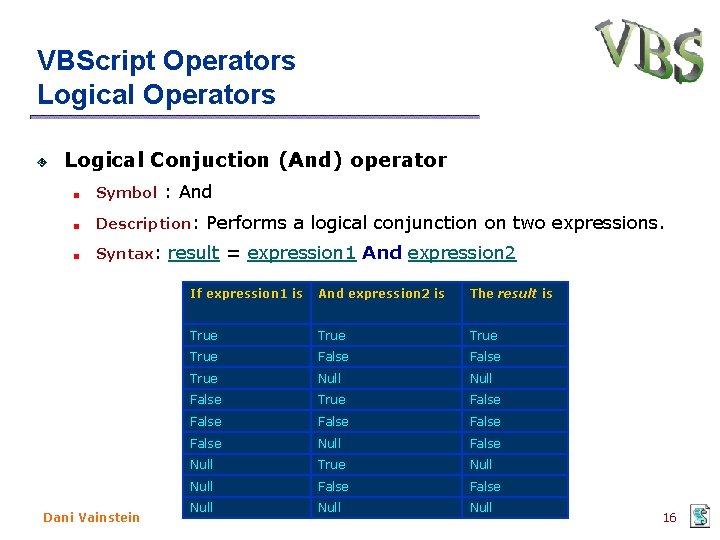
VBScript Operators Logical Conjuction (And) operator Symbol : And Description: Syntax: Dani Vainstein Performs a logical conjunction on two expressions. result = expression 1 And expression 2 If expression 1 is And expression 2 is The result is True False True Null False True False False Null True Null False Null 16
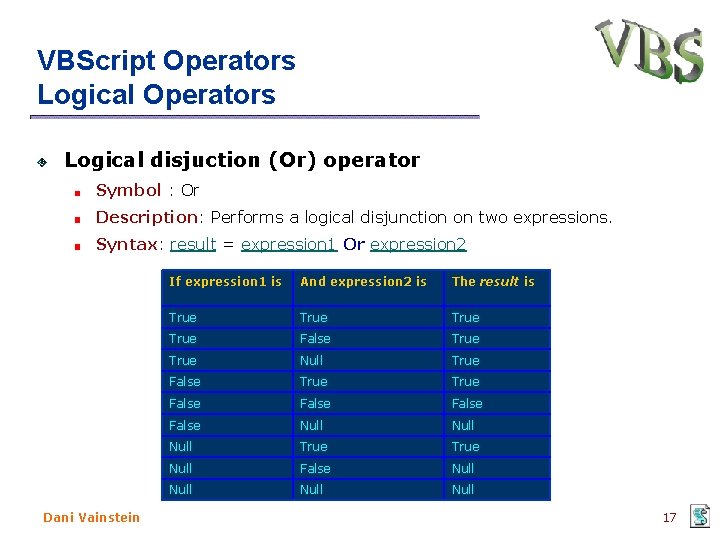
VBScript Operators Logical disjuction (Or) operator Symbol : Or Description: Performs a logical disjunction on two expressions. Syntax: result = expression 1 Or expression 2 Dani Vainstein If expression 1 is And expression 2 is The result is True False True Null True False False Null True Null False Null 17
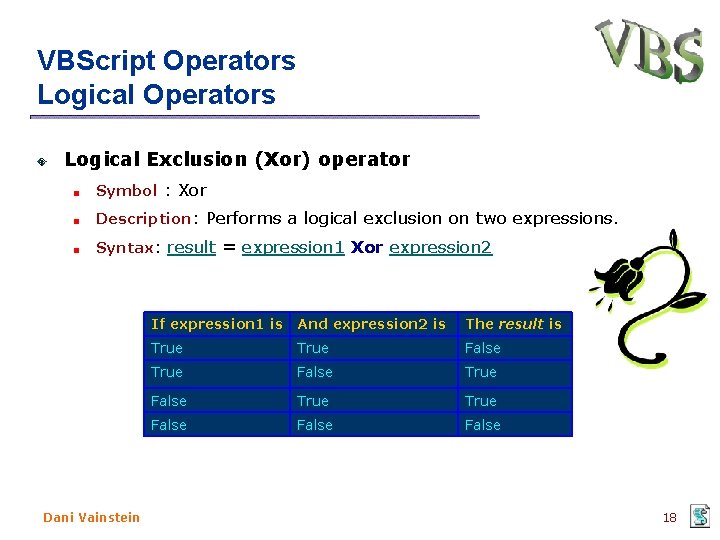
VBScript Operators Logical Exclusion (Xor) operator Symbol : Xor Description: Performs a logical exclusion on two expressions. Syntax: result = expression 1 Xor expression 2 Dani Vainstein If expression 1 is And expression 2 is The result is True False True False 18
- Slides: 18