
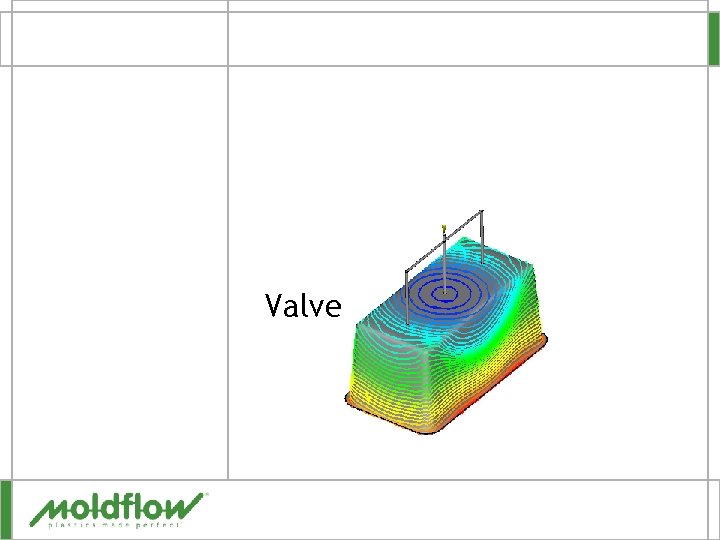
Valve Gates Valve Gates Type of hot runner
- Slides: 13
Valve Gates
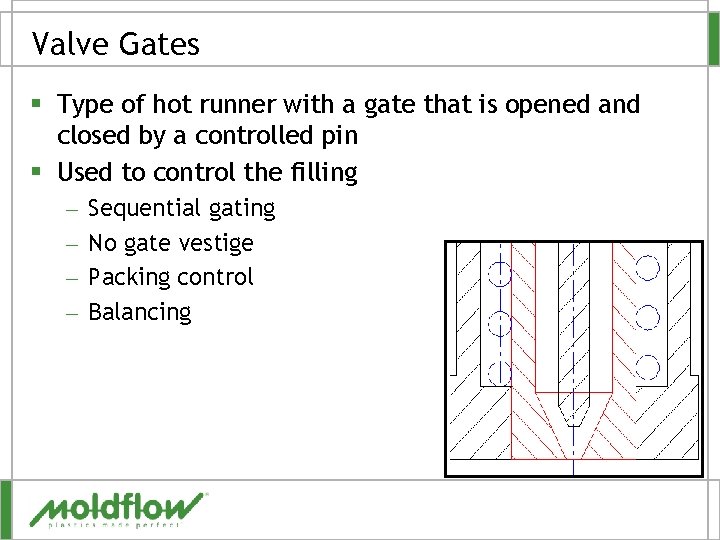
Valve Gates § Type of hot runner with a gate that is opened and closed by a controlled pin § Used to control the filling – – Sequential gating No gate vestige Packing control Balancing
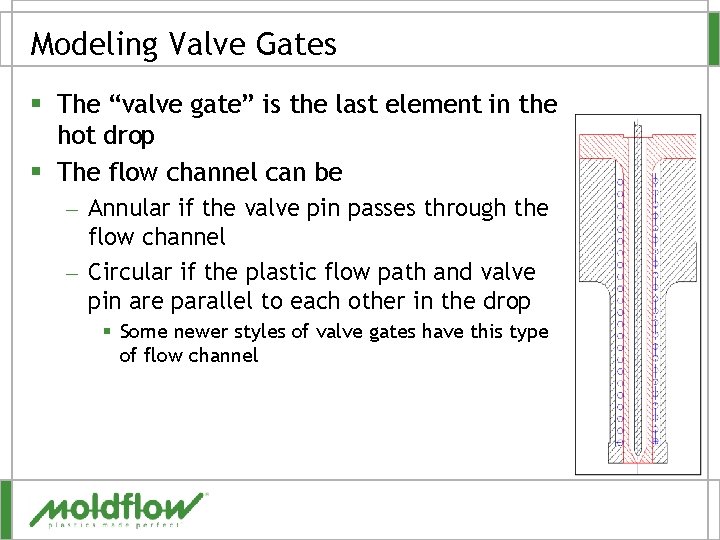
Modeling Valve Gates § The “valve gate” is the last element in the hot drop § The flow channel can be – Annular if the valve pin passes through the flow channel – Circular if the plastic flow path and valve pin are parallel to each other in the drop § Some newer styles of valve gates have this type of flow channel
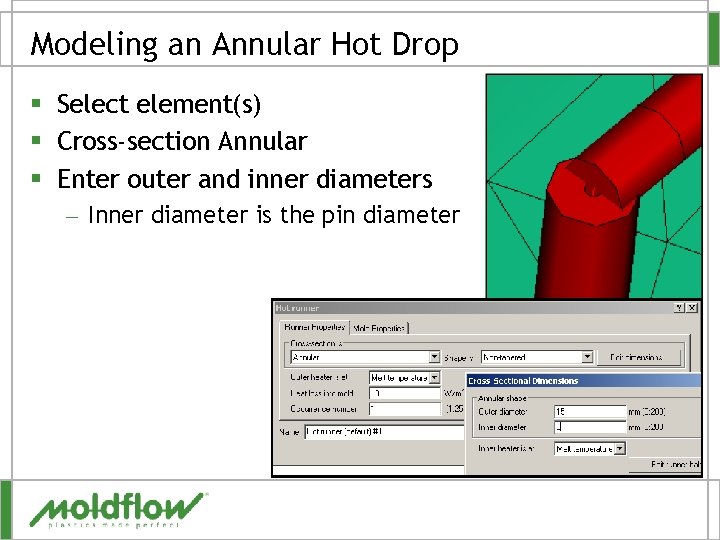
Modeling an Annular Hot Drop § Select element(s) § Cross-section Annular § Enter outer and inner diameters – Inner diameter is the pin diameter
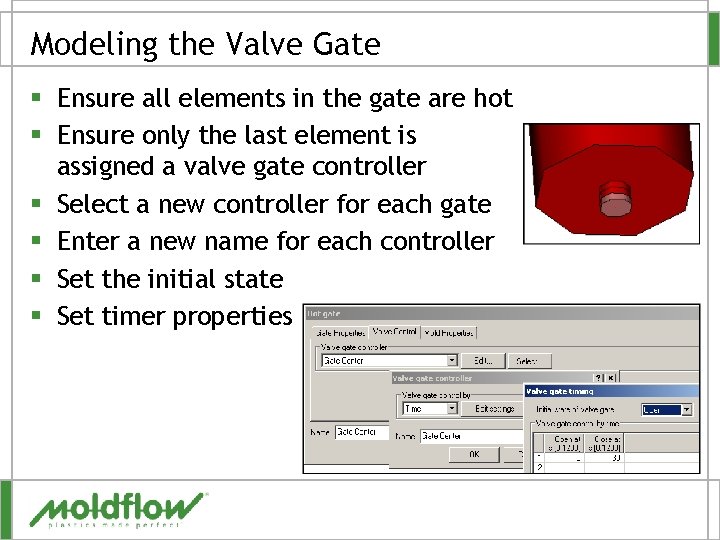
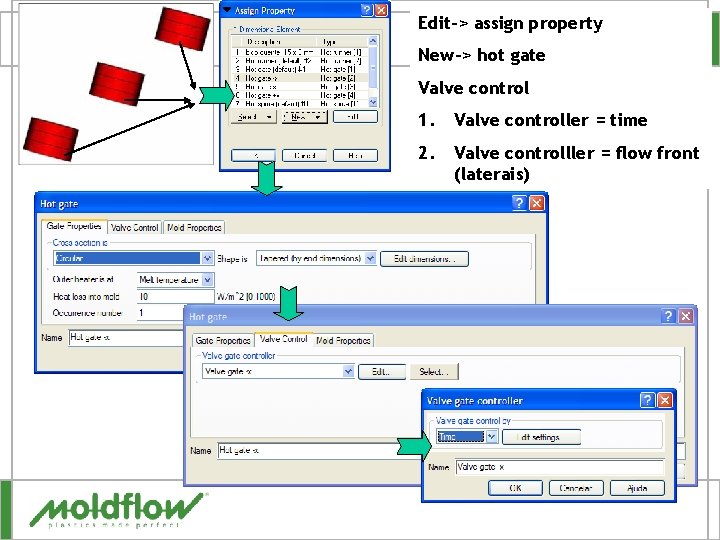
Modeling the Valve Gate § Ensure all elements in the gate are hot § Ensure only the last element is assigned a valve gate controller § Select a new controller for each gate § Enter a new name for each controller § Set the initial state § Set timer properties
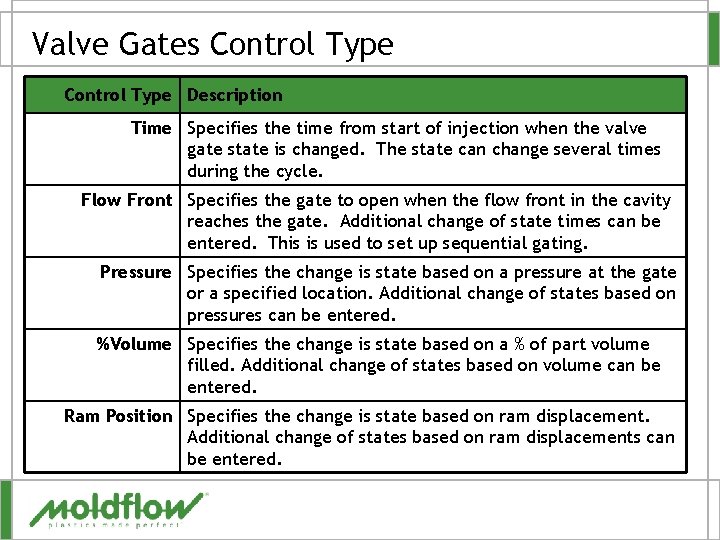
Valve Gates Control Type Description Time Specifies the time from start of injection when the valve gate state is changed. The state can change several times during the cycle. Flow Front Specifies the gate to open when the flow front in the cavity reaches the gate. Additional change of state times can be entered. This is used to set up sequential gating. Pressure Specifies the change is state based on a pressure at the gate or a specified location. Additional change of states based on pressures can be entered. %Volume Specifies the change is state based on a % of part volume filled. Additional change of states based on volume can be entered. Ram Position Specifies the change is state based on ram displacement. Additional change of states based on ram displacements can be entered.
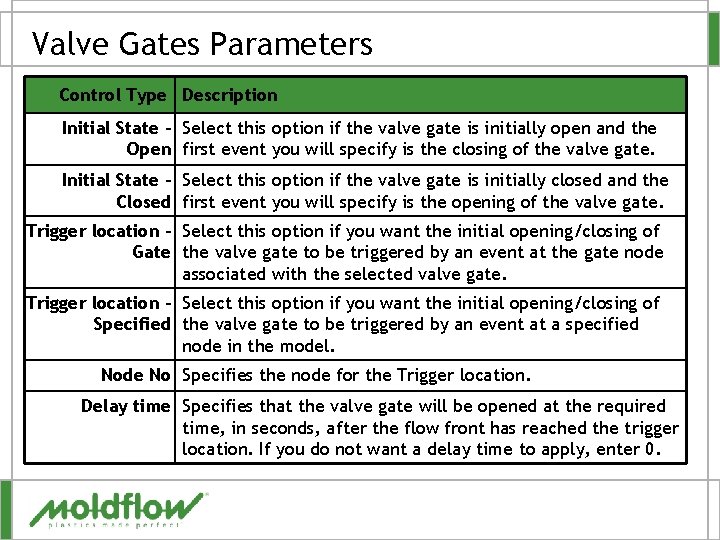
Valve Gates Parameters Control Type Description Initial State – Select this option if the valve gate is initially open and the Open first event you will specify is the closing of the valve gate. Initial State – Select this option if the valve gate is initially closed and the Closed first event you will specify is the opening of the valve gate. Trigger location – Select this option if you want the initial opening/closing of Gate the valve gate to be triggered by an event at the gate node associated with the selected valve gate. Trigger location – Select this option if you want the initial opening/closing of Specified the valve gate to be triggered by an event at a specified node in the model. Node No Specifies the node for the Trigger location. Delay time Specifies that the valve gate will be opened at the required time, in seconds, after the flow front has reached the trigger location. If you do not want a delay time to apply, enter 0.
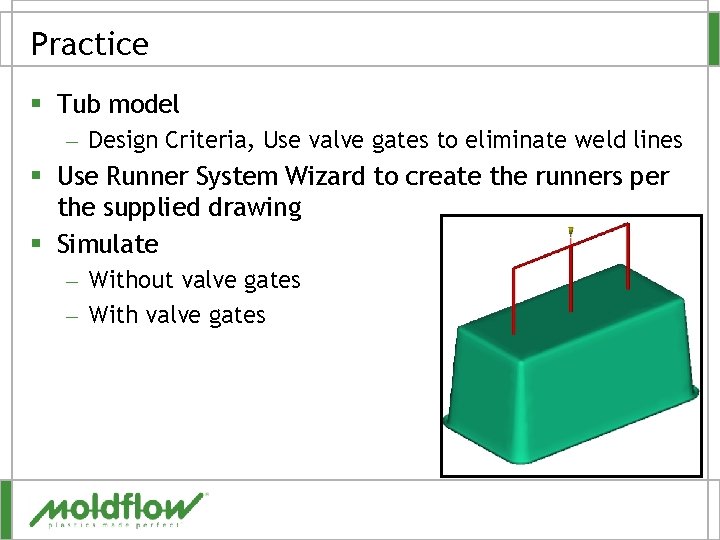
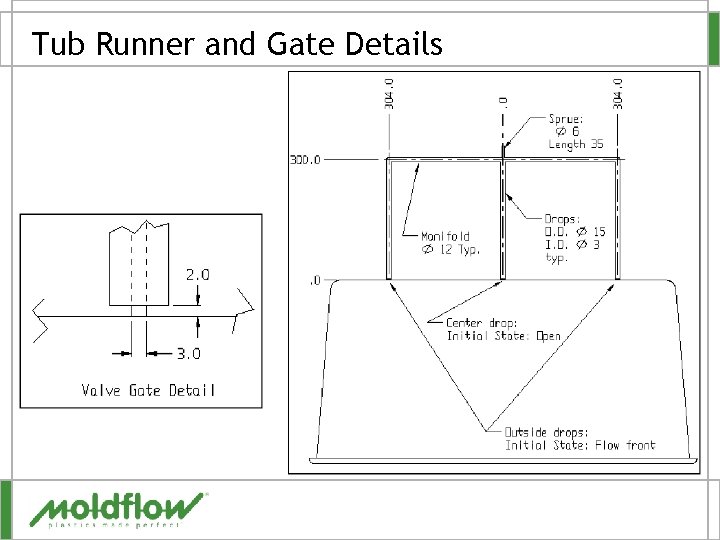
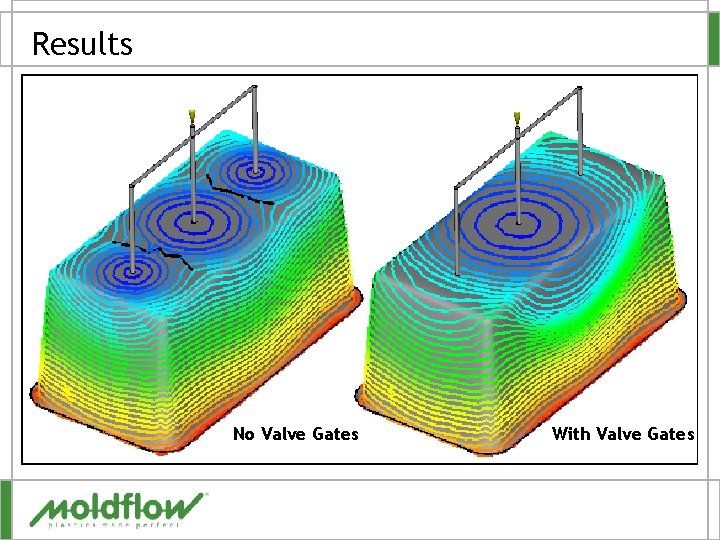
Practice § Tub model – Design Criteria, Use valve gates to eliminate weld lines § Use Runner System Wizard to create the runners per the supplied drawing § Simulate – Without valve gates – With valve gates
Tub Runner and Gate Details
Results No Valve Gates With Valve Gates
QUESTIONS?
Edit-> assign property New-> hot gate Valve control 1. Valve controller = time 2. Valve controlller = flow front (laterais)
Exportando resultados § § § 1. RESULTADOS Fill time Pressure at injection location Flow rate XY 2. PROPRIEDADES 3. EXPORTANDO (communicator. mfr)