
USTAZ ONLINE DEVELOPED BY MOHAMAD AFIF BIN MOHD

USTAZ ONLINE DEVELOPED BY MOHAMAD AFIF BIN MOHD MUSRI MIOR MUHAMMAD LUTFI BIN ROHIM AHMAD FAZRIN BIN MUHAMMAD NURA’ADILLA BINTI MD ROZI
Problem � Trouble Related to 1. Waktu Solat 2. Tanyalah Ustaz 3. Catatan Ibadah
1. Waktu Solat � The problems that we recognized while to create this application are, we found that most of the Islamic application just offer a major feature and Muslims can use another feature but they have to install another application. � These may cause the user being careless about their religion and it might consumed so much memory in one’s smartphone who only have minimum of 8 GB memory. � Absolutely many-features application could attract more users since it’s been created to make user’s life easier.
2. Tanyalah Ustaz � The other problem is when the user want to ask something related to religion in their daily life, they need to listen to any program and they could ask when the question and answers session is open. � In this application, the user can ask any questions that crossed in their mind at that time. So they would not forget what kind of the question is it.
3. Catatan Ibadah � User especially Muslims do not care about their deed while they are connecting to gadget and technology and forget about their relation with Allah , our creator. � So by inserting task ‘Record Good Deed’, people would do the good deed day by day and after that they will still continue the same things.
Target User 1. UTM’s Staff UTM’s staff is where our application applicable and can be use by any Muslim staff. Most of the UTM’s staff just need an application that can combine many features instead of they need to install many applications in their smartphones 2. UTM’s Lecturers are described as part of our society since they teaching the UTM’s students so they are one of our target user. Lecturers can be in many ranges of age so it will be compatible with any ranges of ages 3. UTM’s Student UTM’S students have been choosen as the target user because we are surrounded by them and this will help us to observe and torecognise the behaviour of the user and they are picked because of the range of ages where most of the smartphone user are comprises of students which are from 13 years old to 27 years old
SOLUTION � We, the development team, created an application named “Ustaz Online” � The application will be available accross all platform such as android, ios, and windows os � This application consists on 3 main task that is 1. Waktu Solat 2. Tanyalah Ustaz 3. Catatan Ibadah
Waktu Solat � Goal : To allow the user to get notify about prayer time � Precondition : The user want to get notification on prayer time. � Subtask: The user must turn on the GPS in their smartphones, set their location, set the notification of ‘azan’. � Exception : User may have some problem while setting their location.
Tanyalah Ustaz � Goal : To help user to clear up the confusedness on religion or daily life to the available ‘Ustaz’. � Precondition : The user need to send a question to their preferable ‘Ustaz’. � Subtask : User need to choose any ‘Ustaz’ they prefer to as the question to. � Exception : User might be choose the wrong ‘Ustaz’.
Record Good Deed � Goal : To allow users know what are e the good deeds they have done in a day. � Precondition : The user need to know what kind of good deed that they can do in their daily life. � Subtask : They just tick on what kind of good deed that they have done on that day. � Exception : The user may delete their deeds if they have tick on the wrong deed.
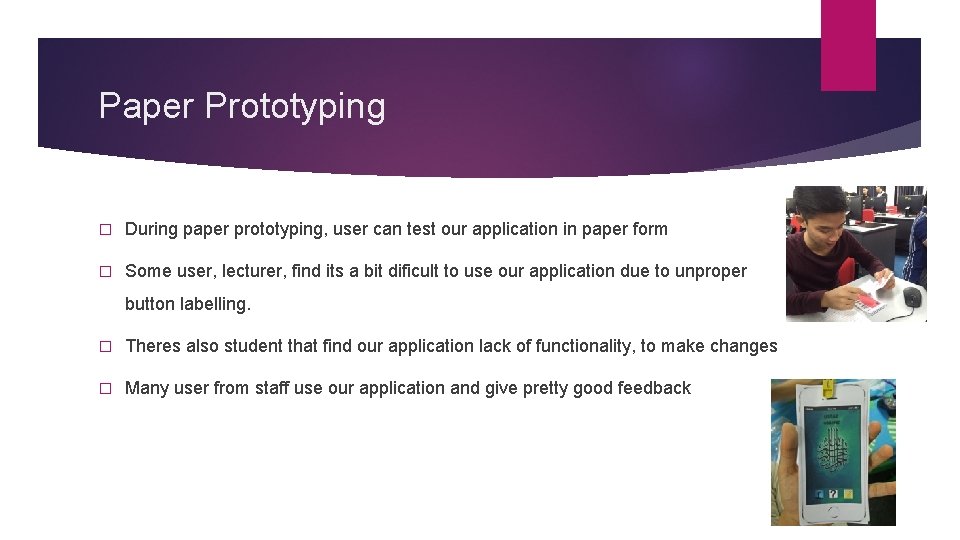
Paper Prototyping � During paper prototyping, user can test our application in paper form � Some user, lecturer, find its a bit dificult to use our application due to unproper button labelling. � Theres also student that find our application lack of functionality, to make changes � Many user from staff use our application and give pretty good feedback
Heuristic Evaluation � The main goal of heuristic evaluations is to identify any problems associated with the design of user interfaces � User control and freedom: Users often choose system functions by mistake and will need a clearly marked "emergency exit" to leave the unwanted state without having to go through an extended dialogue. � Consistency and standards: We use the common and basic icon so that user know what is the function. Users should not have to wonder whether different words, situations, or actions mean the same thing. � Visibility of system status: The system should always keep users informed about what is going on, through appropriate feedback within reasonable time. � Flexibility and efficiency of use: For the first time user it takes longer time to finish some task but after they had it once, the time is much faster than before.
User Testing � During user testing, user will be give an actual prototype of the application to test and evaluate. � There is even user feel a bit uncomfortable when using this application since there are little bit challenging for first time user. In the same time we have done some changes to make it easier than before but there are still some common mistake that make by the user.
Conlusion � We gained new experience from conduct this project for make sure that our prototype to work properly without any problem and error. � This application have been designed according to the important step in the field of HCI. � We also know how to differentiate between good and bad user interface. This project make us to be more well prepare with some knowledge of HCI before making some new application. � Finally we want to thanks for those who participate for our project and we are grateful that people like our application.
- Slides: 14