
Using Virtual Laboratories in an Undergraduate Heat Transfer

Using Virtual Laboratories in an Undergraduate Heat Transfer Course Robert J. Ribando. CU ’ 68, ’ 74, ’ 77 UVA (Emeritus) June 2018 This paper was presented originally at the 2013 ASME Summer Heat Transfer Conference. It has been updated since then.
Origins of This Work • Beginning in 1984 the author taught Computational Fluid Dynamics (CFD), Heat Transfer (3 modes) and Convection Heat Transfer through the Commonwealth Graduate Engineering Program (CGEP) - a total of 10 offerings. • The School of Continuing and Professional Studies takes pride in curriculum and delivery innovation and actively supports and encourages faculty teaching in its programs to embrace and experiment with the use of technology in their instruction. • These three thermal-fluids courses are well-suited to computation, modeling and simulation (M&S), scientific visualization, verification and validation (V&V).
Students in CGEP Program • Students are working professionals with a variety of backgrounds; most have u/g engineering degrees, rest have other STEM degrees. • Students have enrolled to improve their own professional knowledge and skills. If they do well in the course, usually the employer pays. If not, they pay themselves. • These courses are not MOOC’s! They are regular graduate courses with an additional 15 – 30 students off-campus. • Students rightly expect the professor to employ modern developments in computation, visualization and productivityenhancing tools in their classes – just as they are expected to do by their own employers!
Instructional Materials Developed in CGEP Program • The thermal-fluids courses taught through CGEP as well as in campus-only u/g and graduate courses evolved to include mostly “project-based learning” (PBL). • Other materials, including visualization algorithms, were developed for use as in-class demonstrations. (Otherwise a CGEP class session consisted of 75 minutes of the instructor’s hand writing on a blue pad!) • Algorithms and code thus developed were readily available for integration into graduate and undergraduate course materials.
Development of Graphical User Interfaces (GUI’s) • The University launched a faculty development program during the 1995 -96 academic year. • The first year this course and 10 others were selected for one year of intensive support intended to promote and enhance the use of IT in undergraduate instruction. • A very senior, highly motivated and creative graduate student (now retired) created the original Visual Basic 3 interfaces for the underlying Fortran algorithms in the major modules we still use.
Further Development of Software • The original nine modules were later switched from VB-3 interfaces with Fortran DLL’s for the calculations into VB-6, which was compiled and plenty fast enough for these calculations. Three more modules were created later. • All twelve modules are now in Visual Studio 2013. • All modules now scale to oversized screens, as well as to small, mobile screens. • Along the way Excel workbooks were created for 30+ other heat transfer topics involving less intense computation. Many of these cover non-fundamental topics that shouldn’t merit space in a printed textbook.
Course Evolution • Before 1996 the course was all lecture. There was a related, but not directly connected, thermal/fluids laboratory course. • Since then two lectures and a “studio” session each week with 60 – 100+ in the lecture and 20 - 40 in each of the two-hour-long studio sessions. • Due to faculty retirements coupled with increased enrollment, physical laboratories in thermal-fluids have been curtailed greatly. Virtual labs are somewhat of a replacement.
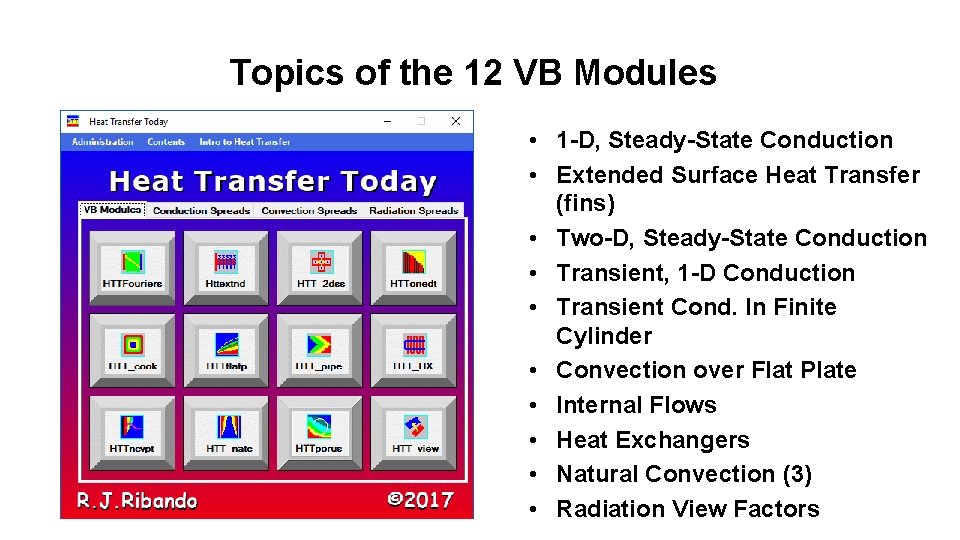
Topics of the 12 VB Modules • 1 -D, Steady-State Conduction • Extended Surface Heat Transfer (fins) • Two-D, Steady-State Conduction • Transient, 1 -D Conduction • Transient Cond. In Finite Cylinder • Convection over Flat Plate • Internal Flows • Heat Exchangers • Natural Convection (3) • Radiation View Factors
Custom-Tailored Interfaces • A full-featured CFD program could be used to solve many of these problems. • Unlike a commercial CFD package, our customtailored interfaces mean this software has no learning curve. • Input parameters (Reynolds number, Prandtl number, etc. ) are exactly the same as when using traditional (pre-computer) procedures.
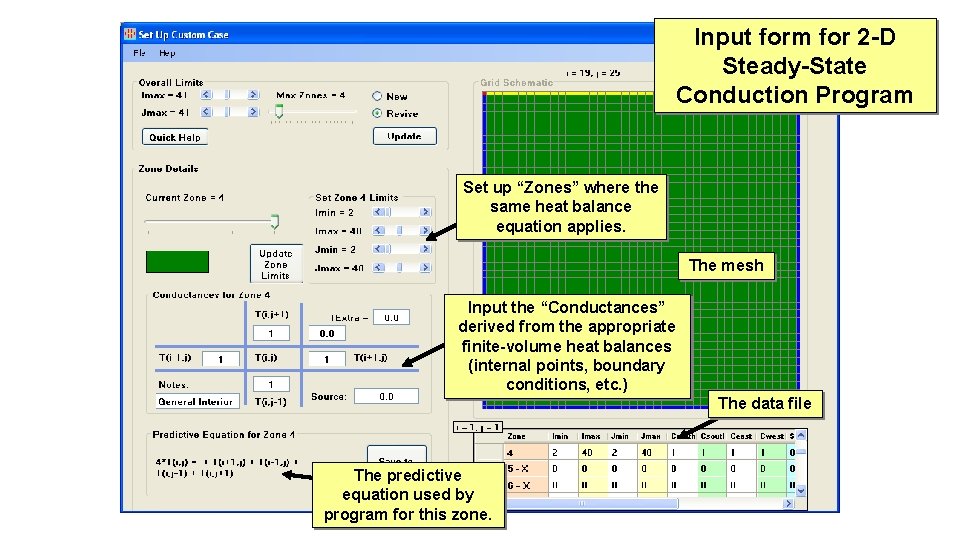
Input form for 2 -D Steady-State Conduction Program Set up “Zones” where the same heat balance equation applies. The mesh Input the “Conductances” derived from the appropriate finite-volume heat balances (internal points, boundary conditions, etc. ) The data file The predictive equation used by program for this zone.
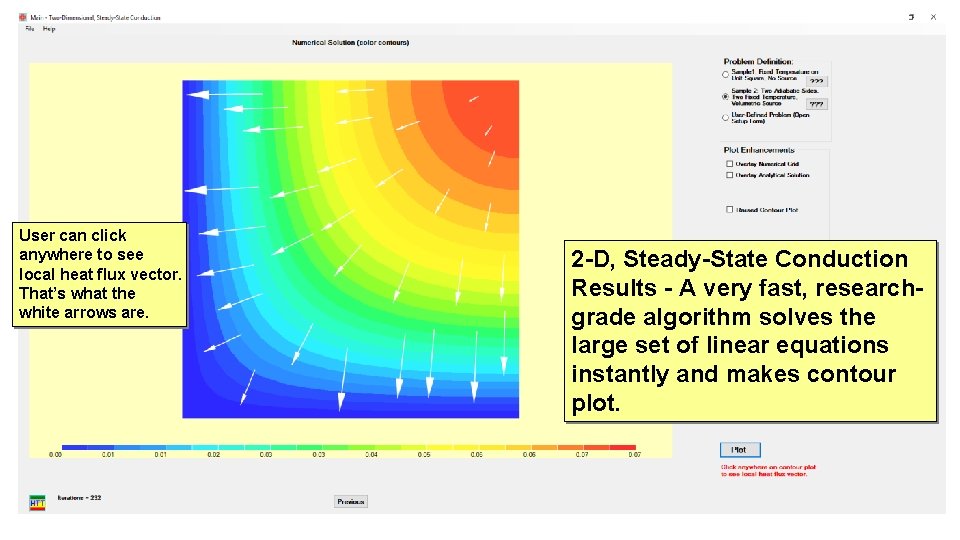
User can click anywhere to see local heat flux vector. That’s what the white arrows are. 2 -D, Steady-State Conduction Results - A very fast, researchgrade algorithm solves the large set of linear equations instantly and makes contour plot.
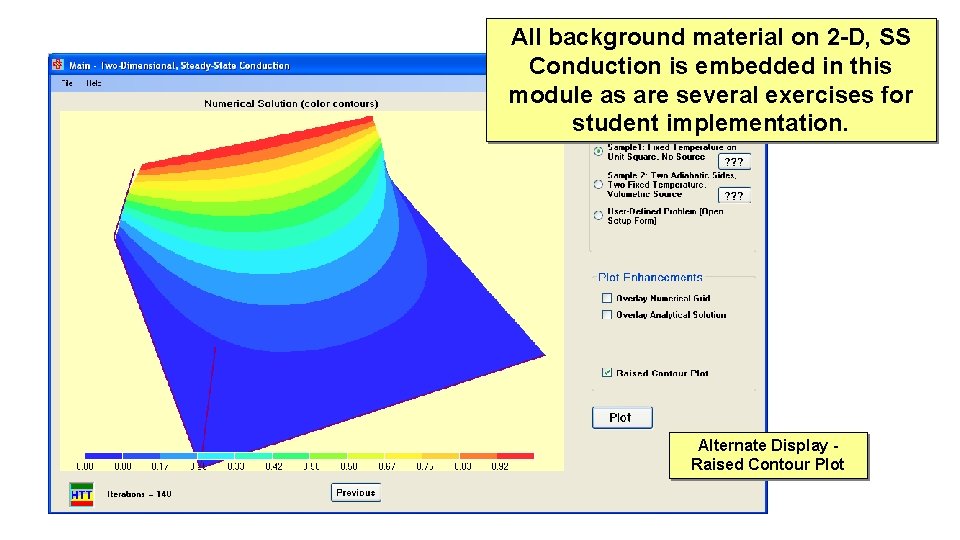
All background material on 2 -D, SS Conduction is embedded in this module as are several exercises for student implementation. Alternate Display Raised Contour Plot
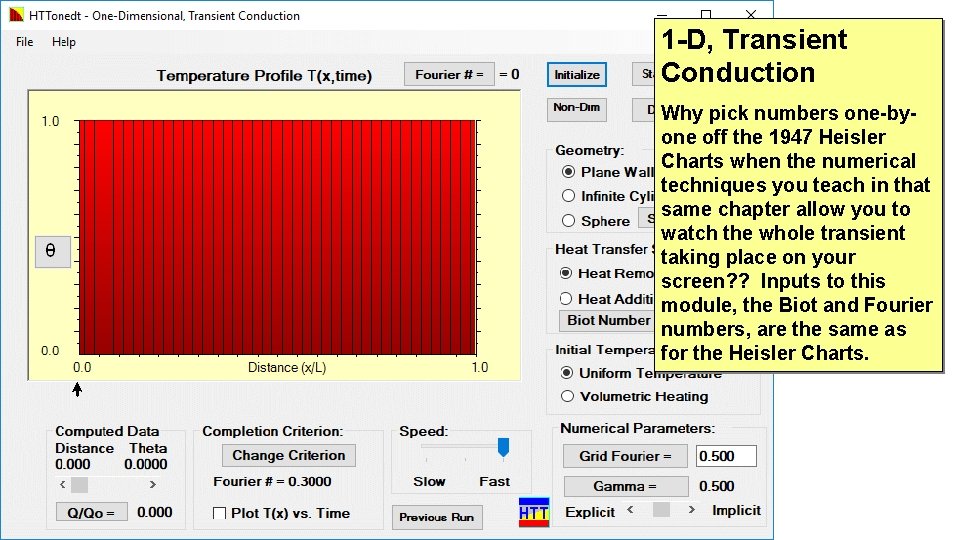
1 -D, Transient Conduction Why pick numbers one-byone off the 1947 Heisler Charts when the numerical techniques you teach in that same chapter allow you to watch the whole transient taking place on your screen? ? Inputs to this module, the Biot and Fourier numbers, are the same as for the Heisler Charts.
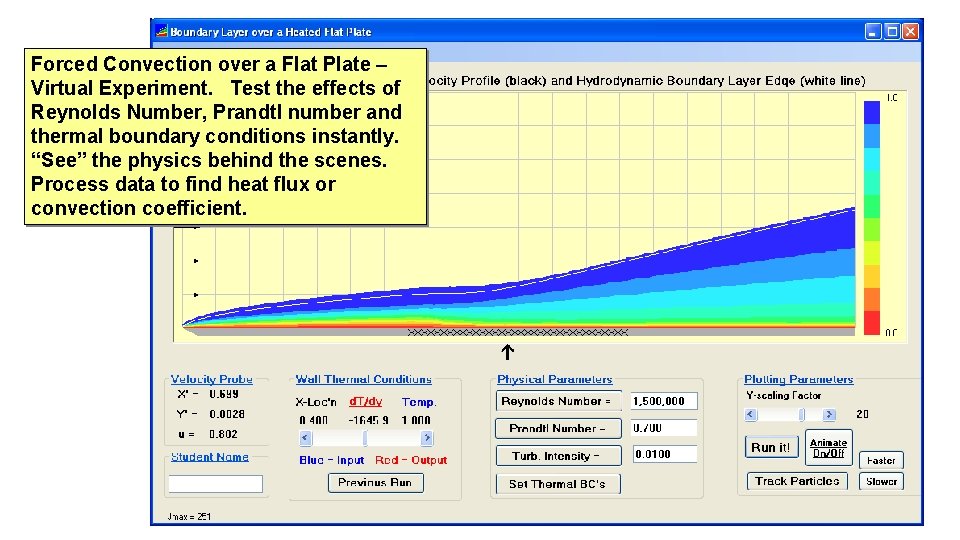
Forced Convection over a Flat Plate – Virtual Experiment. Test the effects of Reynolds Number, Prandtl number and thermal boundary conditions instantly. “See” the physics behind the scenes. Process data to find heat flux or convection coefficient.
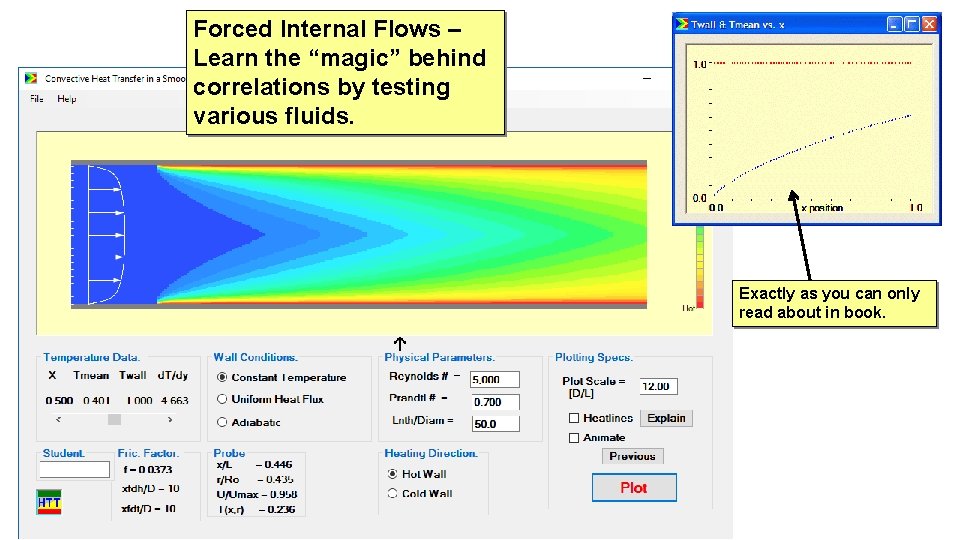
Forced Internal Flows – Learn the “magic” behind correlations by testing various fluids. Exactly as you can only read about in book.
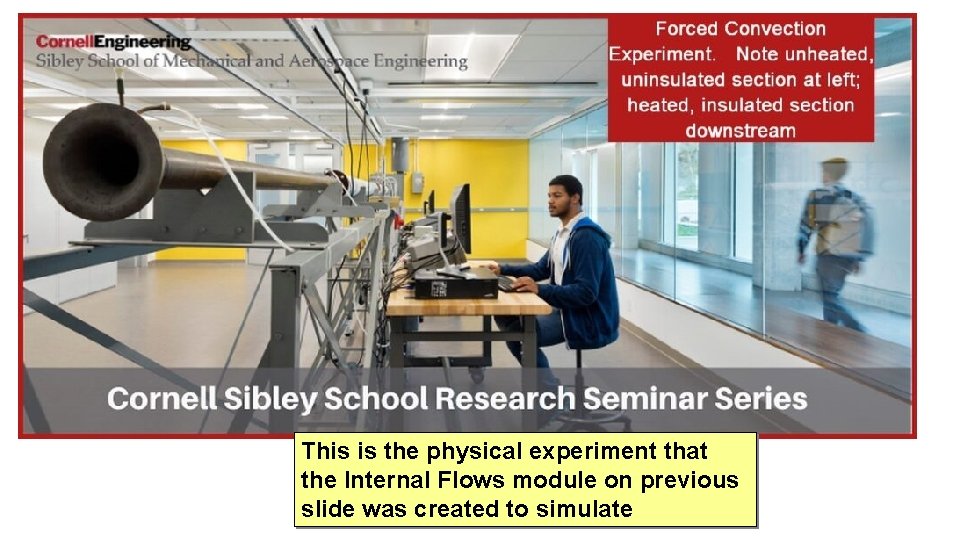
This is the physical experiment that the Internal Flows module on previous slide was created to simulate
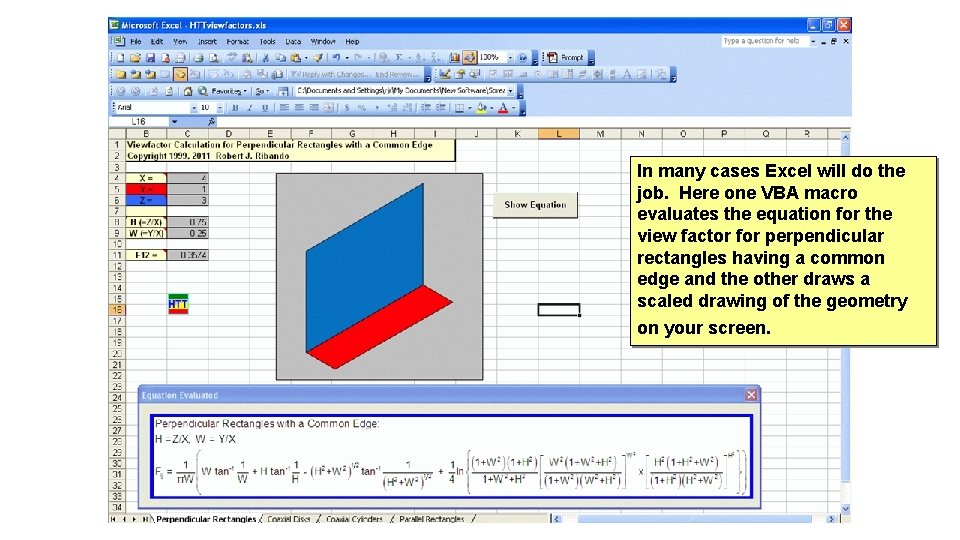
In many cases Excel will do the job. Here one VBA macro evaluates the equation for the view factor for perpendicular rectangles having a common edge and the other draws a scaled drawing of the geometry on your screen.
Availability of Software @ UVa • On University “build, ” including classroom where we hold studio. • On “The Hive” (our “cloud” computing) – Available 24/7 – Device independent • VB programs don’t work directly on Mac and Unix. • VBA macros don’t normally work on Mac. • Cloud Computing solves all this. – Upgrades/fixes immediately available to all users. – Just as fast as if running on your own machine.
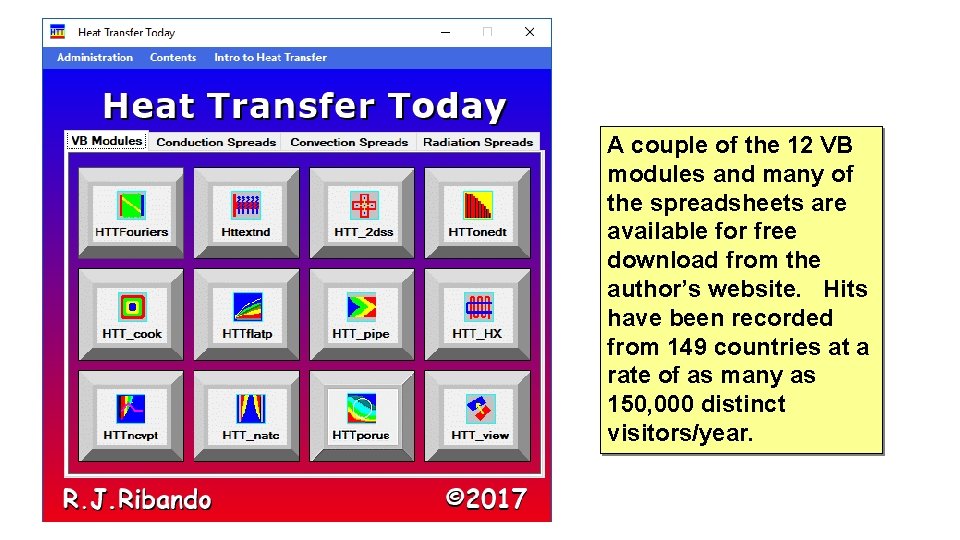
A couple of the 12 VB modules and many of the spreadsheets are available for free download from the author’s website. Hits have been recorded from 149 countries at a rate of as many as 150, 000 distinct visitors/year.
Studio Logistics – NO paper! • Each weekly studio assignment is given in the form of an Excel workbook, including all problem statements. • Student teams (of 2) complete the assignment entirely in Excel, much of it during the two-hour session, and finish outside of class. They include screen grabs, results, notes and conclusions. • Students submit Excel workbook electronically through Collab, our implementation of the Sakai (open-source) course management system. • GTA grades (cursorily) on tablet PC and returns through Collab.
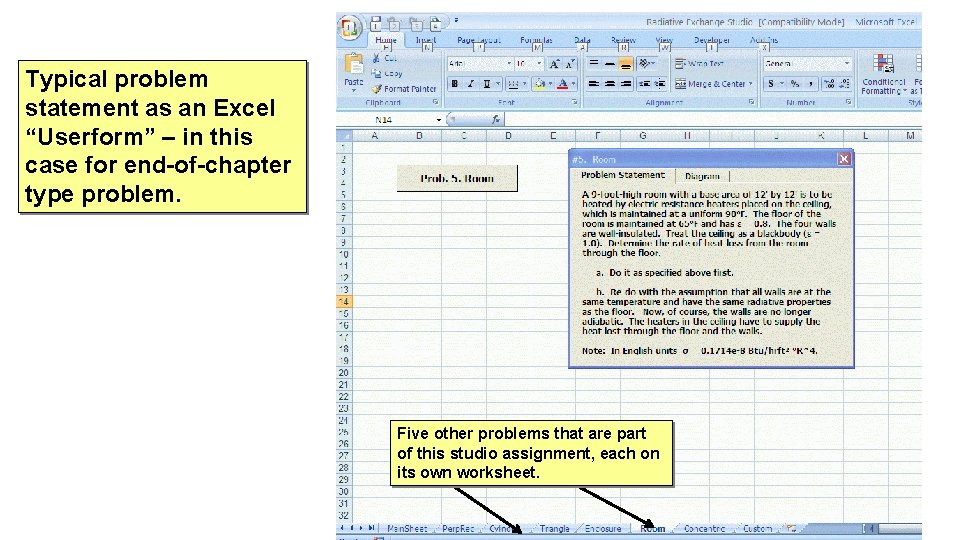
Typical problem statement as an Excel “Userform” – in this case for end-of-chapter type problem. Five other problems that are part of this studio assignment, each on its own worksheet.
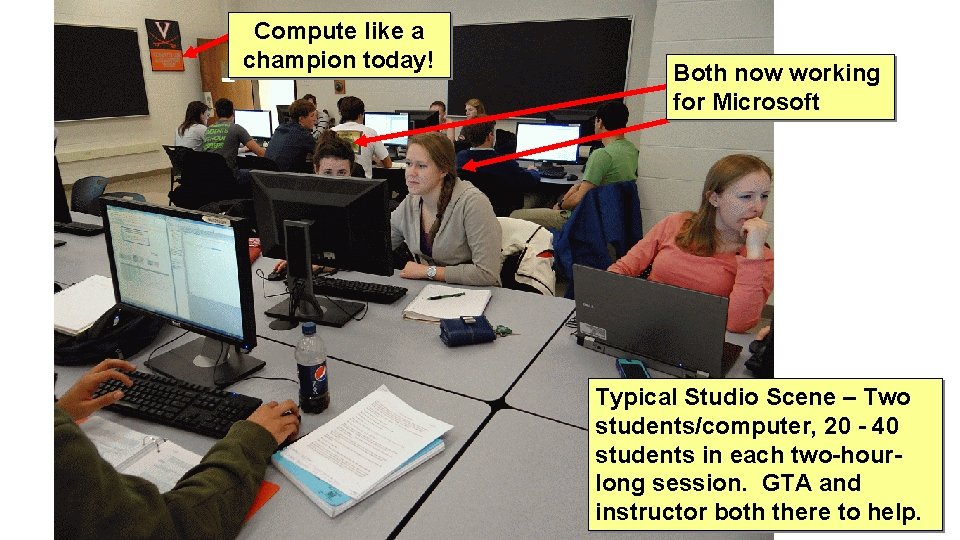
Compute like a champion today! Both now working for Microsoft Typical Studio Scene – Two students/computer, 20 - 40 students in each two-hourlong session. GTA and instructor both there to help.
Learning Assessment • Many students are well-attuned to getting the “right” numerical answer, preferably on quiz and exam problems that are just like the examples in the book. • Being able to “see” the physics and to run many cases so as to find trends, means your exams really should test their understanding of heat transfer concepts and not just their ability to replicate the arithmetic in examples. • It is easy to create graphically-rich quiz questions by clipping pictures out of software.
Learning Assessment (cont. ) • “Formative Assessment” every week given on Collab with extensive feedback on each question available after close of testing window. • Similar conceptual problems on two exams and final. • Graded automatically and sent to Collab grade book. • Learning analytics could be applied to quiz results. • Weak students don’t like concept questions – you are asking them to move up a step in Bloom’s Taxonomy of Learning!
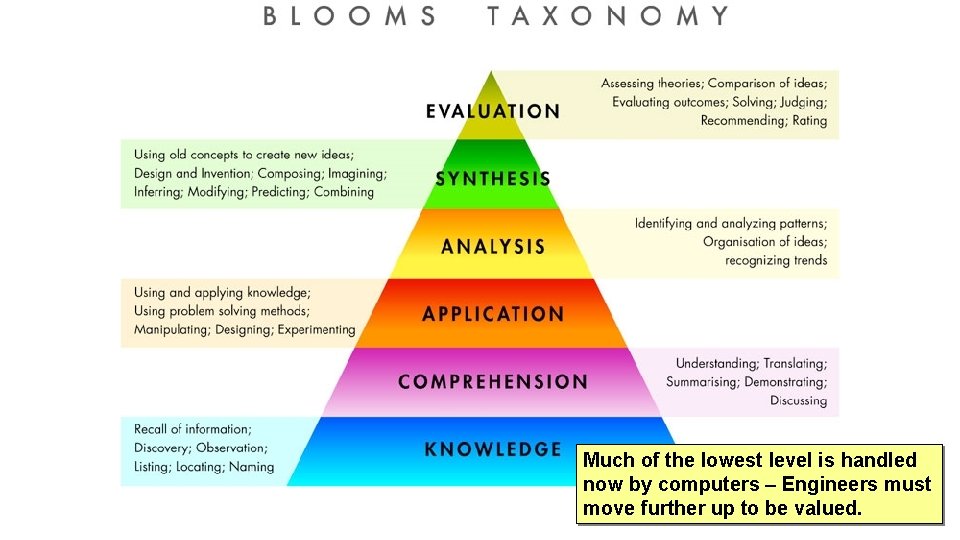
Much of the lowest level is handled now by computers – Engineers must move further up to be valued.
Problems with Studio Approach • Computer classrooms, class management software (Sakai/Collab), etc. are routinely updated. The former are University showplaces; the latter is state-of-the-art. • Course content (appropriate software, technical expertise, student exercises, quizzes, etc. ) arrive miraculously.
Problems with Studio Approach (cont. ) • Studio is really a version of the “flipped” classroom, a trendy concept lately. • A successful implementation of the flipped classroom requires a critical mass of quality students who prepare in advance and pull rest of class along. • With push to increase STEM enrollments, we must deal with more and more unengaged, social-media-addled students, who didn’t realize they signed up to improve their critical thinking skills.
Problems with Studio Approach (cont) • Even in their 6 th semester many of the so-called “Digital Natives” begin course with poor (technical) computer skills. • Virtually everything written up in typical heat transfer book can be “discovered” using these virtual laboratories, but even your best undergraduates aren’t going to do so. They must be led to “discover” through well-designed exercises.
Carry-over to Other Courses • Concurrently with this heat transfer development “Air Breathing Propulsion, ” a 4 th year Aerospace Engineering course, was “flipped. ” • Enrollment was limited by capacity of computer classroom (~32) so that we could compute whenever appropriate.
Carry-over to Other Courses • Putting students to work saved the instructor, who was a complete novice on jet engines 15 years ago, the problem of preparing 150 minutes of lecture/week. • Extensive use of Excel, including VBA macros and graphics. • Many AE students report this is their first computing since freshman year and are very appreciative!
We are 75+ years into the computer age and 55+ years have passed since the author saw engineers using computers extensively during summer internships in industry. • Why is computer use of any sort in mainstream engineering science courses still consider a frill, needless diversion and optional? ? • Why would anyone expect the products of our computer-adverse undergraduate engineering programs to consider research and graduate school? • What employers want to hire engineers who don’t know how to use computation/modeling/visualization/presentation, etc. , intelligently?
The Challenge • Alumni surveys show that young, practicing engineers value the problem-solving skills they learned in school more than the specific course content (the fluids, heat transfer, statics, etc. ). • Why not use modern problem solving skills, including computation, modeling and simulation, visualization, verification/validation, interpretation in the teaching of those fundamentals? ?
Acknowledgements • The author gratefully acknowledges current (permanent) support from: – TIAA-CREF – The Social Security Administration Heat Transfer Today - Heat Transfer Today (robertribando. com) rjr at virginia dot edu
- Slides: 33