
Using the Windows Store for Business New Capabilities

Using the Windows Store for Business: New Capabilities for Managing Apps in the Enterprise Michael Niehaus WIN 335
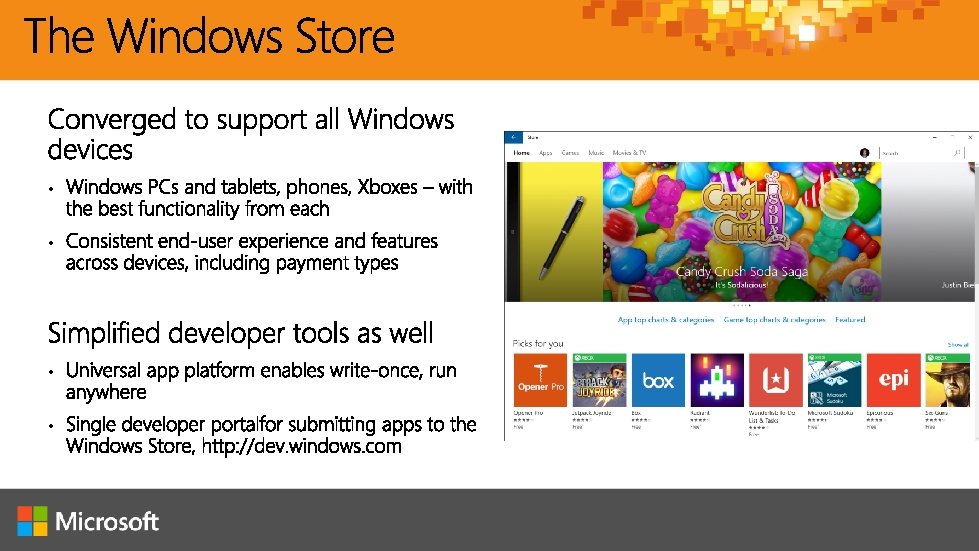
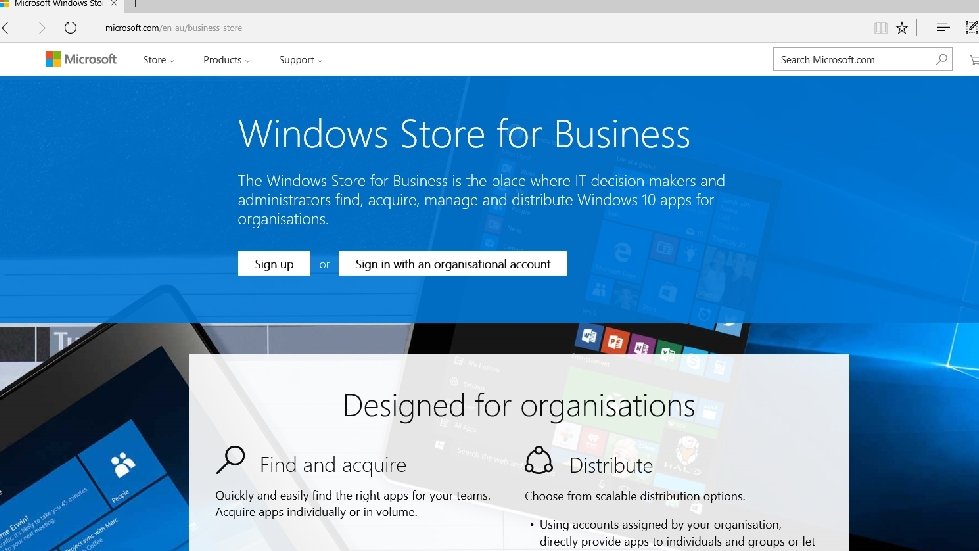
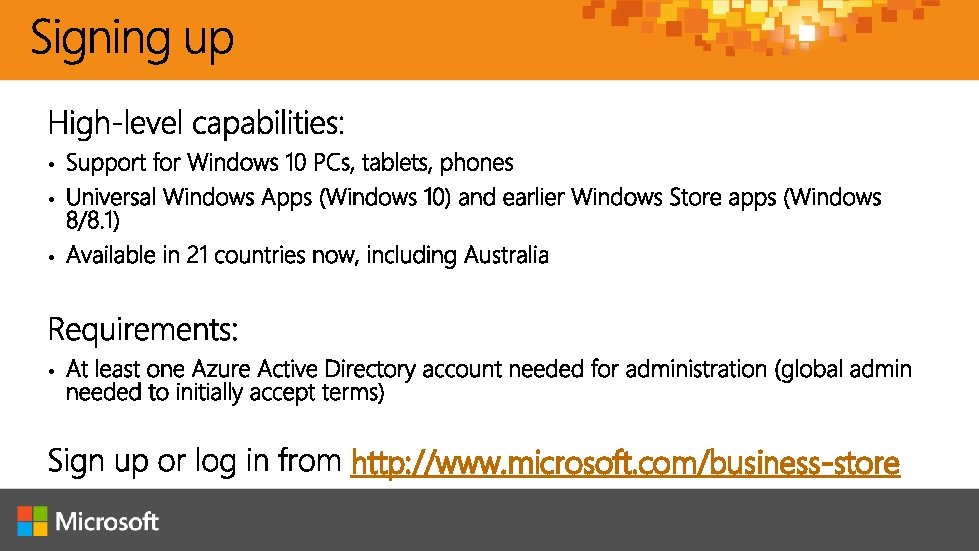
• • http: //www. microsoft. com/business-store
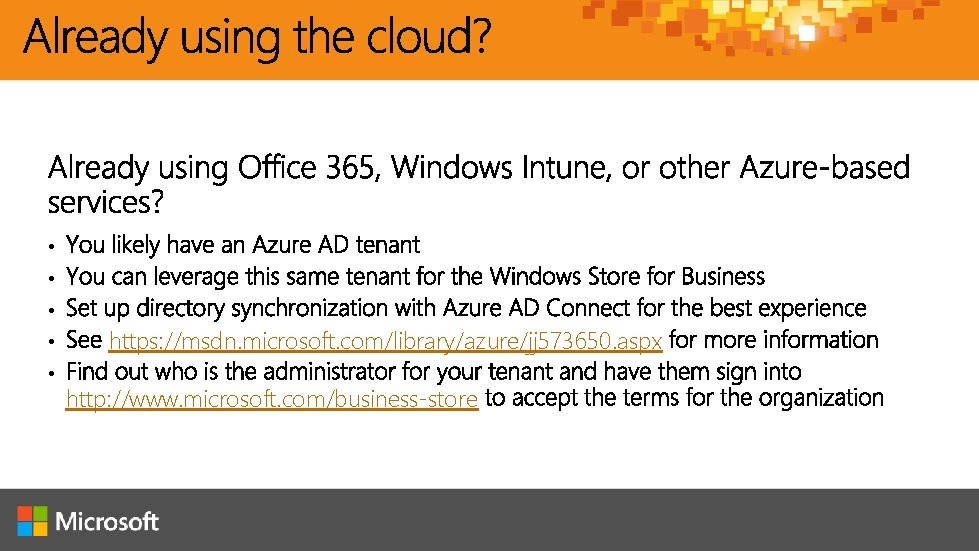
• • • https: //msdn. microsoft. com/library/azure/jj 573650. aspx http: //www. microsoft. com/business-store
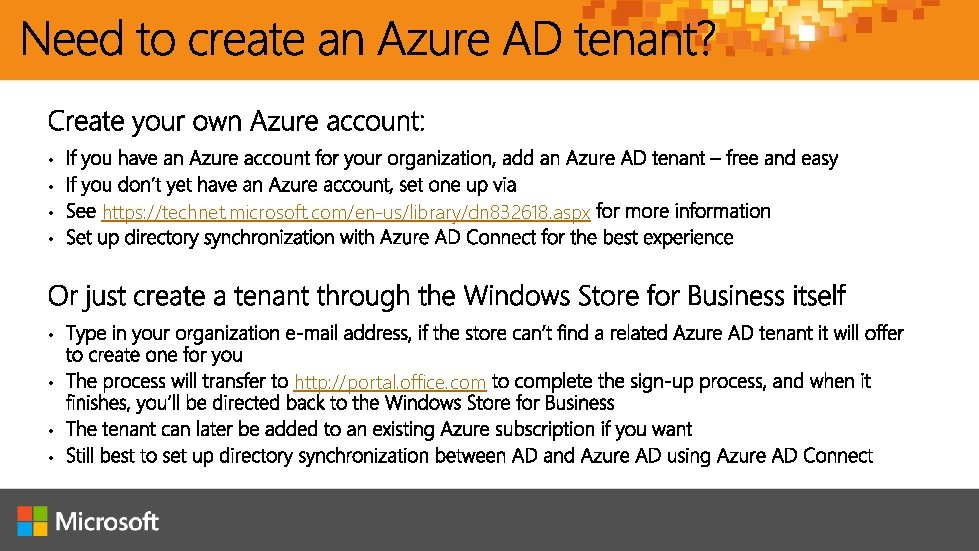
• • https: //technet. microsoft. com/en-us/library/dn 832618. aspx • • http: //portal. office. com

Demo: Azure AD Sign-Up via Office 365

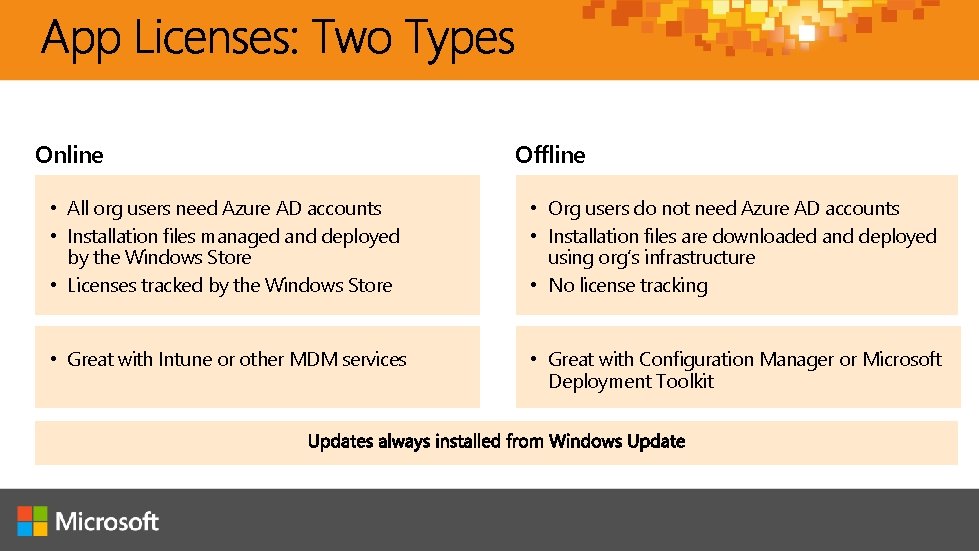
Online Offline • All org users need Azure AD accounts • Installation files managed and deployed by the Windows Store • Licenses tracked by the Windows Store • Org users do not need Azure AD accounts • Installation files are downloaded and deployed using org’s infrastructure • No license tracking • Great with Intune or other MDM services • Great with Configuration Manager or Microsoft Deployment Toolkit

Demo: Acquiring apps
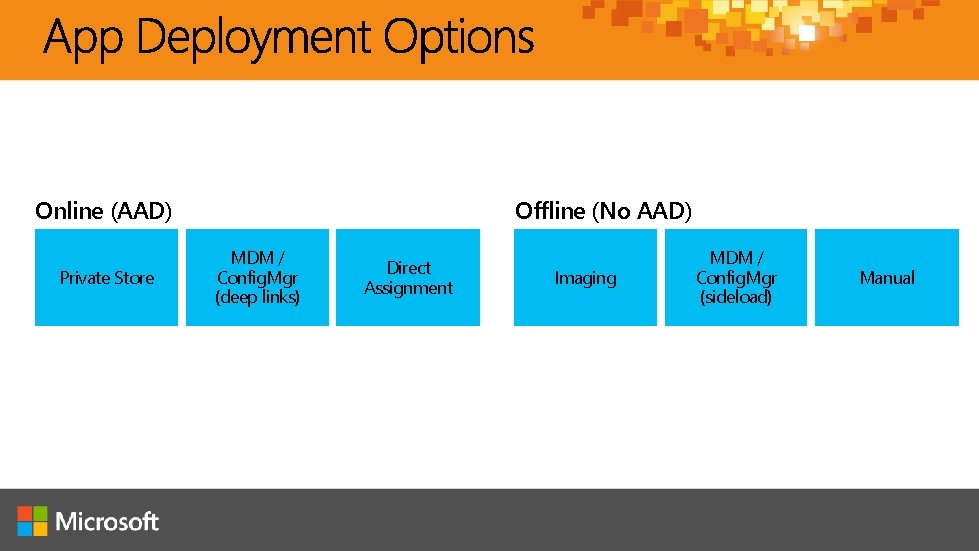
Offline (No AAD) Online (AAD) Private Store MDM / Config. Mgr (deep links) Direct Assignment Imaging MDM / Config. Mgr (sideload) Manual
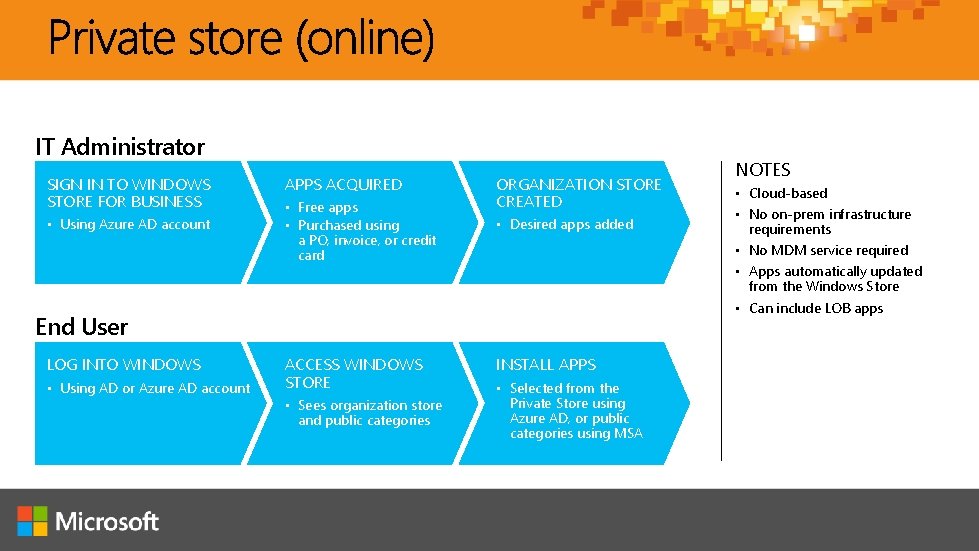
IT Administrator SIGN IN TO WINDOWS STORE FOR BUSINESS • Using Azure AD account APPS ACQUIRED • Free apps • Purchased using a PO, invoice, or credit card ORGANIZATION STORE CREATED • Desired apps added End User LOG INTO WINDOWS • Using AD or Azure AD account ACCESS WINDOWS STORE • Sees organization store and public categories INSTALL APPS • Selected from the Private Store using Azure AD, or public categories using MSA NOTES • Cloud-based • No on-prem infrastructure requirements • No MDM service required • Apps automatically updated from the Windows Store • Can include LOB apps

Demo: Private store
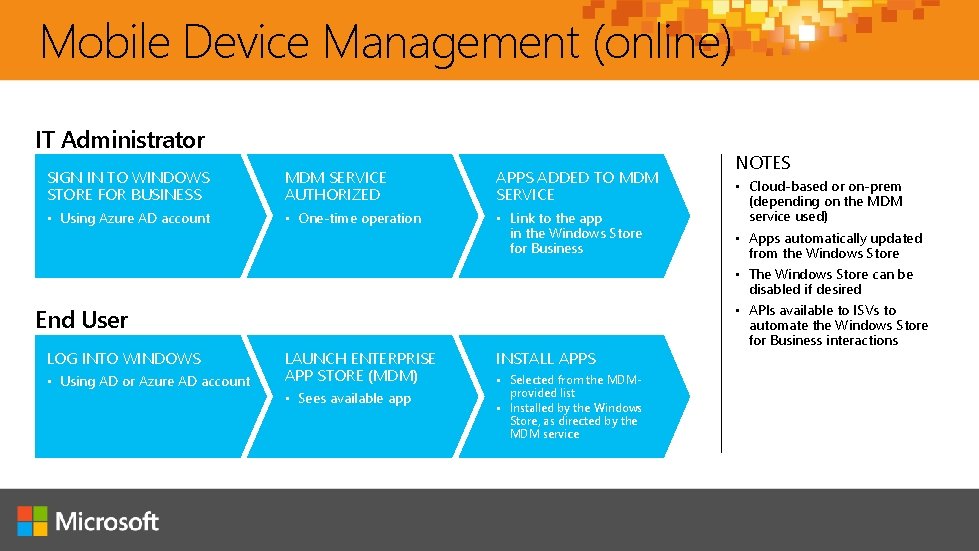
Mobile Device Management (online) IT Administrator SIGN IN TO WINDOWS STORE FOR BUSINESS MDM SERVICE AUTHORIZED APPS ADDED TO MDM SERVICE • Using Azure AD account • One-time operation • Link to the app in the Windows Store for Business LAUNCH ENTERPRISE APP STORE (MDM) INSTALL APPS End User LOG INTO WINDOWS • Using AD or Azure AD account • Sees available app • Selected from the MDMprovided list • Installed by the Windows Store, as directed by the MDM service NOTES • Cloud-based or on-prem (depending on the MDM service used) • Apps automatically updated from the Windows Store • The Windows Store can be disabled if desired • APIs available to ISVs to automate the Windows Store for Business interactions
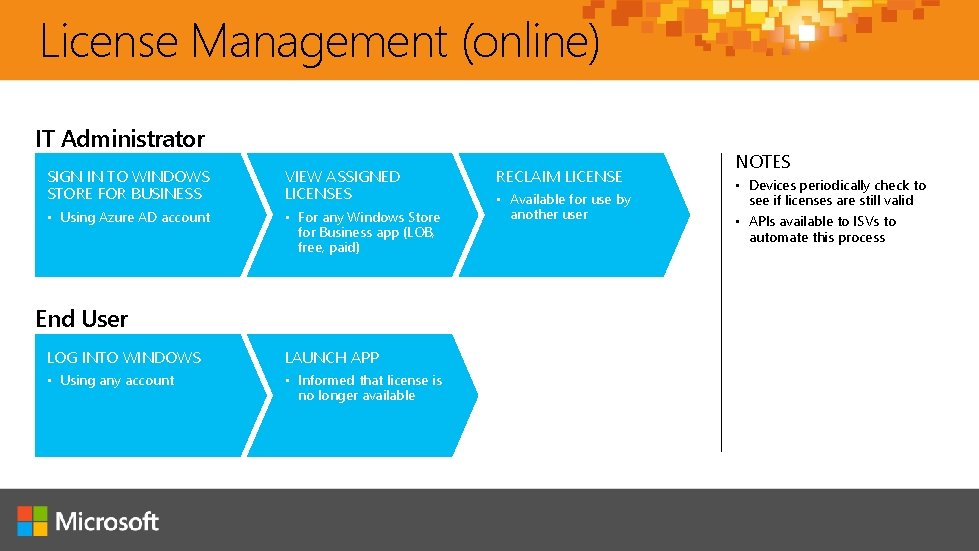
License Management (online) IT Administrator SIGN IN TO WINDOWS STORE FOR BUSINESS VIEW ASSIGNED LICENSES • Using Azure AD account • For any Windows Store for Business app (LOB, free, paid) End User LOG INTO WINDOWS LAUNCH APP • Using any account • Informed that license is no longer available RECLAIM LICENSE • Available for use by another user NOTES • Devices periodically check to see if licenses are still valid • APIs available to ISVs to automate this process
Demo: License management
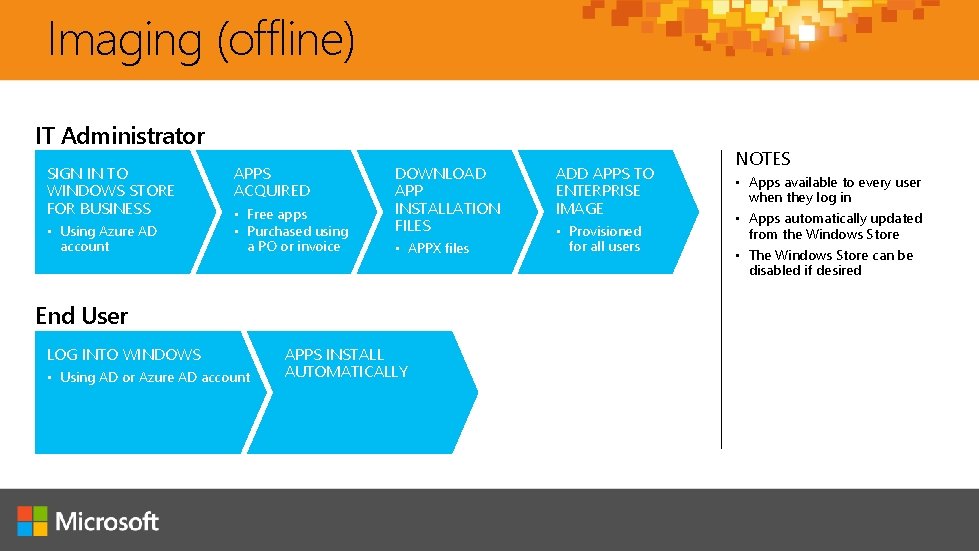
Imaging (offline) IT Administrator SIGN IN TO WINDOWS STORE FOR BUSINESS • Using Azure AD account APPS ACQUIRED • Free apps • Purchased using a PO or invoice DOWNLOAD APP INSTALLATION FILES • APPX files End User LOG INTO WINDOWS • Using AD or Azure AD account APPS INSTALL AUTOMATICALLY ADD APPS TO ENTERPRISE IMAGE • Provisioned for all users NOTES • Apps available to every user when they log in • Apps automatically updated from the Windows Store • The Windows Store can be disabled if desired
Demo: Adding an app to in image with MDT
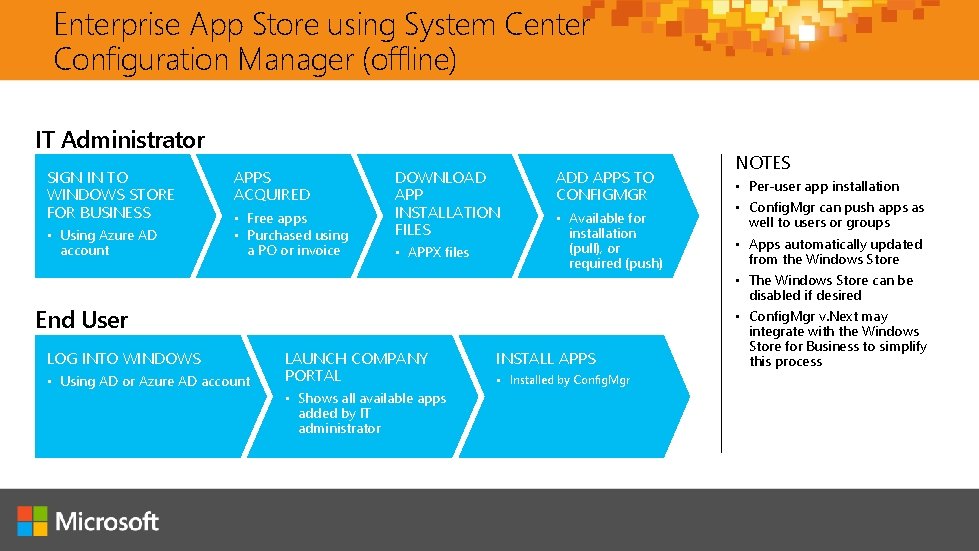
Enterprise App Store using System Center Configuration Manager (offline) IT Administrator SIGN IN TO WINDOWS STORE FOR BUSINESS • Using Azure AD account APPS ACQUIRED • Free apps • Purchased using a PO or invoice DOWNLOAD APP INSTALLATION FILES • APPX files ADD APPS TO CONFIGMGR • Available for installation (pull), or required (push) End User LOG INTO WINDOWS • Using AD or Azure AD account LAUNCH COMPANY PORTAL • Shows all available apps added by IT administrator INSTALL APPS • Installed by Config. Mgr NOTES • Per-user app installation • Config. Mgr can push apps as well to users or groups • Apps automatically updated from the Windows Store • The Windows Store can be disabled if desired • Config. Mgr v. Next may integrate with the Windows Store for Business to simplify this process
Demo: Deploying apps with Config. Mgr v. Next
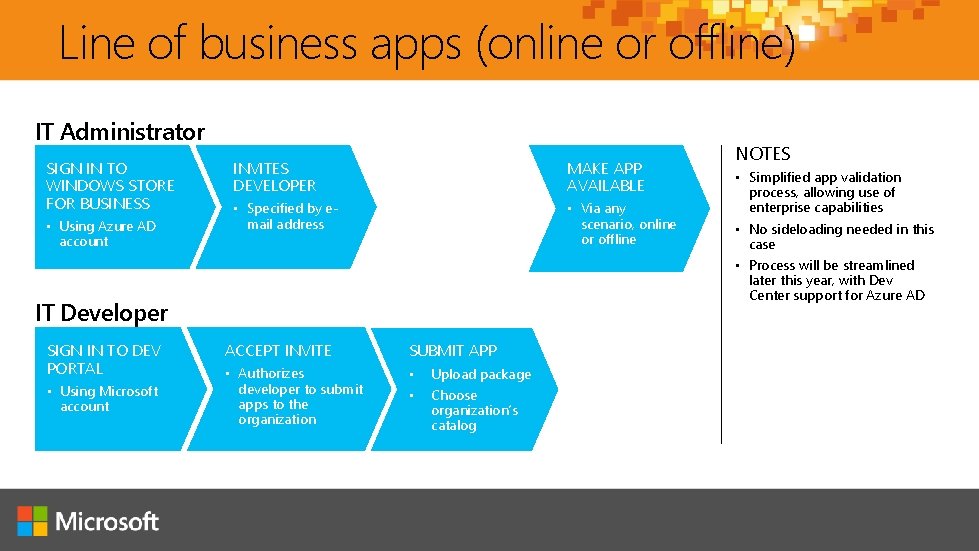
Line of business apps (online or offline) IT Administrator SIGN IN TO WINDOWS STORE FOR BUSINESS • Using Azure AD account INVITES DEVELOPER MAKE APP AVAILABLE • Specified by email address • Via any scenario, online or offline IT Developer SIGN IN TO DEV PORTAL • Using Microsoft account ACCEPT INVITE SUBMIT APP • Authorizes developer to submit apps to the organization • • Upload package Choose organization’s catalog NOTES • Simplified app validation process, allowing use of enterprise capabilities • No sideloading needed in this case • Process will be streamlined later this year, with Dev Center support for Azure AD
Demo: Line of business apps

My Ignite

Continue your Ignite learning path Visit Microsoft Virtual Academy for free online training visit https: //www. microsoftvirtualacademy. com Visit Channel 9 to access a wide range of Microsoft training and event recordings https: //channel 9. msdn. com/ Head to the Tech. Net Eval Centre to download trials of the latest Microsoft products http: //Microsoft. com/en-us/evalcenter/

© 2015 Microsoft Corporation. All rights reserved. Microsoft, Windows and other product names are or may be registered trademarks and/or trademarks in the U. S. and/or other countries. MICROSOFT MAKES NO WARRANTIES, EXPRESS, IMPLIED OR STATUTORY, AS TO THE INFORMATION IN THIS PRESENTATION.
- Slides: 34