
Using the RHNTC Training Tracking System for Title
- Slides: 36
Using the RHNTC Training Tracking System for Title X and TPP Programs June 8, 2021
Welcome Elizabeth Costello JSI Clancey Bateman JSI
Objectives ● Distinguish between a Training Participant and Training Administrator account on rhntc. org ● Explain how the RHNTC Training Tracking System supports Title X and TPP grantees in achieving their program goals ● Describe how to create and share a Training List and track training participation ● Demonstrate how to request a Training Administrator account on rhntc. org
Poll 1 What is your OPA grantee affiliation? ● Title X Family Planning Program ● Teen Pregnancy Prevention Program ● Other (please share in the chat)
Poll 2 How would you describe your role related to training and/or professional development? ● I am responsible for staff training or professional development at my agency ● I have a different role at my agency but am interested in learning more about the Training Tracking System ● I use the RHNTC website to track my own training ● Other (please share in the chat)
One system, two functions The RHNTC Training Tracking System supports two user types: ● Training Participants register for and track their own training completion on rhntc. org. ● Training Administrators create and assign training lists (that can include both RHNTC and non-RHNTC trainings) and track training participation.
Who is a Training Participant? Anyone who creates an account (registers) on rhntc. org Training Participants (registered users) can: ● ● ● Save trainings and resources from rhntc. org for easy access See trainings they have registered for and completed Accept and complete RHNTC training lists Download certificates of completion and CE credits Download their personalized Training Report Add non-RHNTC trainings to their Training Report
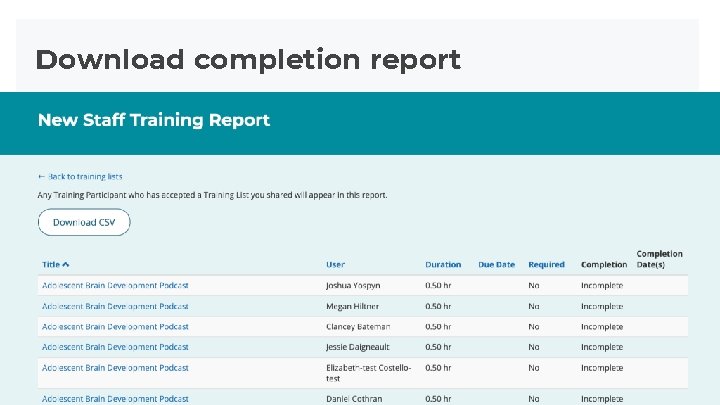
Who is a Training Administrator? Anyone responsible for administering or tracking training and professional development plans at their organization Training Admins can: ● Create and share customized Training Lists with their network ● Track Training Participants’ completion of assigned RHNTC and non-RHNTC trainings ● Download completion reports
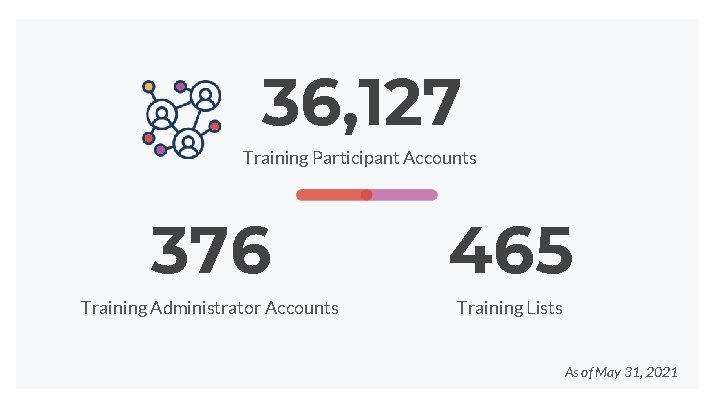
36, 127 Training Participant Accounts 376 465 Training Administrator Accounts Training Lists As of May 31, 2021
How Title X-funded programs are using it ● To develop training plans for their networks and track completion of assigned trainings ● To ensure that subrecipients and service sites comply with Title X Program training requirements
How TPP-funded programs can use it ● To create, implement, and/or track completion of professional development or other training plans for their organization or implementation partners ● To capture trainings and resources offered from different sources in a single, shareable list
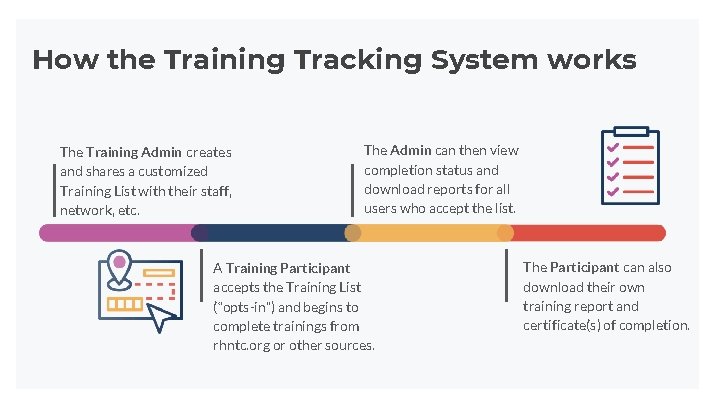
How the Training Tracking System works The Training Admin creates and shares a customized Training List with their staff, network, etc. The Admin can then view completion status and download reports for all users who accept the list. A Training Participant accepts the Training List (“opts-in”) and begins to complete trainings from rhntc. org or other sources. The Participant can also download their own training report and certificate(s) of completion.
See the Training Tracking System in action
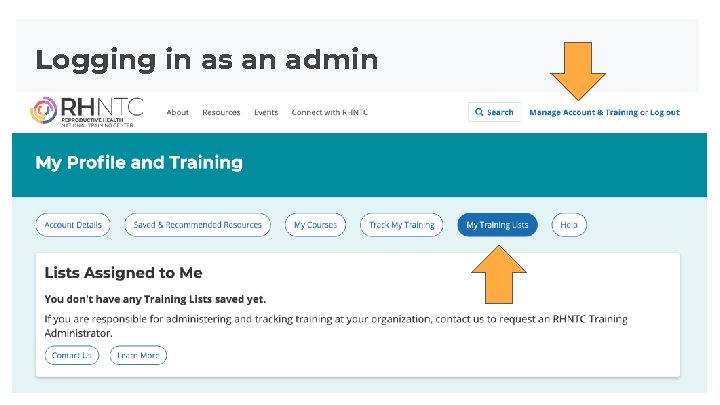
Logging in as an admin
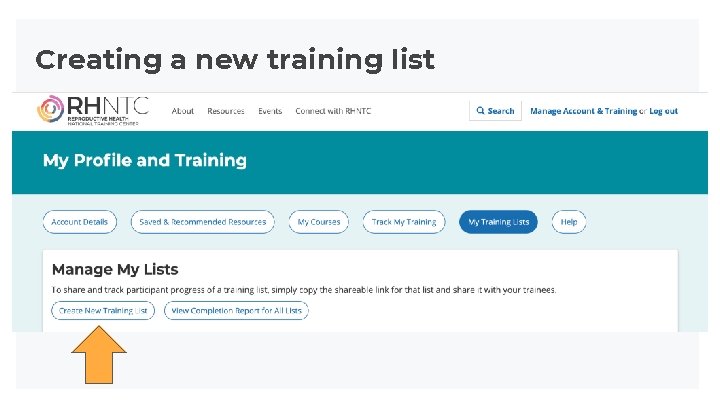
Creating a new training list
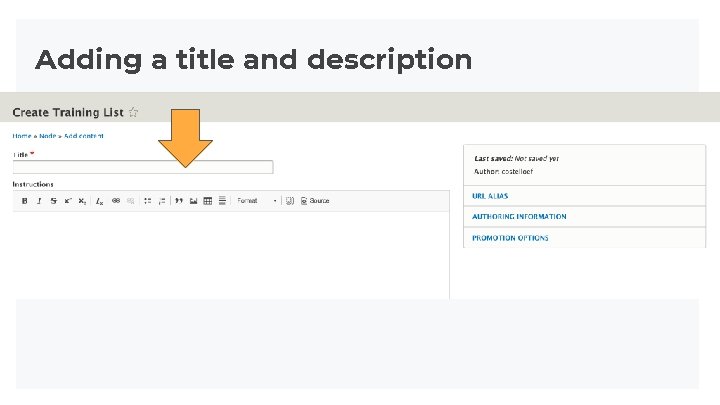
Adding a title and description
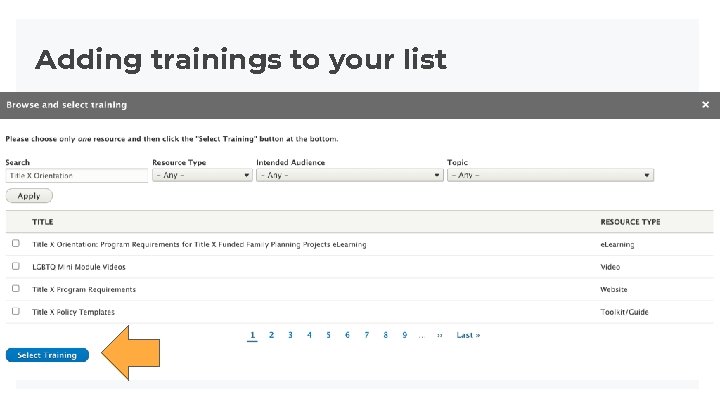
Adding trainings to your list
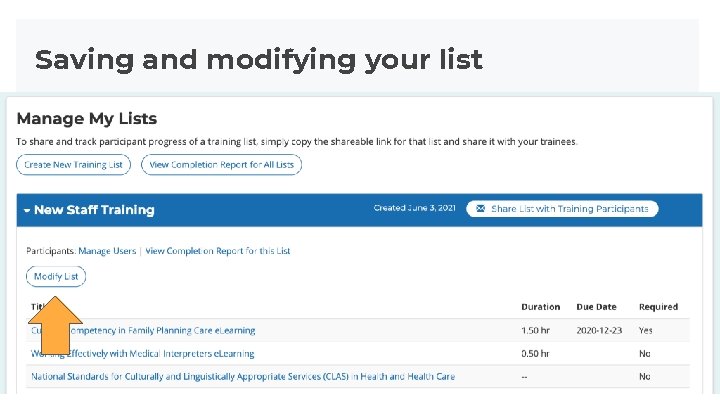
Saving and modifying your list
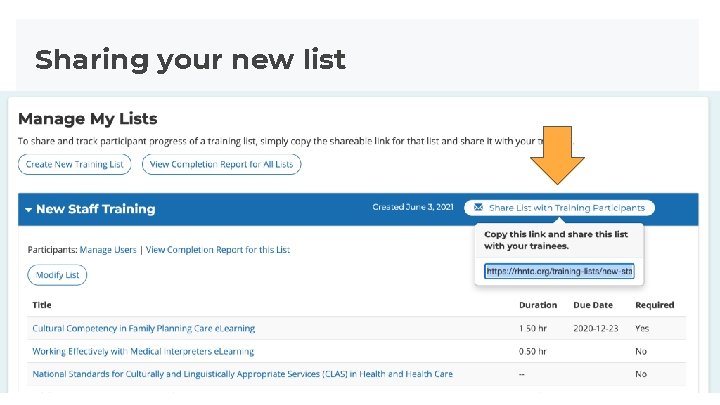
Sharing your new list
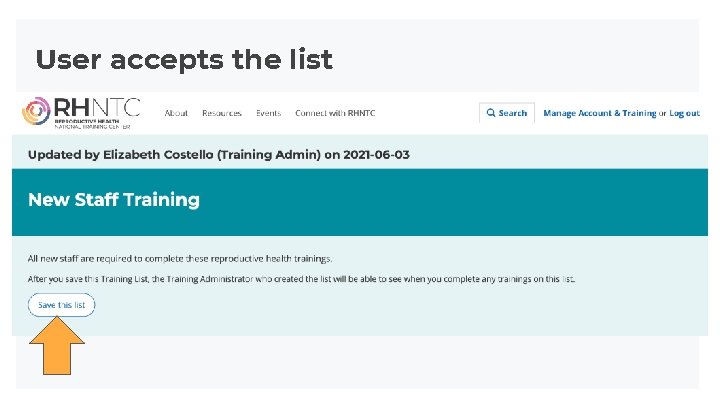
User accepts the list
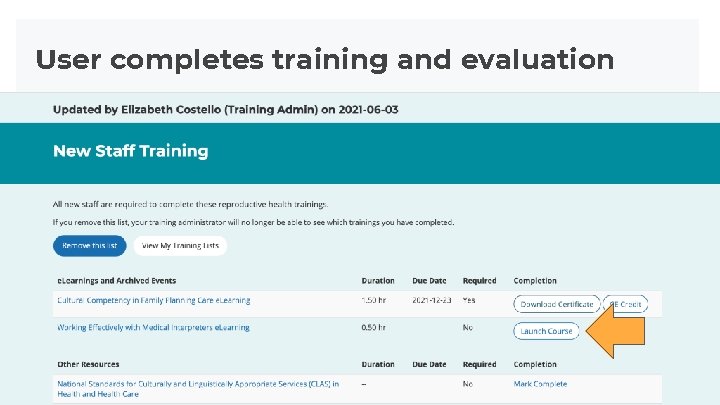
User completes training and evaluation
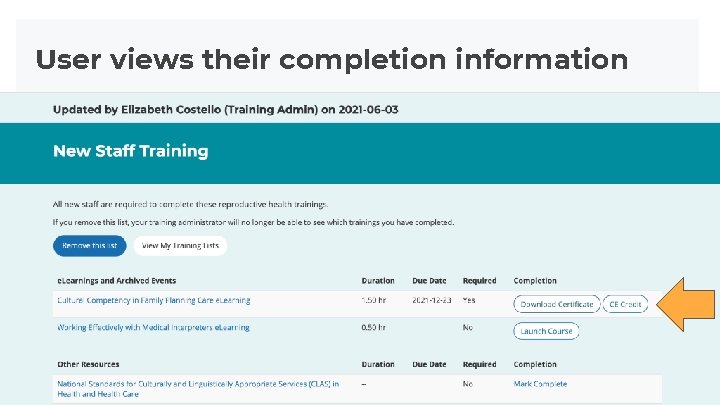
User views their completion information
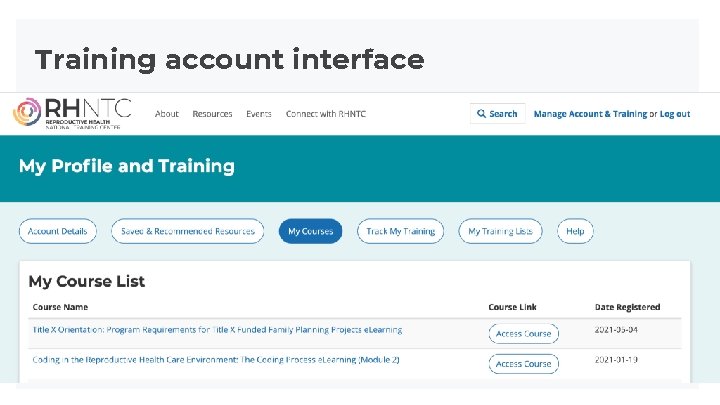
Training account interface
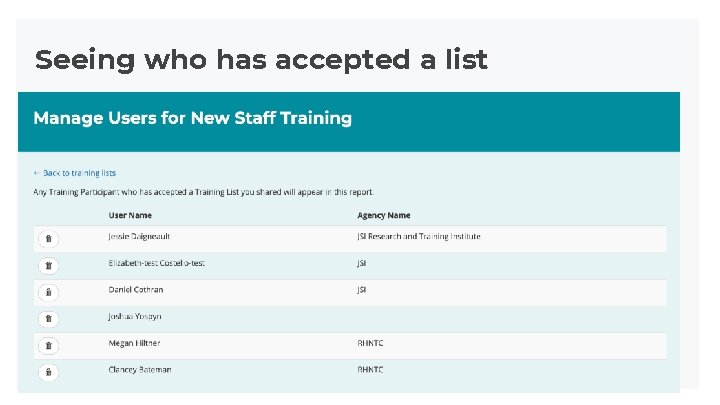
Seeing who has accepted a list
Download completion report
How could you use the Training Tracking System?
Title X grantees use lists in different ways ● Create a list and share the link with Title X subrecipients via email, on a webpage, or in a Power. Point presentation ● Use lists for tracking completion or as templates for other users (e. g. , subrecipients) to copy and adapt
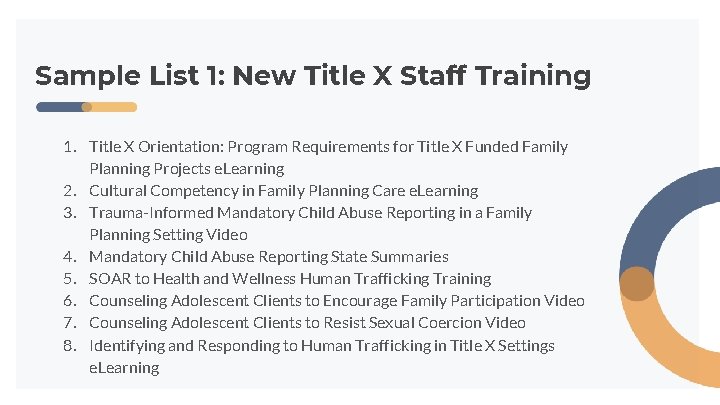
Sample List 1: New Title X Staff Training 1. Title X Orientation: Program Requirements for Title X Funded Family Planning Projects e. Learning 2. Cultural Competency in Family Planning Care e. Learning 3. Trauma-Informed Mandatory Child Abuse Reporting in a Family Planning Setting Video 4. Mandatory Child Abuse Reporting State Summaries 5. SOAR to Health and Wellness Human Trafficking Training 6. Counseling Adolescent Clients to Encourage Family Participation Video 7. Counseling Adolescent Clients to Resist Sexual Coercion Video 8. Identifying and Responding to Human Trafficking in Title X Settings e. Learning
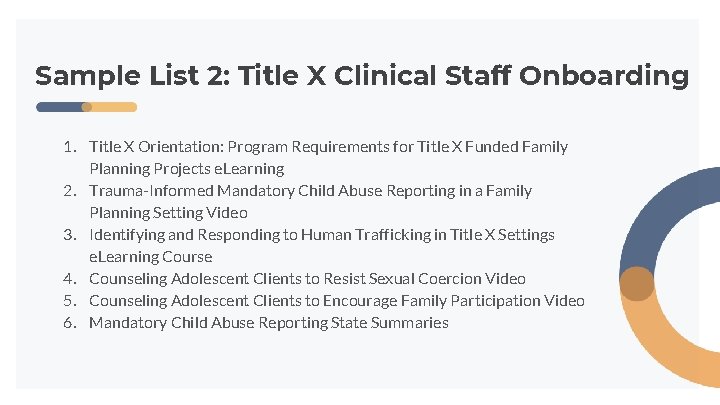
Sample List 2: Title X Clinical Staff Onboarding 1. Title X Orientation: Program Requirements for Title X Funded Family Planning Projects e. Learning 2. Trauma-Informed Mandatory Child Abuse Reporting in a Family Planning Setting Video 3. Identifying and Responding to Human Trafficking in Title X Settings e. Learning Course 4. Counseling Adolescent Clients to Resist Sexual Coercion Video 5. Counseling Adolescent Clients to Encourage Family Participation Video 6. Mandatory Child Abuse Reporting State Summaries
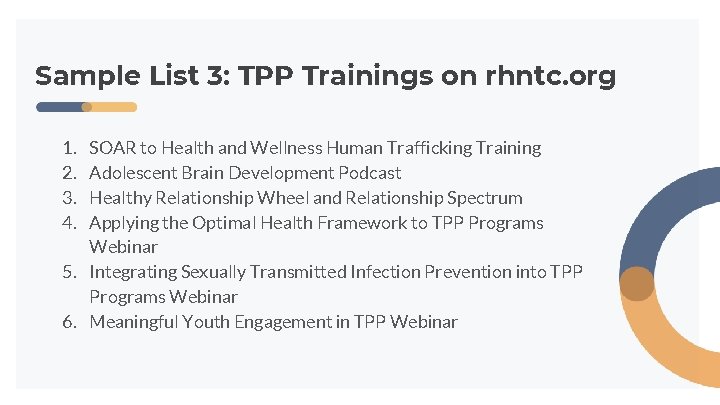
Sample List 3: TPP Trainings on rhntc. org 1. 2. 3. 4. SOAR to Health and Wellness Human Trafficking Training Adolescent Brain Development Podcast Healthy Relationship Wheel and Relationship Spectrum Applying the Optimal Health Framework to TPP Programs Webinar 5. Integrating Sexually Transmitted Infection Prevention into TPP Programs Webinar 6. Meaningful Youth Engagement in TPP Webinar
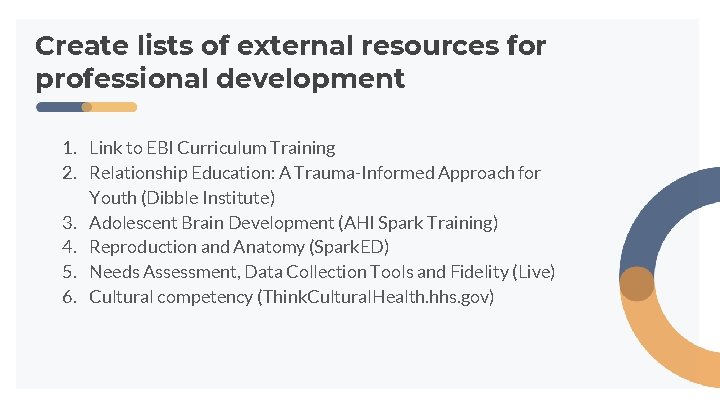
Create lists of external resources for professional development 1. Link to EBI Curriculum Training 2. Relationship Education: A Trauma-Informed Approach for Youth (Dibble Institute) 3. Adolescent Brain Development (AHI Spark Training) 4. Reproduction and Anatomy (Spark. ED) 5. Needs Assessment, Data Collection Tools and Fidelity (Live) 6. Cultural competency (Think. Cultural. Health. hhs. gov)
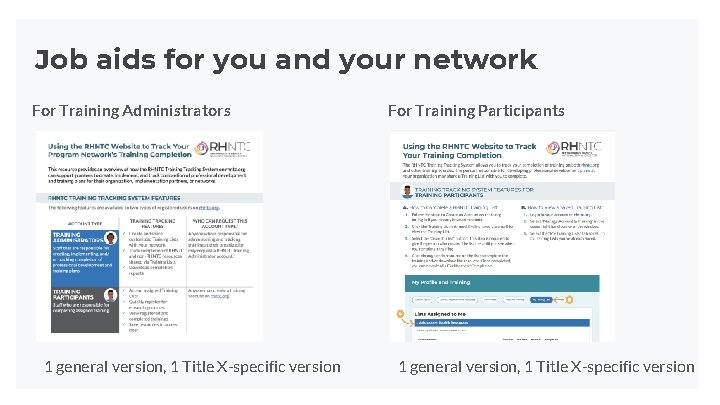
Job aids for you and your network For Training Administrators 1 general version, 1 Title X-specific version For Training Participants 1 general version, 1 Title X-specific version
Ready to request a Training Admin account? 1. Create an account on rhntc. org (or log in, if you already have one). 2. Click on “My Training Lists” and then “Contact Us. ” 3. Complete the form to request an account.
Q&A What questions do you have for us?
How to Engage with Us Subscribe to the RHNTC Monthly e. Newsletter at rhntc. org/enewsletter Contact us on rhntc. org Sign up for an account on rhntc. org Follow us on Twitter @rh_ntc
rhntc. org THANK YOU! Please fill out the evaluation form after the webinar! CONTACT US rhntc@jsi. com This webinar was supported by the Office of Population Affairs (Grants FPTPA 006030, TPSAH 000006) and the Office on Women’s Health (Grant ASTWH 2000 -90 -01 -00). The views expressed do not necessarily reflect the official policies of the Department of Health and Human Services; nor does mention of trade names, commercial practices, or organizations imply endorsement by the U. S. Government.