
Using the micro bit to Create a Flood

Using the micro: bit to Create a Flood Warning System Using a Moisture Sensor and Programming

Design Brief Situation • Flooding is becoming increasingly common in parts of the United Kingdom and causes a lot of damage to peoples’ homes. The sooner a potential flood can be detected, the more time homeowners have to prepare and to save their property. Brief • Using the micro: bit, create a working flood warning system for a homeowner. The system must be placed outside the home. It must be able to detect rising water levels and warn the homeowner that this is happening.
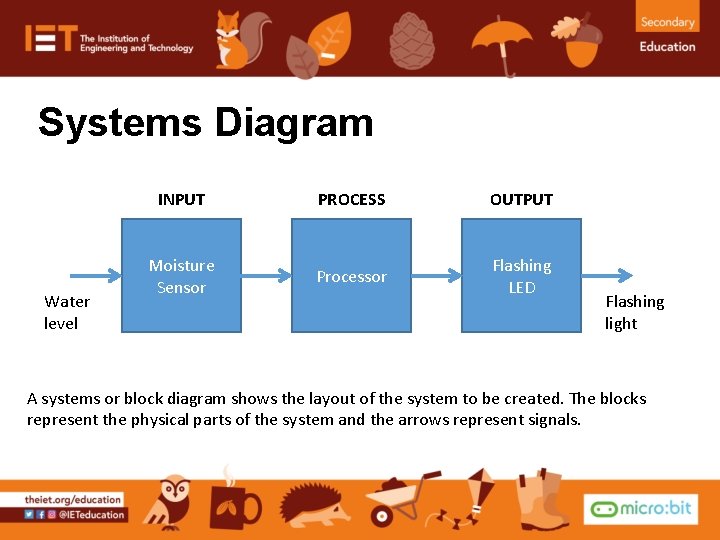
Systems Diagram Water level INPUT PROCESS OUTPUT Moisture Sensor Processor Flashing LED Flashing light A systems or block diagram shows the layout of the system to be created. The blocks represent the physical parts of the system and the arrows represent signals.
Design Criteria The proposed system must: • Be programmable using the micro: bit. • Use a suitable input device, such as a moisture sensor, to detect the level of the water around the house. • Use a suitable output device, such as a flashing LED, to warn the homeowner that water levels are rising to flood levels.
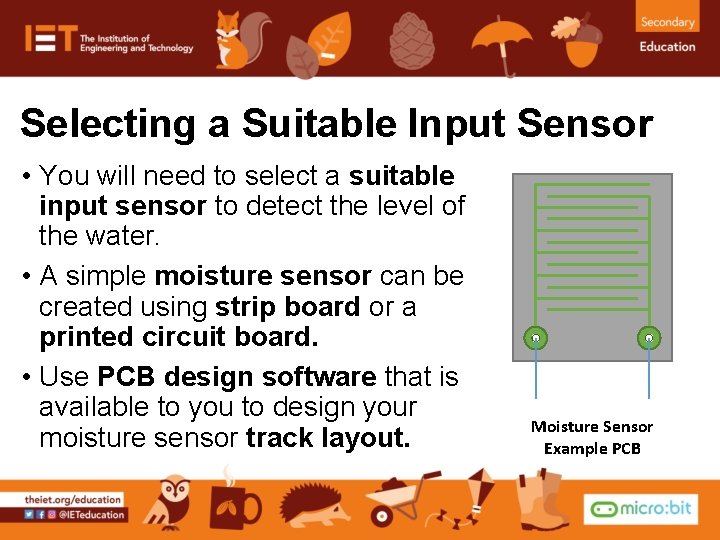
Selecting a Suitable Input Sensor • You will need to select a suitable input sensor to detect the level of the water. • A simple moisture sensor can be created using strip board or a printed circuit board. • Use PCB design software that is available to you to design your moisture sensor track layout. Moisture Sensor Example PCB

Potential Divider • The moisture sensor is an analogue input device. • A potential divider can be used to create a reference voltage for the BBC micro: bit to receive. • A variable or fixed resistor can be used as shown. Vs To moisture sensor Output voltage (to micro: bit) Variable or fixed resistor 0 V Potential Divider Circuit Diagram

Time to Develop your Program! • Your device must be programmed. • Your program must meet the needs of the design brief and the design criteria. • You can program your micro: bit using either the Java. Script Blocks Editor or Python Editor. • An example program written in each has been given to help get you started. • Go to www. microbit. org/code to begin!
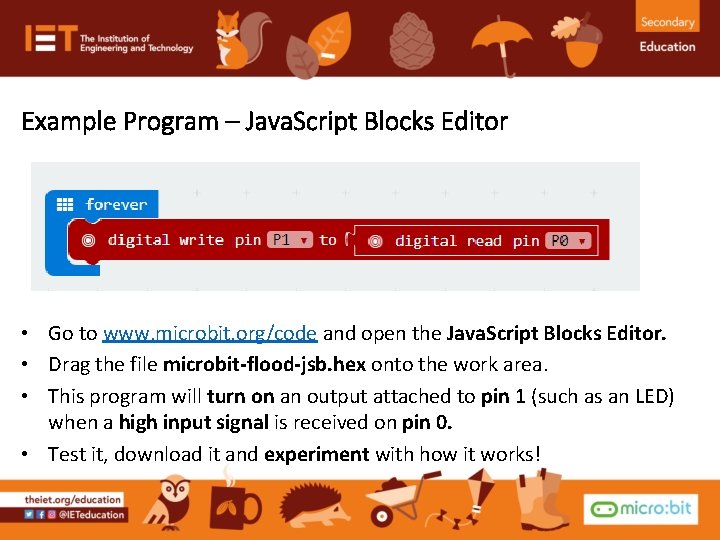
Example Program – Java. Script Blocks Editor • Go to www. microbit. org/code and open the Java. Script Blocks Editor. • Drag the file microbit-flood-jsb. hex onto the work area. • This program will turn on an output attached to pin 1 (such as an LED) when a high input signal is received on pin 0. • Test it, download it and experiment with how it works!
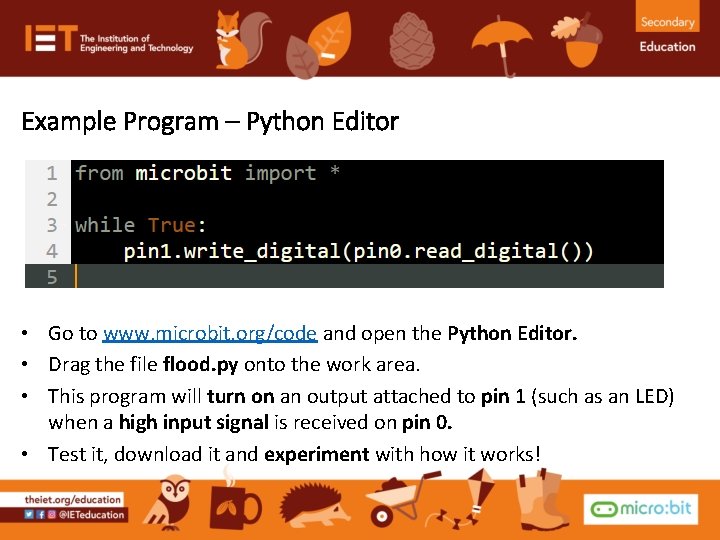
Example Program – Python Editor • Go to www. microbit. org/code and open the Python Editor. • Drag the file flood. py onto the work area. • This program will turn on an output attached to pin 1 (such as an LED) when a high input signal is received on pin 0. • Test it, download it and experiment with how it works!
- Slides: 9