
Using the location sensor with App Inventor Introduction
- Slides: 23
Using the location sensor with App Inventor Introduction and overview Mobile CSP 07/2016 Pierre Huguet pierre. huguet 50@gmail. com
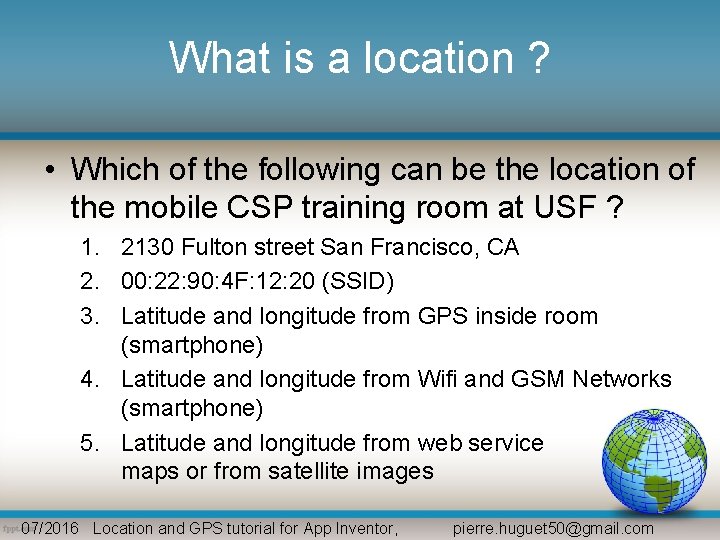
What is a location ? • Which of the following can be the location of the mobile CSP training room at USF ? 1. 2130 Fulton street San Francisco, CA 2. 00: 22: 90: 4 F: 12: 20 (SSID) 3. Latitude and longitude from GPS inside room (smartphone) 4. Latitude and longitude from Wifi and GSM Networks (smartphone) 5. Latitude and longitude from web service maps or from satellite images 07/2016 Location and GPS tutorial for App Inventor, pierre. huguet 50@gmail. com
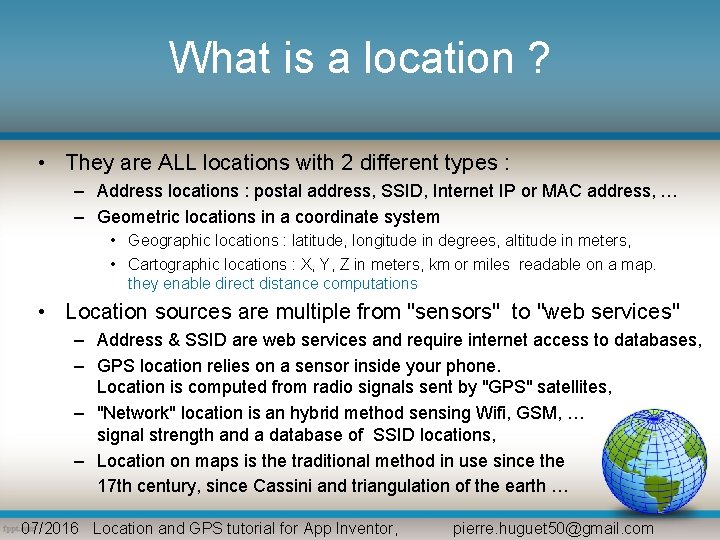
What is a location ? • They are ALL locations with 2 different types : – Address locations : postal address, SSID, Internet IP or MAC address, … – Geometric locations in a coordinate system • Geographic locations : latitude, longitude in degrees, altitude in meters, • Cartographic locations : X, Y, Z in meters, km or miles readable on a map. they enable direct distance computations • Location sources are multiple from "sensors" to "web services" – Address & SSID are web services and require internet access to databases, – GPS location relies on a sensor inside your phone. Location is computed from radio signals sent by "GPS" satellites, – "Network" location is an hybrid method sensing Wifi, GSM, … signal strength and a database of SSID locations, – Location on maps is the traditional method in use since the 17 th century, since Cassini and triangulation of the earth … 07/2016 Location and GPS tutorial for App Inventor, pierre. huguet 50@gmail. com
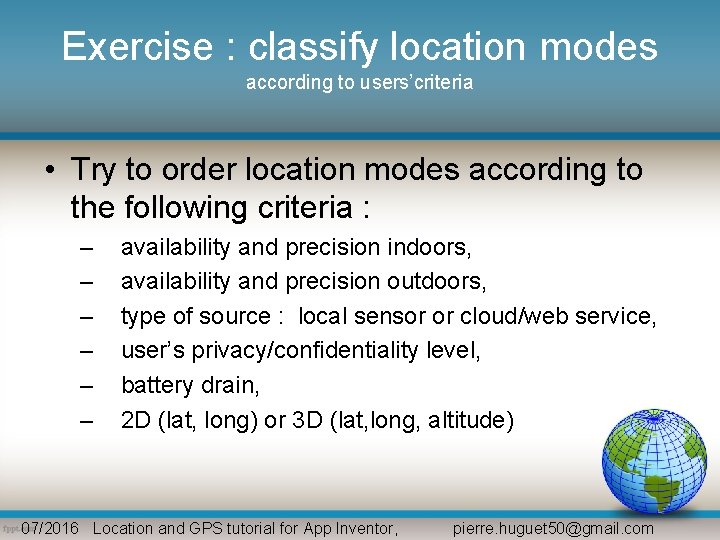
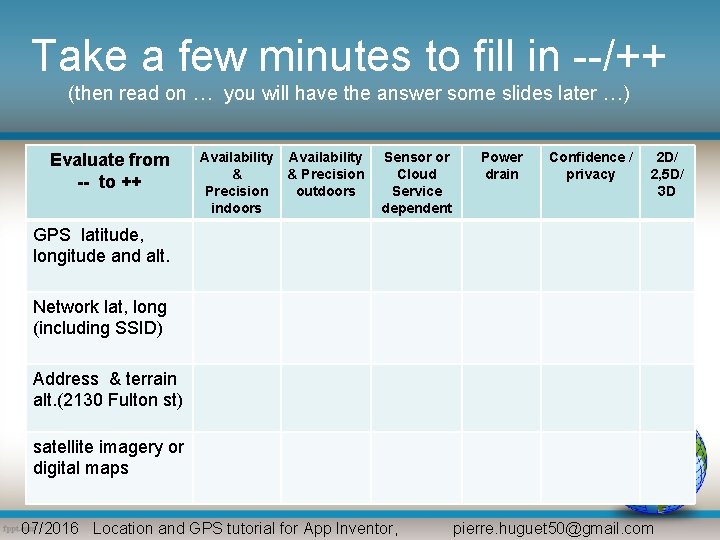
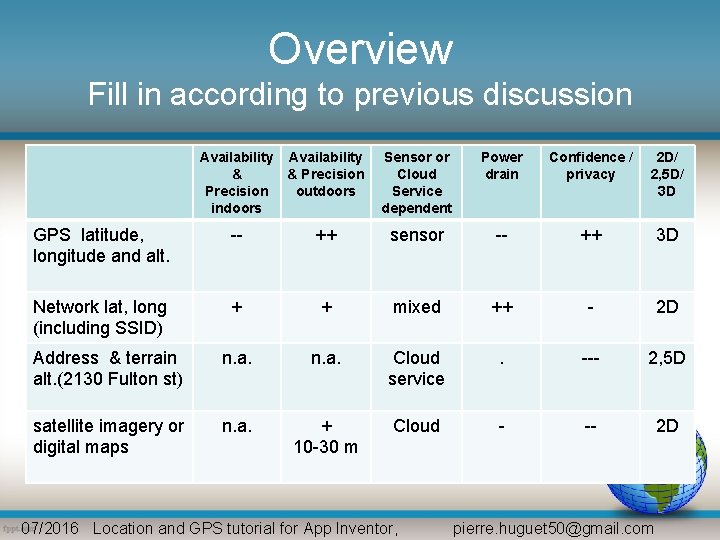
Exercise : classify location modes according to users’criteria • Try to order location modes according to the following criteria : – – – availability and precision indoors, availability and precision outdoors, type of source : local sensor or cloud/web service, user’s privacy/confidentiality level, battery drain, 2 D (lat, long) or 3 D (lat, long, altitude) 07/2016 Location and GPS tutorial for App Inventor, pierre. huguet 50@gmail. com
Take a few minutes to fill in --/++ (then read on … you will have the answer some slides later …) Evaluate from -- to ++ Availability & & Precision outdoors indoors Sensor or Cloud Service dependent Power drain Confidence / privacy 2 D/ 2, 5 D/ 3 D GPS latitude, longitude and alt. Network lat, long (including SSID) Address & terrain alt. (2130 Fulton st) satellite imagery or digital maps 07/2016 Location and GPS tutorial for App Inventor, pierre. huguet 50@gmail. com
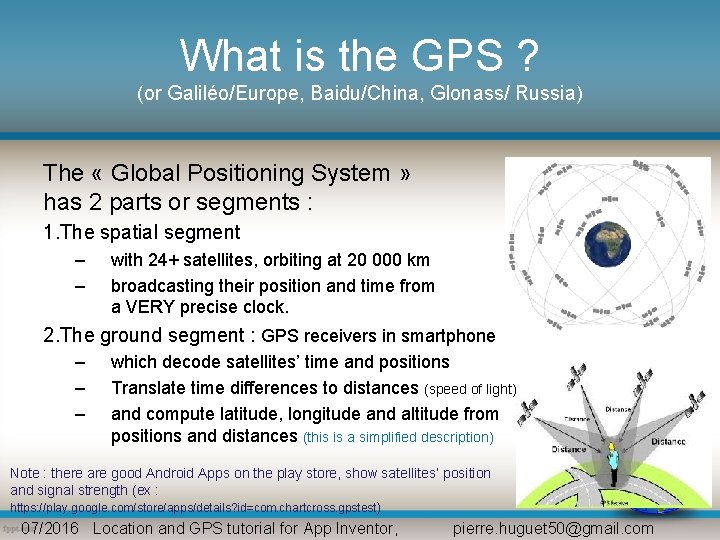
What is the GPS ? (or Galiléo/Europe, Baidu/China, Glonass/ Russia) The « Global Positioning System » has 2 parts or segments : 1. The spatial segment – – with 24+ satellites, orbiting at 20 000 km broadcasting their position and time from a VERY precise clock. 2. The ground segment : GPS receivers in smartphone – – – which decode satellites’ time and positions Translate time differences to distances (speed of light) and compute latitude, longitude and altitude from positions and distances (this is a simplified description) Note : there are good Android Apps on the play store, show satellites’ position and signal strength (ex : https: //play. google. com/store/apps/details? id=com. chartcross. gpstest) 07/2016 Location and GPS tutorial for App Inventor, pierre. huguet 50@gmail. com
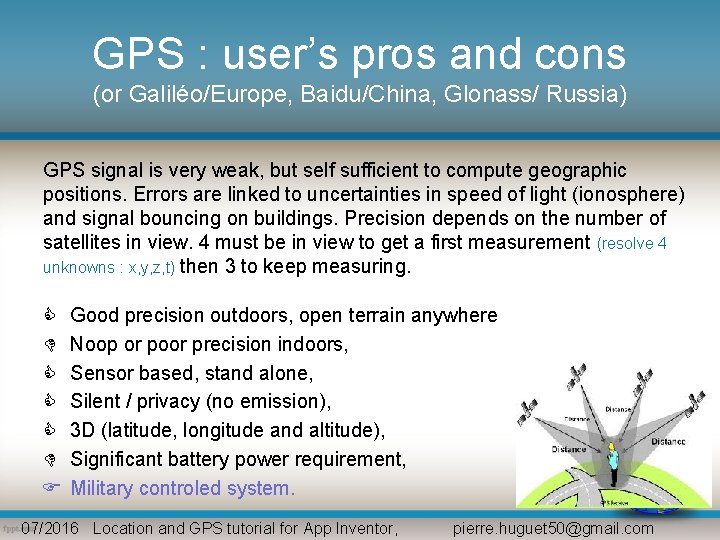
GPS : user’s pros and cons (or Galiléo/Europe, Baidu/China, Glonass/ Russia) GPS signal is very weak, but self sufficient to compute geographic positions. Errors are linked to uncertainties in speed of light (ionosphere) and signal bouncing on buildings. Precision depends on the number of satellites in view. 4 must be in view to get a first measurement (resolve 4 unknowns : x, y, z, t) then 3 to keep measuring. Good precision outdoors, open terrain anywhere Noop or poor precision indoors, Sensor based, stand alone, Silent / privacy (no emission), 3 D (latitude, longitude and altitude), Significant battery power requirement, Military controled system. 07/2016 Location and GPS tutorial for App Inventor, pierre. huguet 50@gmail. com
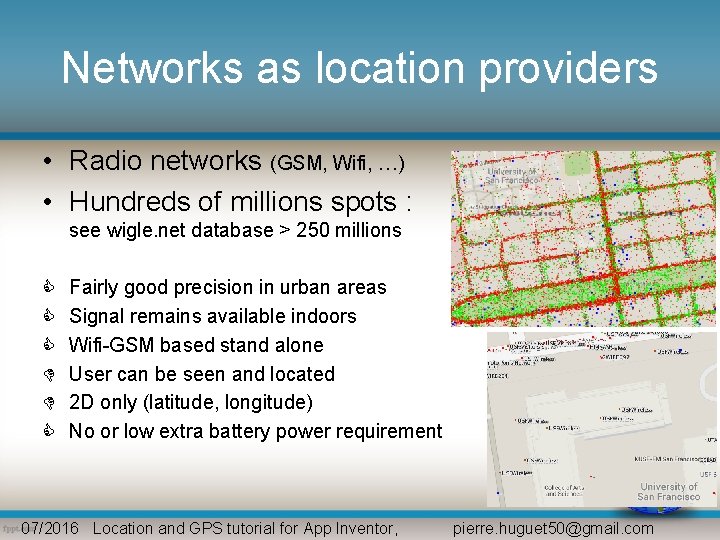
Networks as location providers • Radio networks (GSM, Wifi, …) • Hundreds of millions spots : see wigle. net database > 250 millions Fairly good precision in urban areas Signal remains available indoors Wifi-GSM based stand alone User can be seen and located 2 D only (latitude, longitude) No or low extra battery power requirement 07/2016 Location and GPS tutorial for App Inventor, pierre. huguet 50@gmail. com
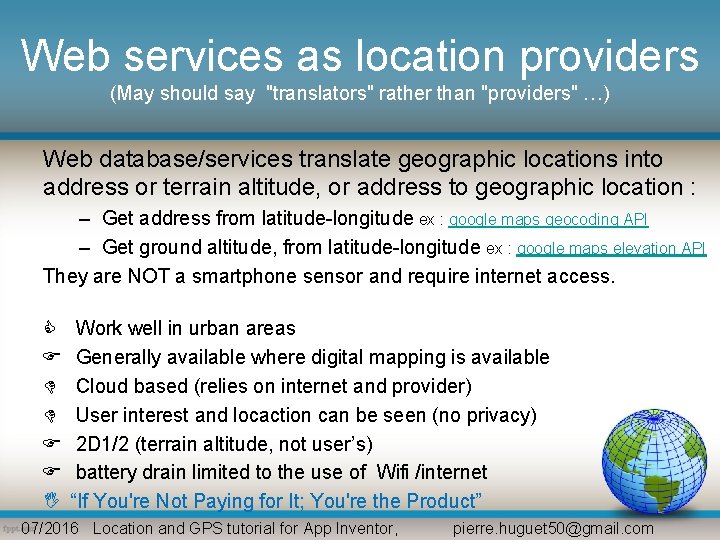
Web services as location providers (May should say "translators" rather than "providers" …) Web database/services translate geographic locations into address or terrain altitude, or address to geographic location : – Get address from latitude-longitude ex : google maps geocoding API – Get ground altitude, from latitude-longitude ex : google maps elevation API They are NOT a smartphone sensor and require internet access. I Work well in urban areas Generally available where digital mapping is available Cloud based (relies on internet and provider) User interest and locaction can be seen (no privacy) 2 D 1/2 (terrain altitude, not user’s) battery drain limited to the use of Wifi /internet “If You're Not Paying for It; You're the Product” 07/2016 Location and GPS tutorial for App Inventor, pierre. huguet 50@gmail. com
Overview Fill in according to previous discussion Availability & & Precision outdoors indoors Sensor or Cloud Service dependent Power drain Confidence / privacy 2 D/ 2, 5 D/ 3 D GPS latitude, longitude and alt. -- ++ sensor -- ++ 3 D Network lat, long (including SSID) + + mixed ++ - 2 D Address & terrain alt. (2130 Fulton st) n. a. Cloud service . --- 2, 5 D satellite imagery or digital maps n. a. + 10 -30 m Cloud - -- 2 D 07/2016 Location and GPS tutorial for App Inventor, pierre. huguet 50@gmail. com
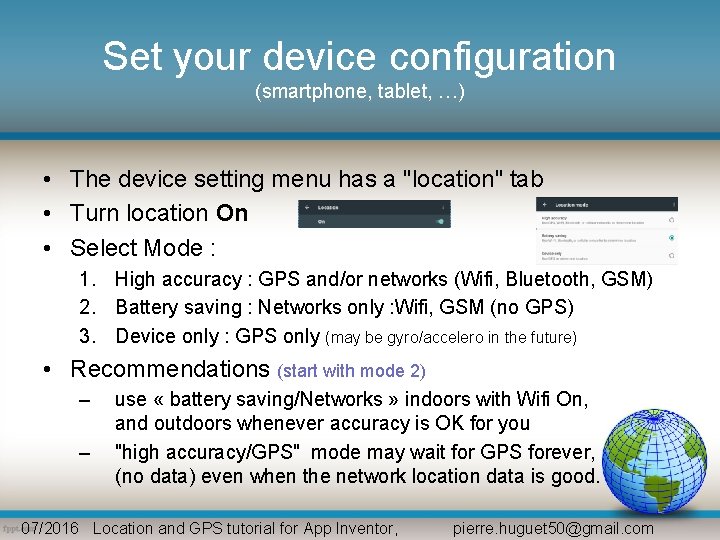
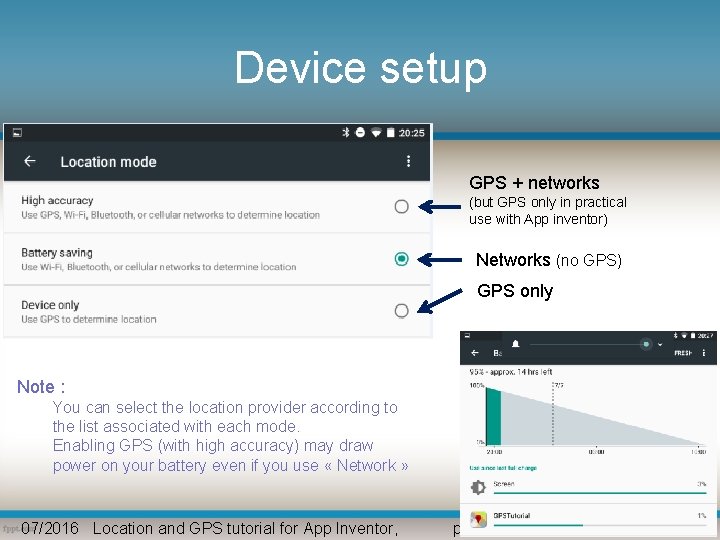
Set your device configuration (smartphone, tablet, …) • The device setting menu has a "location" tab • Turn location On • Select Mode : 1. High accuracy : GPS and/or networks (Wifi, Bluetooth, GSM) 2. Battery saving : Networks only : Wifi, GSM (no GPS) 3. Device only : GPS only (may be gyro/accelero in the future) • Recommendations (start with mode 2) – – use « battery saving/Networks » indoors with Wifi On, and outdoors whenever accuracy is OK for you "high accuracy/GPS" mode may wait for GPS forever, (no data) even when the network location data is good. 07/2016 Location and GPS tutorial for App Inventor, pierre. huguet 50@gmail. com
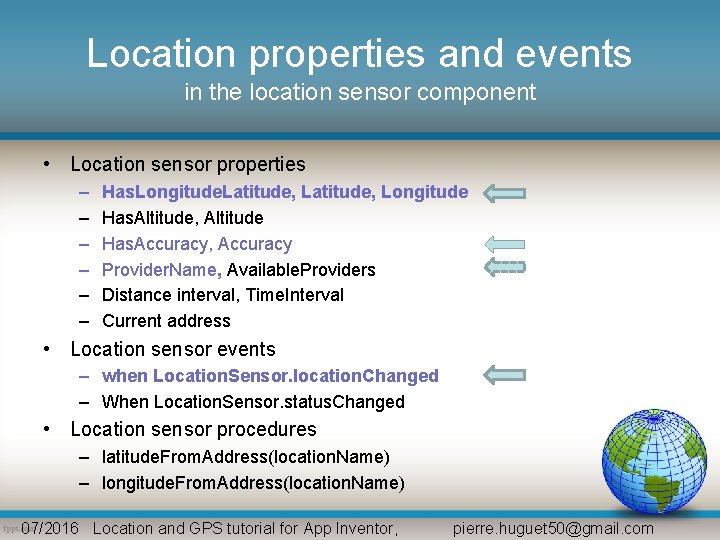
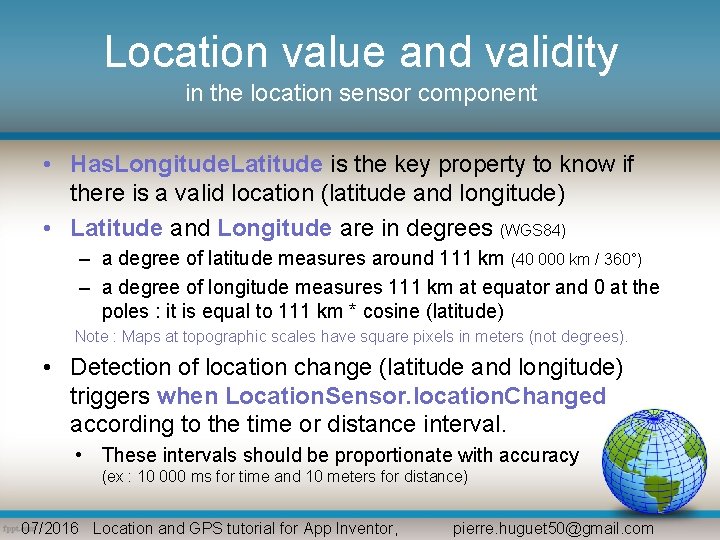
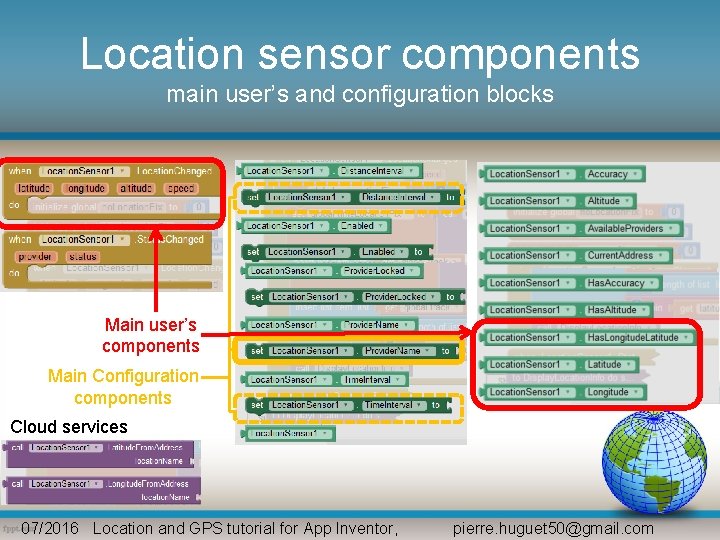
Location properties and events in the location sensor component • Location sensor properties – – – Has. Longitude. Latitude, Longitude Has. Altitude, Altitude Has. Accuracy, Accuracy Provider. Name, Available. Providers Distance interval, Time. Interval Current address • Location sensor events – when Location. Sensor. location. Changed – When Location. Sensor. status. Changed • Location sensor procedures – latitude. From. Address(location. Name) – longitude. From. Address(location. Name) 07/2016 Location and GPS tutorial for App Inventor, pierre. huguet 50@gmail. com
Location value and validity in the location sensor component • Has. Longitude. Latitude is the key property to know if there is a valid location (latitude and longitude) • Latitude and Longitude are in degrees (WGS 84) – a degree of latitude measures around 111 km (40 000 km / 360°) – a degree of longitude measures 111 km at equator and 0 at the poles : it is equal to 111 km * cosine (latitude) Note : Maps at topographic scales have square pixels in meters (not degrees). • Detection of location change (latitude and longitude) triggers when Location. Sensor. location. Changed according to the time or distance interval. • These intervals should be proportionate with accuracy (ex : 10 000 ms for time and 10 meters for distance) 07/2016 Location and GPS tutorial for App Inventor, pierre. huguet 50@gmail. com
Location sensor components main user’s and configuration blocks Main user’s components Main Configuration components Cloud services 07/2016 Location and GPS tutorial for App Inventor, pierre. huguet 50@gmail. com
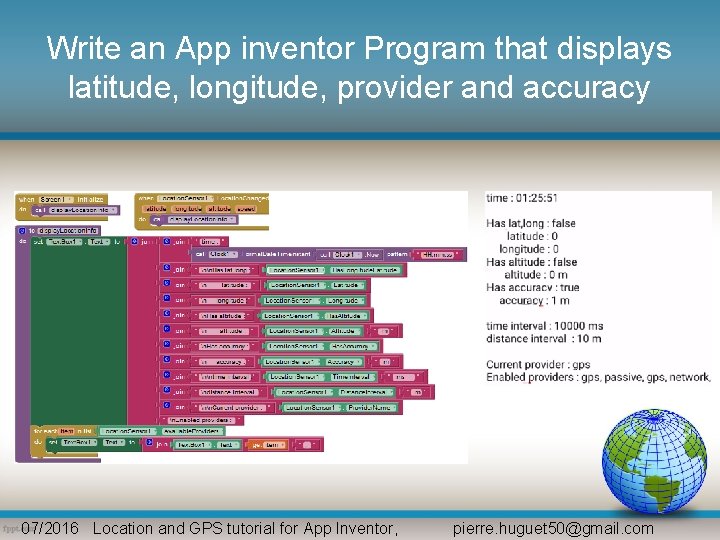
Write an App inventor Program that displays latitude, longitude, provider and accuracy 07/2016 Location and GPS tutorial for App Inventor, pierre. huguet 50@gmail. com
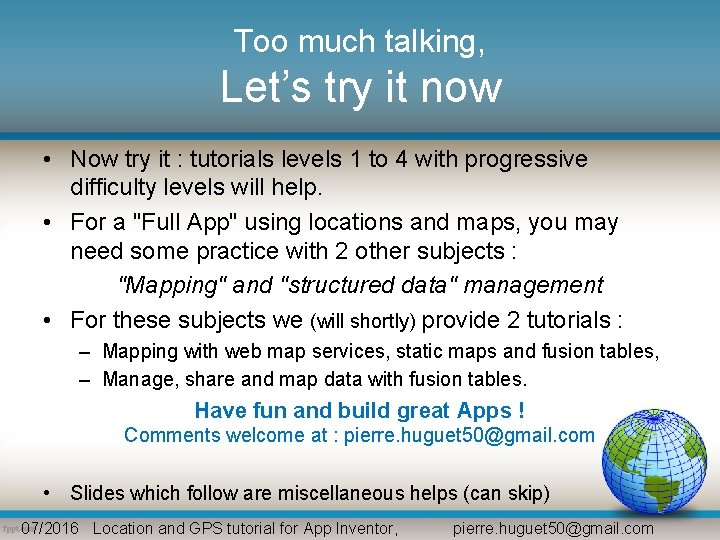
Too much talking, Let’s try it now • Now try it : tutorials levels 1 to 4 with progressive difficulty levels will help. • For a "Full App" using locations and maps, you may need some practice with 2 other subjects : "Mapping" and "structured data" management • For these subjects we (will shortly) provide 2 tutorials : – Mapping with web map services, static maps and fusion tables, – Manage, share and map data with fusion tables. Have fun and build great Apps ! Comments welcome at : pierre. huguet 50@gmail. com • Slides which follow are miscellaneous helps (can skip) 07/2016 Location and GPS tutorial for App Inventor, pierre. huguet 50@gmail. com
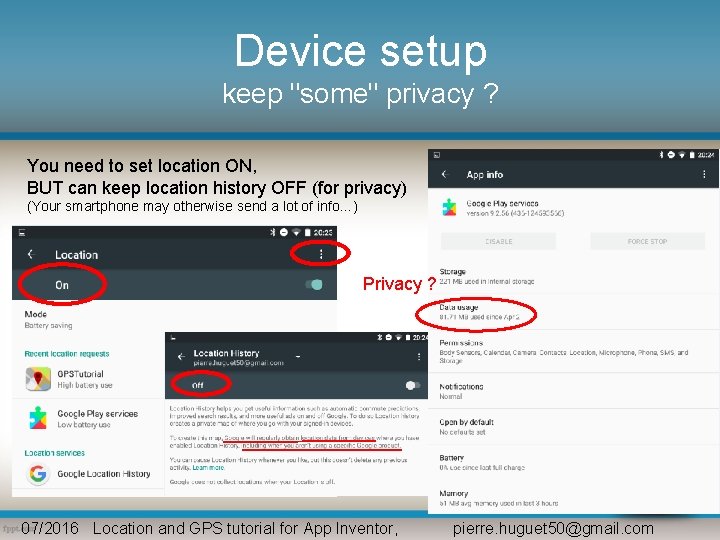
Device setup keep "some" privacy ? You need to set location ON, BUT can keep location history OFF (for privacy) (Your smartphone may otherwise send a lot of info…) Privacy ? 07/2016 Location and GPS tutorial for App Inventor, pierre. huguet 50@gmail. com
Device setup GPS + networks (but GPS only in practical use with App inventor) Networks (no GPS) GPS only Note : You can select the location provider according to the list associated with each mode. Enabling GPS (with high accuracy) may draw power on your battery even if you use « Network » 07/2016 Location and GPS tutorial for App Inventor, pierre. huguet 50@gmail. com
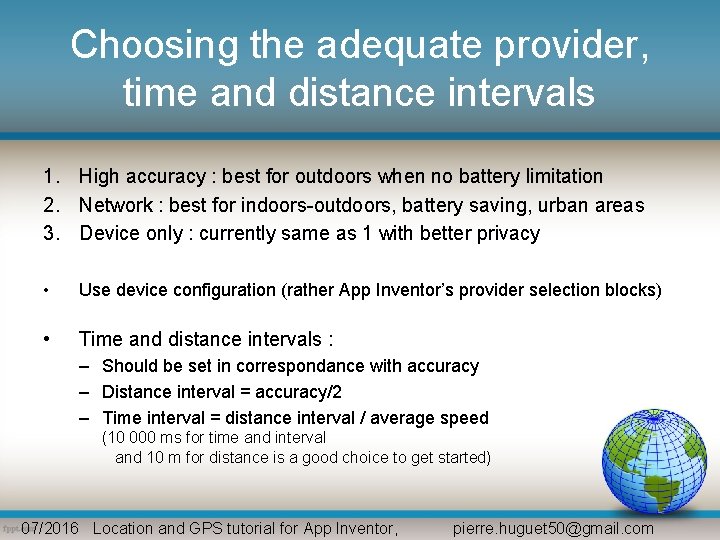
Choosing the adequate provider, time and distance intervals 1. High accuracy : best for outdoors when no battery limitation 2. Network : best for indoors-outdoors, battery saving, urban areas 3. Device only : currently same as 1 with better privacy • Use device configuration (rather App Inventor’s provider selection blocks) • Time and distance intervals : – Should be set in correspondance with accuracy – Distance interval = accuracy/2 – Time interval = distance interval / average speed (10 000 ms for time and interval and 10 m for distance is a good choice to get started) 07/2016 Location and GPS tutorial for App Inventor, pierre. huguet 50@gmail. com
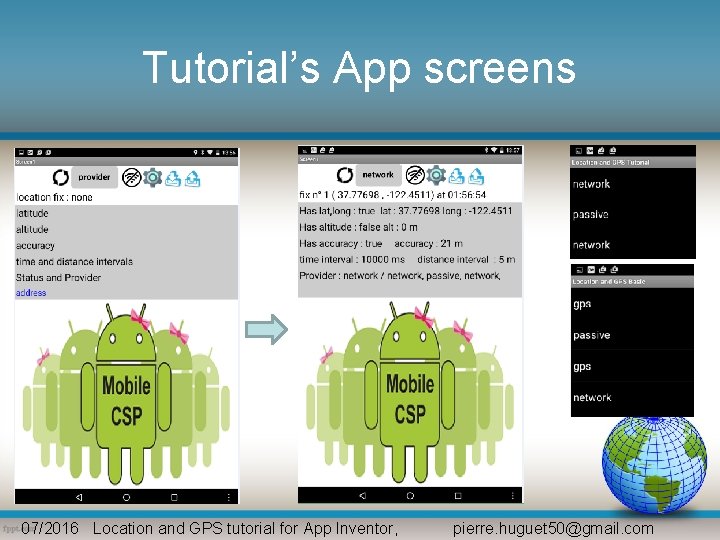
Tutorial’s App screens 07/2016 Location and GPS tutorial for App Inventor, pierre. huguet 50@gmail. com
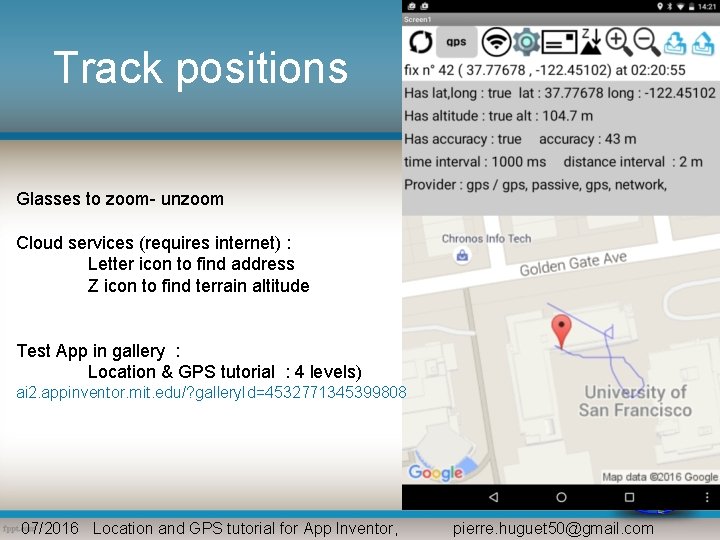
Track positions Glasses to zoom- unzoom Cloud services (requires internet) : Letter icon to find address Z icon to find terrain altitude Test App in gallery : Location & GPS tutorial : 4 levels) ai 2. appinventor. mit. edu/? gallery. Id=4532771345399808 07/2016 Location and GPS tutorial for App Inventor, pierre. huguet 50@gmail. com
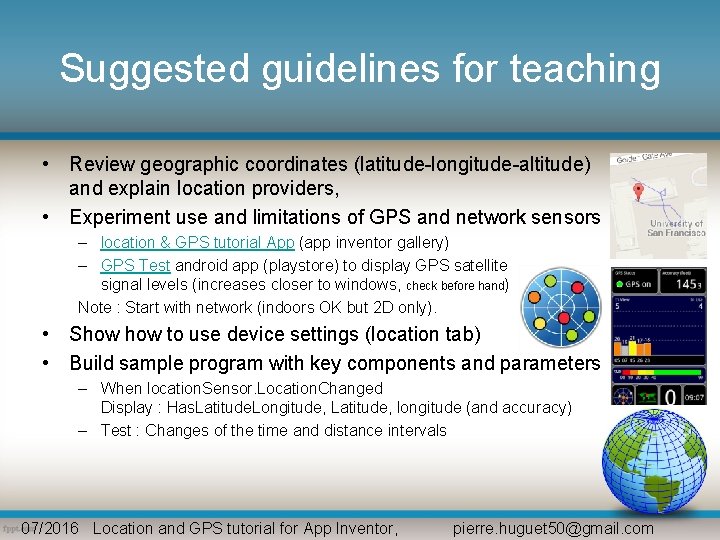
Suggested guidelines for teaching • Review geographic coordinates (latitude-longitude-altitude) and explain location providers, • Experiment use and limitations of GPS and network sensors – location & GPS tutorial App (app inventor gallery) – GPS Test android app (playstore) to display GPS satellite signal levels (increases closer to windows, check before hand) Note : Start with network (indoors OK but 2 D only). • Show to use device settings (location tab) • Build sample program with key components and parameters – When location. Sensor. Location. Changed Display : Has. Latitude. Longitude, Latitude, longitude (and accuracy) – Test : Changes of the time and distance intervals 07/2016 Location and GPS tutorial for App Inventor, pierre. huguet 50@gmail. com
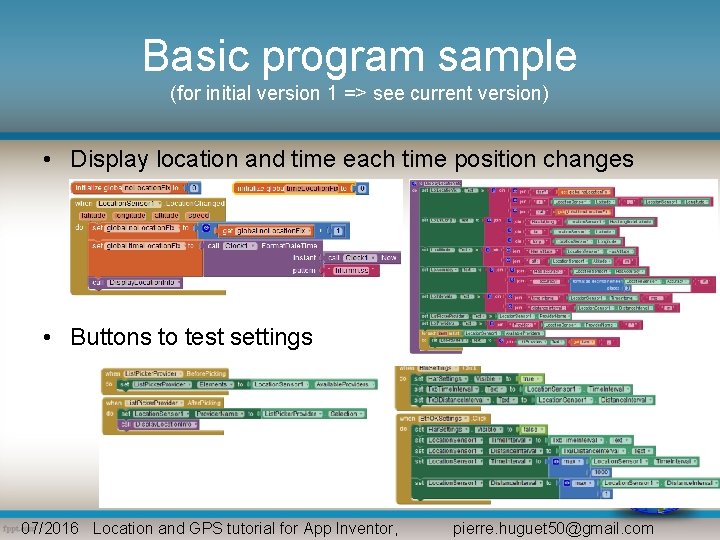
Basic program sample (for initial version 1 => see current version) • Display location and time each time position changes • Buttons to test settings 07/2016 Location and GPS tutorial for App Inventor, pierre. huguet 50@gmail. com