
Using the electronic behaviour and attendance audit This
Using the electronic behaviour and attendance audit This presentation takes you through the basic functions of the electronic behaviour and attendance audit. It is not designed as a comprehensive guide to answer all questions, but it is intended to give you a lead that you can follow in order to complete the audit. Key Stage 3 National Strategy
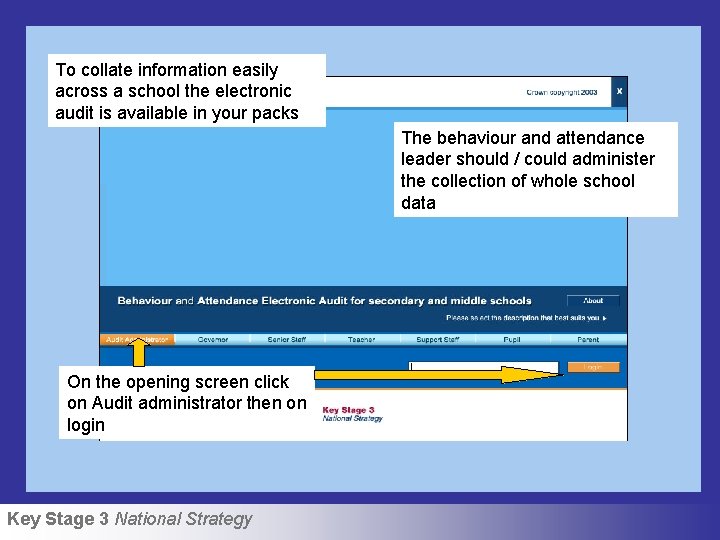
To collate information easily across a school the electronic audit is available in your packs The behaviour and attendance leader should / could administer the collection of whole school data On the opening screen click on Audit administrator then on login Key Stage 3 National Strategy
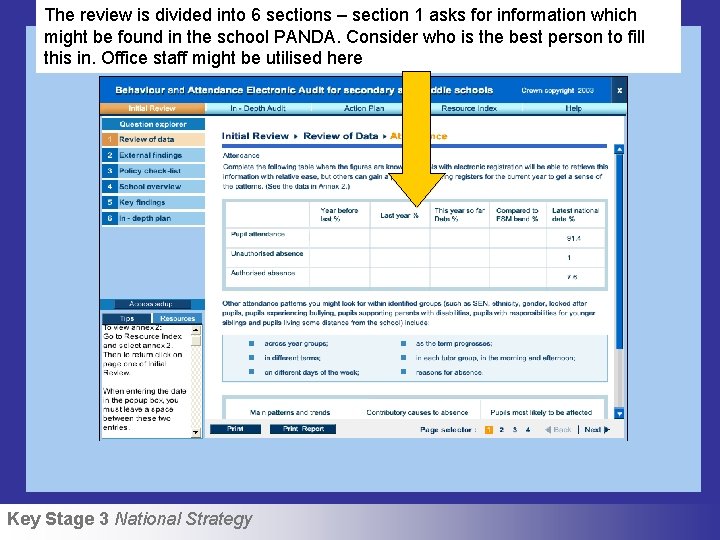
The review is divided into 6 sections – section 1 asks for information which might be found in the school PANDA. Consider who is the best person to fill this in. Office staff might be utilised here Key Stage 3 National Strategy
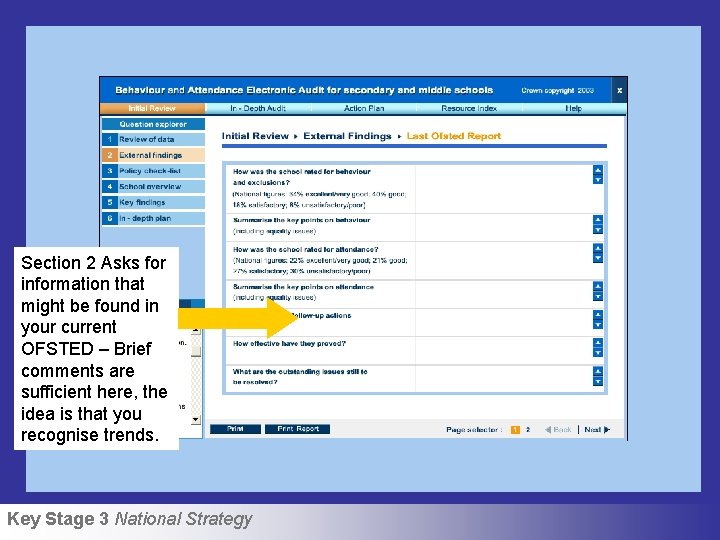
Section 2 Asks for information that might be found in your current OFSTED – Brief comments are sufficient here, the idea is that you recognise trends. Key Stage 3 National Strategy
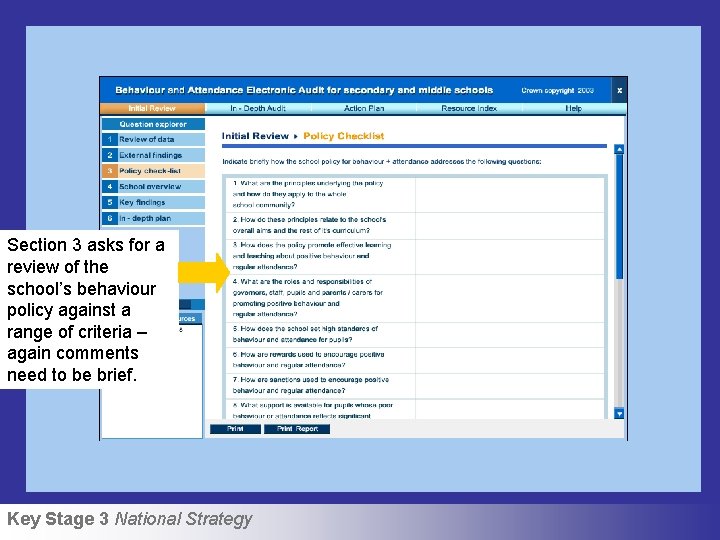
Section 3 asks for a review of the school’s behaviour policy against a range of criteria – again comments need to be brief. Key Stage 3 National Strategy

Click on all users Then combined results to see overall trends which will help to identify areas for action. Sections 4& 5 are reviewed at the end of the audit. Completed sections are aggregated by the software to speed up collation. Key Stage 3 National Strategy
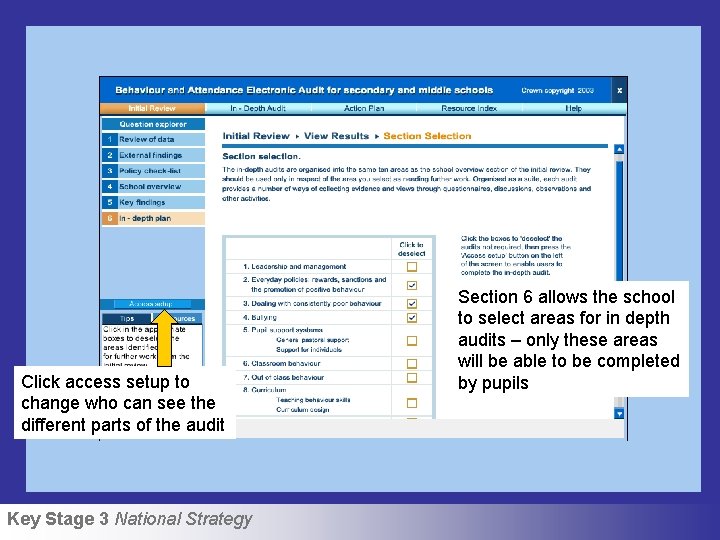
Click access setup to change who can see the different parts of the audit Key Stage 3 National Strategy Section 6 allows the school to select areas for in depth audits – only these areas will be able to be completed by pupils
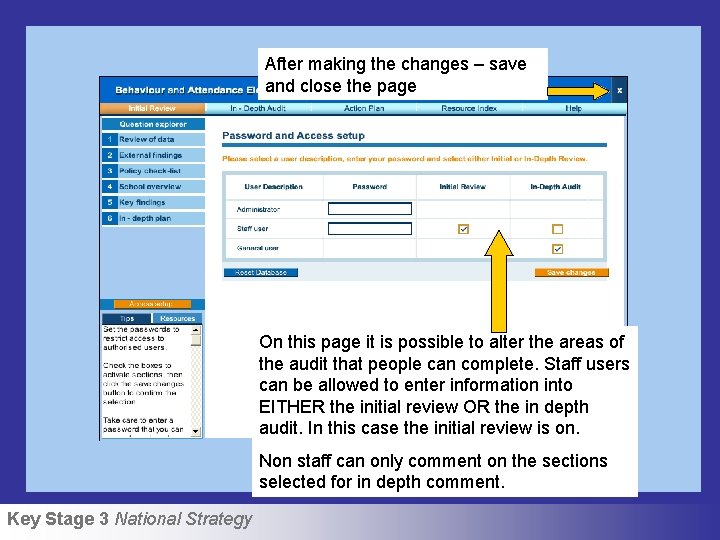
After making the changes – save and close the page On this page it is possible to alter the areas of the audit that people can complete. Staff users can be allowed to enter information into EITHER the initial review OR the in depth audit. In this case the initial review is on. Non staff can only comment on the sections selected for in depth comment. Key Stage 3 National Strategy
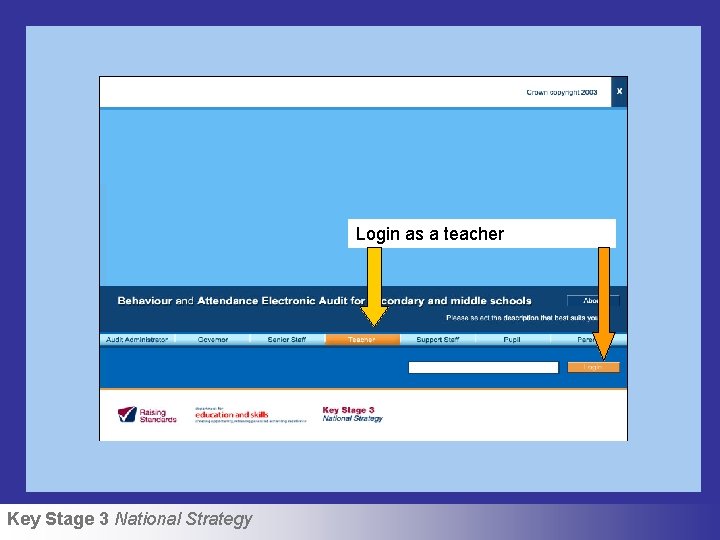
Login as a teacher Key Stage 3 National Strategy
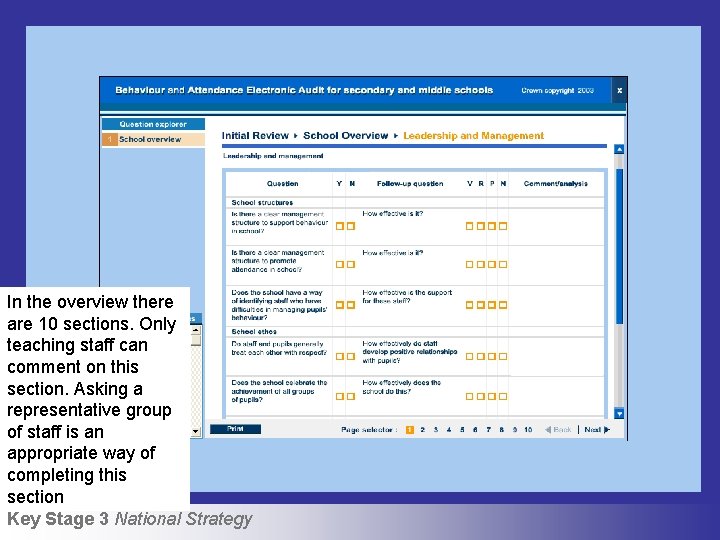
In the overview there are 10 sections. Only teaching staff can comment on this section. Asking a representative group of staff is an appropriate way of completing this section Key Stage 3 National Strategy
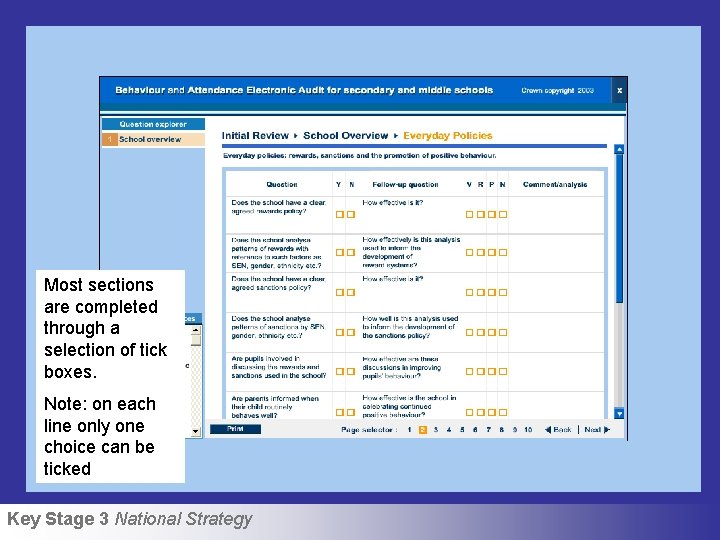
Most sections are completed through a selection of tick boxes. Note: on each line only one choice can be ticked Key Stage 3 National Strategy
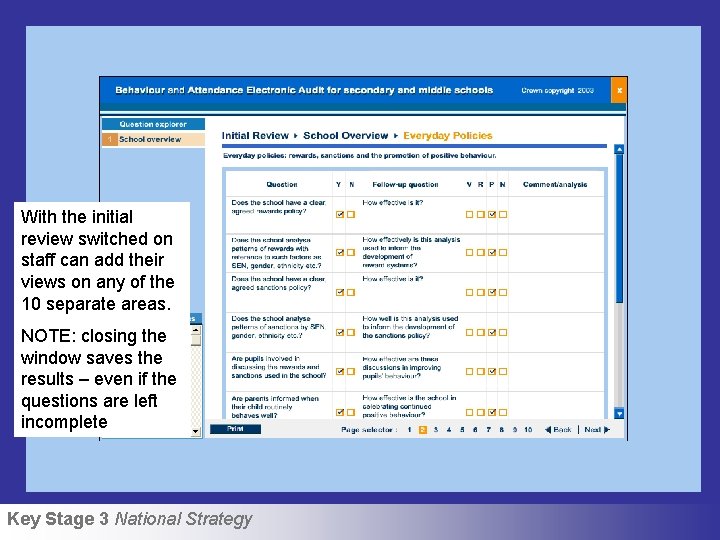
With the initial review switched on staff can add their views on any of the 10 separate areas. NOTE: closing the window saves the results – even if the questions are left incomplete Key Stage 3 National Strategy
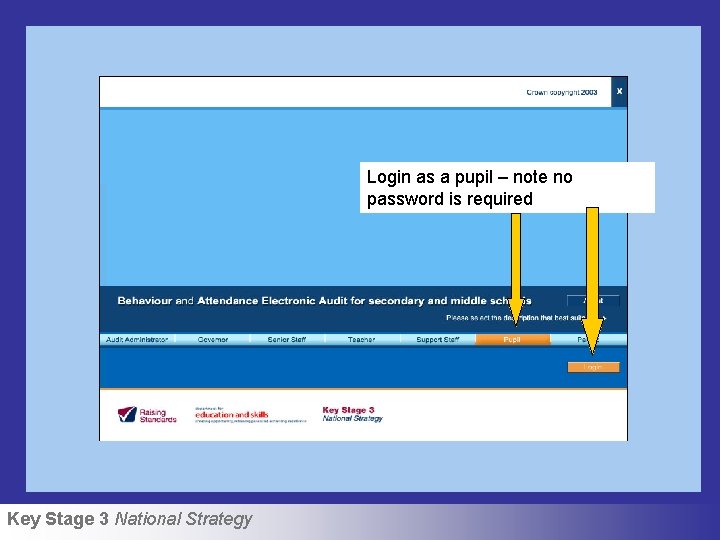
Login as a pupil – note no password is required Key Stage 3 National Strategy
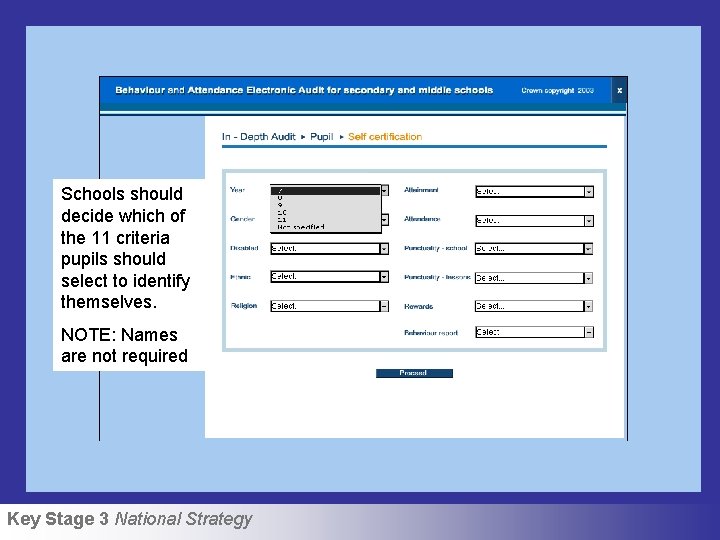
Schools should decide which of the 11 criteria pupils should select to identify themselves. NOTE: Names are not required Key Stage 3 National Strategy
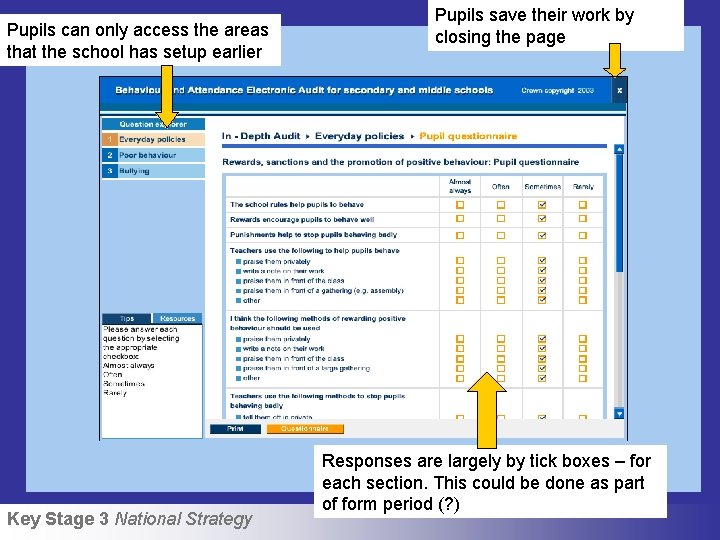
Pupils can only access the areas that the school has setup earlier Key Stage 3 National Strategy Pupils save their work by closing the page Responses are largely by tick boxes – for each section. This could be done as part of form period (? )
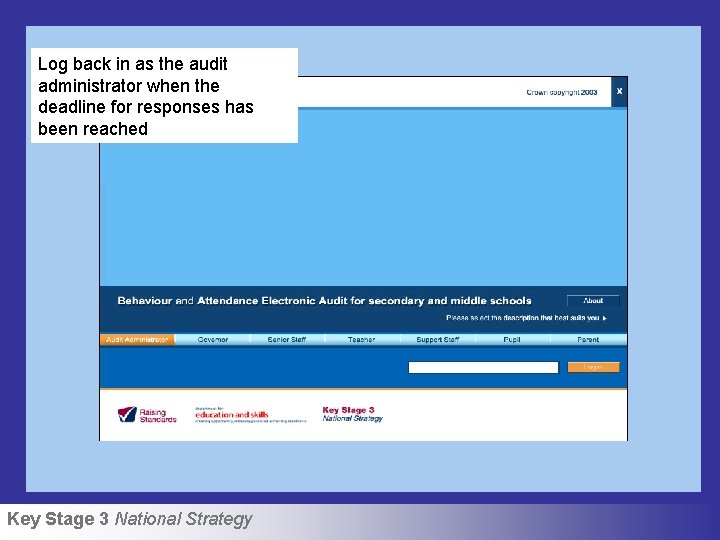
Log back in as the audit administrator when the deadline for responses has been reached Key Stage 3 National Strategy
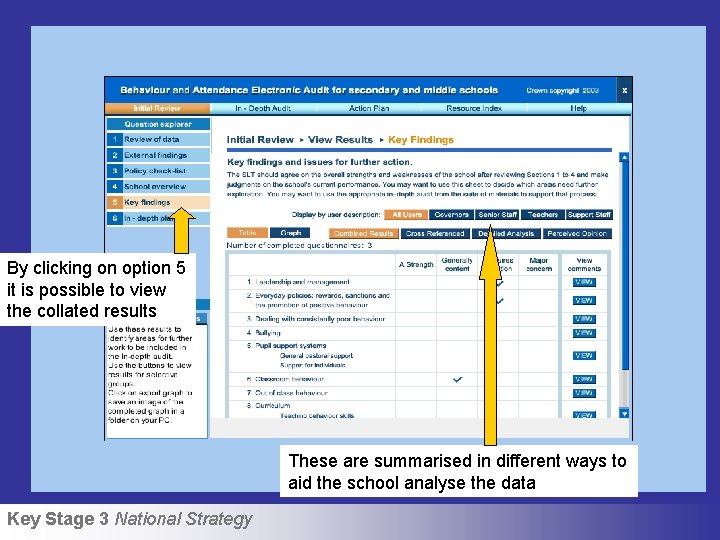
By clicking on option 5 it is possible to view the collated results These are summarised in different ways to aid the school analyse the data Key Stage 3 National Strategy
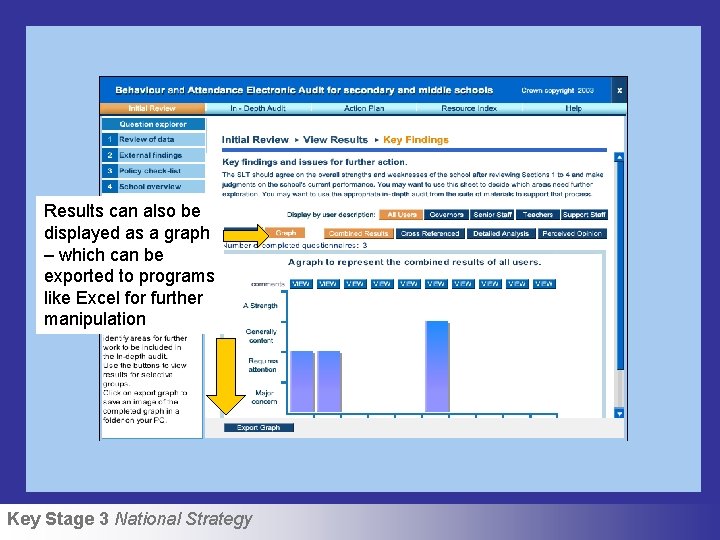
Results can also be displayed as a graph – which can be exported to programs like Excel for further manipulation Key Stage 3 National Strategy
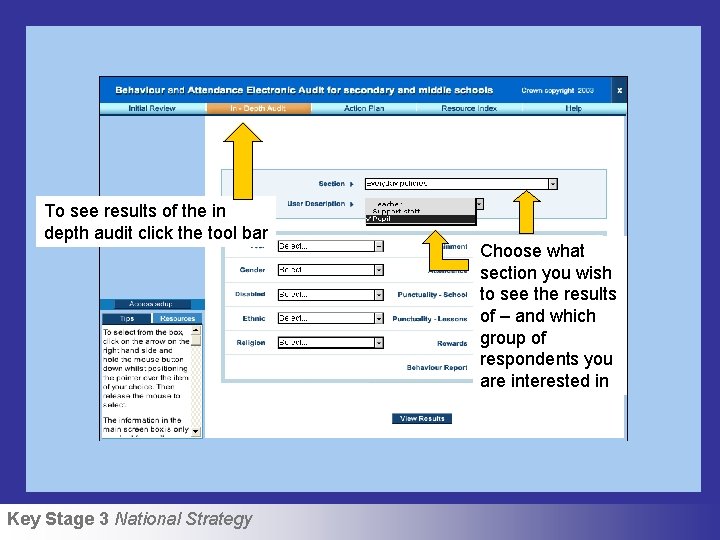
To see results of the in depth audit click the tool bar Key Stage 3 National Strategy Choose what section you wish to see the results of – and which group of respondents you are interested in
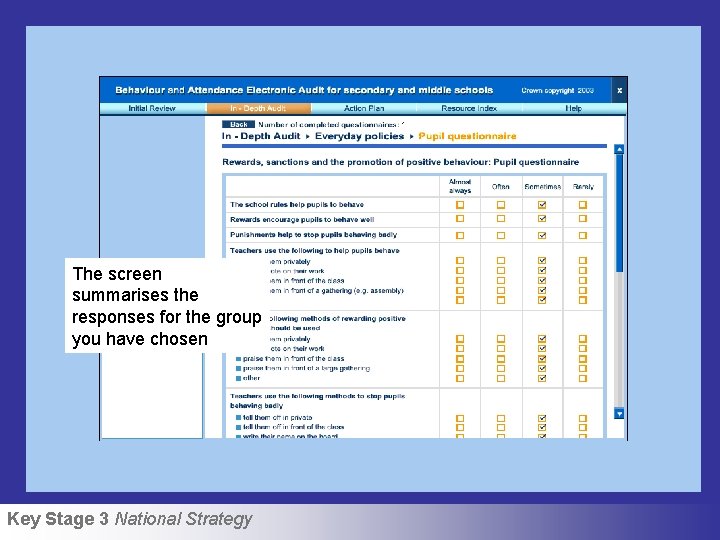
The screen summarises the responses for the group you have chosen Key Stage 3 National Strategy
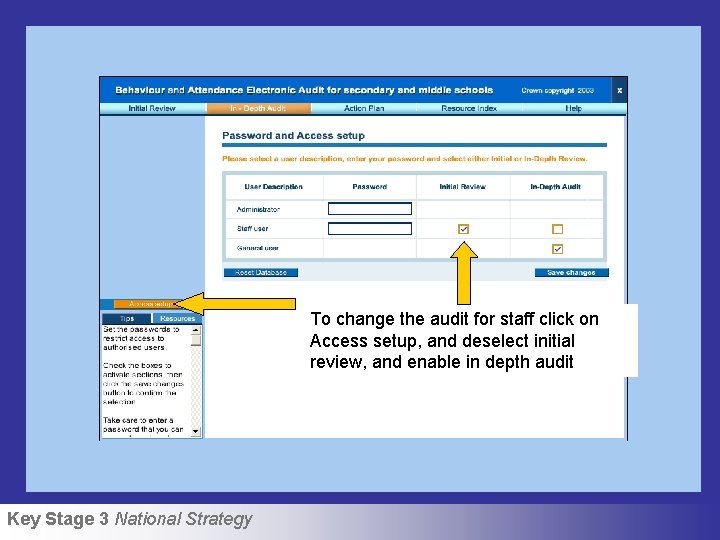
To change the audit for staff click on Access setup, and deselect initial review, and enable in depth audit Key Stage 3 National Strategy
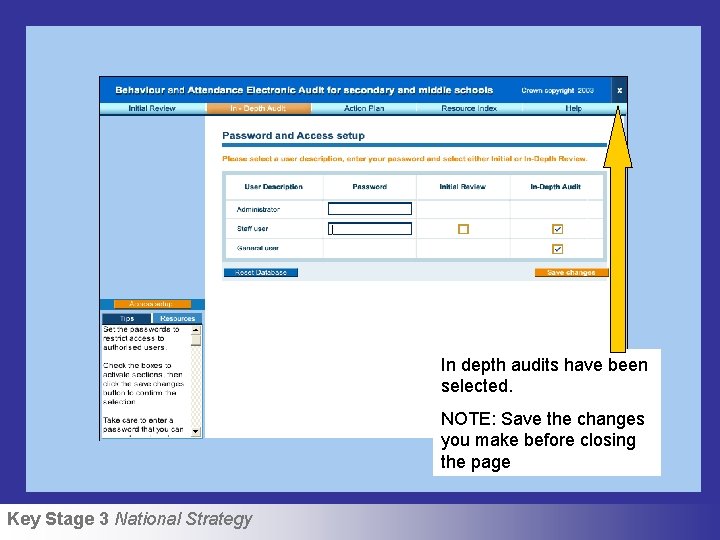
In depth audits have been selected. NOTE: Save the changes you make before closing the page Key Stage 3 National Strategy
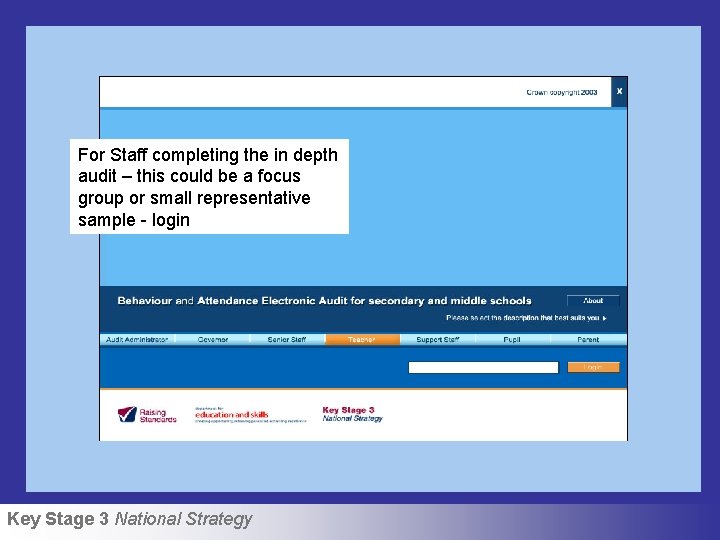
For Staff completing the in depth audit – this could be a focus group or small representative sample - login Key Stage 3 National Strategy
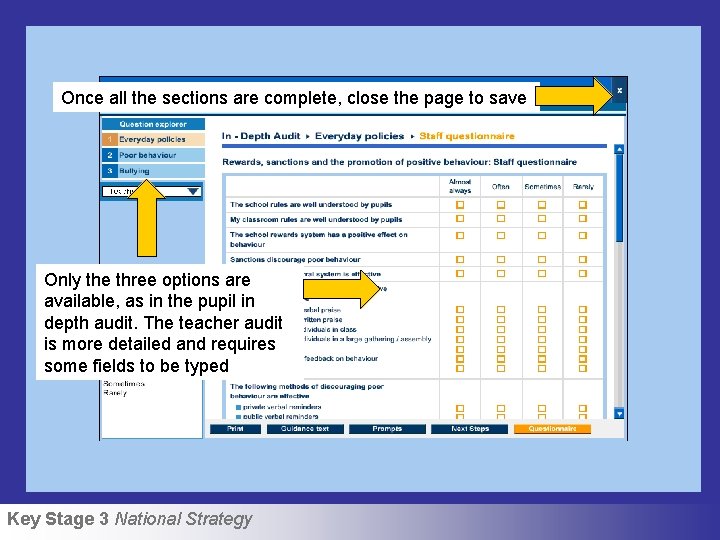
Once all the sections are complete, close the page to save Only the three options are available, as in the pupil in depth audit. The teacher audit is more detailed and requires some fields to be typed Key Stage 3 National Strategy
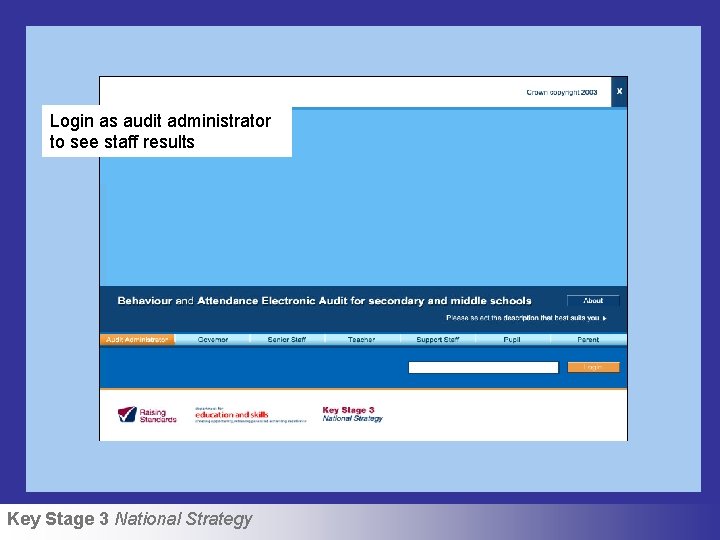
Login as audit administrator to see staff results Key Stage 3 National Strategy
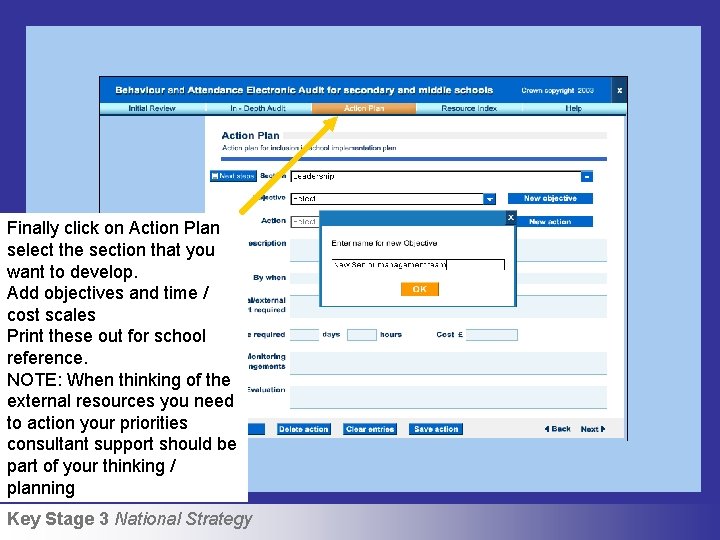
Finally click on Action Plan select the section that you want to develop. Add objectives and time / cost scales Print these out for school reference. NOTE: When thinking of the external resources you need to action your priorities consultant support should be part of your thinking / planning Key Stage 3 National Strategy
- Slides: 26