
Using Supports and Assistive Technology AT to Facilitate
- Slides: 63
Using Supports and Assistive Technology (AT) to Facilitate Learning SPLASH Module 7 January 2015 Content written in cooperation with ILSSA/Anne Denham. the Kentucky Department of Education Toyah Robey, & the Kentucky Low Incidence Consultants SPLASH is a low incidence initiative of the OSEP funded Kentucky State Professional Development Grant hosted by the University of Louisville
Targets Goal Statement Goal Question • To understand the definition & continuum of UDL & AT supports for students with MSD. • To remove barriers to learning for students with MSD using principles of UDL & AT supports. • To understand how to match supports in UDL & AT to the needs of students with MSD. • To understand the impact of principles of UDL & AT supports on learning for students with MSD to be CCR. • What are the principles of UDL and the continuum of AT supports? • How can you identify barriers to learning for students with MSD & match supports in UDL & AT to meet their needs? • How can we use the various options of UDL and AT supports to meet the needs of students with MSD? • Why is the use of UDL & AT important for students with MSD to be CCR?
Targets To understand the definition & continuum of UDL & AT supports for students with MSD. What are the principles of UDL and the continuum of AT supports?
UDL Introduction Video https: //www. youtube. com/watch? v=b. Dv. Kn. Y 0 g 6 e 4
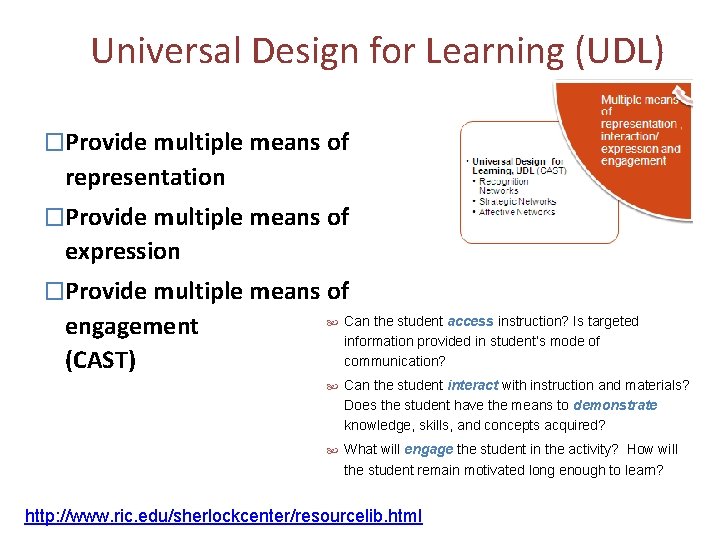
Universal Design for Learning (UDL) �Provide multiple means of representation �Provide multiple means of expression �Provide multiple means of engagement (CAST) Can the student access instruction? Is targeted information provided in student’s mode of communication? Can the student interact with instruction and materials? Does the student have the means to demonstrate knowledge, skills, and concepts acquired? What will engage the student in the activity? How will the student remain motivated long enough to learn? http: //www. ric. edu/sherlockcenter/resourcelib. html
Activity • Explore the Paul V. Sherlock Center on Disabilities link cited on slide 5 and review some of the books. • Consider how this may be appropriate for your classroom.
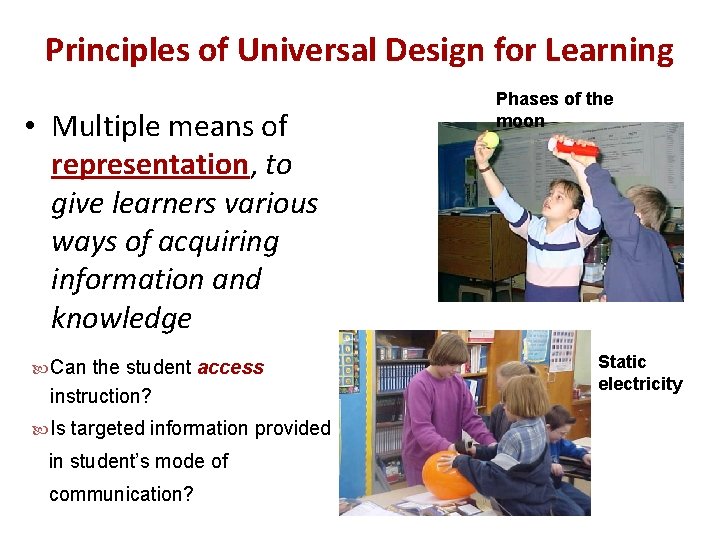
Principles of Universal Design for Learning • Multiple means of representation, to give learners various ways of acquiring information and knowledge Can the student access instruction? Is targeted information provided in student’s mode of communication? Phases of the moon Static electricity
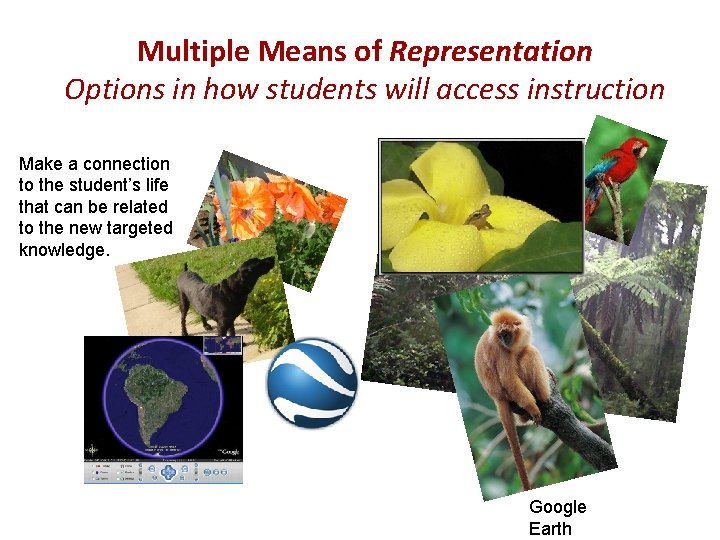
Multiple Means of Representation Options in how students will access instruction Make a connection to the student’s life that can be related to the new targeted knowledge. Google Earth
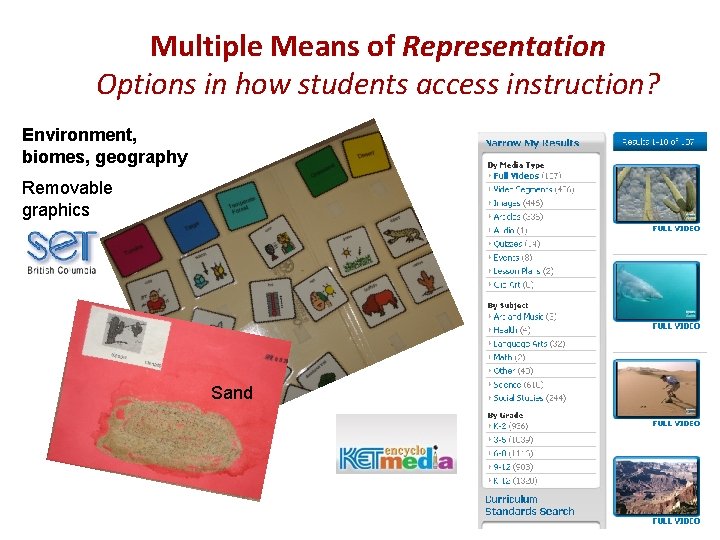
Multiple Means of Representation Options in how students access instruction? Environment, biomes, geography Removable graphics Sand
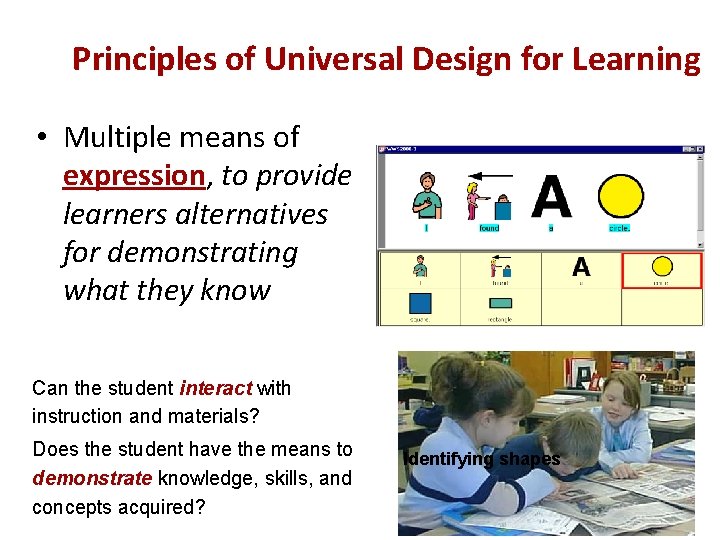
Principles of Universal Design for Learning • Multiple means of expression, to provide learners alternatives for demonstrating what they know Can the student interact with instruction and materials? Does the student have the means to demonstrate knowledge, skills, and concepts acquired? Identifying shapes
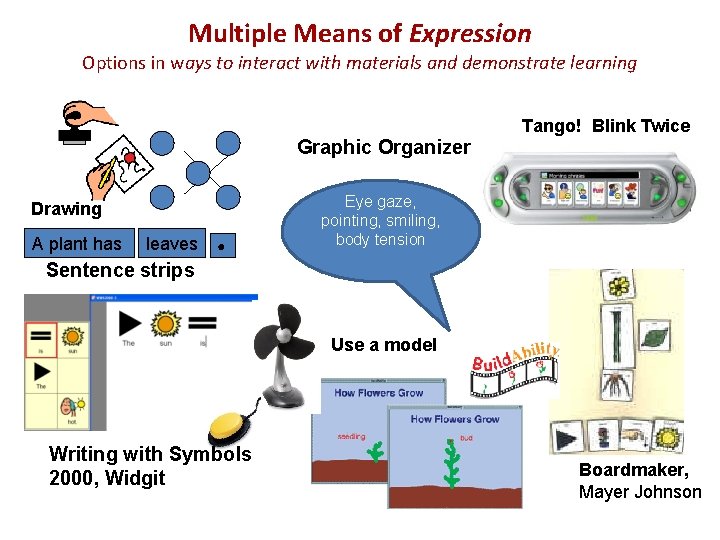
Multiple Means of Expression Options in ways to interact with materials and demonstrate learning Tango! Blink Twice Graphic Organizer Drawing A plant has leaves ● Eye gaze, pointing, smiling, body tension Sentence strips Use a model Writing with Symbols 2000, Widgit Boardmaker, Mayer Johnson
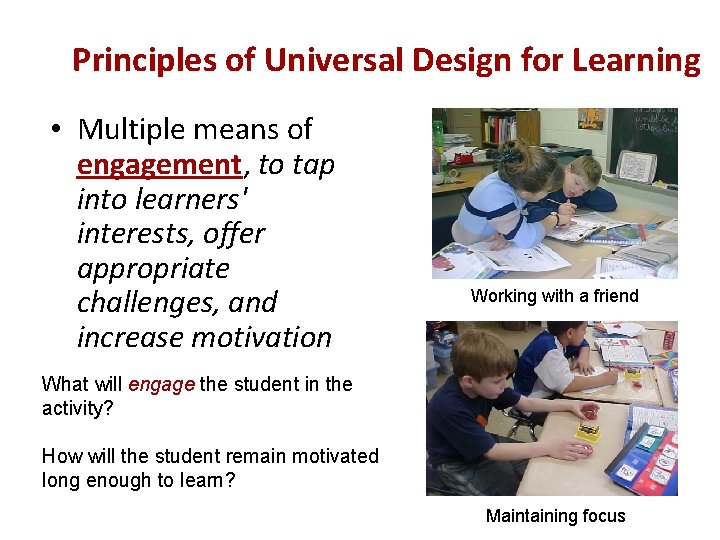
Principles of Universal Design for Learning • Multiple means of engagement, to tap into learners' interests, offer appropriate challenges, and increase motivation Working with a friend What will engage the student in the activity? How will the student remain motivated long enough to learn? Maintaining focus
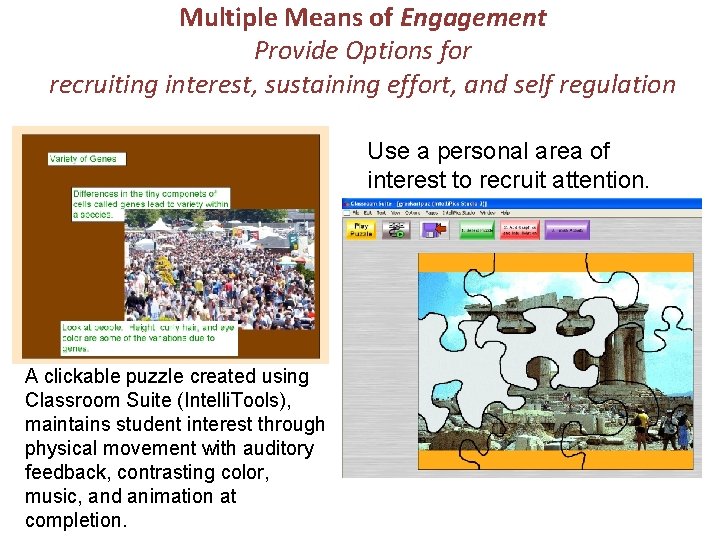
Multiple Means of Engagement Provide Options for recruiting interest, sustaining effort, and self regulation Use a personal area of interest to recruit attention. A clickable puzzle created using Classroom Suite (Intelli. Tools), maintains student interest through physical movement with auditory feedback, contrasting color, music, and animation at completion.
IDEA (2004), Section 300. 5 Assistive Technology Device • • • Any item, piece of equipment or product system, Whether acquired commercially off the shelf, modified, or customized, That is used to increase, maintain, or improve the functional capabilities of children with disabilities.
IDEA (2004), Section 300. 6 Assistive Technology Service Assistive technology service means any service that directly assists a child with a disability in the selection, acquisition, or use of an assistive technology device. The term includes— (a) The evaluation of the needs of a child with a disability, including a functional evaluation of the child in the child’s customary environment; (b) Purchasing, leasing, or otherwise providing for the acquisition of assistive technology devices by children with disabilities; (c) Selecting, designing, fitting, customizing, adapting, applying, maintaining, repairing, or replacing assistive technology devices; (d) Coordinating and using otherapies, interventions, or services with assistive technology devices, such as those associated with existing education and rehabilitation plans and programs; (e) Training or technical assistance for a child with a disability or, if appropriate, that child’s family; and (f) Training or technical assistance for professionals (including individuals providing education or rehabilitation services), employers, or other individuals who provide services to, employ, or are otherwise substantially involved in the major life functions of that child.
Assistive Technology Assistive technologies include � Mechanical, electronic, and microprocessor-based equipment � Non-mechanical and non-electronic aids � Specialized instructional materials, services, and strategies that people with disabilities can use either to (a) assist them in learning, (b) make the environment more accessible, (c) enable them to compete in the workplace, (d) enhance their independence, (e) otherwise improve their quality of life. � These may include commercially available or "home made" devices that are specially designed to meet the idiosyncratic needs of a particular individual. Blackhurst & Lahm, 2000, p. 7
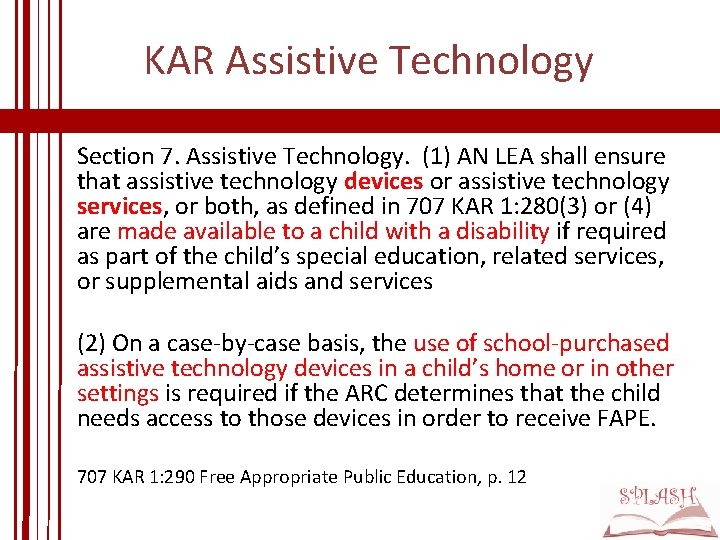
KAR Assistive Technology Section 7. Assistive Technology. (1) AN LEA shall ensure that assistive technology devices or assistive technology services, or both, as defined in 707 KAR 1: 280(3) or (4) are made available to a child with a disability if required as part of the child’s special education, related services, or supplemental aids and services (2) On a case-by-case basis, the use of school-purchased assistive technology devices in a child’s home or in other settings is required if the ARC determines that the child needs access to those devices in order to receive FAPE. 707 KAR 1: 290 Free Appropriate Public Education, p. 12
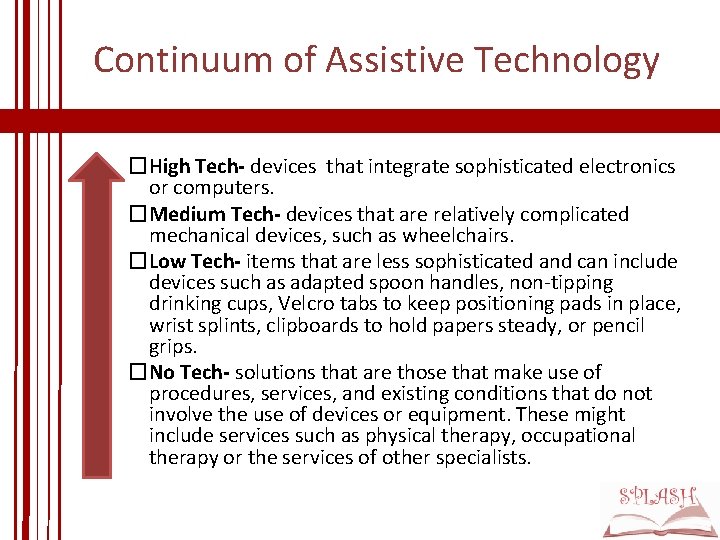
Continuum of Assistive Technology �High Tech- devices that integrate sophisticated electronics or computers. �Medium Tech- devices that are relatively complicated mechanical devices, such as wheelchairs. �Low Tech- items that are less sophisticated and can include devices such as adapted spoon handles, non-tipping drinking cups, Velcro tabs to keep positioning pads in place, wrist splints, clipboards to hold papers steady, or pencil grips. �No Tech- solutions that are those that make use of procedures, services, and existing conditions that do not involve the use of devices or equipment. These might include services such as physical therapy, occupational therapy or the services of other specialists.
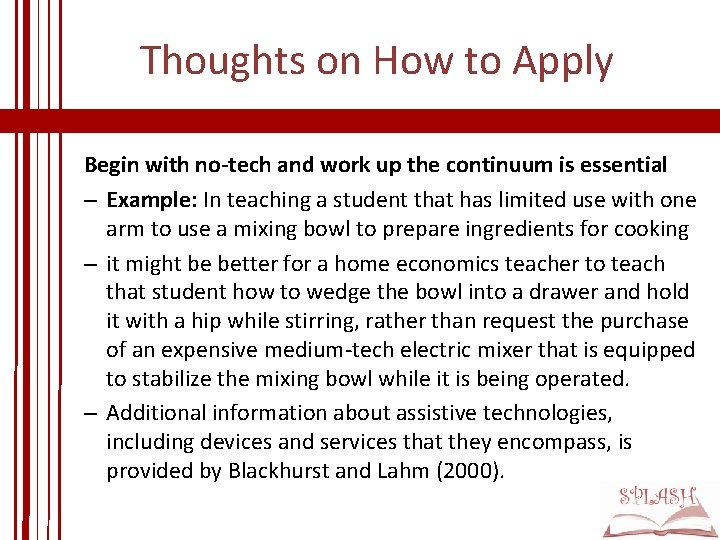
Thoughts on How to Apply Begin with no-tech and work up the continuum is essential – Example: In teaching a student that has limited use with one arm to use a mixing bowl to prepare ingredients for cooking – it might be better for a home economics teacher to teach that student how to wedge the bowl into a drawer and hold it with a hip while stirring, rather than request the purchase of an expensive medium-tech electric mixer that is equipped to stabilize the mixing bowl while it is being operated. – Additional information about assistive technologies, including devices and services that they encompass, is provided by Blackhurst and Lahm (2000).
Activity What are some examples of no-tech you currently use in your classroom with your students?
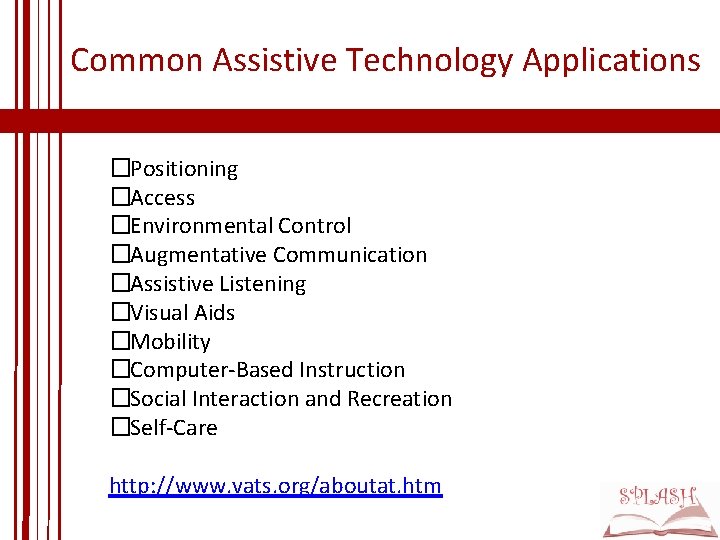
Common Assistive Technology Applications �Positioning �Access �Environmental Control �Augmentative Communication �Assistive Listening �Visual Aids �Mobility �Computer-Based Instruction �Social Interaction and Recreation �Self-Care http: //www. vats. org/aboutat. htm
http: //www. vats. org/aboutat. htm pages 4 - 6 After reading this section, reflect/respond to the following questions: 1. Were you aware that assistive technology had this many applications? Consider how many of these are currently used in your classroom. Please identify what you currently use in your classroom- list by individual application with the specific assistive technology used in each of the areas. 2. Will this list help you as a teacher when evaluating assistive technology needs in the future? How could you incorporate this list in your evaluation? 3. This link was developed by the parent group, Parents, Let’s Unite for Kids (PLUK). This is an excellent resource that you may want to share with parents. It is 70 pages to print, but well worth the information! This site is also available through the KDE Special Education Parent page. http: //www. education. ky. gov/KDE/Instructional+Resources/Exceptional+Children/Parent+Invo lvement/
Activity 1. As you review each of the following 4 slides, use a highlighter to mark the assistive technology that you have used with students or have had experience. 2. Once you have finished reviewing and highlighting, evaluate if the assistive technology you use falls across the continuum of low tech to high tech. Record your findings. 3. Review each of the four pages and indicate an approximate percentage of the assistive technology you did not highlight. Identify at least 7 devices that could potentially be appropriate for your students.
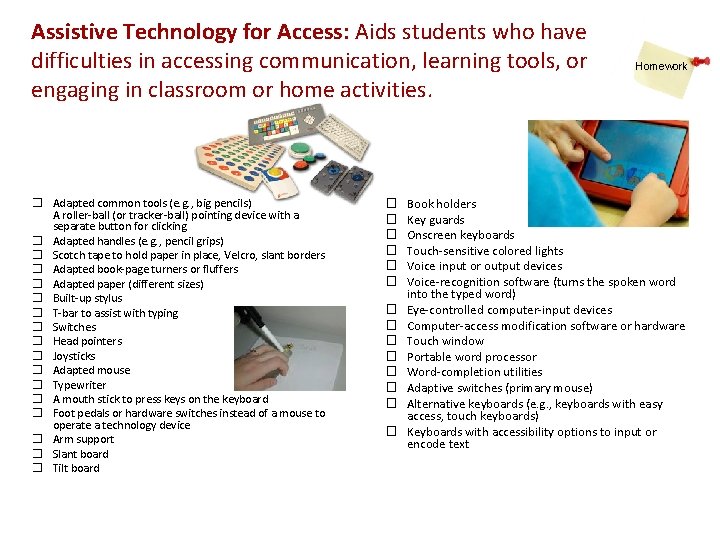
Assistive Technology for Access: Aids students who have difficulties in accessing communication, learning tools, or engaging in classroom or home activities. � Adapted common tools (e. g. , big pencils) A roller-ball (or tracker-ball) pointing device with a separate button for clicking � Adapted handles (e. g. , pencil grips) � Scotch tape to hold paper in place, Velcro, slant borders � Adapted book-page turners or fluffers � Adapted paper (different sizes) � Built-up stylus � T-bar to assist with typing � Switches � Head pointers � Joysticks � Adapted mouse � Typewriter � A mouth stick to press keys on the keyboard � Foot pedals or hardware switches instead of a mouse to operate a technology device � Arm support � Slant board � Tilt board � � � � Homework Book holders Key guards Onscreen keyboards Touch-sensitive colored lights Voice input or output devices Voice-recognition software (turns the spoken word into the typed word) Eye-controlled computer-input devices Computer-access modification software or hardware Touch window Portable word processor Word-completion utilities Adaptive switches (primary mouse) Alternative keyboards (e. g. , keyboards with easy access, touch keyboards) Keyboards with accessibility options to input or encode text
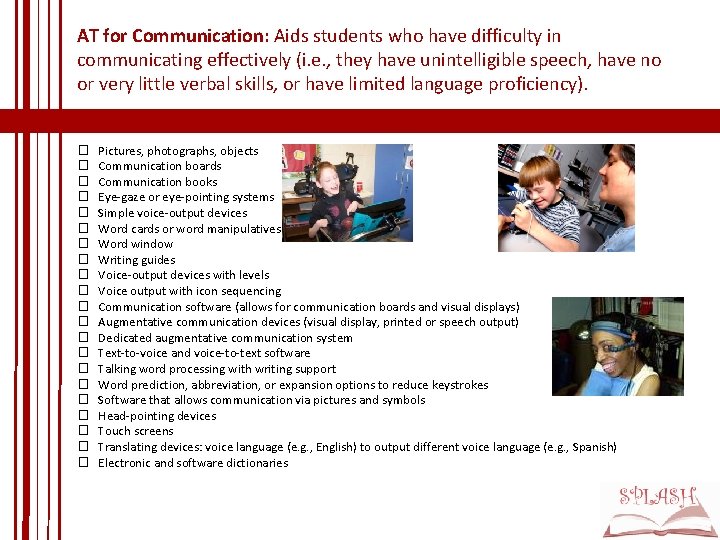
AT for Communication: Aids students who have difficulty in communicating effectively (i. e. , they have unintelligible speech, have no or very little verbal skills, or have limited language proficiency). � � � � � � Pictures, photographs, objects Communication boards Communication books Eye-gaze or eye-pointing systems Simple voice-output devices Word cards or word manipulatives Word window Writing guides Voice-output devices with levels Voice output with icon sequencing Communication software (allows for communication boards and visual displays) Augmentative communication devices (visual display, printed or speech output) Dedicated augmentative communication system Text-to-voice and voice-to-text software Talking word processing with writing support Word prediction, abbreviation, or expansion options to reduce keystrokes Software that allows communication via pictures and symbols Head-pointing devices Touch screens Translating devices: voice language (e. g. , English) to output different voice language (e. g. , Spanish) Electronic and software dictionaries
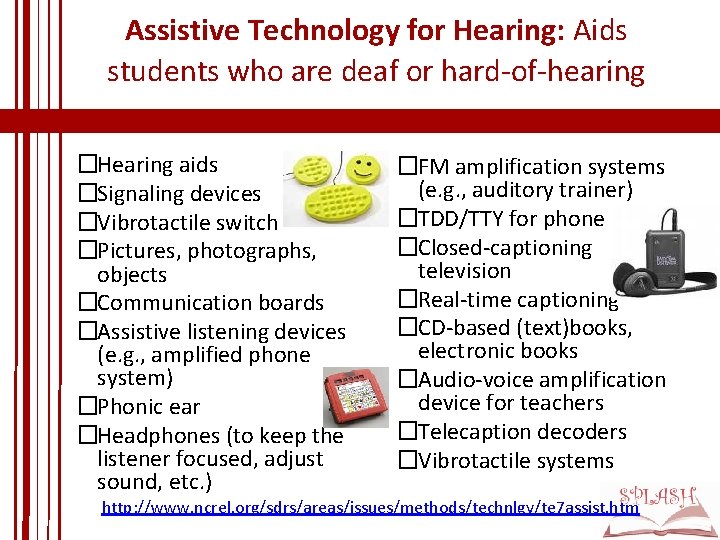
Assistive Technology for Hearing: Aids students who are deaf or hard-of-hearing �Hearing aids �Signaling devices �Vibrotactile switch �Pictures, photographs, objects �Communication boards �Assistive listening devices (e. g. , amplified phone system) �Phonic ear �Headphones (to keep the listener focused, adjust sound, etc. ) �FM amplification systems (e. g. , auditory trainer) �TDD/TTY for phone service �Closed-captioning television �Real-time captioning �CD-based (text)books, electronic books �Audio-voice amplification device for teachers �Telecaption decoders �Vibrotactile systems http: //www. ncrel. org/sdrs/areas/issues/methods/technlgy/te 7 assist. htm
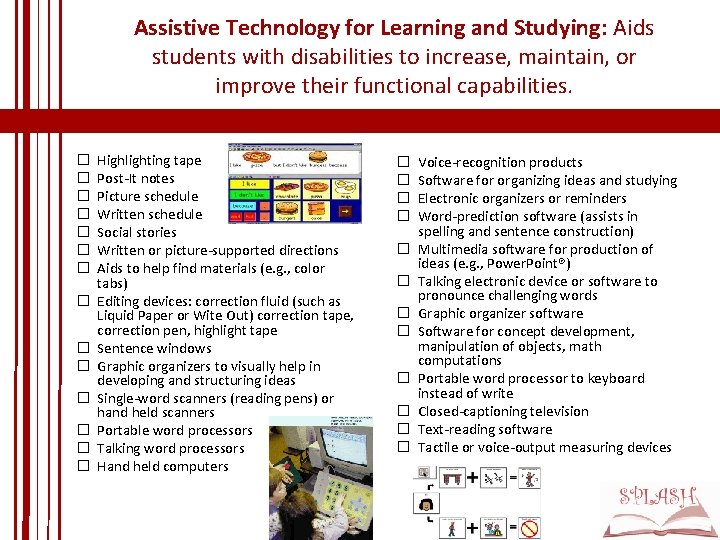
Assistive Technology for Learning and Studying: Aids students with disabilities to increase, maintain, or improve their functional capabilities. � � � � Highlighting tape Post-It notes Picture schedule Written schedule Social stories Written or picture-supported directions Aids to help find materials (e. g. , color tabs) Editing devices: correction fluid (such as Liquid Paper or Wite Out) correction tape, correction pen, highlight tape Sentence windows Graphic organizers to visually help in developing and structuring ideas Single-word scanners (reading pens) or hand held scanners Portable word processors Talking word processors Hand held computers � � � Voice-recognition products Software for organizing ideas and studying Electronic organizers or reminders Word-prediction software (assists in spelling and sentence construction) Multimedia software for production of ideas (e. g. , Power. Point®) Talking electronic device or software to pronounce challenging words Graphic organizer software Software for concept development, manipulation of objects, math computations Portable word processor to keyboard instead of write Closed-captioning television Text-reading software Tactile or voice-output measuring devices
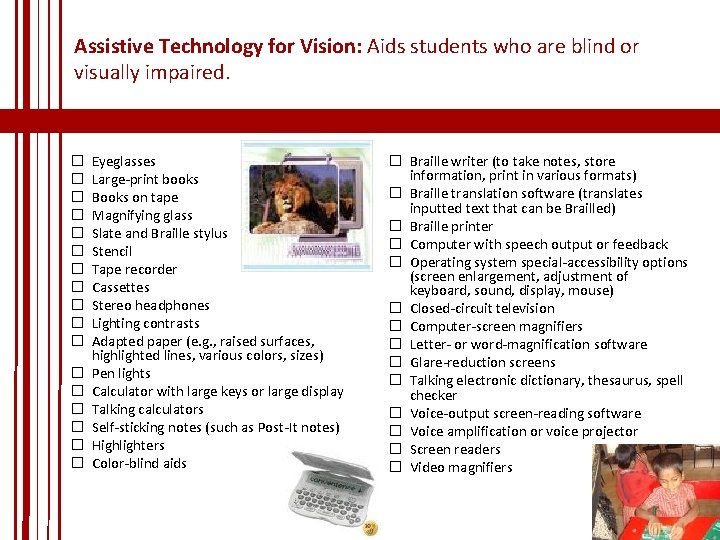
Assistive Technology for Vision: Aids students who are blind or visually impaired. � � � � � Eyeglasses Large-print books Books on tape Magnifying glass Slate and Braille stylus Stencil Tape recorder Cassettes Stereo headphones Lighting contrasts Adapted paper (e. g. , raised surfaces, highlighted lines, various colors, sizes) Pen lights Calculator with large keys or large display Talking calculators Self-sticking notes (such as Post-It notes) Highlighters Color-blind aids � Braille writer (to take notes, store information, print in various formats) � Braille translation software (translates inputted text that can be Brailled) � Braille printer � Computer with speech output or feedback � Operating system special-accessibility options (screen enlargement, adjustment of keyboard, sound, display, mouse) � Closed-circuit television � Computer-screen magnifiers � Letter- or word-magnification software � Glare-reduction screens � Talking electronic dictionary, thesaurus, spell checker � Voice-output screen-reading software � Voice amplification or voice projector � Screen readers � Video magnifiers
Targets To remove barriers to learning for students with MSD using principles of UDL & AT supports. How can you identify barriers to learning for students with MSD & match supports in UDL & AT to meet their needs?
Using UDL Principles to Remove or Reduce Barriers to Learning • • Is the student actively participating in each part of the instructional activity moving towards outcomes linked to the grade level content standard? Can the student access instruction? Is targeted information provided in student’s mode of communication? Can the student interact with instruction and materials? Does the student have the means to demonstrate knowledge, skills, and concepts acquired? What will engage the student in the activity? How will the student remain motivated long enough to learn?
Barriers to Learning • Physical- crowed classrooms and hallways • Attitudinal- low expectations for learners • Instructional- poor instruction or no access to instruction
Activity List some statements that teachers, classroom assistants, or administrators have made that are indicative of low expectations. What are some other barriers that students with disabilities may encounter?
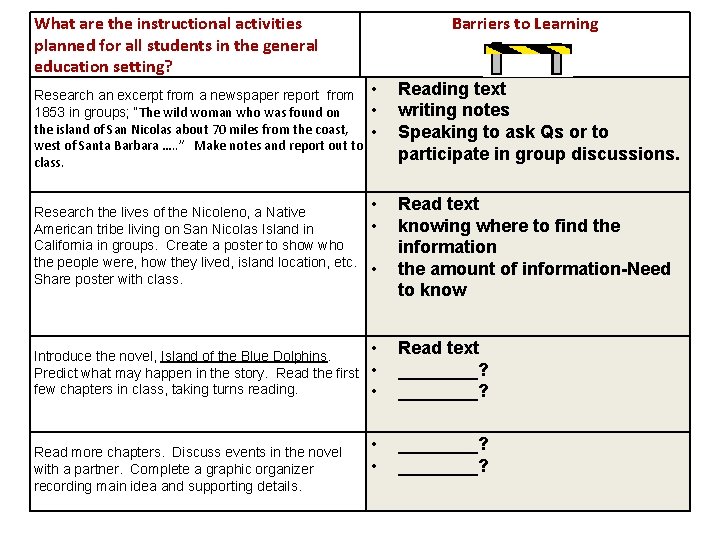
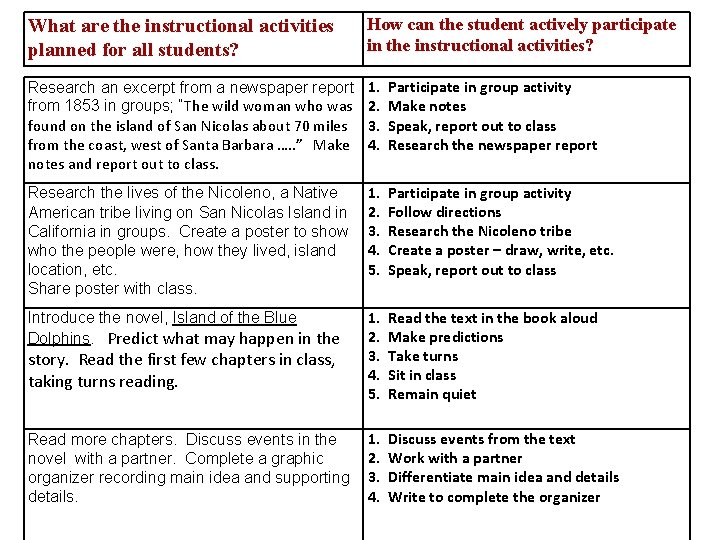
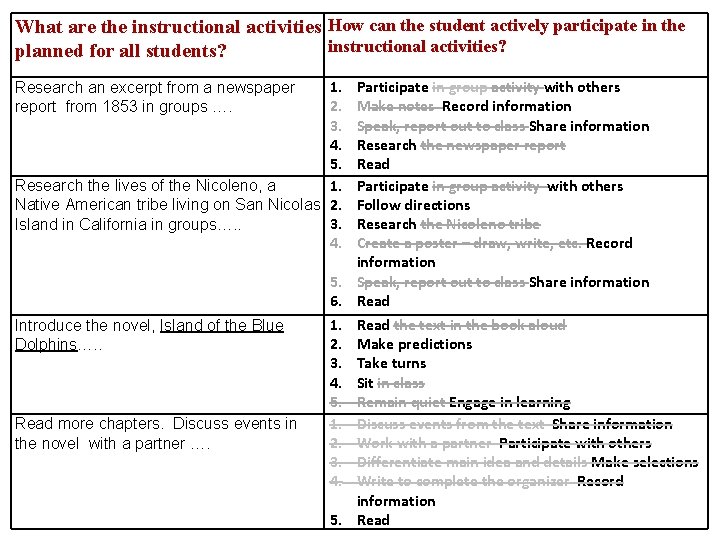
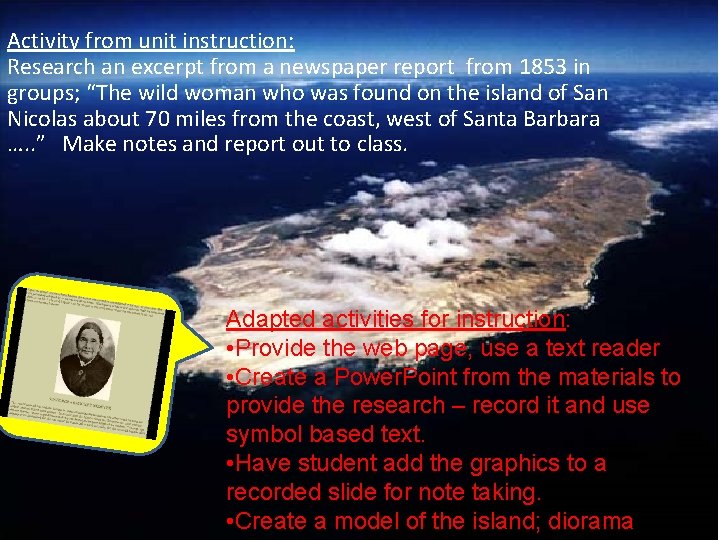
What are the instructional activities planned for all students in the general education setting? Research an excerpt from a newspaper report from 1853 in groups; “The wild woman who was found on the island of San Nicolas about 70 miles from the coast, west of Santa Barbara …. . ” Make notes and report out to class. Research the lives of the Nicoleno, a Native American tribe living on San Nicolas Island in California in groups. Create a poster to show who the people were, how they lived, island location, etc. Share poster with class. Introduce the novel, Island of the Blue Dolphins. Predict what may happen in the story. Read the first few chapters in class, taking turns reading. Read more chapters. Discuss events in the novel with a partner. Complete a graphic organizer recording main idea and supporting details. Barriers to Learning • • • Reading text writing notes Speaking to ask Qs or to participate in group discussions. • • Read text knowing where to find the information the amount of information-Need to know • • Read text ________? • • ________?
Activity • What are some barriers you have experienced in a collaborative setting? • Be sure to include instructional methods and materials.
Targets To understand how to match supports in UDL & AT to the needs of students with MSD. How can we use the various options of UDL and AT supports to meet the needs of students with MSD?
Directions • The following slides are going to walk you through an evaluation/analysis of a student. • This will help you to see how to analyze his needs based on curriculum and instruction, as well as the specific needs of the student. • You will be introduced to various concepts as we move through these slides.
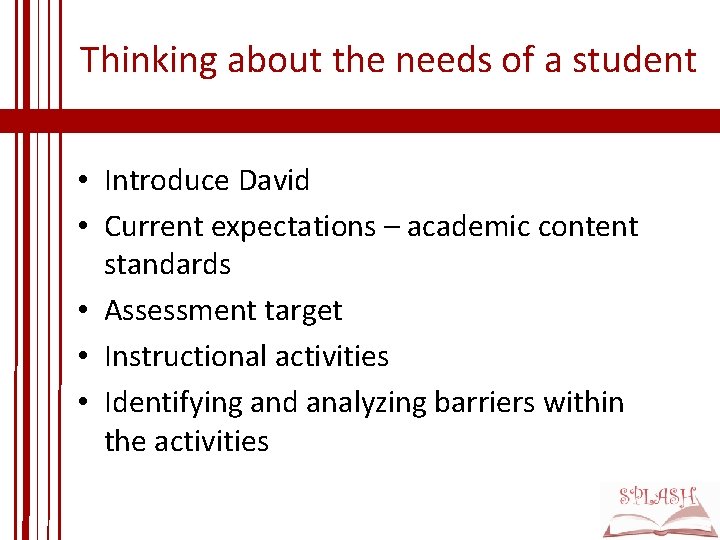
Thinking about the needs of a student • Introduce David • Current expectations – academic content standards • Assessment target • Instructional activities • Identifying and analyzing barriers within the activities
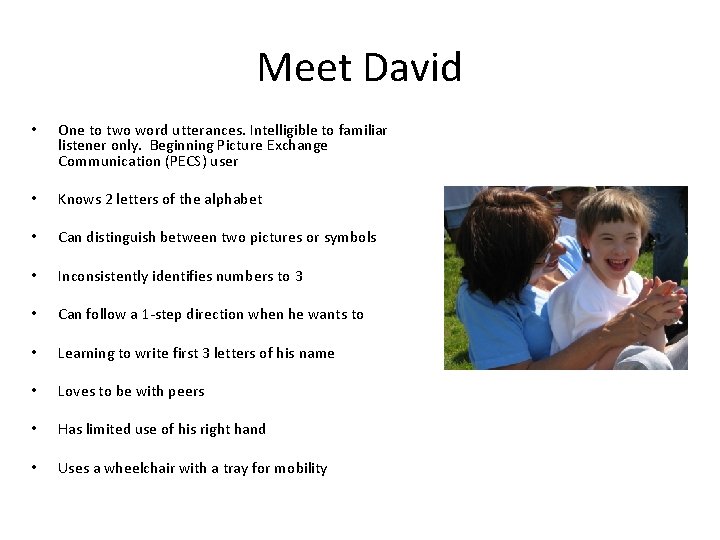
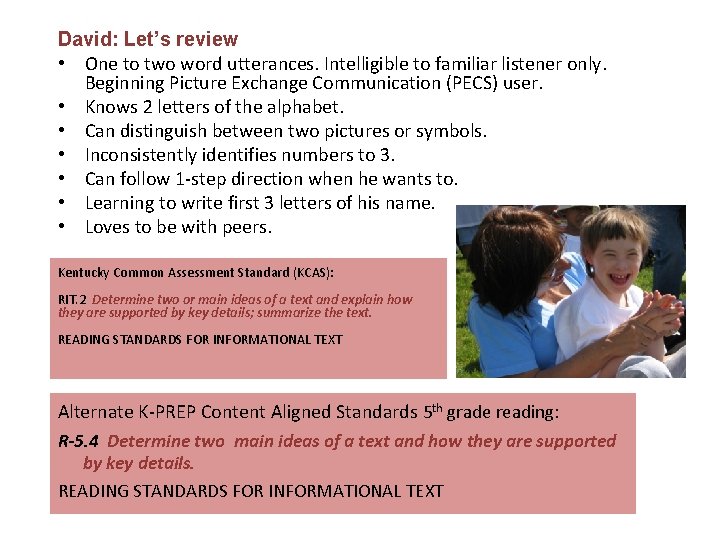
Meet David • One to two word utterances. Intelligible to familiar listener only. Beginning Picture Exchange Communication (PECS) user • Knows 2 letters of the alphabet • Can distinguish between two pictures or symbols • Inconsistently identifies numbers to 3 • Can follow a 1 -step direction when he wants to • Learning to write first 3 letters of his name • Loves to be with peers • Has limited use of his right hand • Uses a wheelchair with a tray for mobility
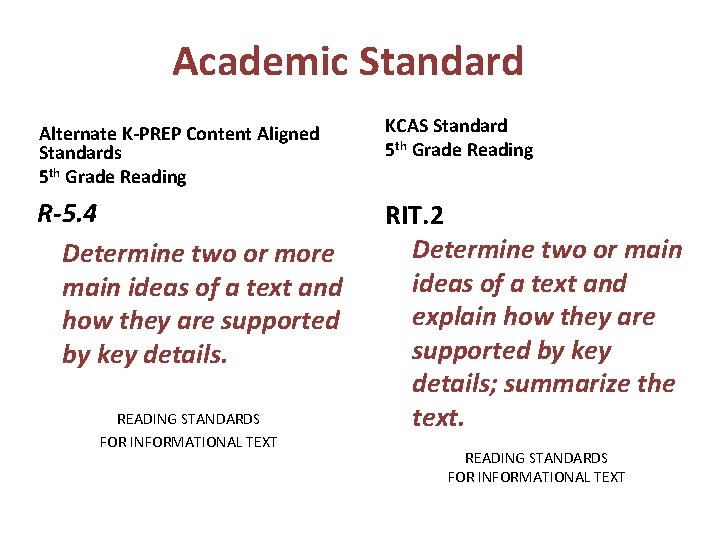
Academic Standard Alternate K-PREP Content Aligned Standards 5 th Grade Reading KCAS Standard 5 th Grade Reading R-5. 4 Determine two or more main ideas of a text and how they are supported by key details. RIT. 2 Determine two or main ideas of a text and explain how they are supported by key details; summarize the text. READING STANDARDS FOR INFORMATIONAL TEXT
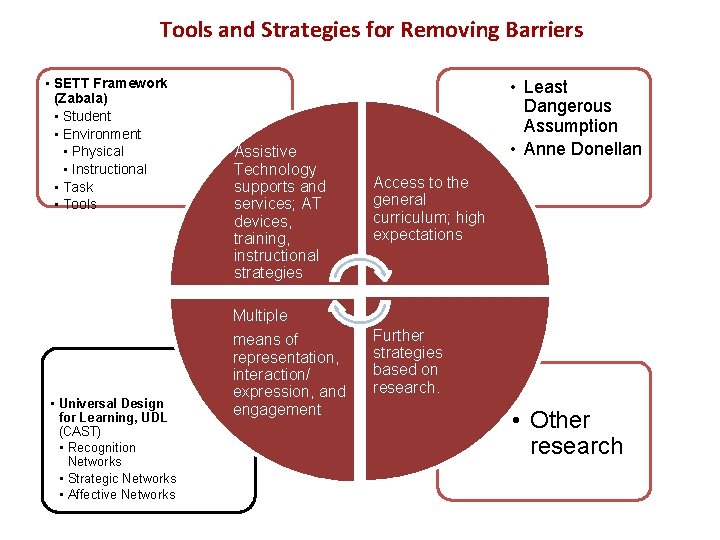
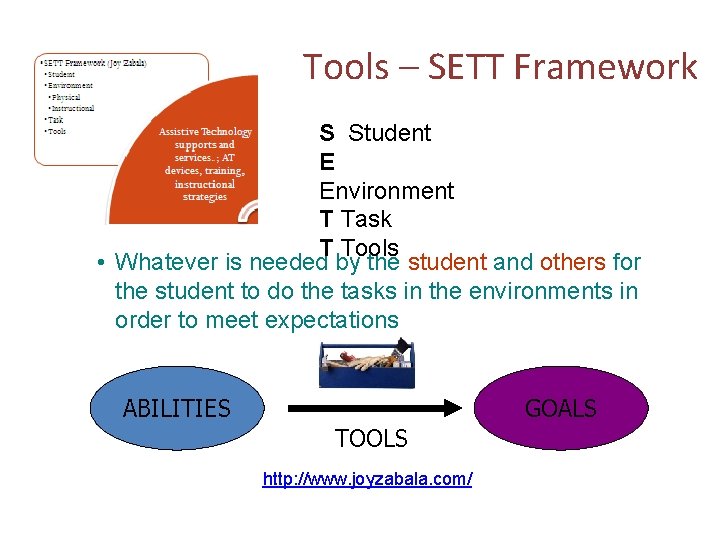
Tools and Strategies for Removing Barriers • SETT Framework (Zabala) • Student • Environment • Physical • Instructional • Task • Tools Assistive Technology supports and services; AT devices, training, instructional strategies • Least Dangerous Assumption • Anne Donellan Access to the general curriculum; high expectations Multiple • Universal Design for Learning, UDL (CAST) • Recognition Networks • Strategic Networks • Affective Networks means of representation, interaction/ expression, and engagement Further strategies based on research. • Other research
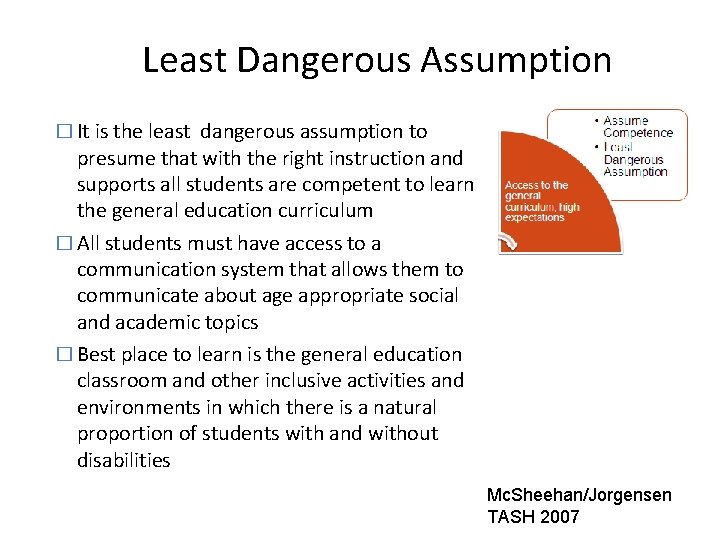
Least Dangerous Assumption � It is the least dangerous assumption to presume that with the right instruction and supports all students are competent to learn the general education curriculum � All students must have access to a communication system that allows them to communicate about age appropriate social and academic topics � Best place to learn is the general education classroom and other inclusive activities and environments in which there is a natural proportion of students with and without disabilities Mc. Sheehan/Jorgensen TASH 2007
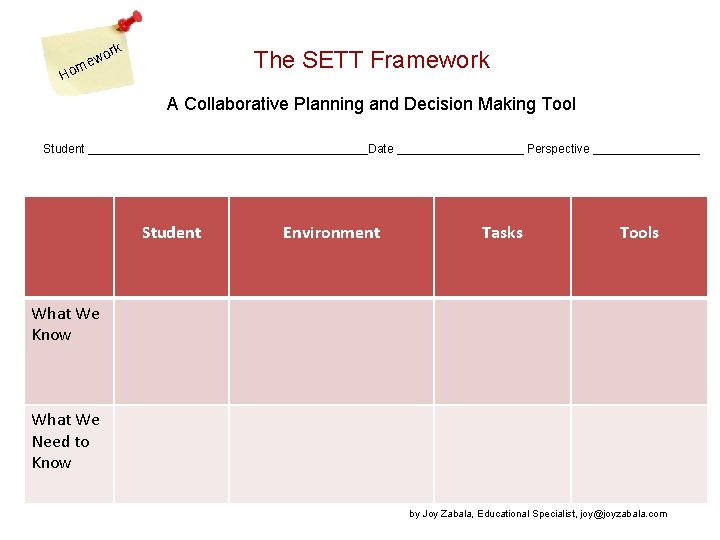
Tools – SETT Framework S Student E Environment T Task T Tools • Whatever is needed by the student and others for the student to do the tasks in the environments in order to meet expectations ABILITIES GOALS TOOLS http: //www. joyzabala. com/
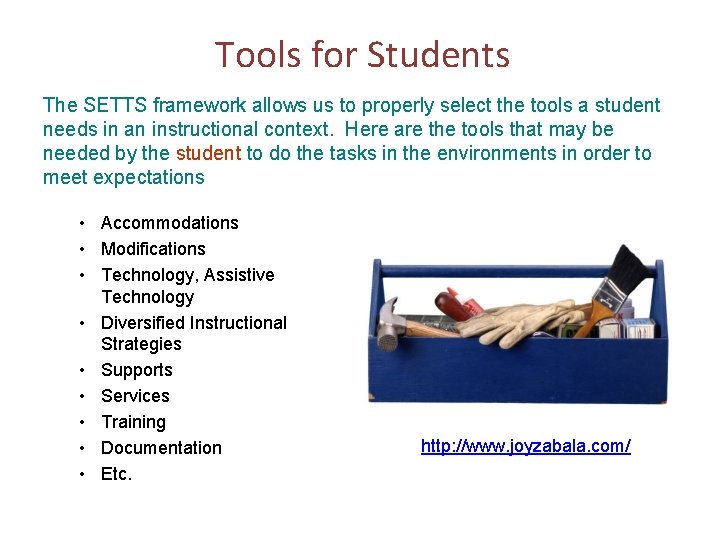
Tools for Students The SETTS framework allows us to properly select the tools a student needs in an instructional context. Here are the tools that may be needed by the student to do the tasks in the environments in order to meet expectations • Accommodations • Modifications • Technology, Assistive Technology • Diversified Instructional Strategies • Supports • Services • Training • Documentation • Etc. http: //www. joyzabala. com/
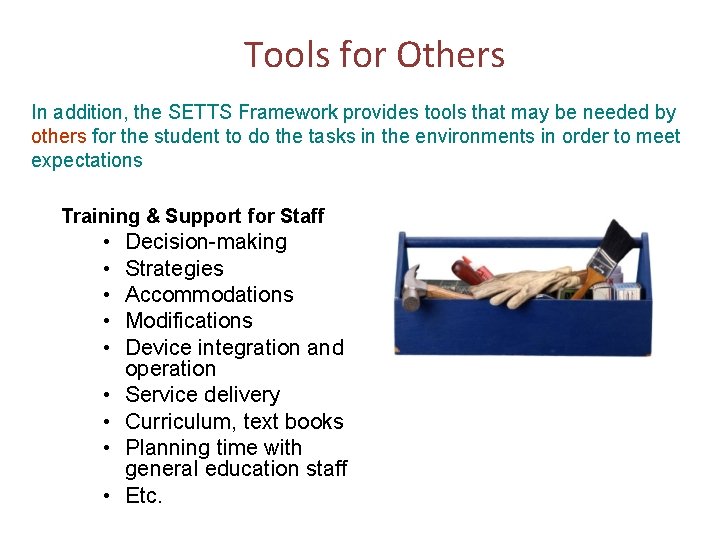
Tools for Others In addition, the SETTS Framework provides tools that may be needed by others for the student to do the tasks in the environments in order to meet expectations Training & Support for Staff • • • Decision-making Strategies Accommodations Modifications Device integration and operation Service delivery Curriculum, text books Planning time with general education staff Etc.
ork The SETT Framework w me Ho A Collaborative Planning and Decision Making Tool Student _____________________Date __________ Perspective ________ Student Environment Tasks Tools What We Know What We Need to Know by Joy Zabala, Educational Specialist, joy@joyzabala. com
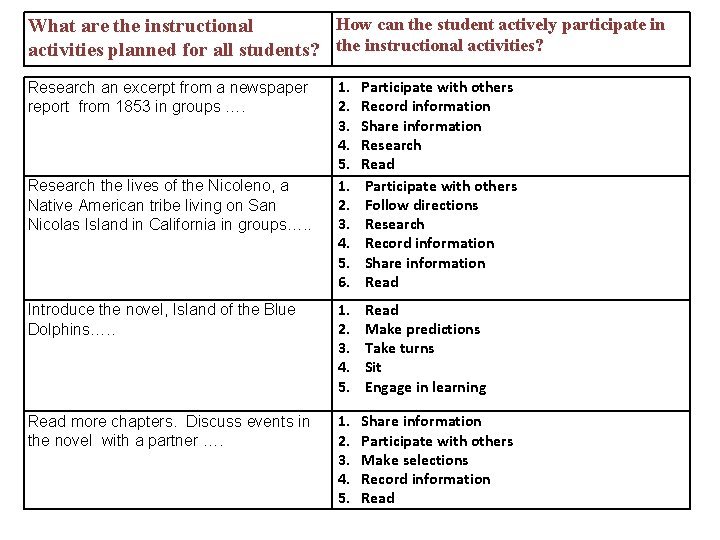
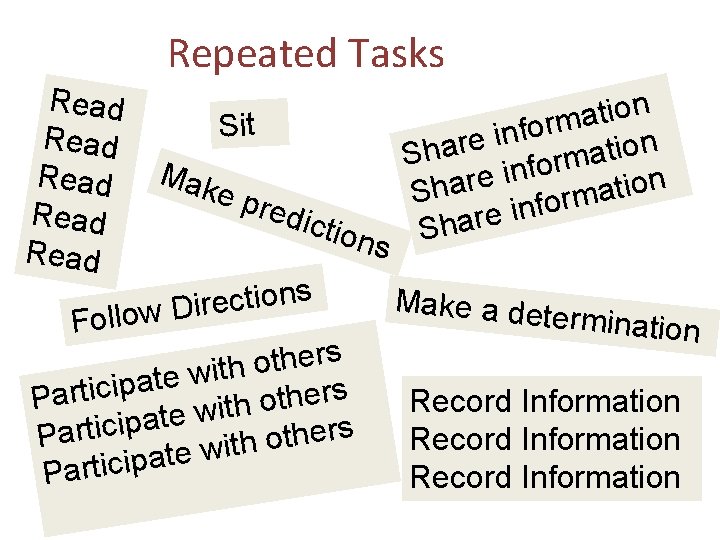
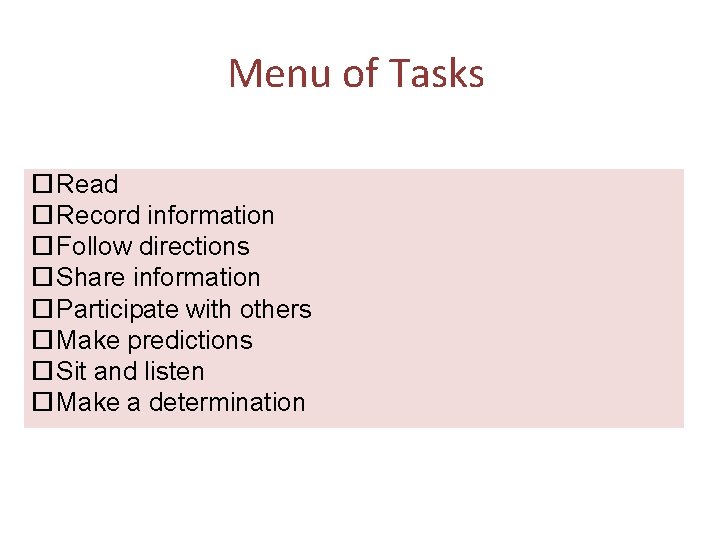
Using the SETTS Framework: The Next Few Slides • 5 rd grade assessment target • Examine the tasks within some general education activities designed to teach the content standard and look for patterns • Turn the pattern of tasks into a menu of supports • Design a menu of supports
David: Let’s review • One to two word utterances. Intelligible to familiar listener only. Beginning Picture Exchange Communication (PECS) user. • Knows 2 letters of the alphabet. • Can distinguish between two pictures or symbols. • Inconsistently identifies numbers to 3. • Can follow 1 -step direction when he wants to. • Learning to write first 3 letters of his name. • Loves to be with peers. Kentucky Common Assessment Standard (KCAS): RIT. 2 Determine two or main ideas of a text and explain how they are supported by key details; summarize the text. READING STANDARDS FOR INFORMATIONAL TEXT Alternate K-PREP Content Aligned Standards 5 th grade reading: R-5. 4 Determine two main ideas of a text and how they are supported by key details. READING STANDARDS FOR INFORMATIONAL TEXT
What are the instructional activities planned for all students? How can the student actively participate in the instructional activities? Research an excerpt from a newspaper report from 1853 in groups; “The wild woman who was found on the island of San Nicolas about 70 miles from the coast, west of Santa Barbara …. . ” Make notes and report out to class. 1. 2. 3. 4. Participate in group activity Make notes Speak, report out to class Research the newspaper report Research the lives of the Nicoleno, a Native American tribe living on San Nicolas Island in California in groups. Create a poster to show who the people were, how they lived, island location, etc. Share poster with class. 1. 2. 3. 4. 5. Participate in group activity Follow directions Research the Nicoleno tribe Create a poster – draw, write, etc. Speak, report out to class Introduce the novel, Island of the Blue Dolphins. Predict what may happen in the 1. 2. 3. 4. 5. Read the text in the book aloud Make predictions Take turns Sit in class Remain quiet Read more chapters. Discuss events in the novel with a partner. Complete a graphic organizer recording main idea and supporting details. 1. 2. 3. 4. Discuss events from the text Work with a partner Differentiate main idea and details Write to complete the organizer story. Read the first few chapters in class, taking turns reading.
What are the instructional activities How can the student actively participate in the instructional activities? planned for all students? 1. 2. 3. 4. 5. 1. Research the lives of the Nicoleno, a Native American tribe living on San Nicolas 2. 3. Island in California in groups…. . 4. Research an excerpt from a newspaper report from 1853 in groups …. Participate in group activity with others Make notes Record information Speak, report out to class Share information Research the newspaper report Read Participate in group activity with others Follow directions Research the Nicoleno tribe Create a poster – draw, write, etc. Record information 5. Speak, report out to class Share information 6. Read Introduce the novel, Island of the Blue Dolphins…. . 1. 2. 3. 4. 5. 1. 2. 3. 4. Read more chapters. Discuss events in the novel with a partner …. Read the text in the book aloud Make predictions Take turns Sit in class Remain quiet Engage in learning Discuss events from the text Share information Work with a partner Participate with others Differentiate main idea and details Make selections Write to complete the organizer Record information 5. Read
How can the student actively participate in What are the instructional activities planned for all students? the instructional activities? 1. 2. 3. 4. 5. 6. Participate with others Record information Share information Research Read Participate with others Follow directions Research Record information Share information Read Introduce the novel, Island of the Blue Dolphins…. . 1. 2. 3. 4. 5. Read Make predictions Take turns Sit Engage in learning Read more chapters. Discuss events in the novel with a partner …. 1. 2. 3. 4. 5. Share information Participate with others Make selections Record information Read Research an excerpt from a newspaper report from 1853 in groups …. Research the lives of the Nicoleno, a Native American tribe living on San Nicolas Island in California in groups…. .
Repeated Tasks Read Read n o i t a rm Sit o f n i e n r o a i t h a S rm o f n Mak i e pr Share nformation edic i e r a h tion S s s n o i t M c a e r k i e a determi D w o l l o F nation s r e h t o h t i w e t a p i c i s t r r e a h P t Record Information o h t i w e t a p i c i s t r e h Par t Record Information o h t i w te a p i c i t r Pa Record Information
Menu of Tasks Read Record information Follow directions Share information Participate with others Make predictions Sit and listen Make a determination
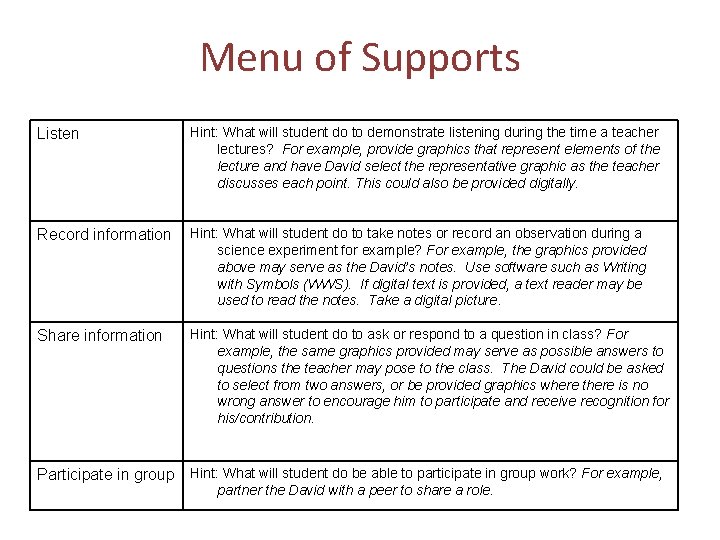
Menu of Supports Listen Hint: What will student do to demonstrate listening during the time a teacher lectures? For example, provide graphics that represent elements of the lecture and have David select the representative graphic as the teacher discusses each point. This could also be provided digitally. Record information Hint: What will student do to take notes or record an observation during a science experiment for example? For example, the graphics provided above may serve as the David’s notes. Use software such as Writing with Symbols (WWS). If digital text is provided, a text reader may be used to read the notes. Take a digital picture. Share information Hint: What will student do to ask or respond to a question in class? For example, the same graphics provided may serve as possible answers to questions the teacher may pose to the class. The David could be asked to select from two answers, or be provided graphics where there is no wrong answer to encourage him to participate and receive recognition for his/contribution. Participate in group Hint: What will student do be able to participate in group work? For example, partner the David with a peer to share a role.
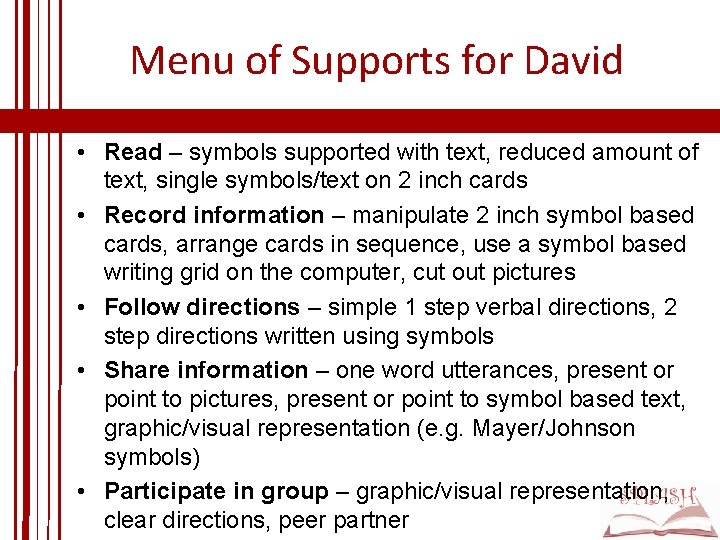
Menu of Supports for David • Read – symbols supported with text, reduced amount of text, single symbols/text on 2 inch cards • Record information – manipulate 2 inch symbol based cards, arrange cards in sequence, use a symbol based writing grid on the computer, cut out pictures • Follow directions – simple 1 step verbal directions, 2 step directions written using symbols • Share information – one word utterances, present or point to pictures, present or point to symbol based text, graphic/visual representation (e. g. Mayer/Johnson symbols) • Participate in group – graphic/visual representation, clear directions, peer partner
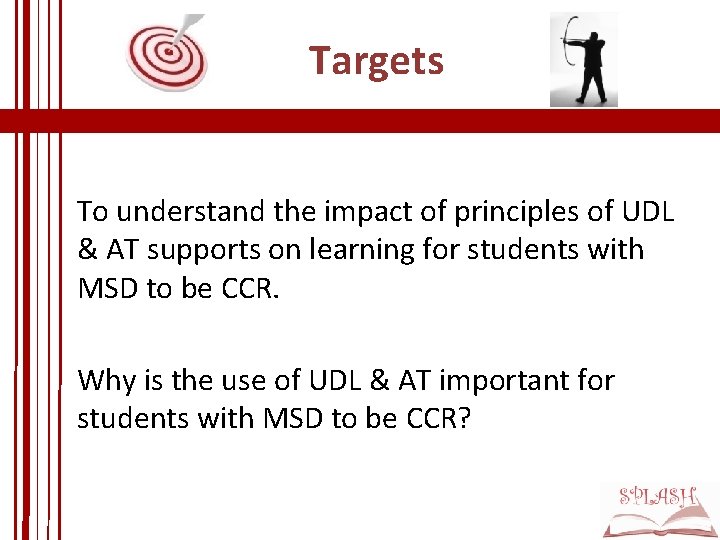
Targets To understand the impact of principles of UDL & AT supports on learning for students with MSD to be CCR. Why is the use of UDL & AT important for students with MSD to be CCR?
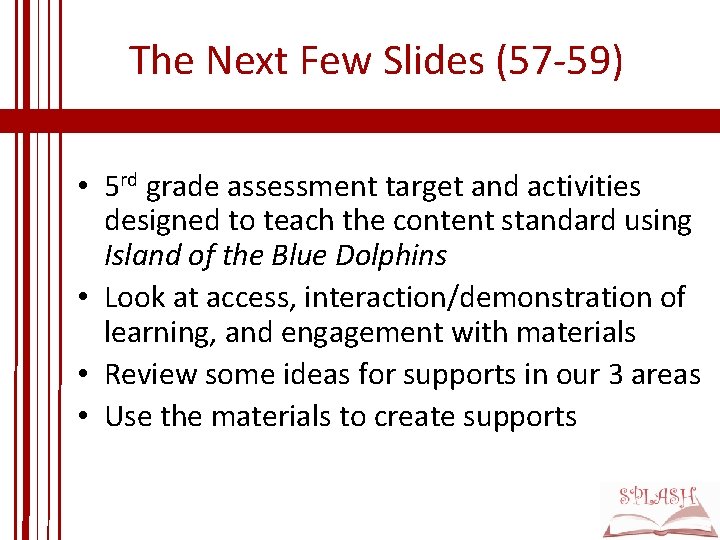
The Next Few Slides (57 -59) • 5 rd grade assessment target and activities designed to teach the content standard using Island of the Blue Dolphins • Look at access, interaction/demonstration of learning, and engagement with materials • Review some ideas for supports in our 3 areas • Use the materials to create supports
Activity from unit instruction: Research an excerpt from a newspaper report from 1853 in groups; “The wild woman who was found on the island of San Nicolas about 70 miles from the coast, west of Santa Barbara …. . ” Make notes and report out to class. Adapted activities for instruction: • Provide the web page, use a text reader • Create a Power. Point from the materials to provide the research – record it and use symbol Access based text. • Have student add the graphics to a Interaction, demonstrate learning recorded slide for note taking. Engagement • Create a model of the island; diorama ?
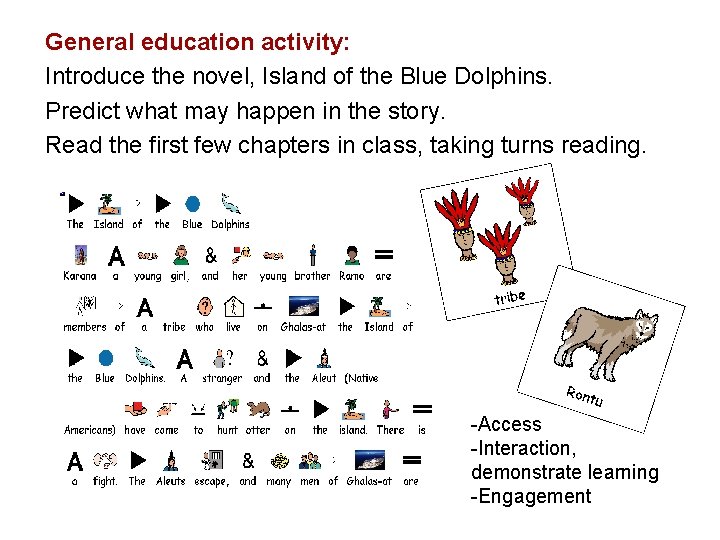
General education activity: Introduce the novel, Island of the Blue Dolphins. Predict what may happen in the story. Read the first few chapters in class, taking turns reading. -Access -Interaction, demonstrate learning -Engagement
Activity List other ways the text and activities could be adapted to meet the specific needs of your students.
In Summary 1. Can the student access instruction? Is targeted information provided in student’s mode of communication? 2. Can the student interact with instruction and materials? Does the student have the means to demonstrate knowledge, skills, and concepts acquired? 3. What will engage the student in the activity? How will the student remain motivated long enough to learn?
Share • How will you use the materials as supports to address your student’s needs in 3 areas– access – Interaction/demonstration of learning – Interaction/demonstration engagement? • What have you created and how will it be used? • Use the materials in your classroom to help students access instruction and demonstrate what they know!
Homework • List examples of no-tech used in your classroom currently. (Slide 20) • Complete reflection questions after reading VATS website (Slide 22) • Complete list of AT used in classroom (Slide 23) • List low expectation statements from others and barriers (Slide 32 & 34) • Use the SETT Framework as a part of your instructional planning for this fall for at least 3 students for one lesson in one content area. Plan to share these with your coach– they may ask for these via email or request you share these when they do an onsite observation.
Resources � Blackhurst, A. E. & Lahm, E. A. (2000). Foundations of technology and exceptionality. In J. Lindsey (Ed. ) Technology and Exceptional Individuals (3 rd ed, pp. 3 - 45). Austin, TX: Pro. Ed. � http: //bookbuilder. cast. org/ � Center for Applied Special Technology (CAST). http: //cast. org/index. html � Donnellan, Anne, (1984). The Criterion of the Least Dangerous Assumption. Behavioral Disorders, v 9 n 2 p 141 -50 Feb 1984 (print copy not available). � http: //www. joyzabala. com/ � KAR (2008). Kentucky Administrative Regulation for Special Education Programs. Kentucky Department of Education. � http: //natri. uky. edu/resources/fundamentals/defined. html#definition � http: //www. ric. edu/sherlockcenter/wwslist. html � http: //www. lrc. ky. gov/kar/707/001/290. htm � http: //www. lrc. ky. gov/kar/TITLE 707. HTM � http: //www. missionscalifornia. com/stories/lone-woman-san-nicolas-island. html � http: //www. ncrel. org/sdrs/areas/issues/methods/technlgy/te 7 assist. htm � http: //www. setbc. org � http: //www. vats. org/aboutat. htm