
Using Sora formally Overdrive to Take Your Reading
- Slides: 12
Using Sora (formally Overdrive) to Take Your Reading to The Clouds The pathway for our students to read books on their electronic devices. Presentation created by R. Pickard March 2014, adapted by W. Evans August 2020
Sora Introduction Sora Digital Library and is available to all Lee County Schools students and faculty. Sora (formally Overdrive) is an internet-based “library” of ebooks that can be downloaded and read on all electronic devices from smartphones, i. Pads, Kindles, other e. Readers, to laptop computers. This library can be accessed 24/7…ANYWHERE, ANYTIME!!
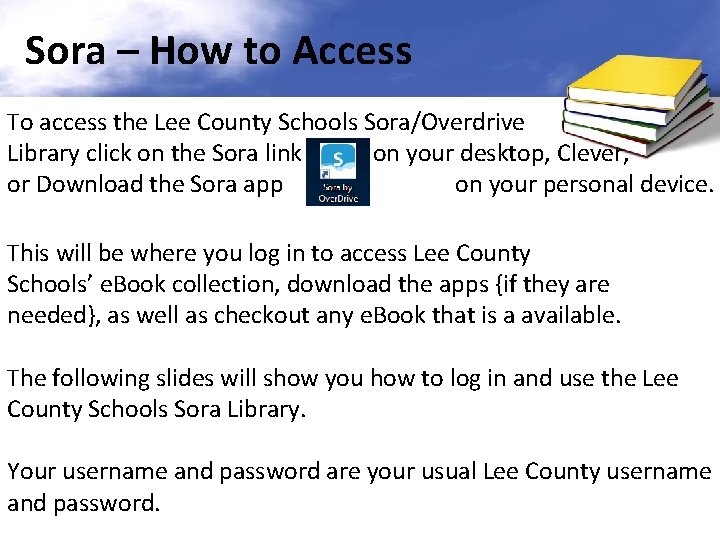
Sora – How to Access To access the Lee County Schools Sora/Overdrive Library click on the Sora link on your desktop, Clever, or Download the Sora app on your personal device. This will be where you log in to access Lee County Schools’ e. Book collection, download the apps {if they are needed}, as well as checkout any e. Book that is a available. The following slides will show you how to log in and use the Lee County Schools Sora Library. Your username and password are your usual Lee County username and password.
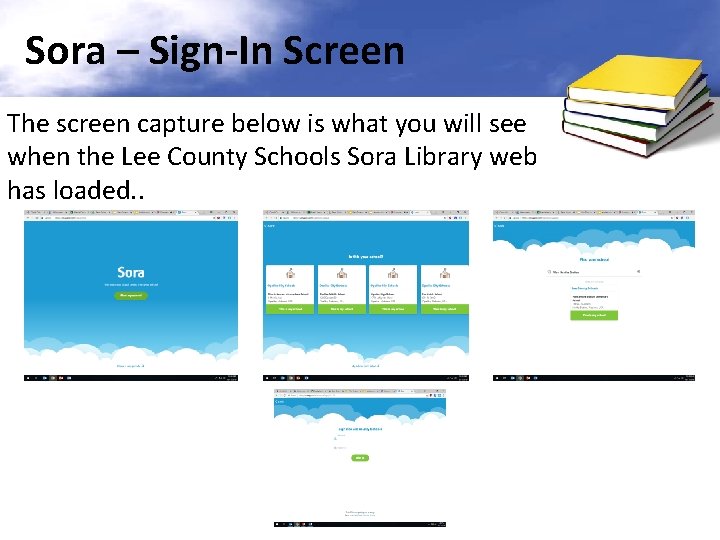
Sora – Sign-In Screen The screen capture below is what you will see when the Lee County Schools Sora Library web has loaded. .
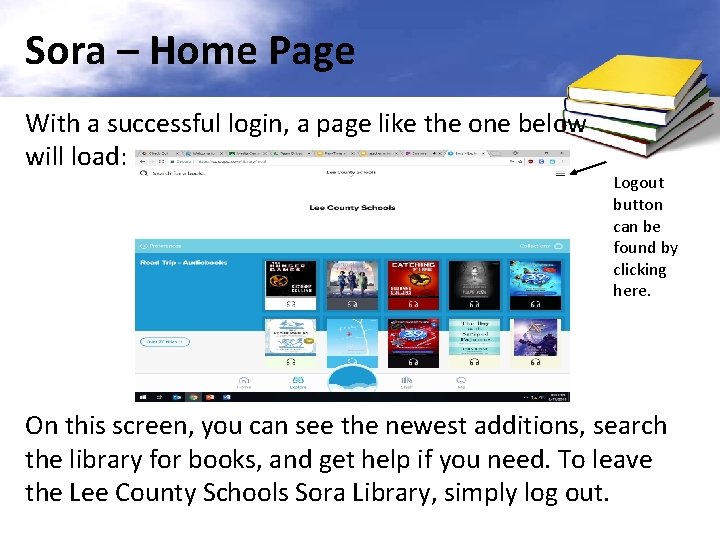
Sora – Home Page With a successful login, a page like the one below will load: Logout button can be found by clicking here. On this screen, you can see the newest additions, search the library for books, and get help if you need. To leave the Lee County Schools Sora Library, simply log out.
Sora – e. Book Availability With the Lee County Sora Library, most e. Books are just like print books in our Media Center. They can only be checked by one student at a time. If the e. Book has been checked out, it will not be available until 14 days after it has been checked out, unless it is returned early. The e. Book will automatically “return” to the Sora library after 14 days. If there is a hold on the e. Book, it will be available to the first person who has a hold on it and then the next person as it goes down the “HOLD” line. Project Gutenberg e. Books are excellent for those English and History research projects. They include many of the “classic” works of literature and history.
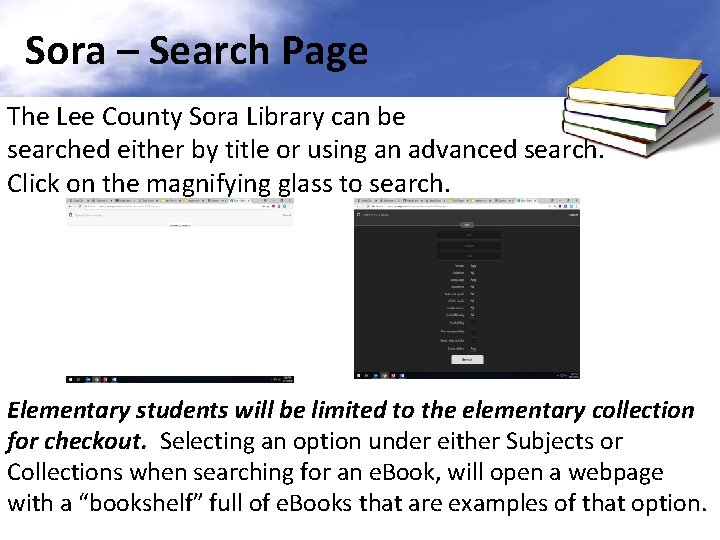
Sora – Search Page The Lee County Sora Library can be searched either by title or using an advanced search. Click on the magnifying glass to search. Elementary students will be limited to the elementary collection for checkout. Selecting an option under either Subjects or Collections when searching for an e. Book, will open a webpage with a “bookshelf” full of e. Books that are examples of that option.
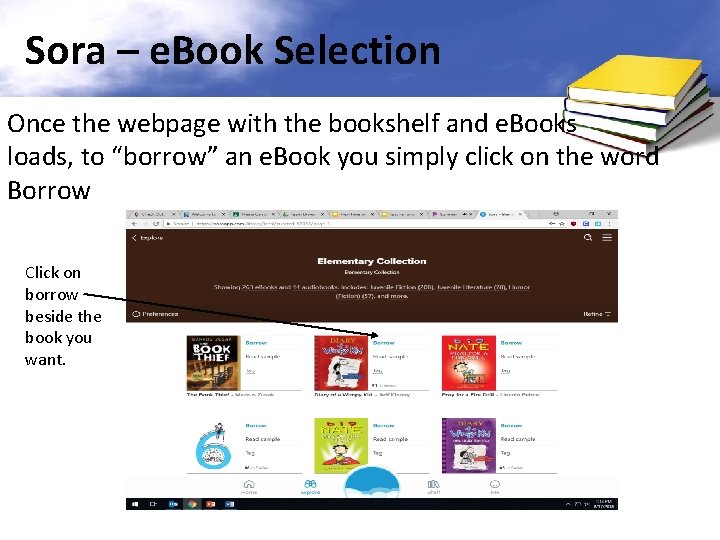
Sora – e. Book Selection Once the webpage with the bookshelf and e. Books loads, to “borrow” an e. Book you simply click on the word Borrow Click on borrow beside the book you want.
Sora – e. Book Checkout “Place a Hold” will put you in line to get the e. Book when it becomes available. You will receive an email when the book becomes available.
Sora – e. Book Checkout If you have never downloaded an e. Book to your device, you MAY need to do the one of the following: {Your device will let you know} (1) Download the Sora App (2) You may need to also download Adobe Digital Editions* (3) You may also need to download Kindle Reader* amazon. com} {Available at *Adobe and Kindle Apps will require you to set up a free account. Use your student email for this: username@students. lee. k 12. al. us
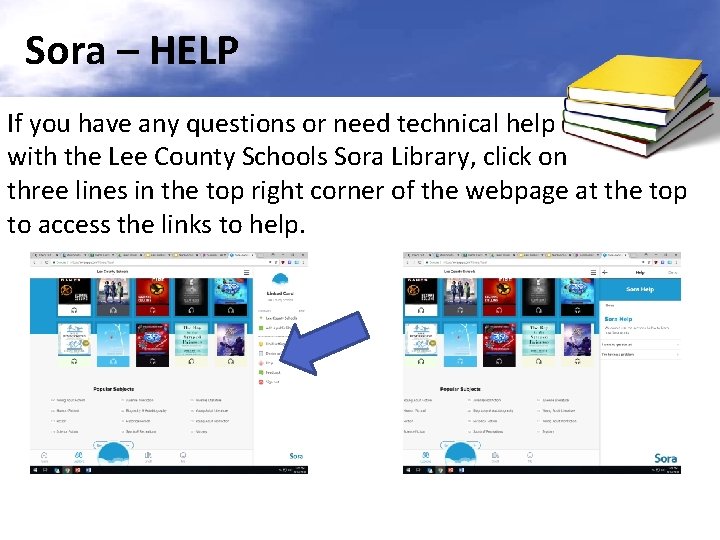
Sora – HELP If you have any questions or need technical help with the Lee County Schools Sora Library, click on three lines in the top right corner of the webpage at the top to access the links to help.
Using Sora to Take Your Reading to The Clouds West Smiths Station Elementary School Media Center 2020