
Using RRDtool to graph sensors data JiaWei 20160202
- Slides: 14
Using RRDtool to graph sensor's data Jia-Wei 2016/02/02 1
Outline • Introduction of RRDtool(Round Robin Database tool) • Round Robin Database • CF (Consolidation Functions) and RRA (Round Robin Archives ) • Using RRDtool to graph sensors’ data • • Equipment Step (1) Step (2) Step (3) • Demo • Conclusion 2
Introduction of RRDtool • RRDtool(Round Robin Database tool) is the Open. Source high performance data logging and graphing system for time series data. RRDtool can be easily integrated in shell scripts, Python or TCL applications. 3
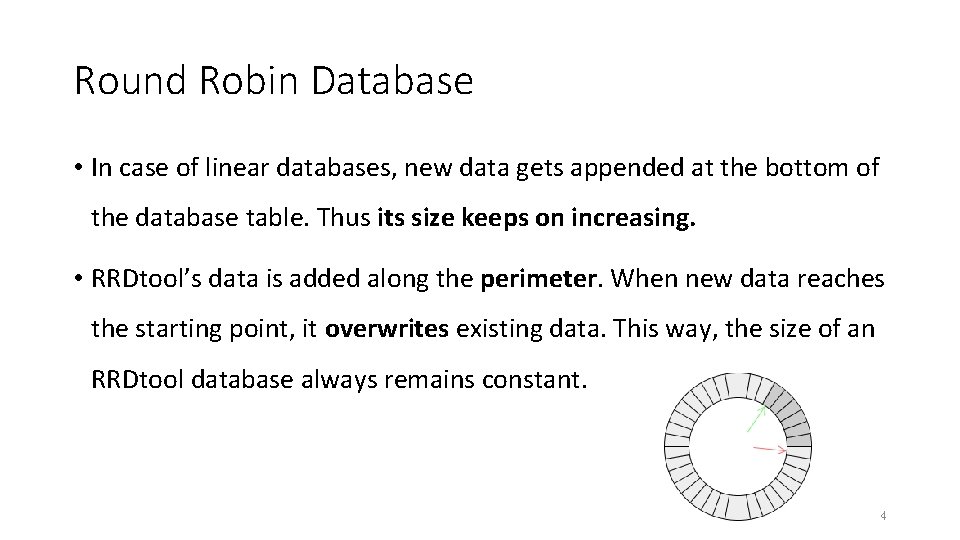
Round Robin Database • In case of linear databases, new data gets appended at the bottom of the database table. Thus its size keeps on increasing. • RRDtool’s data is added along the perimeter. When new data reaches the starting point, it overwrites existing data. This way, the size of an RRDtool database always remains constant. 4
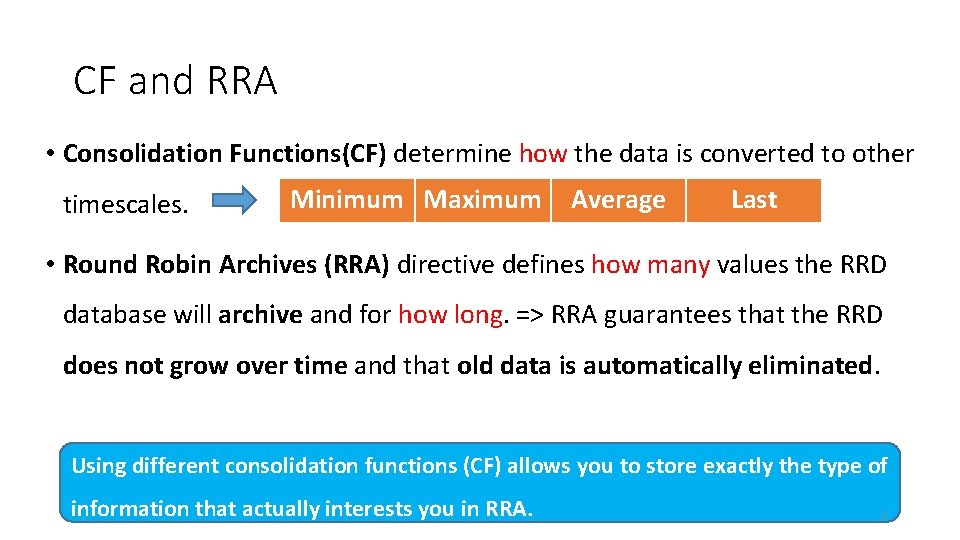
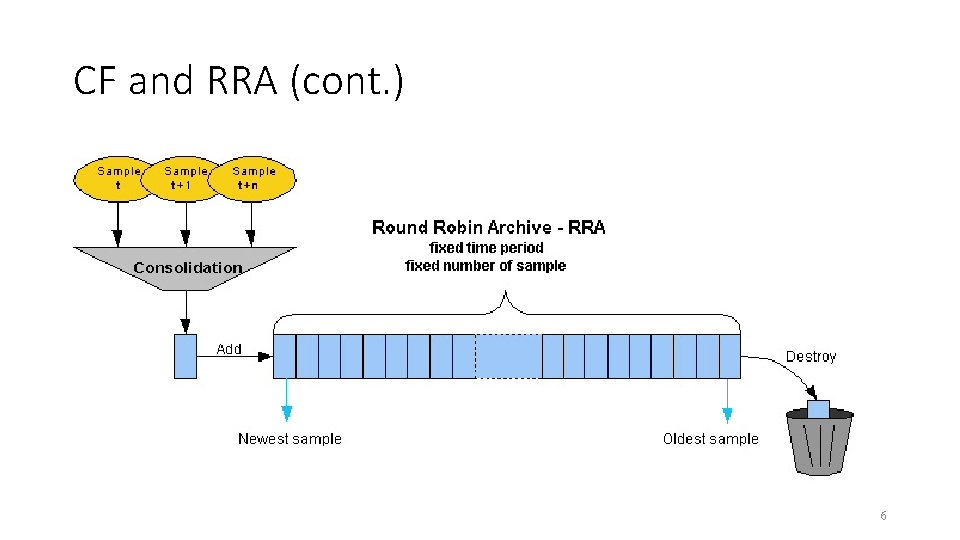
CF and RRA • Consolidation Functions(CF) determine how the data is converted to other timescales. Minimum Maximum Average Last • Round Robin Archives (RRA) directive defines how many values the RRD database will archive and for how long. => RRA guarantees that the RRD does not grow over time and that old data is automatically eliminated. Using different consolidation functions (CF) allows you to store exactly the type of information that actually interests you in RRA. 5
CF and RRA (cont. ) 6
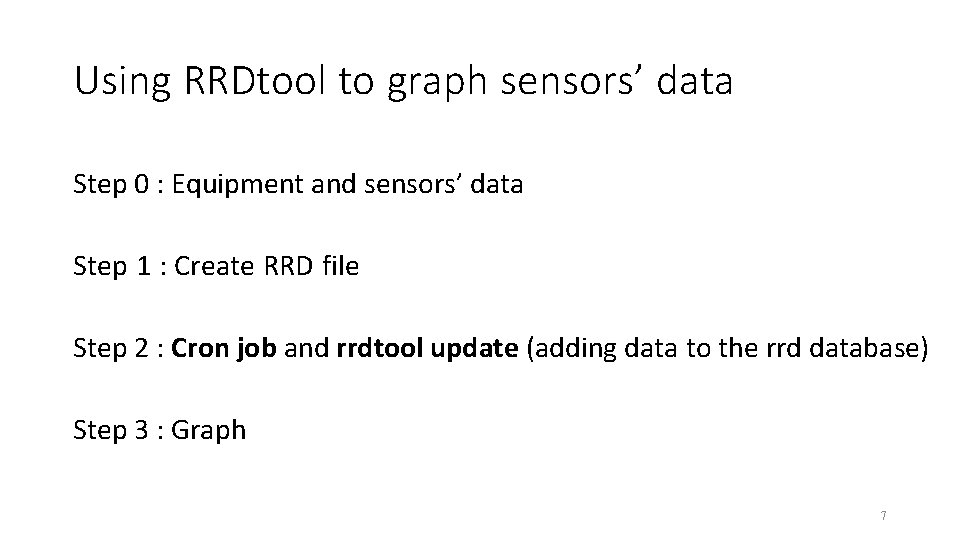
Using RRDtool to graph sensors’ data Step 0 : Equipment and sensors’ data Step 1 : Create RRD file Step 2 : Cron job and rrdtool update (adding data to the rrd database) Step 3 : Graph 7
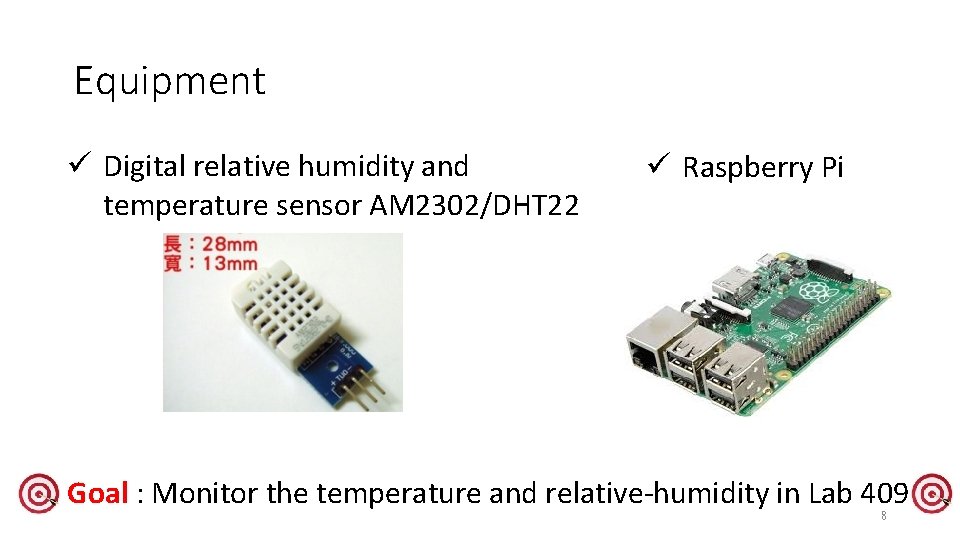
Equipment ü Digital relative humidity and temperature sensor AM 2302/DHT 22 ü Raspberry Pi Goal : Monitor the temperature and relative-humidity in Lab 409 8
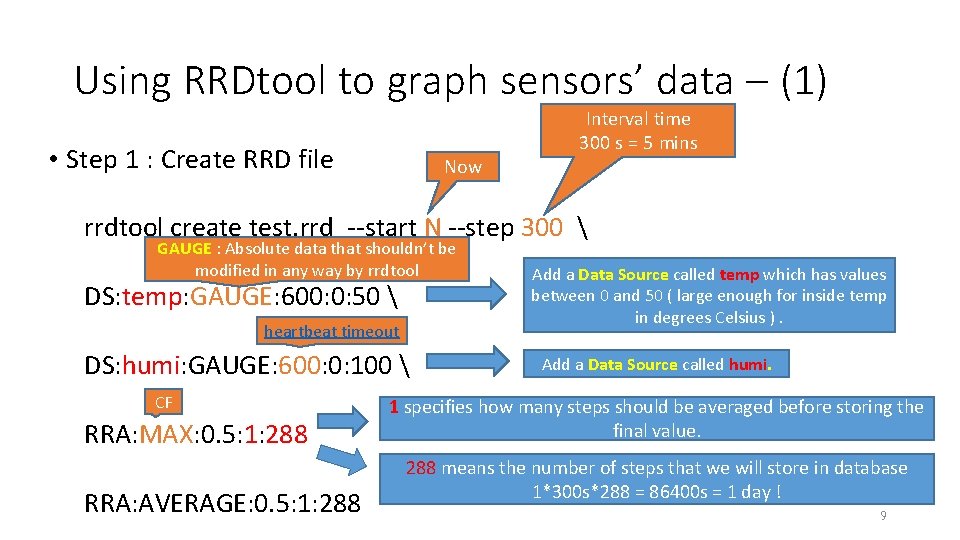
Using RRDtool to graph sensors’ data – (1) • Step 1 : Create RRD file Now Interval time 300 s = 5 mins rrdtool create test. rrd --start N --step 300 GAUGE : Absolute data that shouldn’t be modified in any way by rrdtool DS: temp: GAUGE: 600: 0: 50 heartbeat timeout DS: humi: GAUGE: 600: 0: 100 CF RRA: MAX: 0. 5: 1: 288 RRA: AVERAGE: 0. 5: 1: 288 Add a Data Source called temp which has values between 0 and 50 ( large enough for inside temp in degrees Celsius ). Add a Data Source called humi. 1 specifies how many steps should be averaged before storing the final value. 288 means the number of steps that we will store in database 1*300 s*288 = 86400 s = 1 day ! 9
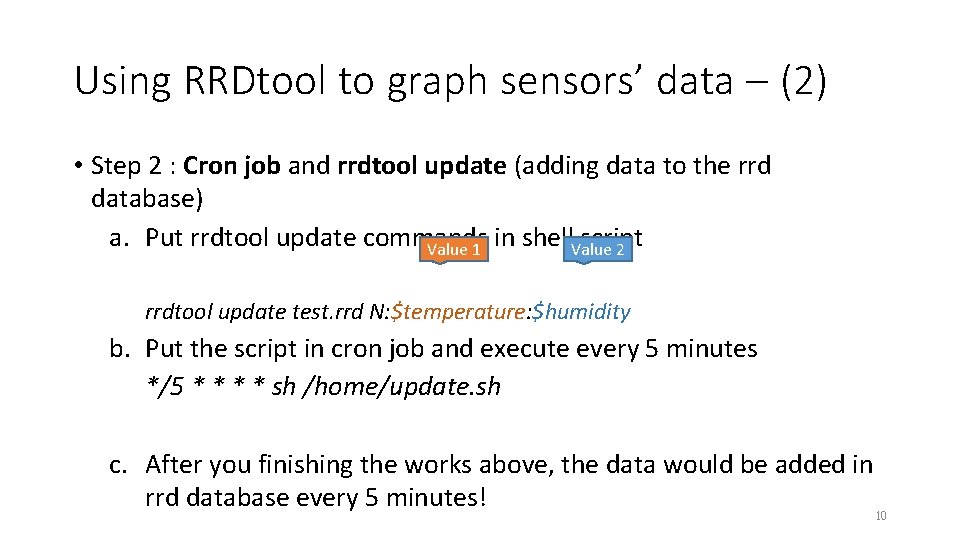
Using RRDtool to graph sensors’ data – (2) • Step 2 : Cron job and rrdtool update (adding data to the rrd database) a. Put rrdtool update commands in shell script Value 1 Value 2 rrdtool update test. rrd N: $temperature: $humidity b. Put the script in cron job and execute every 5 minutes */5 * * sh /home/update. sh c. After you finishing the works above, the data would be added in rrd database every 5 minutes! 10
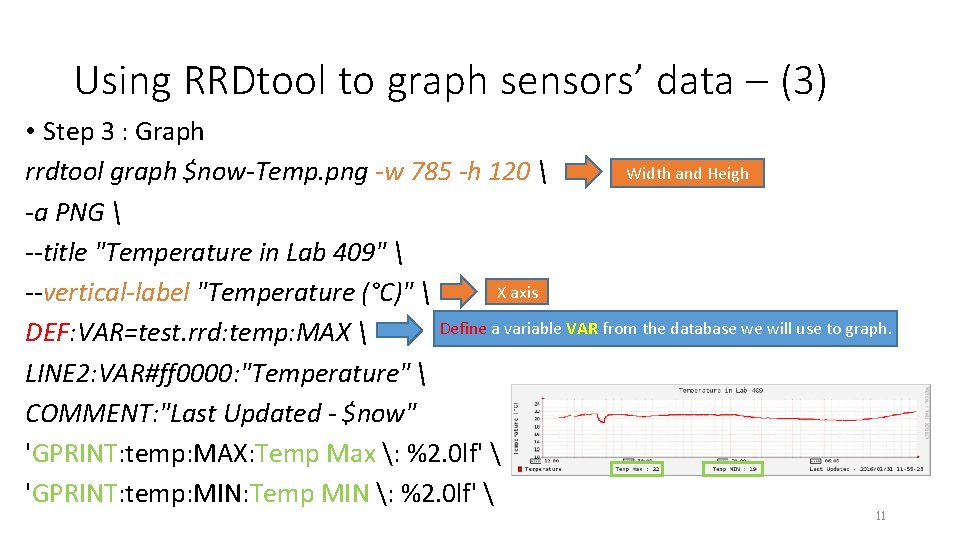
Using RRDtool to graph sensors’ data – (3) • Step 3 : Graph Width and Heigh rrdtool graph $now-Temp. png -w 785 -h 120 -a PNG --title "Temperature in Lab 409" X axis --vertical-label "Temperature (°C)" Define a variable VAR from the database we will use to graph. DEF: VAR=test. rrd: temp: MAX LINE 2: VAR#ff 0000: "Temperature" COMMENT: "Last Updated - $now" 'GPRINT: temp: MAX: Temp Max : %2. 0 lf' 'GPRINT: temp: MIN: Temp MIN : %2. 0 lf' 11
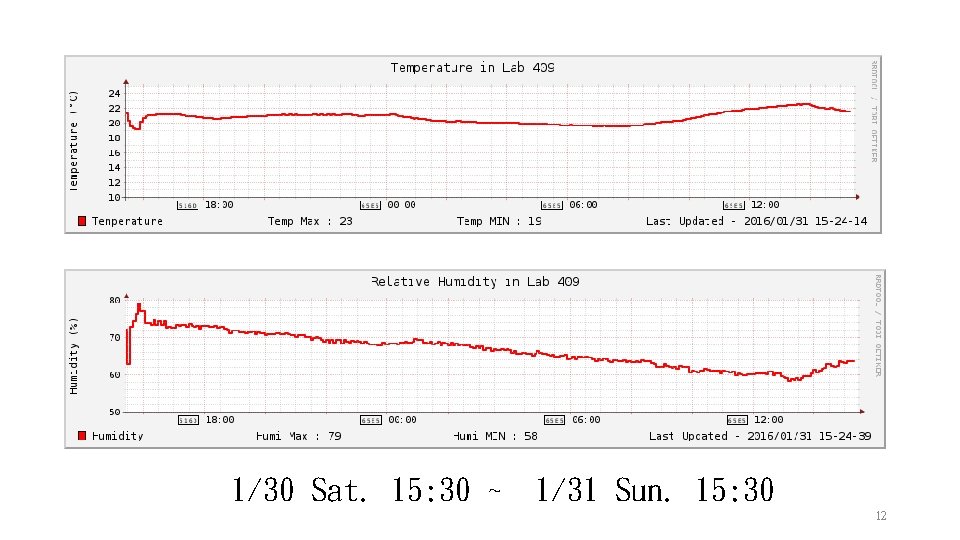
1/30 Sat. 15: 30 ~ 1/31 Sun. 15: 30 12
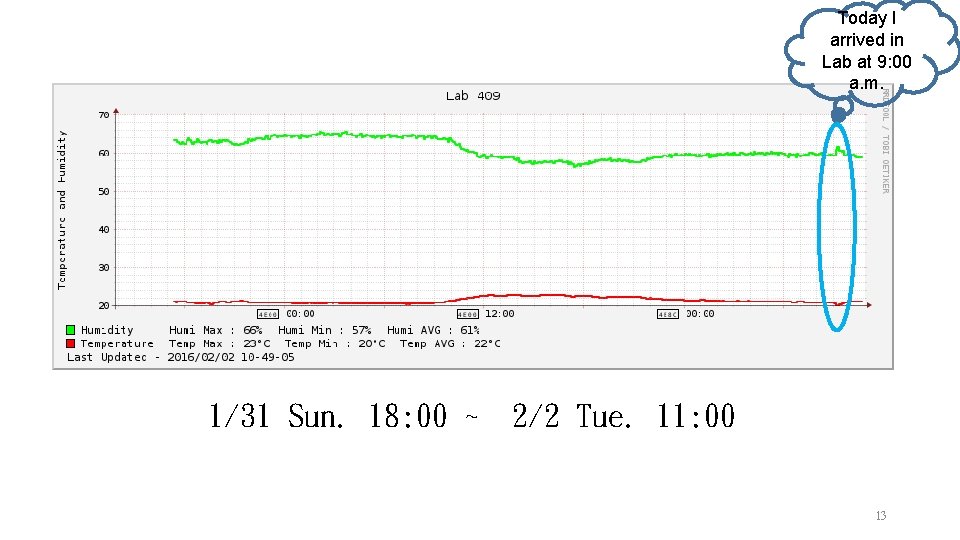
Today I arrived in Lab at 9: 00 a. m. 1/31 Sun. 18: 00 ~ 2/2 Tue. 11: 00 13
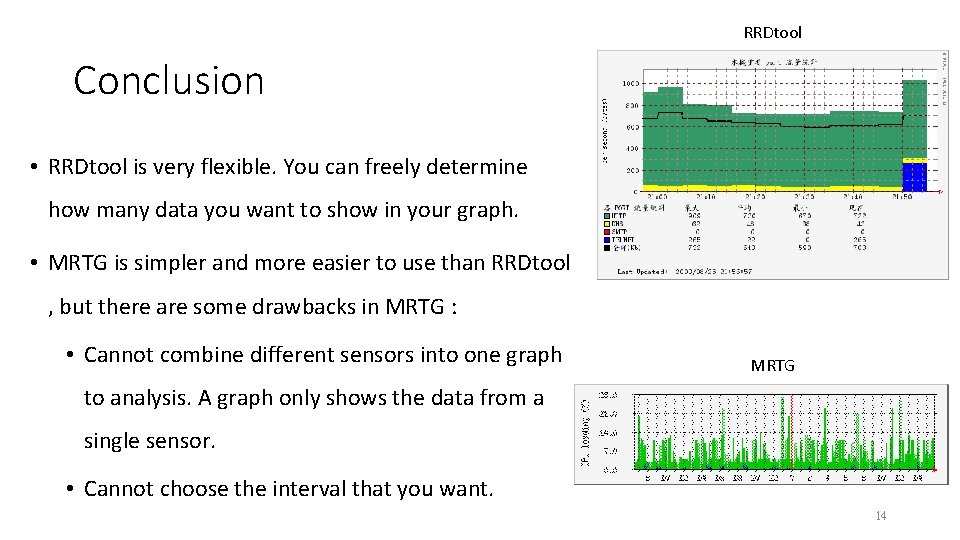
RRDtool Conclusion • RRDtool is very flexible. You can freely determine how many data you want to show in your graph. • MRTG is simpler and more easier to use than RRDtool , but there are some drawbacks in MRTG : • Cannot combine different sensors into one graph MRTG to analysis. A graph only shows the data from a single sensor. • Cannot choose the interval that you want. 14