
Using Personal Web Server to View Intranet Data
Using Personal Web Server to View Intranet Data City Planning and Development Department Kansas City Missouri 1
Personal Web Server Microsoft Personal Web Server (PWS) turns any computer into a Web server and enables easy publication of personal Web pages. PWS is ideal for developing, testing and staging Web applications. PWS does not have the system requirements of a full Web server. It is designed for small-scale peer-to-peer or small Web server usage. Installation Requirements Setting Up Other Options 2
Installation Personal Web Server for both Windows 95 & Windows NT can be downloaded from this site: www. microsoft. com/NTWorkstation/downloads/Recommended/Service. Packs/NT 4 Opt. Pk/Default. asp This site contains: NT Option Pack 4. 0 for download (can be used for both 95 & NT) System Requirements. . . Other miscellaneous info Install the Option Pack by double-clicking on the download. exe file note: the Option Pack is shipped with NT 3
Requirements System Requirements for running Personal Web Server on Windows 95: Pentium 33 MHz or higher; Pentium 90 MHz recommended 16 MB of memory (RAM); 20 -32 MB recommended 40 MB of available hard-disk VGA; Super VGA recommended Microsoft Mouse or compatible pointing device System requirements for running Windows NT 4. 0 Option Pack on Windows NT Workstation 4. 0 Pentium 66 MHz or higher; Pentium 90 MHz recommended 32 MB of memory (RAM); 64 MB recommended 100 MB of available hard-disk VGA, Super VGA, or video graphics adapter compatible with Windows NT Server 4. 0 Microsoft Mouse or compatible pointing device 4
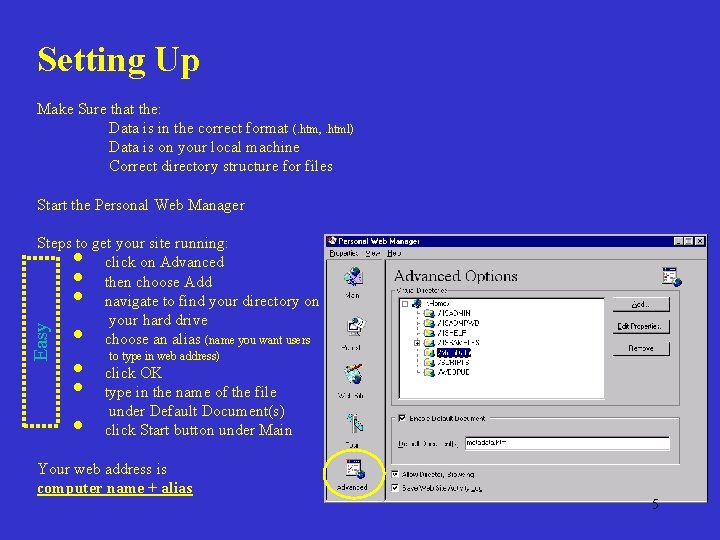
Setting Up Make Sure that the: Data is in the correct format (. htm, . html) Data is on your local machine Correct directory structure for files Start the Personal Web Manager Easy Steps to get your site running: click on Advanced then choose Add navigate to find your directory on your hard drive choose an alias (name you want users • • to type in web address) click OK type in the name of the file under Default Document(s) click Start button under Main Your web address is computer name + alias 5
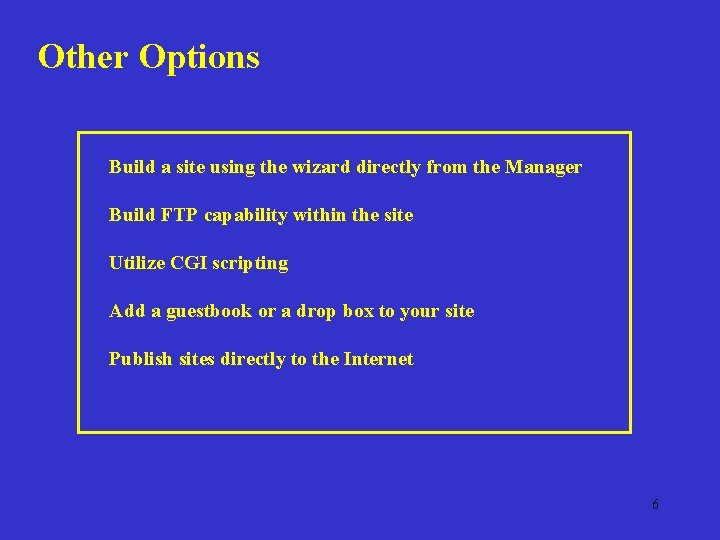
Other Options Build a site using the wizard directly from the Manager Build FTP capability within the site Utilize CGI scripting Add a guestbook or a drop box to your site Publish sites directly to the Internet 6

David Bayer GIS Analyst City Planning & Development Department Kansas City, Missouri (816) 513 -2920 david_bayer@kcmo. org 7
- Slides: 7