
Using MIT App Inventor Introduction to Computer Science
- Slides: 15
Using MIT App Inventor Introduction to Computer Science © 2015 Project Lead The Way, Inc.
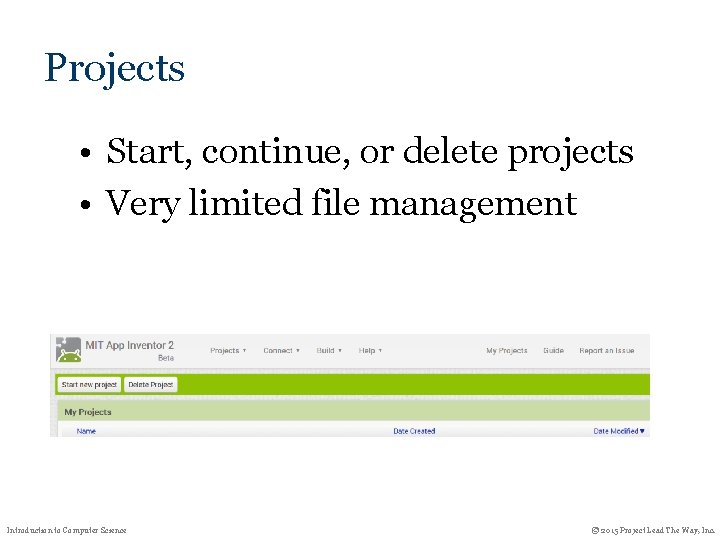
Projects • Start, continue, or delete projects • Very limited file management Introduction to Computer Science © 2015 Project Lead The Way, Inc.
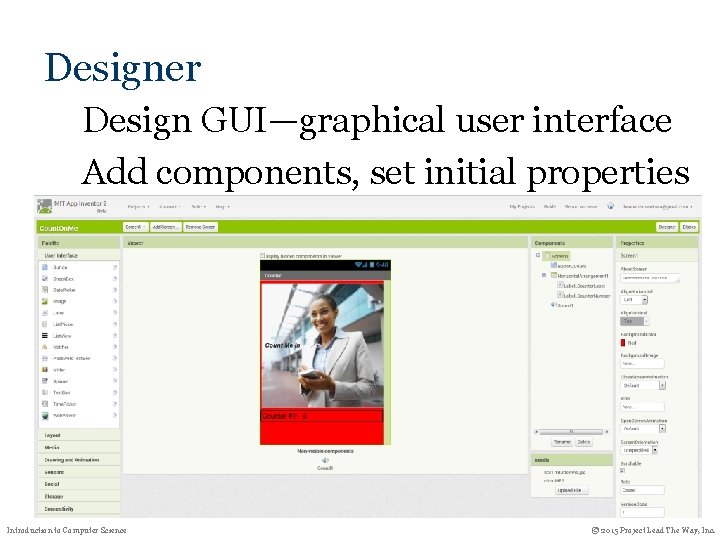
Designer Design GUI—graphical user interface Add components, set initial properties Introduction to Computer Science © 2015 Project Lead The Way, Inc.
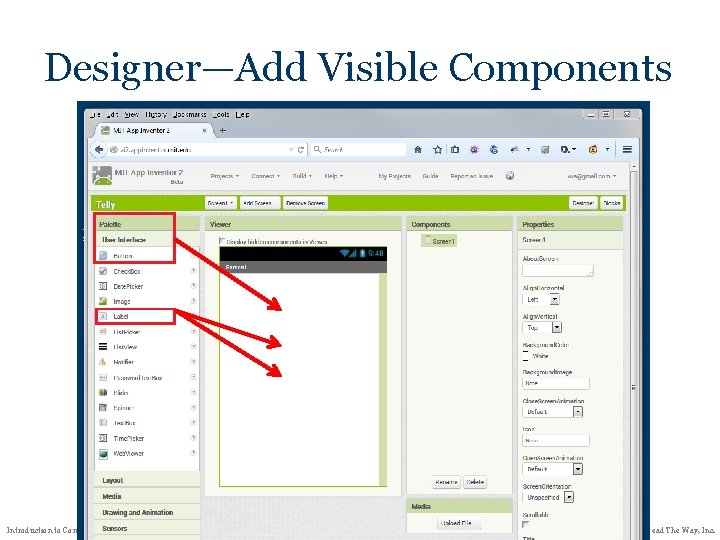
Designer—Add Visible Components Introduction to Computer Science © 2015 Project Lead The Way, Inc.
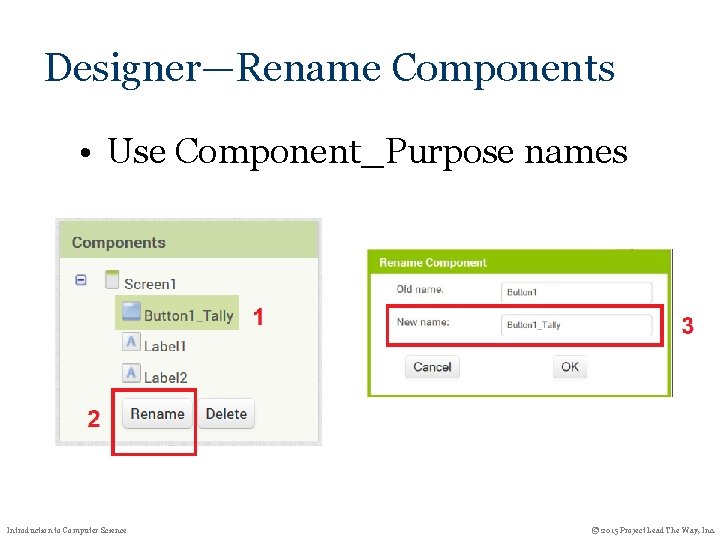
Designer—Rename Components • Use Component_Purpose names Introduction to Computer Science © 2015 Project Lead The Way, Inc.
Blocks • Event handlers –When screen initialized –When component action • Create and initialize global variables Introduction to Computer Science © 2015 Project Lead The Way, Inc.
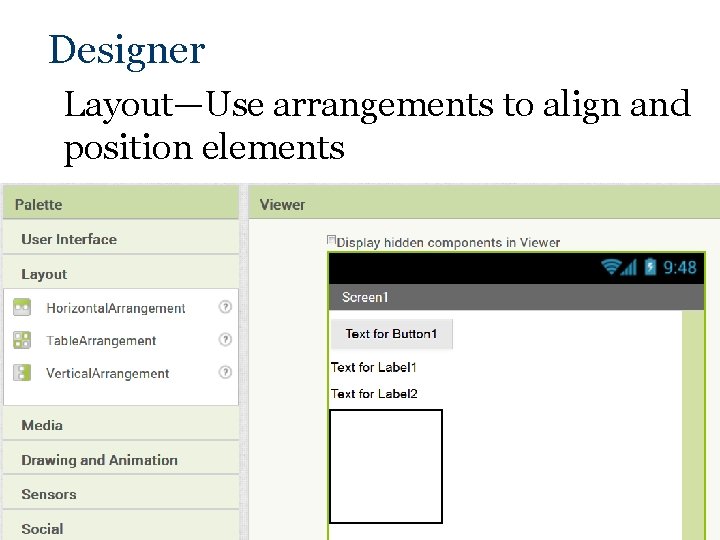
Designer Layout—Use arrangements to align and position elements Introduction to Computer Science © 2015 Project Lead The Way, Inc.
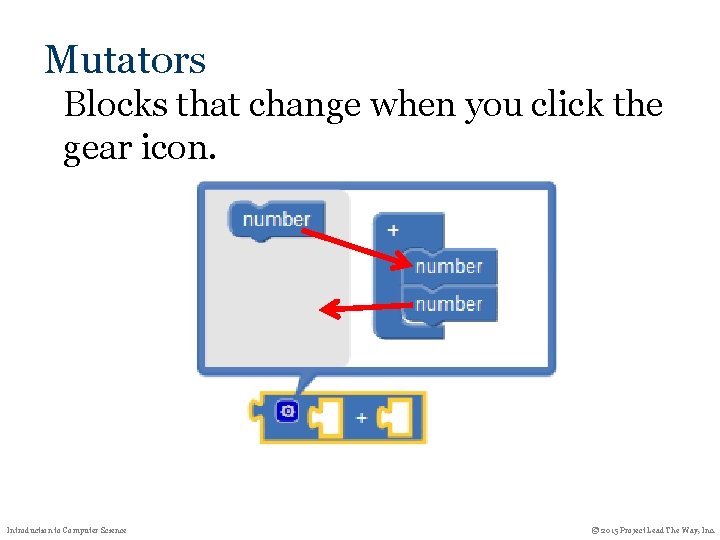
Mutators Blocks that change when you click the gear icon. Introduction to Computer Science © 2015 Project Lead The Way, Inc.
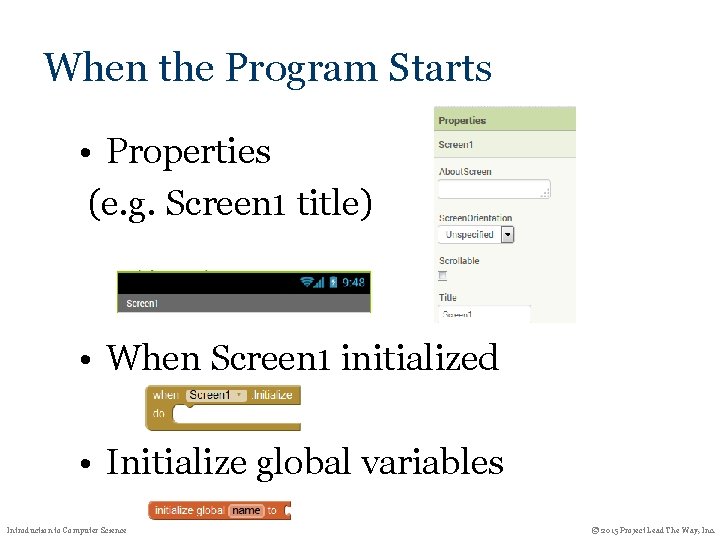
When the Program Starts • Properties (e. g. Screen 1 title) • When Screen 1 initialized • Initialize global variables Introduction to Computer Science © 2015 Project Lead The Way, Inc.
Text programming interface • Select a new block from the palette by typing one character and waiting • An open quote selects the string constant block. No end quote is needed. Introduction to Computer Science © 2015 Project Lead The Way, Inc.
Navigating the Blocks Area • Zoom in/out: Ctrl-mouse wheel • Pan: Drag blank block area. Introduction to Computer Science © 2015 Project Lead The Way, Inc.
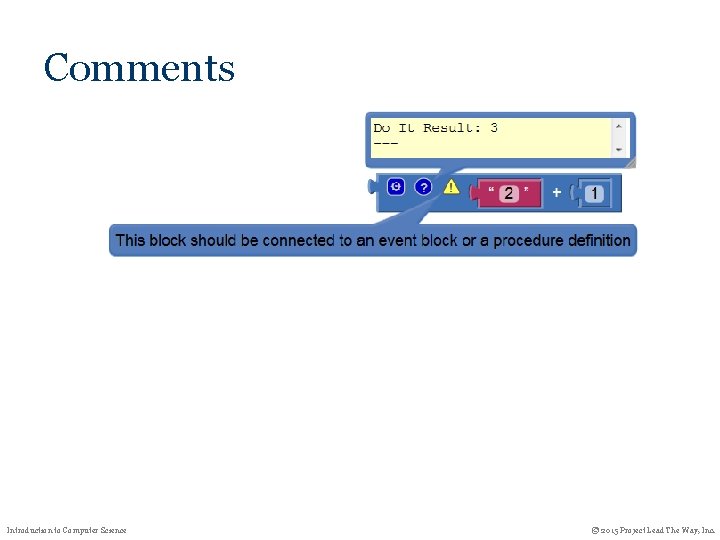
Comments Introduction to Computer Science © 2015 Project Lead The Way, Inc.
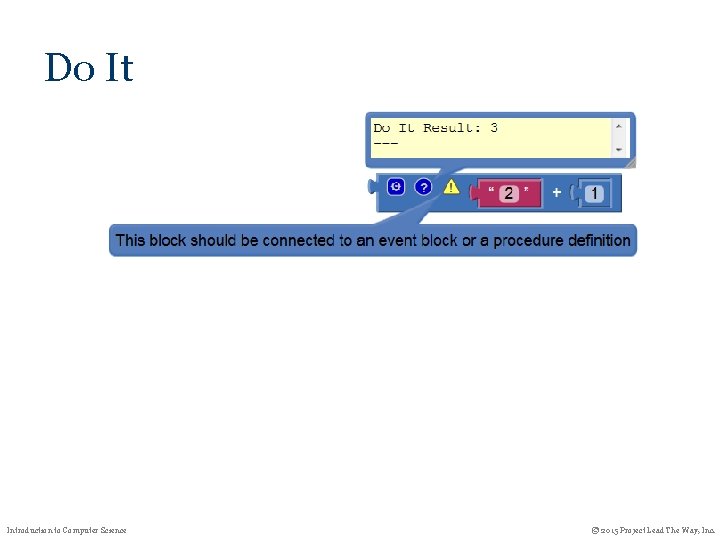
Do It Introduction to Computer Science © 2015 Project Lead The Way, Inc.
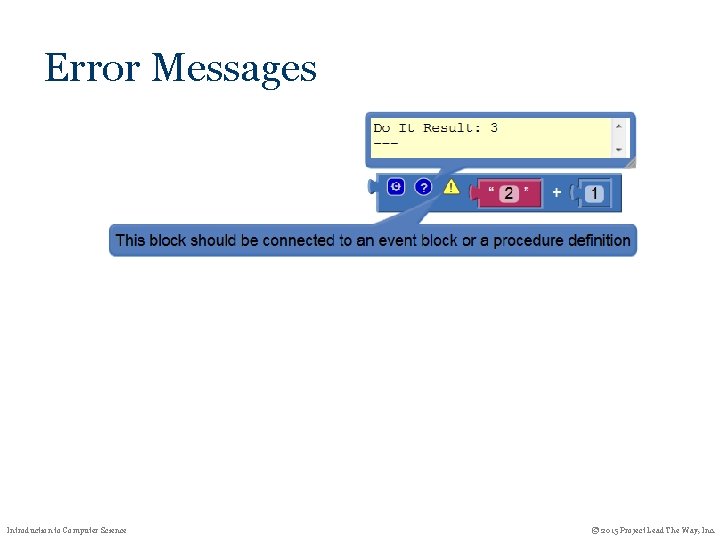
Error Messages Introduction to Computer Science © 2015 Project Lead The Way, Inc.
Running on the Android Device • Live testing via AI Companion Project (AIA file) in browser, and device on same Wi-Fi (or device-specific adb via USB cable – see setup instructions) • Installed APK file • Transfer by USB cable, or • Attach to email Introduction to Computer Science © 2015 Project Lead The Way, Inc.