
USING MICROSOFT WORDS TRACK CHANGES FEATURES SOUTH HILLS

![TRACK CHANGES • “[K]eeps track of all additions, deletions, and formatting changes made to](https://slidetodoc.com/presentation_image_h2/6f38d7d2626985bda304875a2e8dcc84/image-3.jpg "TRACK CHANGES • “[K]eeps track of all additions, deletions, and formatting changes made to")
- Slides: 10
USING MICROSOFT WORD’S TRACK CHANGES FEATURES SOUTH HILLS SCHOOL OF BUSINESS & TECHNOLOGY LIVE ONLINE LEARNING SESSION JULY 28, 2020 PRESENTER: MARSHA ANN TATE, PH. D.
TOPICS TO BE DISCUSSED • What is Track Changes? • How to Activate Track Changes • How to Accept and Reject Individual Changes
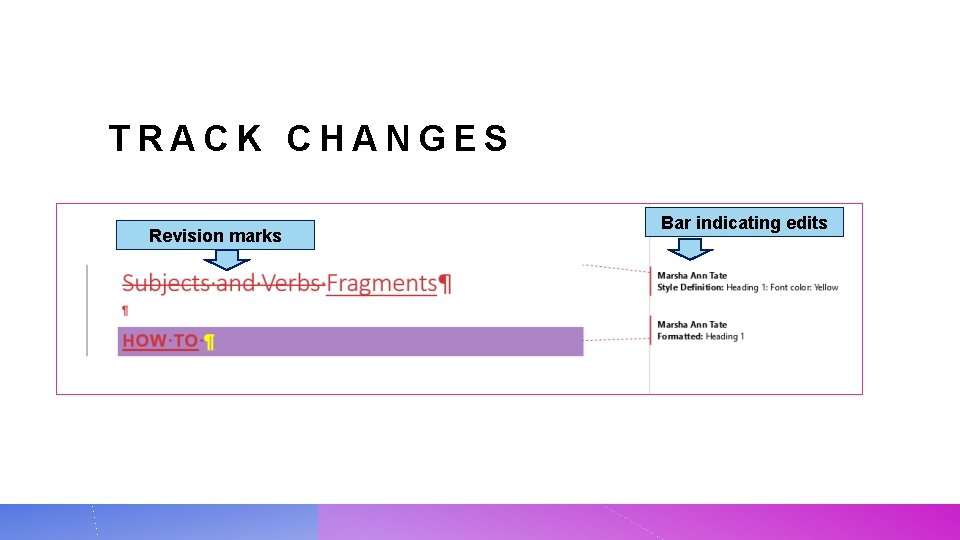
TRACK CHANGES • “[K]eeps track of all additions, deletions, and formatting changes made to the document. • Especially useful if a document is collaboratively created (i. e. , the document must be reviewed by several people--each of whom can offer comments and edit the work— before it is returned to a single person who will finalize it). • “When Track Changes is not active, any change you make to a document is untraceable” • Changes can only be identified by comparing the revised document to the previous version.
TRACK CHANGES Revision marks Bar indicating edits
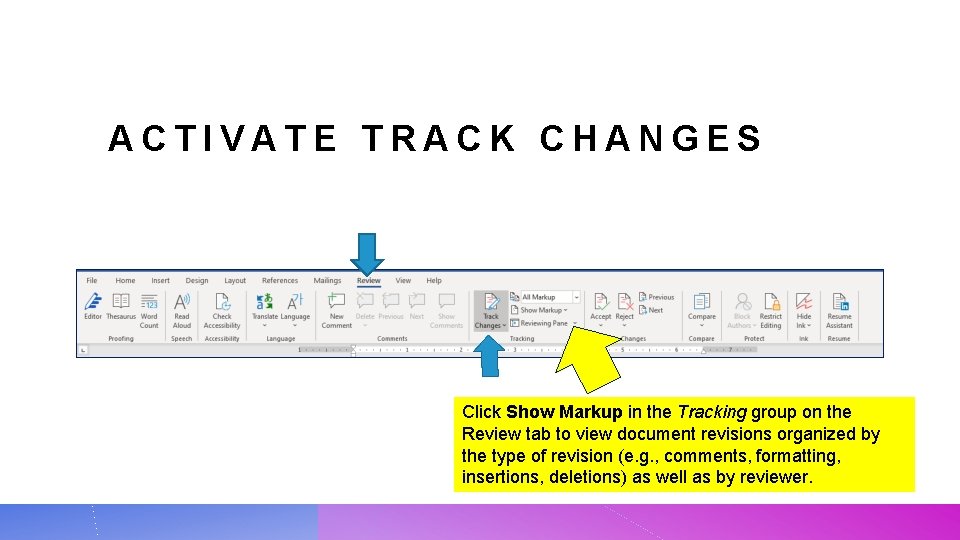
ACTIVATE TRACK CHANGES Click Show Markup in the Tracking group on the Review tab to view document revisions organized by the type of revision (e. g. , comments, formatting, insertions, deletions) as well as by reviewer.
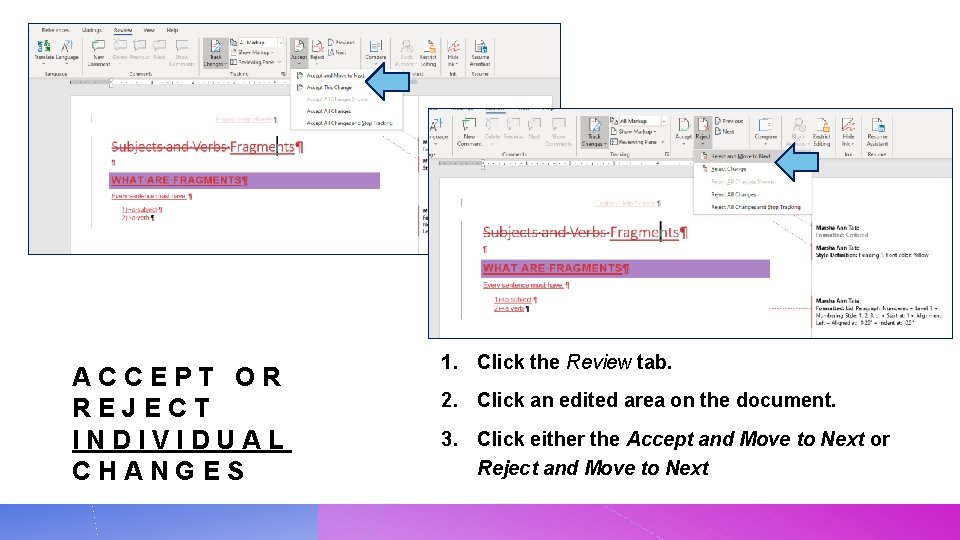
ACCEPT OR REJECT INDIVIDUAL CHANGES 1. Click the Review tab. 2. Click an edited area on the document. 3. Click either the Accept and Move to Next or Reject and Move to Next
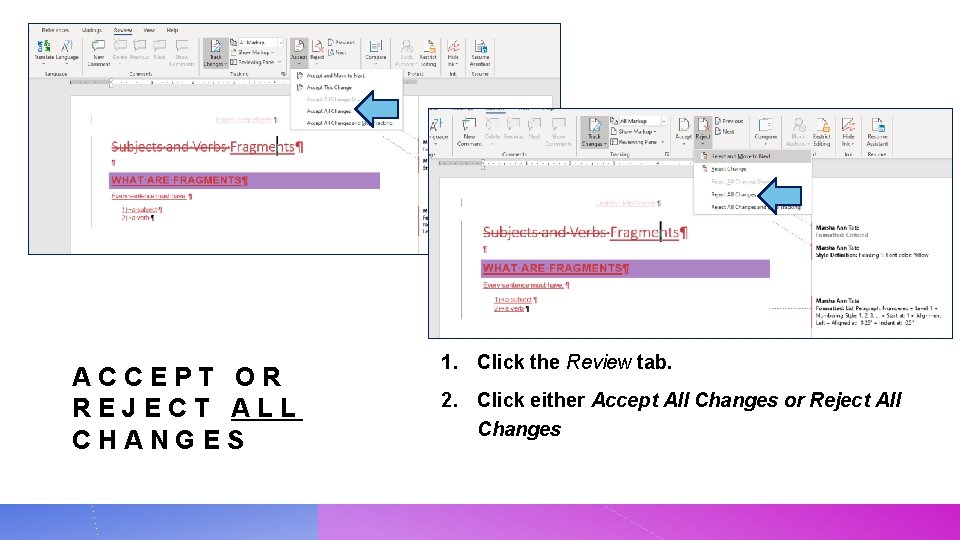
ACCEPT OR REJECT ALL CHANGES 1. Click the Review tab. 2. Click either Accept All Changes or Reject All Changes
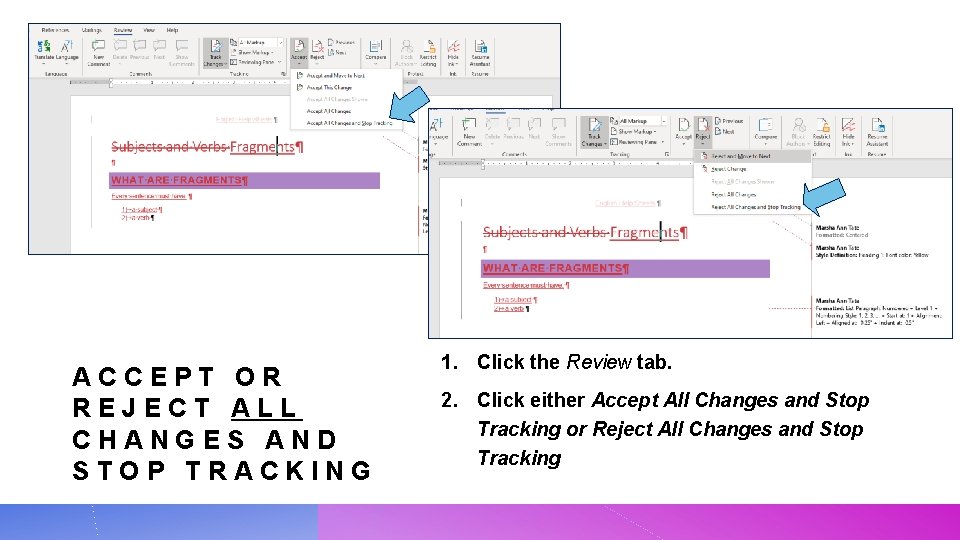
ACCEPT OR REJECT ALL CHANGES AND STOP TRACKING 1. Click the Review tab. 2. Click either Accept All Changes and Stop Tracking or Reject All Changes and Stop Tracking
REFERENCES Gookin, Dan. “How to Use Revisions in Word 2019. ” https: //www. dummies. com/software/microsoft-office/word/how-to-use-revisions-in-word 2019/ (accessed 28 July 2020). Poatsy, Mary Anne, series ed. Microsoft Office 2016 Volume 1. Boston, MA: Pearson, 2017. Sartain, J. D. “How to Track Changes in Microsoft Word Without Going Insane. ” PCWorld, 2 Feb. 2015. https: //www. pcworld. com/article/2861859/how-to-track-changes-in-microsoftword-without-going-insane. html (accessed 28 July 2020).
THANK YOU! Questions or comments? marsha@mtateresearch. com Power. Point presentations and related resources are available at https: //mtateresearch. com/computer_courses_supplemental_res ources/live_online_learning_south_hillsl_supplemental_resource s