
Using Microcontrollers in Amateur Radio an AZ EL



- Slides: 38
Using Microcontrollers in Amateur Radio, an AZ EL Controller Application A Presentation For The Southwest Ohio Digital Symposium Presented by Bill Erwin – N 9 CX January 10, 2009 1
Things I Hope To Leave You With n Share my experience with the rotor controller project q q q n Explain why I made the choices I did How it works Status of the project But more than that: q q q Why a microcontroller was a good choice for this project What software development environments are all about Tempt you to consider experimenting with microcontrollers Feel free to ask questions at any time ! 2
Motivation For This Project n Developed an interest in LEO (Low Earth Orbit) satellites q q n Commercial rotors & controllers are available q n Led to an interest in a better antenna system Wanted to track LEOs with small beam antennas Didn’t want to commit that much money at this stage of interest Decided to use inexpensive rotors & build my own controller 3
Low Earth Orbit Satellites n n n Basically LEOs are orbital repeaters AMSAT has a lot of information on the WEB LEOs offer some special challenges q q q They move fast. Short contacts Low RF power 4
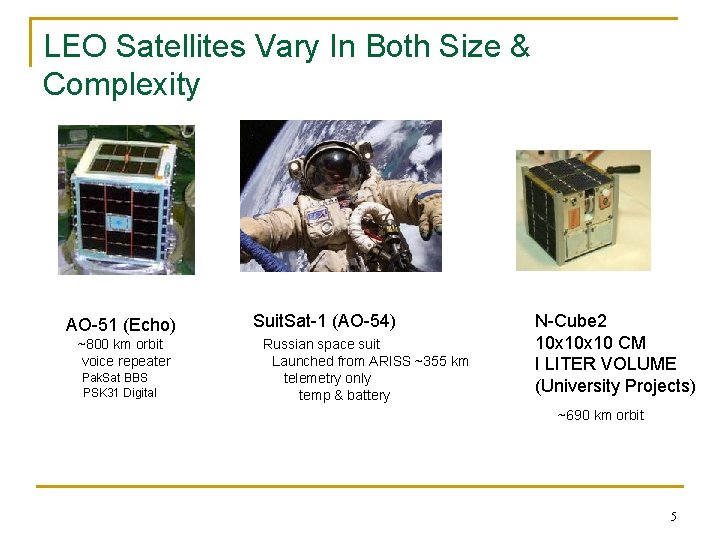
LEO Satellites Vary In Both Size & Complexity AO-51 (Echo) ~800 km orbit voice repeater Pak. Sat BBS PSK 31 Digital Suit. Sat-1 (AO-54) Russian space suit Launched from ARISS ~355 km telemetry only temp & battery N-Cube 2 10 x 10 CM I LITER VOLUME (University Projects) ~690 km orbit 5
Satellite QSOs Are Interesting! n There a lot of “things” involved in working the LEO satellites! q q q q q Computer screen Keyboard Mouse Downlink frequency Uplink frequency Doppler effects Code paddles or a microphone Azimuth of the satellite Elevation of the satellite 6
So Many things – So Little Time! n n n The window for a QSO is often less than 8 minutes. If you can automate a few “things”, your QSOs may have more “talk” time. This project is about automating the rotors for directional azimuth & elevation antennas. 7
My Approach To The Project n n n Research the WEB for similar projects Evaluate what I might do that is different Understand how rotors work Keep it (relatively) cheap Breadboard parts of the design to verify critical assumptions Rotor controller needs an LCD display & flashing LEDs! 8
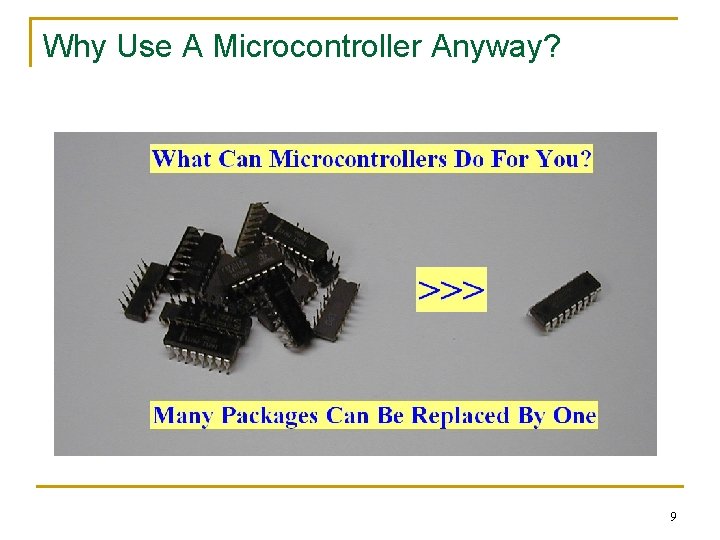
Why Use A Microcontroller Anyway? 9
Choices To Make n n Features Rotors Software Development tools & Environment Microcontroller 10
Desirable Features n n n n Work with the Nova tracking software Have 2 main modes: “manual” & “autotrack” Self-calibrate to any Pulser type rotor Remember antenna position during powerdown. Reliable beam positioning – within 5 degrees. Easy to update the controller software. Minimize cost 11
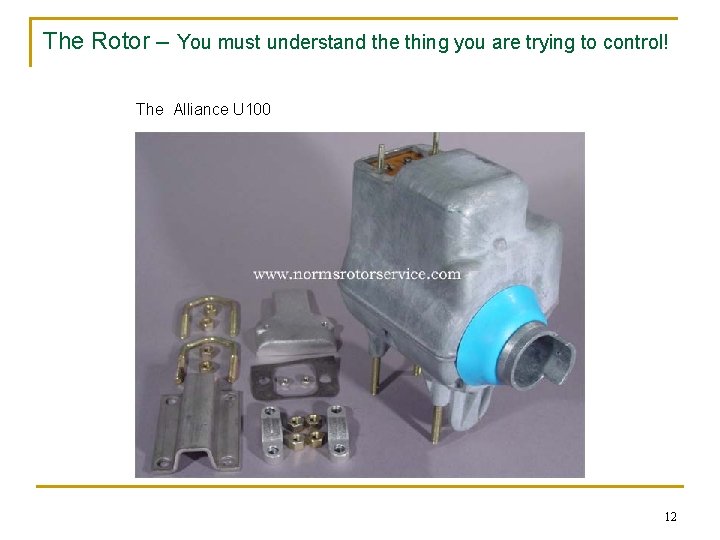
The Rotor – You must understand the thing you are trying to control! The Alliance U 100 12
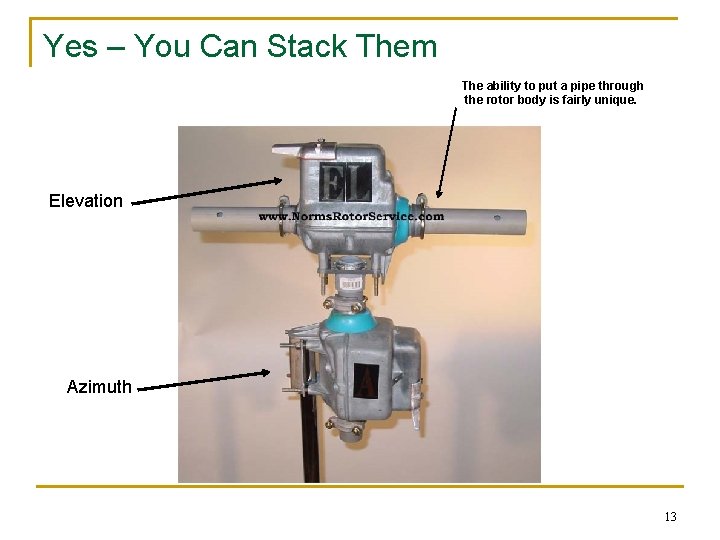
Yes – You Can Stack Them The ability to put a pipe through the rotor body is fairly unique. Elevation Azimuth 13
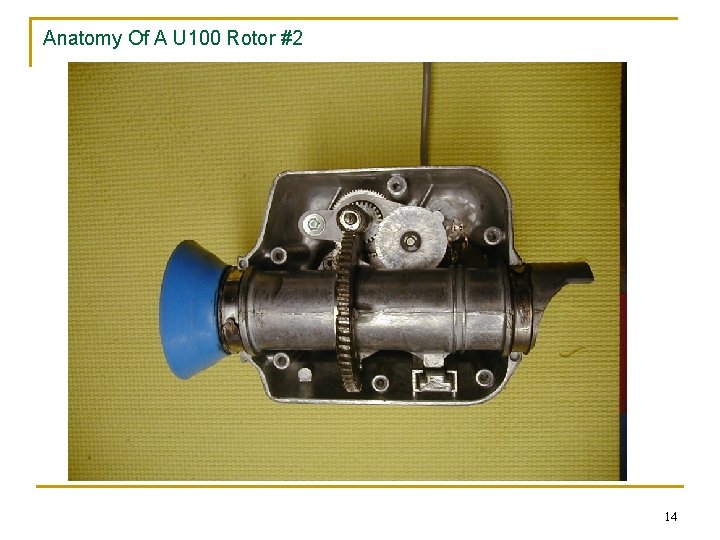
Anatomy Of A U 100 Rotor #2 14
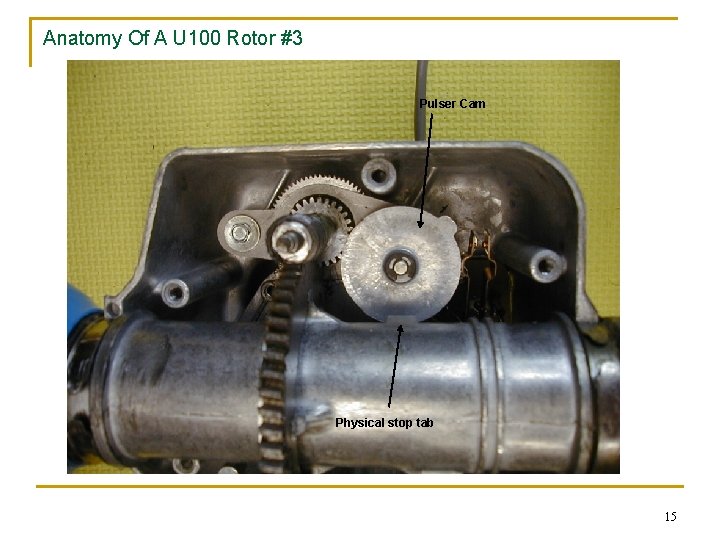
Anatomy Of A U 100 Rotor #3 Pulser Cam Physical stop tab 15
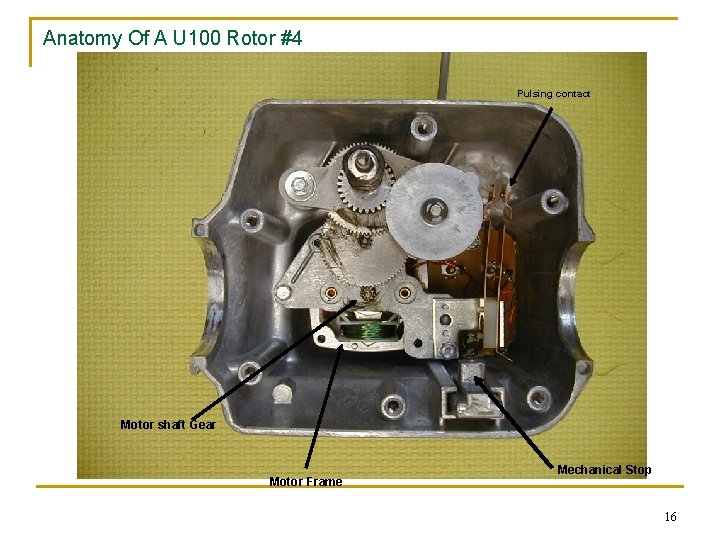
Anatomy Of A U 100 Rotor #4 Pulsing contact Motor shaft Gear Motor Frame Mechanical Stop 16
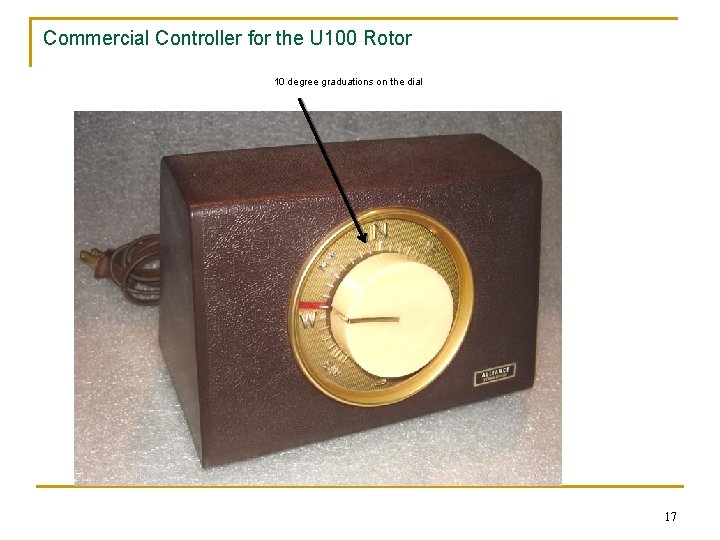
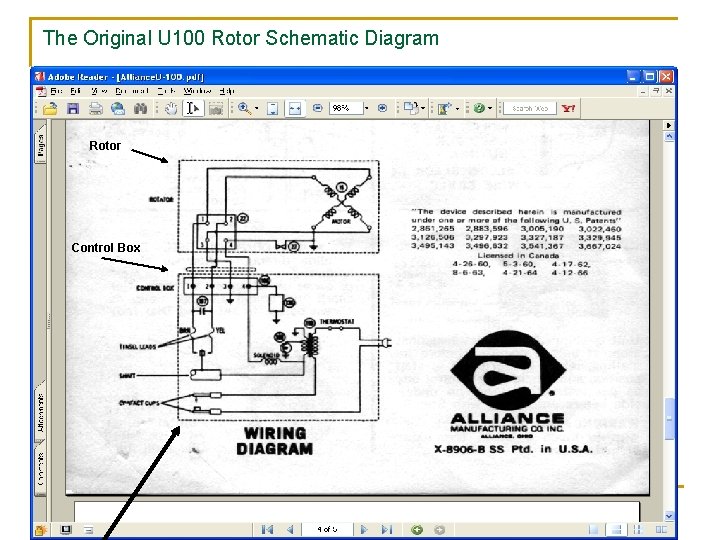
Commercial Controller for the U 100 Rotor 10 degree graduations on the dial 17
The Original U 100 Rotor Schematic Diagram Rotor Control Box 18
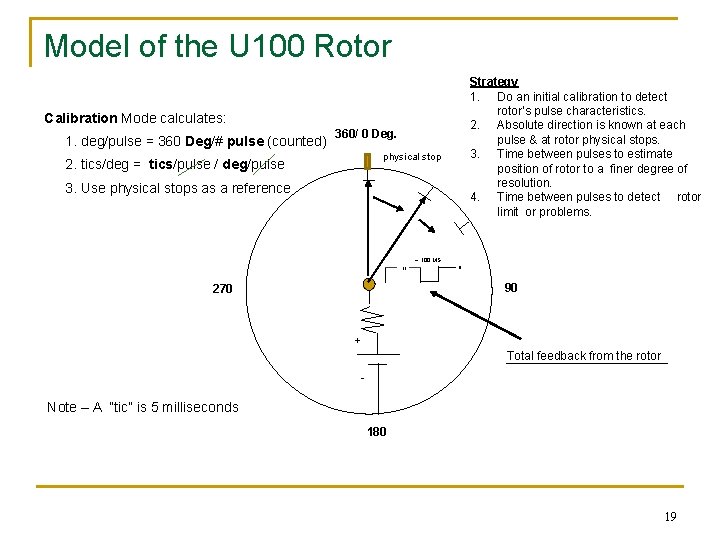
Model of the U 100 Rotor Strategy 1. Do an initial calibration to detect rotor’s pulse characteristics. 2. Absolute direction is known at each pulse & at rotor physical stops. 3. Time between pulses to estimate position of rotor to a finer degree of resolution. 4. Time between pulses to detect rotor limit or problems. Calibration Mode calculates: 1. deg/pulse = 360 Deg/# pulse (counted) 360/ 0 Deg. physical stop 2. tics/deg = tics/pulse / deg/pulse 3. Use physical stops as a reference ~ 100 MS // // 90 270 + Total feedback from the rotor - Note – A “tic” is 5 milliseconds 180 19
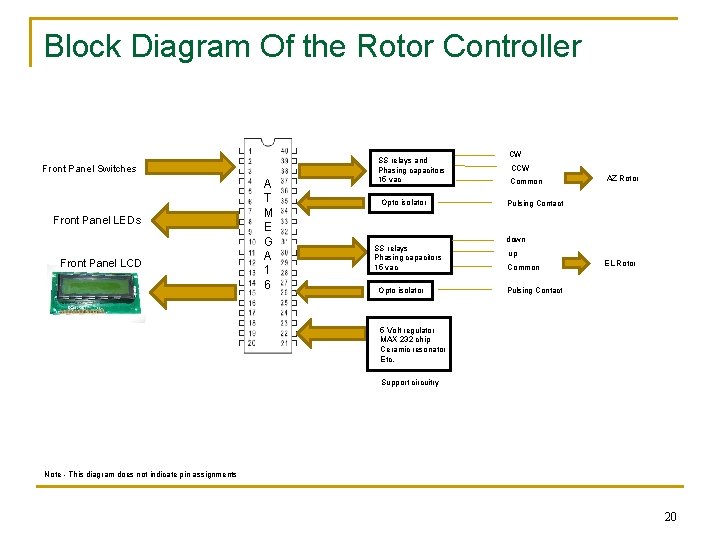
Block Diagram Of the Rotor Controller Front Panel Switches Front Panel LEDs Front Panel LCD A T M E G A 1 6 SS relays and Phasing capacitors 15 vac Opto isolator SS relays Phasing capacitors 15 vac Opto isolator CW Common AZ Rotor Pulsing Contact down up Common EL Rotor Pulsing Contact 5 Volt regulator MAX 232 chip Ceramic resonator Etc. Support circuitry Note - This diagram does not indicate pin assignments 20
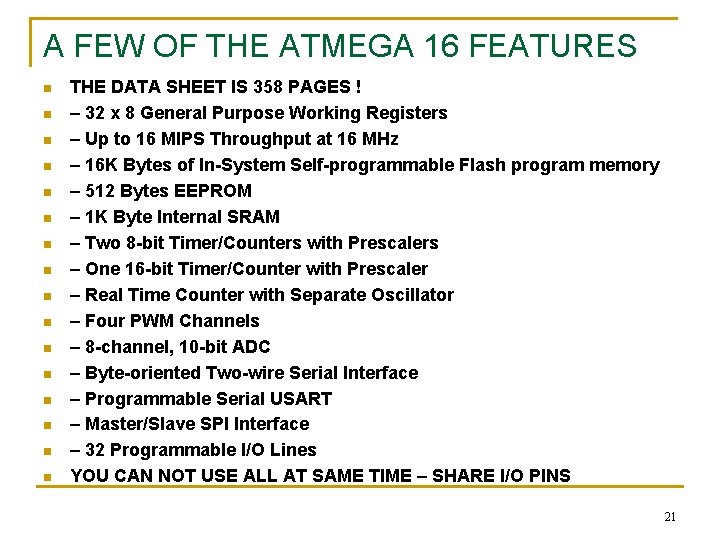
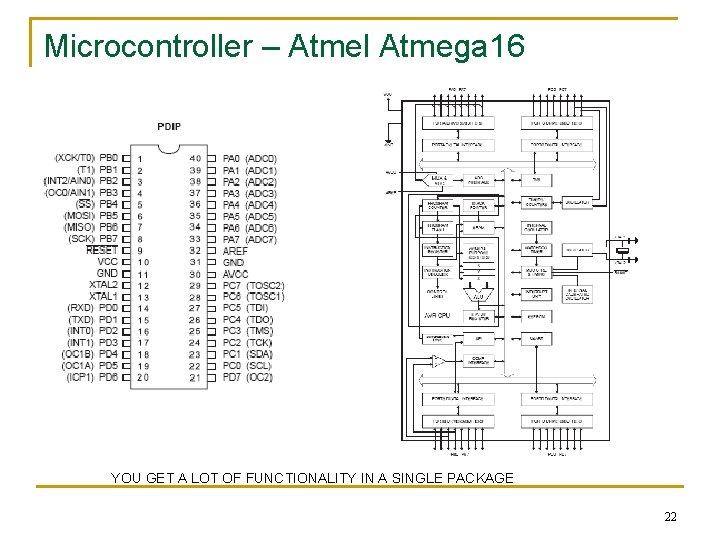
A FEW OF THE ATMEGA 16 FEATURES n n n n THE DATA SHEET IS 358 PAGES ! – 32 x 8 General Purpose Working Registers – Up to 16 MIPS Throughput at 16 MHz – 16 K Bytes of In-System Self-programmable Flash program memory – 512 Bytes EEPROM – 1 K Byte Internal SRAM – Two 8 -bit Timer/Counters with Prescalers – One 16 -bit Timer/Counter with Prescaler – Real Time Counter with Separate Oscillator – Four PWM Channels – 8 -channel, 10 -bit ADC – Byte-oriented Two-wire Serial Interface – Programmable Serial USART – Master/Slave SPI Interface – 32 Programmable I/O Lines YOU CAN NOT USE ALL AT SAME TIME – SHARE I/O PINS 21
Microcontroller – Atmel Atmega 16 YOU GET A LOT OF FUNCTIONALITY IN A SINGLE PACKAGE 22
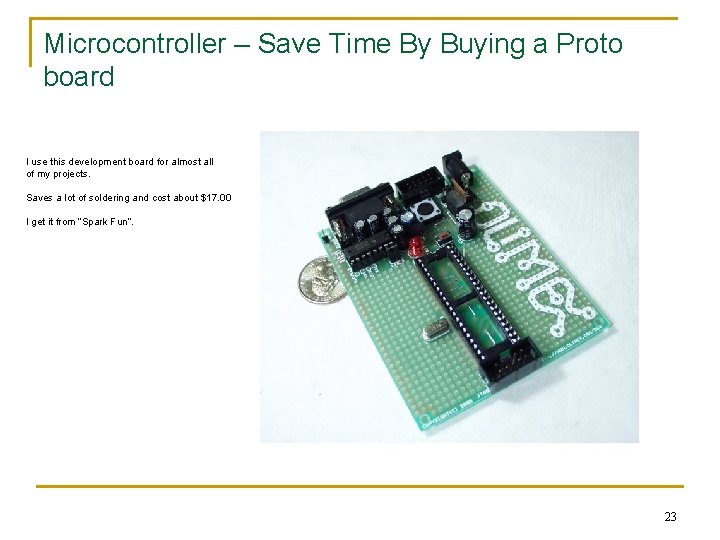
Microcontroller – Save Time By Buying a Proto board I use this development board for almost all of my projects. Saves a lot of soldering and cost about $17. 00 I get it from “Spark Fun”. 23
Partial Schematic of the Rotor Controller System – Rotor Micro Controller's power supply ( +5 vdc) VCC interfaces AZ –CW PA 0 (pin 1) AZ –CCW PA 0 (pin 2) X X JGC-5 F 2 K Front panel AZ Pulse LED R 1 Solid State Relays (opto isolated) /// Current limit resistor To I/O port pin < |( )| AZ – PD 6 (pin 20) 4 N 25 30 VCT xfmr rotor 1 O U 100 3 O x O 2 AZ Rotor O 4 To micro controller common 15 VAC Rotor common 110 VAC )| ~20 VDC R 3 470 2 W 15 VAC 3 3 O X O 4 U 100 O O 22 11 O EL – PD 7 (pin 21) EL Rotor To micro controller common O ( < XJGC-5 F 2 K R 2 O X | X 4 N 25 /// JGC-5 F To I/O port pin x |( )| < Current source for LCD Backlight Front panel EL Pulse LED EL –UP PA 2 (38) EL–DOWN PA 3 (pin 37) VCC 24
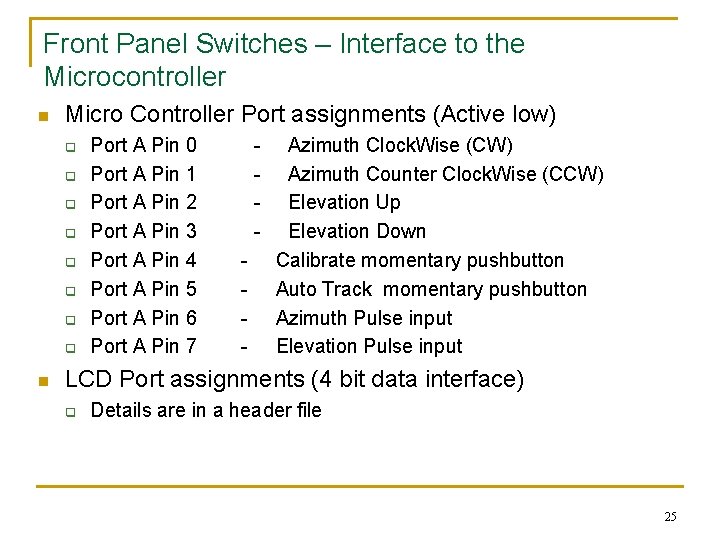
Front Panel Switches – Interface to the Microcontroller n Micro Controller Port assignments (Active low) q q q q n Port A Pin 0 Port A Pin 1 Port A Pin 2 Port A Pin 3 Port A Pin 4 Port A Pin 5 Port A Pin 6 Port A Pin 7 - Azimuth Clock. Wise (CW) Azimuth Counter Clock. Wise (CCW) Elevation Up Elevation Down Calibrate momentary pushbutton Auto Track momentary pushbutton Azimuth Pulse input Elevation Pulse input LCD Port assignments (4 bit data interface) q Details are in a header file 25
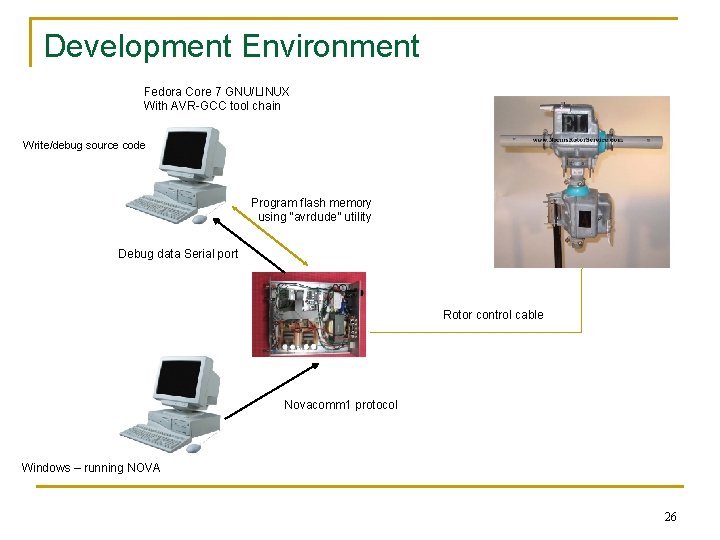
Development Environment Fedora Core 7 GNU/LINUX With AVR-GCC tool chain Write/debug source code Program flash memory using “avrdude” utility Debug data Serial port Rotor control cable Novacomm 1 protocol Windows – running NOVA 26
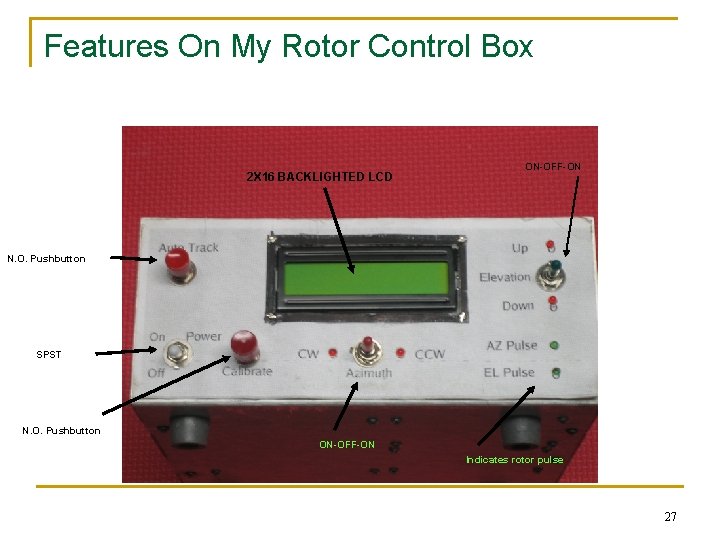
Features On My Rotor Control Box 2 X 16 BACKLIGHTED LCD ON-OFF-ON N. O. Pushbutton SPST N. O. Pushbutton ON-OFF-ON Indicates rotor pulse 27
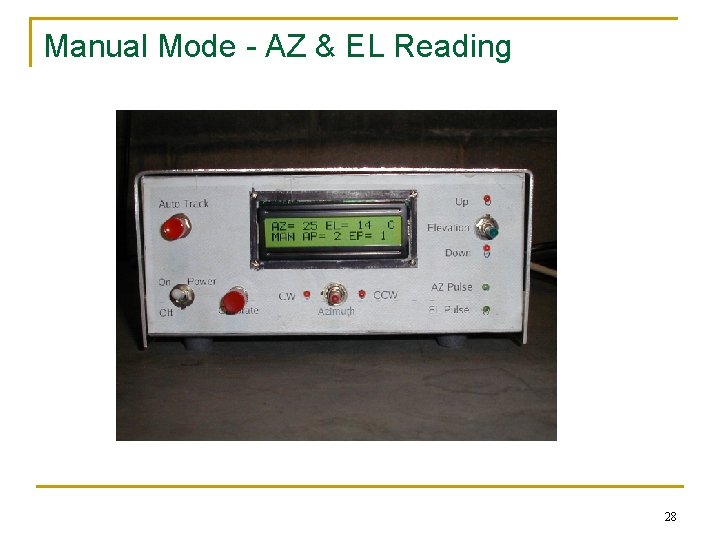
Manual Mode - AZ & EL Reading 28
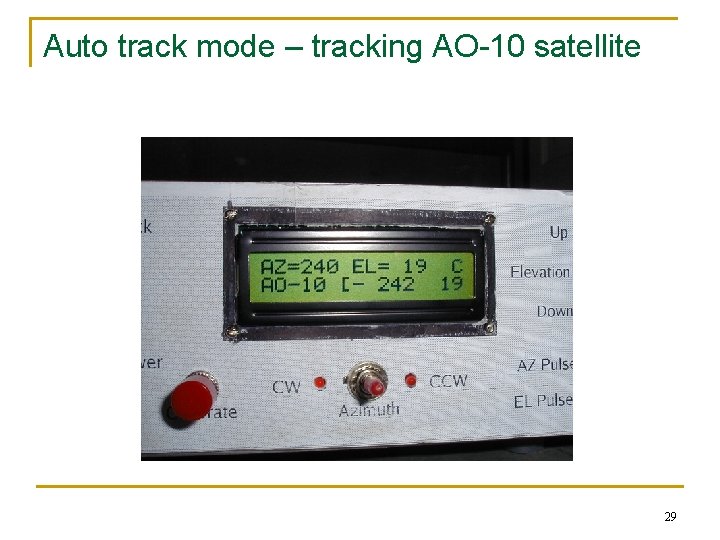
Auto track mode – tracking AO-10 satellite 29
The Rotor Teststand 30
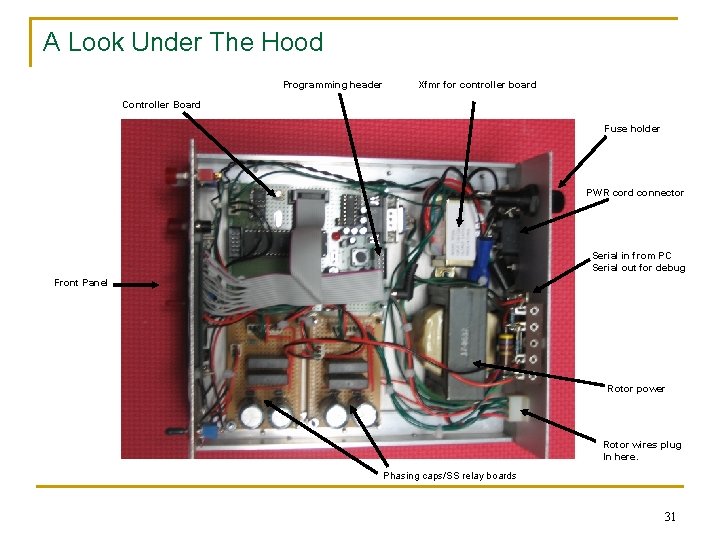
A Look Under The Hood Programming header Xfmr for controller board Controller Board Fuse holder PWR cord connector Serial in from PC Serial out for debug Front Panel Rotor power Rotor wires plug In here. Phasing caps/SS relay boards 31
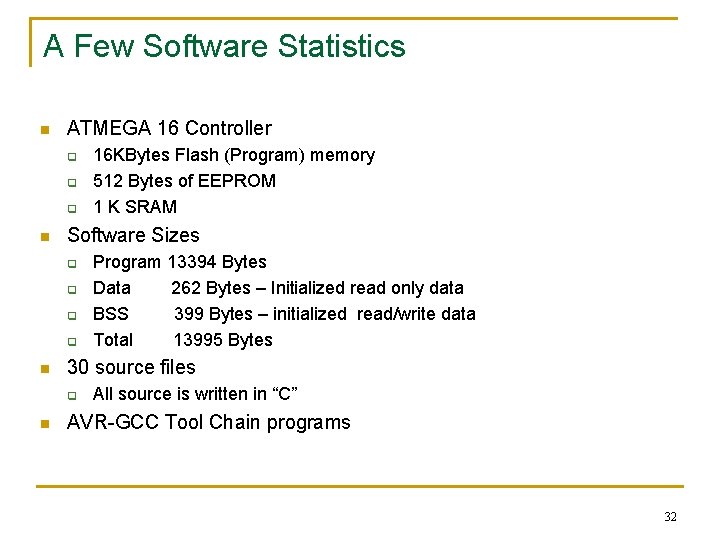
A Few Software Statistics n ATMEGA 16 Controller q q q n Software Sizes q q n Program 13394 Bytes Data 262 Bytes – Initialized read only data BSS 399 Bytes – initialized read/write data Total 13995 Bytes 30 source files q n 16 KBytes Flash (Program) memory 512 Bytes of EEPROM 1 K SRAM All source is written in “C” AVR-GCC Tool Chain programs 32
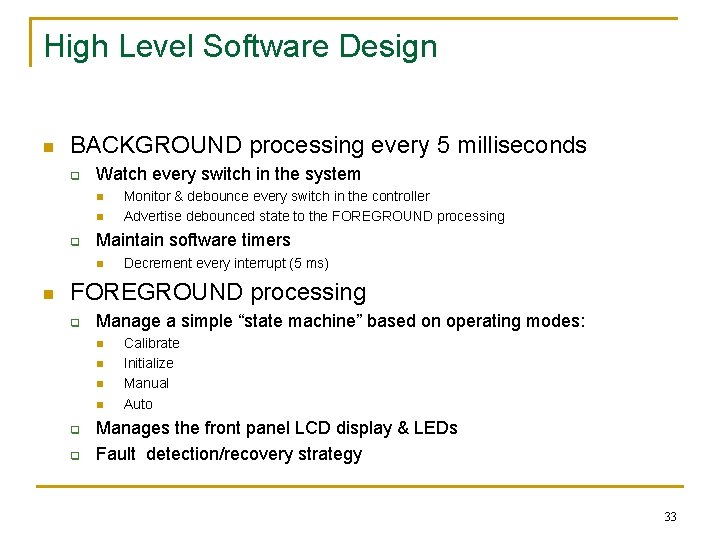
High Level Software Design n BACKGROUND processing every 5 milliseconds q Watch every switch in the system n n q Maintain software timers n n Monitor & debounce every switch in the controller Advertise debounced state to the FOREGROUND processing Decrement every interrupt (5 ms) FOREGROUND processing q Manage a simple “state machine” based on operating modes: n n q q Calibrate Initialize Manual Auto Manages the front panel LCD display & LEDs Fault detection/recovery strategy 33
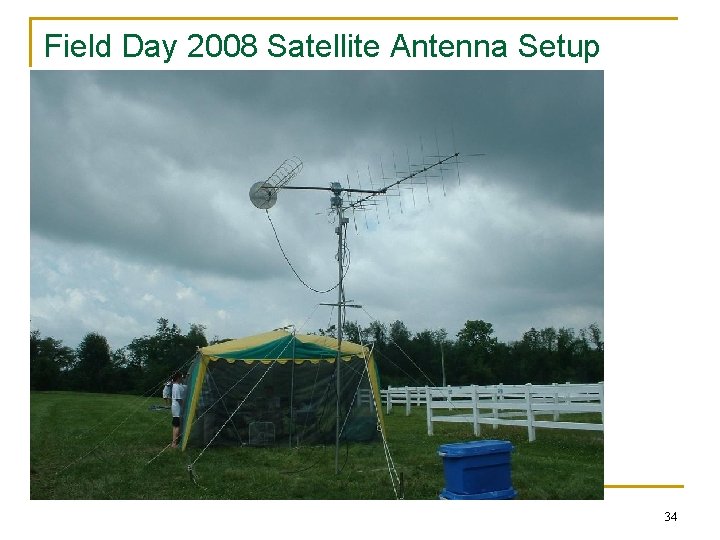
Field Day 2008 Satellite Antenna Setup 34
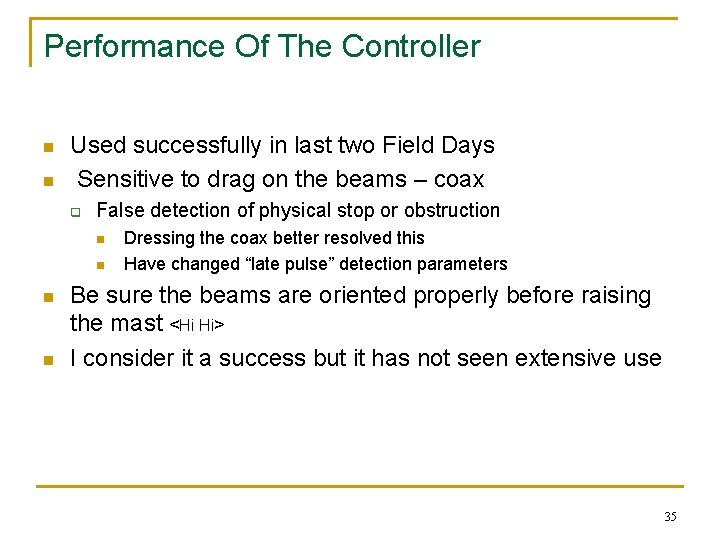
Performance Of The Controller n n Used successfully in last two Field Days Sensitive to drag on the beams – coax q False detection of physical stop or obstruction n n Dressing the coax better resolved this Have changed “late pulse” detection parameters Be sure the beams are oriented properly before raising the mast <Hi Hi> I consider it a success but it has not seen extensive use 35
Things Left Undone n Need to get a better schematic in electronic form q n Finish the front panel q n n q Mainly for azimuth rotor use Motor power requirements may not be compatible Adapt to “Potentiometer” type rotors - Perhaps q n Print another front panel template and put plastic over it Need to paint the box Understand other Pulser rotors better (AR-22) q n Scattered around in a notebook now Made some accommodations, but didn’t finish this A few things in the software to clean-up 36
Closing Thoughts About Antenna Rotors n Pulsers have many issues to consider q q n Resolution - must interpolate Calibration process Must have persistent memory (power-down) for AZ & EL position Can find them reasonably priced at hamfests Potentiometer type rotors seem less complicated q q q q Always know where the rotor is No persistent memory required for power-down No interpolation required No directional history needed Less opportunity to get out of sync. Nova tracking software may do most of the work for you But – these rotors may be expensive! 37
FROM A SOFTWARE PERSPECTIVE n n n This was an interesting microcontroller project! Microcontrollers can be used for a lot of amateur radio projects! If you are patient and persistent you will be successful! 38