
Using macros with Vision Brad Cheek This work
Using macros with Vision Brad Cheek This work is subject to the terms of a Creative Commons License
Plan • • • What are macros? Why are they useful? What software do I need? Pitfalls and problems Using macros in practice • Principles • Designing a macro • Demonstration of my macro system
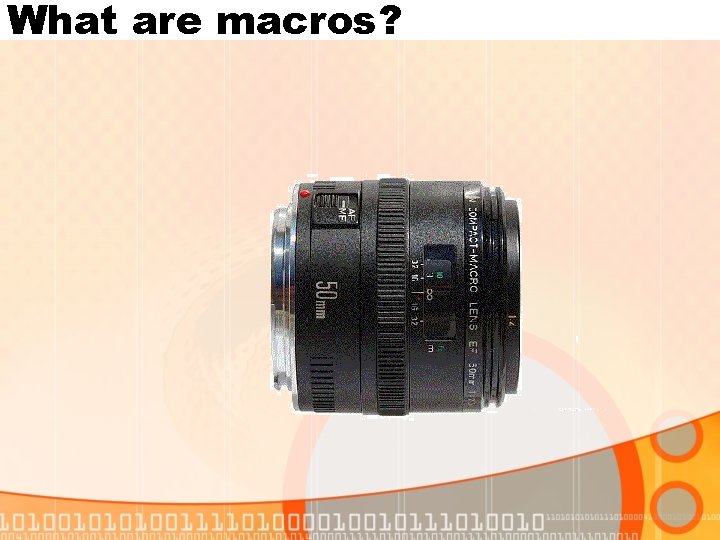
What are macros?
Why are they useful? • Speeds up data entry • Less use of computer during the consultation • Saves time • Accuracy of data entry • More complete data entry • Avoid boring repetitive tasks
What do I need? • A macro recorder and player • Keyboard express • Macro express • Some time to fiddle about
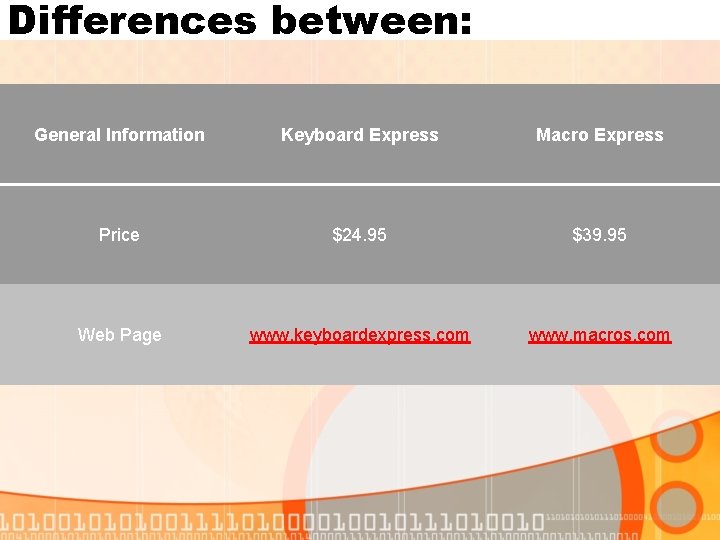
Differences between: General Information Keyboard Express Macro Express Price $24. 95 $39. 95 Web Page www. keyboardexpress. com www. macros. com
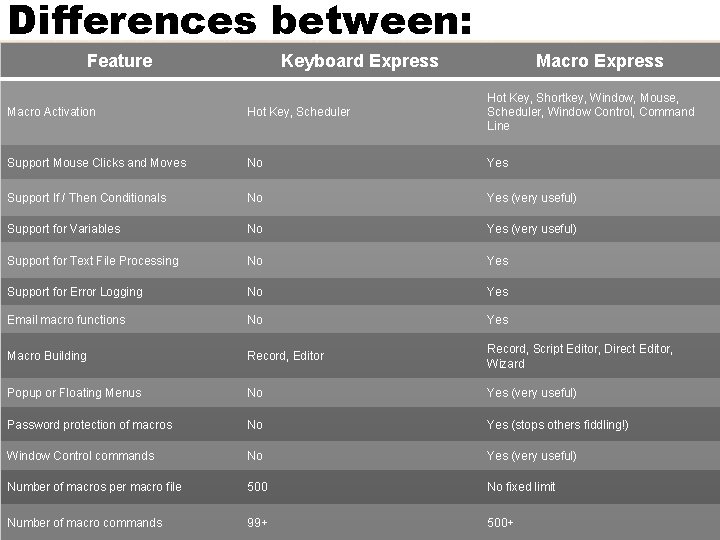
Differences between: Feature Keyboard Express Macro Activation Hot Key, Scheduler Hot Key, Shortkey, Window, Mouse, Scheduler, Window Control, Command Line Support Mouse Clicks and Moves No Yes Support If / Then Conditionals No Yes (very useful) Support for Variables No Yes (very useful) Support for Text File Processing No Yes Support for Error Logging No Yes Email macro functions No Yes Macro Building Record, Editor Record, Script Editor, Direct Editor, Wizard Popup or Floating Menus No Yes (very useful) Password protection of macros No Yes (stops others fiddling!) Window Control commands No Yes (very useful) Number of macros per macro file 500 No fixed limit Number of macro commands 99+ 500+
Pitfalls and problems • Macros are only as good as your programming! • Getting it to work can be frustrating • Sometimes Vision doesn’t respond in the same way in identical situations
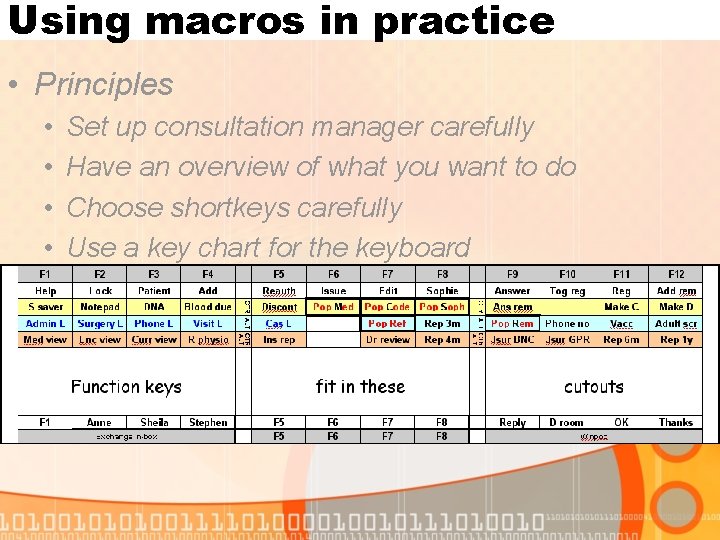
Using macros in practice • Principles • • • Set up consultation manager carefully Have an overview of what you want to do Choose shortkeys carefully Use a key chart for the keyboard Develop a help file
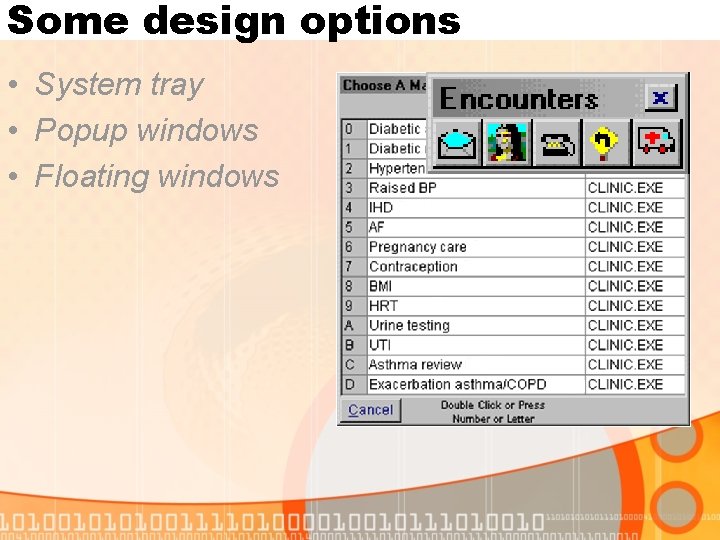
Some design options • System tray • Popup windows • Floating windows
Using macros in practice • Designing a macro • Plan it out first (on paper) • Use a stepwise approach • Error check as you go

Some macros - key charts
Some macros in Vision • • macrosvision_clinical. mex macroshelpfilesclinical macros helpfile. htm macrosvision_admin. mex macroshelpfilesadmin macros helpfile. htm
Creating an example macro

www. gp-training. net/it Vision resources – macros and helpfiles
- Slides: 15