
Using Influx DB for Control System Data Storage
Using Influx. DB for Control System Data Storage and Retrieval Megan Grodowitz, Kay Kasemir May 2017 EPICS Meeting KURRI, Japan
EPICS Channel History Storage • Requirements (Needs) – – Reliable, Available, Maintainable Compatible with multiple languages Long term data storage Performant enough… • Requirements (Wants) – Much better performance than current minimal requirement • Better user experience from clients reading data • Room to add many more channels to archives than we are currently doing – Ease of use (installation, querying) – External tools availability 1
History of Control System Data Storage at SNS • In the beginning: Channel Archiver (2000 -2009) – Custom solution -> fast – C++ access only, unmaintainable file structure • Oracle RDB (2009 -present) – Very reliable – Slow – Quirks • Picked TIMESTAMP w/o TIMEZONE (hard to correct w/ existing data) • Inefficient SQL to obtain sample at-or-before start time • Purging time ranges requires special consideration in data layout 2
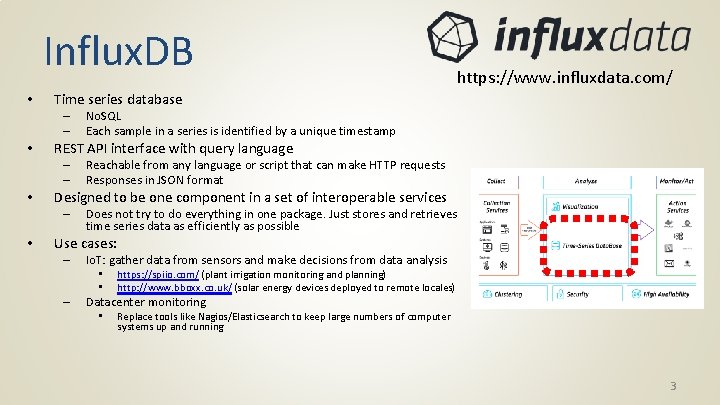
Influx. DB • Time series database – – • Reachable from any language or script that can make HTTP requests Responses in JSON format Designed to be one component in a set of interoperable services – • No. SQL Each sample in a series is identified by a unique timestamp REST API interface with query language – – • https: //www. influxdata. com/ Does not try to do everything in one package. Just stores and retrieves time series data as efficiently as possible Use cases: – Io. T: gather data from sensors and make decisions from data analysis • • – https: //spiio. com/ (plant irrigation monitoring and planning) http: //www. bboxx. co. uk/ (solar energy devices deployed to remote locales) Datacenter monitoring • Replace tools like Nagios/Elasticsearch to keep large numbers of computer systems up and running 3

Influx. DB Database concepts • Measurements ‘PV’, ‘Channel’ – – • Tags – – • How data is indexed and searched, always a string key/value pair Example tag: location=Northwest corridor What data is stored, string key with value of long, double, bool, or string type Example field: degrees=78. 8 Retention Policy – – How long to keep data, and what to do with it as it ages Example retention policy: • • • Tags should not have a large number of distinct values Fields – – • Sort of like an RDB table, top level structure Example measurement: Temperature Series – – Create retention policy “one_day_by_hour” duration 1 d shard duration 1 h Hold onto this data for one day, make a new shard of data for each hour A unique set of measurement + tags + retention policy Contains samples with unique time stamps and arbitrary field data Fields are values that are being monitored and take on many different values Retention policies can be used to set up continuous downsampling, since values are searchable by retention policy name The larger the number of series, the more hardware resources are required 4
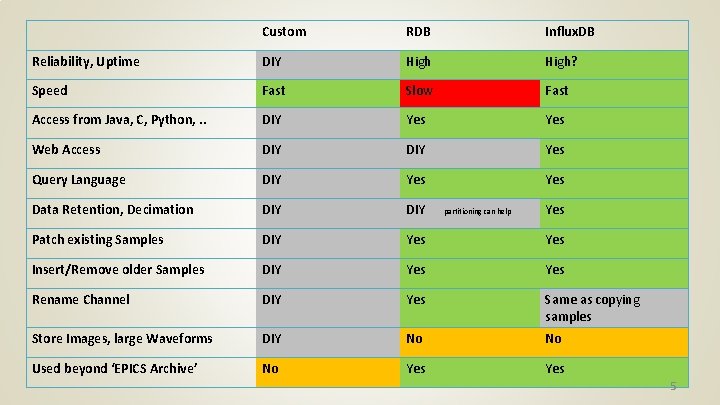
Custom RDB Influx. DB Reliability, Uptime DIY High? Speed Fast Slow Fast Access from Java, C, Python, . . DIY Yes Web Access DIY Yes Query Language DIY Yes Data Retention, Decimation DIY Patch existing Samples DIY Yes Insert/Remove older Samples DIY Yes Rename Channel DIY Yes Same as copying samples Store Images, large Waveforms DIY No No Used beyond ‘EPICS Archive’ No Yes partitioning can help Yes 5
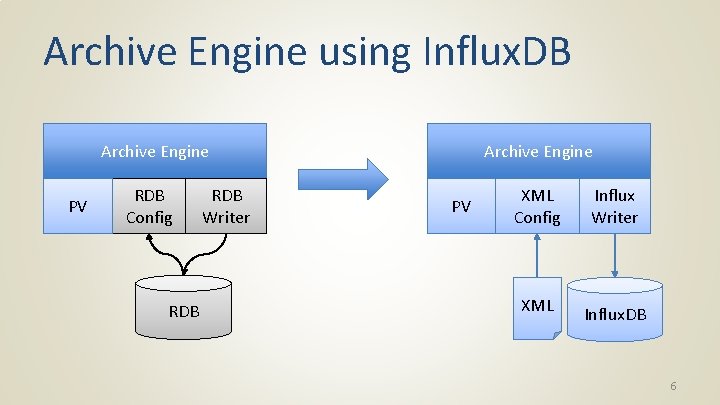
Archive Engine using Influx. DB Archive Engine PV RDB Config RDB Writer Archive Engine PV XML Config XML Influx Writer Influx. DB 6
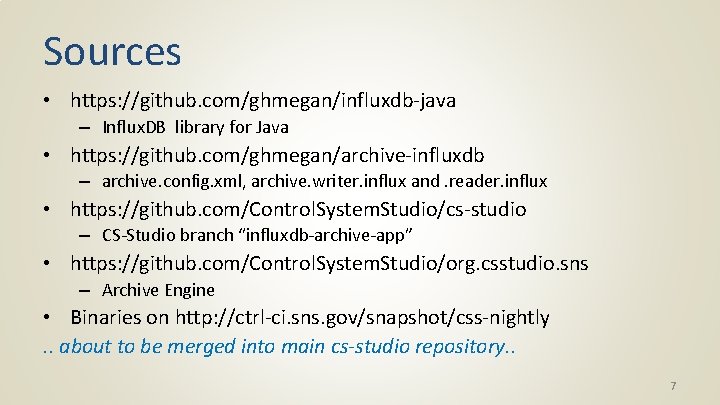
Sources • https: //github. com/ghmegan/influxdb-java – Influx. DB library for Java • https: //github. com/ghmegan/archive-influxdb – archive. config. xml, archive. writer. influx and. reader. influx • https: //github. com/Control. System. Studio/cs-studio – CS-Studio branch “influxdb-archive-app” • https: //github. com/Control. System. Studio/org. csstudio. sns – Archive Engine • Binaries on http: //ctrl-ci. sns. gov/snapshot/css-nightly. . about to be merged into main cs-studio repository. . 7
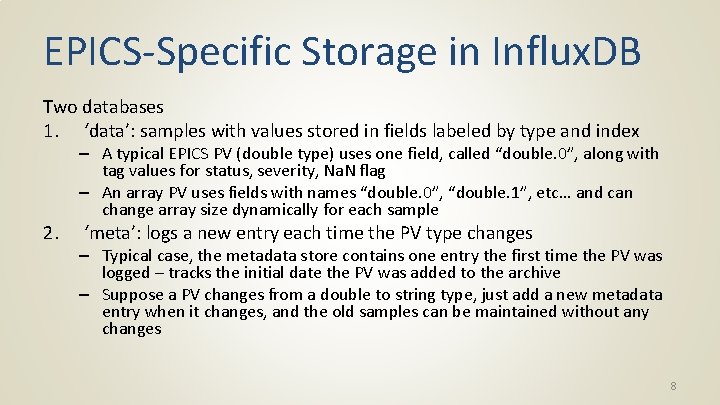
EPICS-Specific Storage in Influx. DB Two databases 1. ‘data’: samples with values stored in fields labeled by type and index 2. – A typical EPICS PV (double type) uses one field, called “double. 0”, along with tag values for status, severity, Na. N flag – An array PV uses fields with names “double. 0”, “double. 1”, etc… and can change array size dynamically for each sample ‘meta’: logs a new entry each time the PV type changes – Typical case, the metadata store contains one entry the first time the PV was logged – tracks the initial date the PV was added to the archive – Suppose a PV changes from a double to string type, just add a new metadata entry when it changes, and the old samples can be maintained without any changes 8
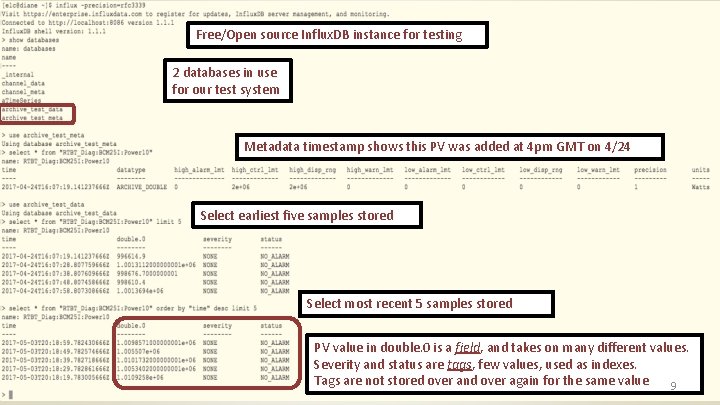
Free/Open source Influx. DB instance for testing 2 databases in use for our test system Metadata timestamp shows this PV was added at 4 pm GMT on 4/24 Select earliest five samples stored Select most recent 5 samples stored PV value in double. 0 is a field, and takes on many different values. Severity and status are tags, few values, used as indexes. Tags are not stored over and over again for the same value 9
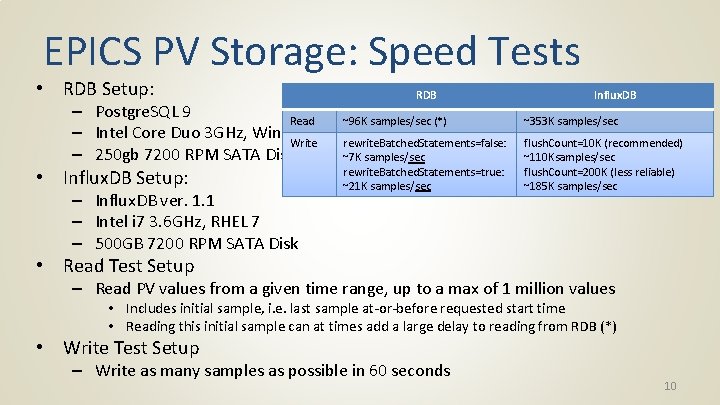
EPICS PV Storage: Speed Tests • RDB Setup: – Postgre. SQL 9 Read – Intel Core Duo 3 GHz, Windows 7 Write – 250 gb 7200 RPM SATA Disk • Influx. DB Setup: – Influx. DB ver. 1. 1 – Intel i 7 3. 6 GHz, RHEL 7 – 500 GB 7200 RPM SATA Disk RDB Influx. DB ~96 K samples/sec (*) ~353 K samples/sec rewrite. Batched. Statements=false: ~7 K samples/sec rewrite. Batched. Statements=true: ~21 K samples/sec flush. Count=10 K (recommended) ~110 Ksamples/sec flush. Count=200 K (less reliable) ~185 K samples/sec • Read Test Setup – Read PV values from a given time range, up to a max of 1 million values • Includes initial sample, i. e. last sample at-or-before requested start time • Reading this initial sample can at times add a large delay to reading from RDB (*) • Write Test Setup – Write as many samples as possible in 60 seconds 10
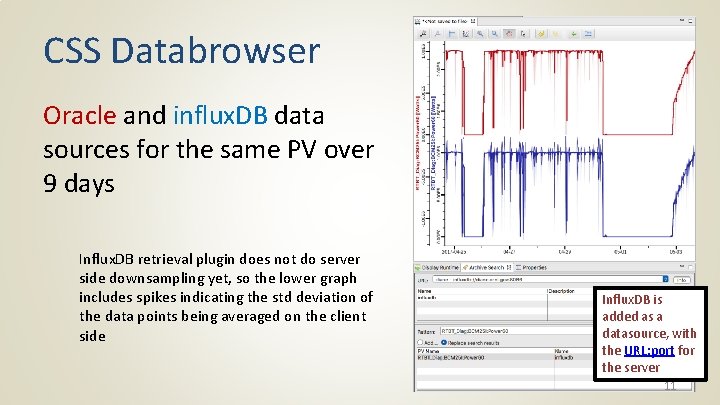
CSS Databrowser Oracle and influx. DB data sources for the same PV over 9 days Influx. DB retrieval plugin does not do server side downsampling yet, so the lower graph includes spikes indicating the std deviation of the data points being averaged on the client side Influx. DB is added as a datasource, with the URL: port for the server 11
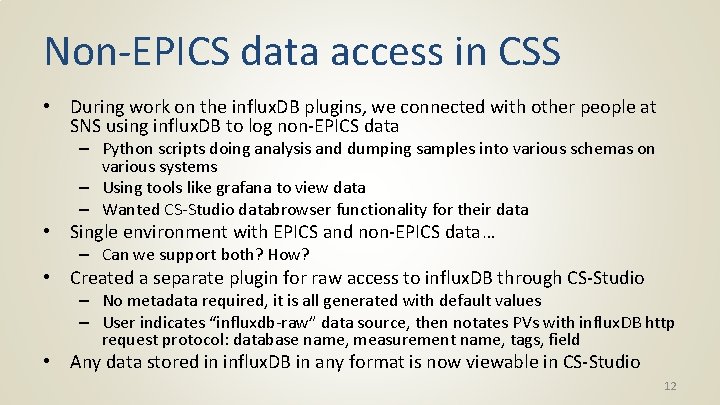
Non-EPICS data access in CSS • During work on the influx. DB plugins, we connected with other people at SNS using influx. DB to log non-EPICS data – Python scripts doing analysis and dumping samples into various schemas on various systems – Using tools like grafana to view data – Wanted CS-Studio databrowser functionality for their data • Single environment with EPICS and non-EPICS data… – Can we support both? How? • Created a separate plugin for raw access to influx. DB through CS-Studio – No metadata required, it is all generated with default values – User indicates “influxdb-raw” data source, then notates PVs with influx. DB http request protocol: database name, measurement name, tags, field • Any data stored in influx. DB in any format is now viewable in CS-Studio 12
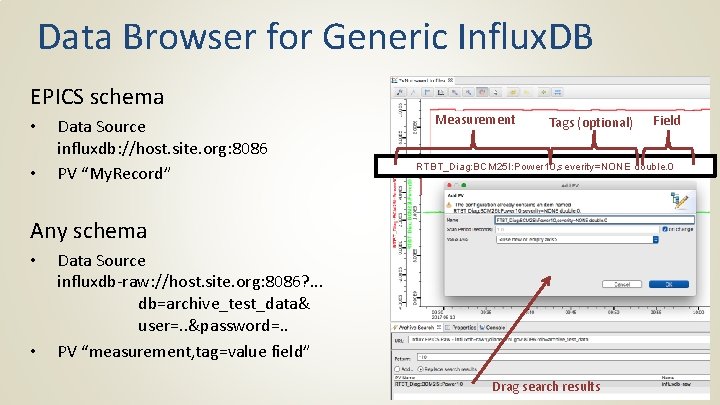
Data Browser for Generic Influx. DB EPICS schema • • Data Source influxdb: //host. site. org: 8086 PV “My. Record” Measurement Tags (optional) RTBT_Diag: BCM 25 I: Power 10, severity=NONE double. 0 Any schema • • Field Data Source influxdb-raw: //host. site. org: 8086? . . . db=archive_test_data& user=. . &password=. . PV “measurement, tag=value field” Drag search results
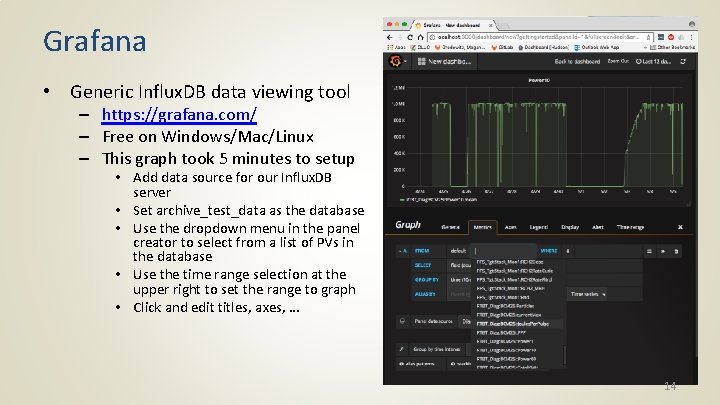
Grafana • Generic Influx. DB data viewing tool – https: //grafana. com/ – Free on Windows/Mac/Linux – This graph took 5 minutes to setup • Add data source for our Influx. DB server • Set archive_test_data as the database • Use the dropdown menu in the panel creator to select from a list of PVs in the database • Use the time range selection at the upper right to set the range to graph • Click and edit titles, axes, … 14
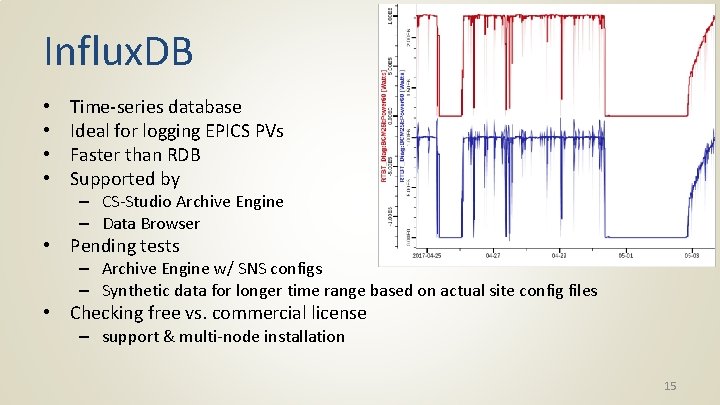
Influx. DB • • Time-series database Ideal for logging EPICS PVs Faster than RDB Supported by – CS-Studio Archive Engine – Data Browser • Pending tests – Archive Engine w/ SNS configs – Synthetic data for longer time range based on actual site config files • Checking free vs. commercial license – support & multi-node installation 15
- Slides: 16