
Using IConnect as a Self Monitoring Intervention IConnect
- Slides: 12
Using I-Connect as a Self Monitoring Intervention I-Connect Team Juniper Gardens Children’s Project University of Kansas
Self Monitoring with I-Connect in 4 Steps: 1. Select the target behavior 2. Select a prompt to remind the student to monitor their behavior 3. Select an interval to determine how often the student will be prompted 4. Set a goal for the student to achieve (adapted from Davis et al. , 2016)
Step 1: Select the target behavior • Prioritize a behavior that will have the greatest impact on the student’s success • Focus on what the student should be doing, instead of what they shouldn’t be doing. • Select a behavior that is meaningful to the student and is one they are willing to change.
So Many Behaviors To Target… HOW TO CHOOSE WHAT TO START WITH OR WHAT TO MONITOR • One strategy is to identify the behavior that you think will make the biggest difference for the student • e. g. , Being Engaged (they are more likely to be appropriate and understand what is going on if they are engaged) • One strategy is to identify the behavior that you think that the student will most likely have success with first • e. g. , Student monitors the more basic skill of using polite words before monitoring the more complex skill of being engaged or productive
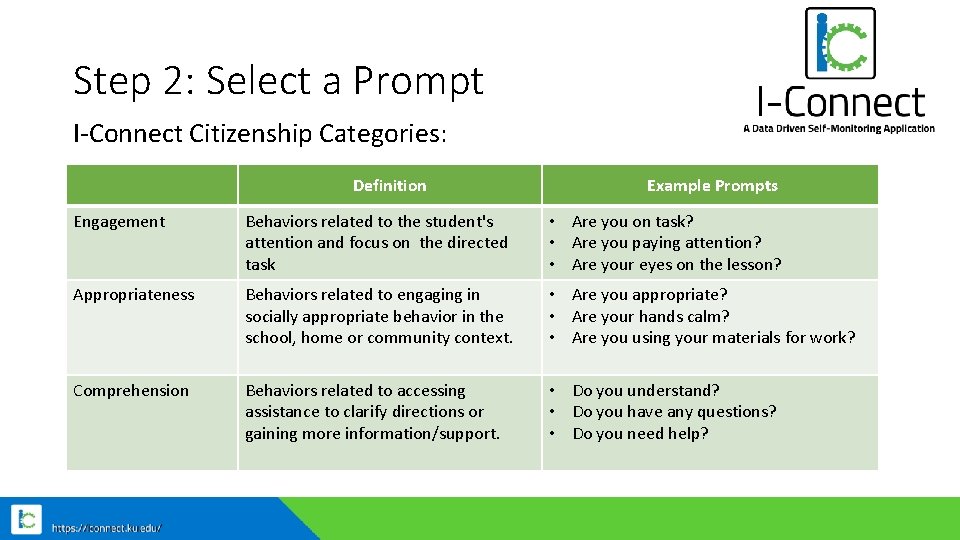
Step 2: Select a Prompt I-Connect Citizenship Categories: Definition Example Prompts Engagement Behaviors related to the student's attention and focus on the directed task • Are you on task? • Are you paying attention? • Are your eyes on the lesson? Appropriateness Behaviors related to engaging in socially appropriate behavior in the school, home or community context. • Are you appropriate? • Are your hands calm? • Are you using your materials for work? Comprehension Behaviors related to accessing assistance to clarify directions or gaining more information/support. • Do you understand? • Do you have any questions? • Do you need help?
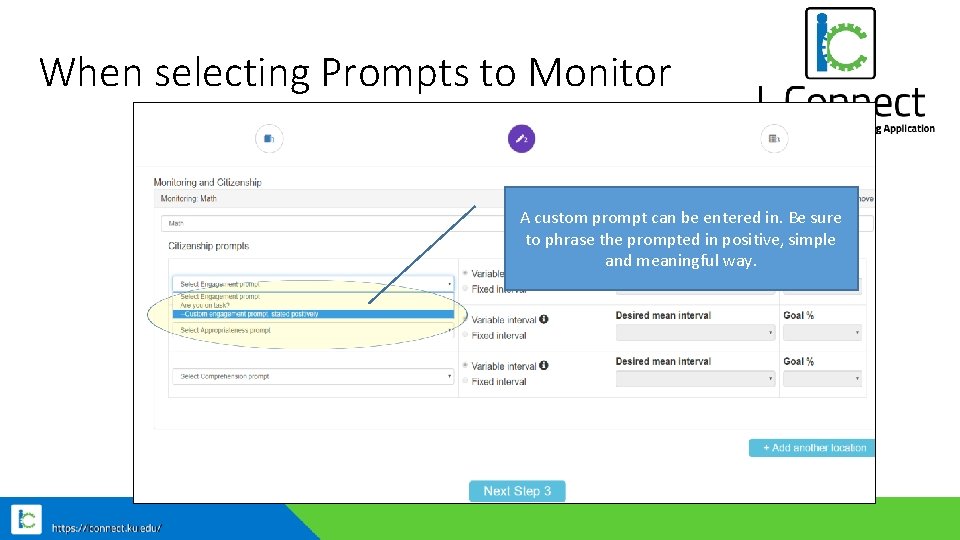
When selecting Prompts to Monitor A custom prompt can be entered in. Be sure to phrase the prompted in positive, simple and meaningful way.
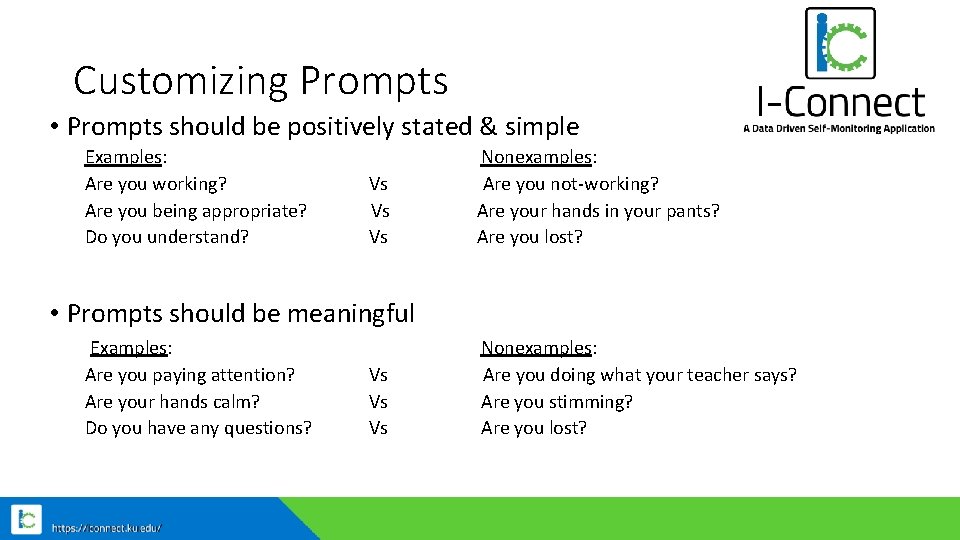
Customizing Prompts • Prompts should be positively stated & simple Examples: Nonexamples: Are you working? Vs Are you not-working? Are you being appropriate? Vs Are your hands in your pants? Do you understand? Vs Are you lost? • Prompts should be meaningful Examples: Nonexamples: Are you paying attention? Vs Are you doing what your teacher says? Are your hands calm? Vs Are you stimming? Do you have any questions? Vs Are you lost?
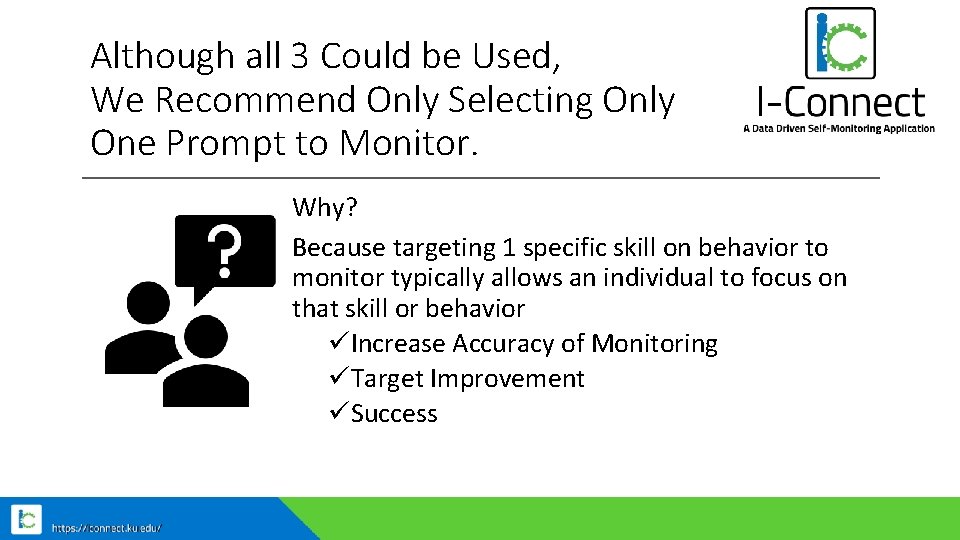
Although all 3 Could be Used, We Recommend Only Selecting Only One Prompt to Monitor. Why? Because targeting 1 specific skill on behavior to monitor typically allows an individual to focus on that skill or behavior üIncrease Accuracy of Monitoring üTarget Improvement üSuccess
Step 3: Select an Interval • The interval refers to how often the student will see the prompt. • It’s best to start with a smaller interval (more frequent prompts), this will help to build momentum. • Before selecting the interval, observe the student to see how long they can maintain the target behavior, set the first interval a little below this. • For example if a student is typically able to focus for 5 minutes, set the first interval for 4 minutes and 30 seconds. • This will start the student off with a high likelihood of success.
Choosing the best interval: Variable Fixed • The prompt will be delivered at varying intervals that average out to a certain amount of time. • The prompt will be delivered at fixed intervals • Example: 30 Second variable prompt could occur at 20 sec, 25 second, 30 seconds, 35 seconds • Variable schedules will generally support the best improvements as they help prevent the individual from predicting when they will be prompted. • Example: a 15 minute prompt would occur exactly every 15 minutes. • Fixed schedules are better suited to larger intervals and can be used to align with scheduled activities or transitions in the classroom.
Step 4: Set a Performance Goal • Consider what peers' performance look like, set a goal that is similar to that. • If it is difficult to set a goal, have the student use I-Connect first to see what their baseline is. • Move the goal up incrementally each week if necessary. • If the student’s current performance is drastically different than their peers, set a goal for their current performance or a little below to build momentum, and gradually increase the goal weekly as they experience success.
References Davis, J. L. , Mason, B. A. , Davis, H. S. , Mason, R. A. , & Crutchfield, S. A. (2016). Self-monitoring interventions for students with ASD: A meta-analysis of school-based research. Review Journal of Autism and Developmental Disorders, 3(3), 196 -208.