
Using Edmodo and Google Docs with English classes

- Slides: 56
Using Edmodo and Google Docs with English classes Helen Gillen Gleeson College
SCHOOL CONTEXT Catholic coeducational school with 670 students laptop trolleys and 3 computer rooms 2012 22 Year 8 s 8 Year 12 s 2013 24 Year 8’s, 20 Year 11’s, 9 Year 12’s
My journey 2008 - return from 6 months leave relaxed and energised Promethean IWB had been installed in classroom Personal Learning Plan – whole school expectation End of year Showcase 2011 - saw possibilities 2012 - my PLP was on Edmodo and Google Docs
My journey 2011 – learning about Edmodo and Google Docs from colleagues 2012 – using Edmodo with Year 8’s - professional development at conference and on-line - using Google Docs with Year 12’s 2013 - using Edmodo and Google Docs with all classes
Why use online learning? The environment in which our students live their lives Survey of Year 8’s – most using Facebook for more than an hour each night Web-based tools more accessible and reliable than school networks
What is • Safe social networking for schools • Founded in 2008 • Over 15 million users throughout the world
Why is it so user friendly? • Looks very similar to Facebook • Teachers can set up a group for each class – a group code can be given to students – once all students have joined the group can be locked • Parent codes can also be given so parents can see calendar, direct posts to their child from teacher
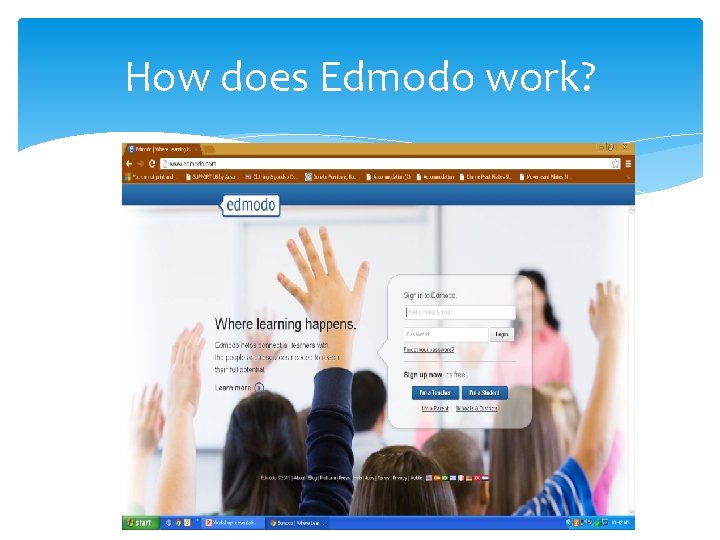
How does Edmodo work?
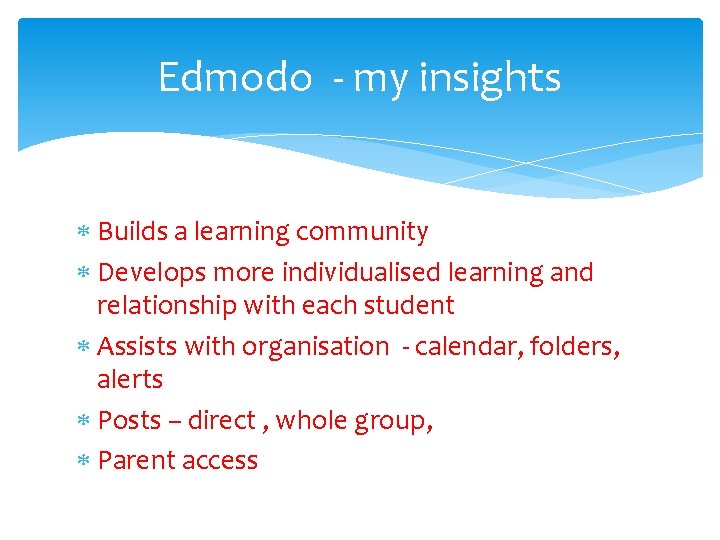
Edmodo - my insights Builds a learning community Develops more individualised learning and relationship with each student Assists with organisation - calendar, folders, alerts Posts – direct , whole group, Parent access
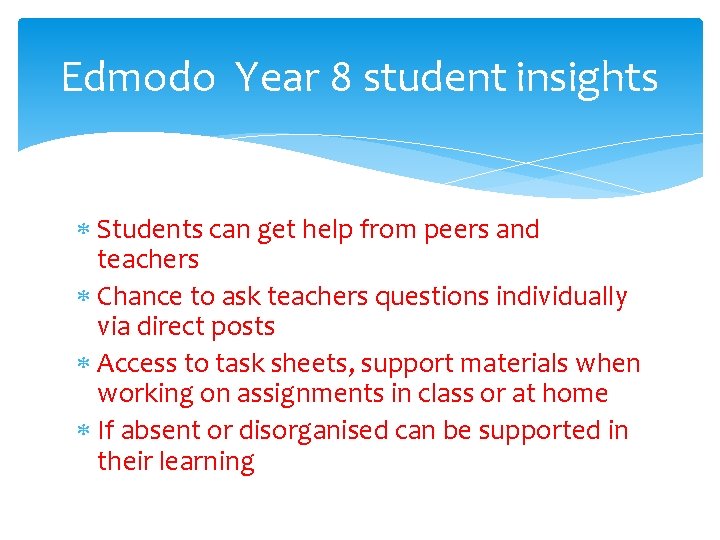
Edmodo Year 8 student insights Students can get help from peers and teachers Chance to ask teachers questions individually via direct posts Access to task sheets, support materials when working on assignments in class or at home If absent or disorganised can be supported in their learning
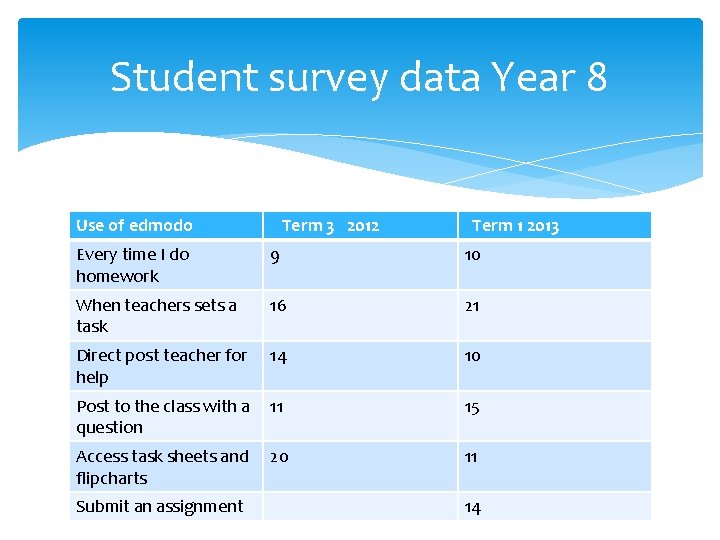
Student survey data Year 8 Use of edmodo Term 3 2012 Term 1 2013 Every time I do homework 9 10 When teachers sets a task 16 21 Direct post teacher for help 14 10 Post to the class with a 11 question 15 Access task sheets and 20 flipcharts 11 Submit an assignment 14
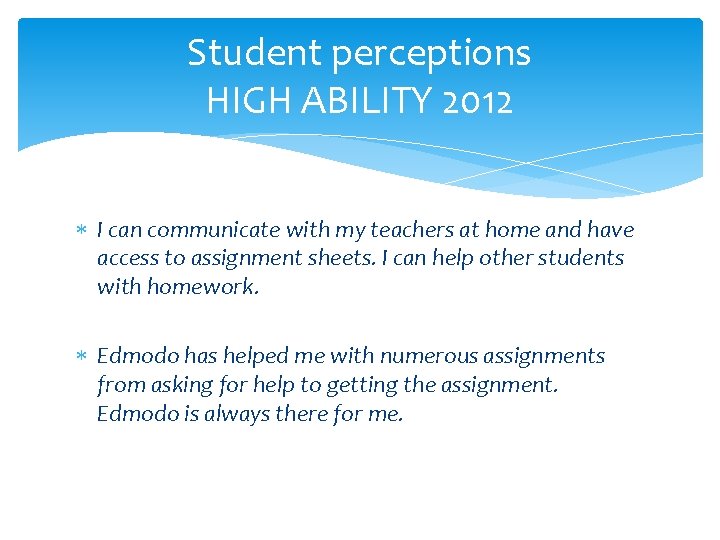
Student perceptions HIGH ABILITY 2012 I can communicate with my teachers at home and have access to assignment sheets. I can help other students with homework. Edmodo has helped me with numerous assignments from asking for help to getting the assignment. Edmodo is always there for me.
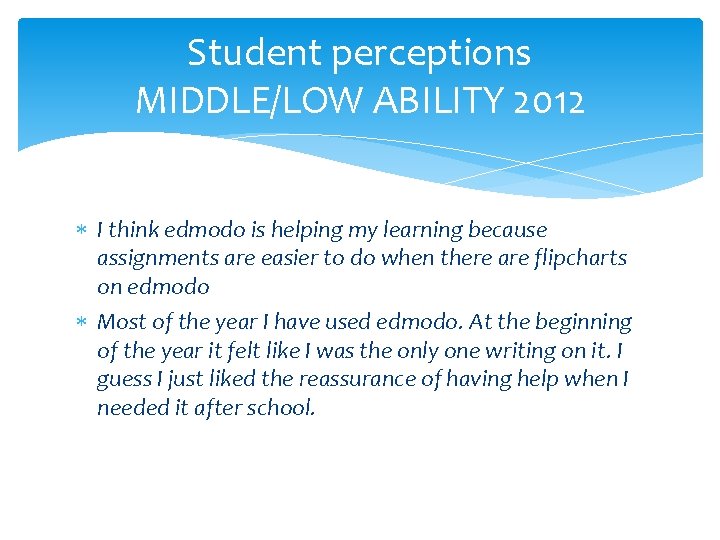
Student perceptions MIDDLE/LOW ABILITY 2012 I think edmodo is helping my learning because assignments are easier to do when there are flipcharts on edmodo Most of the year I have used edmodo. At the beginning of the year it felt like I was the only one writing on it. I guess I just liked the reassurance of having help when I needed it after school.
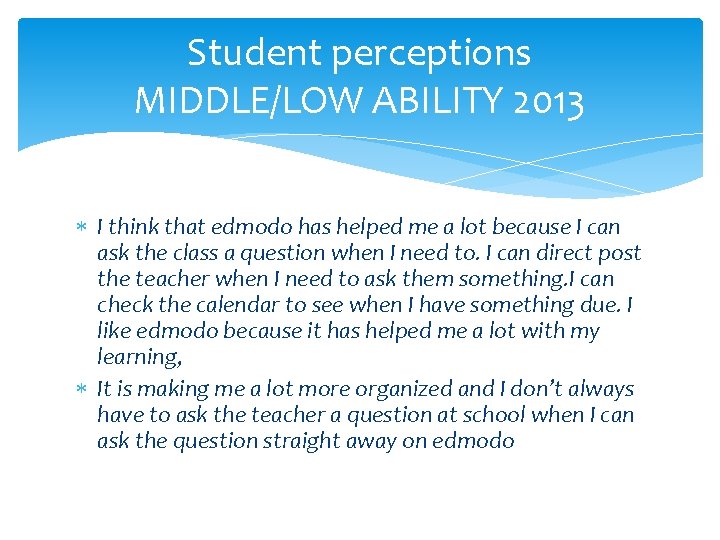
Student perceptions MIDDLE/LOW ABILITY 2013 I think that edmodo has helped me a lot because I can ask the class a question when I need to. I can direct post the teacher when I need to ask them something. I can check the calendar to see when I have something due. I like edmodo because it has helped me a lot with my learning, It is making me a lot more organized and I don’t always have to ask the teacher a question at school when I can ask the question straight away on edmodo
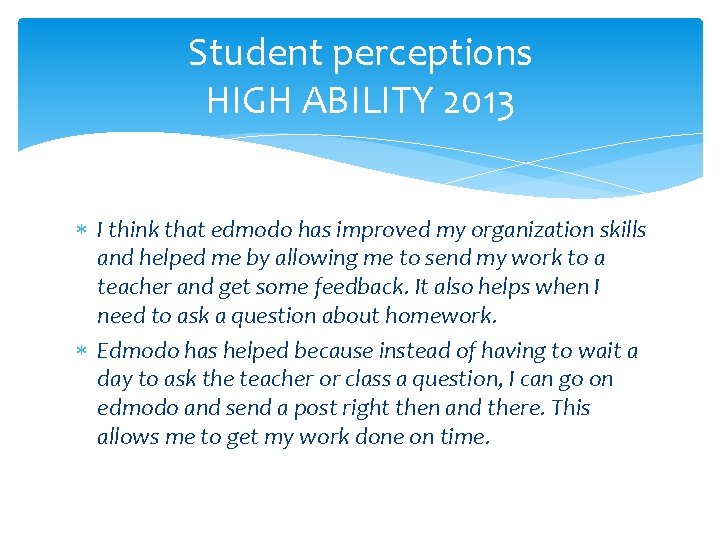
Student perceptions HIGH ABILITY 2013 I think that edmodo has improved my organization skills and helped me by allowing me to send my work to a teacher and get some feedback. It also helps when I need to ask a question about homework. Edmodo has helped because instead of having to wait a day to ask the teacher or class a question, I can go on edmodo and send a post right then and there. This allows me to get my work done on time.
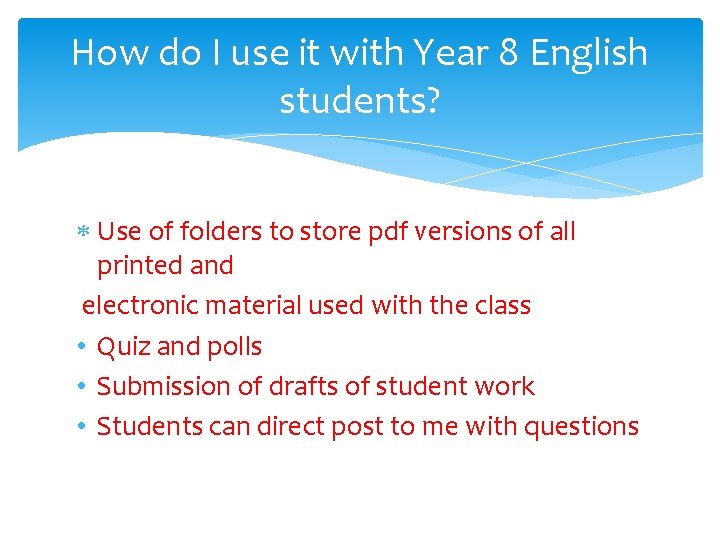
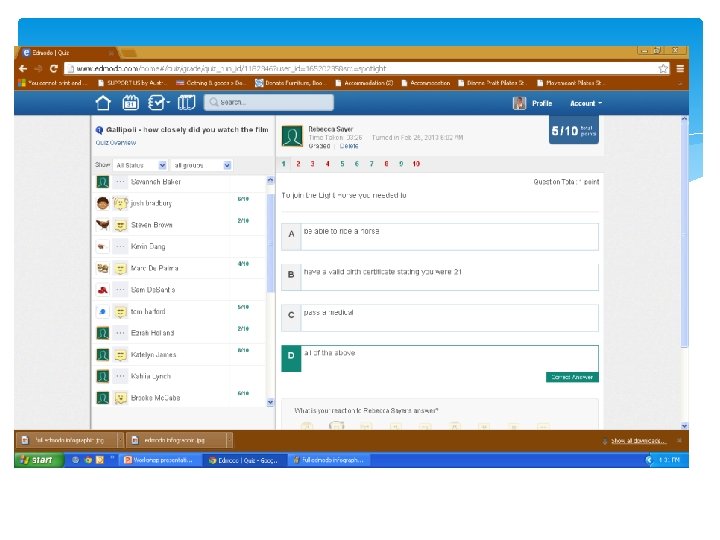
How do I use it with Year 8 English students? Use of folders to store pdf versions of all printed and electronic material used with the class • Quiz and polls • Submission of drafts of student work • Students can direct post to me with questions
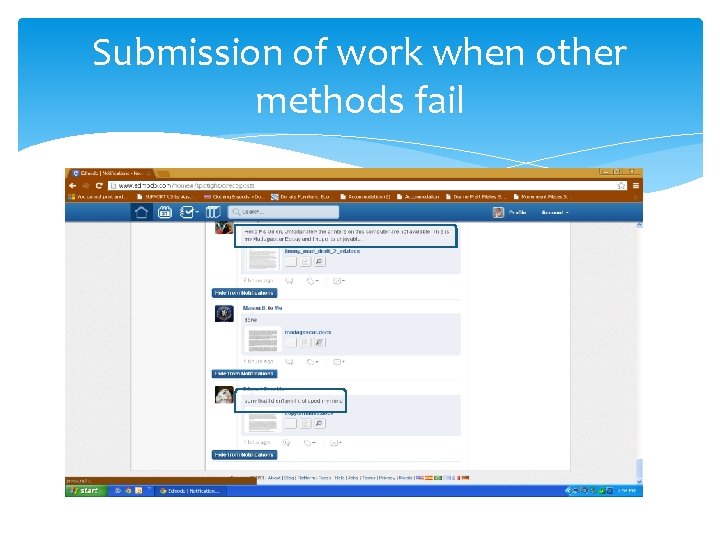
Submission of work when other methods fail
Stage 1 students Teacher and student insights Main use is to ensure students who are absent have access to discussion material from lessons All task sheets are uploaded into folders Embraced more by high achieving students “able to access uploaded files anywhere which is easier than accessing the school’s public files from home” “ helpful to access it anytime on the internet- useful to be able to ask questions without having to write an email”
Introducing edmodo to students Asking them to send me a direct post reflecting on time management and use of technology My time management through the what it means to be australian task was neither fantastic or bad. With having to shuffle part time work and other subjects i still ended up with a submittible peice of work. The use of technoligy during this assignment was good i like the google docks idea as it allows for a seemless interaction with the teacher in terms of drafting. I look foward to the use of google drive during the year. Tom [ low ability student] Quiz after viewing a film
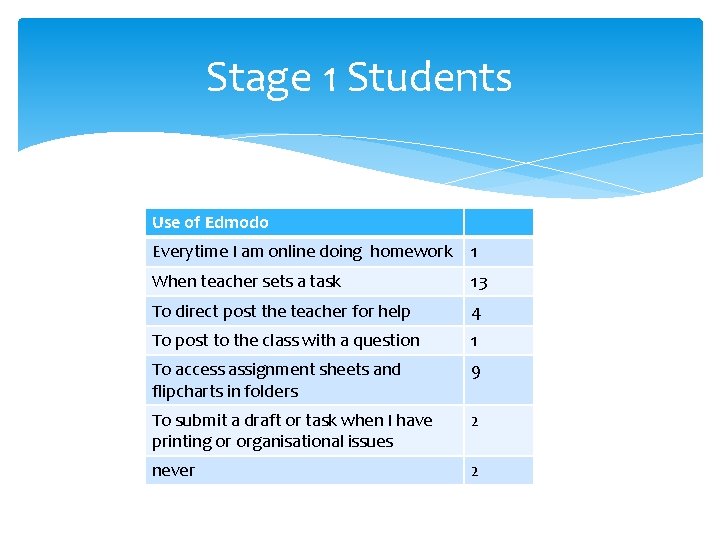
Stage 1 Students Use of Edmodo Everytime I am online doing homework 1 When teacher sets a task 13 To direct post the teacher for help 4 To post to the class with a question 1 To access assignment sheets and flipcharts in folders 9 To submit a draft or task when I have printing or organisational issues 2 never 2
Stage 2 Students who are absent one day a week for TAFE commitments – post sent by teacher at the end of the lesson to update students on classwork Special needs students - one student with Aspergers who was very reluctant to use any online communication due to a negative attitude to Facebook started with Edmodo and then progressed to Google Docs
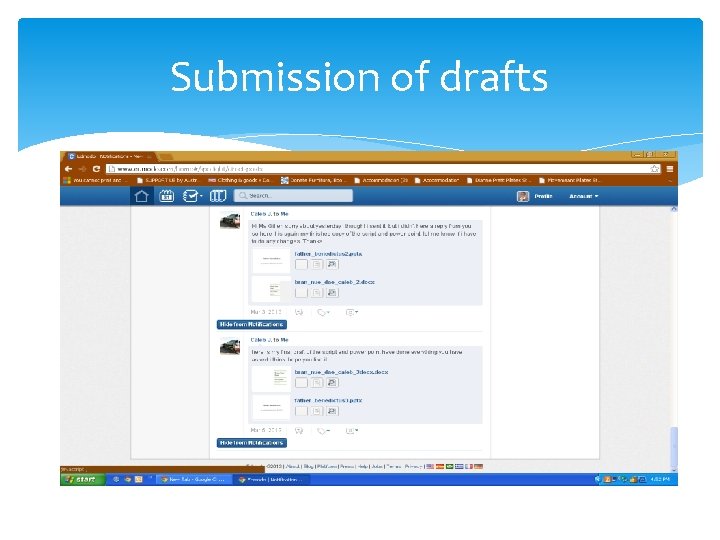
Submission of drafts
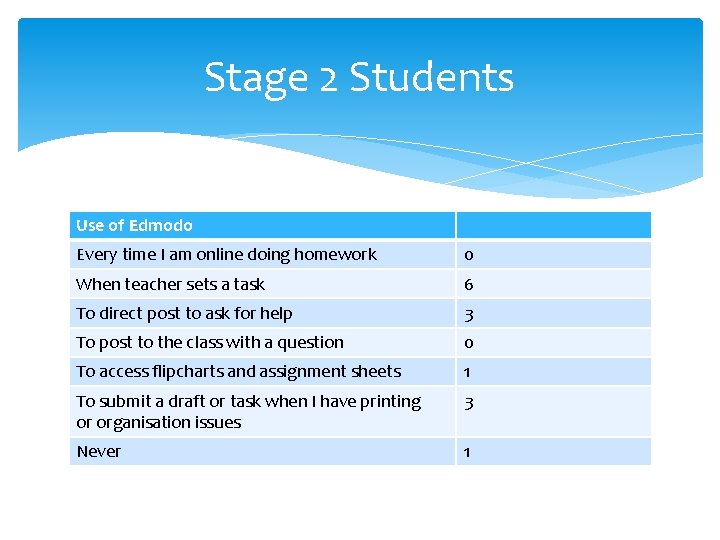
Stage 2 Students Use of Edmodo Every time I am online doing homework 0 When teacher sets a task 6 To direct post to ask for help 3 To post to the class with a question 0 To access flipcharts and assignment sheets 1 To submit a draft or task when I have printing or organisation issues 3 Never 1
Edmodo Summary Embraced with enthusiasm by middle school students – these will be ongoing users as they see the impact on their learning At Senior level needs to be introduced to students by use of quiz, poll etc and use of folders for resources and task sheets
Faculty Communication Online conversations between meetings Access to minutes and documents Alerts and posts – notifications in emails Small groups - i. e Year 9 teachers – information targeting particular groups of teachers
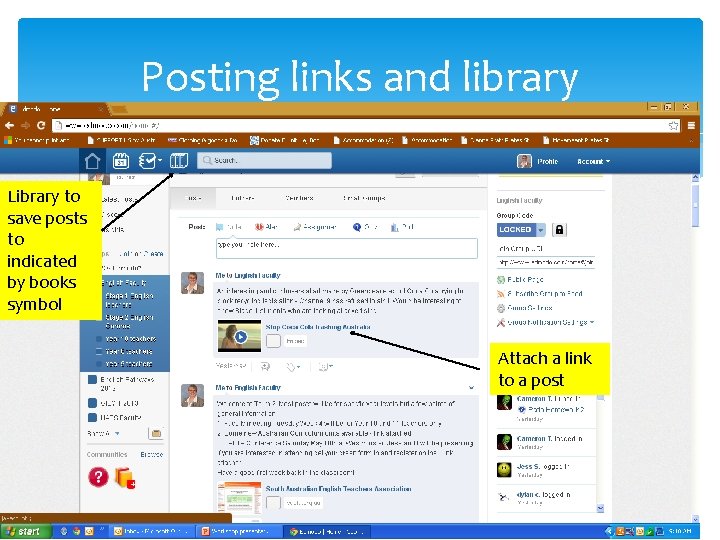
Posting links and library Library to save posts to indicated by books symbol Attach a link to a post
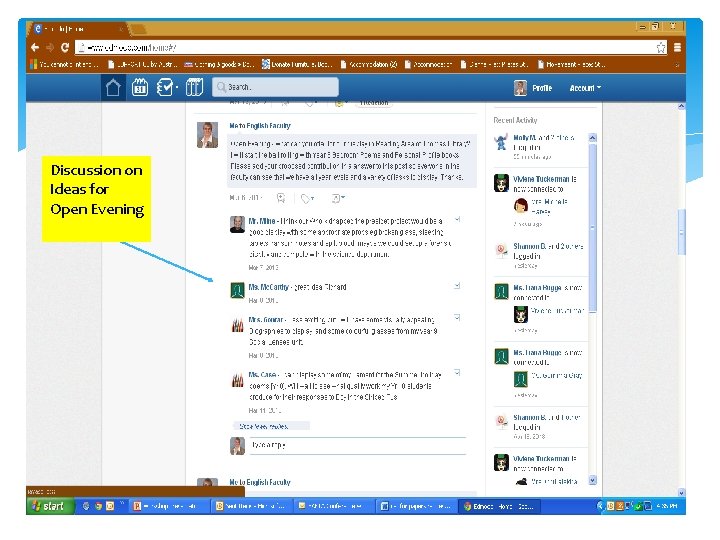
Discussion on Ideas for Open Evening
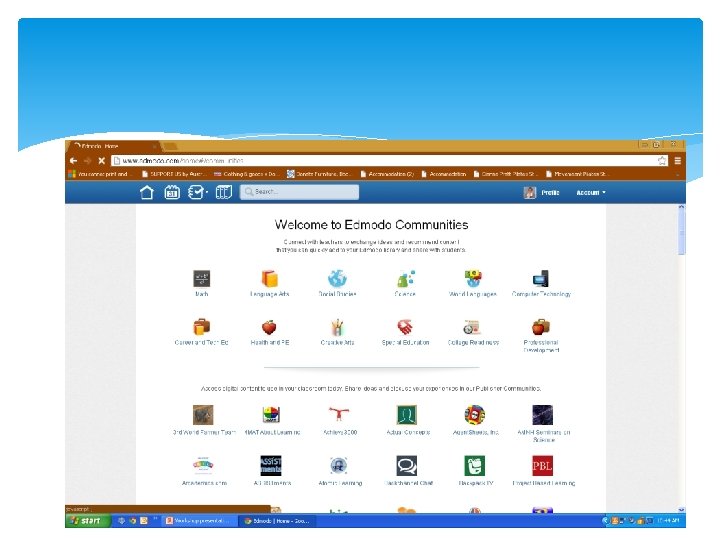
Connnecting with the world Joining communities Oz Edmodo – Australian teachers Language Arts
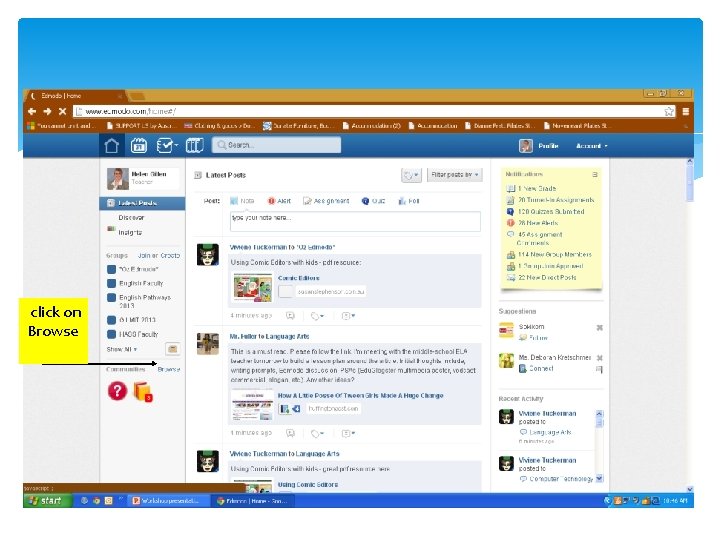
click on Browse
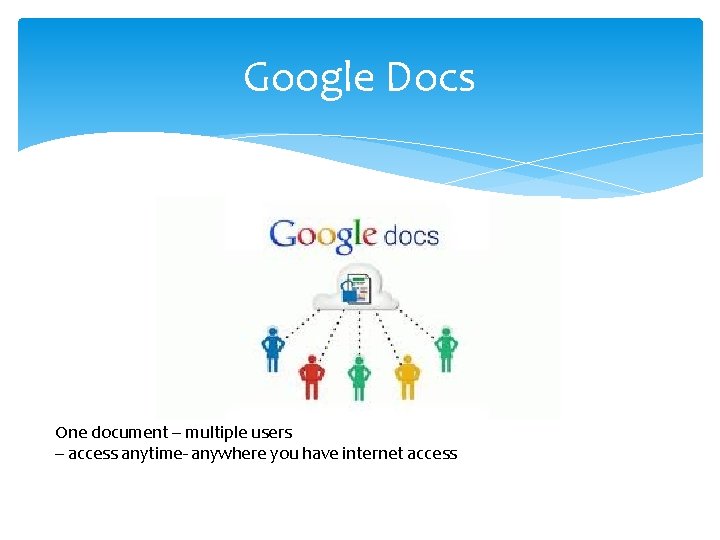
Google Docs One document – multiple users – access anytime- anywhere you have internet access
Getting started Signing up students and ensuring they have a gmail address takes a lesson at beginning of the year [save class email addresses in a Word Document for later use] Creating and sharing a document for each student for each task takes time but is worth the effort
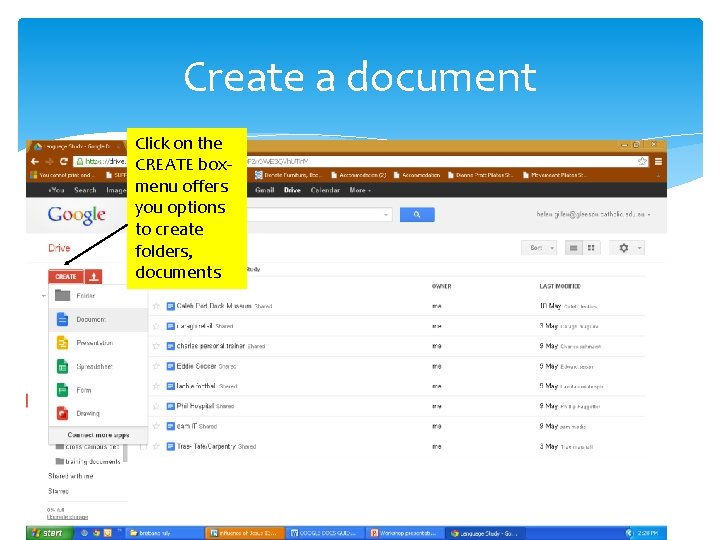
Create a document Click on the CREATE box- menu offers you options to create folders, documents
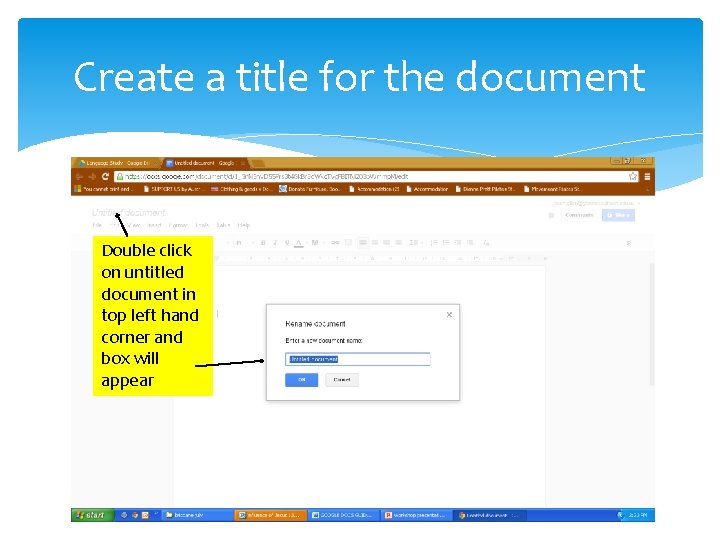
Create a title for the document Double click on untitled document in top left hand corner and box will appear
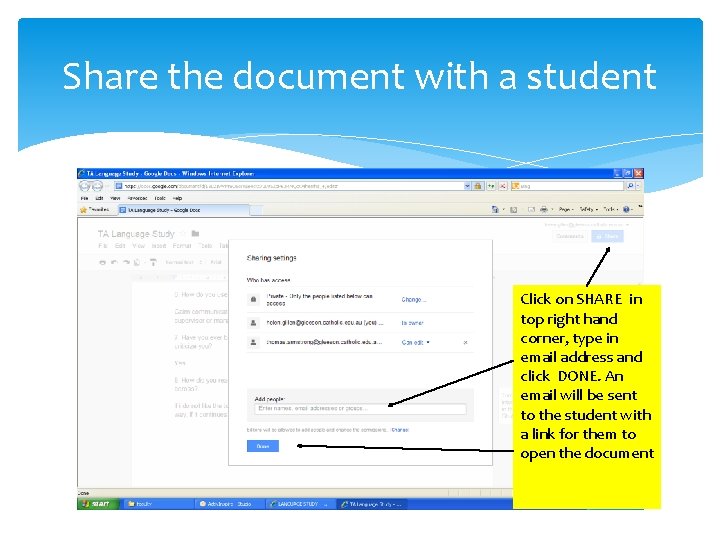
Share the document with a student Click on SHARE in top right hand corner, type in email address and click DONE. An email will be sent to the student with a link for them to open the document
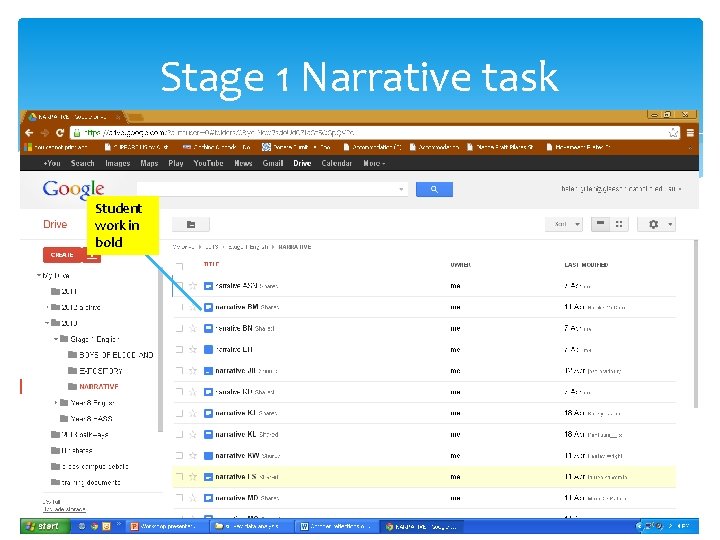
Stage 1 Narrative task Student work in bold
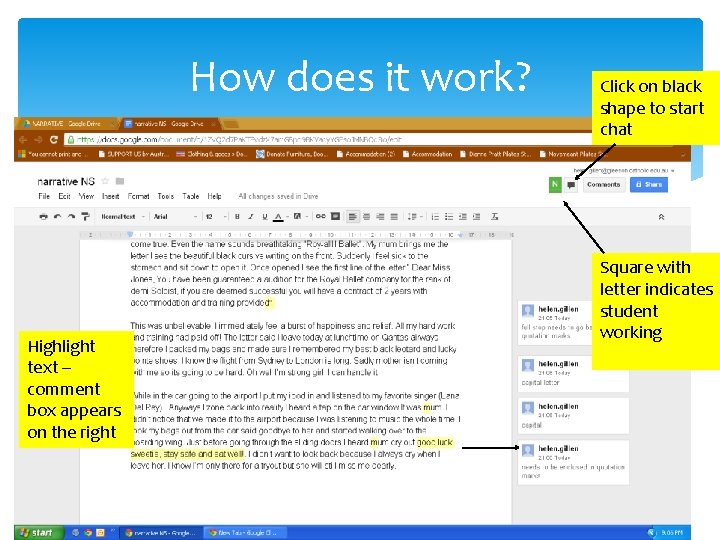
How does it work? Highlight text – comment box appears on the right Click on black shape to start chat Square with letter indicates student working
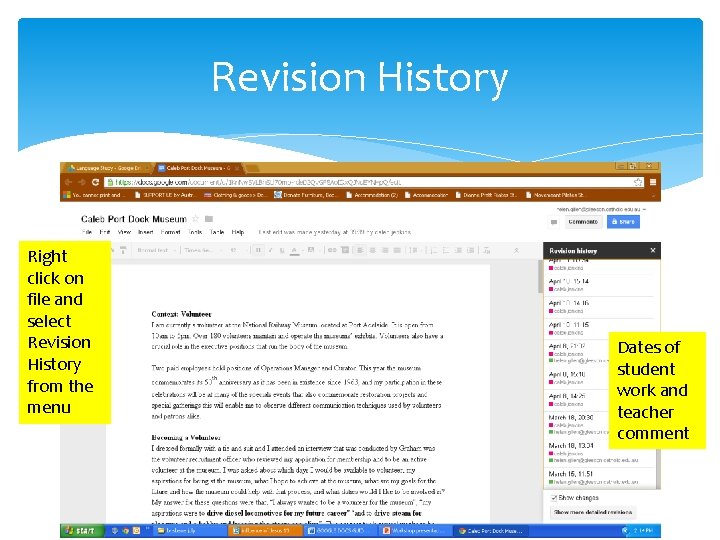
Revision History Right click on file and select Revision History from the menu Dates of student work and teacher comment
Teacher workload advantages Paragraph by paragraph help for struggling students Multiple feedback to hard working high achievers Incentive for students to get started on a task Knowing who had done little work before you get to class Revision history to use in parent interviews Opportunities for on line conversations with students at designated times
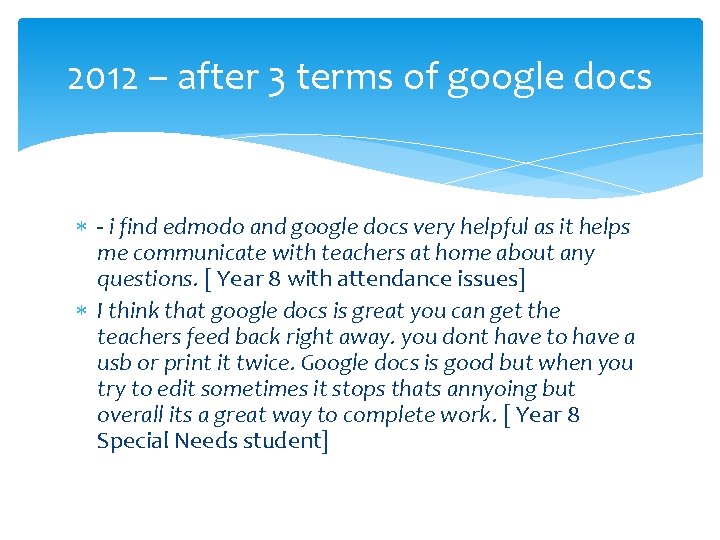
2012 – after 3 terms of google docs - i find edmodo and google docs very helpful as it helps me communicate with teachers at home about any questions. [ Year 8 with attendance issues] I think that google docs is great you can get the teachers feed back right away. you dont have to have a usb or print it twice. Google docs is good but when you try to edit sometimes it stops thats annyoing but overall its a great way to complete work. [ Year 8 Special Needs student]
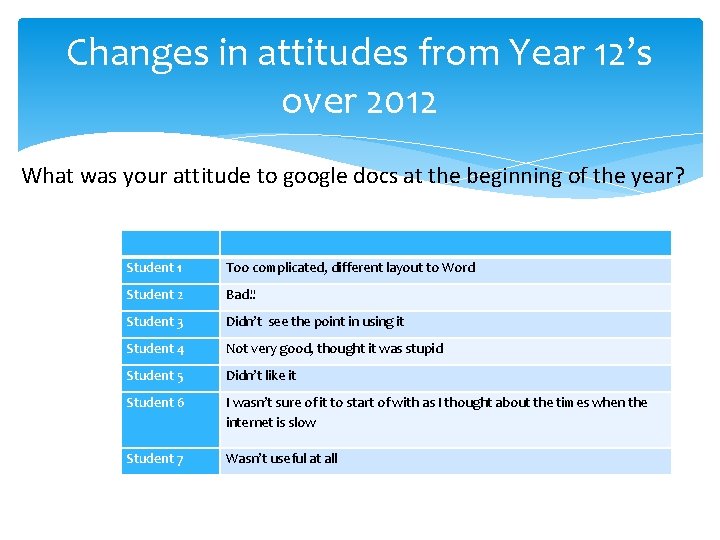
Changes in attitudes from Year 12’s over 2012 What was your attitude to google docs at the beginning of the year? Student 1 Too complicated, different layout to Word Student 2 Bad!! Student 3 Didn’t see the point in using it Student 4 Not very good, thought it was stupid Student 5 Didn’t like it Student 6 I wasn’t sure of it to start of with as I thought about the times when the internet is slow Student 7 Wasn’t useful at all
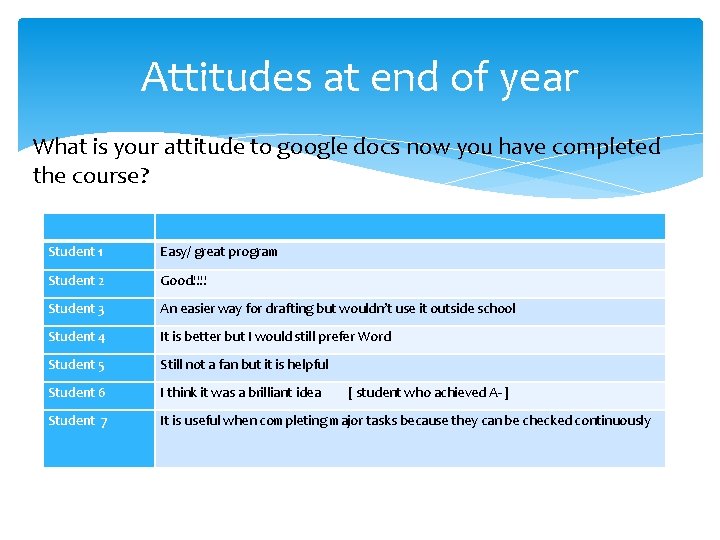
Attitudes at end of year What is your attitude to google docs now you have completed the course? Student 1 Easy/ great program Student 2 Good!!!! Student 3 An easier way for drafting but wouldn’t use it outside school Student 4 It is better but I would still prefer Word Student 5 Still not a fan but it is helpful Student 6 I think it was a brilliant idea [ student who achieved A- ] Student 7 It is useful when completing major tasks because they can be checked continuously
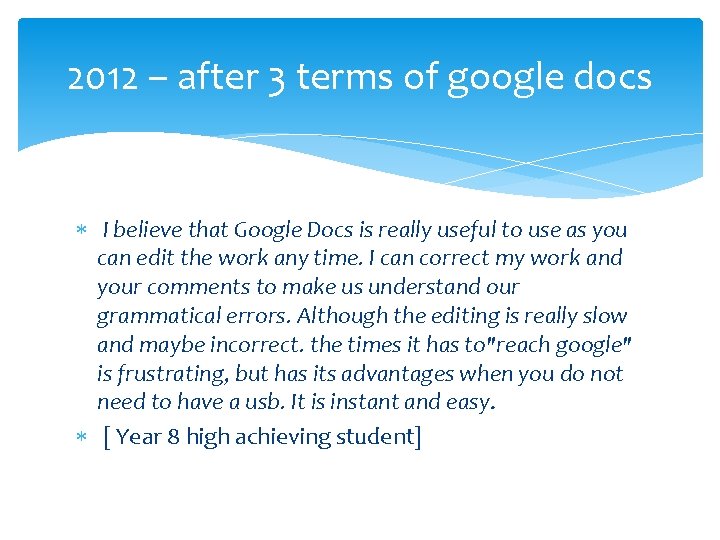
2012 – after 3 terms of google docs I believe that Google Docs is really useful to use as you can edit the work any time. I can correct my work and your comments to make us understand our grammatical errors. Although the editing is really slow and maybe incorrect. the times it has to"reach google" is frustrating, but has its advantages when you do not need to have a usb. It is instant and easy. [ Year 8 high achieving student]
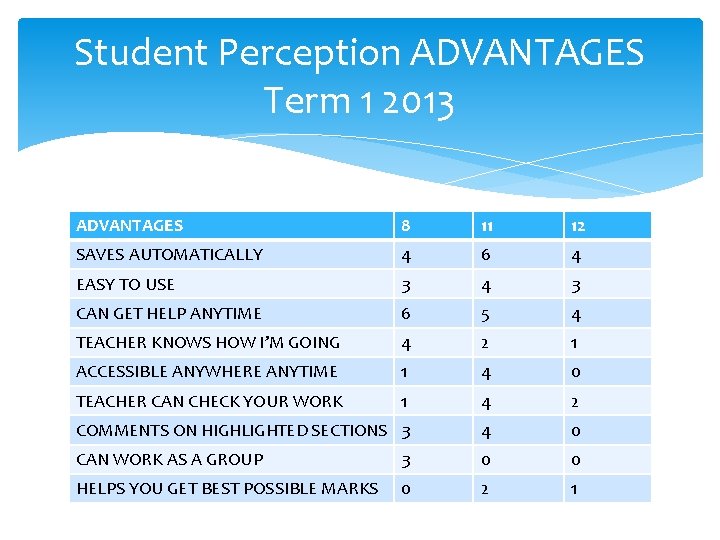
Student Perception ADVANTAGES Term 1 2013 ADVANTAGES 8 11 12 SAVES AUTOMATICALLY 4 6 4 EASY TO USE 3 4 3 CAN GET HELP ANYTIME 6 5 4 TEACHER KNOWS HOW I’M GOING 4 2 1 ACCESSIBLE ANYWHERE ANYTIME 1 4 0 TEACHER CAN CHECK YOUR WORK 1 4 2 COMMENTS ON HIGHLIGHTED SECTIONS 3 4 0 CAN WORK AS A GROUP 3 0 0 HELPS YOU GET BEST POSSIBLE MARKS 0 2 1
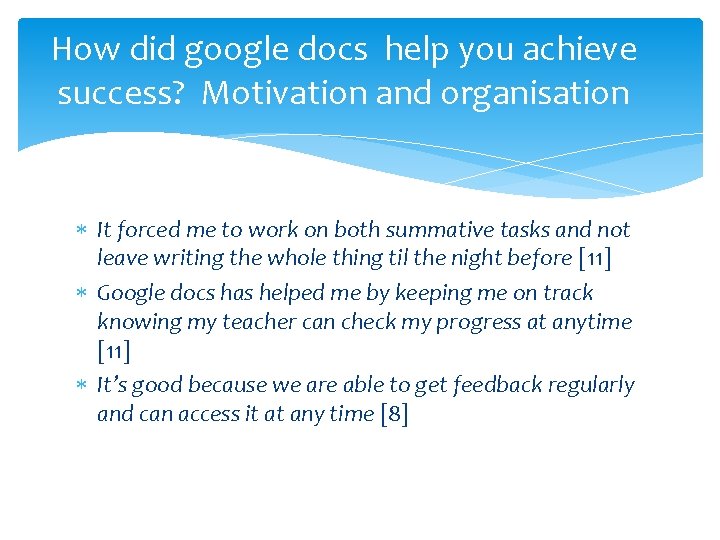
How did google docs help you achieve success? Motivation and organisation It forced me to work on both summative tasks and not leave writing the whole thing til the night before [11] Google docs has helped me by keeping me on track knowing my teacher can check my progress at anytime [11] It’s good because we are able to get feedback regularly and can access it at any time [8]
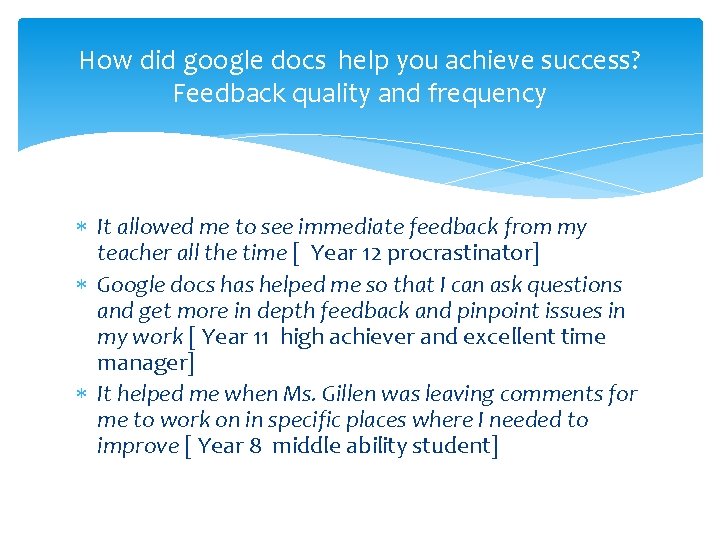
How did google docs help you achieve success? Feedback quality and frequency It allowed me to see immediate feedback from my teacher all the time [ Year 12 procrastinator] Google docs has helped me so that I can ask questions and get more in depth feedback and pinpoint issues in my work [ Year 11 high achiever and excellent time manager] It helped me when Ms. Gillen was leaving comments for me to work on in specific places where I needed to improve [ Year 8 middle ability student]
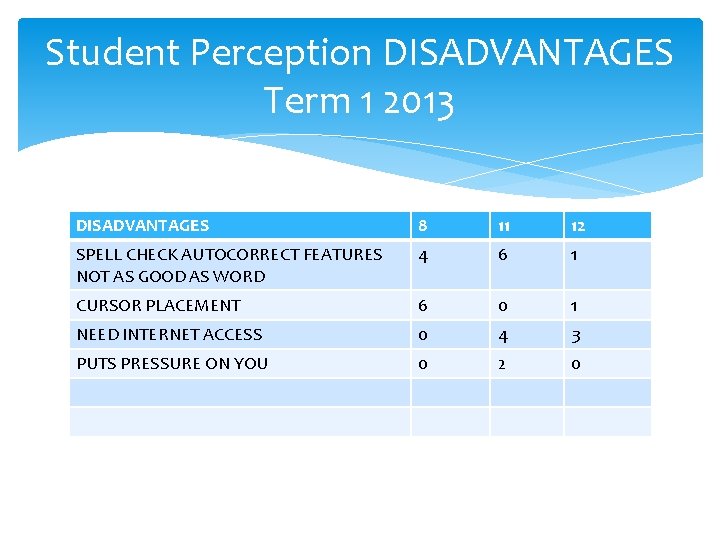
Student Perception DISADVANTAGES Term 1 2013 DISADVANTAGES 8 11 12 SPELL CHECK AUTOCORRECT FEATURES NOT AS GOOD AS WORD 4 6 1 CURSOR PLACEMENT 6 0 1 NEED INTERNET ACCESS 0 4 3 PUTS PRESSURE ON YOU 0 2 0
GROUP WORK DEBATING Helps when a group member is absent All team/ group members can see their peers work and make comments about it Online conversations during homework time Teacher can see which teams are struggling and intervene to provide support Clear information on who is contributing to the group
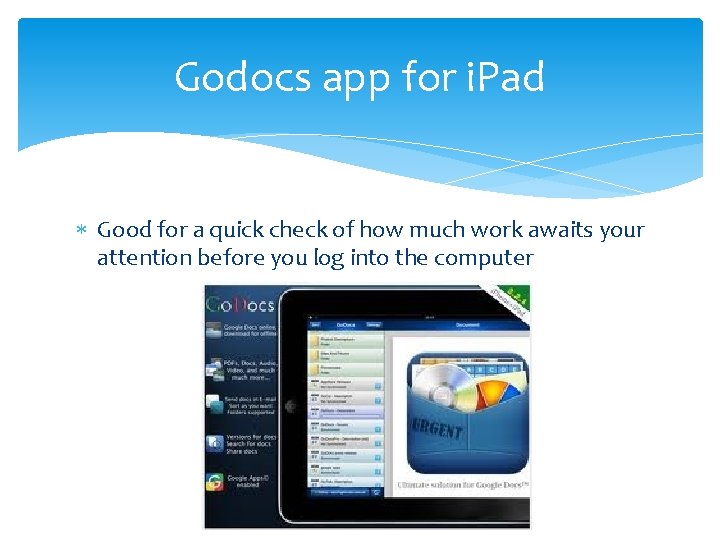
Godocs app for i. Pad Good for a quick check of how much work awaits your attention before you log into the computer
Student views expressed in recent Parent/Teacher/Student interviews Year 8 student said it was very helpful to get feedback during the writing process Struggling and stressed Year 11 student and parents expressed gratitude for my use of the google docs chat to assist her the night prior to due date Year 12 students appreciated the help they get on an ongoing basis with all tasks especially Language Study
How has my teaching changed? Interaction beyond the constraints of timetable and classroom Relationships with individual students Allowing students to work at their pace High achievers more feedback – independent students need less direction in class time Support for struggling students throughout the drafting process
Implications for teachers How much time and accessibility after hours Easier to manage than email – all work in folders Time to ‘talk’ – nominating a time I will be online allows for more “conversation” than is possible in the classroom A pain in the neck!
The Future Scholaris – whole school adoption of a new learning management system – how compatible will this be to my current use of edmodo and google docs? “Life is a series of natural and spontaneous changes. Don't resist them; that only creates sorrow. Let reality be reality. Let things flow naturally forward in whatever way they like. ” ― Lao Tzu
The final word on change “When we least expect it, life sets us a challenge to test our courage and willingness to change; at such a moment, there is no point in pretending that nothing has happened or in saying that we are not yet ready. The challenge will not wait. Life does not look back. A week is more than enough time for us to decide whether or not to accept our destiny. ” ― Paulo Coelho, The Devil and Miss Prym