
Using Care Connection for Documentation Entering the Care



- Slides: 16
Using Care. Connection for Documentation
Entering the Care. Connection Order for Home Health
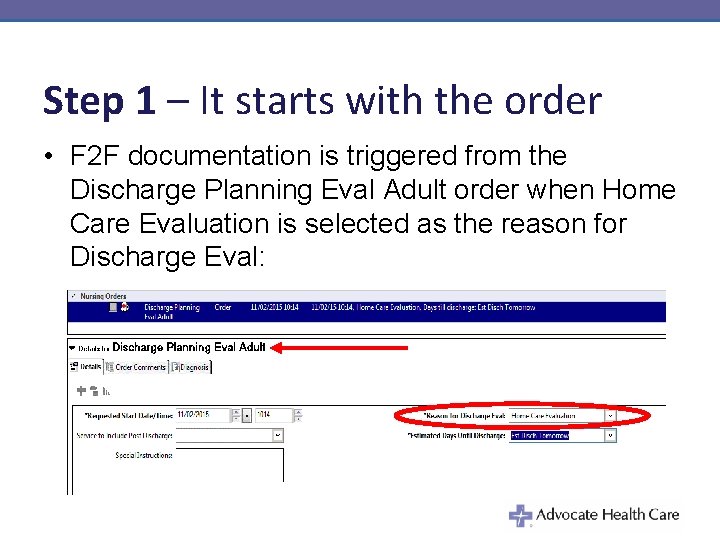
Step 1 – It starts with the order • F 2 F documentation is triggered from the Discharge Planning Eval Adult order when Home Care Evaluation is selected as the reason for Discharge Eval:
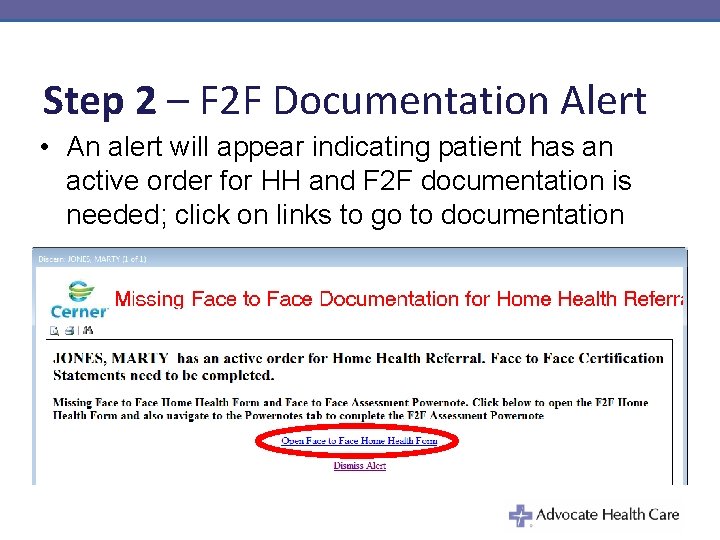
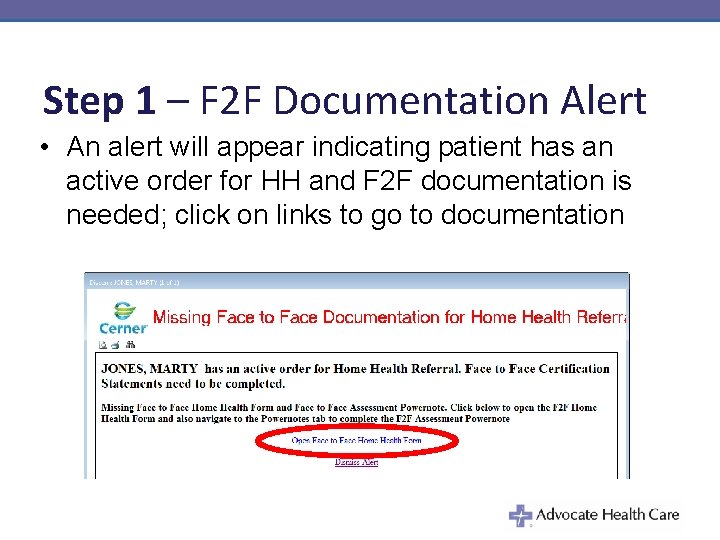
Step 2 – F 2 F Documentation Alert • An alert will appear indicating patient has an active order for HH and F 2 F documentation is needed; click on links to go to documentation
Documenting using Power. Note
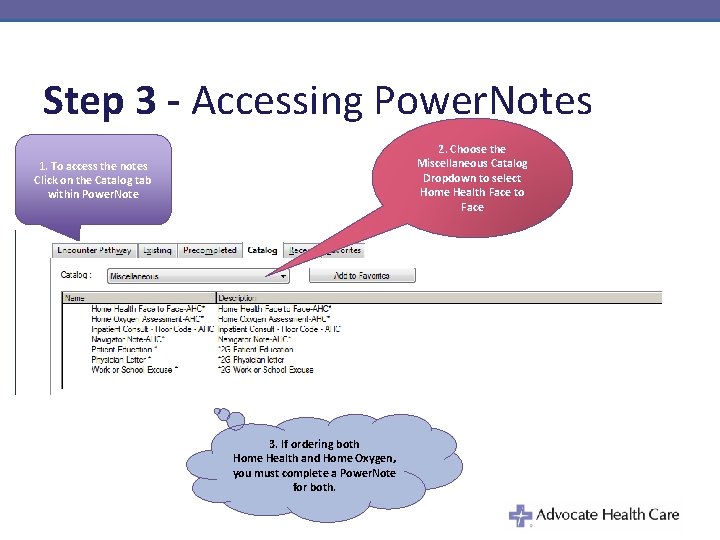
Step 3 - Accessing Power. Notes 2. Choose the Miscellaneous Catalog Dropdown to select Home Health Face to Face 1. To access the notes Click on the Catalog tab within Power. Note 3. If ordering both Home Health and Home Oxygen, you must complete a Power. Note for both.
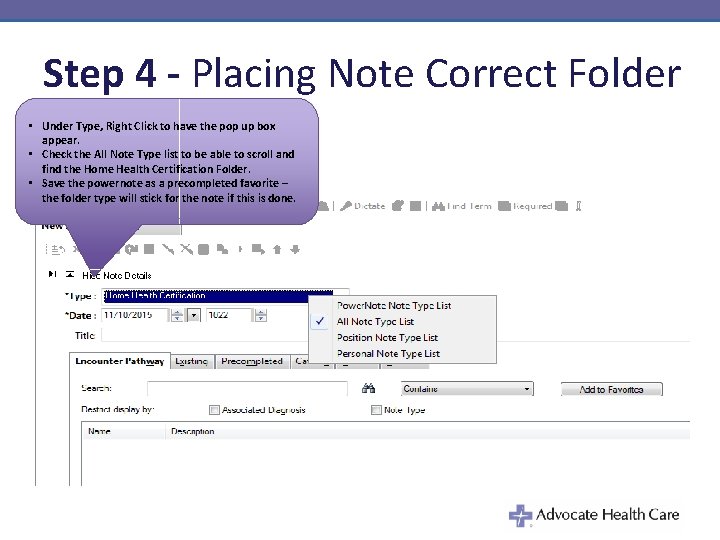
Step 4 - Placing Note Correct Folder • Under Type, Right Click to have the pop up box appear. • Check the All Note Type list to be able to scroll and find the Home Health Certification Folder. • Save the powernote as a precompleted favorite – the folder type will stick for the note if this is done.
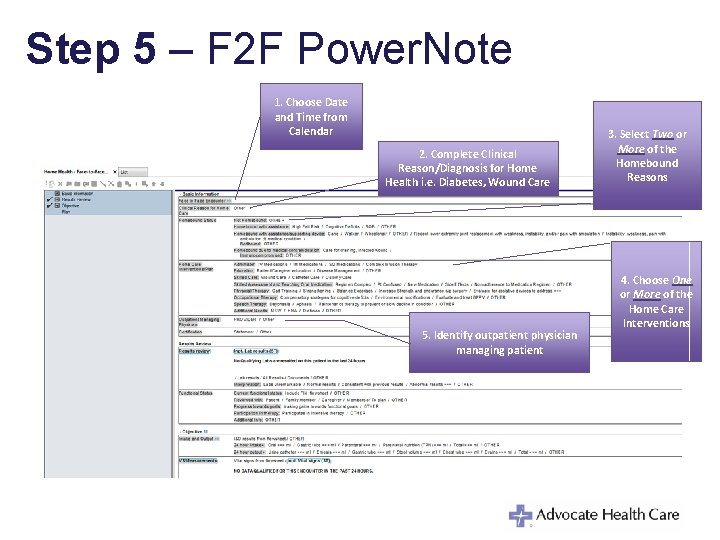
Step 5 – F 2 F Power. Note 1. Choose Date and Time from Calendar 2. Complete Clinical Reason/Diagnosis for Home Health i. e. Diabetes, Wound Care 5. Identify outpatient physician managing patient 3. Select Two or More of the Homebound Reasons 4. Choose One or More of the Home Care Interventions
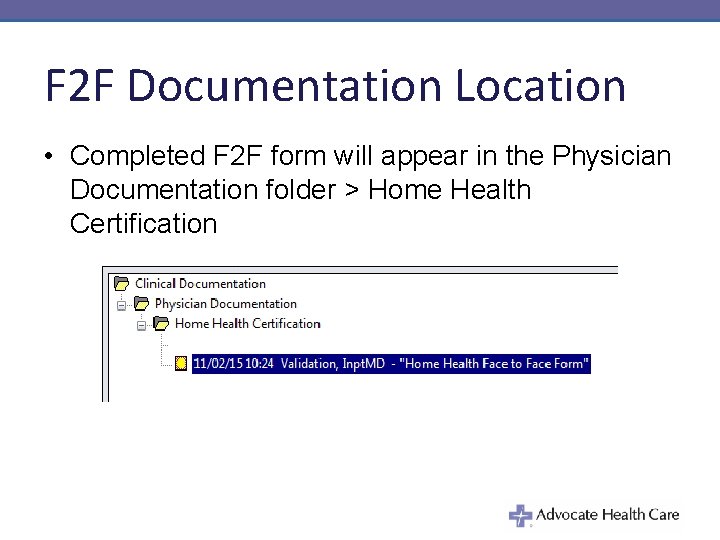
F 2 F Documentation Location • Completed F 2 F form will appear in the Physician Documentation folder > Home Health Certification
Power. Note is Complete! • When Certification field is clicked, documentation is added to Physician’s Progress Note in Patient’s Care Connection Record
Documenting the Certification Statement
Step 1 – F 2 F Documentation Alert • An alert will appear indicating patient has an active order for HH and F 2 F documentation is needed; click on links to go to documentation
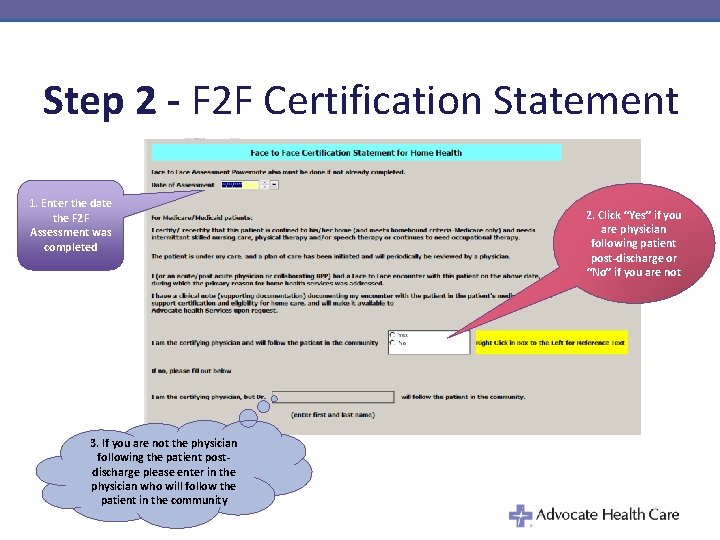
Step 2 - F 2 F Certification Statement 1. Enter the date the F 2 F Assessment was completed 3. If you are not the physician following the patient postdischarge please enter in the physician who will follow the patient in the community 2. Click “Yes” if you are physician following patient post-discharge or “No” if you are not
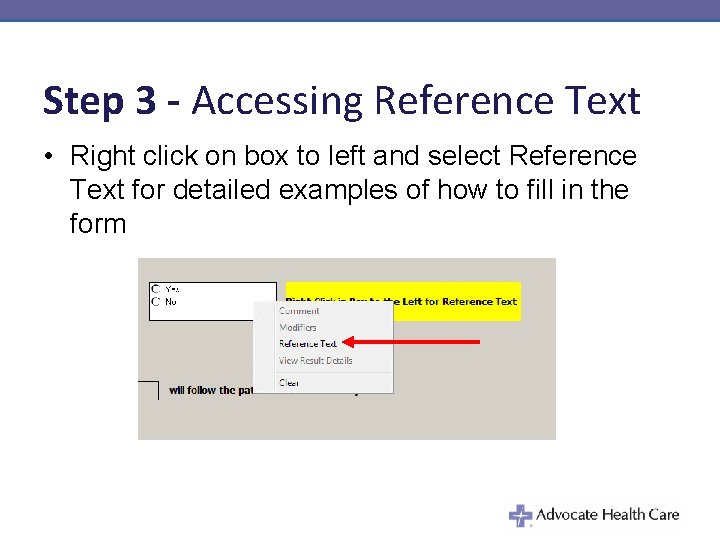
Step 3 - Accessing Reference Text • Right click on box to left and select Reference Text for detailed examples of how to fill in the form
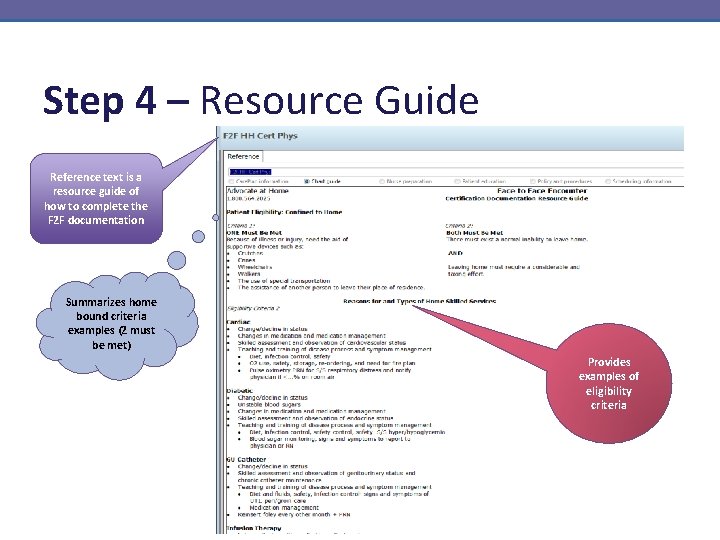
Step 4 – Resource Guide Reference text is a resource guide of how to complete the F 2 F documentation Summarizes home bound criteria examples (2 must be met) Provides examples of eligibility criteria
Questions?