
Using BISCO for thermal simulation of window frames
Using BISCO for thermal simulation of window frames according to EN ISO 10077 -2 PHYSIBEL
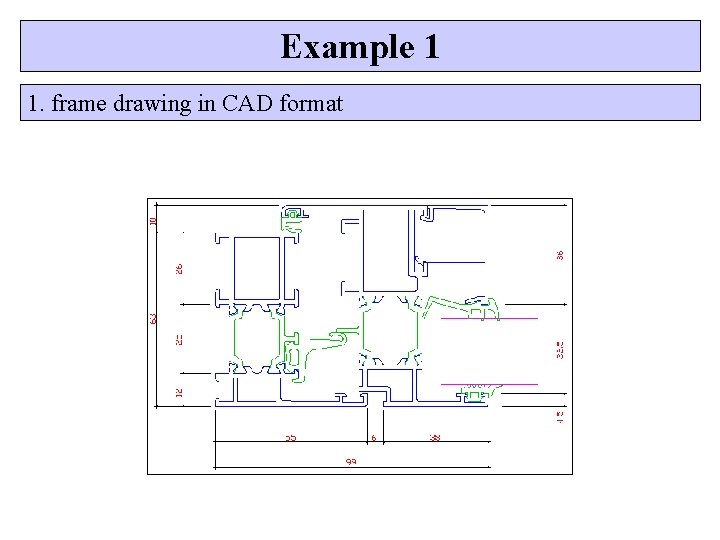
Example 1 1. frame drawing in CAD format
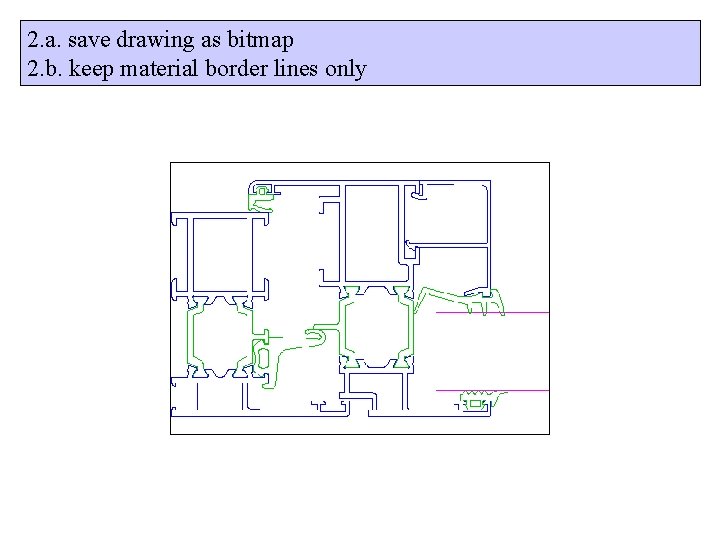
2. a. save drawing as bitmap 2. b. keep material border lines only
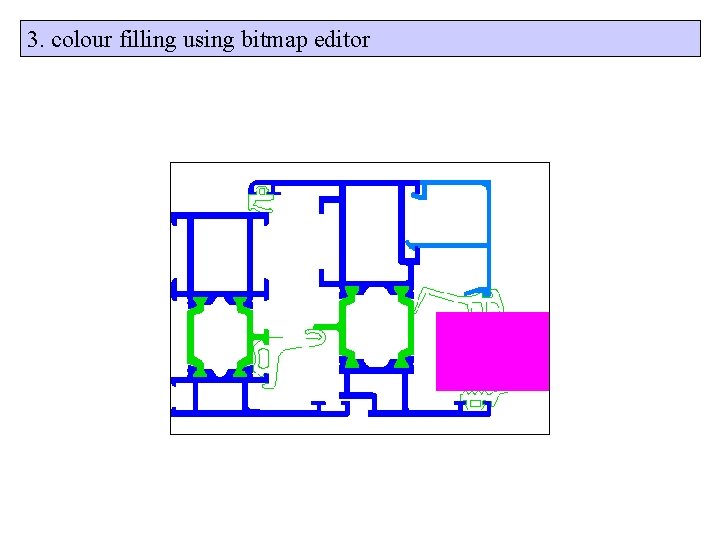
3. colour filling using bitmap editor
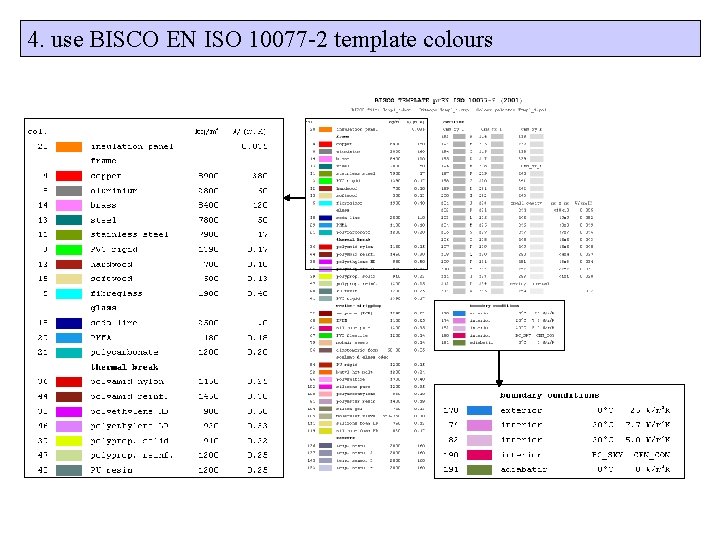
4. use BISCO EN ISO 10077 -2 template colours

4. use BISCO EN ISO 10077 -2 template colours

5. start BISCO and load template data now the colours are defined according to EN ISO 10077 -2
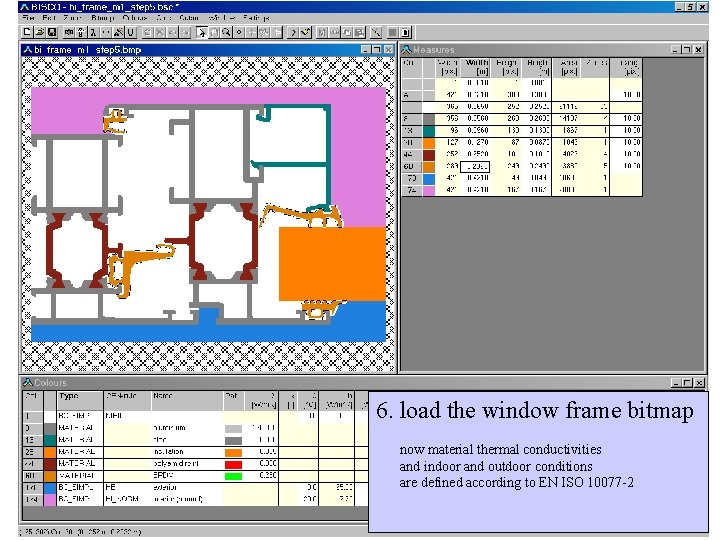
6. load the window frame bitmap now material thermal conductivities and indoor and outdoor conditions are defined according to EN ISO 10077 -2
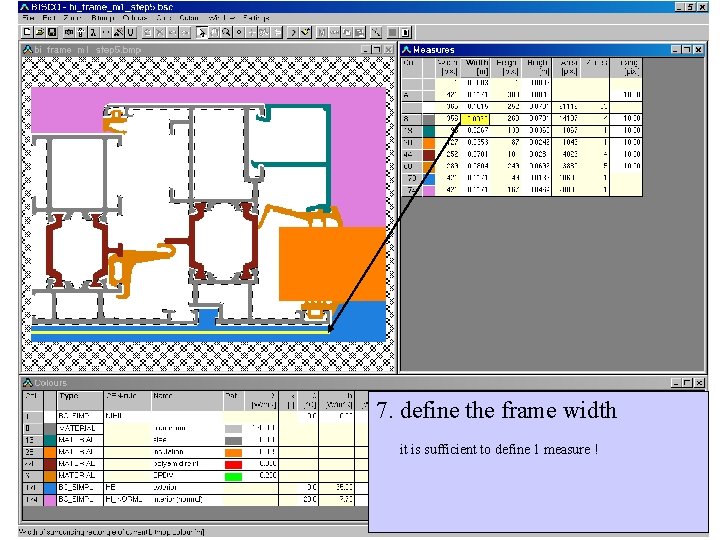
7. define the frame width it is sufficient to define 1 measure !
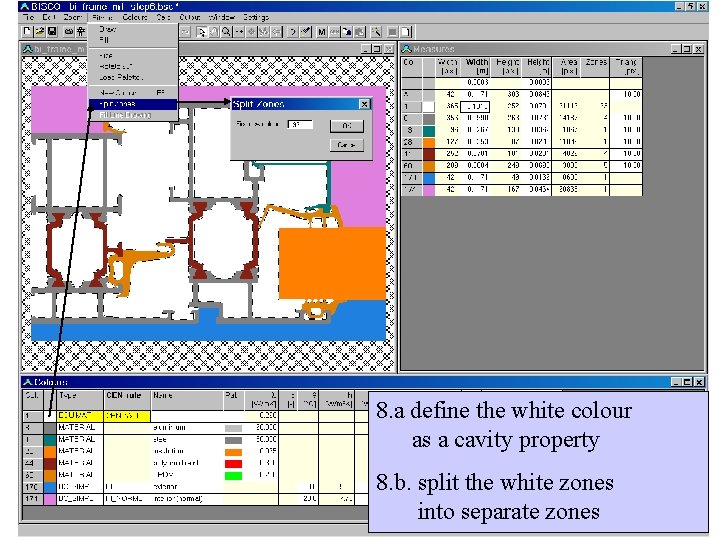
8. a define the white colour as a cavity property 8. b. split the white zones into separate zones
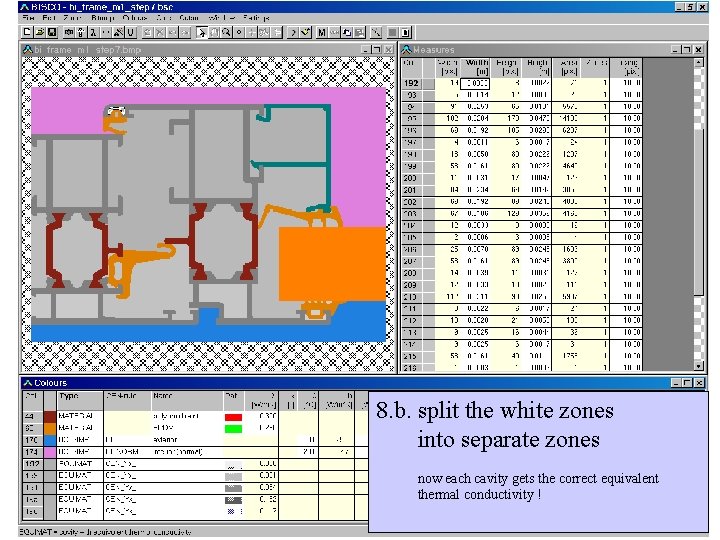
8. b. split the white zones into separate zones now each cavity gets the correct equivalent thermal conductivity !
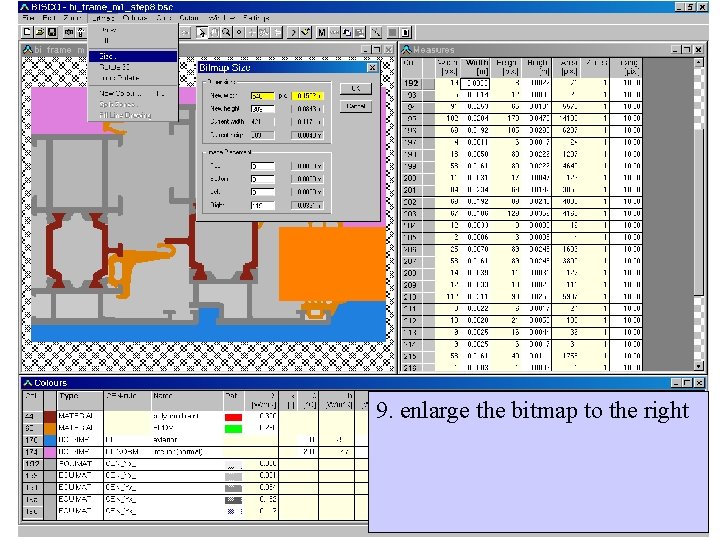
9. enlarge the bitmap to the right
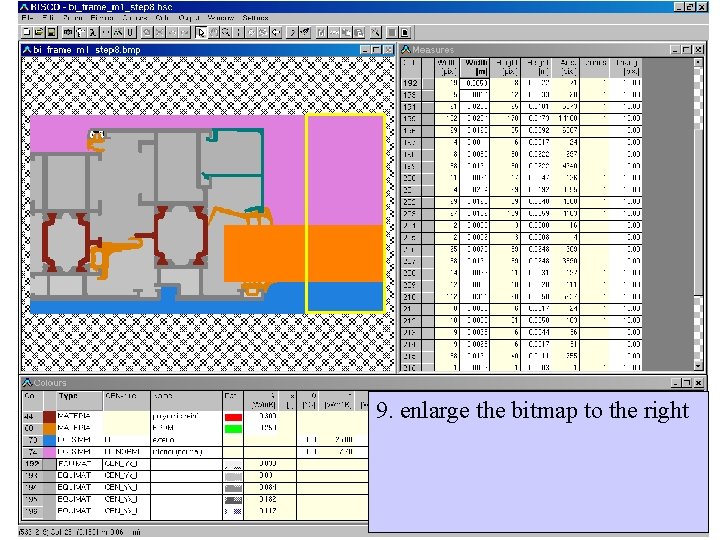
9. enlarge the bitmap to the right
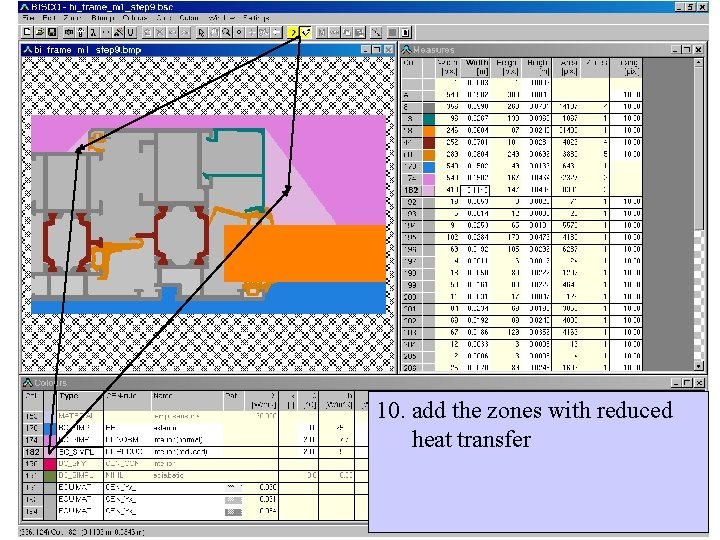
10. add the zones with reduced heat transfer
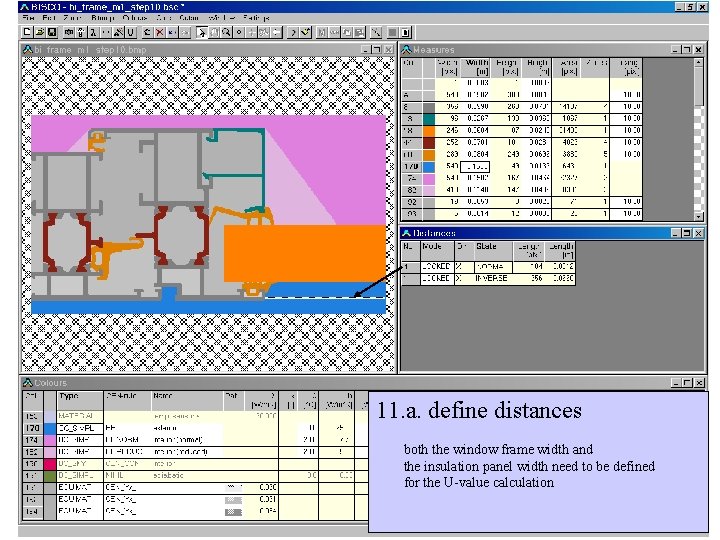
11. a. define distances both the window frame width and the insulation panel width need to be defined for the U-value calculation
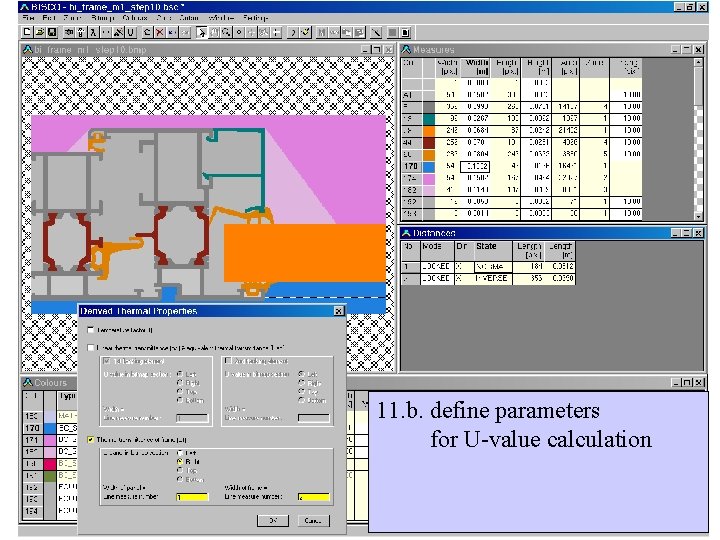
11. b. define parameters for U-value calculation
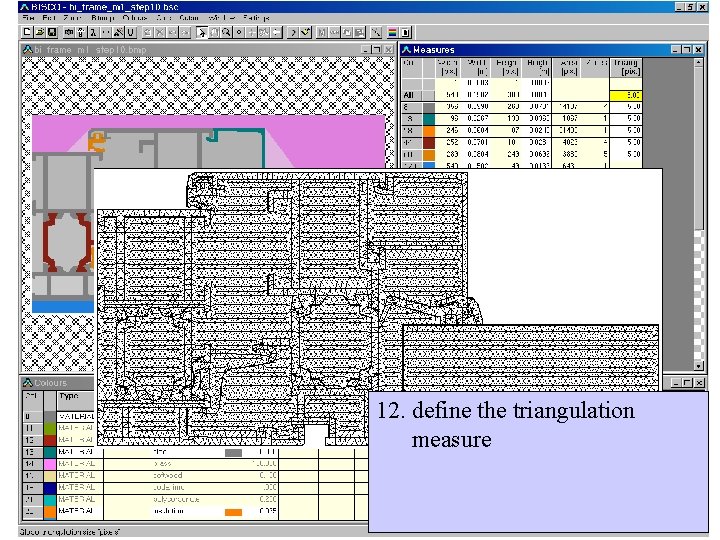
12. define the triangulation measure
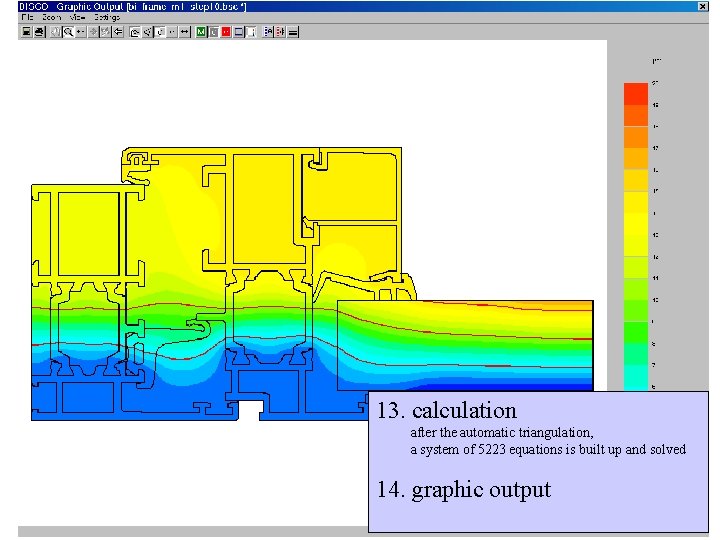
13. calculation after the automatic triangulation, a system of 5223 equations is built up and solved 14. graphic output
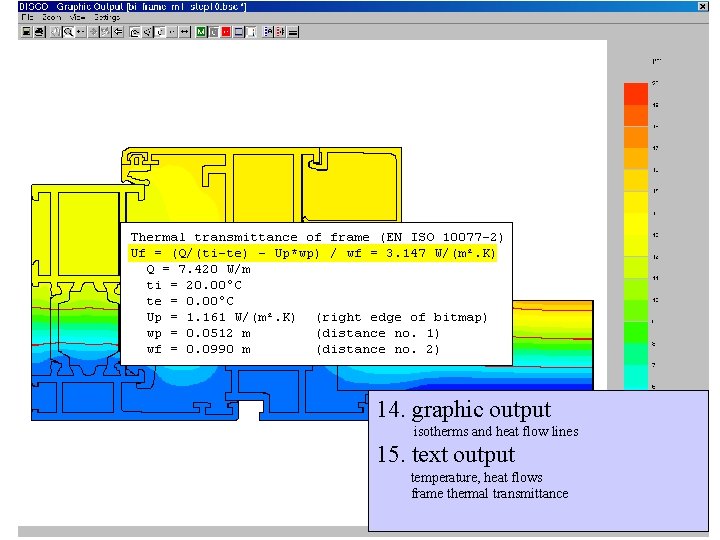
14. graphic output isotherms and heat flow lines 15. text output temperature, heat flows frame thermal transmittance
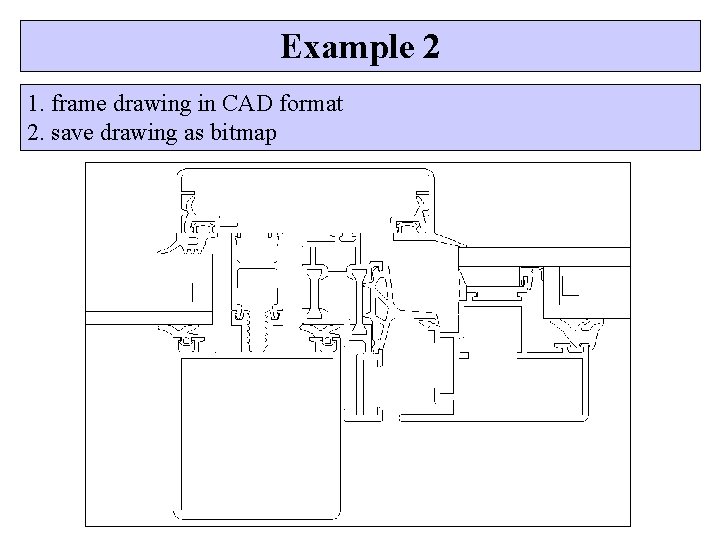
Example 2 1. frame drawing in CAD format 2. save drawing as bitmap
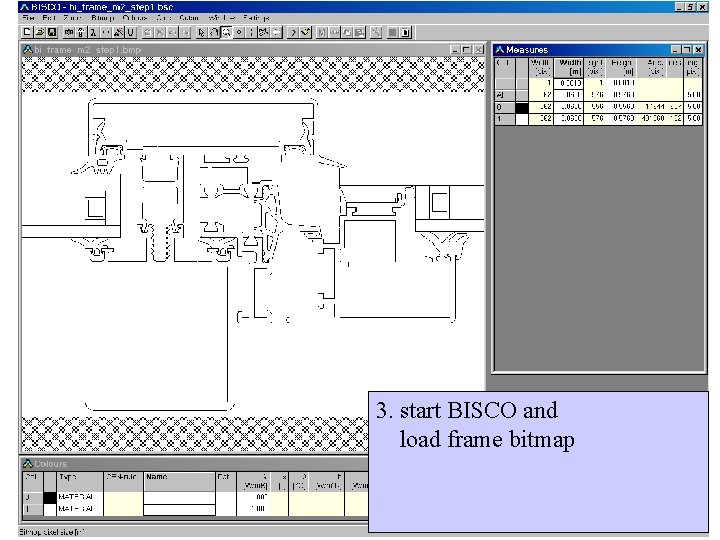
3. start BISCO and load frame bitmap
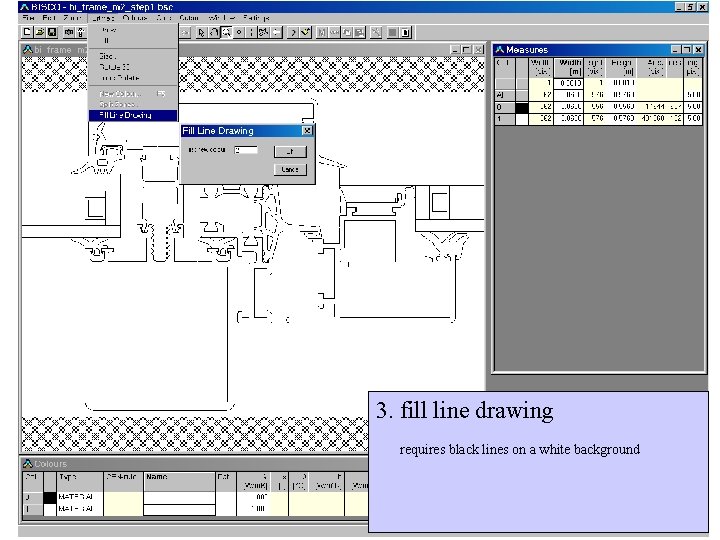
3. fill line drawing requires black lines on a white background
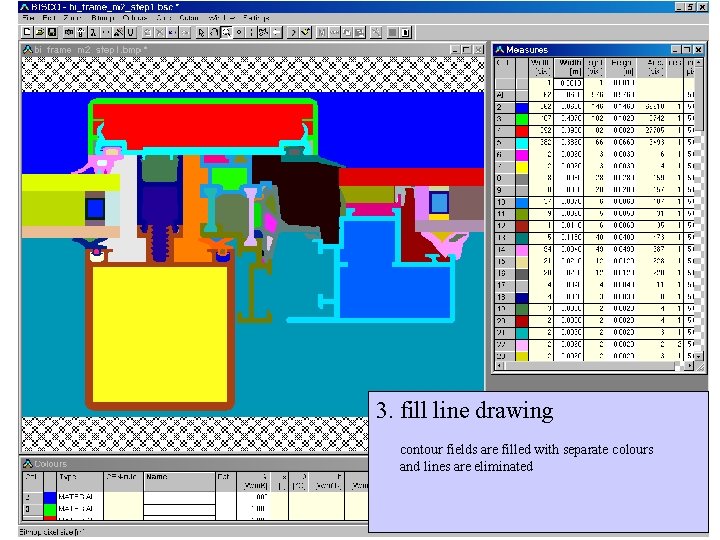
3. fill line drawing contour fields are filled with separate colours and lines are eliminated
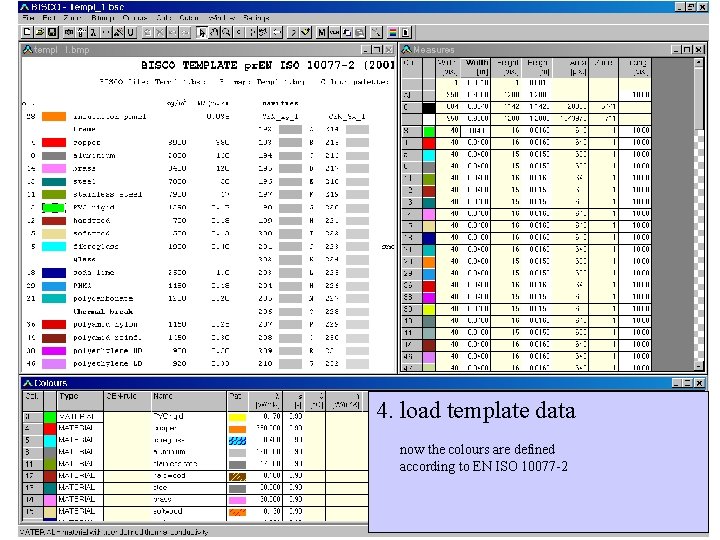
4. load template data now the colours are defined according to EN ISO 10077 -2
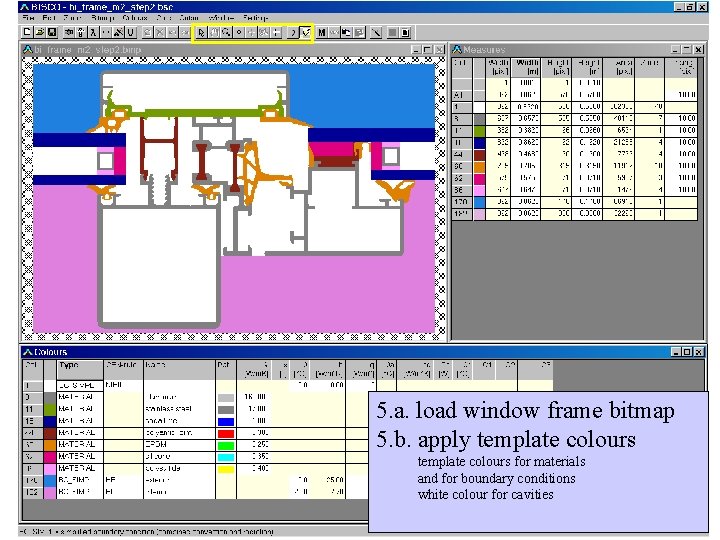
5. a. load window frame bitmap 5. b. apply template colours for materials and for boundary conditions white colour for cavities
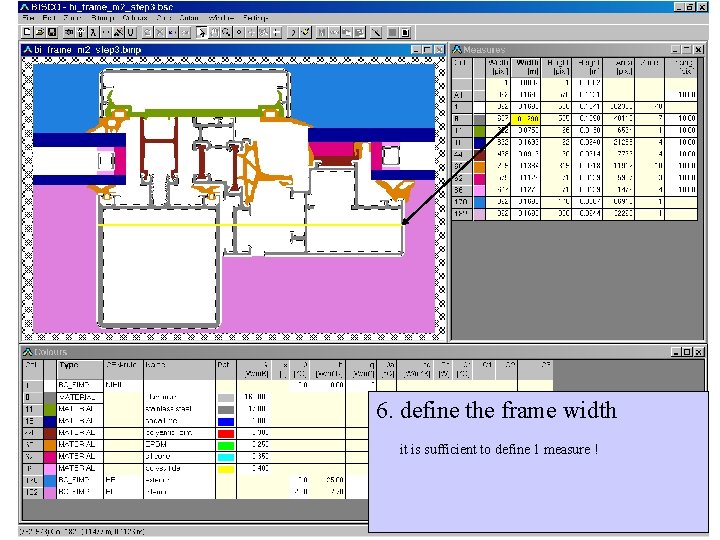
6. define the frame width it is sufficient to define 1 measure !
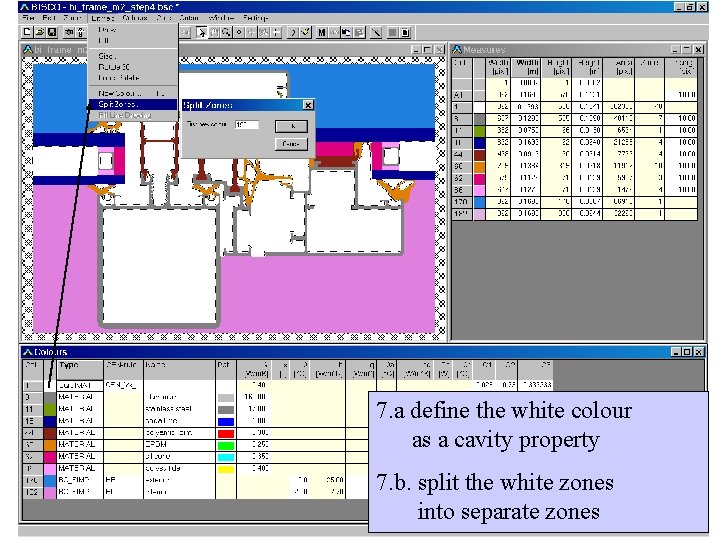
7. a define the white colour as a cavity property 7. b. split the white zones into separate zones
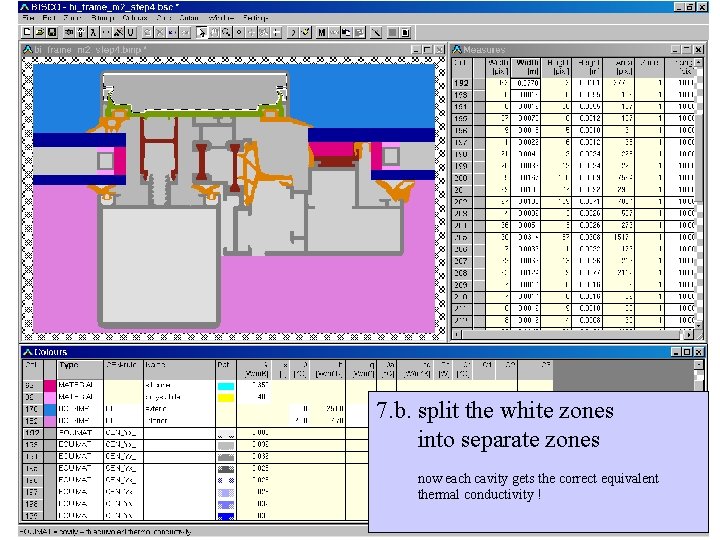
7. b. split the white zones into separate zones now each cavity gets the correct equivalent thermal conductivity !

8. glazing cavity definition option 1. specify gas filling and coating emissivity option 2. specify equivalent thermal conductivity
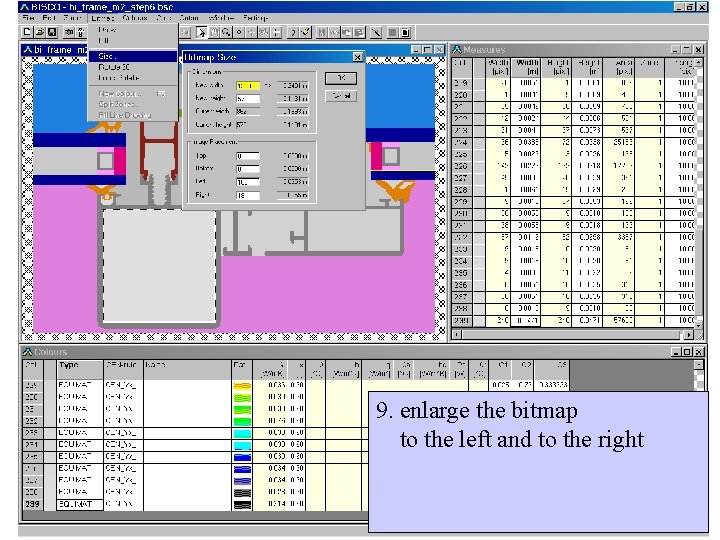
9. enlarge the bitmap to the left and to the right
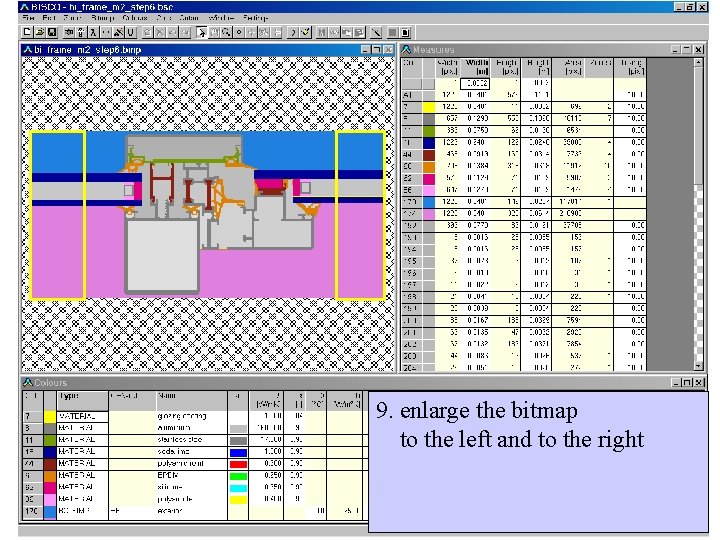
9. enlarge the bitmap to the left and to the right

10. add the zones with reduced heat transfer

11. calculation after the automatic triangulation, a system of 4953 equations is built up and solved 12. graphic output isotherms and heat flow lines
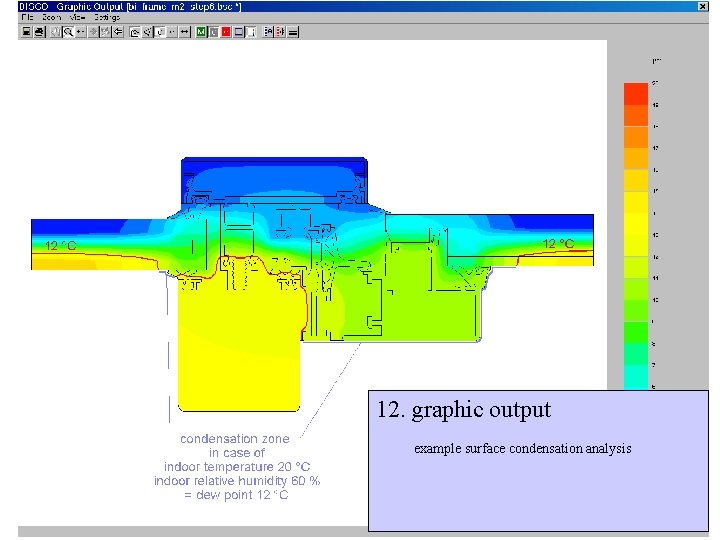
12. graphic output example surface condensation analysis

thank you for your attention ! made visible by PHYSIBEL Heirweg 21 B-9990 Maldegem Belgium phone +32 50 711432 fax +32 50 717842 www. physibel. be mail@physibel. be
- Slides: 35