
Using attributes and RTTI to automate programming tasks

Using attributes and RTTI to automate programming tasks Primož Gabrijelčič thedelphigeek. com
Attributes “Attributes are a language feature in Delphi that allows annotating types and type members with special objects that carry additional information. This information can be queried at run time. Attributes extend the normal Object-Oriented model with Aspect-Oriented elements. ” - Delphi documentation
Attributes • Code annotation • Programmer annotates the code • Run time querying • Program reads those annotations and reacts accordingly
![Example type TMy. Class = class [My. Attribute] FField: string; end;](http://slidetodoc.com/presentation_image_h/21a10e802d0d23d531a0fe47406429dd/image-4.jpg "Example type TMy. Class = class [My. Attribute] FField: string; end;")
Example type TMy. Class = class [My. Attribute] FField: string; end;
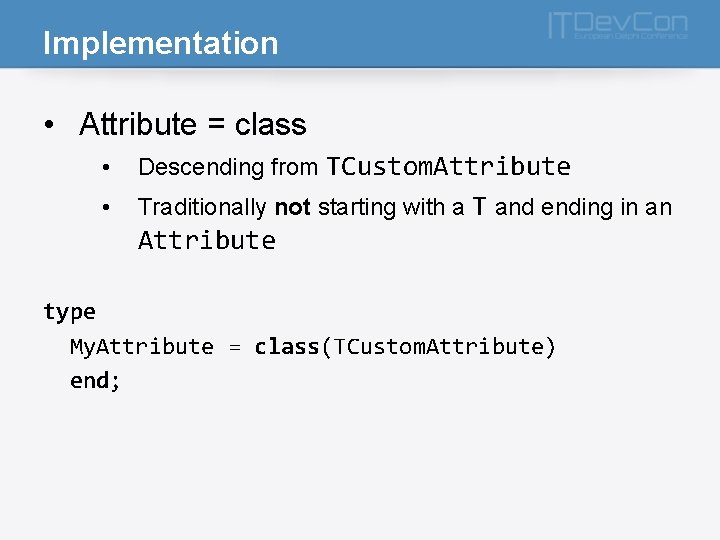
Implementation • Attribute = class • Descending from TCustom. Attribute • Traditionally not starting with a T and ending in an Attribute type My. Attribute = class(TCustom. Attribute) end;
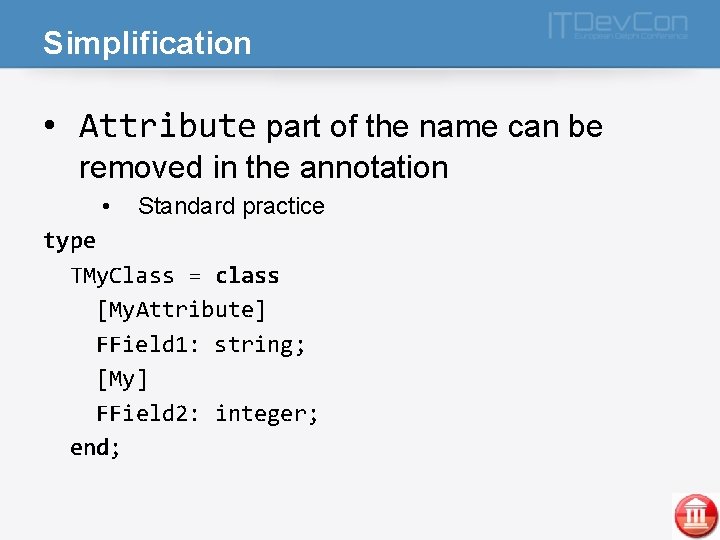
Simplification • Attribute part of the name can be removed in the annotation • Standard practice type TMy. Class = class [My. Attribute] FField 1: string; [My] FField 2: integer; end;
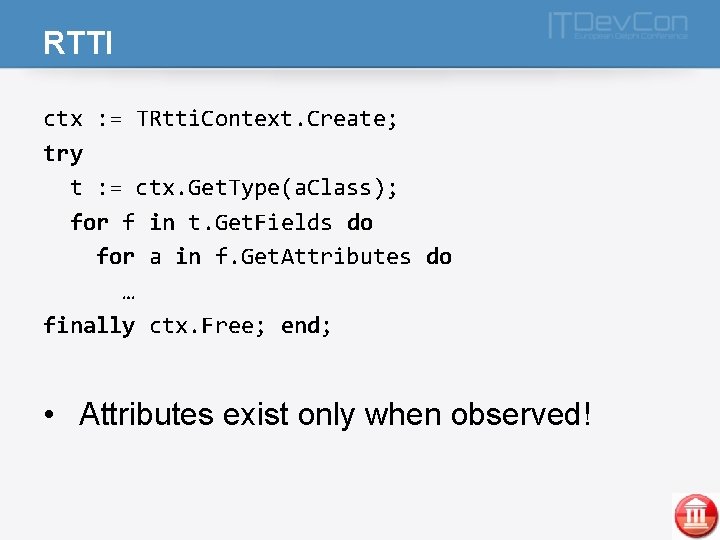
RTTI ctx : = TRtti. Context. Create; try t : = ctx. Get. Type(a. Class); for f in t. Get. Fields do for a in f. Get. Attributes do … finally ctx. Free; end; • Attributes exist only when observed!
Useful helpers • RTTIUtils • Robert Love • DSharp. Core. Reflection • • Stefan Glienke Presentation tomorrow!
![Parameters • Attributes can accept parameters type TMy. Class = class [Store. As('External. Field')]](http://slidetodoc.com/presentation_image_h/21a10e802d0d23d531a0fe47406429dd/image-9.jpg "Parameters • Attributes can accept parameters type TMy. Class = class [Store. As('External. Field')]")
Parameters • Attributes can accept parameters type TMy. Class = class [Store. As('External. Field')] FField: string; end;
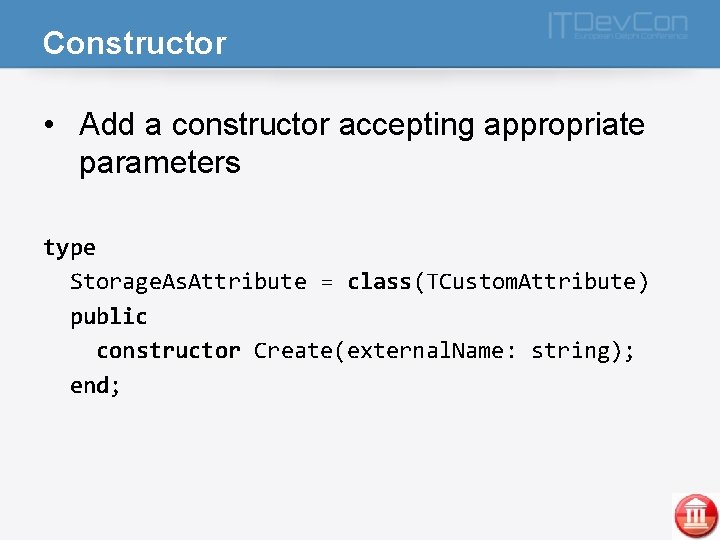
Constructor • Add a constructor accepting appropriate parameters type Storage. As. Attribute = class(TCustom. Attribute) public constructor Create(external. Name: string); end;
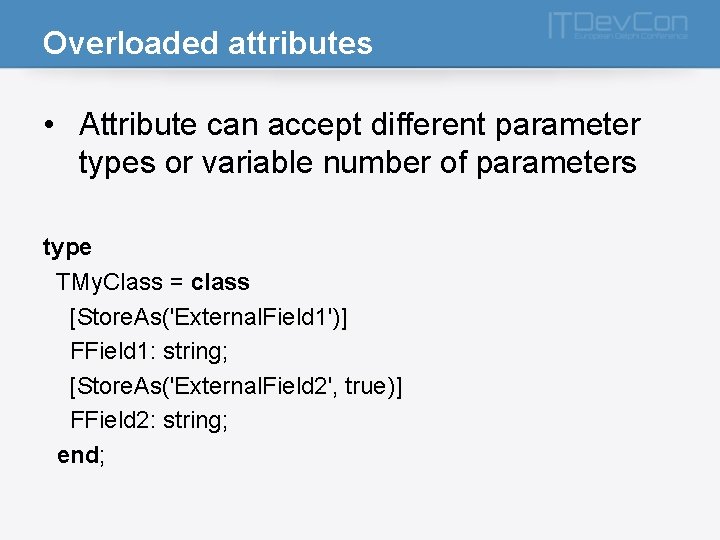
Overloaded attributes • Attribute can accept different parameter types or variable number of parameters type TMy. Class = class [Store. As('External. Field 1')] FField 1: string; [Store. As('External. Field 2', true)] FField 2: string; end;
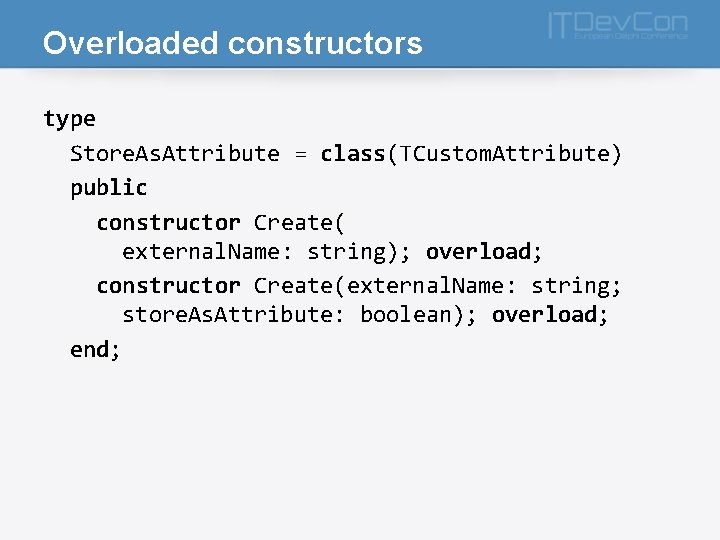
Overloaded constructors type Store. As. Attribute = class(TCustom. Attribute) public constructor Create( external. Name: string); overload; constructor Create(external. Name: string; store. As. Attribute: boolean); overload; end;
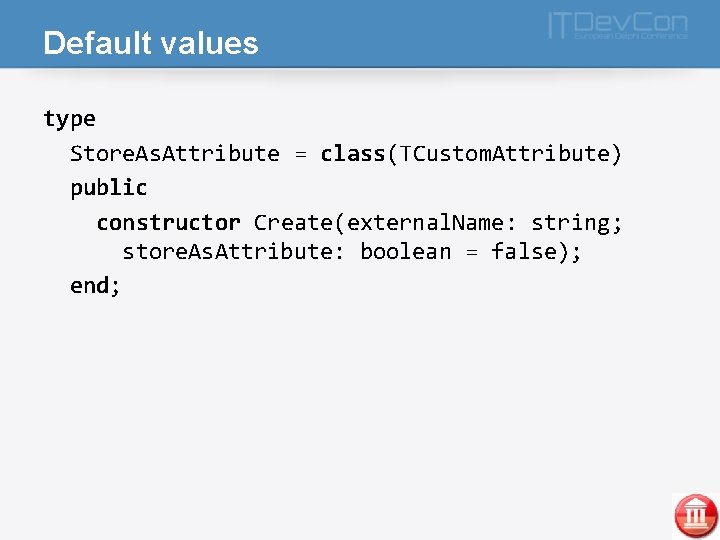
Default values type Store. As. Attribute = class(TCustom. Attribute) public constructor Create(external. Name: string; store. As. Attribute: boolean = false); end;
![Advanced attributes • Multiple attributes on one element [Serialize] [Root. Node('Options')] Tew. Options =](http://slidetodoc.com/presentation_image_h/21a10e802d0d23d531a0fe47406429dd/image-14.jpg "Advanced attributes • Multiple attributes on one element [Serialize] [Root. Node('Options')] Tew. Options =")
Advanced attributes • Multiple attributes on one element [Serialize] [Root. Node('Options')] Tew. Options = class [Serialize] [Root. Node('Optons')] Tew. Options = class [Serialize, Root. Node('Options')] Tew. Options = class
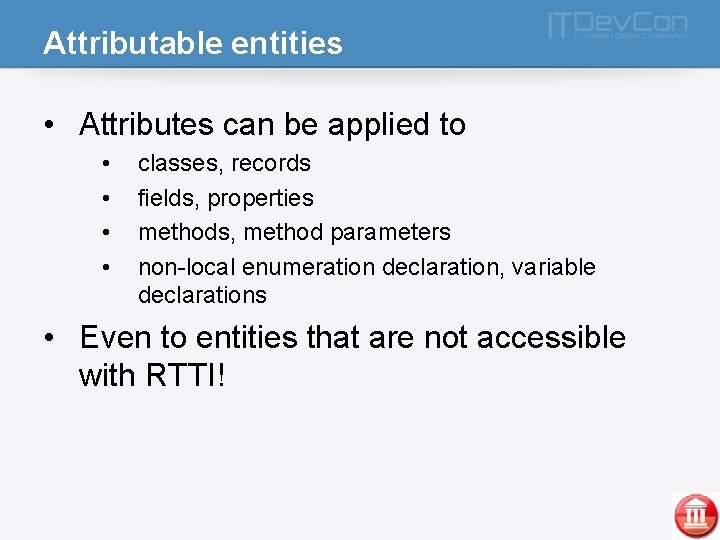
Attributable entities • Attributes can be applied to • • classes, records fields, properties methods, method parameters non-local enumeration declaration, variable declarations • Even to entities that are not accessible with RTTI!
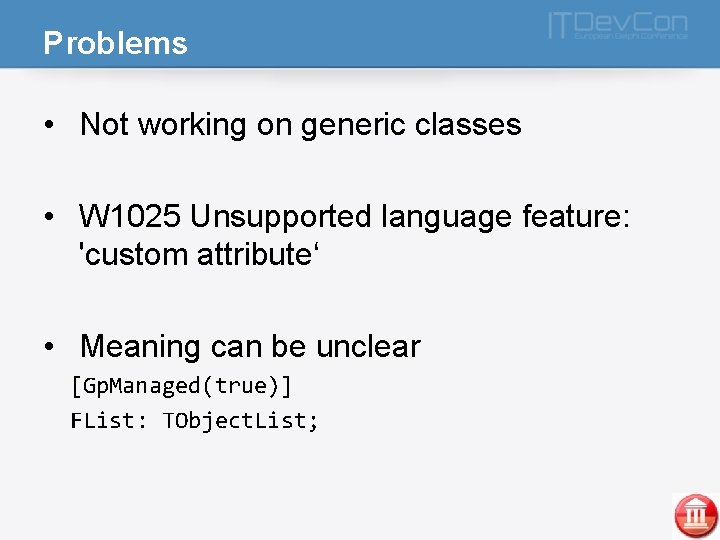
Problems • Not working on generic classes • W 1025 Unsupported language feature: 'custom attribute‘ • Meaning can be unclear [Gp. Managed(true)] FList: TObject. List;

Practical examples
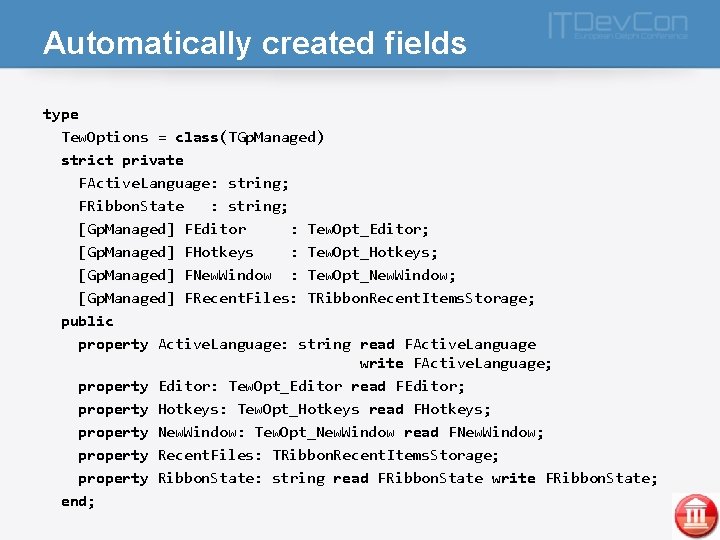
Automatically created fields type Tew. Options = class(TGp. Managed) strict private FActive. Language: string; FRibbon. State : string; [Gp. Managed] FEditor : Tew. Opt_Editor; Gp. Managed] [Gp. Managed] FHotkeys : Tew. Opt_Hotkeys; [Gp. Managed] FNew. Window : Tew. Opt_New. Window; [Gp. Managed] FRecent. Files: TRibbon. Recent. Items. Storage; Gp. Managed] public property Active. Language: string read FActive. Language write FActive. Language; property Editor: Tew. Opt_Editor read FEditor; property Hotkeys: Tew. Opt_Hotkeys read FHotkeys; property New. Window: Tew. Opt_New. Window read FNew. Window; property Recent. Files: TRibbon. Recent. Items. Storage; property Ribbon. State: string read FRibbon. State write FRibbon. State; end;
![Object serialization - XML type [Xml. Root('Person')] TPerson = class(TObject) private FLast. Name: String;](http://slidetodoc.com/presentation_image_h/21a10e802d0d23d531a0fe47406429dd/image-19.jpg "Object serialization - XML type [Xml. Root('Person')] TPerson = class(TObject) private FLast. Name: String;")
Object serialization - XML type [Xml. Root('Person')] TPerson = class(TObject) private FLast. Name: String; FBirthday: TDate. Time; FMiddle. Name: String; FFirst. Name: String; public [Xml. Attribute('First_Name')] property First. Name: String read FFirst. Name write FFirst. Name; [Xml. Element('LAST_NAME')] property Last. Name: String read FLast. Name write FLast. Name; [Xml. Ignore] property Middle. Name: String read FMiddle. Name write FMiddle. Name; property Birthday: TDate. Time read FBirthday write FBirthday; end;
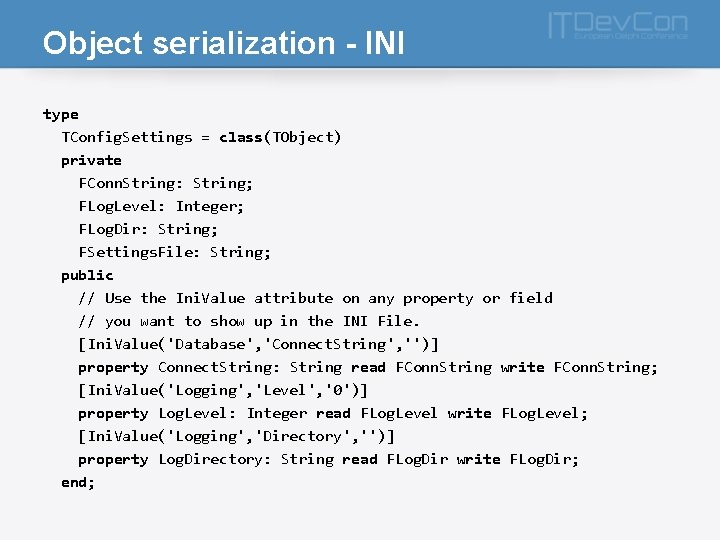
Object serialization - INI type TConfig. Settings = class(TObject) private FConn. String: String; FLog. Level: Integer; FLog. Dir: String; FSettings. File: String; public // Use the Ini. Value attribute on any property or field // you want to show up in the INI File. [Ini. Value('Database', 'Connect. String', '')] property Connect. String: String read FConn. String write FConn. String; [Ini. Value('Logging', 'Level', '0')] property Log. Level: Integer read FLog. Level write FLog. Level; [Ini. Value('Logging', 'Directory', '')] property Log. Directory: String read FLog. Dir write FLog. Dir; end;
![Unit testing - DUnit. X type TMy. Example. Tests = class public [Test] [Test.](http://slidetodoc.com/presentation_image_h/21a10e802d0d23d531a0fe47406429dd/image-21.jpg "Unit testing - DUnit. X type TMy. Example. Tests = class public [Test] [Test.")
Unit testing - DUnit. X type TMy. Example. Tests = class public [Test] [Test. Case('Case 1', '1, 2')] [Test. Case('Case 2', '3, 4')] [Test. Case('Case 3', '5, 6')] procedure Test. One(param 1 : integer; param 2 : integer); [Test. Case('Case 3', 'Blah, 1')] procedure Another. Test. Method(const a : string; const b : integer); [Test] procedure Test. Two; //Disabled test [Test(false)] procedure Dont. Call. Me;
![ORM mapping type [TAttr. DBTable('NONE')] TReport. Item = class(TObject) protected [TAttr. DBField(PP_VEHICLE_FIELD)] FVeiculo. Id:](http://slidetodoc.com/presentation_image_h/21a10e802d0d23d531a0fe47406429dd/image-22.jpg "ORM mapping type [TAttr. DBTable('NONE')] TReport. Item = class(TObject) protected [TAttr. DBField(PP_VEHICLE_FIELD)] FVeiculo. Id:")
ORM mapping type [TAttr. DBTable('NONE')] TReport. Item = class(TObject) protected [TAttr. DBField(PP_VEHICLE_FIELD)] FVeiculo. Id: integer; [TAttr. DBField(PP_DRIVER_FIELD)] FMotorista. Id: integer; [TAttr. DBField(PP_TRIP_FIELD)] FViagem. Id: integer; [TAttr. DBField(PP_DATE)] FData. Relatorio: TDate; end;
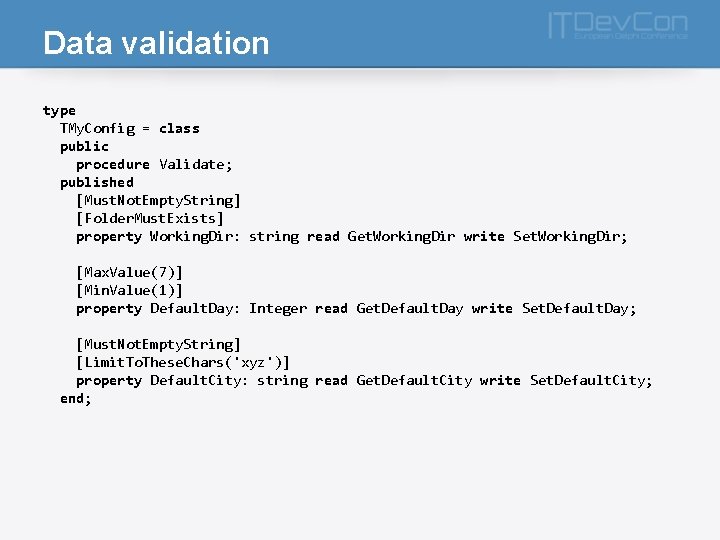
Data validation type TMy. Config = class public procedure Validate; published [Must. Not. Empty. String] [Folder. Must. Exists] property Working. Dir: string read Get. Working. Dir write Set. Working. Dir; [Max. Value(7)] [Min. Value(1)] property Default. Day: Integer read Get. Default. Day write Set. Default. Day; [Must. Not. Empty. String] [Limit. To. These. Chars('xyz')] property Default. City: string read Get. Default. City write Set. Default. City; end;
![Command-line parsing TMy. Cmd. Line = class(TCmd. Line) [Param. Name(‘importdir’), Short. Name(‘import ’)] Import.](http://slidetodoc.com/presentation_image_h/21a10e802d0d23d531a0fe47406429dd/image-24.jpg "Command-line parsing TMy. Cmd. Line = class(TCmd. Line) [Param. Name(‘importdir’), Short. Name(‘import ’)] Import.")
Command-line parsing TMy. Cmd. Line = class(TCmd. Line) [Param. Name(‘importdir’), Short. Name(‘import ’)] Import. Folder: string; [Param. Name(‘logsoapdetails’)] Log. Details: boolean; [Param. Name(‘user’), Default(‘guest’)] Username: string; end; cmd. Line : = TMy. Cmd. Line. Create; if cmd. Line. Log. Details then …

Conclusion
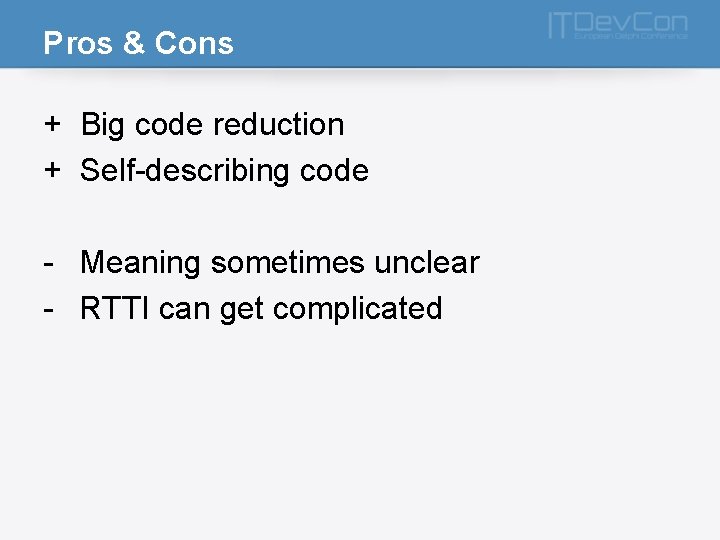
Pros & Cons + Big code reduction + Self-describing code - Meaning sometimes unclear - RTTI can get complicated
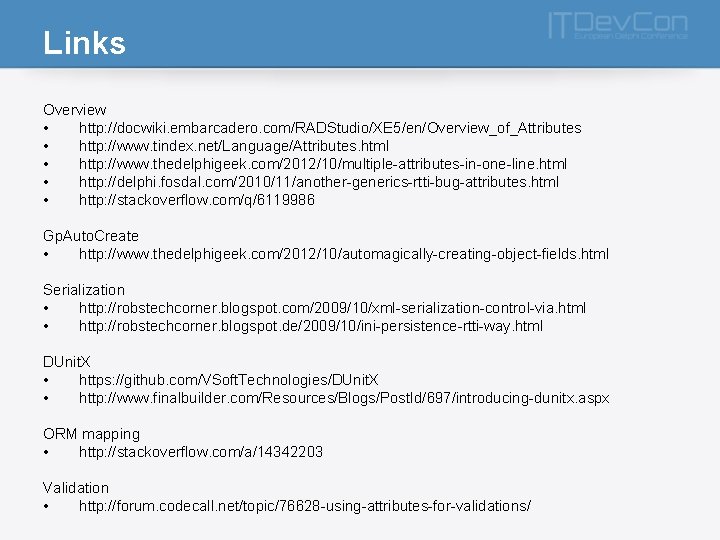
Links Overview • http: //docwiki. embarcadero. com/RADStudio/XE 5/en/Overview_of_Attributes • http: //www. tindex. net/Language/Attributes. html • http: //www. thedelphigeek. com/2012/10/multiple-attributes-in-one-line. html • http: //delphi. fosdal. com/2010/11/another-generics-rtti-bug-attributes. html • http: //stackoverflow. com/q/6119986 Gp. Auto. Create • http: //www. thedelphigeek. com/2012/10/automagically-creating-object-fields. html Serialization • http: //robstechcorner. blogspot. com/2009/10/xml-serialization-control-via. html • http: //robstechcorner. blogspot. de/2009/10/ini-persistence-rtti-way. html DUnit. X • https: //github. com/VSoft. Technologies/DUnit. X • http: //www. finalbuilder. com/Resources/Blogs/Post. Id/697/introducing-dunitx. aspx ORM mapping • http: //stackoverflow. com/a/14342203 Validation • http: //forum. codecall. net/topic/76628 -using-attributes-for-validations/
- Slides: 27