
Using Assistive Technology to Increase Literacy Skills for
- Slides: 13
Using Assistive Technology to Increase Literacy Skills for Children Pre. K-3 with Developmental Disabilities Angi Stone-Mac. Donald, Ph. D. University of Massachusetts, Boston angela. stone@umb. edu 1
Outcomes At the end of the session, educators will be able to: ● ● ● 2 describe types of assistive technology picture symbols and where to find these resources for literacy support. use pictures symbols and communication boards in a variety of creative ways to help our new or struggling readers and writers with developmental disabilities. recognize quality literacy applications for i. Pads, i. Phones, and other smart technology for students with developmental disabilities.
Current Literature • Picture communication symbols can be used to support a UDL classroom (Sadao & Robinson, 2010) • Picture symbols help children to make connections between pictures, known concepts, and written text (Center, 2009) • PCS symbols and other accommodations on paper, computers, i. Pads, or AAC devices help children with autism be more independent and participate in reading an writing (Leech & Cress, 2011; Parette, Quesenberry, & Blum, 2010) • Picture communication symbols are an evidence-based strategy for increasing speech and social communication in children with developmental disabilities (Di. Carlo, Banajee, & Stricklin, 2000; Jonaitis, 2011; Kaiser, 1995; Yoder & Lieberman, 2010)
Types of Assistive Technology • Low Tech options • • • picture symbols and communication boards printed pictures of objects/people High Tech options • i. Pad, i. Pod Touch, i. Phone apps
PCS Symbols ● ● ● 6 Pictures in black and white or color that go with words or phrases Helps make connections between picture and word Created by Mayer-Johnson and most easily accessible using Boardmaker
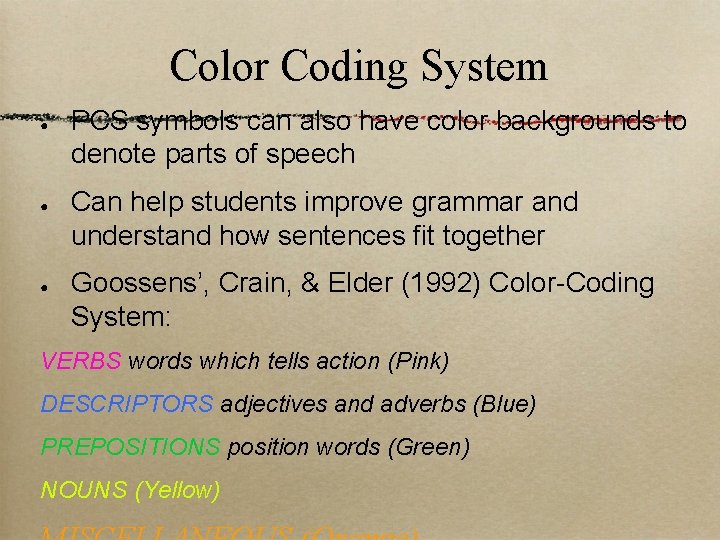
Color Coding System ● ● ● PCS symbols can also have color backgrounds to denote parts of speech Can help students improve grammar and understand how sentences fit together Goossens’, Crain, & Elder (1992) Color-Coding System: VERBS words which tells action (Pink) DESCRIPTORS adjectives and adverbs (Blue) PREPOSITIONS position words (Green) NOUNS (Yellow)
How can we use PCS symbols? ● ● 8 Have students match pictures to words using identical pictures or word and picture Create sentence strips with mixed up pictures and words Show pictures for key new vocabulary for a story Add picture symbols to word wall to help students remember words
How can we use PCS symbols? (cont. ) ● ● ● 9 Use color coded symbols to help students form grammatically correct sentences Help students find their words faster using a color coded activity board Use boards of activity or story related words to help them write sentences or retell a story about an activity
PCS Related Resources ● ● ● 1 0 ● PCS Symbols – Boardmaker ● i. Pad apps - http: //www. mayerjohnson. com/apps Widgit. com-Various Communicate programs to support reading and writing Don Johnston-Various Products Linda Burkhart –www. lburkhart. com Text to Speech - such as Dragon or Google Live. Scribe
How to pick a good app? • • • Make sure NOT in entertainment or games in i. Tunes Read reviews from multiple sources Test it first yourself Check the reputation of the company and/or authors Search educational apps in i. Tunes If it is free, you can also delete
i. Phone and i. Pad Apps • • • Proloquo 2 go ($190)-assistive communication that includes augmentative and alternative communication, easy to use. Tapto. Talk (free)-AAC app, but costs more money to customize. Puppet. Pals (free)-Create your own animated stories. Story. Kit (free)-Create online storybooks. Grasshopper apps like Little Speller (free) and Sentence Maker (free) - teaches spelling and sentence making with a matching and a variety of supports. Booksy (free) -interactive leveled storybooks with
Additional Resources • • Writing Stories and Social Stories • i. Books author (free) • Pages ($9. 99) • Book Creator ($1. 99) Reading • • • Blio-allows various book formats to be read allowed (free) i. Touchi. Learn Words ($1. 99) Other language concepts • Splingo's Language Universe ($2. 99)
The End Questions? ? angela. stone@umb. edu 1 3