
Using Arduino in the Physics Classroom A Physical
- Slides: 1
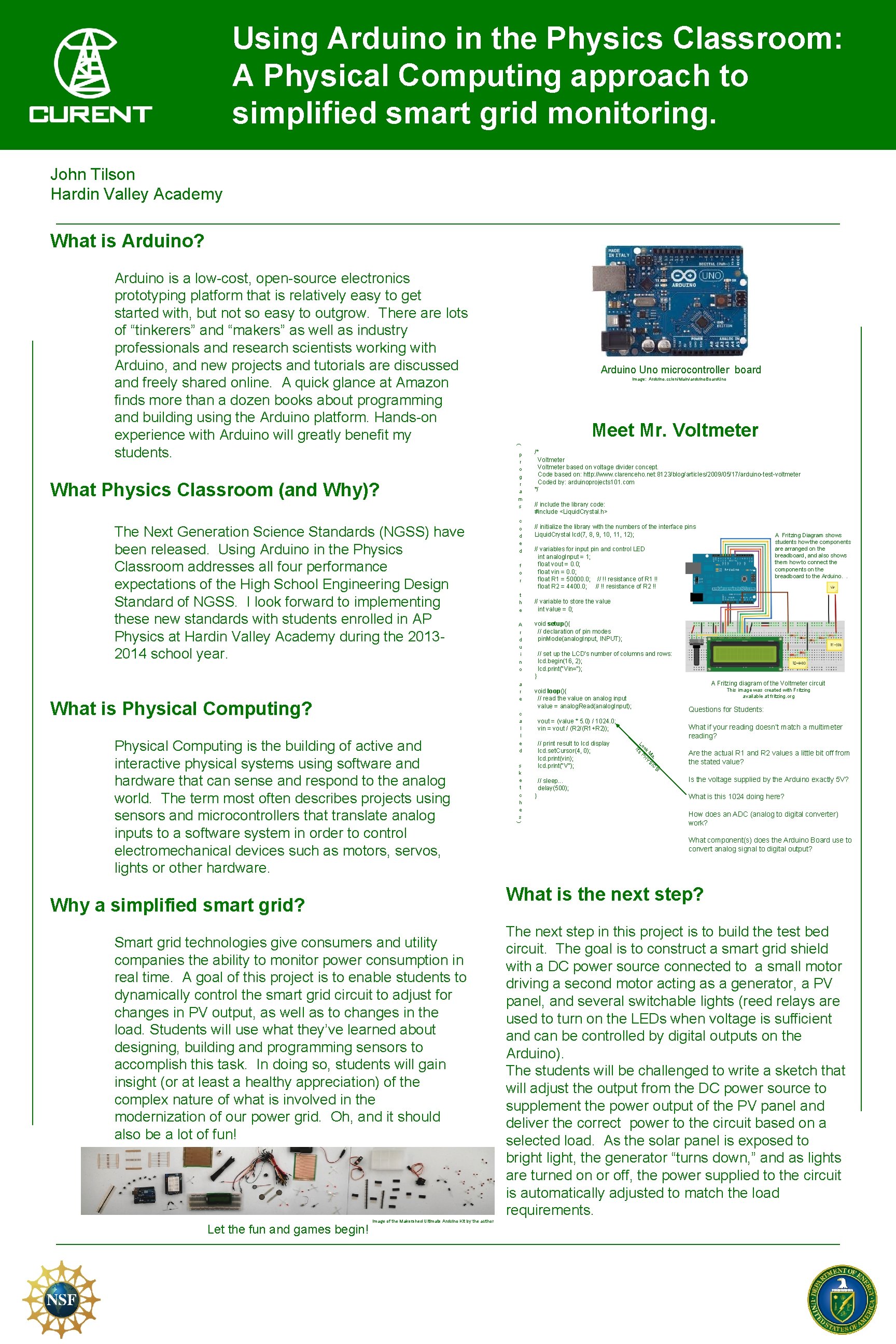
Using Arduino in the Physics Classroom: A Physical Computing approach to simplified smart grid monitoring. John Tilson Hardin Valley Academy What is Arduino? What Physics Classroom (and Why)? The Next Generation Science Standards (NGSS) have been released. Using Arduino in the Physics Classroom addresses all four performance expectations of the High School Engineering Design Standard of NGSS. I look forward to implementing these new standards with students enrolled in AP Physics at Hardin Valley Academy during the 20132014 school year. Arduino Uno microcontroller board Image: Arduino. cc/en/Main/arduino. Board. Uno Meet Mr. Voltmeter ( Arduino is a low-cost, open-source electronics prototyping platform that is relatively easy to get started with, but not so easy to outgrow. There are lots of “tinkerers” and “makers” as well as industry professionals and research scientists working with Arduino, and new projects and tutorials are discussed and freely shared online. A quick glance at Amazon finds more than a dozen books about programming and building using the Arduino platform. Hands-on experience with Arduino will greatly benefit my students. p r o g r a m s c o d e d f o r t h e A r d u i n o /* Voltmeter based on voltage divider concept. Code based on: http: //www. clarenceho. net: 8123/blog/articles/2009/05/17/arduino-test-voltmeter Coded by: arduinoprojects 101. com */ // include the library code: #include <Liquid. Crystal. h> // initialize the library with the numbers of the interface pins Liquid. Crystal lcd(7, 8, 9, 10, 11, 12); A Fritzing Diagram shows students how the components are arranged on the breadboard, and also shows them how to connect the components on the breadboard to the Arduino. . // variables for input pin and control LED int analog. Input = 1; float vout = 0. 0; float vin = 0. 0; float R 1 = 50000. 0; // !! resistance of R 1 !! float R 2 = 4400. 0; // !! resistance of R 2 !! // variable to store the value int value = 0; void setup(){ // declaration of pin modes pin. Mode(analog. Input, INPUT); // set up the LCD's number of columns and rows: lcd. begin(16, 2); lcd. print("Vin="); } a r e What is Physical Computing? Questions for Students: vout = (value * 5. 0) / 1024. 0; vin = vout / (R 2/(R 1+R 2)); Are the actual R 1 and R 2 values a little bit off from the stated value? ! S a, IC M YS ok H Lo ’s P it // print result to lcd display lcd. set. Cursor(4, 0); lcd. print(vin); lcd. print("V"); What if your reading doesn’t match a multimeter reading? // sleep. . . delay(500); } Is the voltage supplied by the Arduino exactly 5 V? What is this 1024 doing here? How does an ADC (analog to digital converter) work? What component(s) does the Arduino Board use to convert analog signal to digital output? What is the next step? Why a simplified smart grid? Smart grid technologies give consumers and utility companies the ability to monitor power consumption in real time. A goal of this project is to enable students to dynamically control the smart grid circuit to adjust for changes in PV output, as well as to changes in the load. Students will use what they’ve learned about designing, building and programming sensors to accomplish this task. In doing so, students will gain insight (or at least a healthy appreciation) of the complex nature of what is involved in the modernization of our power grid. Oh, and it should also be a lot of fun! Let the fun and games begin! s k e t c h e s This image was created with Fritzing available at fritzing. org void loop(){ // read the value on analog input value = analog. Read(analog. Input); c a l l e d ) Physical Computing is the building of active and interactive physical systems using software and hardware that can sense and respond to the analog world. The term most often describes projects using sensors and microcontrollers that translate analog inputs to a software system in order to control electromechanical devices such as motors, servos, lights or other hardware. A Fritzing diagram of the Voltmeter circuit Image of the Makershed Ultimate Arduino Kit by the author The next step in this project is to build the test bed circuit. The goal is to construct a smart grid shield with a DC power source connected to a small motor driving a second motor acting as a generator, a PV panel, and several switchable lights (reed relays are used to turn on the LEDs when voltage is sufficient and can be controlled by digital outputs on the Arduino). The students will be challenged to write a sketch that will adjust the output from the DC power source to supplement the power output of the PV panel and deliver the correct power to the circuit based on a selected load. As the solar panel is exposed to bright light, the generator “turns down, ” and as lights are turned on or off, the power supplied to the circuit is automatically adjusted to match the load requirements.