
Using Accounting Setup Manager R 12 General Ledger
- Slides: 45
Using Accounting Setup Manager R 12 General Ledger Management Fundamentals Copyright © 2007, Oracle. All rights reserved.
Objectives After completing this lesson, you should be able to describe the following: • Create Accounting Setups • Create Accounting Setup Structures • Complete Accounting Options • Reporting Currencies • Ledger Balancing Segment Value Assignments • Subledger Accounting Options Copyright © 2007, Oracle. All rights reserved.
Objectives After completing this lesson, you should be able to describe the following: • Operating Units • Intracompany Balancing Rules • Sequencing • Secondary Ledgers • Complete Accounting Setup Copyright © 2007, Oracle. All rights reserved.
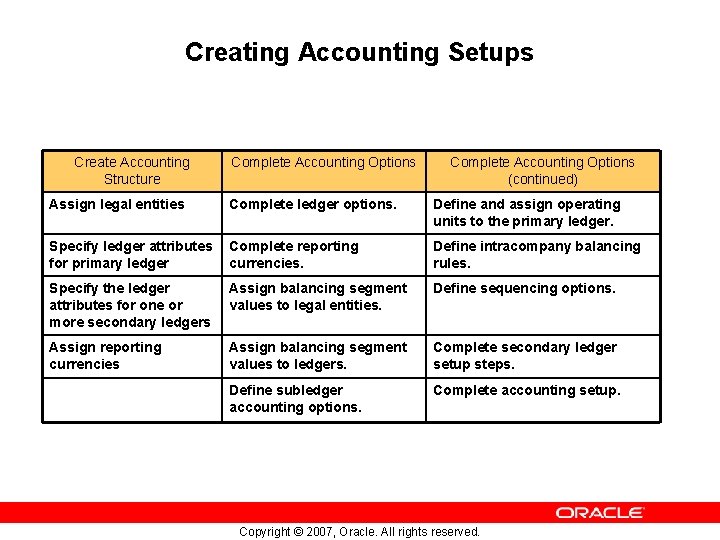
Creating Accounting Setups Create Accounting Structure Complete Accounting Options (continued) Assign legal entities Complete ledger options. Define and assign operating units to the primary ledger. Specify ledger attributes for primary ledger Complete reporting currencies. Define intracompany balancing rules. Specify the ledger attributes for one or more secondary ledgers Assign balancing segment values to legal entities. Define sequencing options. Assign reporting currencies Assign balancing segment values to ledgers. Complete secondary ledger setup steps. Define subledger accounting options. Complete accounting setup. Copyright © 2007, Oracle. All rights reserved.
Accounting Setup Prerequisites • Complete General Ledger Setup Steps • Optionally, define additional Subledger Accounting Methods Copyright © 2007, Oracle. All rights reserved.
Create Accounting Setup Demonstration Copyright © 2007, Oracle. All rights reserved.
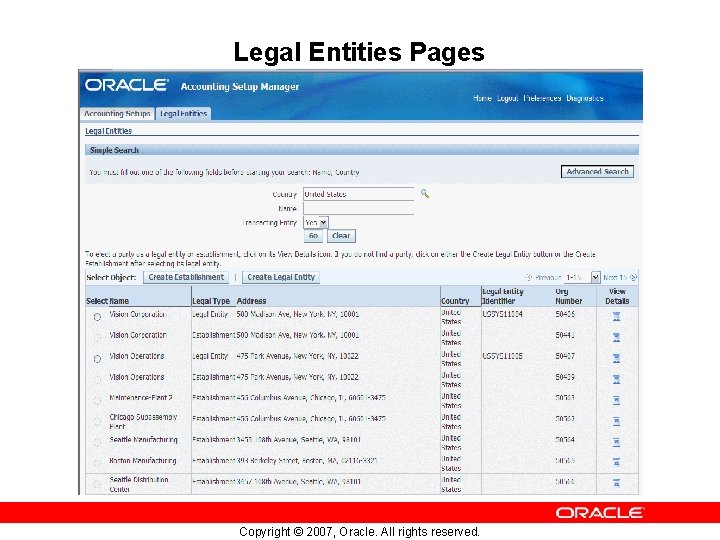
Legal Entities Pages Copyright © 2007, Oracle. All rights reserved.
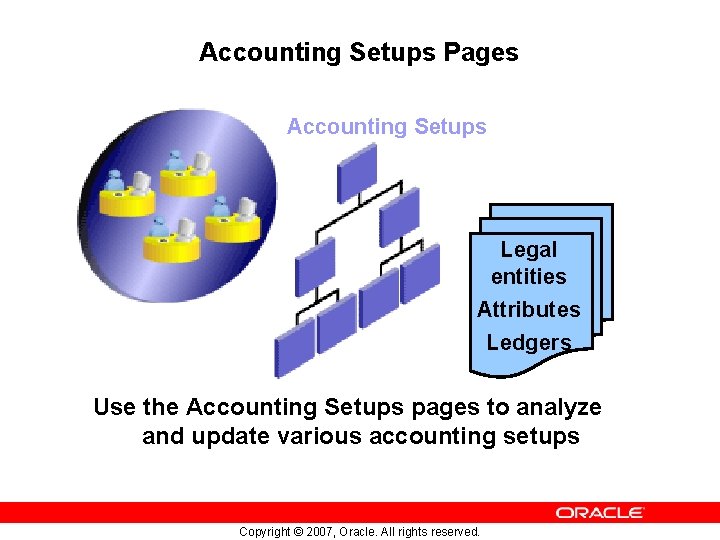
Accounting Setups Pages Accounting Setups Legal entities Attributes Ledgers Use the Accounting Setups pages to analyze and update various accounting setups Copyright © 2007, Oracle. All rights reserved.
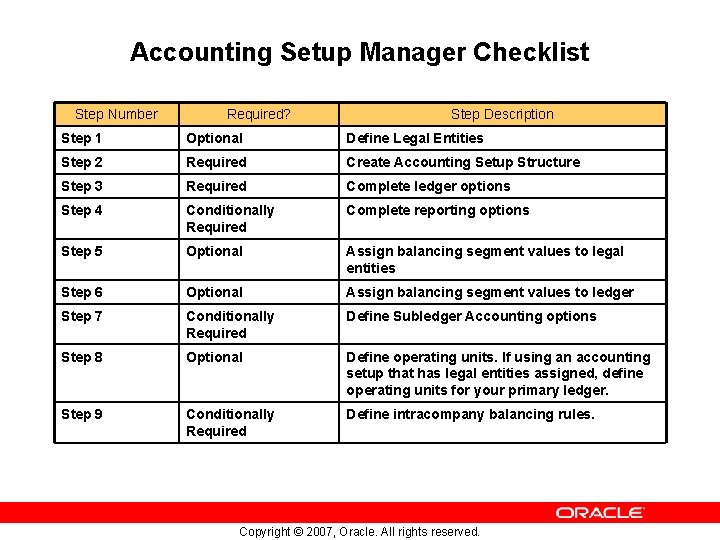
Accounting Setup Manager Checklist Step Number Required? Step Description Step 1 Optional Define Legal Entities Step 2 Required Create Accounting Setup Structure Step 3 Required Complete ledger options Step 4 Conditionally Required Complete reporting options Step 5 Optional Assign balancing segment values to legal entities Step 6 Optional Assign balancing segment values to ledger Step 7 Conditionally Required Define Subledger Accounting options Step 8 Optional Define operating units. If using an accounting setup that has legal entities assigned, define operating units for your primary ledger. Step 9 Conditionally Required Define intracompany balancing rules. Copyright © 2007, Oracle. All rights reserved.
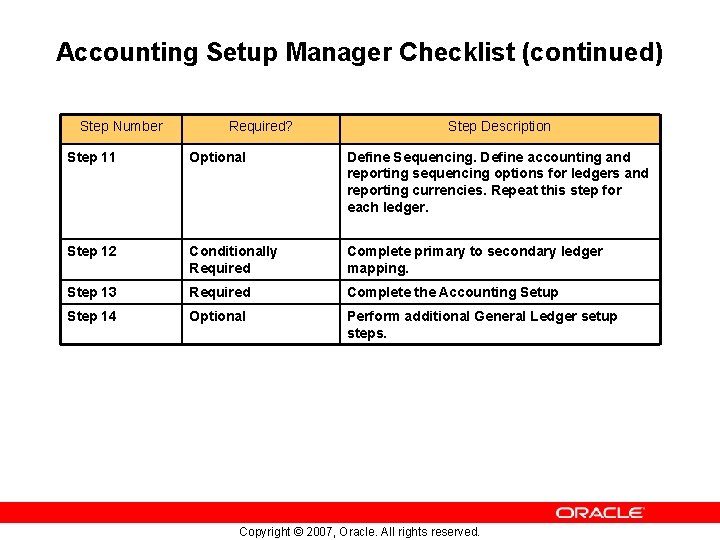
Accounting Setup Manager Checklist (continued) Step Number Required? Step Description Step 11 Optional Define Sequencing. Define accounting and reporting sequencing options for ledgers and reporting currencies. Repeat this step for each ledger. Step 12 Conditionally Required Complete primary to secondary ledger mapping. Step 13 Required Complete the Accounting Setup Step 14 Optional Perform additional General Ledger setup steps. Copyright © 2007, Oracle. All rights reserved.
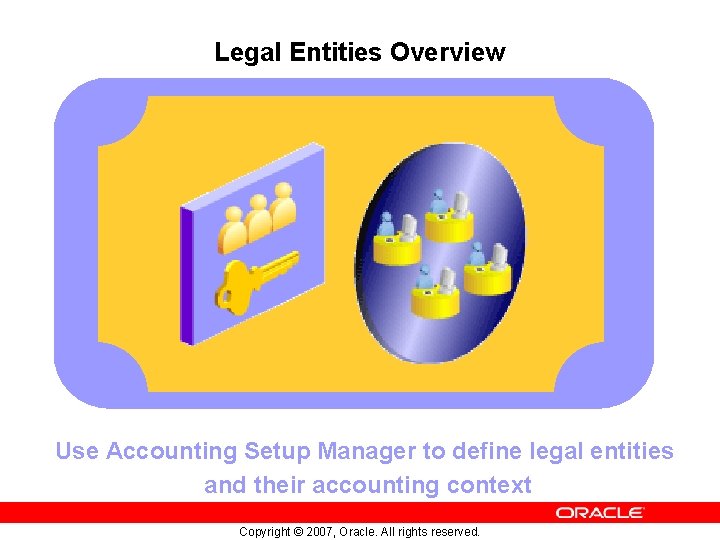
Legal Entities Overview Use Accounting Setup Manager to define legal entities and their accounting context Copyright © 2007, Oracle. All rights reserved.
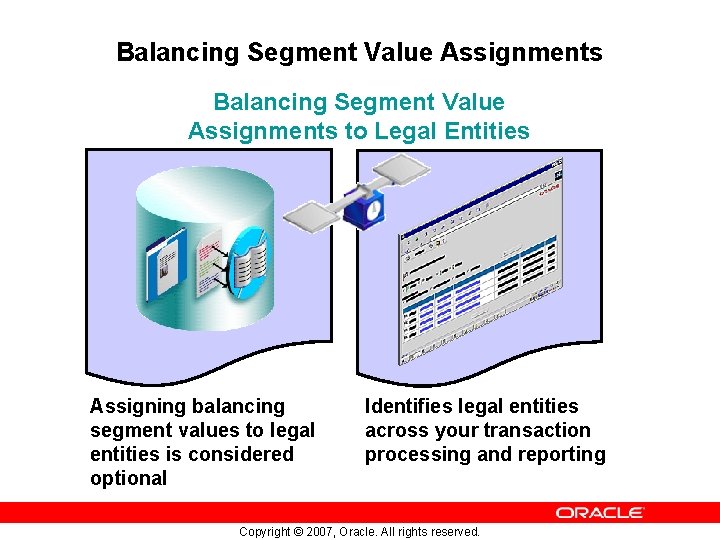
Balancing Segment Value Assignments to Legal Entities Assigning balancing segment values to legal entities is considered optional Identifies legal entities across your transaction processing and reporting Copyright © 2007, Oracle. All rights reserved.
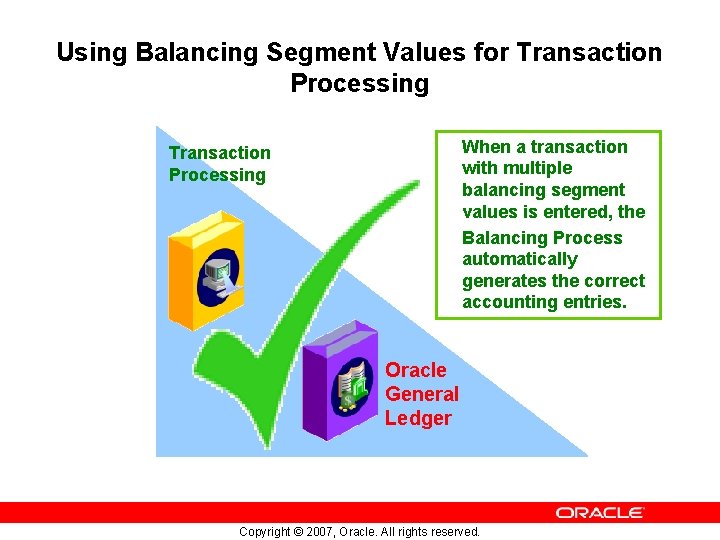
Using Balancing Segment Values for Transaction Processing When a transaction with multiple balancing segment values is entered, the Balancing Process automatically generates the correct accounting entries. Transaction Processing Oracle General Ledger Copyright © 2007, Oracle. All rights reserved.
Completing Accounting Setups You must ensure the correct balancing segment values are assigned to legal entities across all of your accounting setups Copyright © 2007, Oracle. All rights reserved.
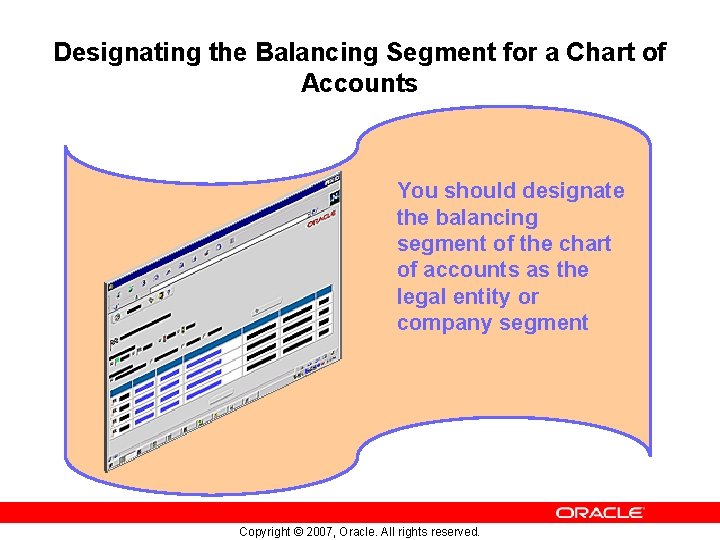
Designating the Balancing Segment for a Chart of Accounts You should designate the balancing segment of the chart of accounts as the legal entity or company segment Copyright © 2007, Oracle. All rights reserved.
Defining Legal Entities Using Accounting Setup Manager is a central location to define accounting related setup Define your legal entities and accounting context which includes the ledgers that will contain the accounting data for each legal entity Copyright © 2007, Oracle. All rights reserved.
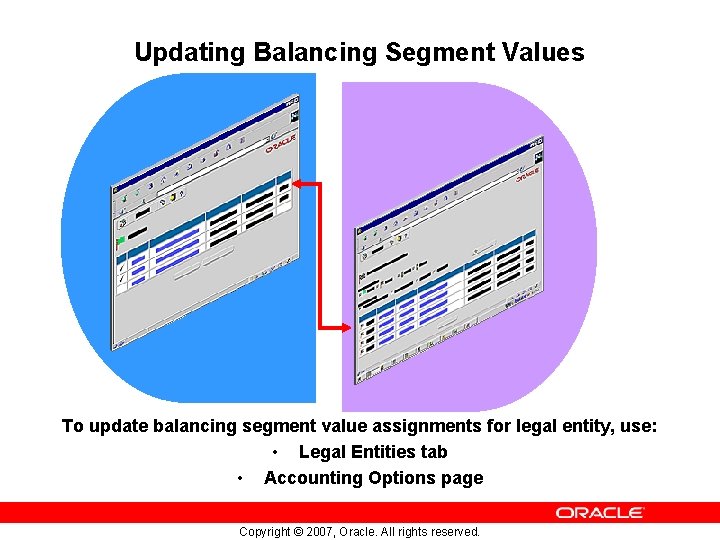
Updating Balancing Segment Values To update balancing segment value assignments for legal entity, use: • Legal Entities tab • Accounting Options page Copyright © 2007, Oracle. All rights reserved.
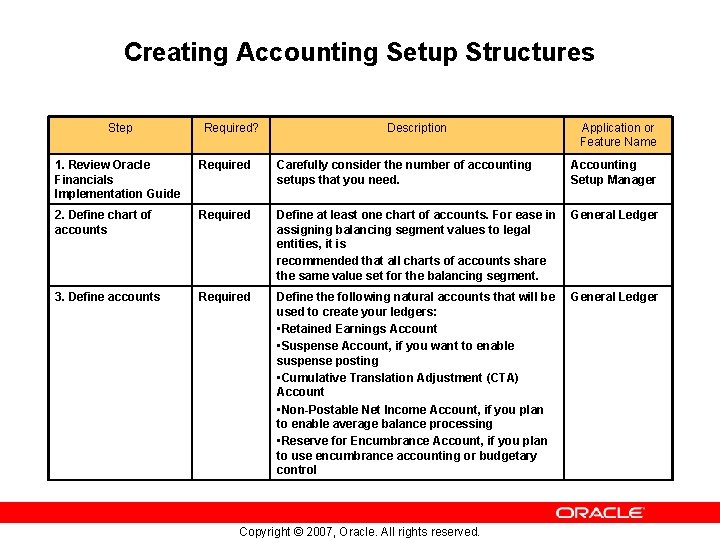
Creating Accounting Setup Structures Step Required? Description Application or Feature Name 1. Review Oracle Financials Implementation Guide Required Carefully consider the number of accounting setups that you need. Accounting Setup Manager 2. Define chart of accounts Required Define at least one chart of accounts. For ease in assigning balancing segment values to legal entities, it is recommended that all charts of accounts share the same value set for the balancing segment. General Ledger 3. Define accounts Required Define the following natural accounts that will be used to create your ledgers: • Retained Earnings Account • Suspense Account, if you want to enable suspense posting • Cumulative Translation Adjustment (CTA) Account • Non-Postable Net Income Account, if you plan to enable average balance processing • Reserve for Encumbrance Account, if you plan to use encumbrance accounting or budgetary control General Ledger Copyright © 2007, Oracle. All rights reserved.
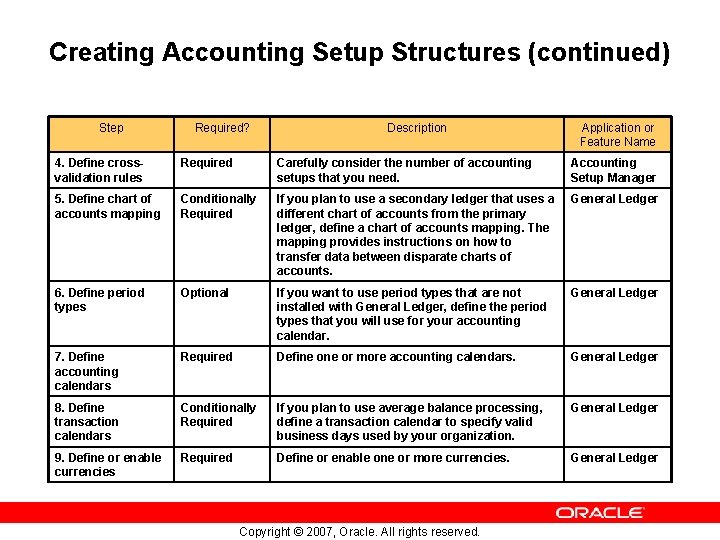
Creating Accounting Setup Structures (continued) Step Required? Description Application or Feature Name 4. Define crossvalidation rules Required Carefully consider the number of accounting setups that you need. Accounting Setup Manager 5. Define chart of accounts mapping Conditionally Required If you plan to use a secondary ledger that uses a different chart of accounts from the primary ledger, define a chart of accounts mapping. The mapping provides instructions on how to transfer data between disparate charts of accounts. General Ledger 6. Define period types Optional If you want to use period types that are not installed with General Ledger, define the period types that you will use for your accounting calendar. General Ledger 7. Define accounting calendars Required Define or more accounting calendars. General Ledger 8. Define transaction calendars Conditionally Required If you plan to use average balance processing, define a transaction calendar to specify valid business days used by your organization. General Ledger 9. Define or enable currencies Required Define or enable one or more currencies. General Ledger Copyright © 2007, Oracle. All rights reserved.
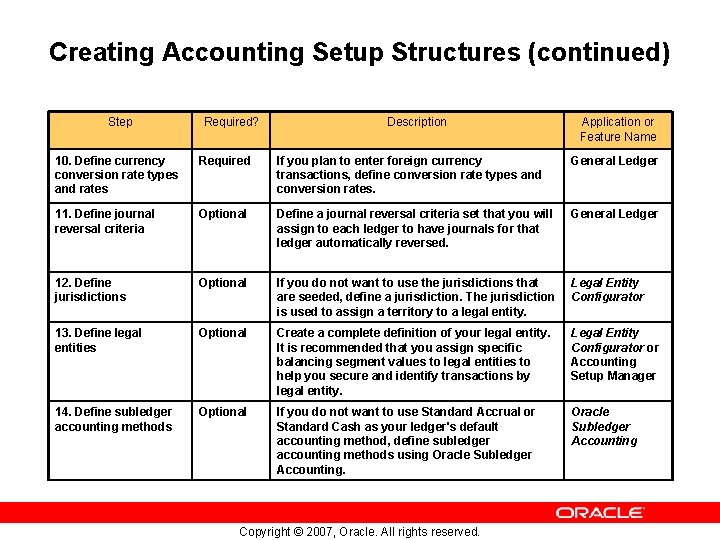
Creating Accounting Setup Structures (continued) Step Required? Description Application or Feature Name 10. Define currency conversion rate types and rates Required If you plan to enter foreign currency transactions, define conversion rate types and conversion rates. General Ledger 11. Define journal reversal criteria Optional Define a journal reversal criteria set that you will assign to each ledger to have journals for that ledger automatically reversed. General Ledger 12. Define jurisdictions Optional If you do not want to use the jurisdictions that are seeded, define a jurisdiction. The jurisdiction is used to assign a territory to a legal entity. Legal Entity Configurator 13. Define legal entities Optional Create a complete definition of your legal entity. It is recommended that you assign specific balancing segment values to legal entities to help you secure and identify transactions by legal entity. Legal Entity Configurator or Accounting Setup Manager 14. Define subledger accounting methods Optional If you do not want to use Standard Accrual or Standard Cash as your ledger's default accounting method, define subledger accounting methods using Oracle Subledger Accounting Copyright © 2007, Oracle. All rights reserved.
Creating an Accounting Setup Creating an accounting setup is comprised of the following steps: • Assigning Legal Entities • Defining Accounting Representations • Saving the Accounting Structure Copyright © 2007, Oracle. All rights reserved.
Completing Accounting Options The structure of the Accounting Options page: Displayed in checklist format to ensure correctness of setup steps Copyright © 2007, Oracle. All rights reserved.
Updating Legal Entities Using the Accounting Options page, you can make various revisions to legal entities Copyright © 2007, Oracle. All rights reserved.
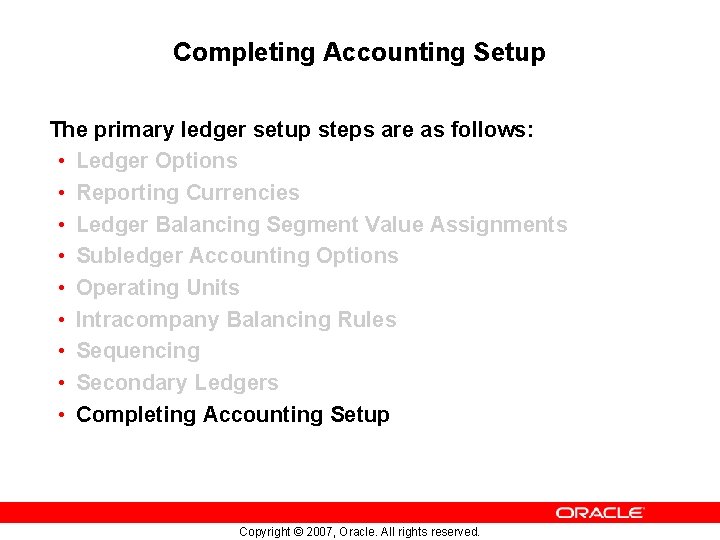
Primary Ledger Setup Steps The primary ledger setup steps are as follows: • Ledger Options • Reporting Currencies • Ledger Balancing Segment Value Assignments • Subledger Accounting Options • Operating Units • Intracompany Balancing Rules • Sequencing • Secondary Ledgers • Completing Accounting Setup Copyright © 2007, Oracle. All rights reserved.
Ledger Options The primary ledger setup steps are as follows: • Ledger Options • Reporting Currencies • Ledger Balancing Segment Value Assignments • Subledger Accounting Options • Operating Units • Intracompany Balancing Rules • Sequencing • Secondary Ledgers • Completing Accounting Setup Copyright © 2007, Oracle. All rights reserved.
Reporting Currencies The primary ledger setup steps are as follows: • Ledger Options • Reporting Currencies • Ledger Balancing Segment Value Assignments • Subledger Accounting Options • Operating Units • Intracompany Balancing Rules • Sequencing • Secondary Ledgers • Completing Accounting Setup Copyright © 2007, Oracle. All rights reserved.
Ledger Balancing Segment Value Assignments The primary ledger setup steps are as follows: • Ledger Options • Reporting Currencies • Ledger Balancing Segment Value Assignments • Subledger Accounting Options • Operating Units • Intracompany Balancing Rules • Sequencing • Secondary Ledgers • Completing Accounting Setup Copyright © 2007, Oracle. All rights reserved.
Subledger Accounting Options The primary ledger setup steps are as follows: • Ledger Options • Reporting Currencies • Ledger Balancing Segment Value Assignments • Subledger Accounting Options • Operating Units • Intracompany Balancing Rules • Sequencing • Secondary Ledgers • Completing Accounting Setup Copyright © 2007, Oracle. All rights reserved.
Operating Units The primary ledger setup steps are as follows: • Ledger Options • Reporting Currencies • Ledger Balancing Segment Value Assignments • Subledger Accounting Options • Operating Units • Intracompany Balancing Rules • Sequencing • Secondary Ledgers • Completing Accounting Setup Copyright © 2007, Oracle. All rights reserved.
Intracompany Balancing Rules The primary ledger setup steps are as follows: • Ledger Options • Reporting Currencies • Ledger Balancing Segment Value Assignments • Subledger Accounting Options • Operating Units • Intracompany Balancing Rules • Sequencing • Secondary Ledgers • Completing Accounting Setup Copyright © 2007, Oracle. All rights reserved.
Sequencing The primary ledger setup steps are as follows: • Ledger Options • Reporting Currencies • Ledger Balancing Segment Value Assignments • Subledger Accounting Options • Operating Units • Intracompany Balancing Rules • Sequencing • Secondary Ledgers • Completing Accounting Setup Copyright © 2007, Oracle. All rights reserved.
Secondary Ledgers The primary ledger setup steps are as follows: • Ledger Options • Reporting Currencies • Ledger Balancing Segment Value Assignments • Subledger Accounting Options • Operating Units • Intracompany Balancing Rules • Sequencing • Secondary Ledgers • Completing Accounting Setup Copyright © 2007, Oracle. All rights reserved.
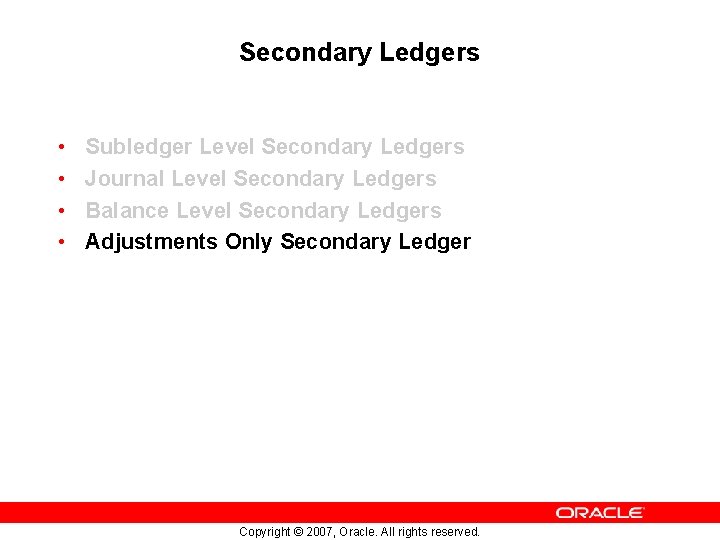
Secondary Ledgers Data Conversion Levels • Secondary Ledgers can be maintained at one of the following data conversion levels: – – Subledger Level Secondary Ledgers Journal Level Secondary Ledgers Balance Level Secondary Ledgers Adjustments Only Secondary Ledger Copyright © 2007, Oracle. All rights reserved.
Secondary Ledgers • • Subledger Level Secondary Ledgers Journal Level Secondary Ledgers Balance Level Secondary Ledgers Adjustments Only Secondary Ledger Copyright © 2007, Oracle. All rights reserved.
Secondary Ledgers • • Subledger Level Secondary Ledgers Journal Level Secondary Ledgers Balance Level Secondary Ledgers Adjustments Only Secondary Ledger Copyright © 2007, Oracle. All rights reserved.
Secondary Ledgers • • Subledger Level Secondary Ledgers Journal Level Secondary Ledgers Balance Level Secondary Ledgers Adjustments Only Secondary Ledger Copyright © 2007, Oracle. All rights reserved.
Secondary Ledgers • • Subledger Level Secondary Ledgers Journal Level Secondary Ledgers Balance Level Secondary Ledgers Adjustments Only Secondary Ledger Copyright © 2007, Oracle. All rights reserved.
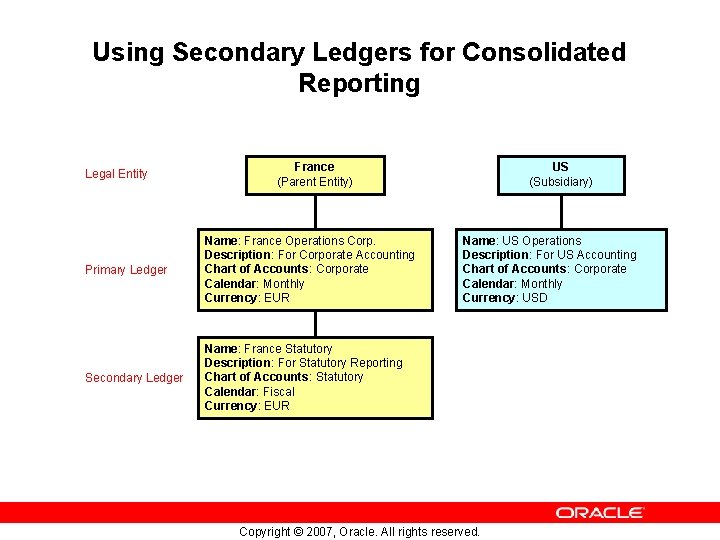
Using Secondary Ledgers for Consolidated Reporting Legal Entity France (Parent Entity) Primary Ledger Name: France Operations Corp. Description: For Corporate Accounting Chart of Accounts: Corporate Calendar: Monthly Currency: EUR Secondary Ledger Name: France Statutory Description: For Statutory Reporting Chart of Accounts: Statutory Calendar: Fiscal Currency: EUR US (Subsidiary) Name: US Operations Description: For US Accounting Chart of Accounts: Corporate Calendar: Monthly Currency: USD Copyright © 2007, Oracle. All rights reserved.
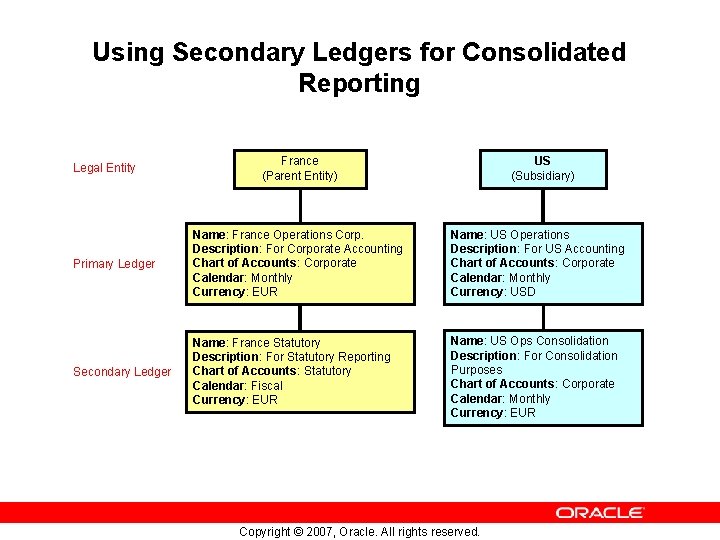
Using Secondary Ledgers for Consolidated Reporting Legal Entity France (Parent Entity) US (Subsidiary) Primary Ledger Name: France Operations Corp. Description: For Corporate Accounting Chart of Accounts: Corporate Calendar: Monthly Currency: EUR Name: US Operations Description: For US Accounting Chart of Accounts: Corporate Calendar: Monthly Currency: USD Secondary Ledger Name: France Statutory Description: For Statutory Reporting Chart of Accounts: Statutory Calendar: Fiscal Currency: EUR Name: US Ops Consolidation Description: For Consolidation Purposes Chart of Accounts: Corporate Calendar: Monthly Currency: EUR Copyright © 2007, Oracle. All rights reserved.
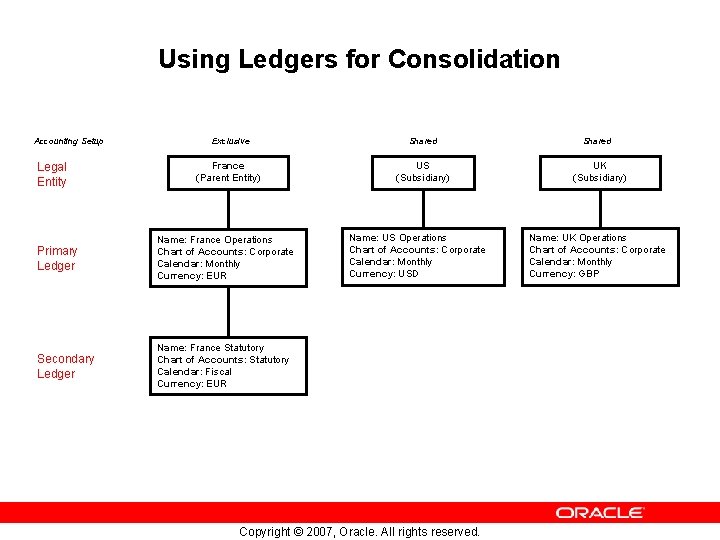
Using Ledgers for Consolidation Accounting Setup Legal Entity Exclusive France (Parent Entity) Primary Ledger Name: France Operations Chart of Accounts: Corporate Calendar: Monthly Currency: EUR Secondary Ledger Name: France Statutory Chart of Accounts: Statutory Calendar: Fiscal Currency: EUR Shared US (Subsidiary) Name: US Operations Chart of Accounts: Corporate Calendar: Monthly Currency: USD Copyright © 2007, Oracle. All rights reserved. Shared UK (Subsidiary) Name: UK Operations Chart of Accounts: Corporate Calendar: Monthly Currency: GBP
Completing Accounting Setup The primary ledger setup steps are as follows: • Ledger Options • Reporting Currencies • Ledger Balancing Segment Value Assignments • Subledger Accounting Options • Operating Units • Intracompany Balancing Rules • Sequencing • Secondary Ledgers • Completing Accounting Setup Copyright © 2007, Oracle. All rights reserved.
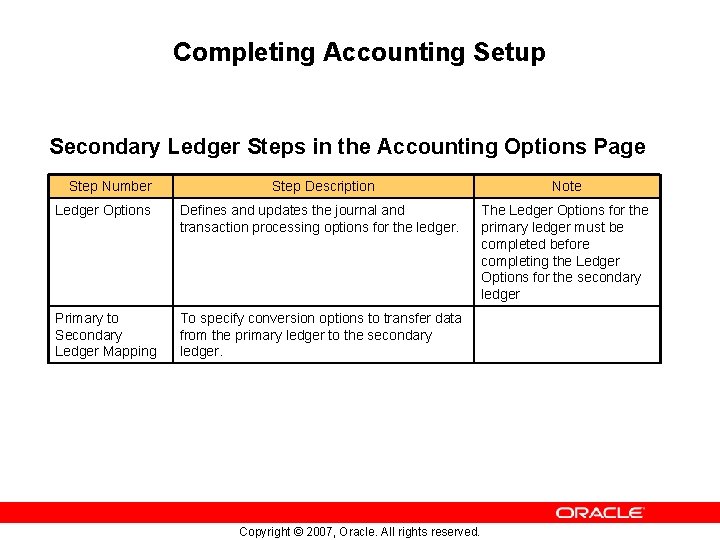
Completing Accounting Setup Secondary Ledger Steps in the Accounting Options Page Step Number Step Description Note Ledger Options Defines and updates the journal and transaction processing options for the ledger. The Ledger Options for the primary ledger must be completed before completing the Ledger Options for the secondary ledger Primary to Secondary Ledger Mapping To specify conversion options to transfer data from the primary ledger to the secondary ledger. Copyright © 2007, Oracle. All rights reserved.
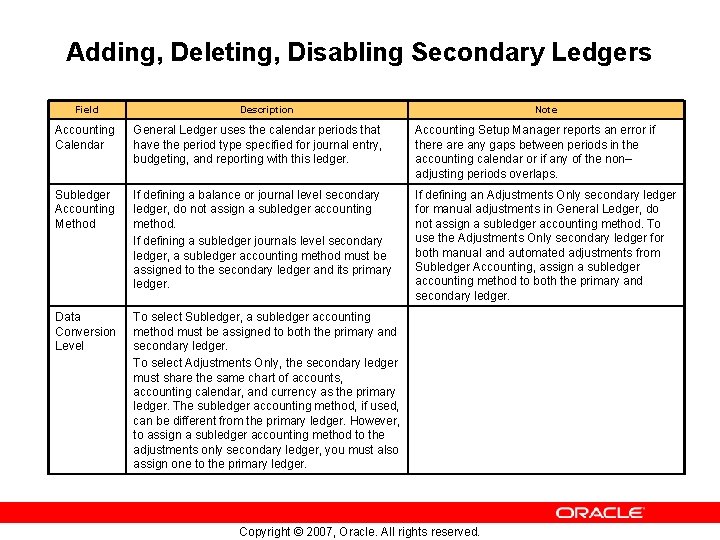
Adding, Deleting, Disabling Secondary Ledgers Field Description Note Accounting Calendar General Ledger uses the calendar periods that have the period type specified for journal entry, budgeting, and reporting with this ledger. Accounting Setup Manager reports an error if there any gaps between periods in the accounting calendar or if any of the non– adjusting periods overlaps. Subledger Accounting Method If defining a balance or journal level secondary ledger, do not assign a subledger accounting method. If defining a subledger journals level secondary ledger, a subledger accounting method must be assigned to the secondary ledger and its primary ledger. If defining an Adjustments Only secondary ledger for manual adjustments in General Ledger, do not assign a subledger accounting method. To use the Adjustments Only secondary ledger for both manual and automated adjustments from Subledger Accounting, assign a subledger accounting method to both the primary and secondary ledger. Data Conversion Level To select Subledger, a subledger accounting method must be assigned to both the primary and secondary ledger. To select Adjustments Only, the secondary ledger must share the same chart of accounts, accounting calendar, and currency as the primary ledger. The subledger accounting method, if used, can be different from the primary ledger. However, to assign a subledger accounting method to the adjustments only secondary ledger, you must also assign one to the primary ledger. Copyright © 2007, Oracle. All rights reserved.
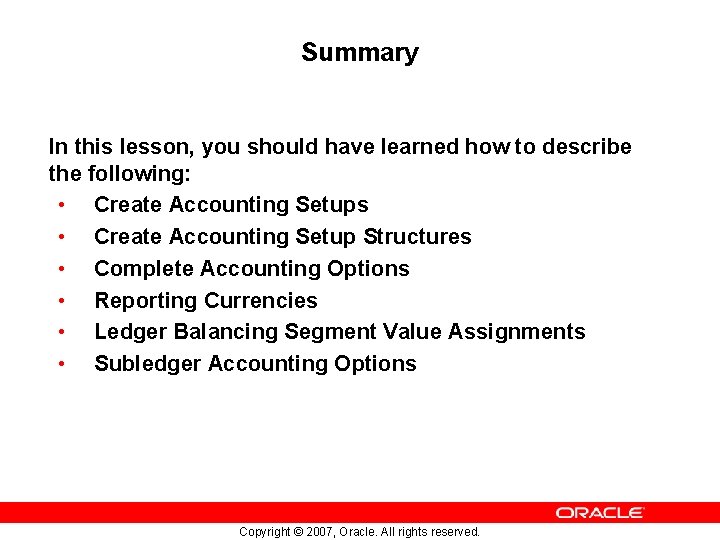
Summary In this lesson, you should have learned how to describe the following: • Create Accounting Setups • Create Accounting Setup Structures • Complete Accounting Options • Reporting Currencies • Ledger Balancing Segment Value Assignments • Subledger Accounting Options Copyright © 2007, Oracle. All rights reserved.
Summary In this lesson, you should have learned how to describe the following: • Operating Units • Intracompany Balancing Rules • Sequencing • Secondary Ledgers • Complete Accounting Setup Copyright © 2007, Oracle. All rights reserved.