
USER INTERFACE DESIGN Part 1 1 OUTLINE Dashboards
USER INTERFACE DESIGN Part 1 1
OUTLINE • Dashboards • Features • Executive Dashboards • From Analysis to UI Design • Navigation Menus • Storyboarding • CSFs & KPIs • Report Design • User Experience (UX) Design • User Interface (UI) Design • Principles of UI Design • Types of Reports • Detailed • Summary • Exception • Report Features • Control break • Drill down • Turn Around Documents 2

DASHBOARDS 3
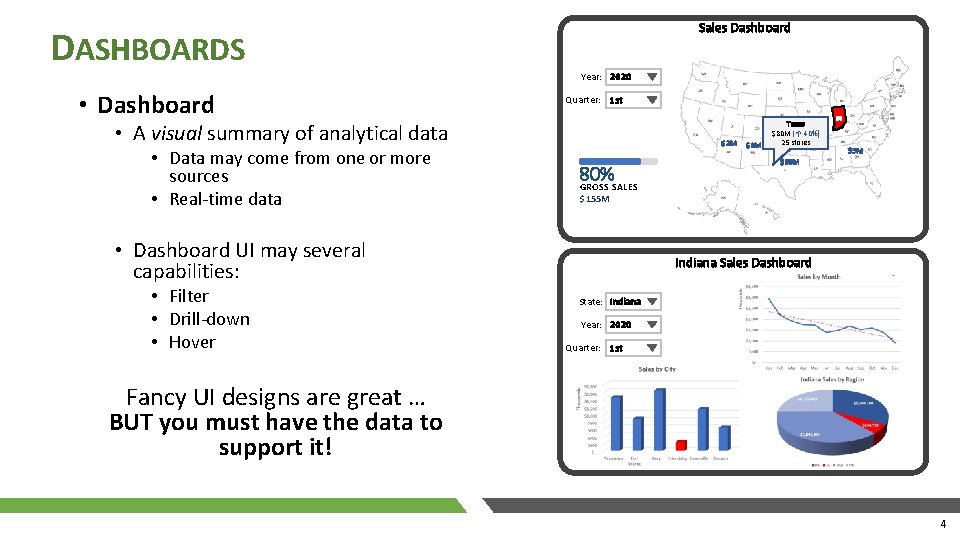
DASHBOARDS • Dashboard Sales Dashboard Year: 2020 Quarter: 1 st • A visual summary of analytical data • Data may come from one or more sources • Real-time data $2 M 80% GROSS SALES IN $5 M $80 M $155 M • Dashboard UI may several capabilities: • Filter • Drill-down • Hover $3 M Texas $80 M ( 40%) 25 stores Indiana Sales Dashboard +- State: Indiana Year: 2020 Quarter: 1 st Fancy UI designs are great … BUT you must have the data to support it! 4
EXECUTIVE DASHBOARDS • Provide executives with quick visibility into performance metrics • Pull data from multiple systems • Design it around Critical Success Factors (CSF) • CSF - elements that are vital for an organization’s strategy to be successful • e. g. improve customer satisfaction • Include Key Performance Indicators (KPIs) • • Measures used to quantify a CSF e. g. _______________ e. g. ________ 5
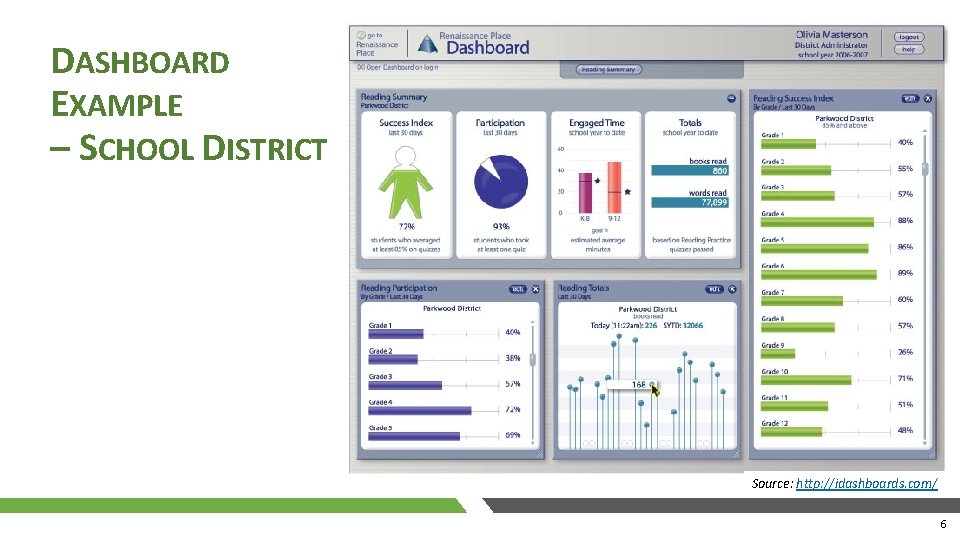
DASHBOARD EXAMPLE – SCHOOL DISTRICT Source: http: //idashboards. com/ 6
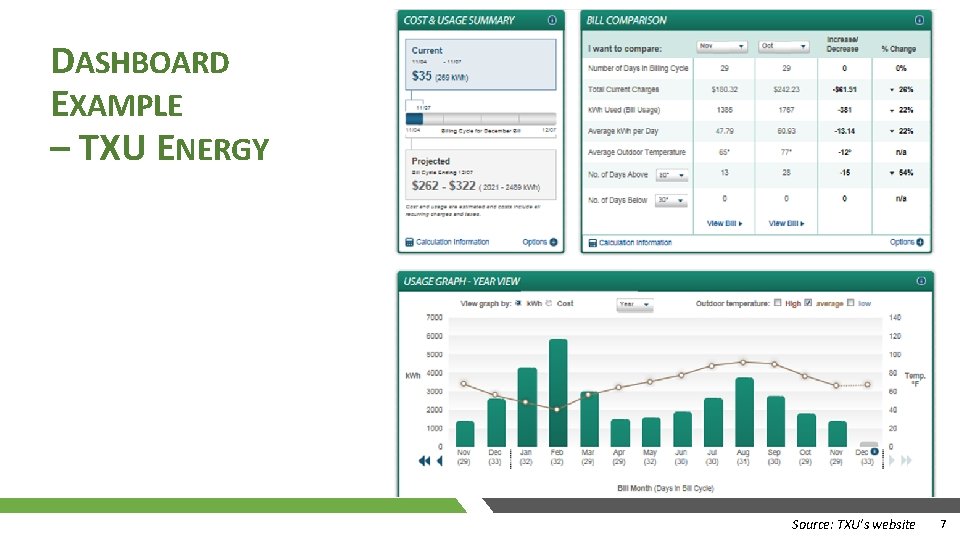
DASHBOARD EXAMPLE – TXU ENERGY Source: TXU’s website 7
DASHBOARDS • Here a few useful links to sample dashboards: • https: //www. idashboards. com/dashboard-examples/ check out their examples • https: //www. tableau. com/trial/powerfuldashboards#reveal-hero – watch the video • For our project, you may use: • Microsoft Excel 1. 2. Enter realistic data in Excel Generate appropriate charts • Labels everything! 3. Copy & paste charts into your UI Design tool • Tableau • You may use Tableau assuming others involved in the dashboard user story also know how to use it. 8

USER EXPERIENCE (UX) DESIGN 9
USER EXPERIENCE (UX) DESIGN • UX Design • is a broad field that looks at all aspects of a person’s interaction with a product. • Product - ease of use, functionality • Users - who are they, their perceptions & feelings • Goal: create positive experiences • user satisfaction • brand loyalty • product promotion by the user • sales • UX Researcher • Understanding the user - who are they & what motivates them? • Gather info: interview, surveys • Look for patterns & divide into user segments – target specific user group • Identifying requirements • UX Designer • Focus on how it works • Design Wireframes & Prototypes • Strong skills in prototyping tools: Photoshop, Sketch, etc. • UI Designers • Focus on how it looks • Interaction Designers • Focus on motion – animations, transitions 10
USER INTERFACE (UI) DESIGN 11
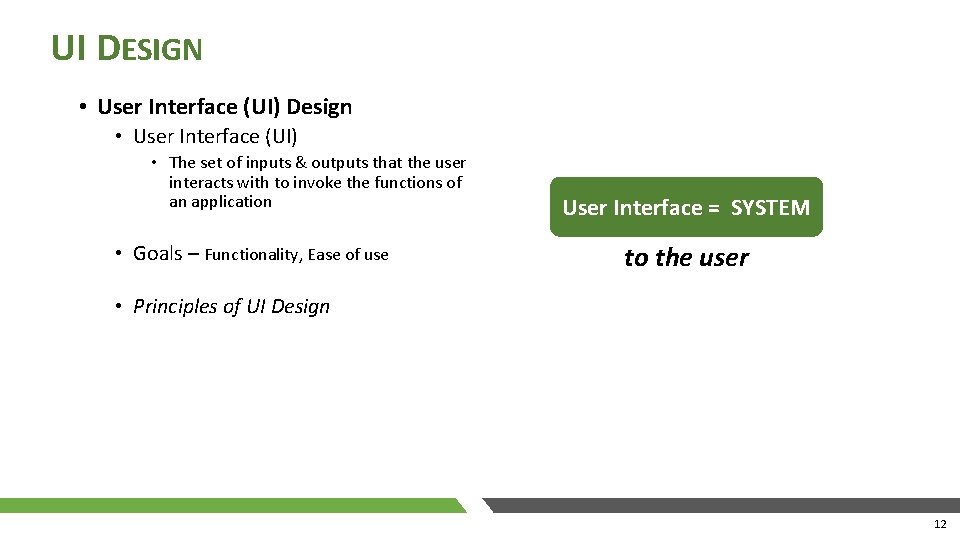
UI DESIGN • User Interface (UI) Design • User Interface (UI) • The set of inputs & outputs that the user interacts with to invoke the functions of an application • Goals – Functionality, Ease of use User Interface = SYSTEM to the user • Principles of UI Design 12
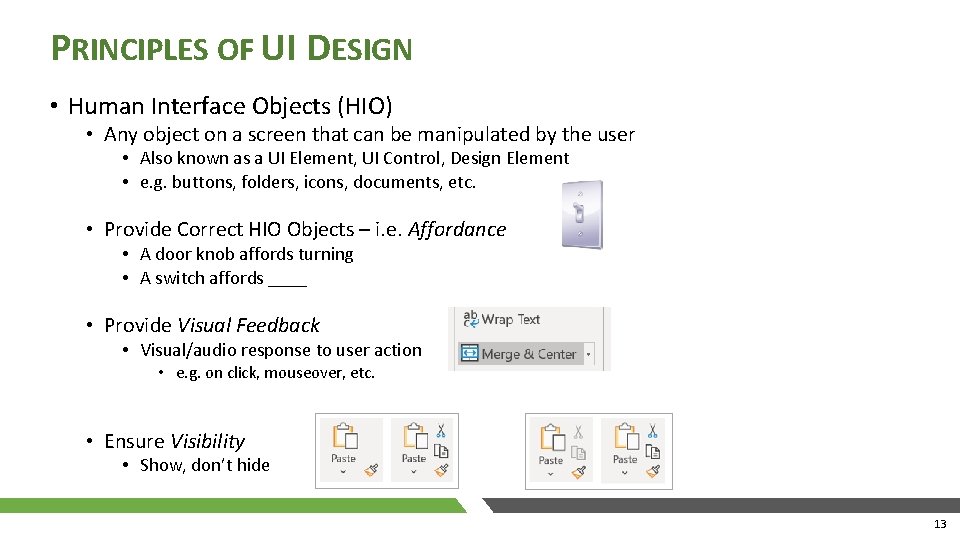
PRINCIPLES OF UI DESIGN • Human Interface Objects (HIO) • Any object on a screen that can be manipulated by the user • Also known as a UI Element, UI Control, Design Element • e. g. buttons, folders, icons, documents, etc. • Provide Correct HIO Objects – i. e. Affordance • A door knob affords turning • A switch affords ____ • Provide Visual Feedback • Visual/audio response to user action • e. g. on click, mouseover, etc. • Ensure Visibility • Show, don’t hide 13
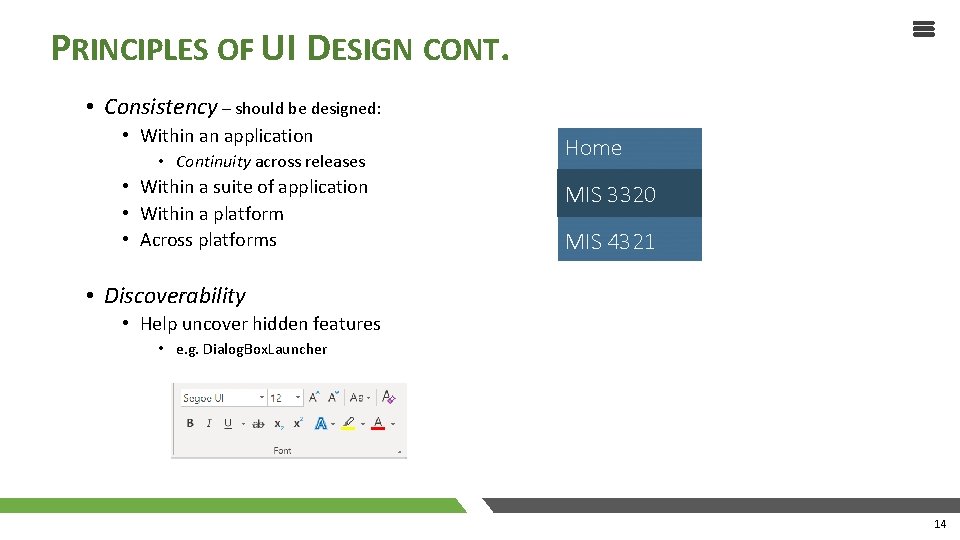
PRINCIPLES OF UI DESIGN CONT. • Consistency – should be designed: • Within an application • Continuity across releases • Within a suite of application • Within a platform • Across platforms Home MIS 3320 MIS 4321 • Discoverability • Help uncover hidden features • e. g. Dialog. Box. Launcher 14
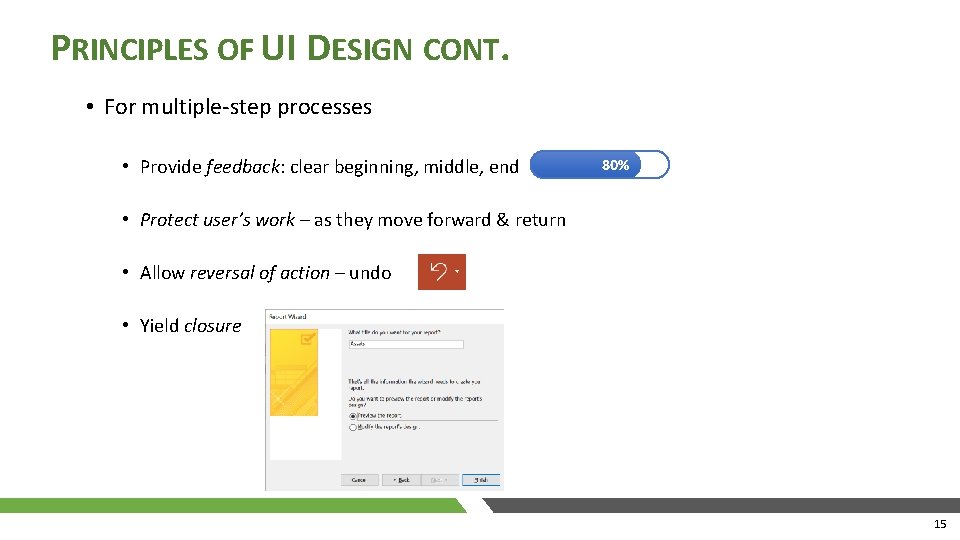
PRINCIPLES OF UI DESIGN CONT. • For multiple-step processes • Provide feedback: clear beginning, middle, end 80% • Protect user’s work – as they move forward & return • Allow reversal of action – undo • Yield closure 15
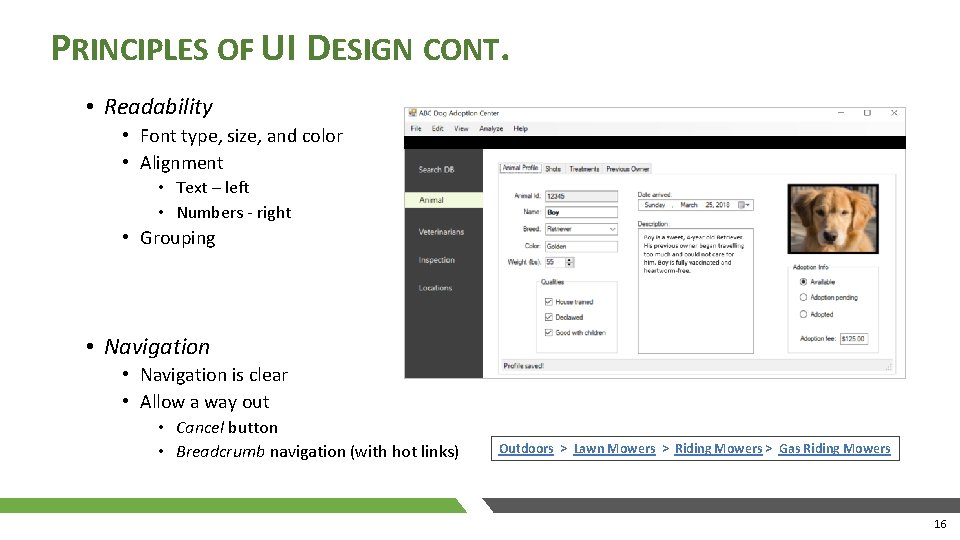
PRINCIPLES OF UI DESIGN CONT. • Readability • Font type, size, and color • Alignment • Text – left • Numbers - right • Grouping • Navigation is clear • Allow a way out • Cancel button • Breadcrumb navigation (with hot links) Outdoors > Lawn Mowers > Riding Mowers > Gas Riding Mowers 16
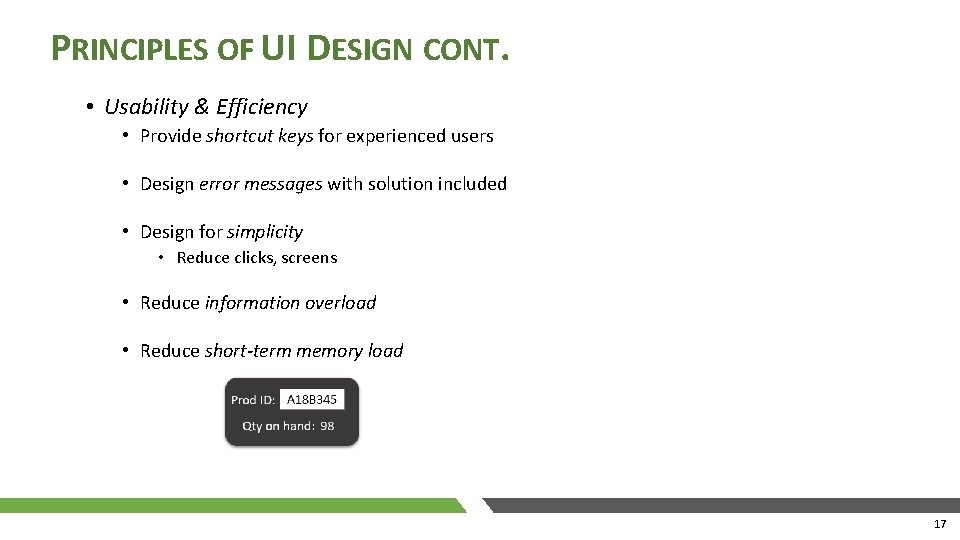
PRINCIPLES OF UI DESIGN CONT. • Usability & Efficiency • Provide shortcut keys for experienced users • Design error messages with solution included • Design for simplicity • Reduce clicks, screens • Reduce information overload • Reduce short-term memory load 17

FROM ANALYSIS TO UI DESIGN 18
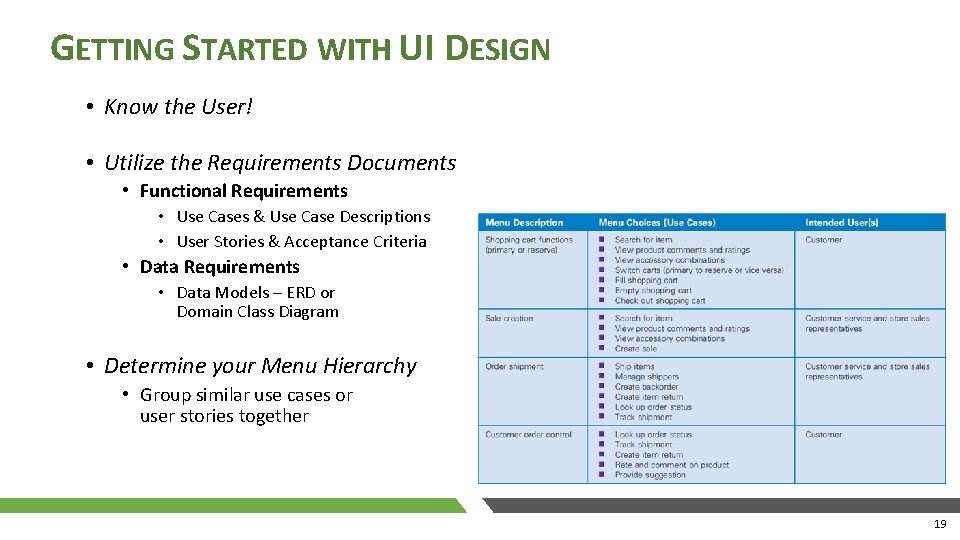
GETTING STARTED WITH UI DESIGN • Know the User! • Utilize the Requirements Documents • Functional Requirements • Use Cases & Use Case Descriptions • User Stories & Acceptance Criteria • Data Requirements • Data Models – ERD or Domain Class Diagram • Determine your Menu Hierarchy • Group similar use cases or user stories together 19
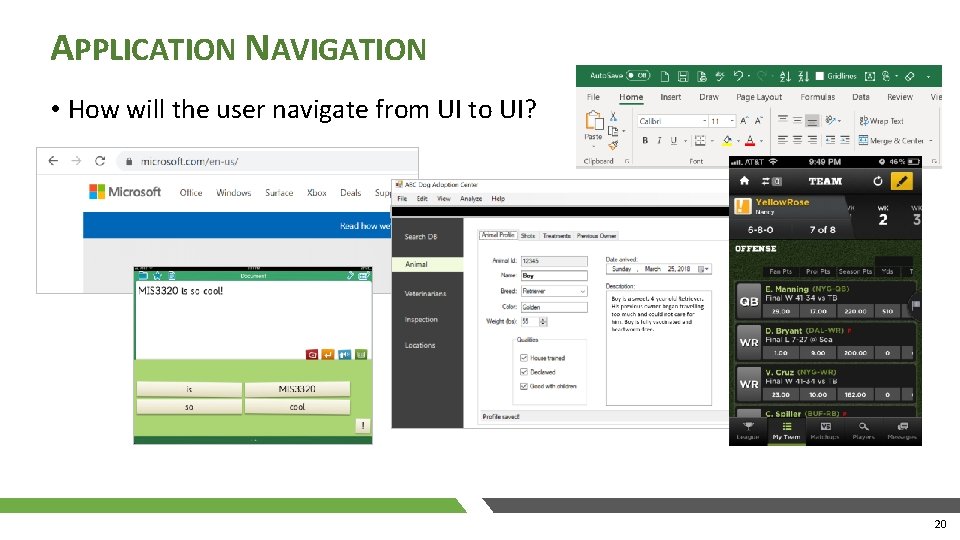
APPLICATION NAVIGATION • How will the user navigate from UI to UI? 20
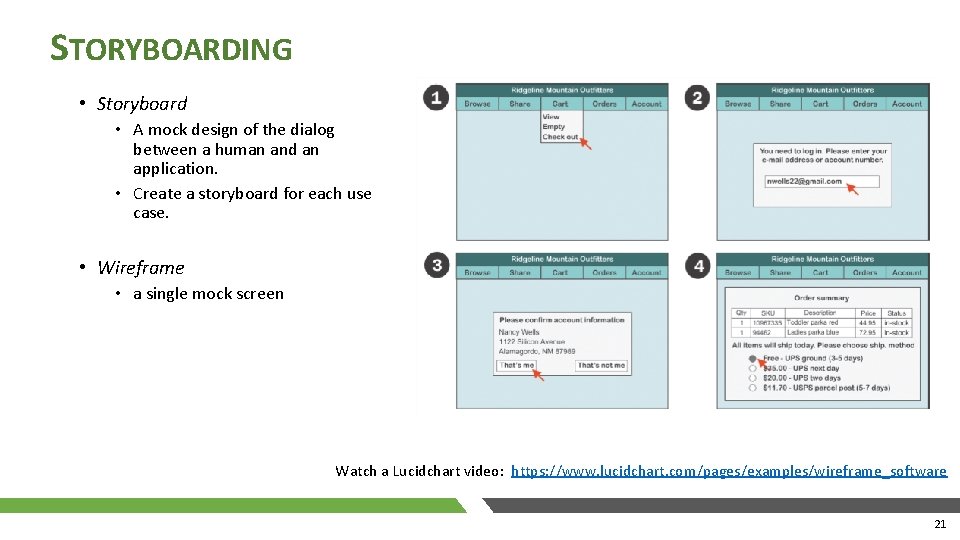
STORYBOARDING • Storyboard • A mock design of the dialog between a human and an application. • Create a storyboard for each use case. • Wireframe • a single mock screen Watch a Lucidchart video: https: //www. lucidchart. com/pages/examples/wireframe_software 21

REPORT DESIGN 22
REPORT DESIGN • Types of Reports • Detailed • Summary • Exception • Report Features • Control break • Drill down 23
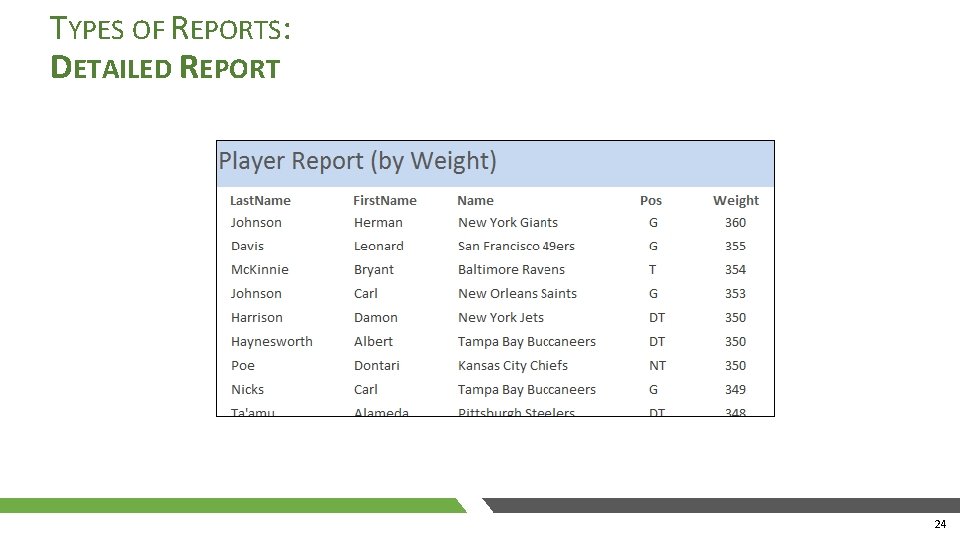
TYPES OF REPORTS: DETAILED REPORT 24
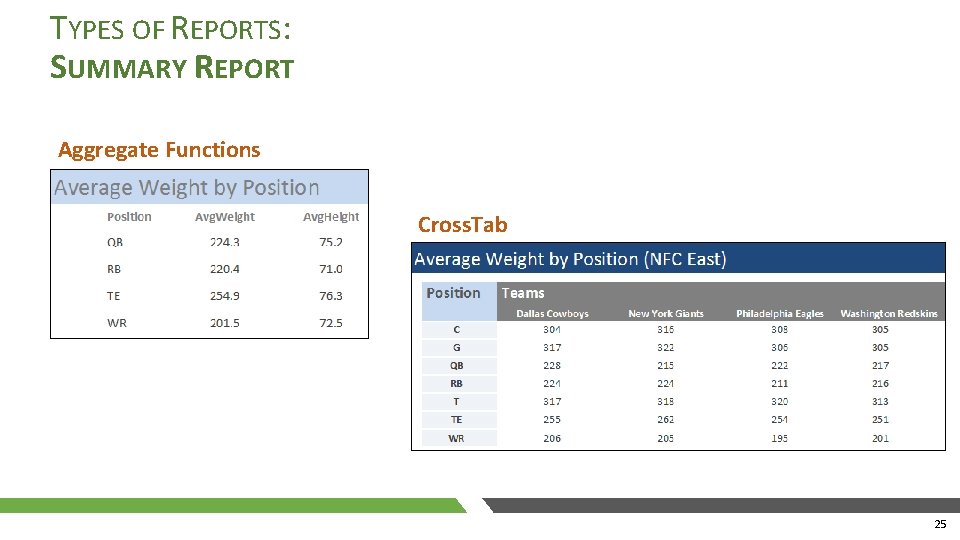
TYPES OF REPORTS: SUMMARY REPORT Aggregate Functions Cross. Tab 25
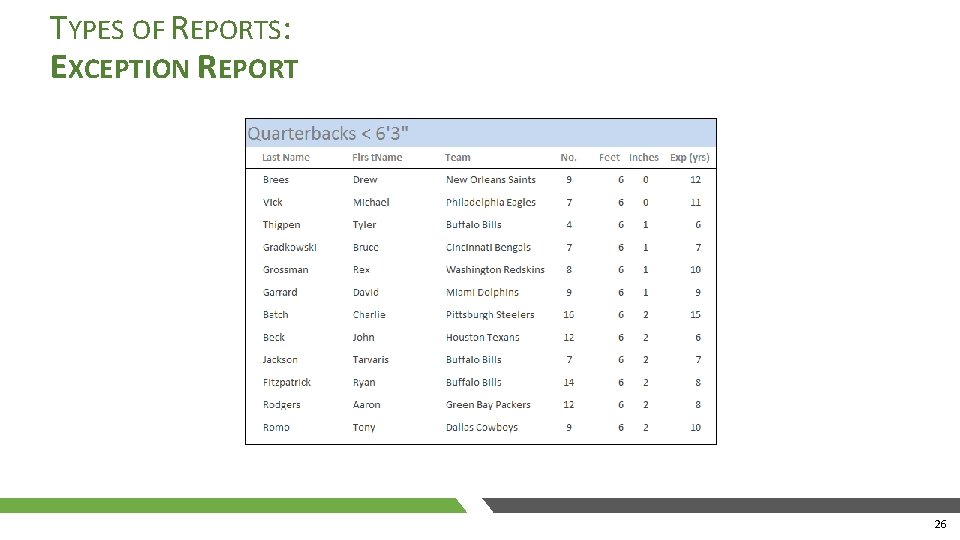
TYPES OF REPORTS: EXCEPTION REPORT 26
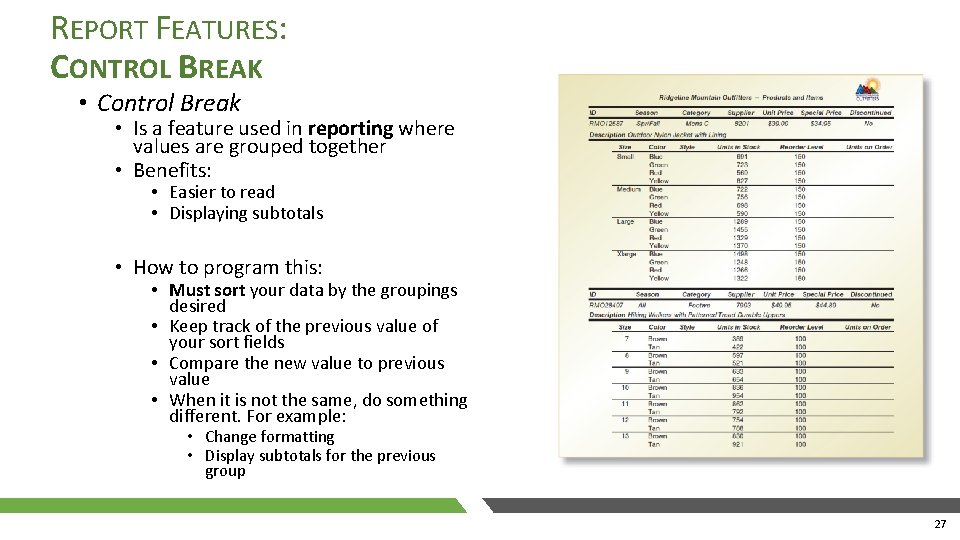
REPORT FEATURES: CONTROL BREAK • Control Break • Is a feature used in reporting where values are grouped together • Benefits: • Easier to read • Displaying subtotals • How to program this: • Must sort your data by the groupings desired • Keep track of the previous value of your sort fields • Compare the new value to previous value • When it is not the same, do something different. For example: • Change formatting • Display subtotals for the previous group 27
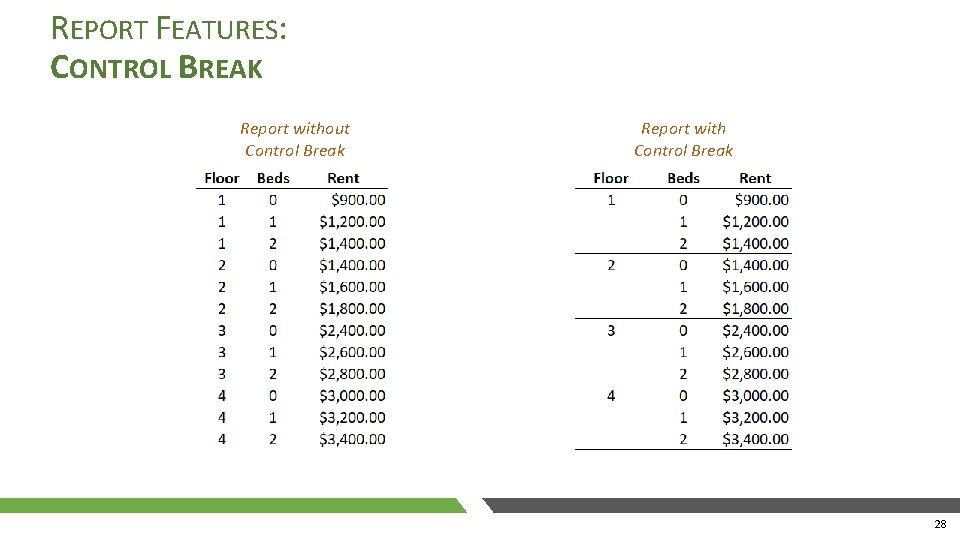
REPORT FEATURES: CONTROL BREAK Report without Control Break Report with Control Break 28
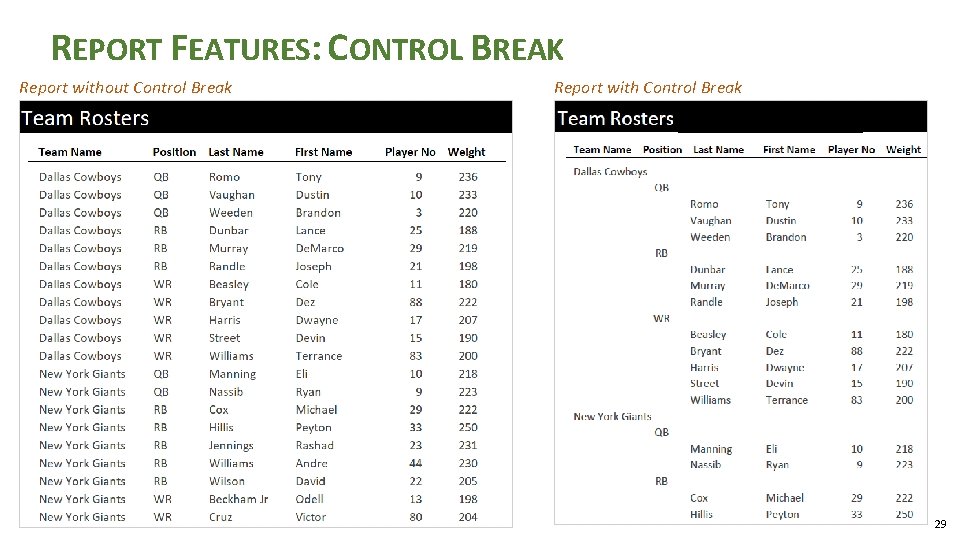
REPORT FEATURES: CONTROL BREAK Report without Control Break Report with Control Break 29
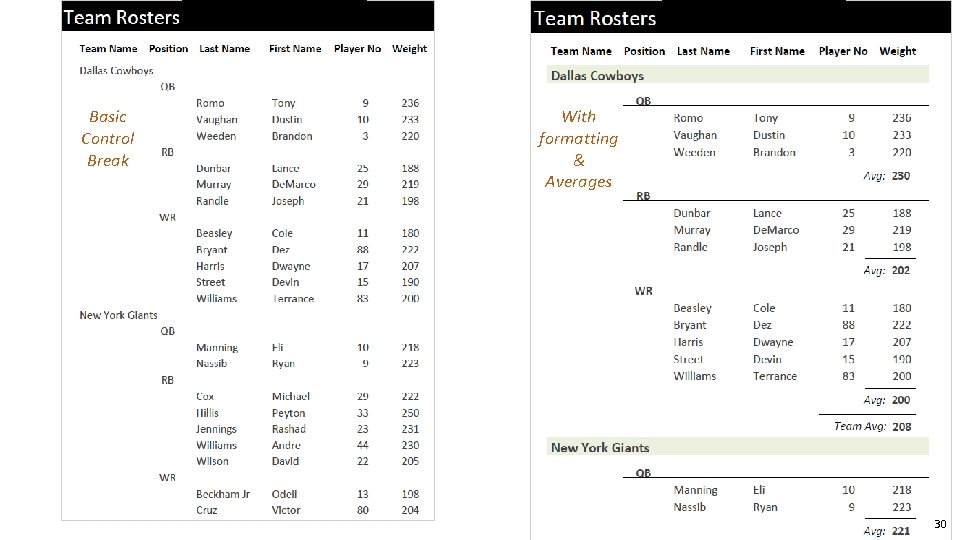
Basic Control Break With formatting & Averages 30
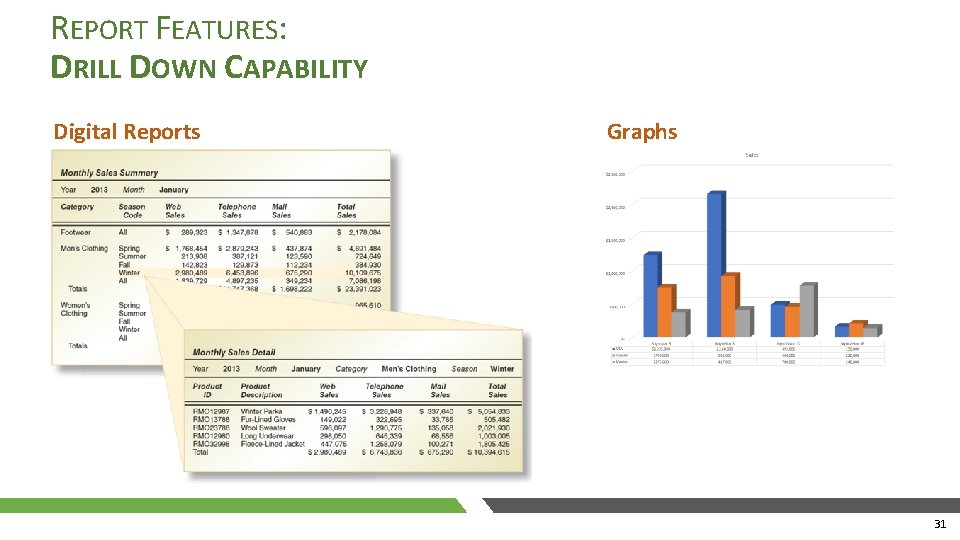
REPORT FEATURES: DRILL DOWN CAPABILITY Digital Reports Graphs 31
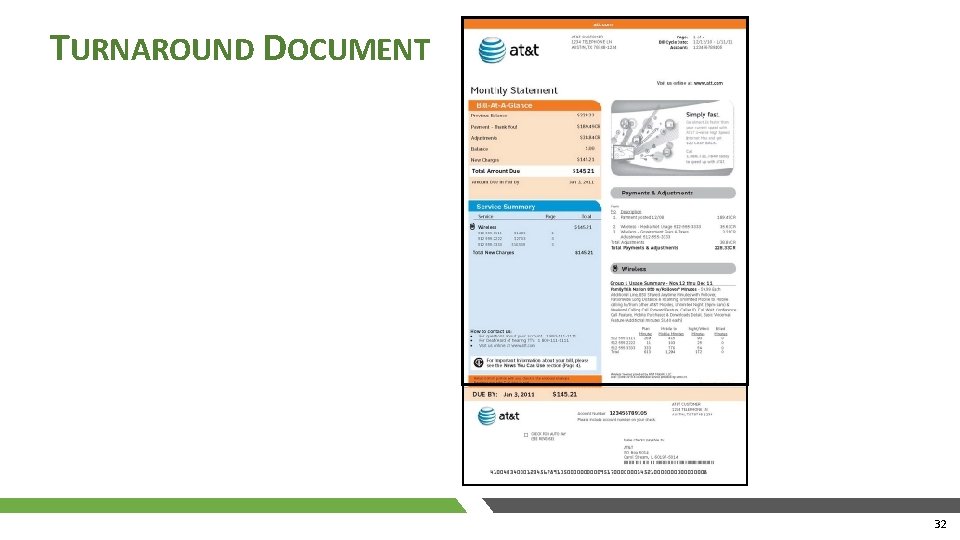
TURNAROUND DOCUMENT 32
- Slides: 32