
User Interface design Describes how the software communicates
User Interface design Describes how the software communicates with - itself - to other systems - humans who use it. The data and control flow diagrams provide the information required for interface design 1
Elements of Good Design • Understanding of: – people, how we see, understand, and think. – how information must be visually presented to enhance human acceptance and comprehension. – how eye and hand movements must flow to minimize the potential for fatigue and injury. • Must consider the capabilities and limitations of the hardware and software of the human-computer interface 2
Benefits of Good Design • Higher task completion rates • More efficient task completion rates • Reduced training costs • Improved customer service 3
v. Guidelines for User Interface Design – Focus on basic objectives – Build an interface that is easy to learn and use – Provide features that promote efficiency – Make it easy for users to obtain help or correct errors – Minimize input data problems – Provide feedback to users – Create an attractive layout and design – Use familiar terms and images 4
Definition of Graphical User Interface • A user interface is a collection of techniques and mechanisms to interact with something. • In a graphical interface, the primary interaction mechanism is a pointing device of some kind. Source: The Essential Guide to User Interface Design by Galitz 5
Advantages • • Symbols recognized faster than text Faster learning Faster use and problem solving Easier remembering More natural More attractive Fewer errors 6
Procedural design • • Details of how modules work Define algorithmic details Possible to use natural language Structured form: pseudocode, or PDL (Program Design Language), also called structured English • Clearer with graphical methods such as – Flowchart – Nassi-Schneiderman chart (N-S chart), box diagram 7
Structured Programming • Set of logical constructs from which any program can be formed: Sequence, Condition, Repetition • Limit procedural design to small number of predictable operations • Enter at top, exit at bottom • Reduce complexity, easier to understand maintain • Program separated into logical ‘chunks’ 8
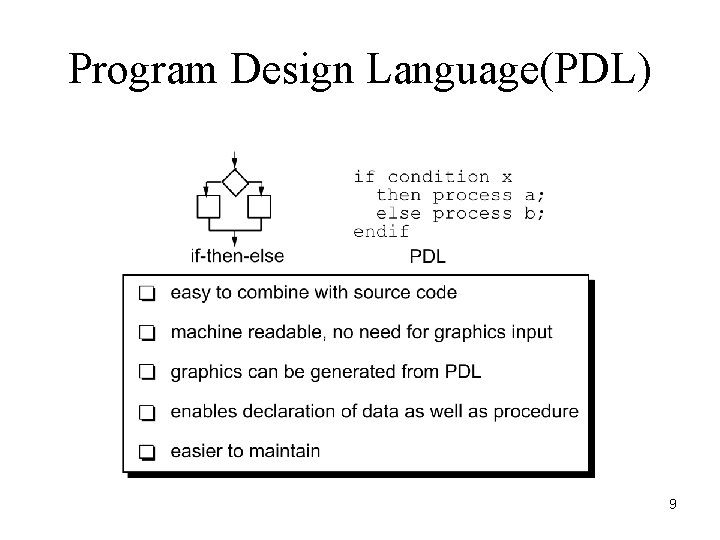
Program Design Language(PDL) 9
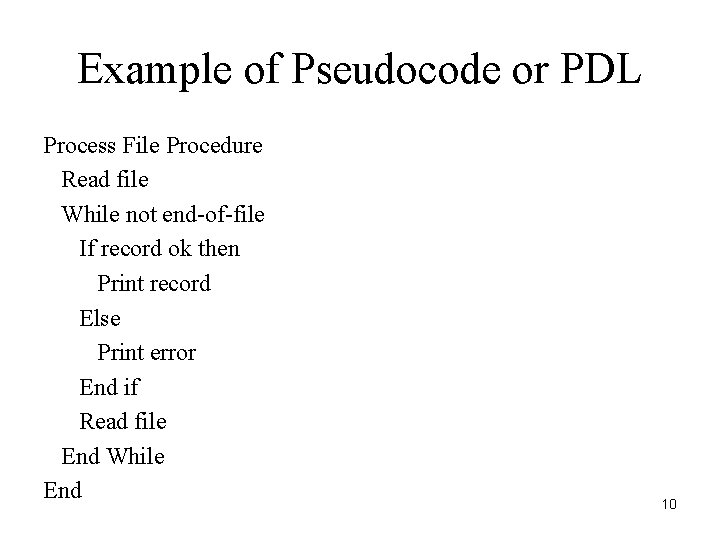
Example of Pseudocode or PDL Process File Procedure Read file While not end-of-file If record ok then Print record Else Print error End if Read file End While End 10
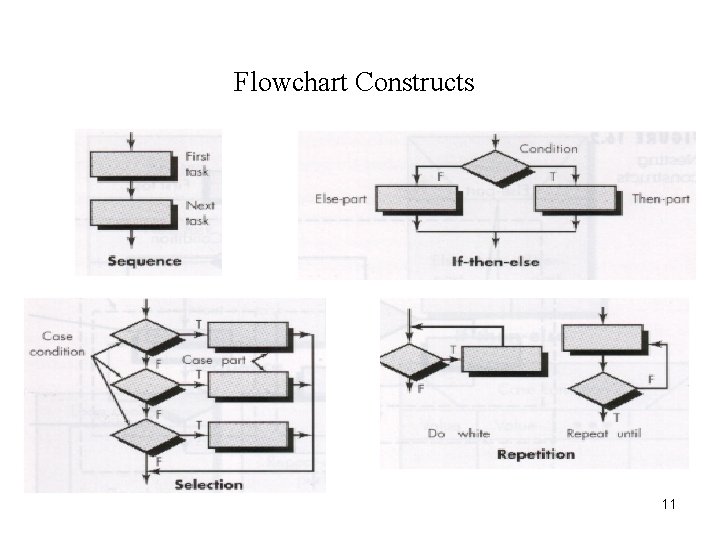
Flowchart Constructs 11
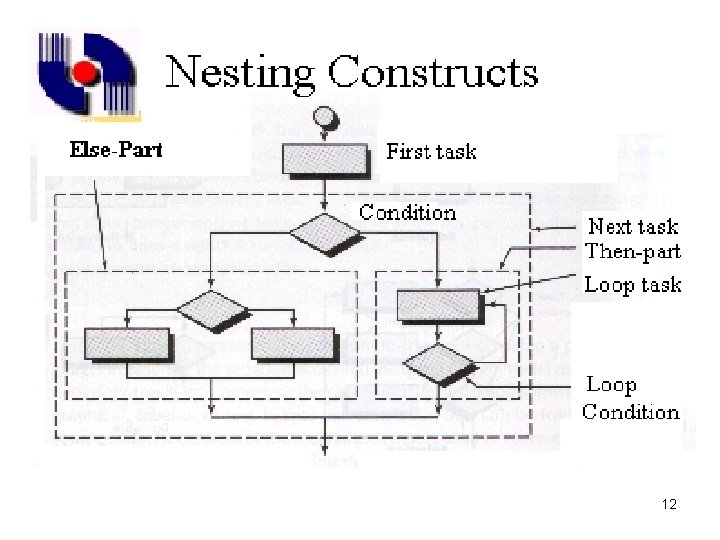
12
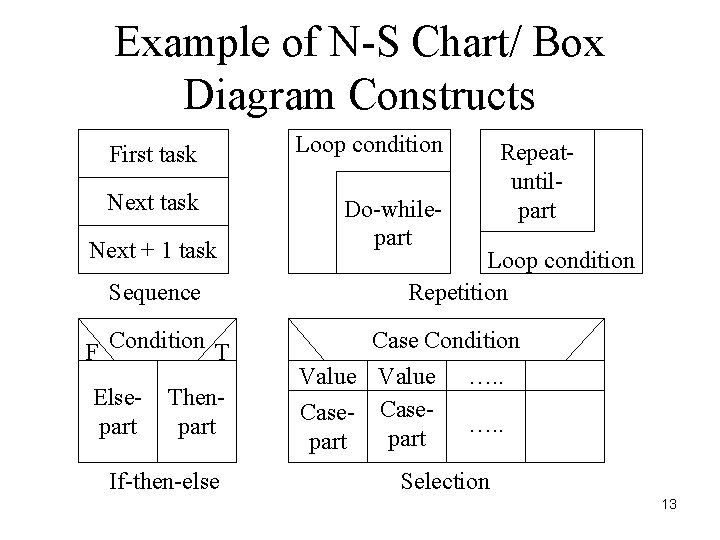
Example of N-S Chart/ Box Diagram Constructs First task Loop condition Next task Do-whilepart Next + 1 task Sequence F Condition T Elsepart Thenpart If-then-else Repeatuntilpart Loop condition Repetition Case Condition Value Case- Casepart …. . Selection 13
Report Design Issues – Good design standards produce reports that are uniform and consistent – When a system produces multiple reports, each report should share common design elements – Use consistent labels, standard abbreviations and predictable colors. – After a report design is approved, you should document the design in a report analysis form
Report Design Principles – Printed reports must be attractive, professional, and easy to read – Report headers and footers – Page headers and footers – Column heading alignment – Column spacing – Fields should be displayed and grouped in a logical order – Group headers and footers
Report Design – Exception reports • Are useful when the user wants information only on records that might require action – Summary reports • Reports used by individuals at higher levels in the organization include less detail
- Slides: 16