
User guide Glossary Layers historical map layers Georeferencing

- Slides: 9
User guide
Glossary Layers = historical map layers Geo-referencing = Georeferenced data is spatial data that is referenced to a location on the earth's surface
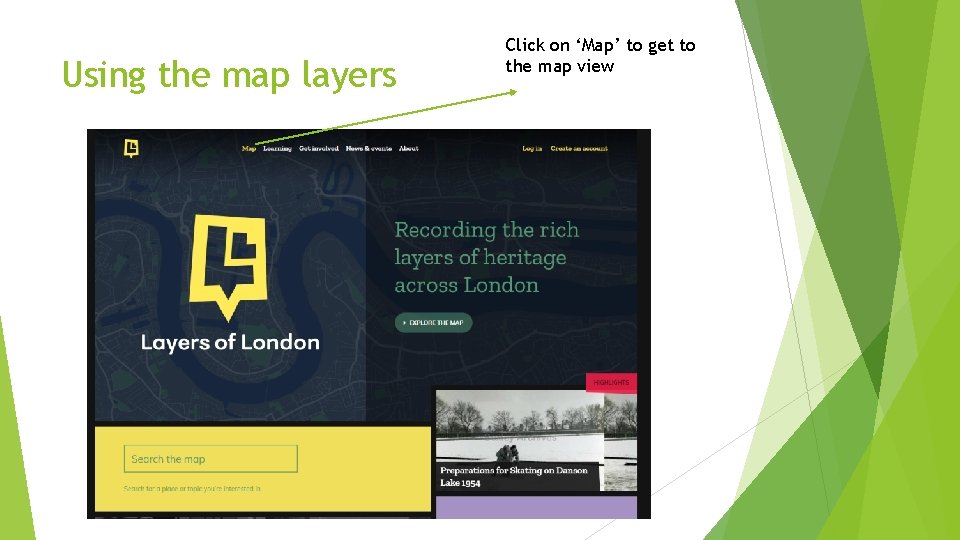
Using the map layers Click on ‘Map’ to get to the map view
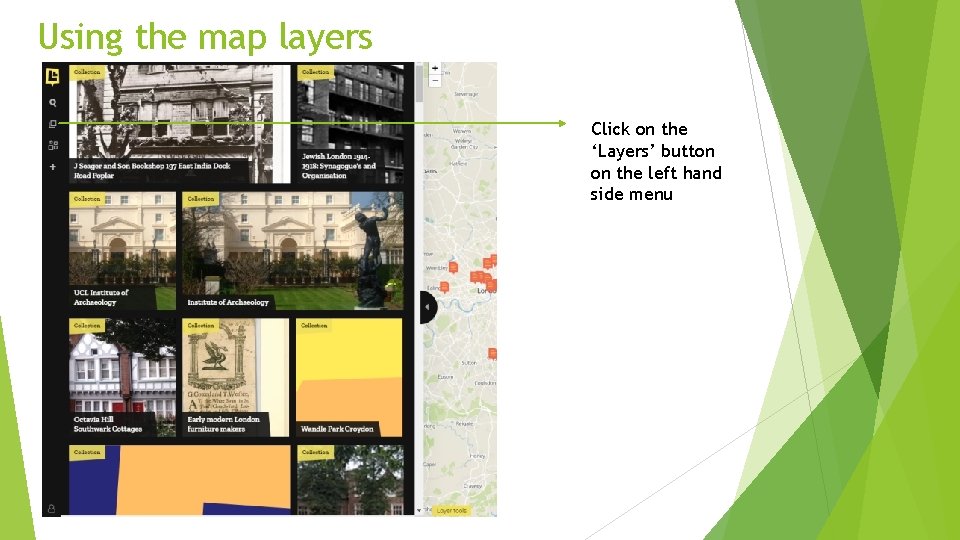
Using the map layers Click on the ‘Layers’ button on the left hand side menu
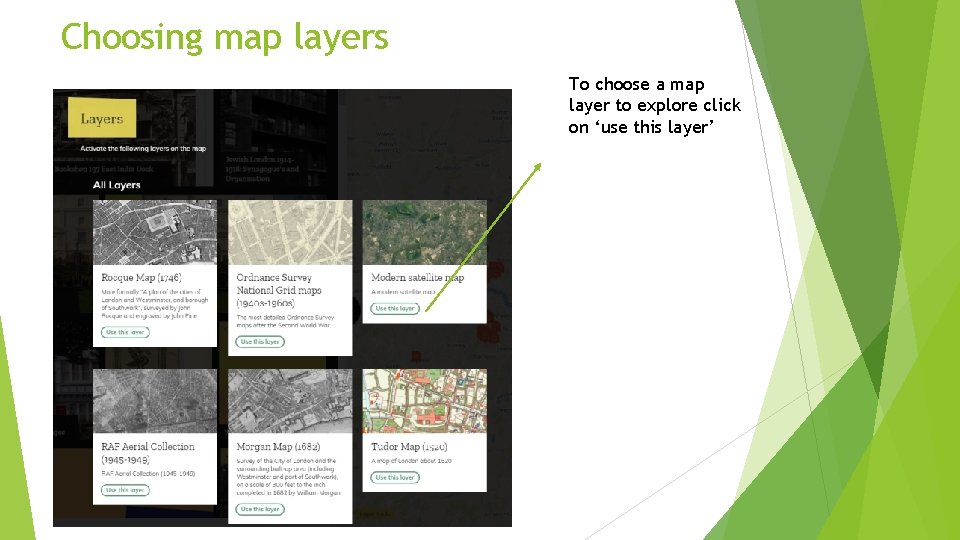
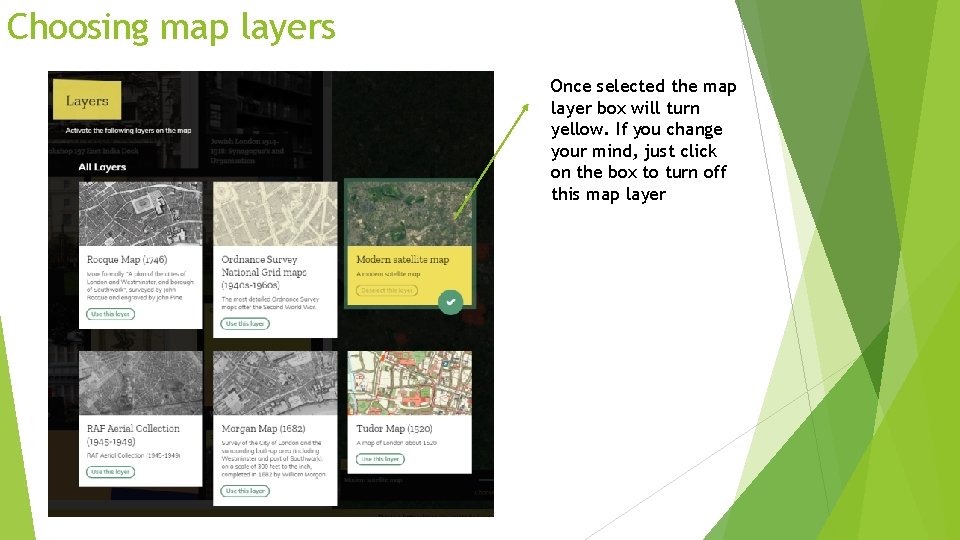
Choosing map layers To choose a map layer to explore click on ‘use this layer’
Choosing map layers Once selected the map layer box will turn yellow. If you change your mind, just click on the box to turn off this map layer
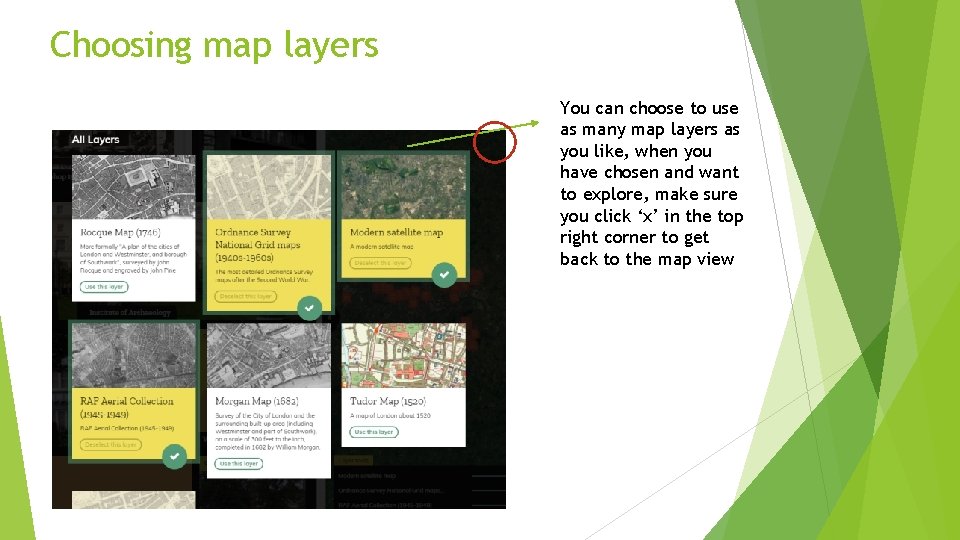
Choosing map layers You can choose to use as many map layers as you like, when you have chosen and want to explore, make sure you click ‘x’ in the top right corner to get back to the map view
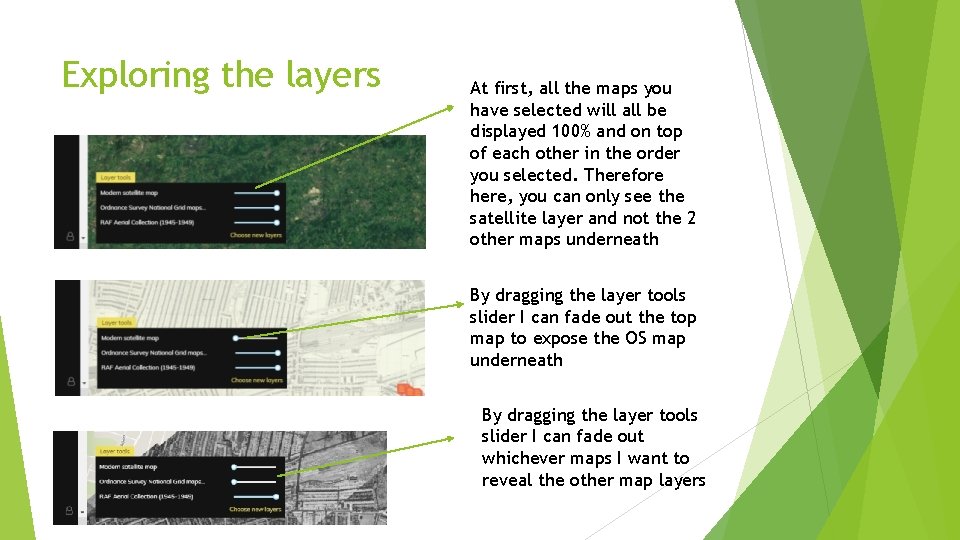
Exploring the layers At first, all the maps you have selected will all be displayed 100% and on top of each other in the order you selected. Therefore here, you can only see the satellite layer and not the 2 other maps underneath By dragging the layer tools slider I can fade out the top map to expose the OS map underneath By dragging the layer tools slider I can fade out whichever maps I want to reveal the other map layers
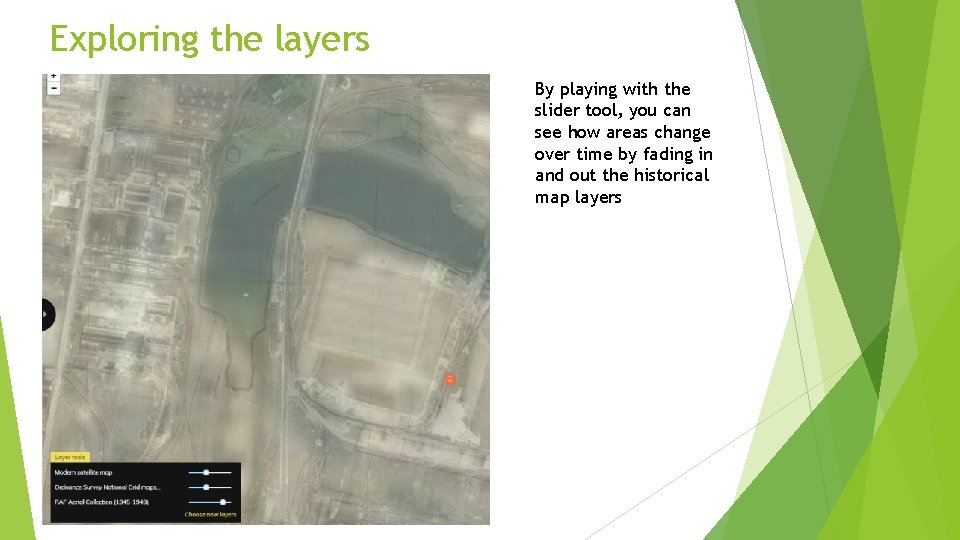
Exploring the layers By playing with the slider tool, you can see how areas change over time by fading in and out the historical map layers