
User guide Digital form for notification and reporting

- Slides: 8
User guide Digital form for notification and reporting of hazard and accident situations
Complete the form and click on “Send link” to receive an email with a link to the form. You will then also receive a code for logging in. Enter the log-in code received by email in order to access the form.
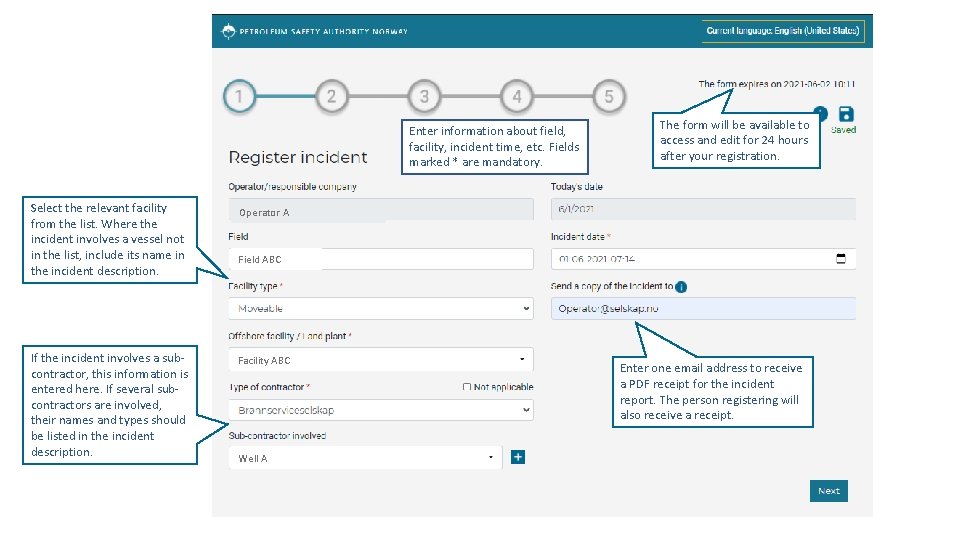
Enter information about field, facility, incident time, etc. Fields marked * are mandatory. Select the relevant facility from the list. Where the incident involves a vessel not in the list, include its name in the incident description. If the incident involves a subcontractor, this information is entered here. If several subcontractors are involved, their names and types should be listed in the incident description. The form will be available to access and edit for 24 hours after your registration. Operator A Field ABC Facility ABC Well A Enter one email address to receive a PDF receipt for the incident report. The person registering will also receive a receipt.
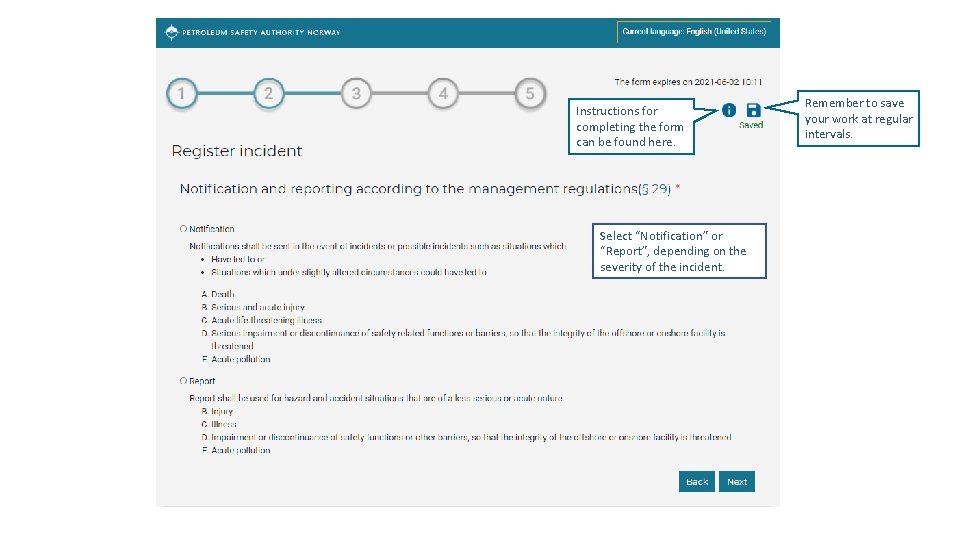
Instructions for completing the form can be found here. Select “Notification” or “Report”, depending on the severity of the incident. Remember to save your work at regular intervals.
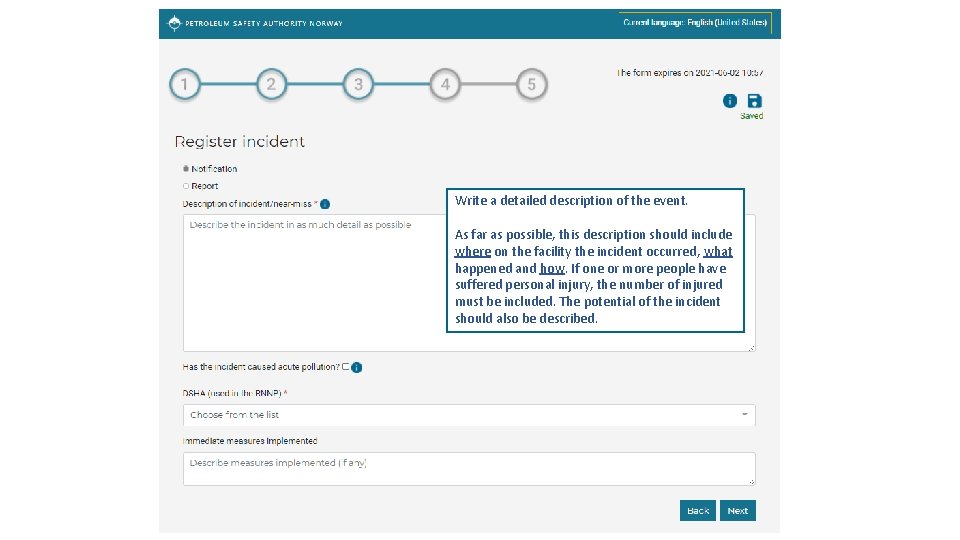
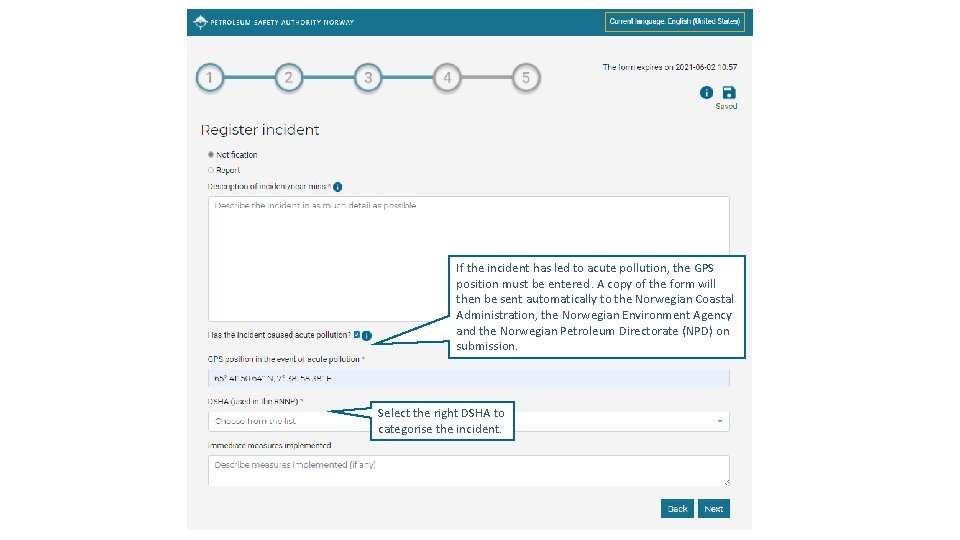
Write a detailed description of the event. As far as possible, this description should include where on the facility the incident occurred, what happened and how. If one or more people have suffered personal injury, the number of injured must be included. The potential of the incident should also be described.
If the incident has led to acute pollution, the GPS position must be entered. A copy of the form will then be sent automatically to the Norwegian Coastal Administration, the Norwegian Environment Agency and the Norwegian Petroleum Directorate (NPD) on submission. Select the right DSHA to categorise the incident.
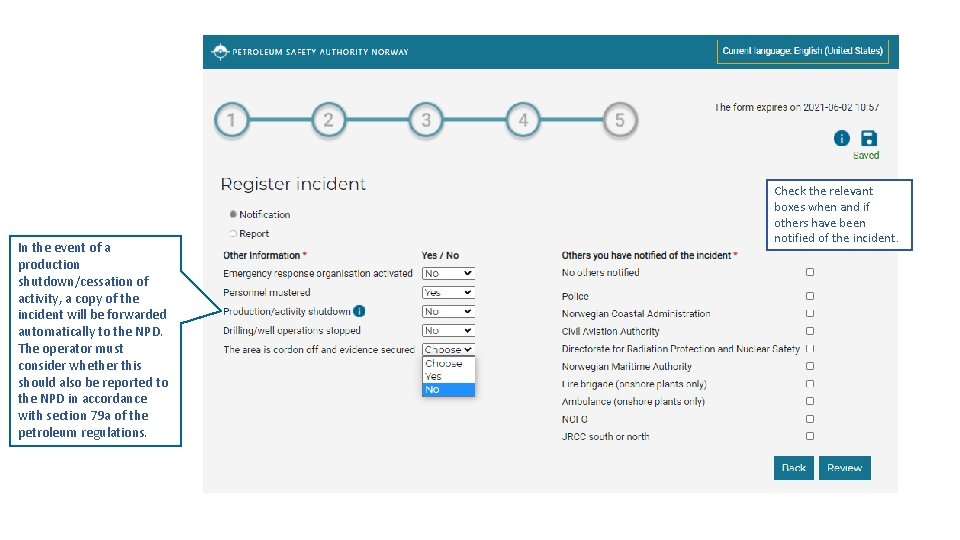
In the event of a production shutdown/cessation of activity, a copy of the incident will be forwarded automatically to the NPD. The operator must consider whether this should also be reported to the NPD in accordance with section 79 a of the petroleum regulations. Check the relevant boxes when and if others have been notified of the incident.
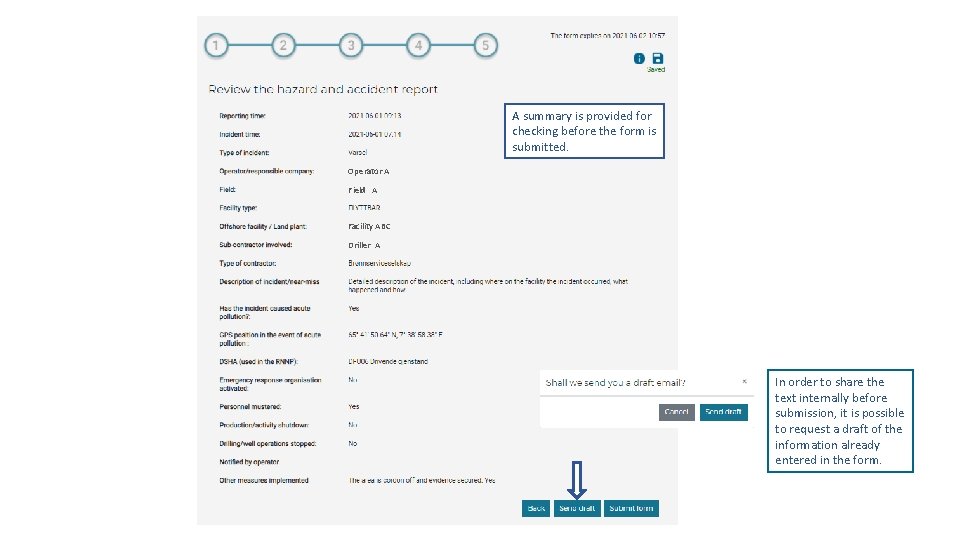
A summary is provided for checking before the form is submitted. Operator A Field A Facility ABC Driller A In order to share the text internally before submission, it is possible to request a draft of the information already entered in the form.