
Useful TSM secrets for the DB 2 admin
Useful TSM secrets for the DB 2 admin Gerd Anders, ARS Computer und Consulting Gmb. H Session Code: C 10 Wednesday, 2015 -11 -18, 08: 30 -09: 30 Platform: DB 2 for Linux, UNIX, Windows
Objectives • Objective 1: This session is a primer to configure DB 2 and TSM for easy backup and recovery. Configure databases to store backups and logs directly to TSM • Objective 2: Use the tools dsmapipw, db 2 adutl or the TSM command line to manage your data • Objective 3: Learn how to do a safe cross-node recovery via TSM without risking your production data • Objective 4: Troubleshooting communication problems with TSM 2
Overview • Tivoli Storage Manager (TSM) • Brief Overview and Introduction • Concepts, Motivation for DB 2, Installation (Client) and Config. (Client) • • • dsmapipw and db 2 adutl Backup and Archiv Copy Groups Using Management Classes Using the TSM Command Line LOAD COPY and TSM Integration: Troubleshooting
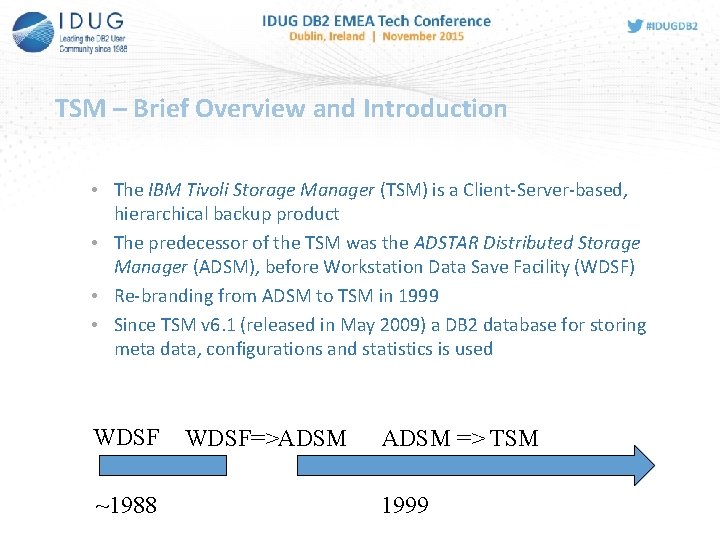
TSM – Brief Overview and Introduction • The IBM Tivoli Storage Manager (TSM) is a Client-Server-based, hierarchical backup product • The predecessor of the TSM was the ADSTAR Distributed Storage Manager (ADSM), before Workstation Data Save Facility (WDSF) • Re-branding from ADSM to TSM in 1999 • Since TSM v 6. 1 (released in May 2009) a DB 2 database for storing meta data, configurations and statistics is used WDSF ~1988 WDSF=>ADSM => TSM 1999
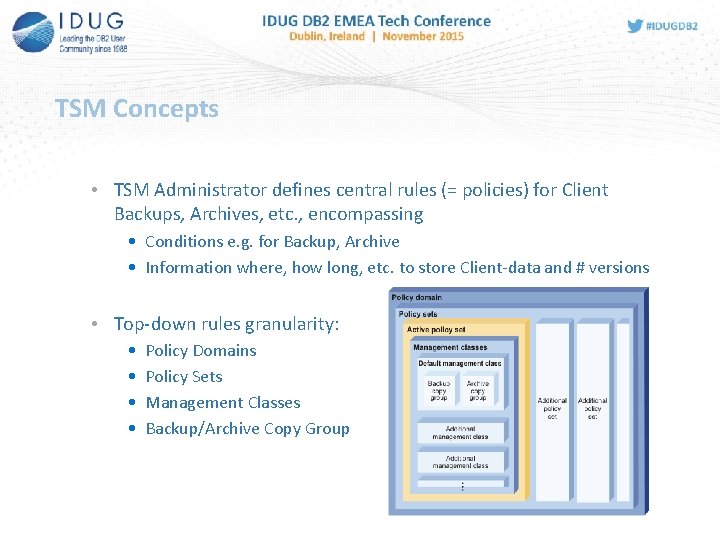
TSM Concepts • TSM Administrator defines central rules (= policies) for Client Backups, Archives, etc. , encompassing • Conditions e. g. for Backup, Archive • Information where, how long, etc. to store Client-data and # versions • Top-down rules granularity: • • Policy Domains Policy Sets Management Classes Backup/Archive Copy Group
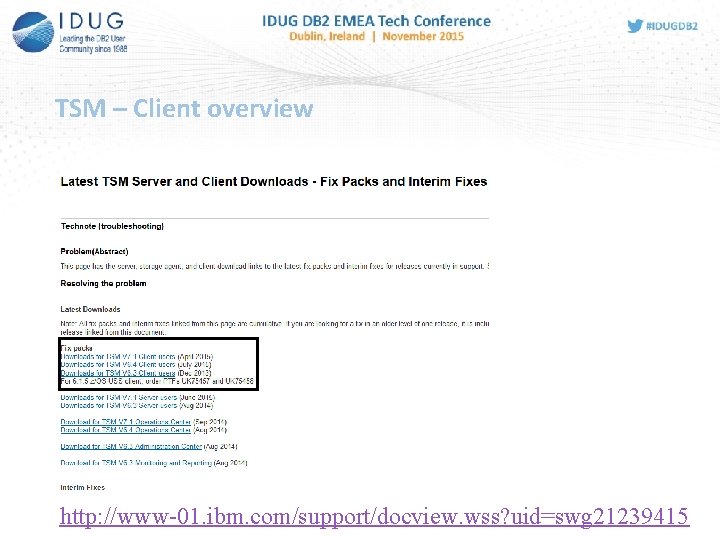
TSM – Client overview http: //www-01. ibm. com/support/docview. wss? uid=swg 21239415
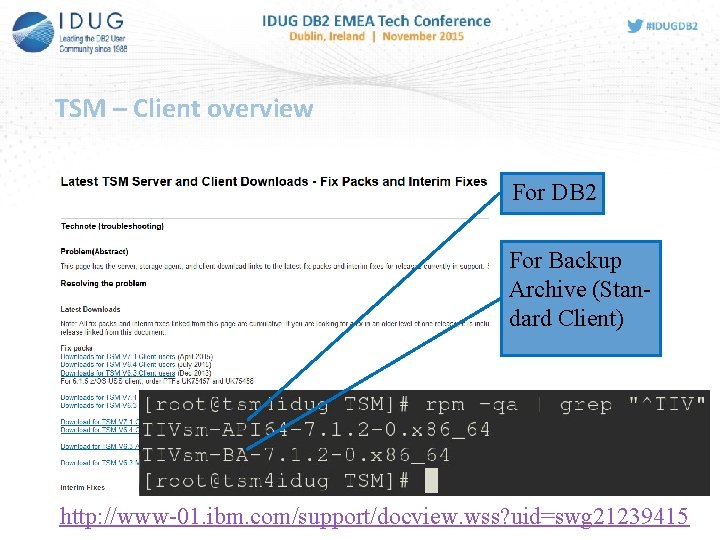
TSM – Client overview For DB 2 For Backup Archive (Standard Client) http: //www-01. ibm. com/support/docview. wss? uid=swg 21239415
Motivation for coupling the TSM with DB 2 • Direct TSM support for DB 2 Backups since previous TSM versions • For backing up DB 2 objects into the TSM a TSM Client license is required only, i. e. no DB 2 license file at all is needed • Contrarily, an additional TSM Client for different database systems (Oracle, MS SQL Server) is necessary with a appropriate license • Supported DB 2 Backups by the TSM: full, incremental, differential • Also supported by the TSM: DB 2 Log files and Load Copies
TSM CLIENT: BASIC INSTALLATION, CONFIGURATION, ETC. 9
Installation TSM Client
Installation TSM Client DB 2 TSM-API 64 Client TSMServer

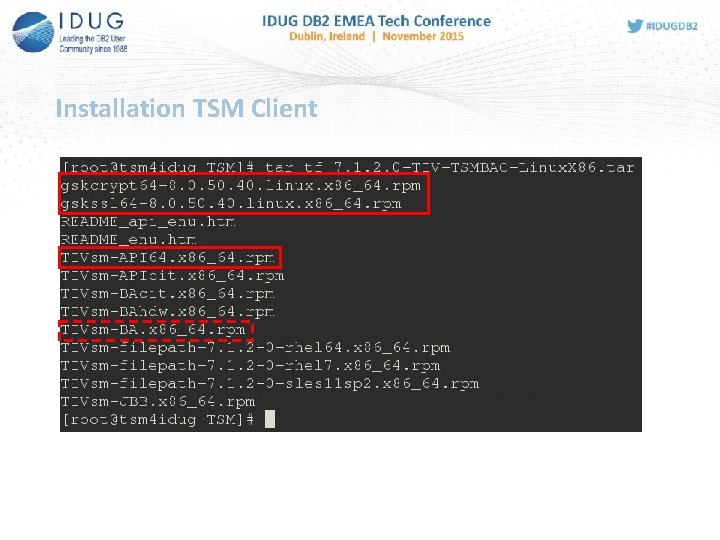
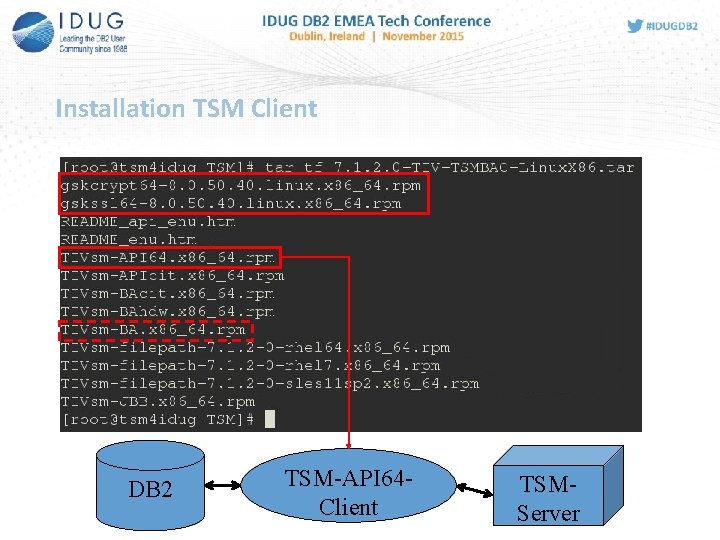
Installation TSM Client (here on Linux using rpm) Optional, for files and/or directories
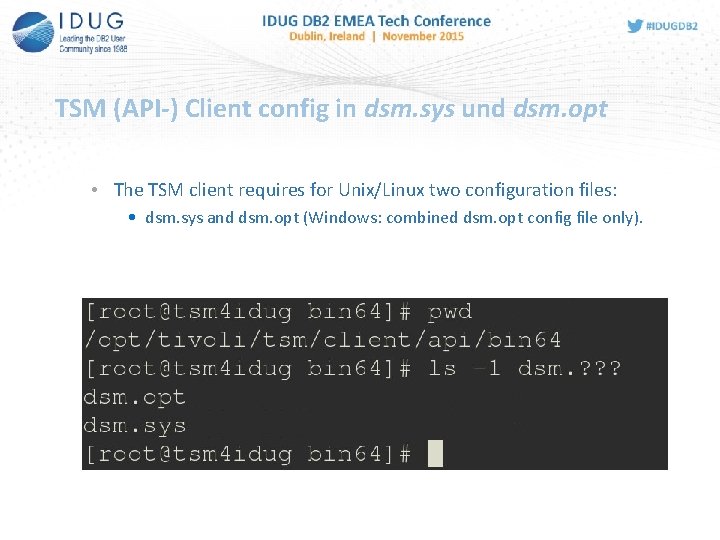
TSM (API-) Client config in dsm. sys und dsm. opt • The TSM client requires for Unix/Linux two configuration files: • dsm. sys and dsm. opt (Windows: combined dsm. opt config file only).
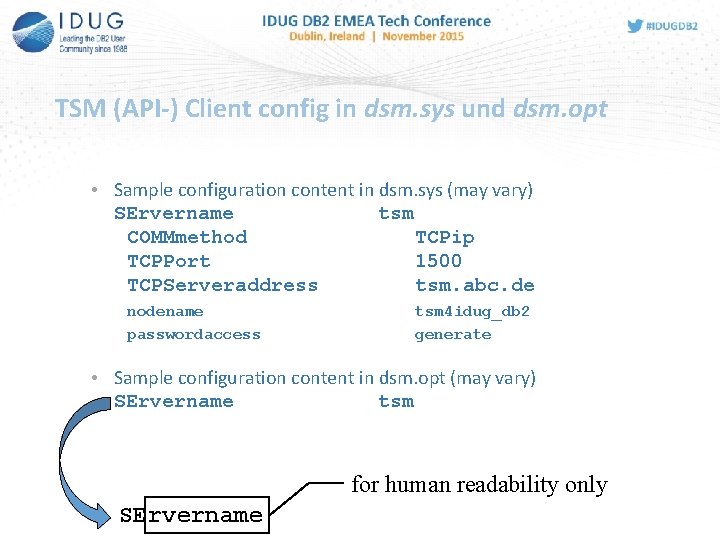
TSM (API-) Client config in dsm. sys und dsm. opt • Sample configuration content in dsm. sys (may vary) SErvername tsm COMMmethod TCPip TCPPort 1500 TCPServeraddress tsm. abc. de nodename passwordaccess tsm 4 idug_db 2 generate • Sample configuration content in dsm. opt (may vary) SErvername tsm for human readability only SErvername
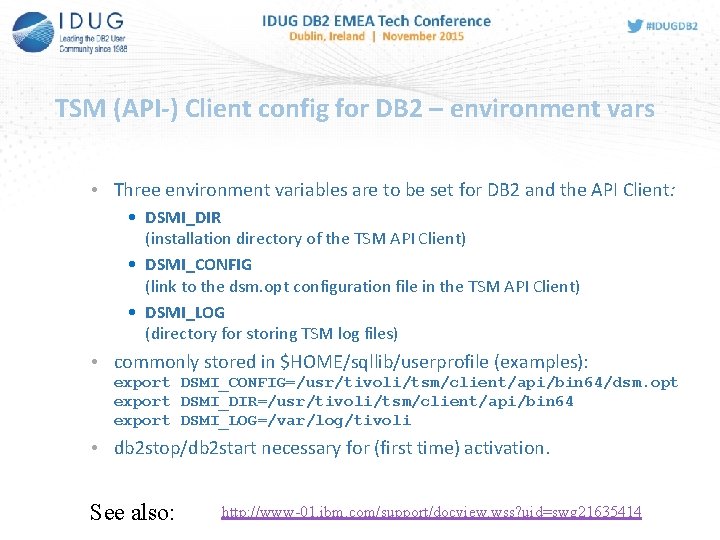
TSM (API-) Client config for DB 2 – environment vars • Three environment variables are to be set for DB 2 and the API Client: • DSMI_DIR (installation directory of the TSM API Client) • DSMI_CONFIG (link to the dsm. opt configuration file in the TSM API Client) • DSMI_LOG (directory for storing TSM log files) • commonly stored in $HOME/sqllib/userprofile (examples): export DSMI_CONFIG=/usr/tivoli/tsm/client/api/bin 64/dsm. opt export DSMI_DIR=/usr/tivoli/tsm/client/api/bin 64 export DSMI_LOG=/var/log/tivoli • db 2 stop/db 2 start necessary for (first time) activation. See also: http: //www-01. ibm. com/support/docview. wss? uid=swg 21635414
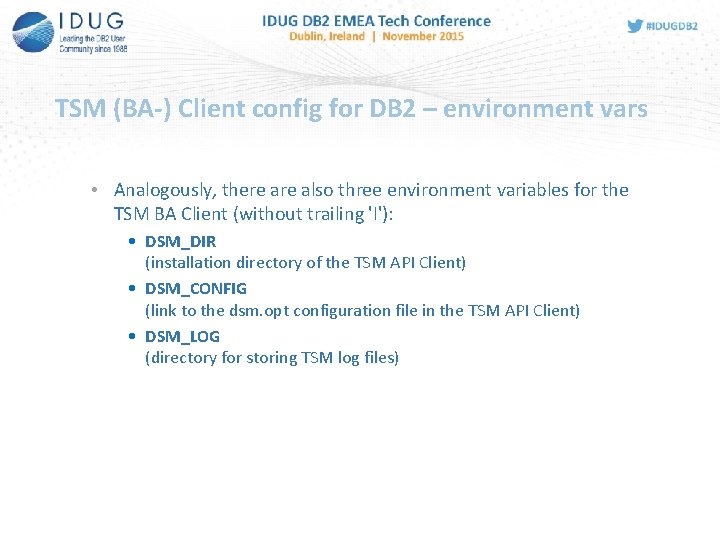
TSM (BA-) Client config for DB 2 – environment vars • Analogously, there also three environment variables for the TSM BA Client (without trailing 'I'): • DSM_DIR (installation directory of the TSM API Client) • DSM_CONFIG (link to the dsm. opt configuration file in the TSM API Client) • DSM_LOG (directory for storing TSM log files)
ADMINISTRATIVE TOOL DSMAPIPW 17
dsmapipw • For security reasons, accessing the TSM server requires a • Nodename and • Password • By running /opt/IBM/db 2/V 10. 5/adsm/dsmapipw the password for the TSM API client • can be changed and • encrypted stored in TSM. PWD (located e. g. in /etc/adsm) • Benefits: • Accessing the TSM server without user interaction (entering password) • With the config setting PASSWORDACCESS GENERATE, the TSM client changes the password on the server and in TSM. PWD occasionally
ADMINISTRATIVE TOOL DB 2 ADUTL 19
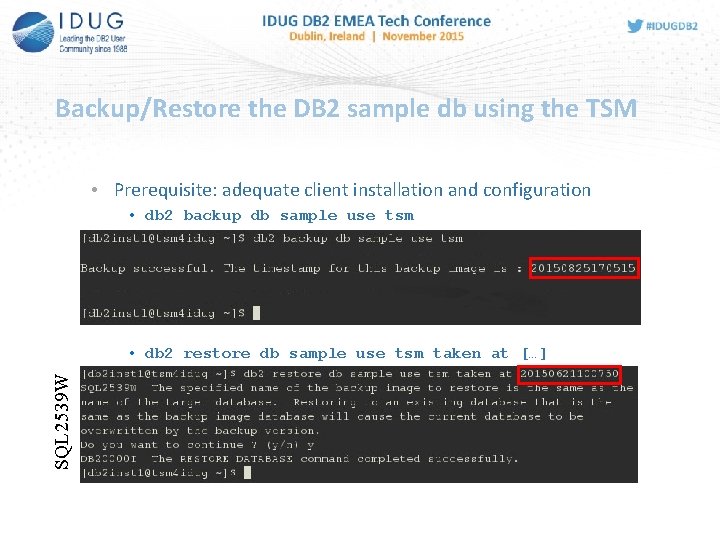
Backup/Restore the DB 2 sample db using the TSM • Prerequisite: adequate client installation and configuration • db 2 backup db sample use tsm SQL 2539 W • db 2 restore db sample use tsm taken at […]
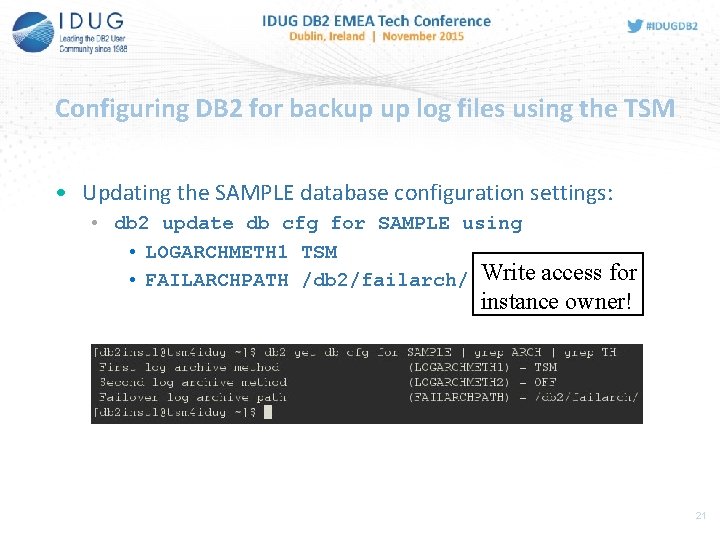
Configuring DB 2 for backup up log files using the TSM • Updating the SAMPLE database configuration settings: • db 2 update db cfg for SAMPLE using • LOGARCHMETH 1 TSM • FAILARCHPATH /db 2/failarch/ Write access for instance owner! 21
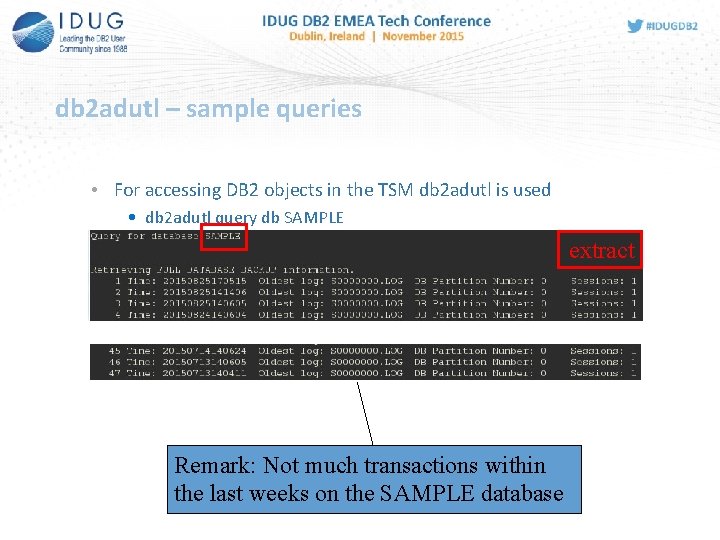
db 2 adutl – sample queries • For accessing DB 2 objects in the TSM db 2 adutl is used • db 2 adutl query db SAMPLE extract Remark: Not much transactions within the last weeks on the SAMPLE database
Next slides still to be processed 23
db 2 adutl – sample queries • For accessing DB 2 objects in the TSM db 2 adutl is used • db 2 adutl extract logs between S 0001024 AND S 0001234 db SAMPLE • db 2 adutl extract full taken at 20150210211000 db SAMPLE • Angabe von Owner, Nodename und Passwort möglich (z. B. für eine Cross Node Recovery) • db 2 adutl extract full … db mydb nodename prodsrv owner db 2 inst 2 password prodpass
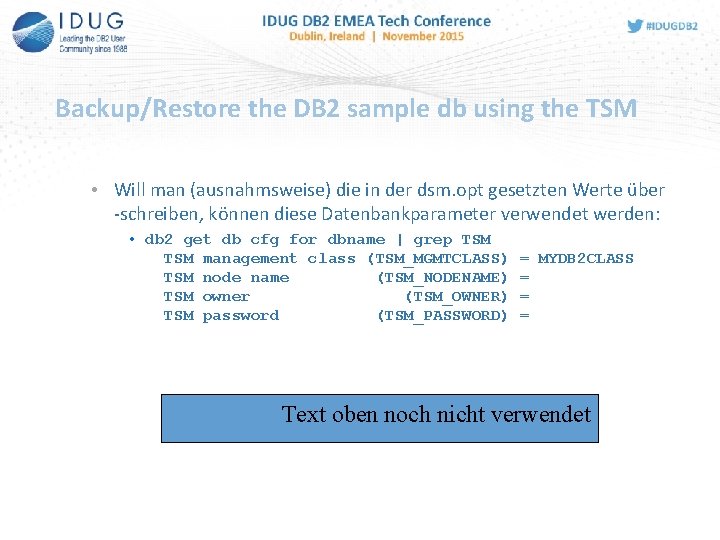
Backup/Restore the DB 2 sample db using the TSM • Will man (ausnahmsweise) die in der dsm. opt gesetzten Werte über -schreiben, können diese Datenbankparameter verwendet werden: • db 2 get db cfg for dbname | grep TSM management class (TSM_MGMTCLASS) TSM node name (TSM_NODENAME) TSM owner (TSM_OWNER) TSM password (TSM_PASSWORD) = MYDB 2 CLASS = = = Text oben noch nicht verwendet
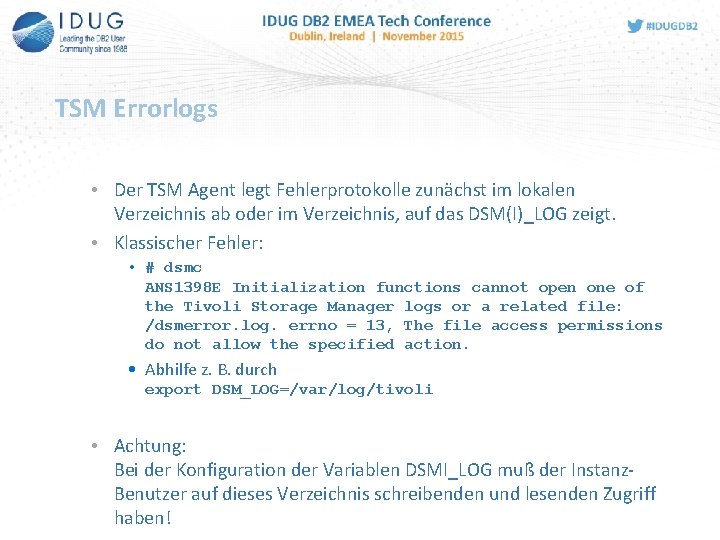
TSM Errorlogs • Der TSM Agent legt Fehlerprotokolle zunächst im lokalen Verzeichnis ab oder im Verzeichnis, auf das DSM(I)_LOG zeigt. • Klassischer Fehler: • # dsmc ANS 1398 E Initialization functions cannot open one of the Tivoli Storage Manager logs or a related file: /dsmerror. log. errno = 13, The file access permissions do not allow the specified action. • Abhilfe z. B. durch export DSM_LOG=/var/log/tivoli • Achtung: Bei der Konfiguration der Variablen DSMI_LOG muß der Instanz. Benutzer auf dieses Verzeichnis schreibenden und lesenden Zugriff haben!
Tipps und Tricks • • Backup und Archiv Copy Groups Verwendung von Management Klassen Include/Exclude Verwendung der TSM Commandline LOAD COPY und TSM db 2 adutl und Cross Node Recovery Fehlersuche bei der TSM Integration
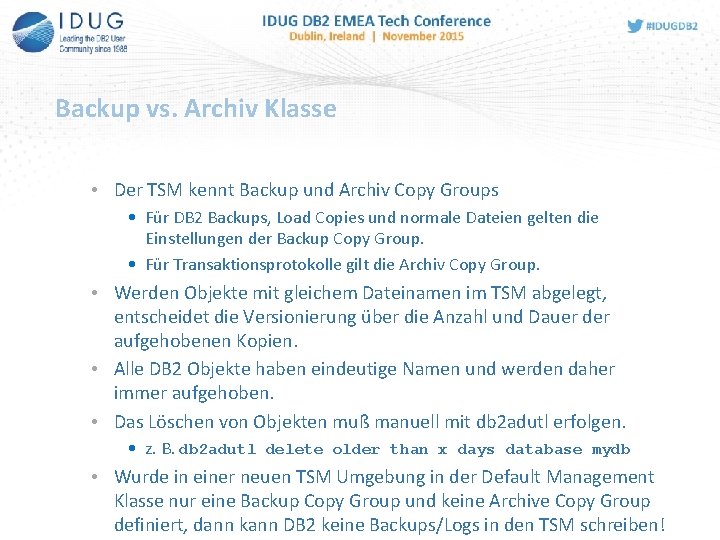
Backup vs. Archiv Klasse • Der TSM kennt Backup und Archiv Copy Groups • Für DB 2 Backups, Load Copies und normale Dateien gelten die Einstellungen der Backup Copy Group. • Für Transaktionsprotokolle gilt die Archiv Copy Group. • Werden Objekte mit gleichem Dateinamen im TSM abgelegt, entscheidet die Versionierung über die Anzahl und Dauer der aufgehobenen Kopien. • Alle DB 2 Objekte haben eindeutige Namen und werden daher immer aufgehoben. • Das Löschen von Objekten muß manuell mit db 2 adutl erfolgen. • z. B. db 2 adutl delete older than x days database mydb • Wurde in einer neuen TSM Umgebung in der Default Management Klasse nur eine Backup Copy Group und keine Archive Copy Group definiert, dann kann DB 2 keine Backups/Logs in den TSM schreiben!
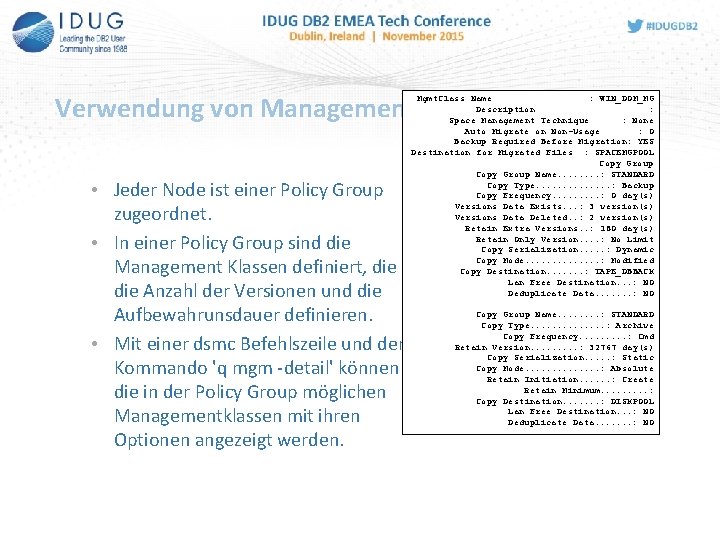
Verwendung von Managementklassen Mgmt. Class Name : WIN_DOM_MG Description : Space Management Technique : None Auto Migrate on Non-Usage : 0 Backup Required Before Migration: YES Destination for Migrated Files : SPACEMGPOOL Copy Group Name. . . . : STANDARD Copy Type. . . : Backup Copy Frequency. . : 0 day(s) Versions Data Exists. . . : 3 version(s) Versions Data Deleted. . : 2 version(s) Retain Extra Versions. . : 180 day(s) Retain Only Version. . : No Limit Copy Serialization. . . : Dynamic Copy Mode. . . : Modified Copy Destination. . . . : TAPE_DBBACK Lan Free Destination. . . : NO Deduplicate Data. . . . : NO • Jeder Node ist einer Policy Group zugeordnet. • In einer Policy Group sind die Management Klassen definiert, die Anzahl der Versionen und die Aufbewahrunsdauer definieren. • Mit einer dsmc Befehlszeile und dem Kommando 'q mgm -detail' können die in der Policy Group möglichen Managementklassen mit ihren Optionen angezeigt werden. Copy Group Name. . . . : STANDARD Copy Type. . . : Archive Copy Frequency. . : Cmd Retain Version. . : 32767 day(s) Copy Serialization. . . : Static Copy Mode. . . : Absolute Retain Initiation. . . : Create Retain Minimum. . : Copy Destination. . . . : DISKPOOL Lan Free Destination. . . : NO Deduplicate Data. . . . : NO
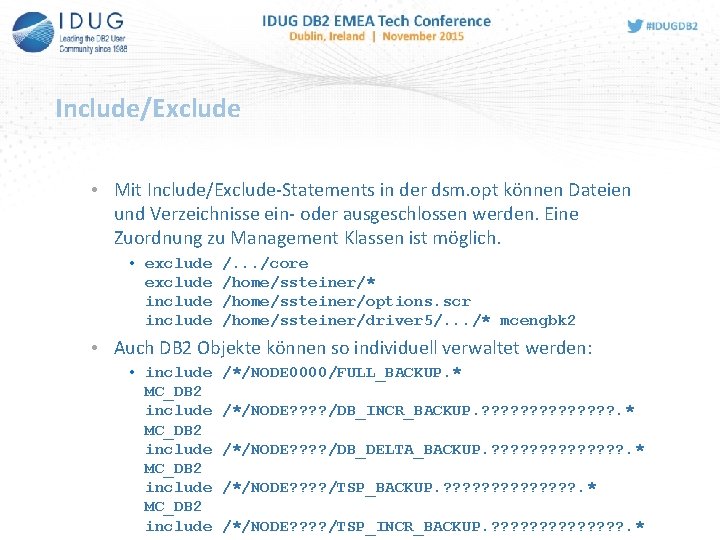
Include/Exclude • Mit Include/Exclude-Statements in der dsm. opt können Dateien und Verzeichnisse ein- oder ausgeschlossen werden. Eine Zuordnung zu Management Klassen ist möglich. • exclude include /. . . /core /home/ssteiner/* /home/ssteiner/options. scr /home/ssteiner/driver 5/. . . /* mcengbk 2 • Auch DB 2 Objekte können so individuell verwaltet werden: • include MC_DB 2 include /*/NODE 0000/FULL_BACKUP. * /*/NODE? ? /DB_INCR_BACKUP. ? ? ? ? . * /*/NODE? ? /DB_DELTA_BACKUP. ? ? ? ? ? ? ? . * /*/NODE? ? ? ? /TSP_INCR_BACKUP. ? ? ? ? . *
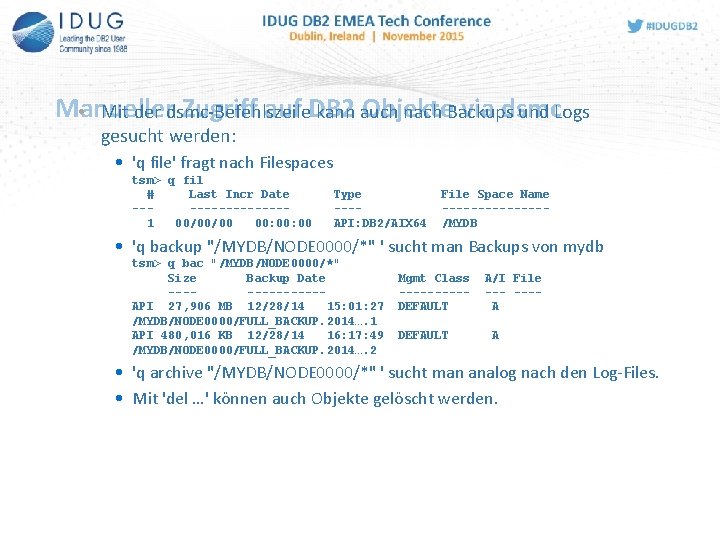
Manueller Zugriff auf DB 2 Objekte via dsmc • Mit der dsmc-Befehlszeile kann auch nach Backups und Logs gesucht werden: • 'q file' fragt nach Filespaces tsm> q fil # Last Incr Date --------1 00/00/00 00: 00 Type ---API: DB 2/AIX 64 File Space Name -------/MYDB • 'q backup "/MYDB/NODE 0000/*" ' sucht man Backups von mydb tsm> q bac "/MYDB/NODE 0000/*" Size Backup Date -------API 27, 906 MB 12/28/14 15: 01: 27 /MYDB/NODE 0000/FULL_BACKUP. 2014…. 1 API 480, 016 KB 12/28/14 16: 17: 49 /MYDB/NODE 0000/FULL_BACKUP. 2014…. 2 Mgmt Class -----DEFAULT A/I File ---A A • 'q archive "/MYDB/NODE 0000/*" ' sucht man analog nach den Log-Files. • Mit 'del …' können auch Objekte gelöscht werden.
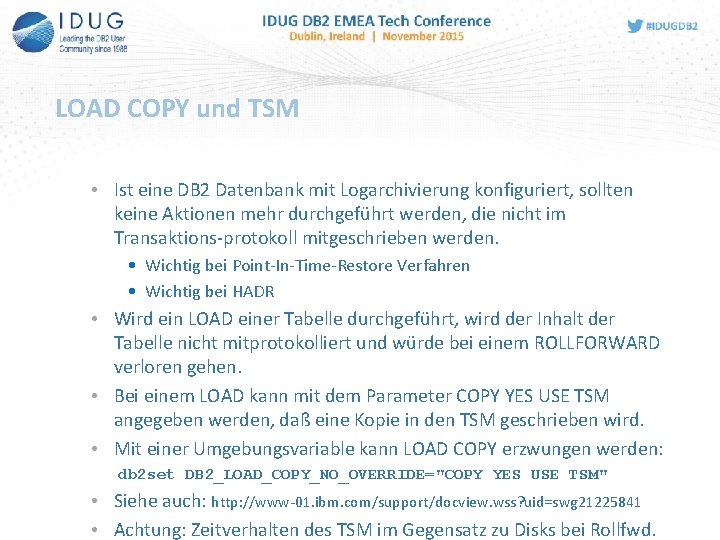
LOAD COPY und TSM • Ist eine DB 2 Datenbank mit Logarchivierung konfiguriert, sollten keine Aktionen mehr durchgeführt werden, die nicht im Transaktions-protokoll mitgeschrieben werden. • Wichtig bei Point-In-Time-Restore Verfahren • Wichtig bei HADR • Wird ein LOAD einer Tabelle durchgeführt, wird der Inhalt der Tabelle nicht mitprotokolliert und würde bei einem ROLLFORWARD verloren gehen. • Bei einem LOAD kann mit dem Parameter COPY YES USE TSM angegeben werden, daß eine Kopie in den TSM geschrieben wird. • Mit einer Umgebungsvariable kann LOAD COPY erzwungen werden: db 2 set DB 2_LOAD_COPY_NO_OVERRIDE="COPY YES USE TSM" • Siehe auch: http: //www-01. ibm. com/support/docview. wss? uid=swg 21225841 • Achtung: Zeitverhalten des TSM im Gegensatz zu Disks bei Rollfwd.
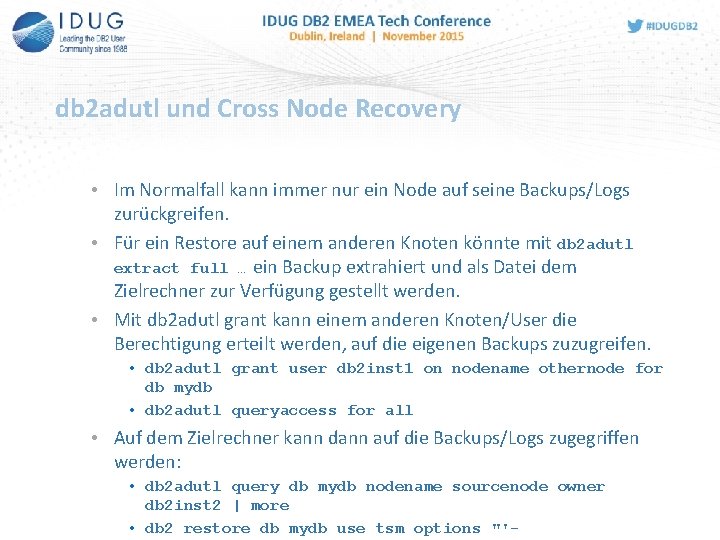
db 2 adutl und Cross Node Recovery • Im Normalfall kann immer nur ein Node auf seine Backups/Logs zurückgreifen. • Für ein Restore auf einem anderen Knoten könnte mit db 2 adutl extract full … ein Backup extrahiert und als Datei dem Zielrechner zur Verfügung gestellt werden. • Mit db 2 adutl grant kann einem anderen Knoten/User die Berechtigung erteilt werden, auf die eigenen Backups zuzugreifen. • db 2 adutl grant user db 2 inst 1 on nodename othernode for db mydb • db 2 adutl queryaccess for all • Auf dem Zielrechner kann dann auf die Backups/Logs zugegriffen werden: • db 2 adutl query db mydb nodename sourcenode owner db 2 inst 2 | more • db 2 restore db mydb use tsm options "'-
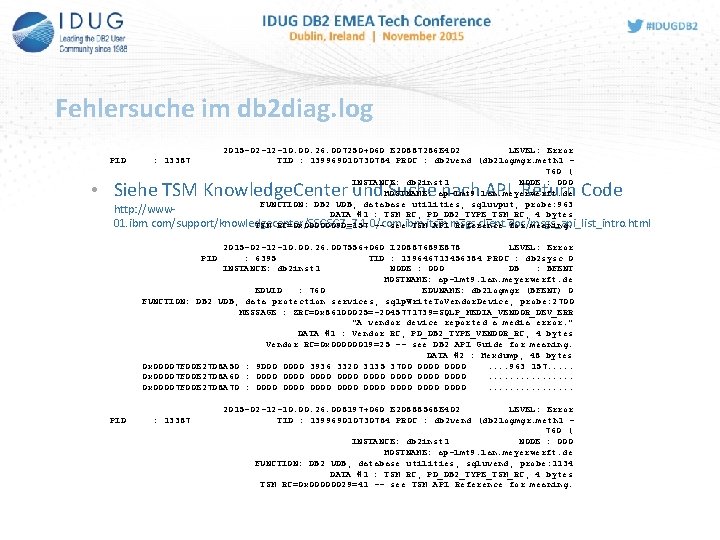
Fehlersuche im db 2 diag. log 2015 -02 -12 -10. 00. 26. 007250+060 E 20887286 E 402 LEVEL: Error TID : 139969010730784 PROC : db 2 vend (db 2 logmgr. meth 1 760 ( INSTANCE: db 2 inst 1 NODE : 000 HOSTNAME: ap-lmt 9. lan. meyerwerft. de FUNCTION: DB 2 UDB, database utilities, sqluvput, probe: 963 http: //www. DATA #1 : TSM RC, PD_DB 2_TYPE_TSM_RC, 4 bytes 01. ibm. com/support/knowledgecenter/SSGSG 7_7. 1. 0/com. ibm. itsm. msgs. client. doc/msgs_api_list_intro. html TSM RC=0 x 0000009 D=157 -- see TSM API Reference for meaning. PID : 13387 • Siehe TSM Knowledge. Center und Suche nach API Return Code 2015 -02 -12 -10. 00. 26. 007556+060 I 20887689 E 878 LEVEL: Error : 6395 TID : 139646713456384 PROC : db 2 sysc 0 INSTANCE: db 2 inst 1 NODE : 000 DB : BFENT HOSTNAME: ap-lmt 9. lan. meyerwerft. de EDUID : 760 EDUNAME: db 2 logmgr (BFENT) 0 FUNCTION: DB 2 UDB, data protection services, sqlp. Write. To. Vendor. Device, probe: 2700 MESSAGE : ZRC=0 x 86100025=-2045771739=SQLP_MEDIA_VENDOR_DEV_ERR "A vendor device reported a media error. " DATA #1 : Vendor RC, PD_DB 2_TYPE_VENDOR_RC, 4 bytes Vendor RC=0 x 00000019=25 -- see DB 2 API Guide for meaning. DATA #2 : Hexdump, 48 bytes 0 x 00007 F 00 E 27 D 8 A 50 : 9 D 00 0000 3936 3320 3135 3700 0000. . 963 157. . . 0 x 00007 F 00 E 27 D 8 A 60 : 0000 0000. . . . 0 x 00007 F 00 E 27 D 8 A 70 : 0000 0000. . . . PID : 13387 2015 -02 -12 -10. 00. 26. 008197+060 E 20888568 E 402 LEVEL: Error TID : 139969010730784 PROC : db 2 vend (db 2 logmgr. meth 1 760 ( INSTANCE: db 2 inst 1 NODE : 000 HOSTNAME: ap-lmt 9. lan. meyerwerft. de FUNCTION: DB 2 UDB, database utilities, sqluvend, probe: 1134 DATA #1 : TSM RC, PD_DB 2_TYPE_TSM_RC, 4 bytes TSM RC=0 x 00000029=41 -- see TSM API Reference for meaning.
Gerd Anders ARS Computer und Consulting Gmb. H gerd. anders@ars. de Useful TSM secrets for the DB 2 admin Please fill out your session evaluation before leaving!
- Slides: 35