
Useful Quality Improvement Tools The Quality Academy Tutorial


- Slides: 41
Useful Quality Improvement Tools The Quality Academy Tutorial 14
Learning Objectives: You Will Learn About… • Tools for understanding processes (e. g. , flowcharts) • Tools to analyze and display data (e. g. , run charts, histograms) • Tools to organize ideas (e. g. , cause-and-effect diagrams) 2 Learning Objectives
Tips for Viewing This Presentation Read along with the narrator Skip to other slides in the presentation Search for keywords in the presentation Review current slide Play, rewind and fast forward 3 Tips for Viewing View full screen
Key Question What tools can help my HIV care program analyze information and make decisions? 4 Key Question
A Picture is Worth a Thousand Words 5 Tools for Understanding Processes
Understanding Processes • Processes are the object of our quality effort • Improving quality means improving processes 6 Flowcharts
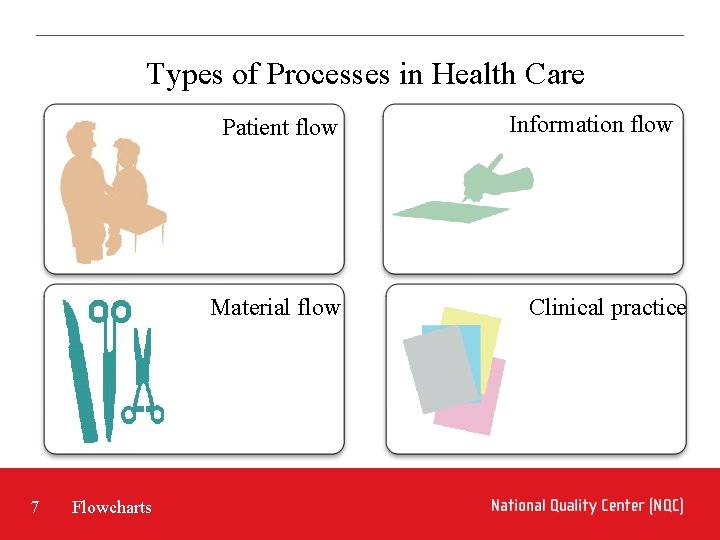
Types of Processes in Health Care Patient flow Material flow 7 Flowcharts Information flow Clinical practice
Flowcharts to Understand Processes A flowchart is a picture of the steps of a process to: • Understand the process • Identify potential sources of problems • Outline the ideal process steps • Enable communications with others 8 Flowcharts
Creating a Flowchart 1. 2. 3. 4. 5. 6. 9 Agree on use and level of detail Define starting and ending points Document each step Follow each branch to the end Review the chart Assign action items to fill in blanks and verify accuracy Flowcharts
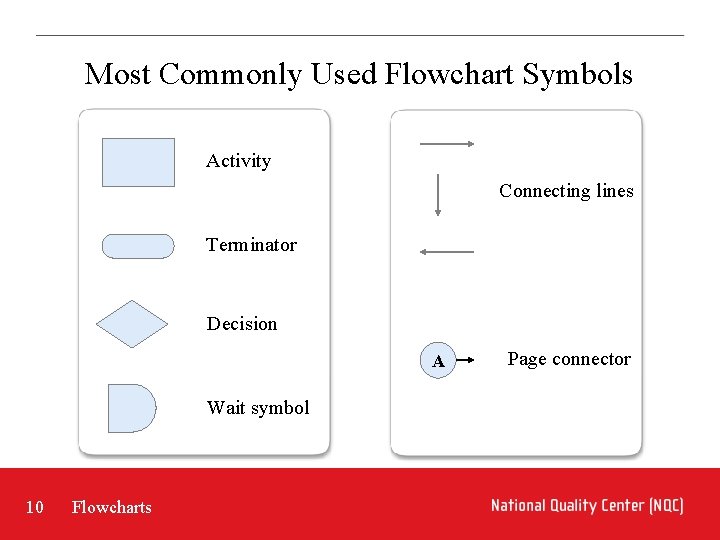
Most Commonly Used Flowchart Symbols Activity Connecting lines Terminator Decision A Wait symbol 10 Flowcharts Page connector
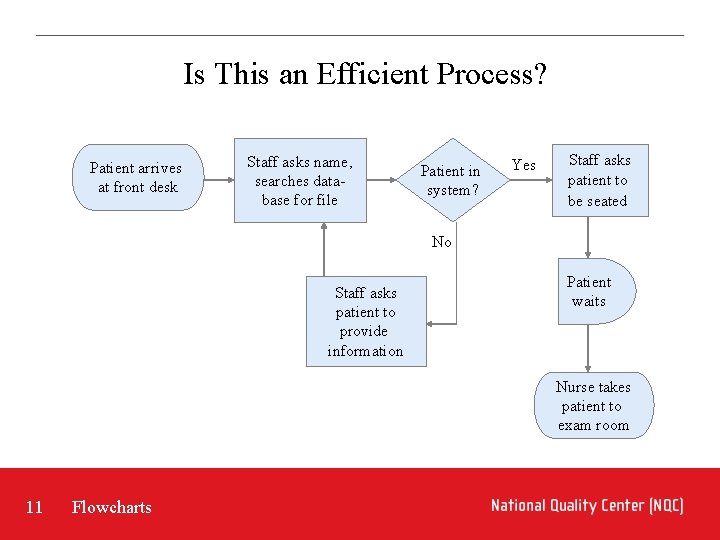
Is This an Efficient Process? Patient arrives at front desk Staff asks name, searches database for file Patient in system? Yes Staff asks patient to be seated No Staff asks patient to provide information Patient waits Nurse takes patient to exam room 11 Flowcharts
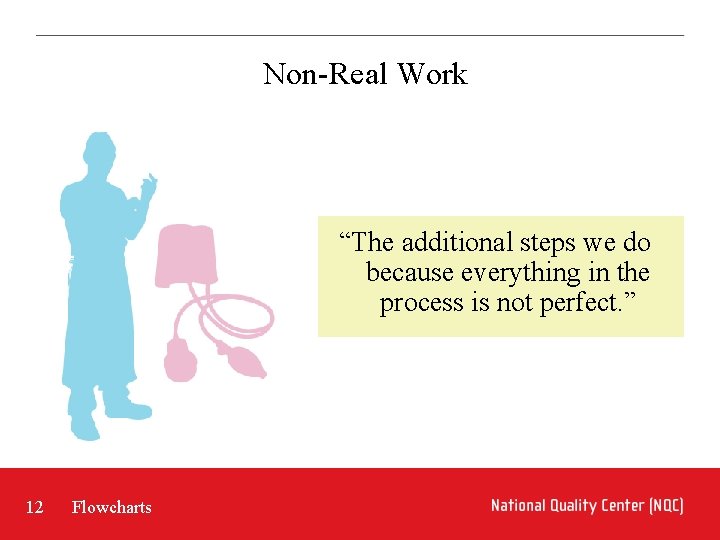
Non-Real Work “The additional steps we do because everything in the process is not perfect. ” 12 Flowcharts
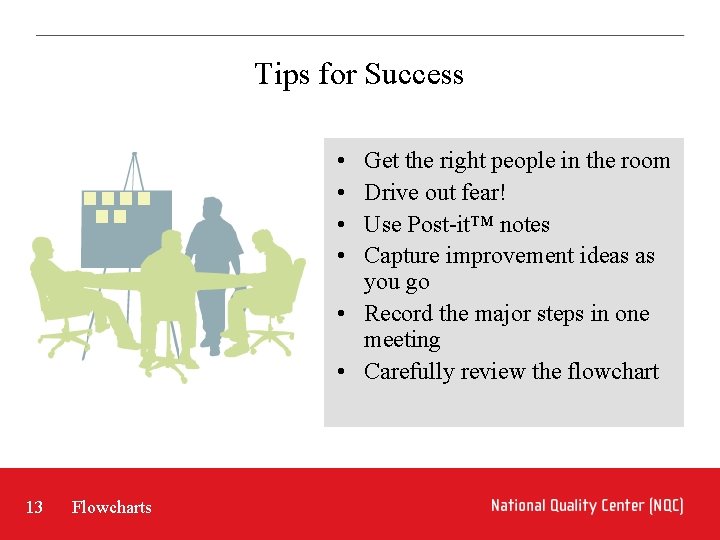
Tips for Success • • Get the right people in the room Drive out fear! Use Post-it™ notes Capture improvement ideas as you go • Record the major steps in one meeting • Carefully review the flowchart 13 Flowcharts
Be Aware… Drawing intricately detailed flowcharts can exhaust the quality improvement team’s time, energy and resources! 14 Flowcharts
Test Question Creating a good flowchart is the most important thing a quality improvement team can do. This is where a quality improvement team should start its work, and it should continue to work on the flowchart until it is accurate, complete, comprehensive and detailed. A) True B) False 15 Flowcharts
Test Question Which of the following statements is NOT correct? A) It is important to use information that is based on fact and not anecdote. B) It is best to involve those who are part of the process. C) You can either use flowcharts to identify potential problem steps or outline the ideal process flow. D) The beginning and end points in a flowchart are not critical. 16 Flowcharts
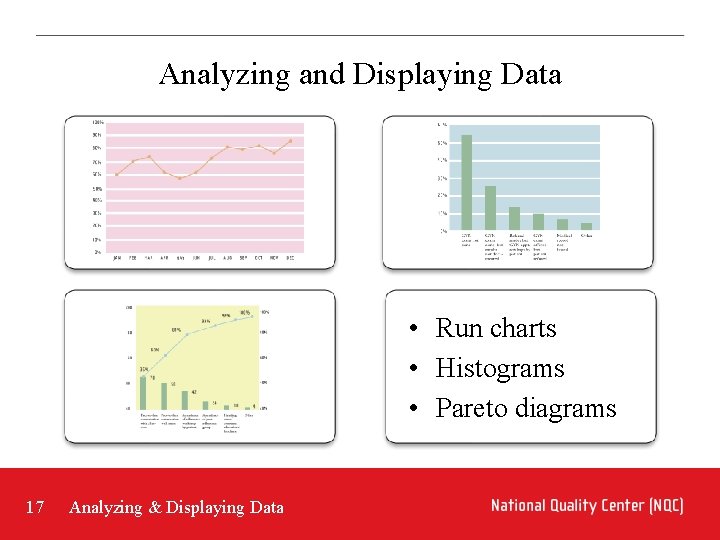
Analyzing and Displaying Data • Run charts • Histograms • Pareto diagrams 17 Analyzing & Displaying Data
Run Chart 18 Analyzing & Displaying Data
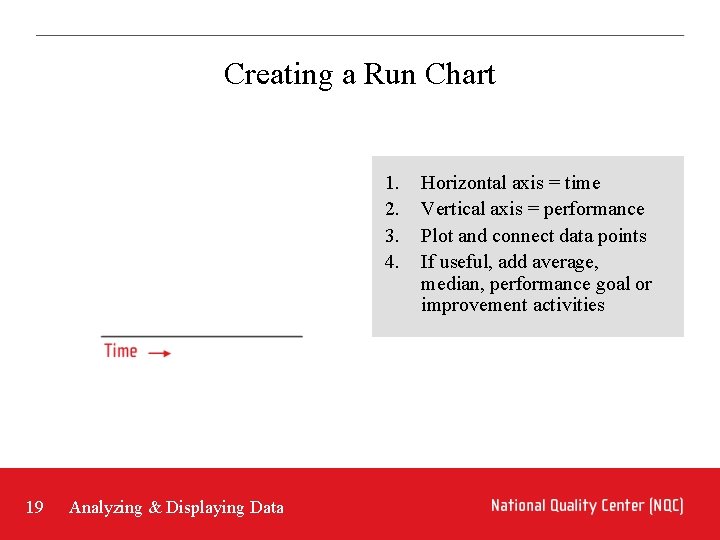
Creating a Run Chart 1. 2. 3. 4. 19 Analyzing & Displaying Data Horizontal axis = time Vertical axis = performance Plot and connect data points If useful, add average, median, performance goal or improvement activities
What Are We Looking For? • Variation • Trends • Performance against a goal 20 Analyzing & Displaying Data
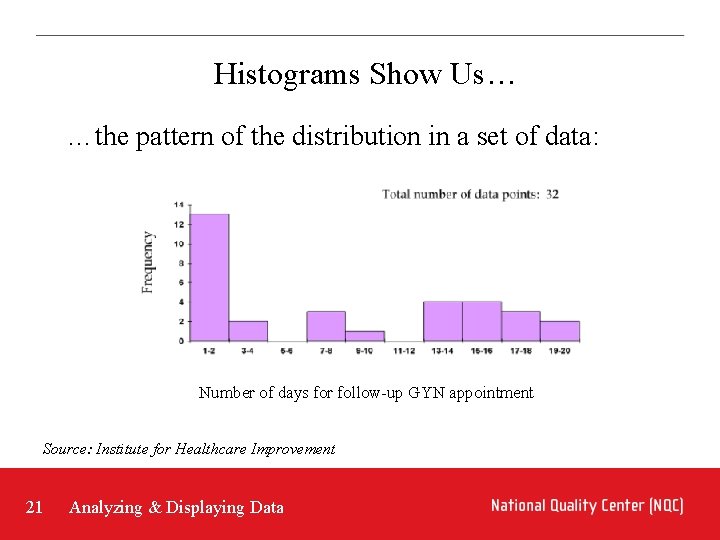
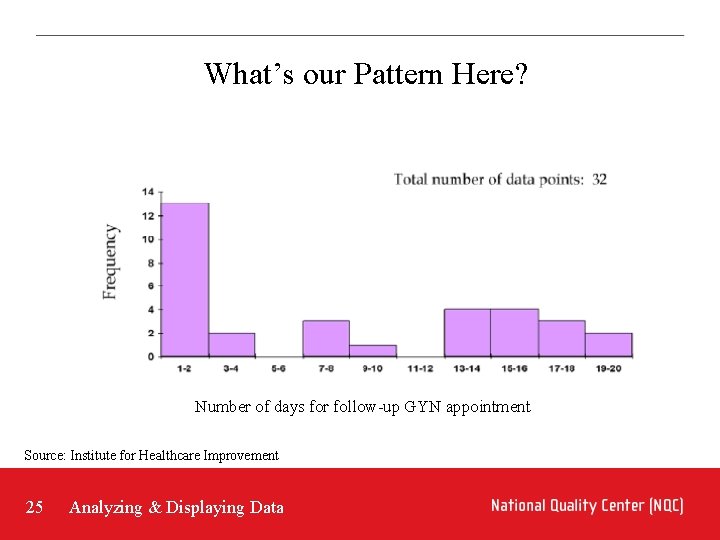
Histograms Show Us… …the pattern of the distribution in a set of data: Number of days for follow-up GYN appointment Source: Institute for Healthcare Improvement 21 Analyzing & Displaying Data
Constructing a Histogram • Horizontal axis = continuous variable (often time, also size, weight, age) • Vertical axis = frequency • Count how many fall into each category • Analyze and develop explanations for the pattern 22 Analyzing & Displaying Data
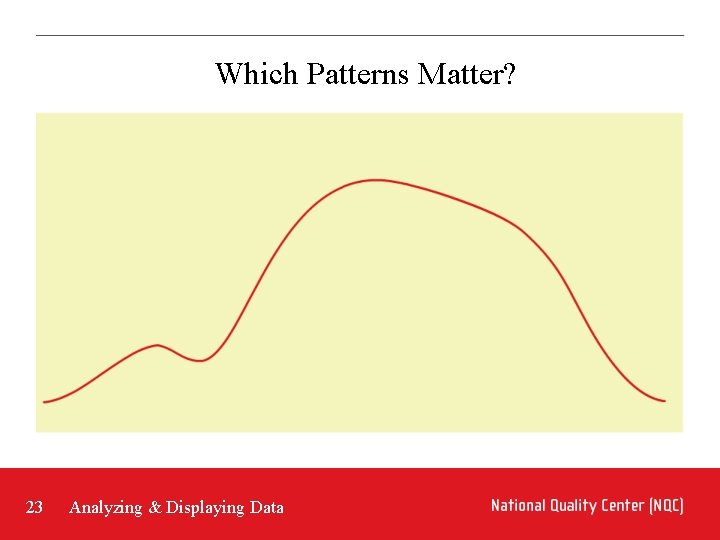
Which Patterns Matter? 23 Analyzing & Displaying Data
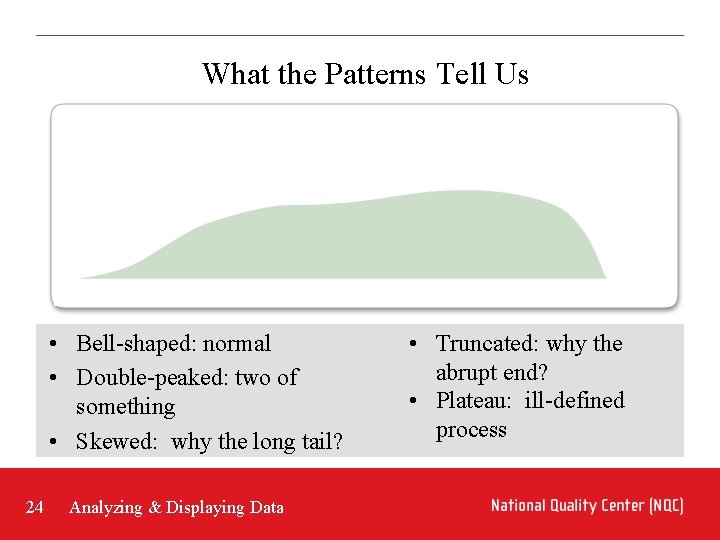
What the Patterns Tell Us • Bell-shaped: normal • Double-peaked: two of something • Skewed: why the long tail? 24 Analyzing & Displaying Data • Truncated: why the abrupt end? • Plateau: ill-defined process
What’s our Pattern Here? Number of days for follow-up GYN appointment Source: Institute for Healthcare Improvement 25 Analyzing & Displaying Data
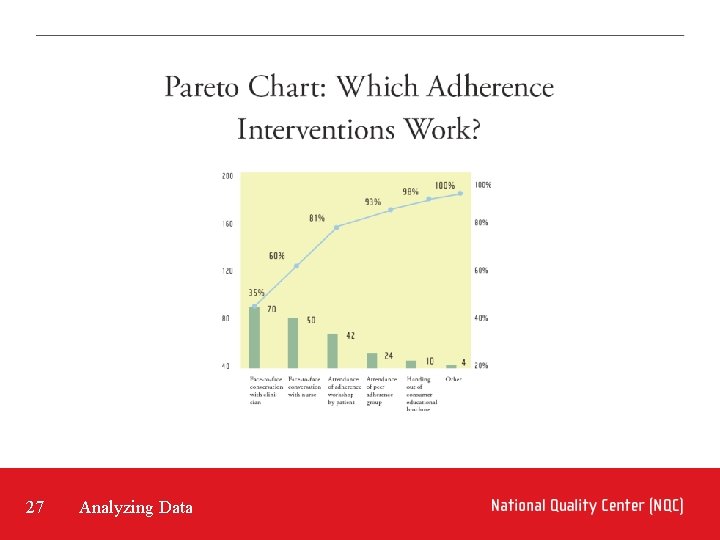
The Pareto Principle • “Whenever a number of individual factors contribute to some overall effect, relatively few of those items account for the bulk of the effect” • Identifying these “vital few” helps make our improvement work effective and efficient 26 Analyzing Data
27 Analyzing Data
Constructing a Pareto Diagram • Gather data on the contributing factors • Create histogram with the various factors, from largest to smallest • Calculate the cumulative percentages • Construct another vertical percentage graph • Connect a line starting from the top of the tallest bar 28 Analyzing & Displaying Data
Test Question My QI team wants to see how often we meet our performance goal. Which data display tool should we use? A) Run chart B) Histogram C) Both will work 29 Analyzing & Displaying Data
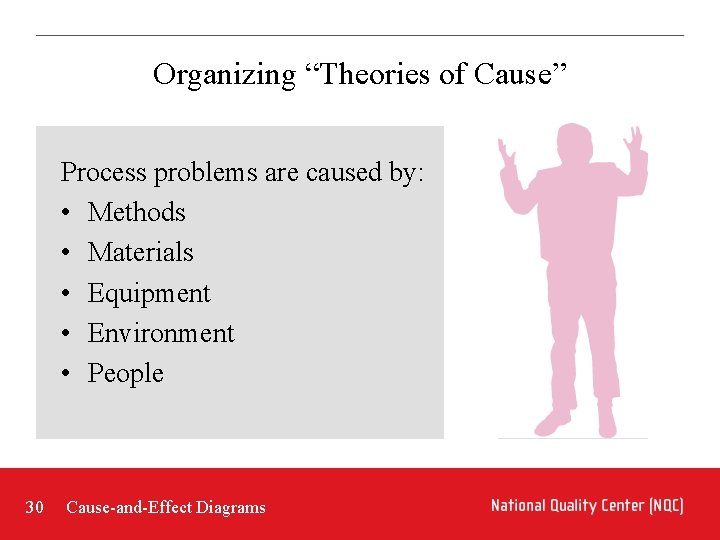
Organizing “Theories of Cause” Process problems are caused by: • Methods • Materials • Equipment • Environment • People 30 Cause-and-Effect Diagrams
The Cause-and-Effect Diagram Organizes and displays theories about causal factors • Allows constructive use of anecdotes • Encourages a balanced view • Demonstrates complexity of the problem 31 Cause-and-Effect Diagrams
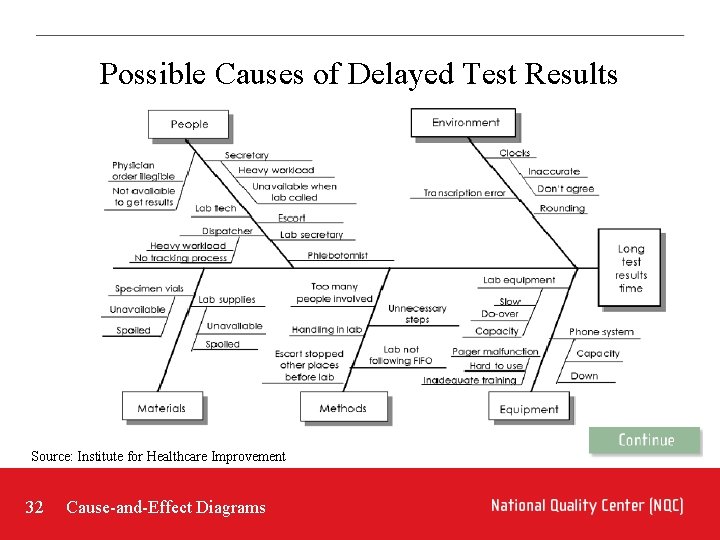
Possible Causes of Delayed Test Results Source: Institute for Healthcare Improvement 32 Cause-and-Effect Diagrams
Constructing a Cause-and-Effect Diagram • • • 33 Write down the effect Decide on major areas Brainstorm possible causes Ask “why? ” 3 to 5 times When ideas run low, ask for “just one more” Check for logic, completeness and balance Cause-and-Effect Diagrams
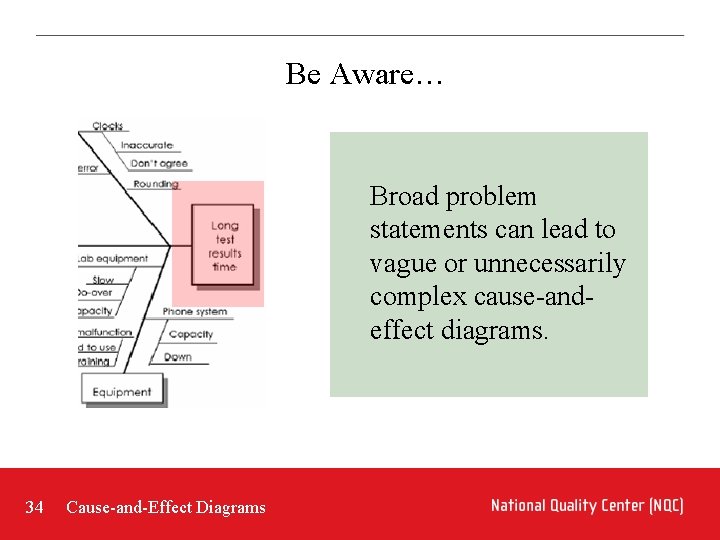
Be Aware… Broad problem statements can lead to vague or unnecessarily complex cause-andeffect diagrams. 34 Cause-and-Effect Diagrams
Have the Diagram, Now What? Need to test theories On to your quality improvement work! 35 Cause-and-Effect Diagrams
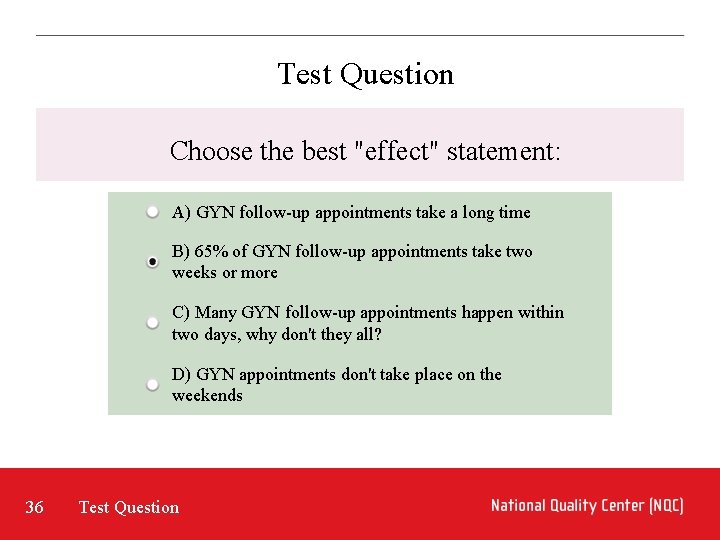
Test Question Choose the best "effect" statement: A) GYN follow-up appointments take a long time B) 65% of GYN follow-up appointments take two weeks or more C) Many GYN follow-up appointments happen within two days, why don't they all? D) GYN appointments don't take place on the weekends 36 Test Question
Key Points • Flowcharts help you understand processes • Run charts, histograms and Pareto diagrams help you understand the variation in your data • Cause-and-effect diagrams help you gather and display theories about causes of problems 37 Key Points
Resources • Paul Plsek’s teaching manual for “Methods and Tools of Quality Improvement, ” a course sponsored by the National Demonstration Project on Quality Improvement in Health Care, helped inform this Tutorial. • Berwick, Donald M. et. al. , Curing Health Care: New Strategies for Quality Improvement, San Francisco: Jossey-Bass, 1990. See especially Resource B: A Primer on Quality Improvement Tools (pp. 177 -219). • Instructions for these and other tools are available on the website of the Institute for Healthcare Improvement, http: //www. ihi. org/IHI/Topics/Improvement. Methods/To ols/ 38 Resources
tra N l o, no N t ve o, r no y m ta u t a ch ll tle eu lit N , a es Y Y es , a lo t Please Rate This Tutorial By Indicating How Your Response To The Following Statements. Was this Tutorial helpful to you? Did this Tutorial meet your expectations and goals? Was the Tutorial clearly organized and easy to use? Would you recommend this Tutorial to colleagues of yours? Submit 39 Evaluation
Related Tutorials • To learn more about the importance of processes, study Tutorial 12 • To learn more about run charts and variation, study Tutorial 7 • To learn more about bar charts and Pareto diagrams, study Tutorial 10 • To learn more about PDSA, study Tutorial 13 • To learn more about creating graphs, study Statistics 101 and Making Graphs in Microsoft Excel 40 Related Tutorials
The Quality Academy For further information, contact: National Quality Center New York State Dept. of Health 90 Church Street, 13 th floor New York, NY 10007 -2919 Work: 212. 417. 4730 Fax: 212. 417. 4684 Email: Info@National. Quality. Center. org Or visit us online at National. Quality. Center. org 41 In Closing