
Use of Multimeter Outlook of Multimeter l Pointer
- Slides: 9
Use of Multimeter
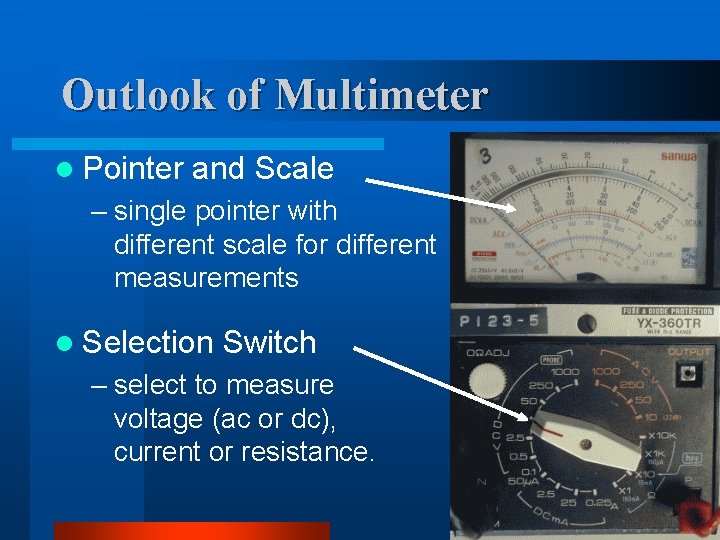
Outlook of Multimeter l Pointer and Scale – single pointer with different scale for different measurements l Selection Switch – select to measure voltage (ac or dc), current or resistance.
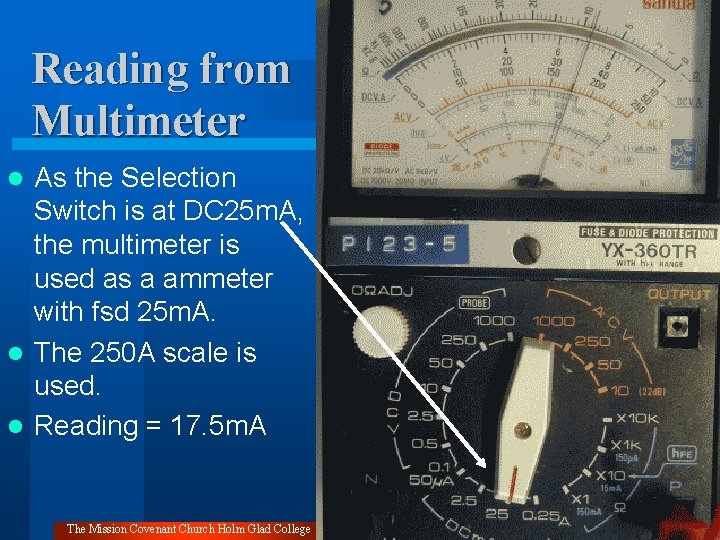
Reading from Multimeter As the Selection Switch is at DC 25 m. A, the multimeter is used as a ammeter with fsd 25 m. A. l The 250 A scale is used. l Reading = 17. 5 m. A l The Mission Covenant Church Holm Glad College
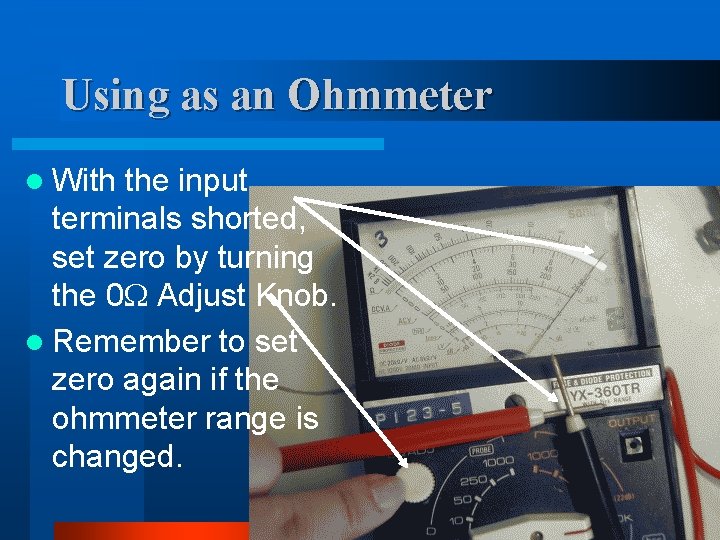
Using as an Ohmmeter l With the input terminals shorted, set zero by turning the 0 Adjust Knob. l Remember to set zero again if the ohmmeter range is changed.
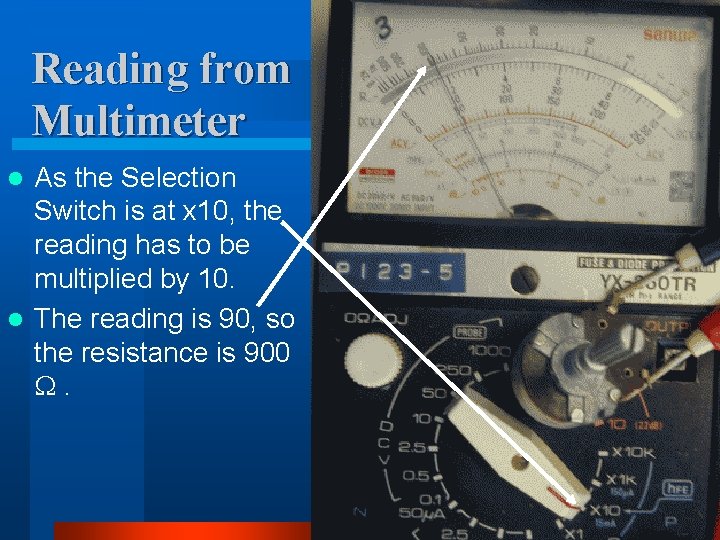
Reading from Multimeter As the Selection Switch is at x 10, the reading has to be multiplied by 10. l The reading is 90, so the resistance is 900 . l
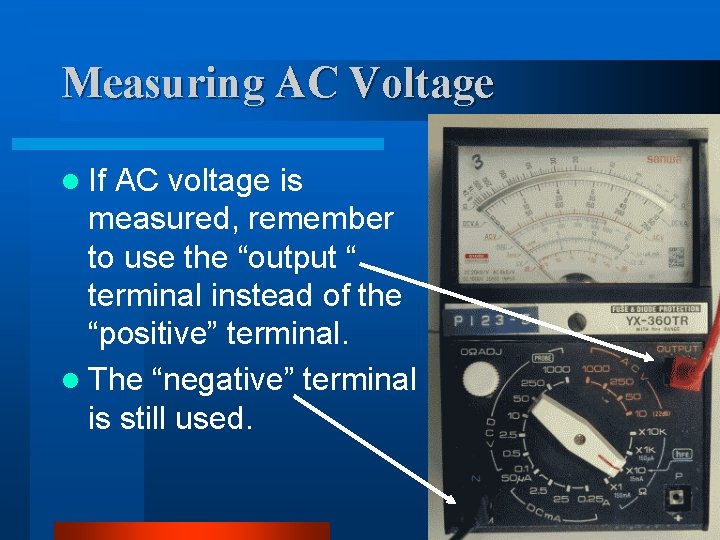
Measuring AC Voltage l If AC voltage is measured, remember to use the “output “ terminal instead of the “positive” terminal. l The “negative” terminal is still used.
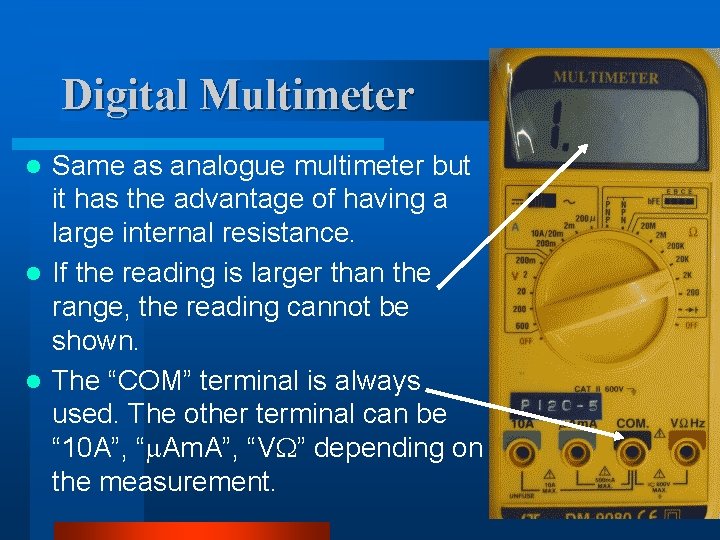
Digital Multimeter Same as analogue multimeter but it has the advantage of having a large internal resistance. l If the reading is larger than the range, the reading cannot be shown. l The “COM” terminal is always used. The other terminal can be “ 10 A”, “ Am. A”, “V ” depending on the measurement. l
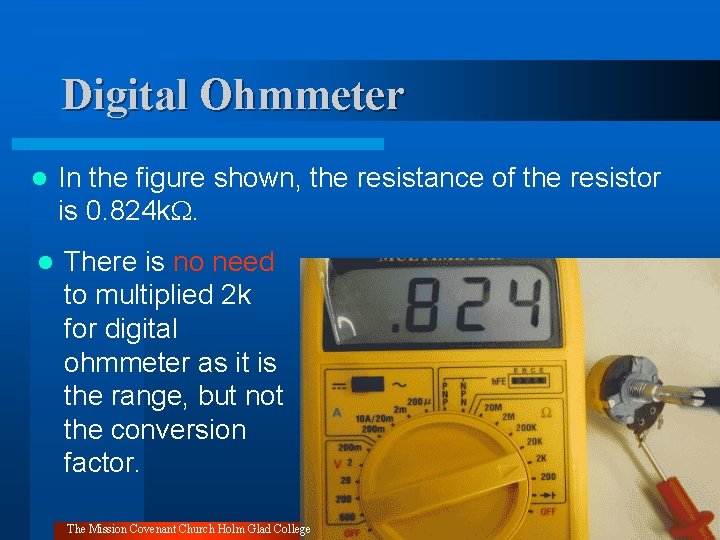
Digital Ohmmeter l In the figure shown, the resistance of the resistor is 0. 824 k. l There is no need to multiplied 2 k for digital ohmmeter as it is the range, but not the conversion factor. The Mission Covenant Church Holm Glad College
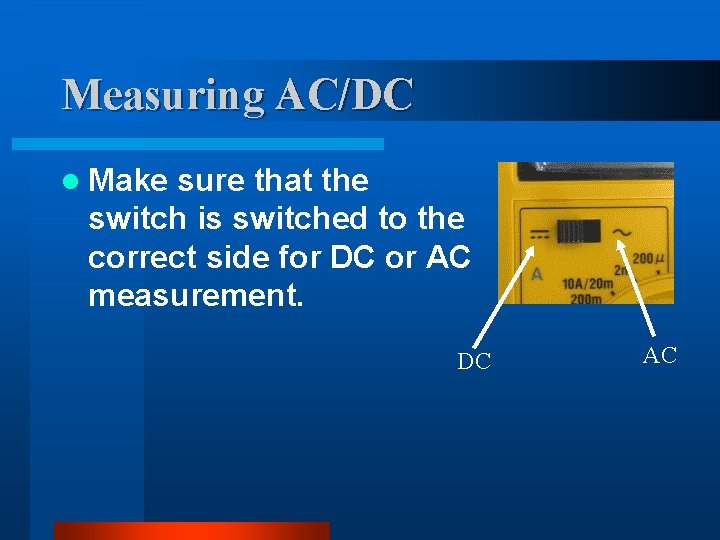
Measuring AC/DC l Make sure that the switch is switched to the correct side for DC or AC measurement. DC AC