
USE OF INDEXES IN EBSCO DATABASES Content Business
USE OF INDEXES IN EBSCO DATABASES Content: Business Source Elite ERIC Academic Search Premier Psyc. Articles Knowledge is Empowerment
Why using the INDEXES • They guide you to use the database vocabulary, where each document is label • The authors provide some of the terms, as keywords, the rest are done by information specialists with a thesaurus • My vocabulary is not the same as the vocabulary used in the databases • Do you think you have retrieve relevant information? , verify it by searching the index terms Knowledge is Empowerment
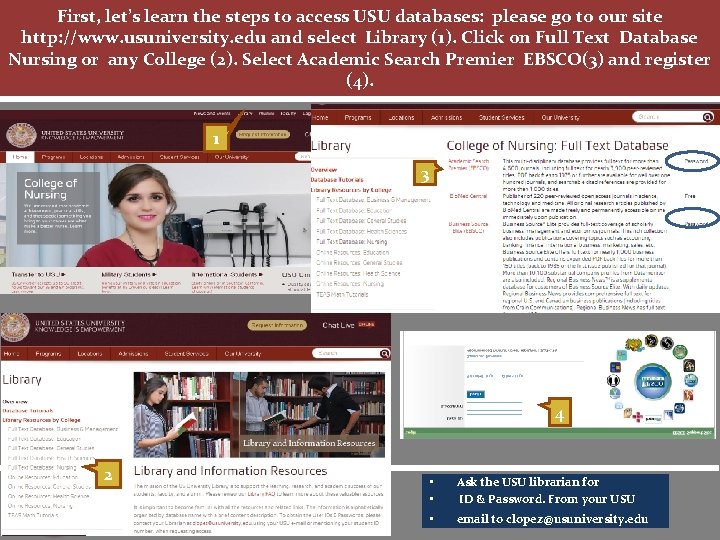
First, let’s learn the steps to access USU databases: please go to our site http: //www. usuniversity. edu and select Library (1). Click on Full Text Database Nursing or any College (2). Select Academic Search Premier EBSCO(3) and register (4). 1 3 4 2 Knowledge is Empowerment • • Ask the USU librarian for ID & Password. From your USU • email to clopez@usuniversity. edu
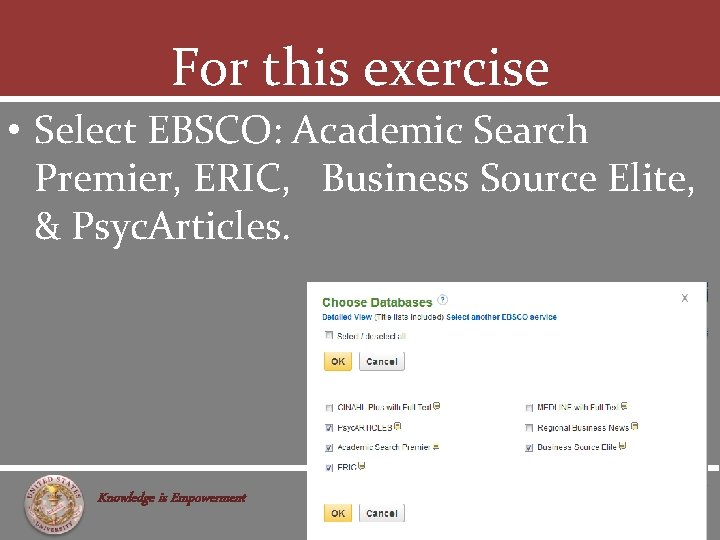
For this exercise • Select EBSCO: Academic Search Premier, ERIC, Business Source Elite, & Psyc. Articles. Knowledge is Empowerment
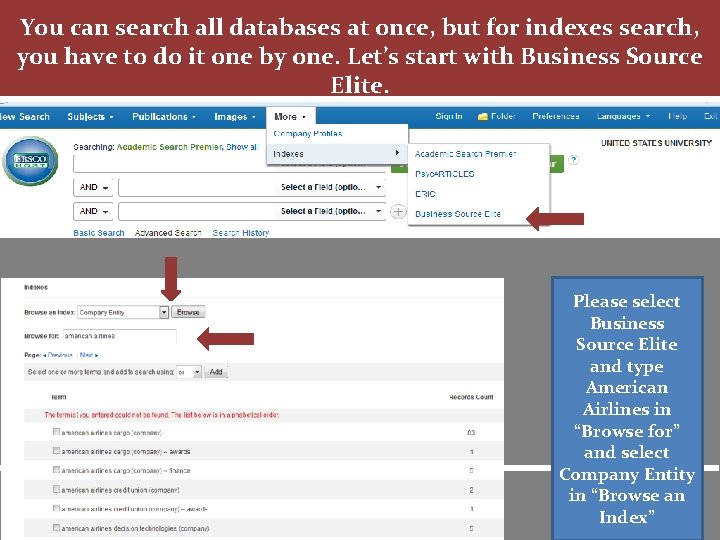
You can search all databases at once, but for indexes search, you have to do it one by one. Let’s start with Business Source Elite. Knowledge is Empowerment Please select Business Source Elite and type American Airlines in “Browse for” and select Company Entity in “Browse an Index”
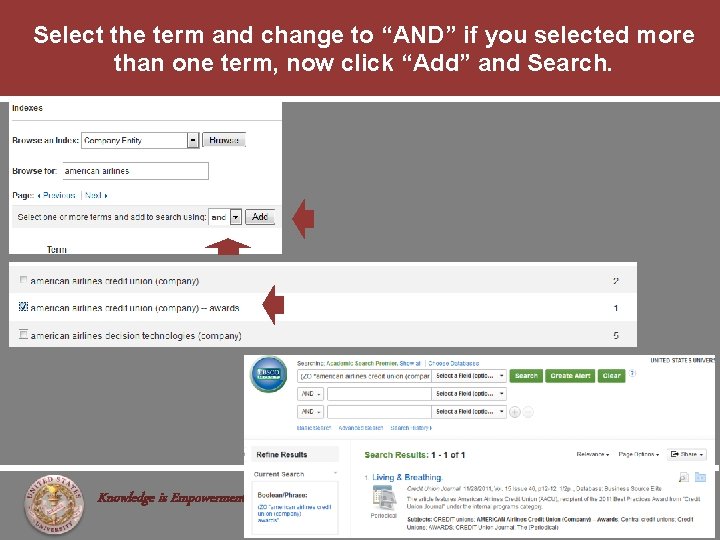
Select the term and change to “AND” if you selected more than one term, now click “Add” and Search. Knowledge is Empowerment
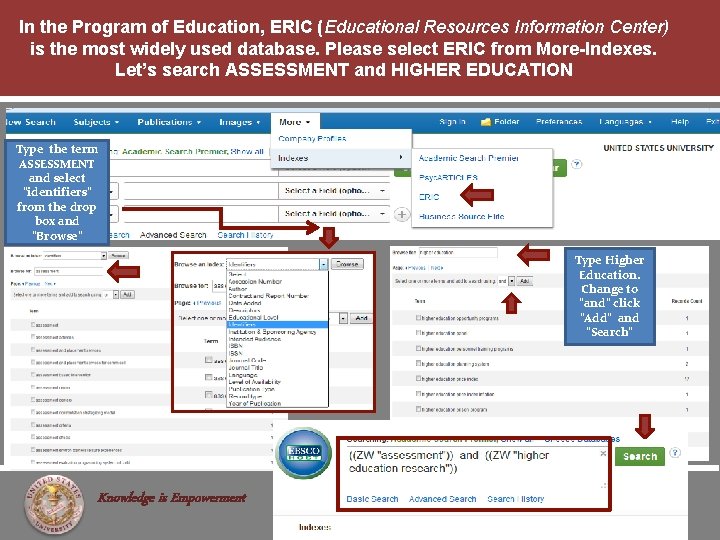
In the Program of Education, ERIC (Educational Resources Information Center) is the most widely used database. Please select ERIC from More-Indexes. Let’s search ASSESSMENT and HIGHER EDUCATION Type the term ASSESSMENT and select “identifiers” from the drop box and “Browse” Type Higher Education. Change to “and” click “Add” and “Search” Knowledge is Empowerment
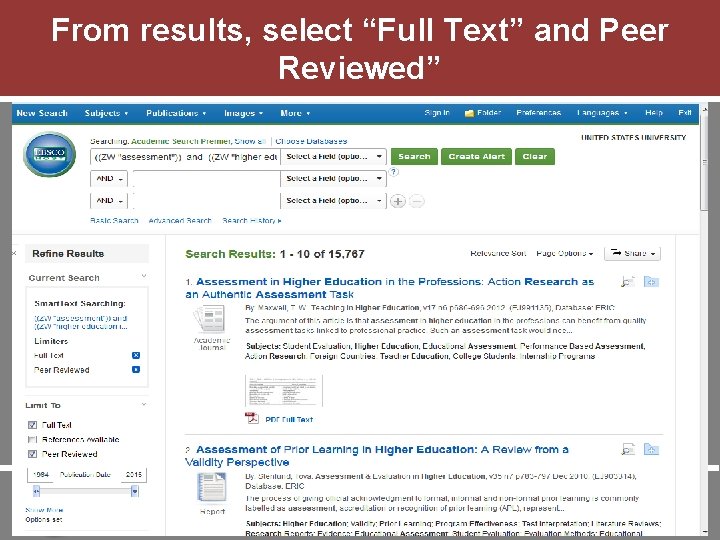
From results, select “Full Text” and Peer Reviewed” Knowledge is Empowerment
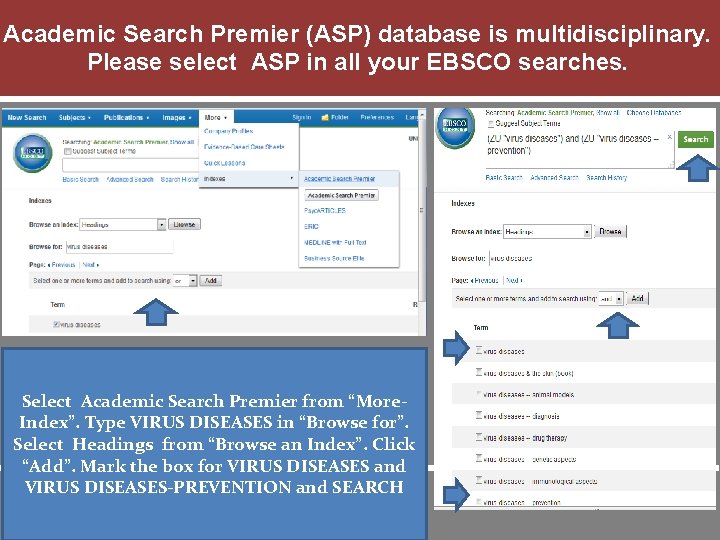
Academic Search Premier (ASP) database is multidisciplinary. Please select ASP in all your EBSCO searches. Select Academic Search Premier from “More. Index”. Type VIRUS DISEASES in “Browse for”. Select Headings from “Browse an Index”. Click “Add”. Mark the box for VIRUS DISEASES and VIRUS DISEASES-PREVENTION and SEARCH Knowledge is Empowerment
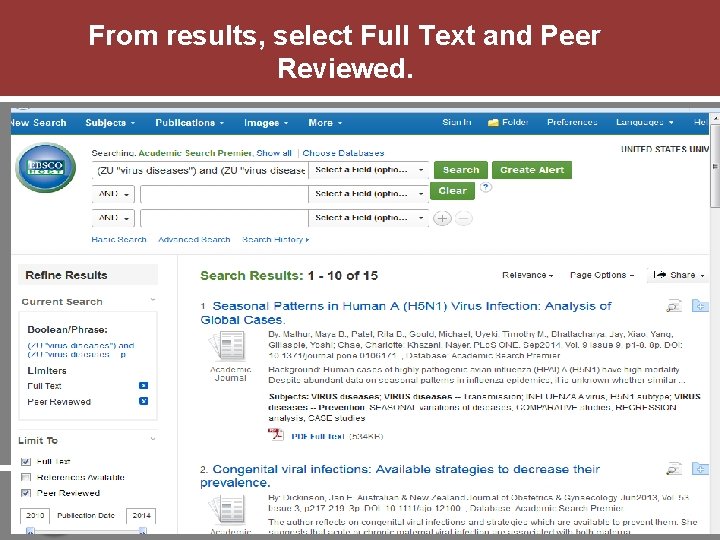
From results, select Full Text and Peer Reviewed. Knowledge is Empowerment
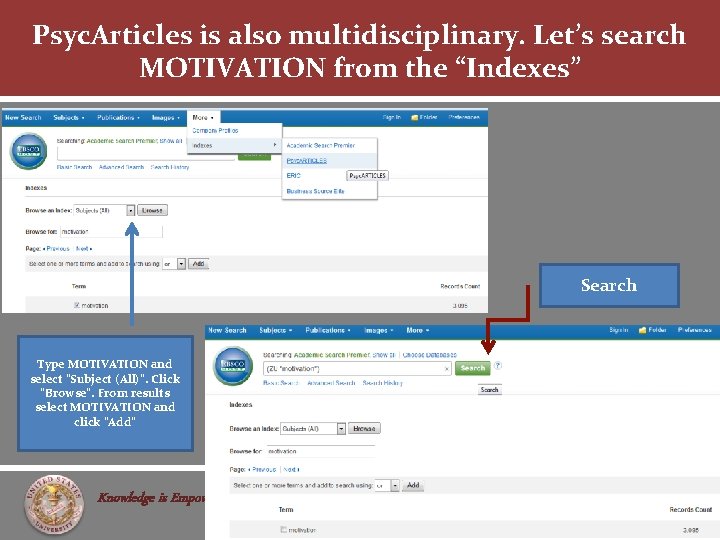
Psyc. Articles is also multidisciplinary. Let’s search MOTIVATION from the “Indexes” Search Type MOTIVATION and select “Subject (All)”. Click “Browse”. From results select MOTIVATION and click “Add” Knowledge is Empowerment
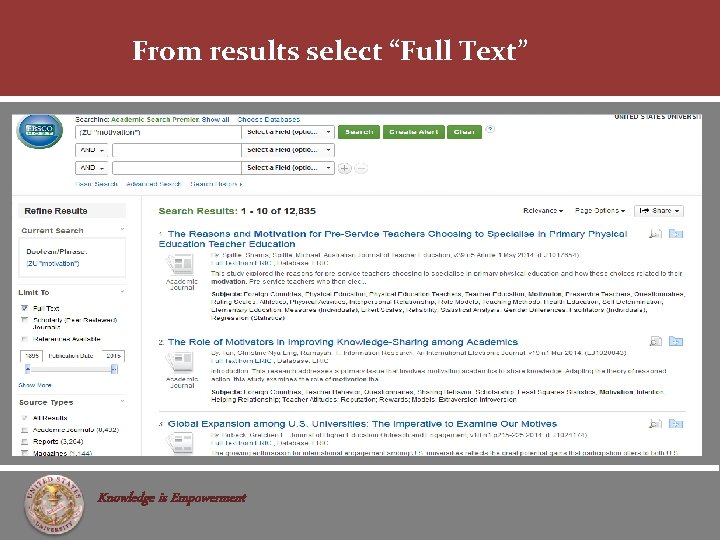
From results select “Full Text” Knowledge is Empowerment
Thank you for taking the time to learn! For more information, see the following EBSCO Tutorial: Indexes http: //support. ebsco. com/he lp/index. php? help_id=69 Knowledge is Empowerment • M. L. S Catalina Lopez • clopez@usuniversity. edu • (619) 477 6310 ext. 6 or 2017
- Slides: 13