
Usability GUI windows Build the navigation model and
Usability GUI windows Build the navigation model and evaluate (Select the application structure) Design the screens Views Build the menus, evaluate Windows structures Select the command buttons Windows types Titles Select the metaphors Modes Select representations Create the layout Create the fields, labels and other controls Add the shortcuts and icons, evaluate Check the colours, visibility, restrictions, conceptual model, mappings, symbol language, exits, and feedback Build the dialog boxes accordingly Build the helps Evaluate Käyttöliittymät / GUI 1 Irmeli Sinkkonen, TKK; Käytettävyys, Arkipäivän tuottee
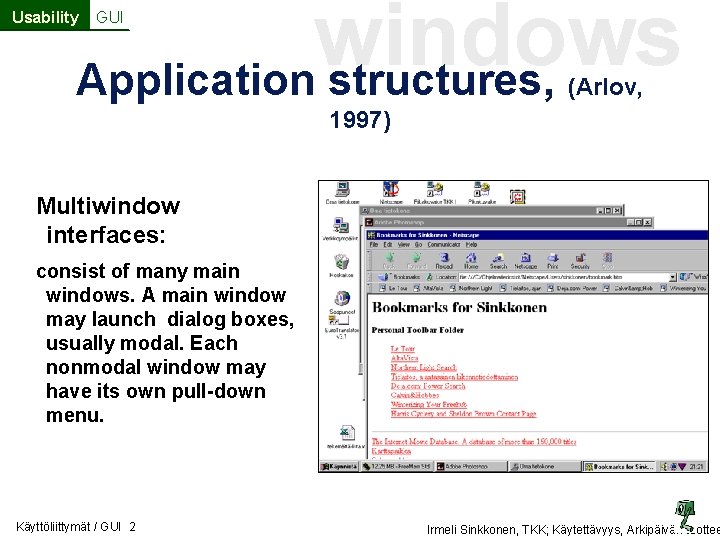
windows Application structures, Usability GUI (Arlov, 1997) Multiwindow interfaces: consist of many main windows. A main window may launch dialog boxes, usually modal. Each nonmodal window may have its own pull-down menu. Käyttöliittymät / GUI 2 Irmeli Sinkkonen, TKK; Käytettävyys, Arkipäivän tuottee
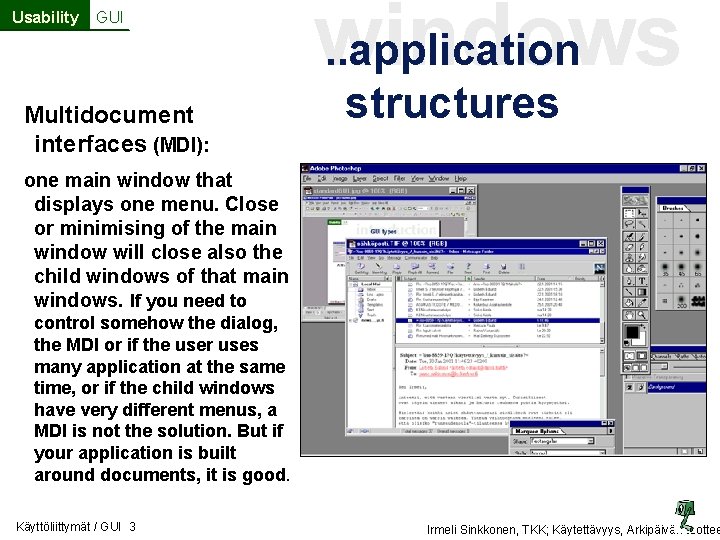
Usability GUI Multidocument interfaces (MDI): . . application windows structures one main window that displays one menu. Close or minimising of the main window will close also the child windows of that main windows. If you need to control somehow the dialog, the MDI or if the user uses many application at the same time, or if the child windows have very different menus, a MDI is not the solution. But if your application is built around documents, it is good. Käyttöliittymät / GUI 3 Irmeli Sinkkonen, TKK; Käytettävyys, Arkipäivän tuottee
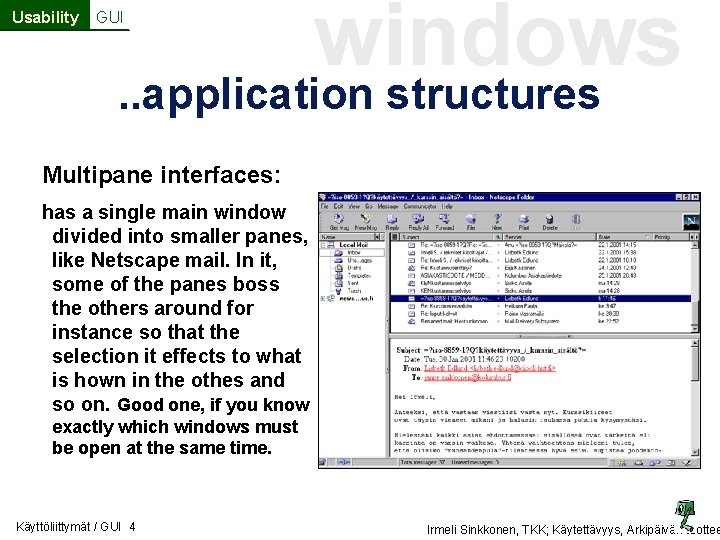
Usability GUI windows . . application structures Multipane interfaces: has a single main window divided into smaller panes, like Netscape mail. In it, some of the panes boss the others around for instance so that the selection it effects to what is hown in the othes and so on. Good one, if you know exactly which windows must be open at the same time. Käyttöliittymät / GUI 4 Irmeli Sinkkonen, TKK; Käytettävyys, Arkipäivän tuottee

Usability GUI windows . . application structures Multiscreen interfaces: in this alternative, you design the program to take care of all responsibility for changing the display. Old character-based applications was of this type. This is not a real multiscreen window, but a wizard. The logic of multiscreen interface is however the same as in typical multiscreen windows: a new window does not open until the old is put away. Windows are modal. Käyttöliittymät / GUI 5 Irmeli Sinkkonen, TKK; Käytettävyys, Arkipäivän tuottee
Usability windows A tiny window dictionary GUI • Main window: User can minimise it. May have own menus. Typically launches other windows. • Child window: Always launched from a main window (or other parent window) • Dialog box asks response from a user. In Windows Guide: any form window. • Modal window / Modeless (or nonmodal) window: window that insists response by locking other part of a system/ Windows that asks for response, but permits the work go on in other windows Käyttöliittymät / GUI 6 Irmeli Sinkkonen, TKK; Käytettävyys, Arkipäivän tuottee
Usability GUI windows … a tiny window dictionary • Home window: usually a main window, which starts a task and where a user comes a again in the end of a task • Primary window, secondary window: technical names for a main or object window, child or additional window. • Object window, Search window, Feedback box, windows for additional information: Semantic or logical names that I like to use. s Käyttöliittymät / GUI 7 Irmeli Sinkkonen, TKK; Käytettävyys, Arkipäivän tuottee
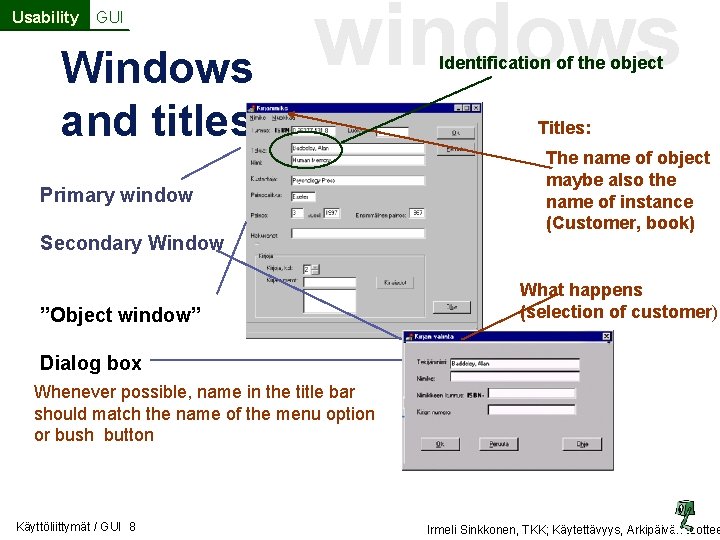
Usability GUI Windows and titles windows Primary window Secondary Window ”Object window” Identification of the object Titles: The name of object maybe also the name of instance (Customer, book) What happens (selection of customer) Dialog box Whenever possible, name in the title bar should match the name of the menu option or bush button Käyttöliittymät / GUI 8 Irmeli Sinkkonen, TKK; Käytettävyys, Arkipäivän tuottee
Usability GUI windows Dialog boxes • Transactional gathering the details heeded to complete a command for instance, which book to open • tools like numbering the book, property boxes etc. • messages delivering messages and providing feedback Käyttöliittymät / GUI 9 Irmeli Sinkkonen, TKK; Käytettävyys, Arkipäivän tuottee
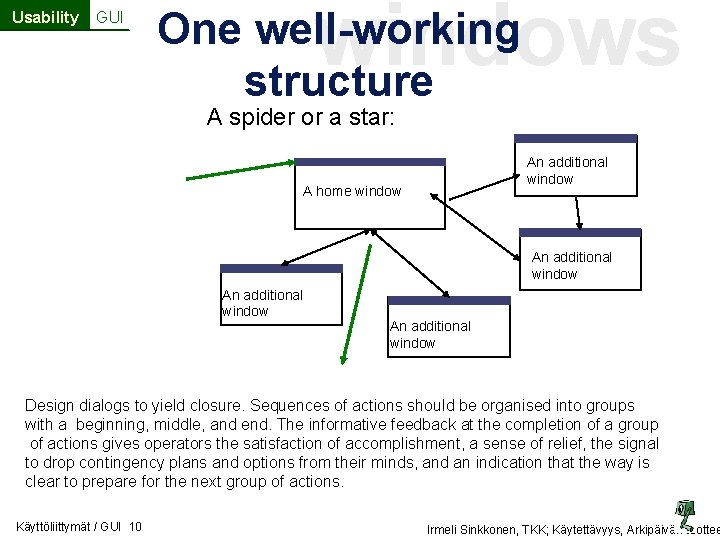
Usability GUI windows One well-working structure A spider or a star: An additional window A home window An additional window Design dialogs to yield closure. Sequences of actions should be organised into groups with a beginning, middle, and end. The informative feedback at the completion of a group of actions gives operators the satisfaction of accomplishment, a sense of relief, the signal to drop contingency plans and options from their minds, and an indication that the way is clear to prepare for the next group of actions. Käyttöliittymät / GUI 10 Irmeli Sinkkonen, TKK; Käytettävyys, Arkipäivän tuottee
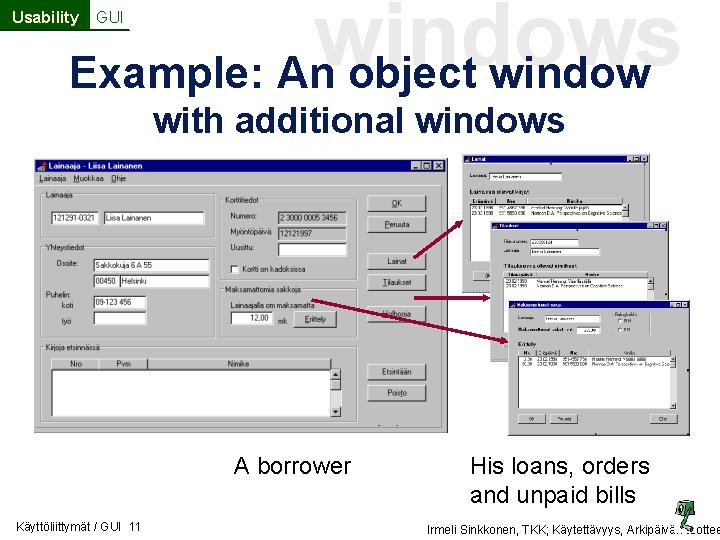
windows Example: An object window Usability GUI with additional windows A borrower Käyttöliittymät / GUI 11 His loans, orders and unpaid bills Irmeli Sinkkonen, TKK; Käytettävyys, Arkipäivän tuottee
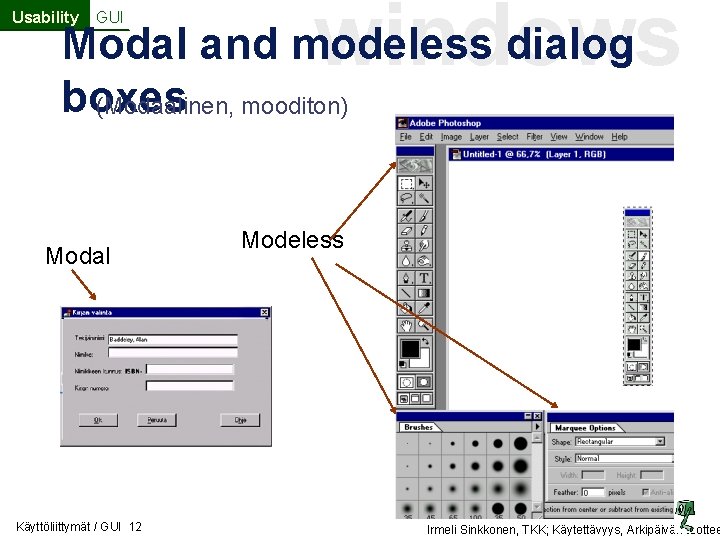
Usability GUI windows Modal and modeless dialog boxes (Modaalinen, mooditon) Modal Käyttöliittymät / GUI 12 Modeless Irmeli Sinkkonen, TKK; Käytettävyys, Arkipäivän tuottee
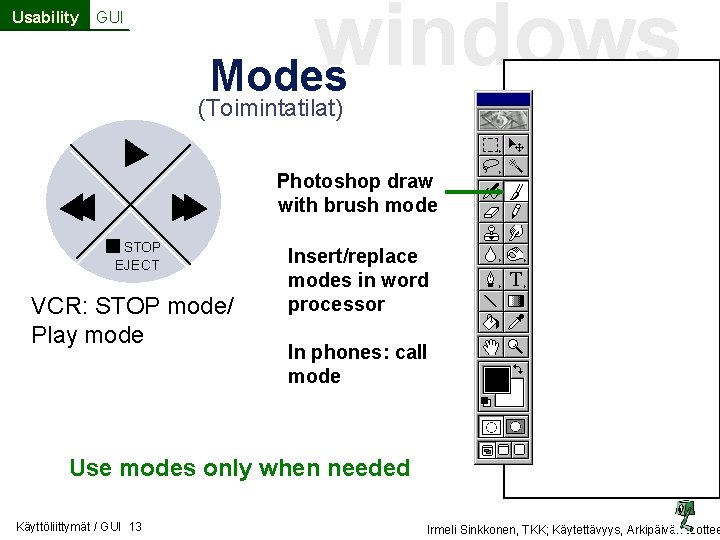
Usability GUI windows Modes (Toimintatilat) Photoshop draw with brush mode STOP EJECT VCR: STOP mode/ Play mode Insert/replace modes in word processor In phones: call mode Use modes only when needed Käyttöliittymät / GUI 13 Irmeli Sinkkonen, TKK; Käytettävyys, Arkipäivän tuottee
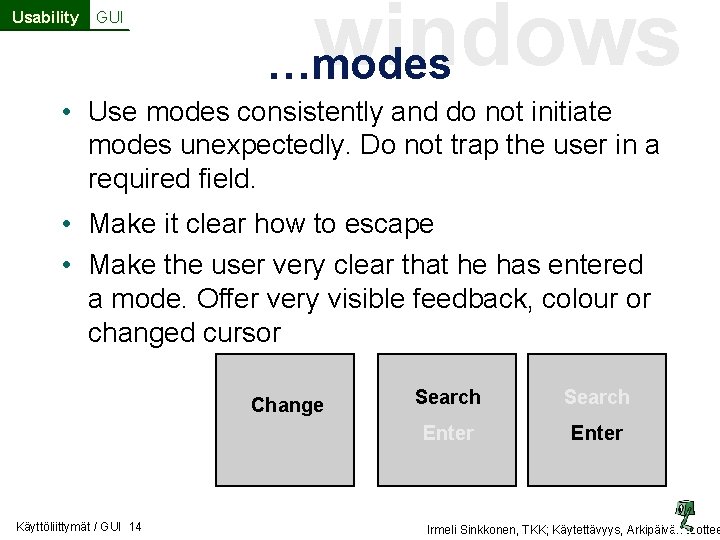
Usability GUI windows …modes • Use modes consistently and do not initiate modes unexpectedly. Do not trap the user in a required field. • Make it clear how to escape • Make the user very clear that he has entered a mode. Offer very visible feedback, colour or changed cursor Change Käyttöliittymät / GUI 14 Search Enter Irmeli Sinkkonen, TKK; Käytettävyys, Arkipäivän tuottee
- Slides: 14