
Usability Challenges for RAMP 2 Eric Chung James
Usability Challenges for RAMP 2 Eric Chung James C. Hoe Computer Architecture Lab at 1
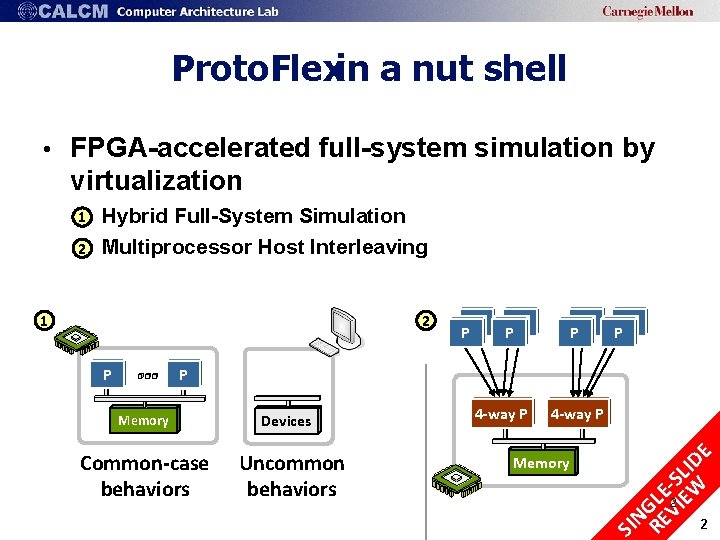
Proto. Flexin a nut shell • FPGA-accelerated full-system simulation by virtualization 1– Hybrid Full-System Simulation 2– Multiprocessor Host Interleaving 1 2 Memory Common-case behaviors P P P 2 Devices Uncommon behaviors 4 -way P Memory E CPU P P SI NG RE LE VI -S EW LID P P 2 2
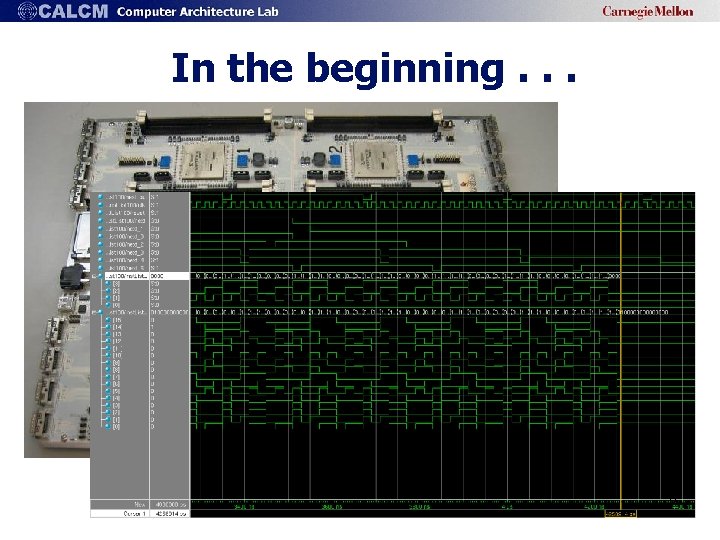
In the beginning. . . 3
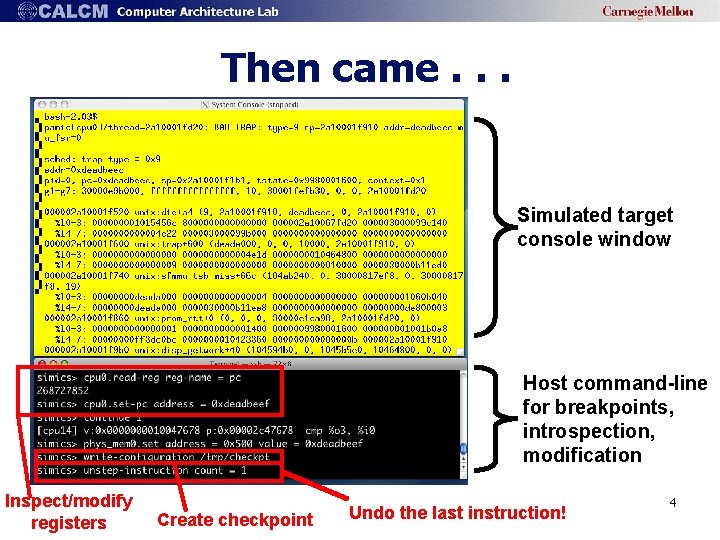
Then came. . . Simulated target console window Host command-line for breakpoints, introspection, modification Inspect/modify registers Create checkpoint Undo the last instruction! 4
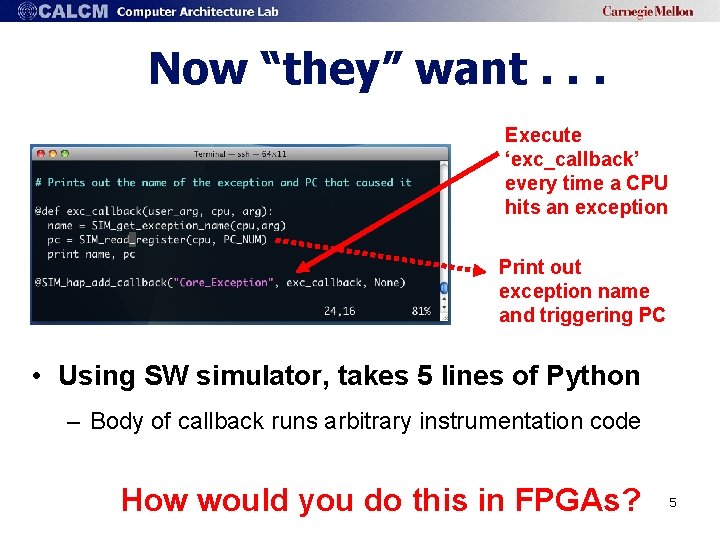
Now “they” want. . . Execute ‘exc_callback’ every time a CPU hits an exception Print out exception name and triggering PC • Using SW simulator, takes 5 lines of Python – Body of callback runs arbitrary instrumentation code How would you do this in FPGAs? 5
What else could “they” want • Interaction with virtual display of target system • Fully deterministic and controllable execution • Command-line control and scripting capabilities • API for state inspection/modification • Modularity features for adding/changing components • Checkpoint save/restore • Host-target communication (e. g. , for bootstrapping) • Full-system I/O capabilities (e. g. , OS) • Target resource virtualization 6
Outline • Introduction • Practical Feature Development • Case Study: Proto. Flex Monitoring • Closing Thoughts 7
Practical Feature Development • Porting simul. features into FPGA not easy – RTL modification almost always required – Unlike SW, state in FPGA not easy to inspect/modify (but required in most cases) • Goal: make feature porting easier! – With minimum FPGA expertise 8
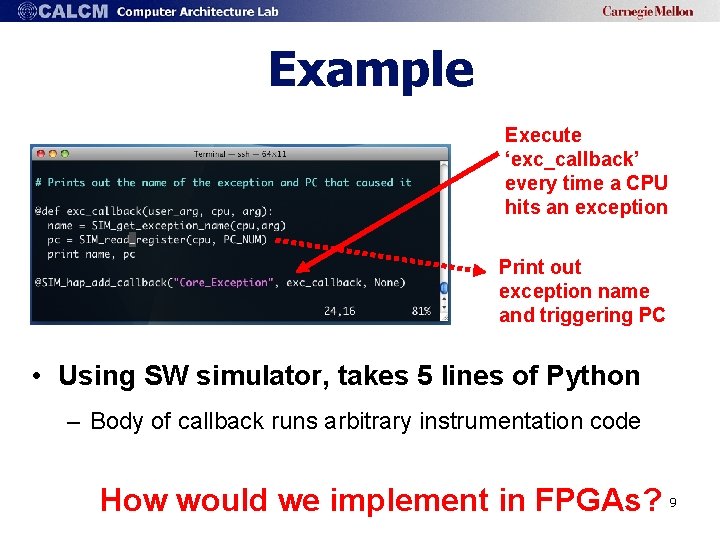
Example Execute ‘exc_callback’ every time a CPU hits an exception Print out exception name and triggering PC • Using SW simulator, takes 5 lines of Python – Body of callback runs arbitrary instrumentation code How would we implement in FPGAs? 9
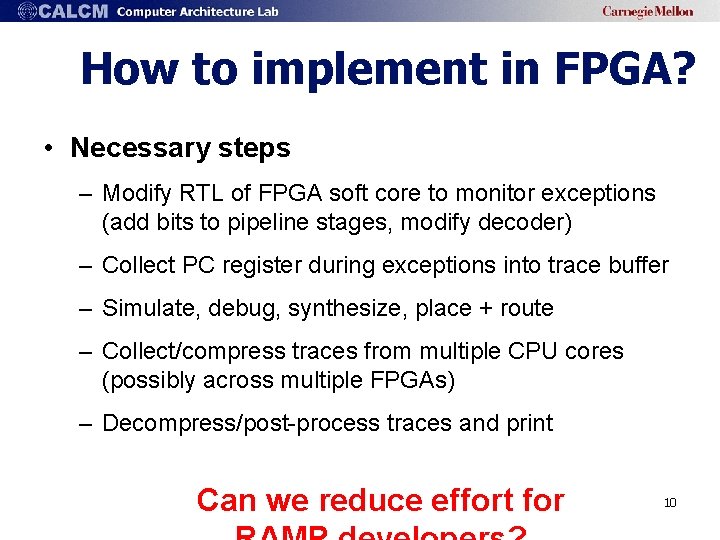
How to implement in FPGA? • Necessary steps – Modify RTL of FPGA soft core to monitor exceptions (add bits to pipeline stages, modify decoder) – Collect PC register during exceptions into trace buffer – Simulate, debug, synthesize, place + route – Collect/compress traces from multiple CPU cores (possibly across multiple FPGAs) – Decompress/post-process traces and print Can we reduce effort for 10
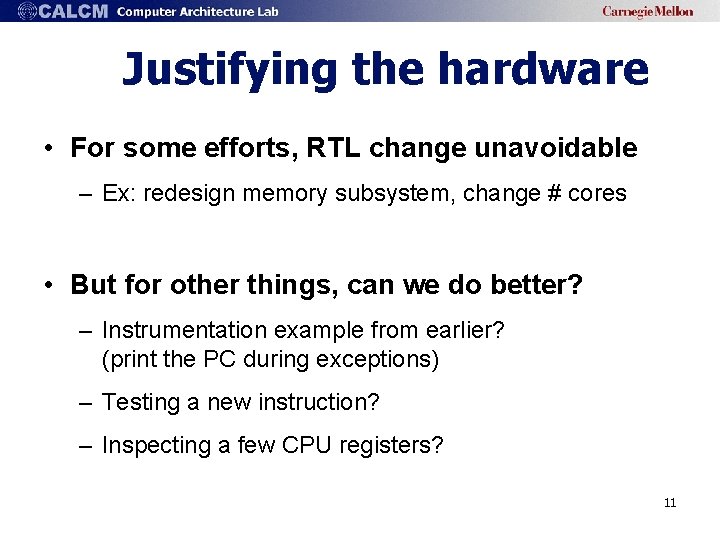
Justifying the hardware • For some efforts, RTL change unavoidable – Ex: redesign memory subsystem, change # cores • But for other things, can we do better? – Instrumentation example from earlier? (print the PC during exceptions) – Testing a new instruction? – Inspecting a few CPU registers? 11
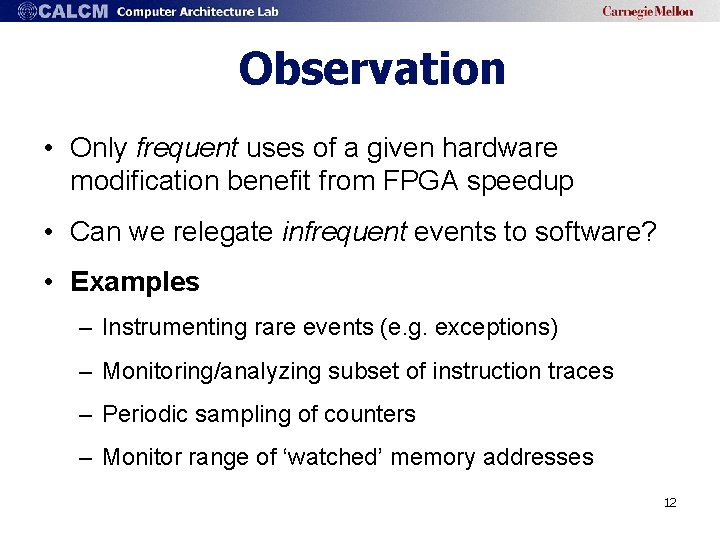
Observation • Only frequent uses of a given hardware modification benefit from FPGA speedup • Can we relegate infrequent events to software? • Examples – Instrumenting rare events (e. g. exceptions) – Monitoring/analyzing subset of instruction traces – Periodic sampling of counters – Monitor range of ‘watched’ memory addresses 12
Outline • Usability Challenges • Practical Feature Development • Case Study: Proto. Flex Monitoring • Closing Thoughts 13
Case Study: Proto. Flex. Monitoring • Our objective: – Diagnose an ‘anomaly’ while running commercial apps in Blue. SPARC simulator* • Requirements: – At runtime, get names of processes running on CPUs – Extract/verify user- and kernel-level stack traces – WITHOUT modifications to target workload or OS *Blue. SPARC is our 16 -CPU full-system FPGA-based simulator 14
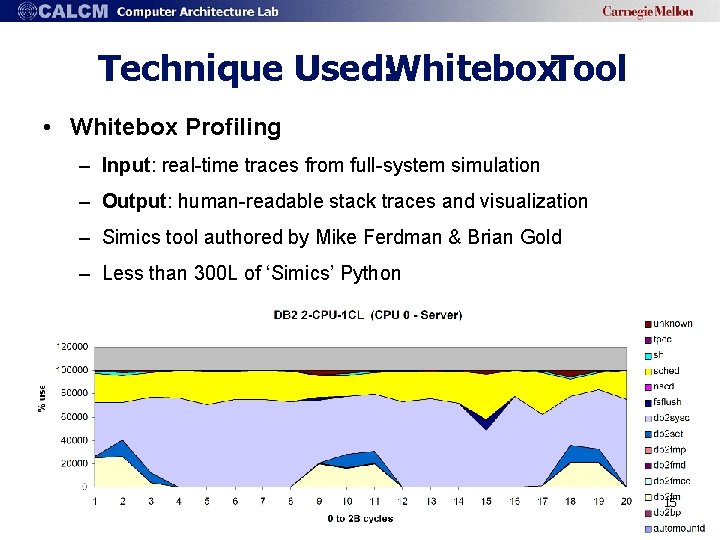
Technique Used: Whitebox. Tool • Whitebox Profiling – Input: real-time traces from full-system simulation – Output: human-readable stack traces and visualization – Simics tool authored by Mike Ferdman & Brian Gold – Less than 300 L of ‘Simics’ Python 15
Supporting. Whiteboxin Proto. Flex • Basic whitebox technique: – Simulation runtime is periodically halted – Various registers are first checked – Virtual-to-physical translations used to locate key data structures – Physical memory reads are used to extract kernel state • Naïve solution – Add state machine to FPGA soft core to perform the steps – Works but inflexible; may require significant HW changes Is there an easier way? 16
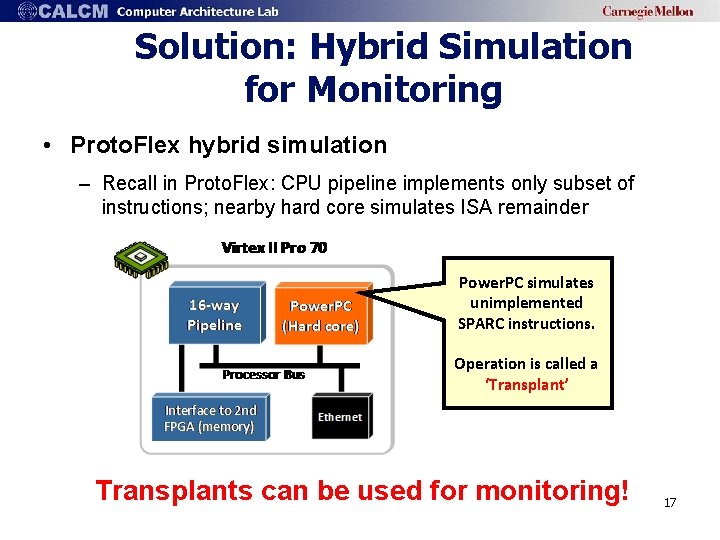
Solution: Hybrid Simulation for Monitoring • Proto. Flex hybrid simulation – Recall in Proto. Flex: CPU pipeline implements only subset of instructions; nearby hard core simulates ISA remainder Power. PC simulates unimplemented SPARC instructions. Operation is called a ‘Transplant’ Transplants can be used for monitoring! 17
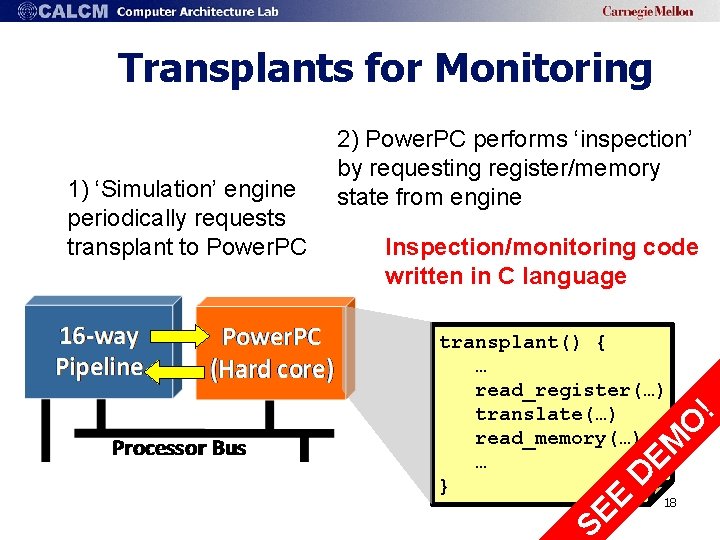
Transplants for Monitoring D EM O transplant() { … read_register(…) translate(…) read_memory(…) … } ! Inspection/monitoring code written in C language SE E 1) ‘Simulation’ engine periodically requests transplant to Power. PC 2) Power. PC performs ‘inspection’ by requesting register/memory state from engine 18
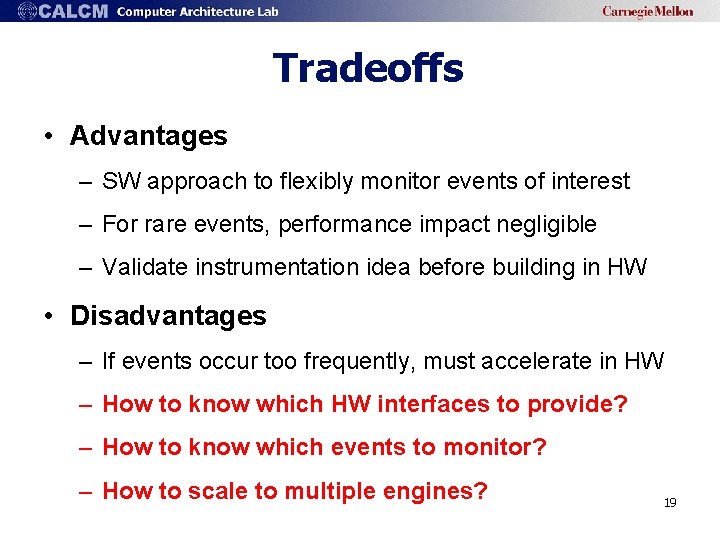
Tradeoffs • Advantages – SW approach to flexibly monitor events of interest – For rare events, performance impact negligible – Validate instrumentation idea before building in HW • Disadvantages – If events occur too frequently, must accelerate in HW – How to know which HW interfaces to provide? – How to know which events to monitor? – How to scale to multiple engines? 19
Designing the HW/SW Interface • In our design, we needed new interfaces between Proto. Flex engine & Power. PC – Engine can issue memory requests on behalf of Power. PC – Engine can issue TLB translations on behalf of Power. PC Still required HW modification! • For general-purpose monitoring, what interfaces needed? 20
Designing the HW/SW Interface • Existing simulators good place to look at – E. g. , Simics provides library of over > 100 API calls used for inspection/modification/monitoring • Example API methods: – read_register(), write_register(), translate(), etc. • Also over 50 unique ‘event’ types in simics: – Used to trigger monitoring callback functions – Ex: exceptions, watched memory locations, etc. Build these APIs into RAMP? 21
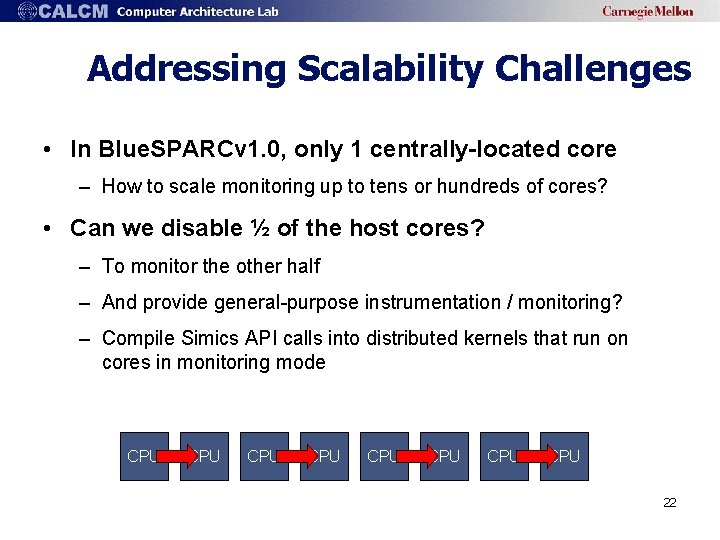
Addressing Scalability Challenges • In Blue. SPARCv 1. 0, only 1 centrally-located core – How to scale monitoring up to tens or hundreds of cores? • Can we disable ½ of the host cores? – To monitor the other half – And provide general-purpose instrumentation / monitoring? – Compile Simics API calls into distributed kernels that run on cores in monitoring mode CPU CPU 22
Outline • Usability Challenges • Practical Feature Development • Case Study: Proto. Flex Monitoring • Closing Thoughts 23
Closing Thoughts • Attention to user and developer usability is critical for practical RAMP adoption – Goal: minimize FPGA expertise required when possible • For users, provide familiar SW-simulation interface • For developers, provide general-purpose monitoring that is programmable, comprehensive, and scalable 24
Ongoing Work at CMU • Blue. SPARC simulator (Proto. Flex) – Currently supports subset of Simics user interface – Supports general-purpose software programmable monitoring – Virtual console/GFX supported via hybrid simulation • Still many challenges left – Not all Simics commands map easily to FPGA – Execution is non-deterministic – Checkpoint generation/loading works (but very slow) – No ‘Undo-ing’ instructions – Fine-grained ‘stepping’ for large-scale configurations – Minor monitoring changes still requires re-synthesizing Release planned for 2009 25
Thanks! Any questions? echung@ece. cmu. edu http: //www. ece. cmu. edu/~protoflex COME SEE OUR DEMO! Acknowledgements We would like to thank our colleagues in the RAMP and TRUSS projects. 26
BACKUP 27
Typical Simulator ‘Must-Haves’ • Features commonly available in simulators today: – Interaction with virtual display of target system – Fully deterministic and controllable execution – Command-line control and scripting capabilities – API for state inspection/modification – Modularity features for adding/changing components – Checkpoint save/restore – Host-target communication (e. g. , for bootstrapping) – Full-system I/O capabilities (e. g. , OS) – Target resource virtualization 28
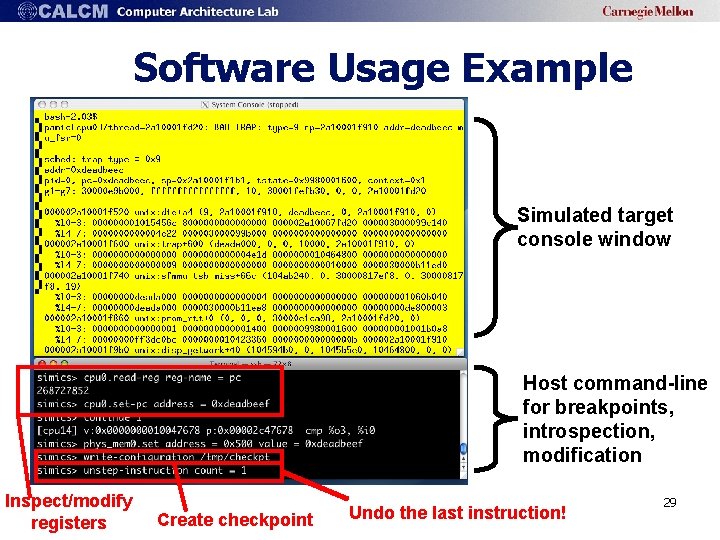
Software Usage Example Simulated target console window Host command-line for breakpoints, introspection, modification Inspect/modify registers Create checkpoint Undo the last instruction! 29
Bringing SW features to RAMP • Can users with no knowledge of FPGAs use RAMP out-of-the-box? • The litmus test – User is unable to tell using a simulator front-end whether back-end is FPGAs or not 30
Closing Thought: Unification • Common UI to ‘unify’ simulators and FPGAs – Ex: use ‘Simics’ front-end, back-end is either FPGAs or SW (Proto. Flex has limited form of this) – Avoid reinventing API/interface; users already familiar • Benefits of interoperability: – Gentle transition of whole generation of full-system simulation users to RAMP – Support legacy scripts, workloads, configurations 31
Other Simulation Features • How to provide full-system checkpoints? – Must save/restore CPU/memory/device states – But can’t just quickly dump/load 64 GB of memory! • Supporting ‘pause’ and ‘rewind’ in HW • Deterministic/controllable execution • ‘Instantaneously’ inspection/modification of distributed CPU/Mem/Device state 32
Case Study: Proto. Flex. White. Box • Our goals – Profile IBM DB 2/TPCC – Identify which processes executing on each CPU at fine-grained intervals (1000 s of instructions) • Technique – Periodically suspend simulator then access kernel data structures (in known physical memory locations) – Extract process information from kernel 33
Tools for Visualization/Monitoring • How to build tools that can make sense out of the behavior of 1000 concurrent threads? • Dataflow visualization – E. g. , Data flow tomography [Sherwood 08] • Performance monitoring – E. g. , Estimate multi-core cache miss rates • Black-box program profiling – E. g. , Invisible kernel introspection 34
How to instrument in a practical way? • E. g. , adding new counter to CPU • Can we have our cake and eat it too? – SW-like programming abstraction – Without resynthesizing and keeping FPGA speeds 35
Example 1: Real-time Cache Models • Generate cache model performance in real time • Applications: – Generating cache state checkpoints 36
Example 2: Black-Box Profiling • Used in Proto. Flex to profile black-box commercial workloads (e. g. , IBM DB 2, Oracle) 37
Life-cycle of simulation (approximately) Great Idea Design Implement+ Instrument Publish Measure Simulate 38
Life-cycle of simulation (approximately) Great Idea Design Implement+ Instrument Publish Measure Simulate 39
Back-of-the-envelope calculation • Let’s calculate opportunity cost of HW-simulation • Assumptions – Only goal is to measure given metric (e. g. , IPC) – Don’t care about prototyping • 12 hours to design, simulate, P&R – 12 hours = 12 x 3600 s x 1 KIPS/s = 43 M instructions – On a cluster of 100, can simulate ~4 B instructions using detailed timing models in 24 hours 40
The FPGA Usability Challenge • Despite impressive proof-of-concepts, FPGAs still not widely adopted in arch community • FPGAs are not user-friendly – Simulators easier to modify/use • Lack of instant gratification slows productivity – How long to build and run ‘Hello World’ on FPGA? 41
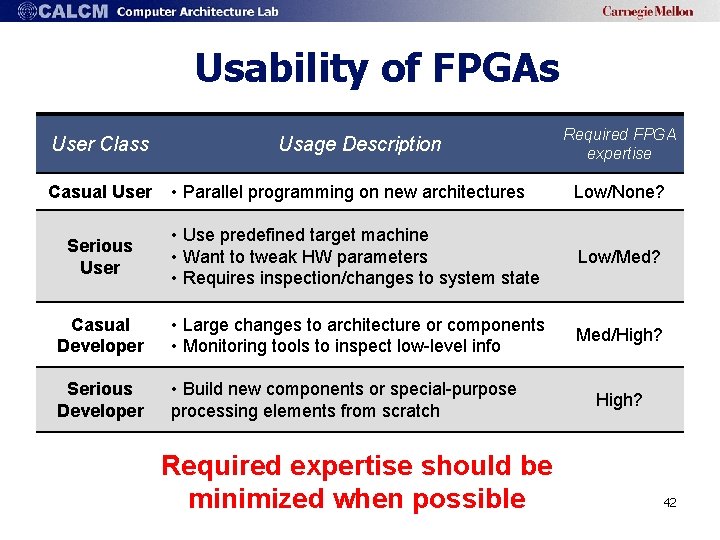
Usability of FPGAs User Class Usage Description Required FPGA expertise • Parallel programming on new architectures Low/None? Serious User • Use predefined target machine • Want to tweak HW parameters • Requires inspection/changes to system state Low/Med? Casual Developer • Large changes to architecture or components • Monitoring tools to inspect low-level info Med/High? Serious Developer • Build new components or special-purpose processing elements from scratch Casual User Required expertise should be minimized when possible High? 42
The FPGA Usability Challenge • Challenges for Users – Typical simulation features missing or hard-to-build – Low runtime visibility into FPGA HW • Challenges for Developers – Even mundane tasks require RTL design/debugging – Long synthesis turnaround times (up to hours/days) – Must learn new languages, (buggy) tools How to improve usability with RAMP 2? 43
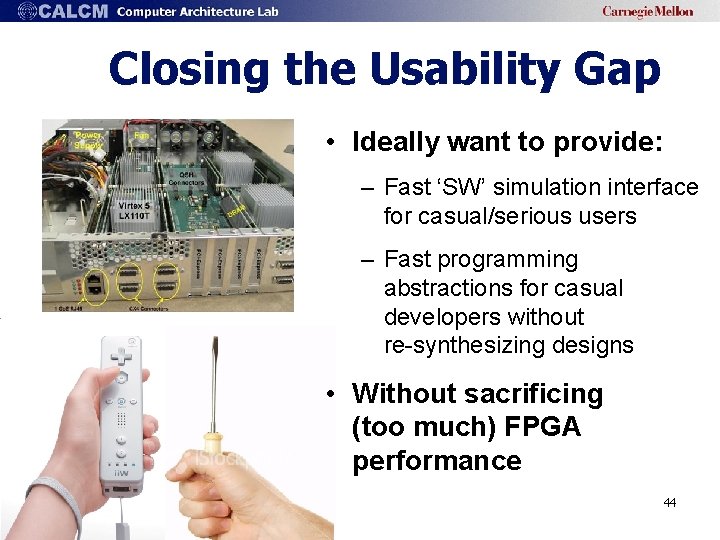
Closing the Usability Gap • Ideally want to provide: – Fast ‘SW’ simulation interface for casual/serious users – Fast programming abstractions for casual developers without re-synthesizing designs • Without sacrificing (too much) FPGA performance 44
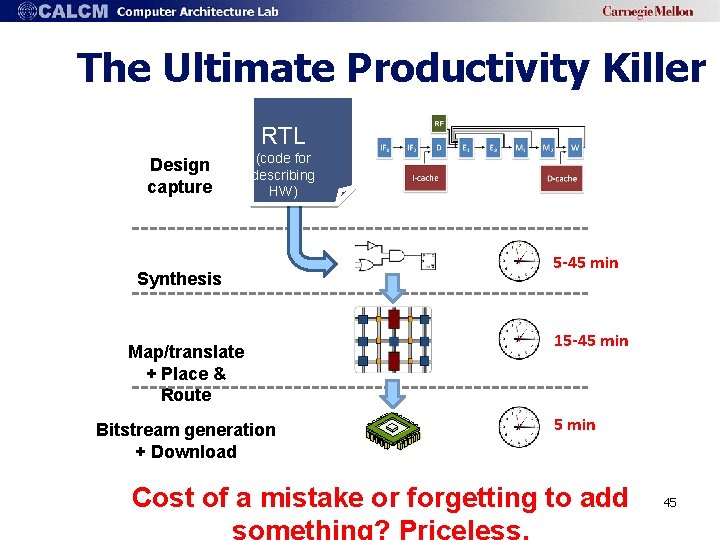
The Ultimate Productivity Killer RTL Design capture (code for describing HW) Synthesis Map/translate + Place & Route Bitstream generation + Download 5 -45 min 15 -45 min Cost of a mistake or forgetting to add 45
- Slides: 45