
US Coast Guard Auxiliary Information Systems Forms Modified
- Slides: 28
US Coast Guard Auxiliary Information Systems Forms Modified March 2012/Mc. Bain
Modified March 2012/Mc. Bain A Word About Forms l l l Nobody likes ‘em, but they are necessary It is your responsibility to fill them in promptly, completely, and correctly All forms have detailed instructions – please read them Fill out online, it will help prevent errors and ensure that you’re using the latest version Your FSO-IS and SO-IS are here to help! Just ask! DON’T UNDERESTIMATE DIRAUX’S PASSION ABOUT THIS TOPIC!
Modified March 2012/Mc. Bain What to do with Forms Send your reports and forms to your FSO-IS l DO NOT EVER SEND SAME REPORT TWICE! l Keep a copy for yourself l Check your totals periodically l
Modified March 2012/Mc. Bain Important ID Numbers Seven digit member ID numbers (employee ID numbers) are on your ID Card l ID number transfers with member l Units (Flotillas) are Identified by District and Division – i. e. 014 -02 -XX where XX is Flotilla Number l Vessel Facilities are identified in AUXDATA by Registration Number (e. g. NJ-2396 -AZ) not by Call Sign (e. g. AUX 283616) l
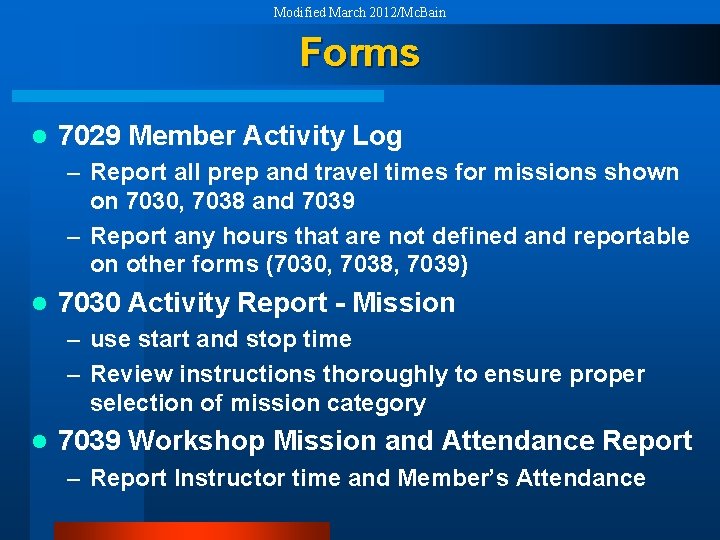
Modified March 2012/Mc. Bain Forms l 7029 Member Activity Log – Report all prep and travel times for missions shown on 7030, 7038 and 7039 – Report any hours that are not defined and reportable on other forms (7030, 7038, 7039) l 7030 Activity Report - Mission – use start and stop time – Review instructions thoroughly to ensure proper selection of mission category l 7039 Workshop Mission and Attendance Report – Report Instructor time and Member’s Attendance
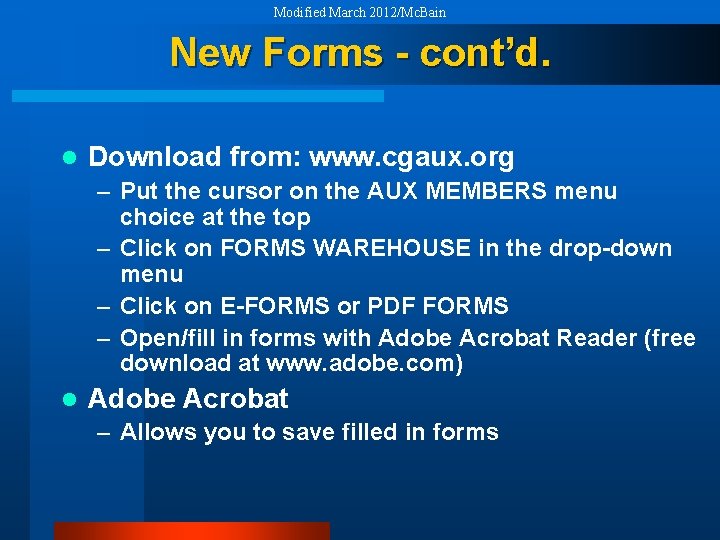
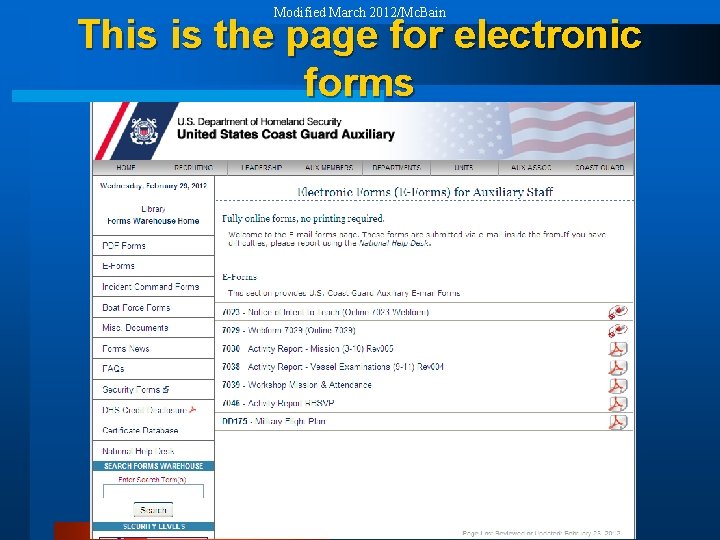
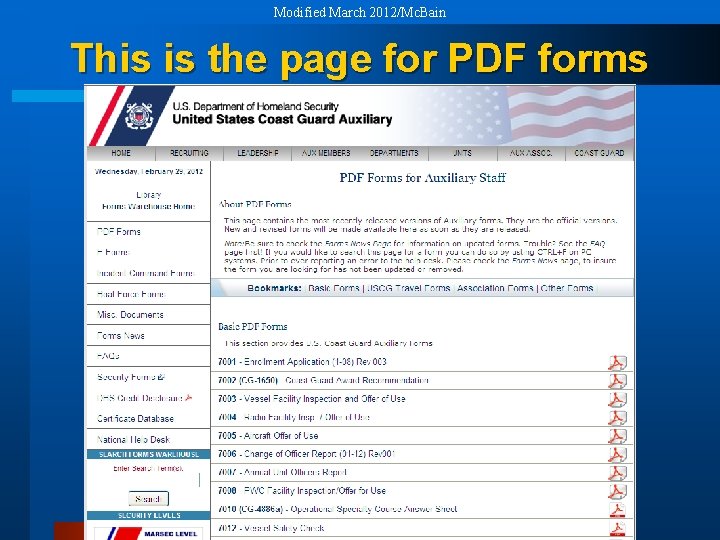
Modified March 2012/Mc. Bain New Forms - cont’d. l Download from: www. cgaux. org – Put the cursor on the AUX MEMBERS menu choice at the top – Click on FORMS WAREHOUSE in the drop-down menu – Click on E-FORMS or PDF FORMS – Open/fill in forms with Adobe Acrobat Reader (free download at www. adobe. com) l Adobe Acrobat – Allows you to save filled in forms
Modified March 2012/Mc. Bain This is the page for electronic forms
Modified March 2012/Mc. Bain This is the page for PDF forms
Modified March 2012/Mc. Bain How To Use Online Forms l Open the form – fill in the blanks l Print and send to FSO-IS l You can only save if you have Adobe Acrobat l On e-mail forms you can fill in and then send to your FSO-IS, and to yourself
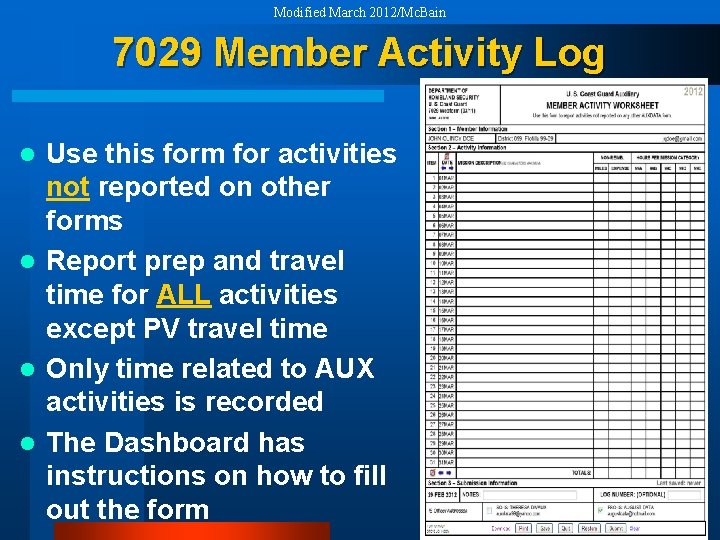
Modified March 2012/Mc. Bain 7029 Member Activity Log Use this form for activities not reported on other forms l Report prep and travel time for ALL activities except PV travel time l Only time related to AUX activities is recorded l The Dashboard has instructions on how to fill out the form l
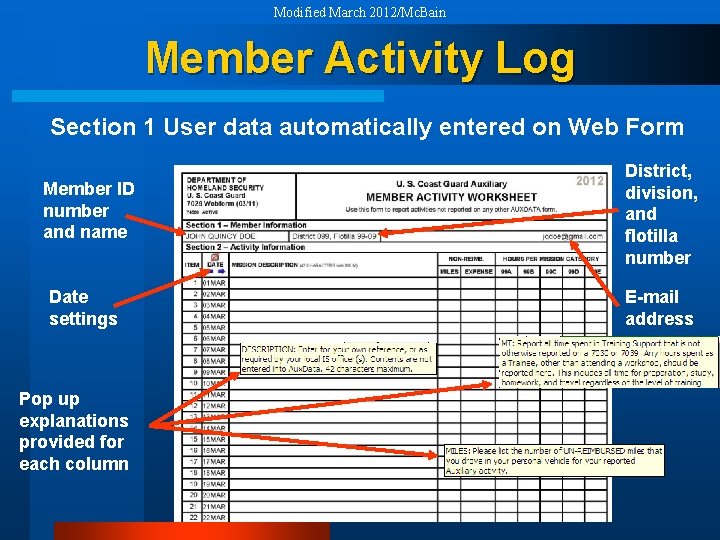
Modified March 2012/Mc. Bain Member Activity Log Section 1 User data automatically entered on Web Form Member ID number and name Date settings Pop up explanations provided for each column District, division, and flotilla number E-mail address
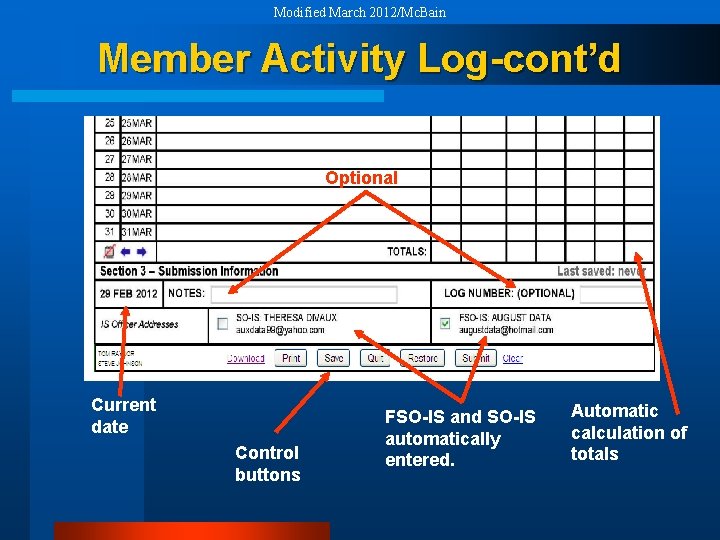
Modified March 2012/Mc. Bain Member Activity Log-cont’d Optional Current date Control buttons FSO-IS and SO-IS automatically entered. Automatic calculation of totals
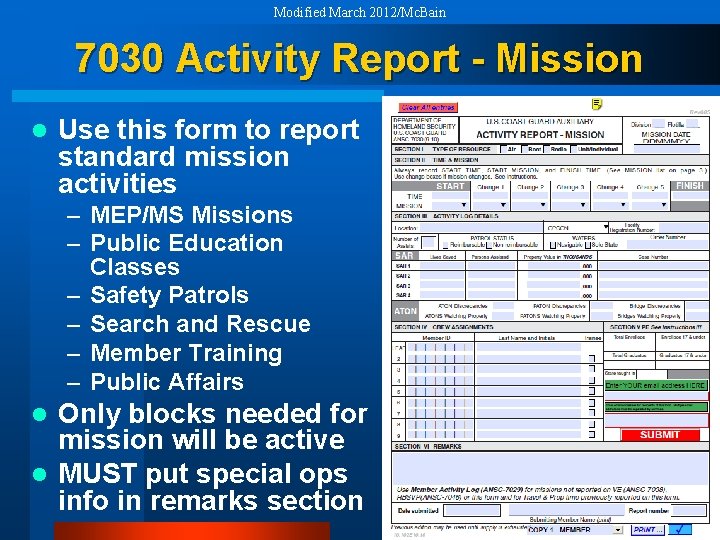
Modified March 2012/Mc. Bain 7030 Activity Report - Mission l Use this form to report standard mission activities – MEP/MS Missions – Public Education Classes – Safety Patrols – Search and Rescue – Member Training – Public Affairs Only blocks needed for mission will be active l MUST put special ops info in remarks section l
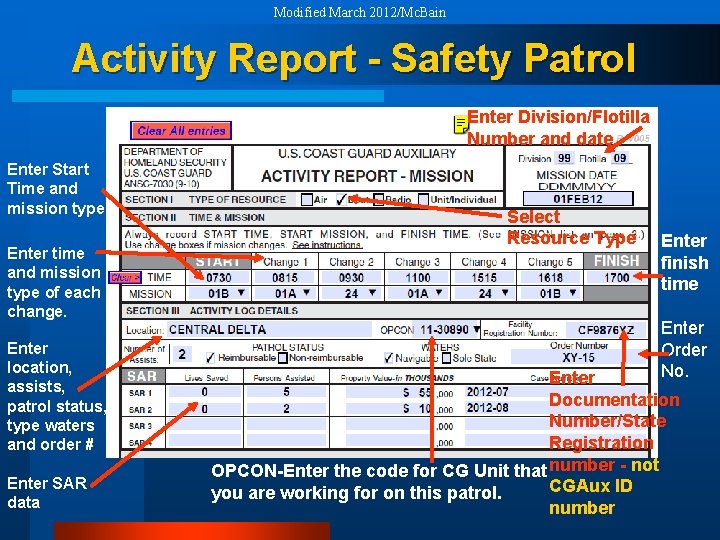
Modified March 2012/Mc. Bain Activity Report - Safety Patrol Enter Division/Flotilla Number and date Enter Start Time and mission type Enter time and mission type of each change. Enter location, assists, patrol status, type waters and order # Enter SAR data Select Resource Type Enter finish time Enter Order No. Enter Documentation Number/State Registration OPCON-Enter the code for CG Unit that number - not CGAux ID you are working for on this patrol. number
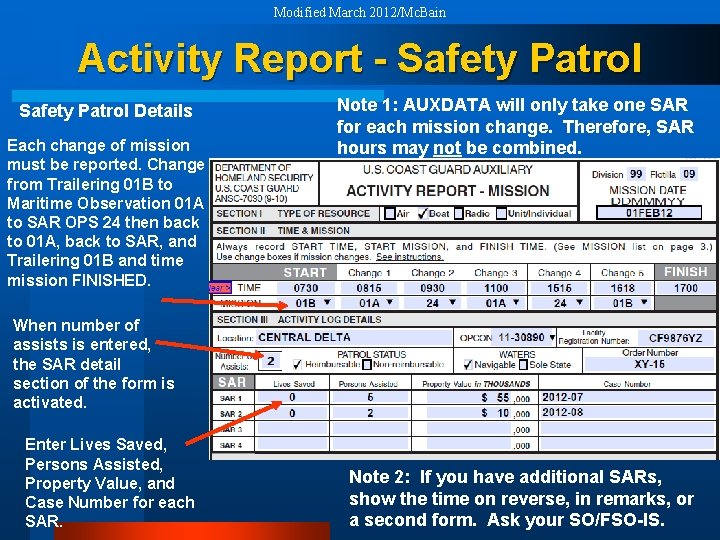
Modified March 2012/Mc. Bain Activity Report - Safety Patrol Details Each change of mission must be reported. Change from Trailering 01 B to Maritime Observation 01 A to SAR OPS 24 then back to 01 A, back to SAR, and Trailering 01 B and time mission FINISHED. Note 1: AUXDATA will only take one SAR for each mission change. Therefore, SAR hours may not be combined. When number of assists is entered, the SAR detail section of the form is activated. Enter Lives Saved, Persons Assisted, Property Value, and Case Number for each SAR. Note 2: If you have additional SARs, show the time on reverse, in remarks, or a second form. Ask your SO/FSO-IS.
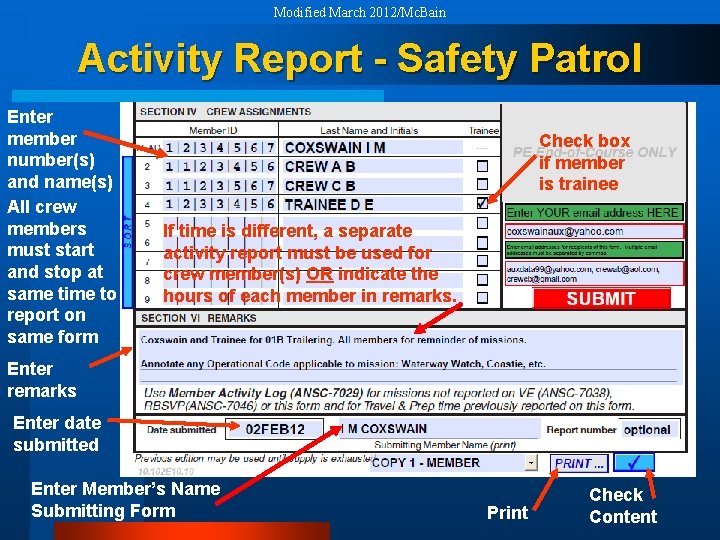
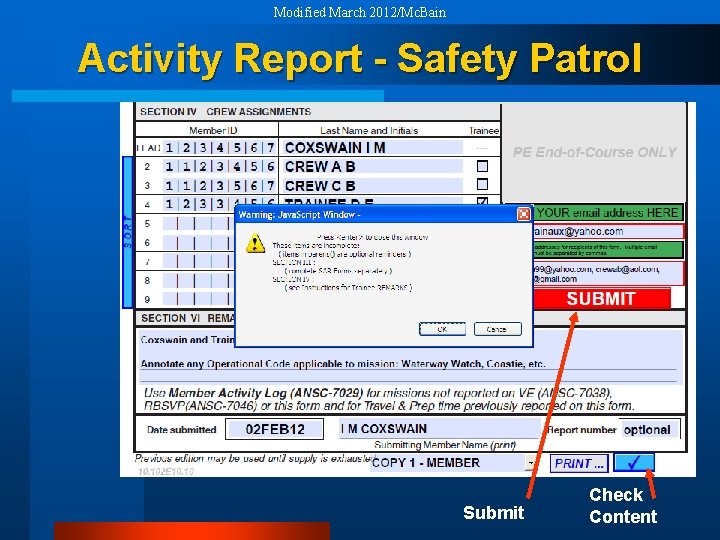
Modified March 2012/Mc. Bain Activity Report - Safety Patrol Enter member number(s) and name(s) All crew members must start and stop at same time to report on same form Check box if member is trainee If time is different, a separate activity report must be used for crew member(s) OR indicate the hours of each member in remarks. Enter remarks Enter date submitted Enter Member’s Name Submitting Form Print Check Content
Modified March 2012/Mc. Bain Activity Report - Safety Patrol Submit Check Content
Modified March 2012/Mc. Bain More Notes on Patrols l The report goes to SO-IS or FSO-IS of the Facility owner l Put all crew on one report, include Flotilla Name/Number for out of Division/District crew l QE performing sign-offs should not be reported on your 7030. Not part of your crew. QE does a separate 7030.
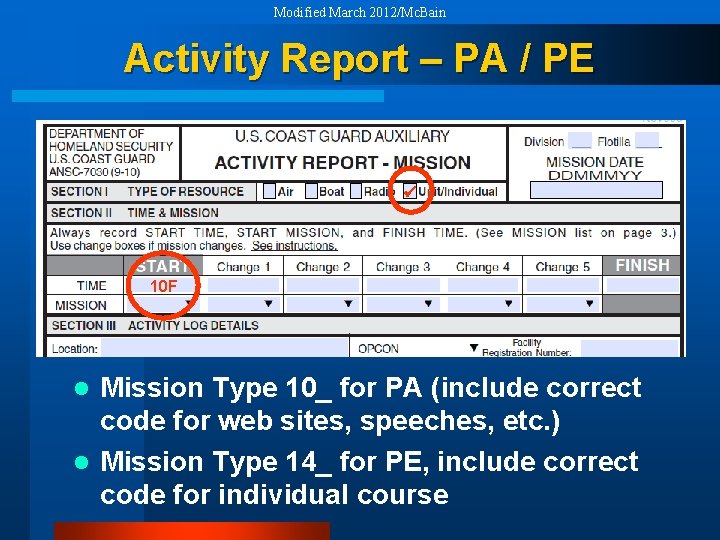
Modified March 2012/Mc. Bain Activity Report – PA / PE 10 F Mission Type 10_ for PA (include correct code for web sites, speeches, etc. ) l Mission Type 14_ for PE, include correct code for individual course l
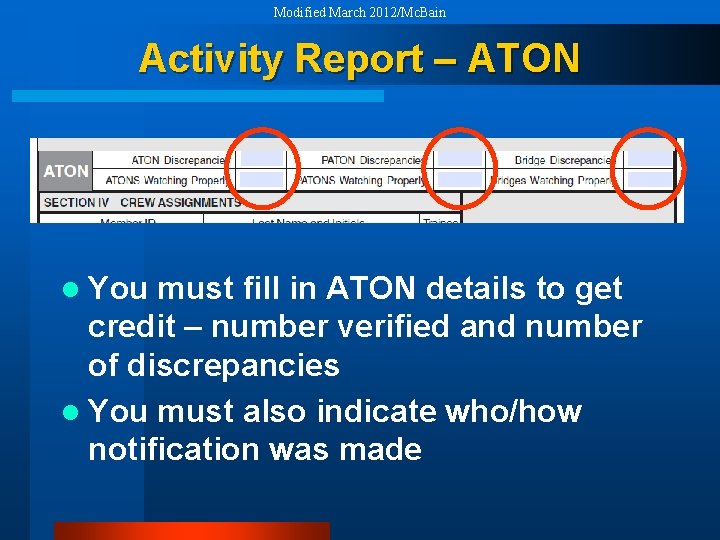
Modified March 2012/Mc. Bain Activity Report – ATON l You must fill in ATON details to get credit – number verified and number of discrepancies l You must also indicate who/how notification was made
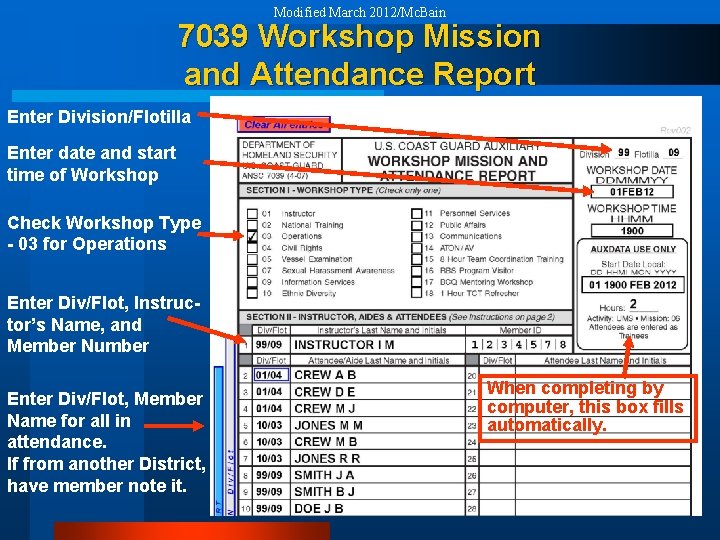
Modified March 2012/Mc. Bain 7039 Workshop Mission and Attendance Report Enter Division/Flotilla Enter date and start time of Workshop Check Workshop Type - 03 for Operations Enter Div/Flot, Instructor’s Name, and Member Number Enter Div/Flot, Member Name for all in attendance. If from another District, have member note it. When completing by computer, this box fills automatically.
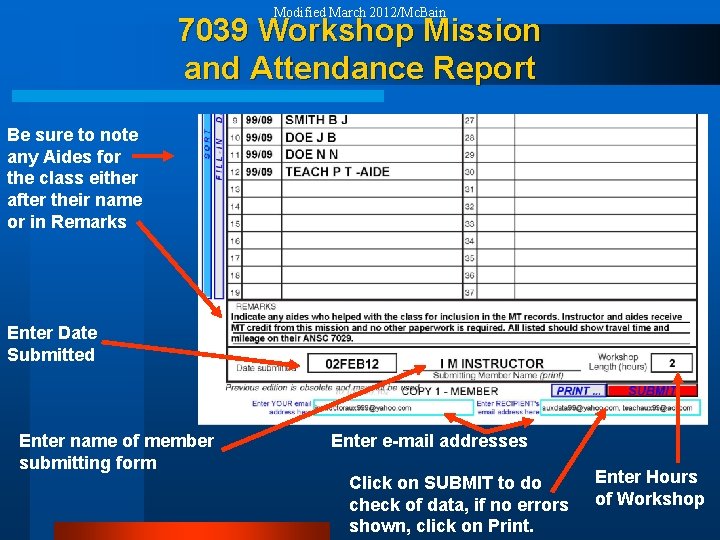
Modified March 2012/Mc. Bain 7039 Workshop Mission and Attendance Report Be sure to note any Aides for the class either after their name or in Remarks Enter Date Submitted Enter name of member submitting form Enter e-mail addresses Click on SUBMIT to do check of data, if no errors shown, click on Print. Enter Hours of Workshop
Modified March 2012/Mc. Bain Note: All CG Support Missions l MUST include the CG Unit that is supported on your report – name or number is okay (Sandy Hook 01 -30235, ACTNY 01 -73136, CG STARV 11 -30890, etc. ) l Timely submission of information is essential to show on reports
Modified March 2012/Mc. Bain Other Important Forms l VSC (Facility, Private, or MS) l RBSPV l Member Information
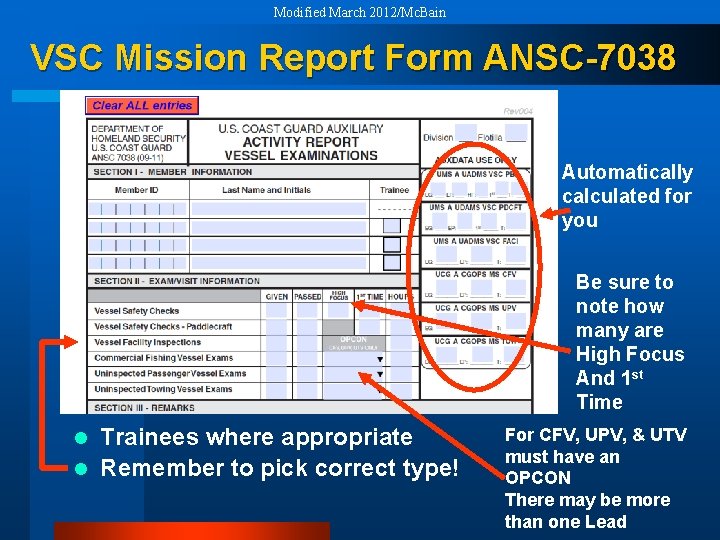
Modified March 2012/Mc. Bain VSC Mission Report Form ANSC-7038 Automatically calculated for you Be sure to note how many are High Focus And 1 st Time Trainees where appropriate l Remember to pick correct type! l For CFV, UPV, & UTV must have an OPCON There may be more than one Lead
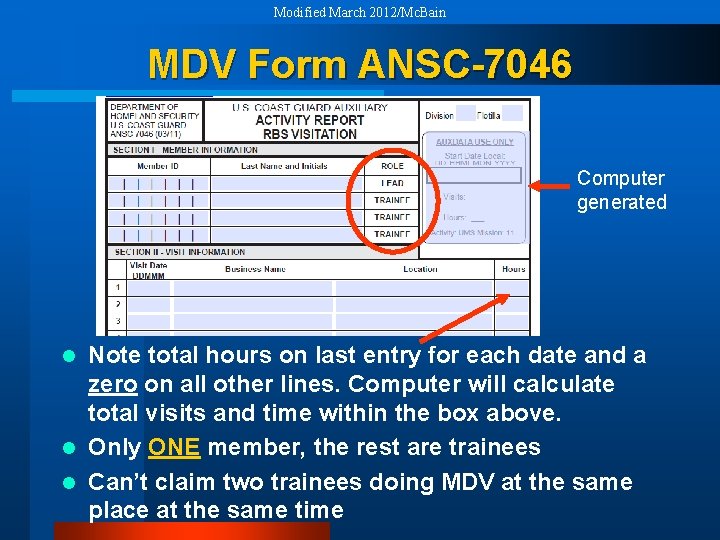
Modified March 2012/Mc. Bain MDV Form ANSC-7046 Computer generated Note total hours on last entry for each date and a zero on all other lines. Computer will calculate total visits and time within the box above. l Only ONE member, the rest are trainees l Can’t claim two trainees doing MDV at the same place at the same time l
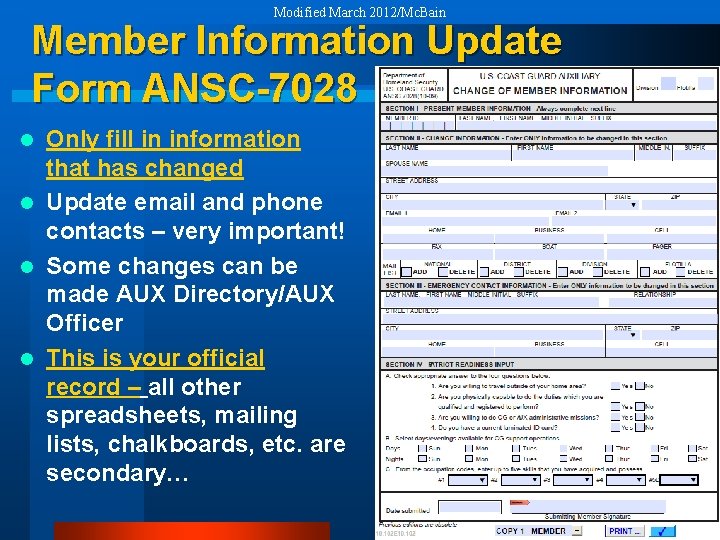
Modified March 2012/Mc. Bain Member Information Update Form ANSC-7028 Only fill in information that has changed l Update email and phone contacts – very important! l Some changes can be made AUX Directory/AUX Officer l This is your official record – all other spreadsheets, mailing lists, chalkboards, etc. are secondary… l
Modified March 2012/Mc. Bain Information Systems Remember: The Mission Isn’t Over Until the Forms Are Filed! Thank You! Semper Industria! (Always working)