
Unpicking A Problem A Quick Guide To Using

Unpicking A Problem: A Quick Guide To Using Fishbone Diagrams
What the presentation will cover: What is a Fishbone Diagram? How do you create a Fishbone Diagram; - What do you need? - What are the steps? Why do we use them? When should you use one? Handy Tips
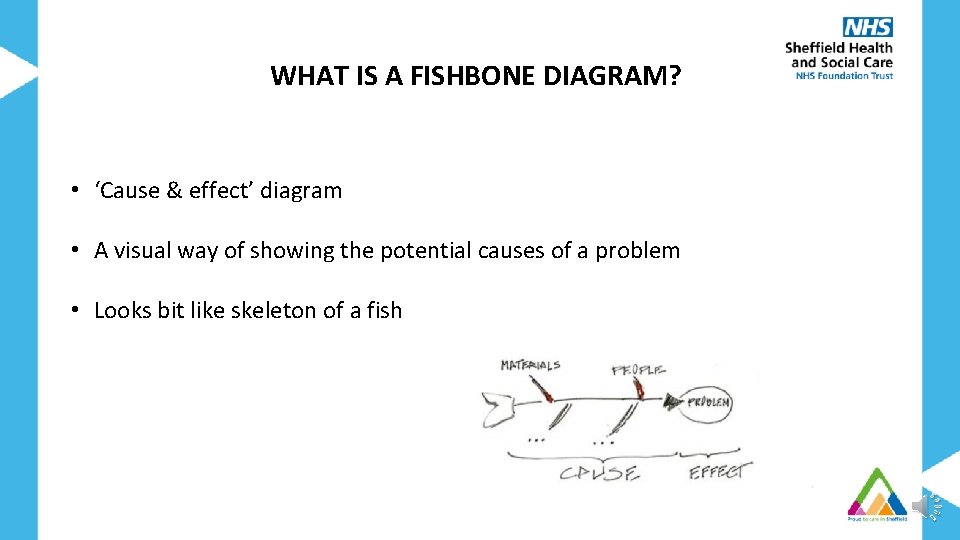
WHAT IS A FISHBONE DIAGRAM? • ‘Cause & effect’ diagram • A visual way of showing the potential causes of a problem • Looks bit like skeleton of a fish
WHY DO WE USE FISHBONE DIAGRAMS? Provides structure Helps group possible causes into categories Facilitate deeper thinking about possible causation To help determine why a particular problem is happening Gain a shared insight into the problem Visualise possible causes of a problem Helps to work towards addressing the problem Discover root causes before you start to think of a solution Get a snapshot of collective knowledge
WHEN TO USE A FISHBONE DIAGRAM? • When there is an issue which has various causes • When there are processes that don’t work • When you need different points of view to look at a problem • Before you think about making changes
HOW DO YOU CREATE A FISHBONE DIAGRAM? What do you need? Right people involved in the exercise - Representation from everyone who might be affected by the problem Time - Dedicated time booked in diaries Equipment - Pens - Flipchart/whiteboard - Post-it notes
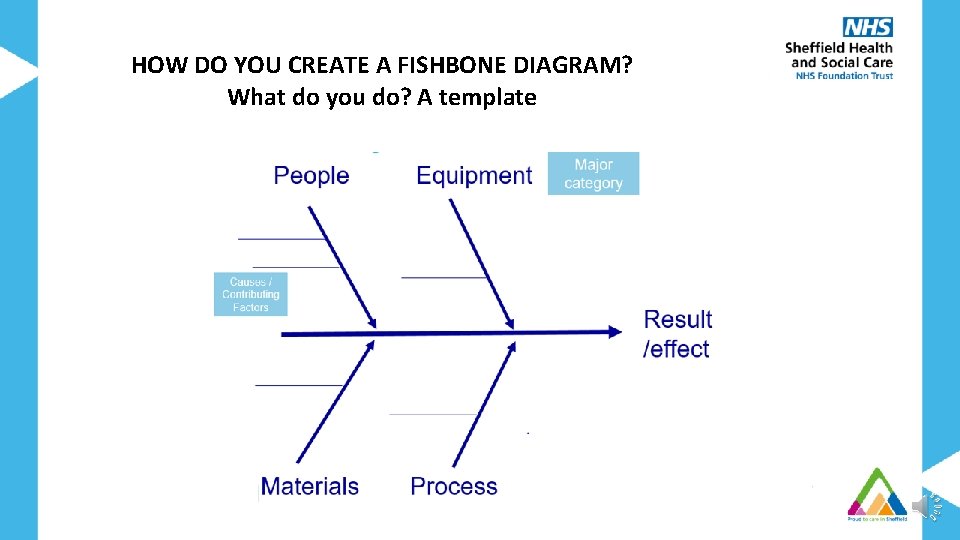
HOW DO YOU CREATE A FISHBONE DIAGRAM? What do you do? A template
BRAINSTORMING Ways of collecting ideas • Traditional ‘all call out’ Everyone calls out their ideas Notekeeper writes/types up ideas onto the fishbone diagram • ‘Silent brainstorming’ Everyone has some post-its Individuals given time to think about the possible causes & to write these down individually Ideas on the post-its are then added to the diagram one-by-one and categorised
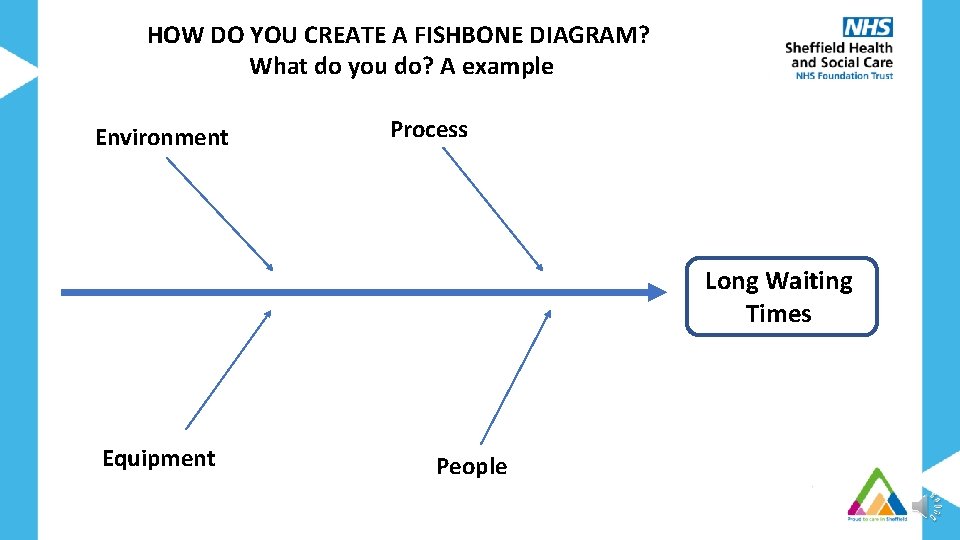
HOW DO YOU CREATE A FISHBONE DIAGRAM? What do you do? A example Environment Process Long Waiting Times Equipment People
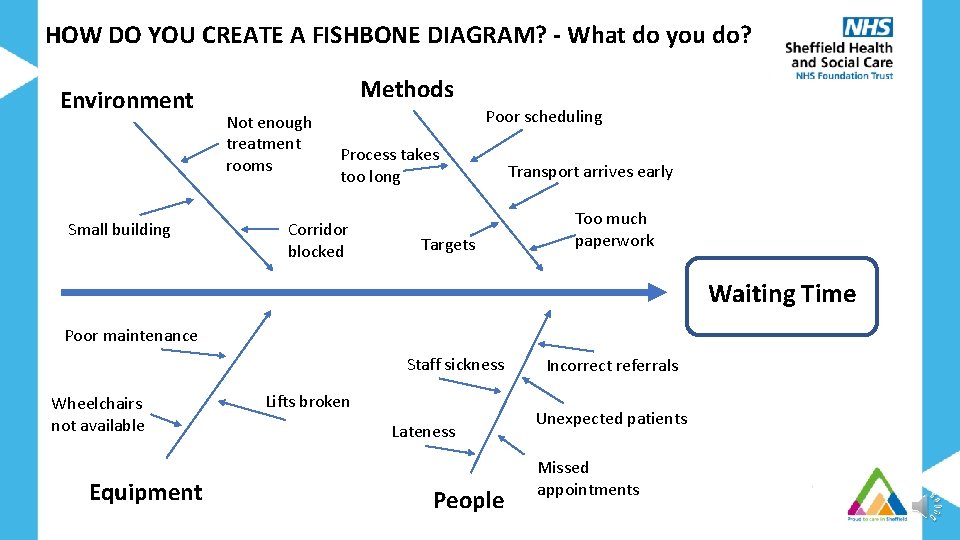
HOW DO YOU CREATE A FISHBONE DIAGRAM? - What do you do? Environment Small building Methods Not enough treatment rooms Poor scheduling Process takes too long Corridor blocked Targets Transport arrives early Too much paperwork Waiting Time Poor maintenance Staff sickness Wheelchairs not available Equipment Lifts broken Lateness People Incorrect referrals Unexpected patients Missed appointments
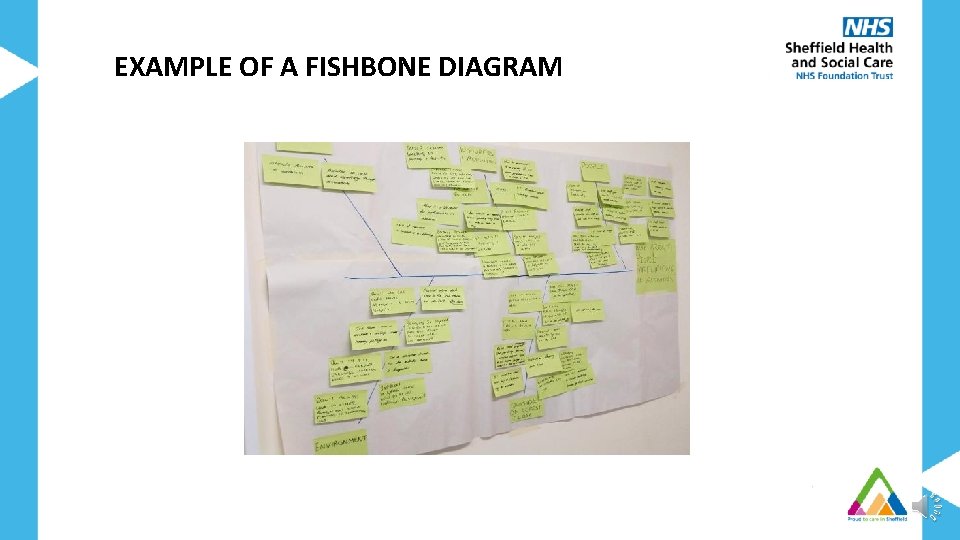
EXAMPLE OF A FISHBONE DIAGRAM
WHAT TO DO WITH YOUR COMPLETED FISHBONE DIAGRAM • Use the fishbone to facilitate discussion about what to work on • Helps to focus on what you want to work on first • Identify some quick wins that you can work on
SUMMARY • A tool to start to understand causes impacting on a problem you want to improve • Allows people to think deeper into the problem • Provides a visual record • Can help focus on where to start improvements • A way for the whole team to contribute
Handy Tips • Get everyone involved & engaged in agreeing problem statement at the start • Have representation from across the team • Ideally causes should appear only in one category • Encourage no criticism of any ideas & try include all the suggestions of possible causes • No discussion during quiet brainstorming to allow everyone time to think

If you like to learn more about Quality Improvement tools & how they can help you to make improvements please get in touch QITeam@shsc. nhs. uk
- Slides: 15