
Unlocking meter insights PM 5000 QR codes Meter

- Slides: 20
Unlocking meter insights PM 5000 QR codes
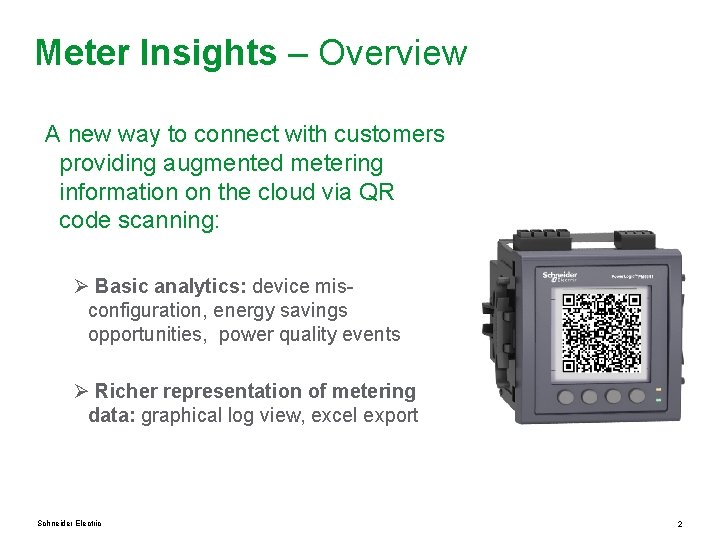
Meter Insights – Overview A new way to connect with customers providing augmented metering information on the cloud via QR code scanning: Ø Basic analytics: device misconfiguration, energy savings opportunities, power quality events Ø Richer representation of metering data: graphical log view, excel export Schneider Electric 2
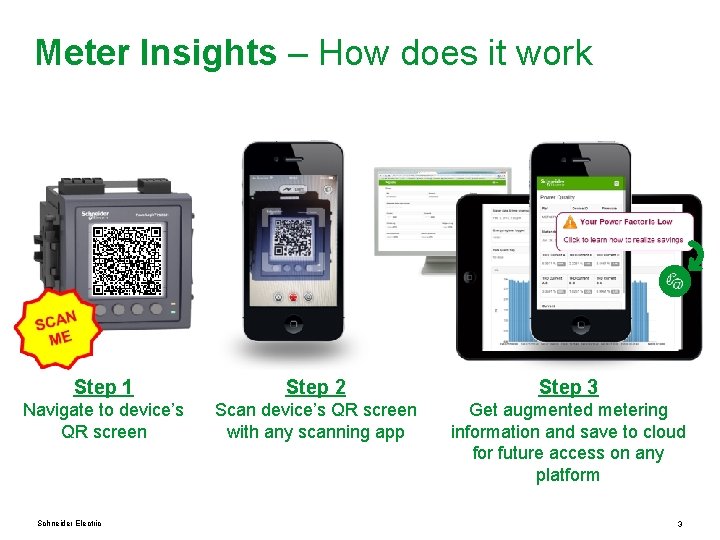
Meter Insights – How does it work Step 1 Step 2 Step 3 Navigate to device’s QR screen Scan device’s QR screen with any scanning app Get augmented metering information and save to cloud for future access on any platform Schneider Electric 3
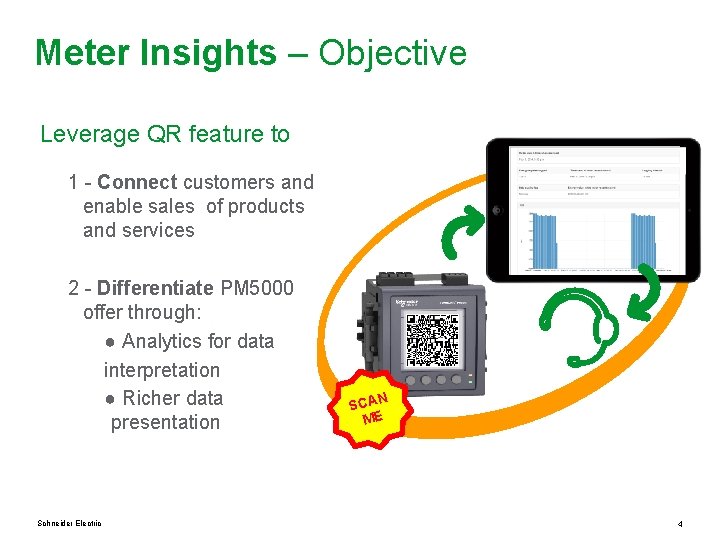
Meter Insights – Objective Leverage QR feature to 1 - Connect customers and enable sales of products and services 2 - Differentiate PM 5000 offer through: ● Analytics for data interpretation ● Richer data presentation Schneider Electric N SCA ME 4
Meter Insights – Example use cases 1 – Customers in which maintenance crew needs to manually collect meter data QR code scan improve reliability and traceability of data. Easy to share and track. 2 – Contractor / Eco. Expert commissioning a power monitoring system scan of configuration screen provides a record of the work done 3 – Facility manager that needs to understand energy usage and / or maintain electrical network Analytics will help them to understand critical conditions and find savings opportunities Schneider Electric 5
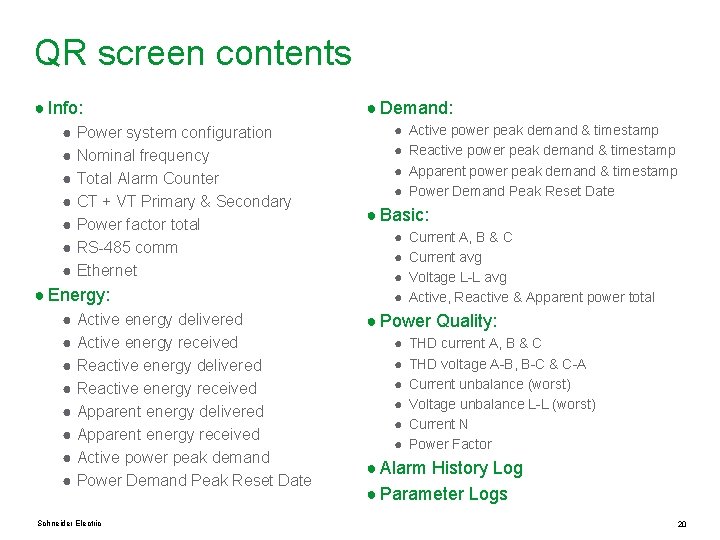
Meter Insights – Available QR screens The following dynamic QR screens are generated by the device: 1. 2. 3. 4. 5. 6. 7. Info: device configuration information Energy: energy values for meter-reading purposes Demand: peak demand values for revenue billing purposes Basic: real-time basic readings (A, V, W, Var, VA) PQ: power quality readings (THD, unbalance, PF) Alarm: alarm logs Logs: content of parameter logs Schneider Electric 6
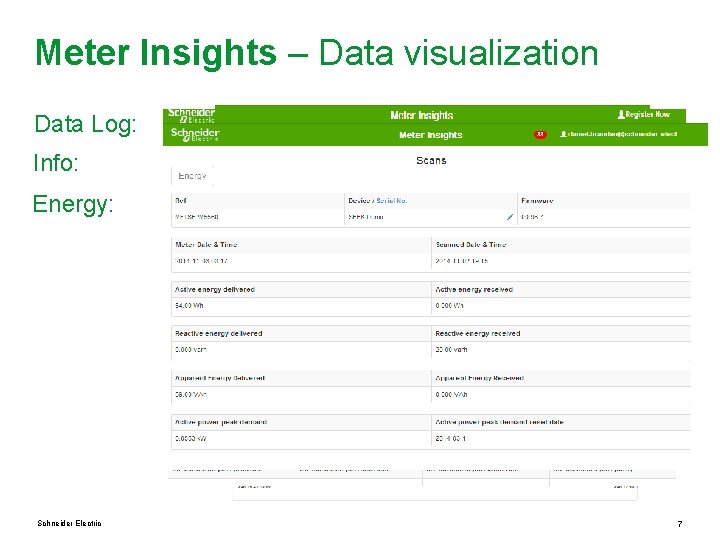
Meter Insights – Data visualization Data Log: Info: Energy: Schneider Electric 7
Meter Insights - Analytics Webserver analyzes and displays QR screen content. A notification icon will appear if there’s something the user needs to be aware of. Ex: misconfiguration, alarms, savings opportunities, etc. Schneider Electric 8
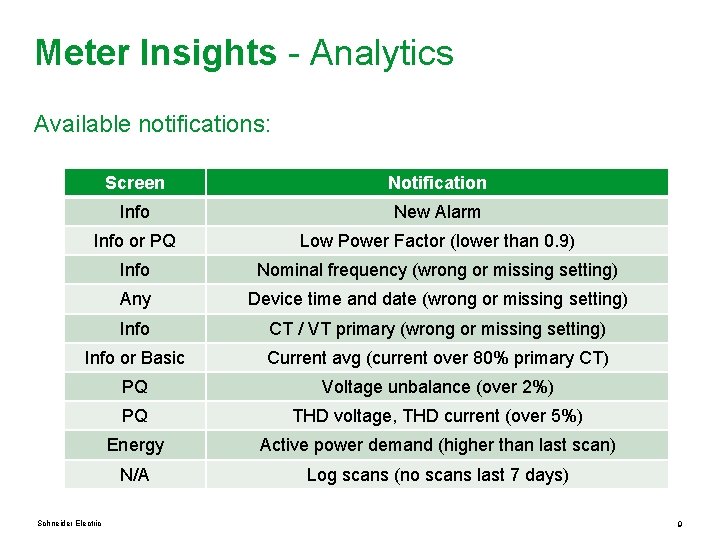
Meter Insights - Analytics Available notifications: Screen Notification Info New Alarm Info or PQ Low Power Factor (lower than 0. 9) Info Nominal frequency (wrong or missing setting) Any Device time and date (wrong or missing setting) Info CT / VT primary (wrong or missing setting) Info or Basic Current avg (current over 80% primary CT) PQ Voltage unbalance (over 2%) PQ THD voltage, THD current (over 5%) Energy Active power demand (higher than last scan) N/A Log scans (no scans last 7 days) Schneider Electric 9
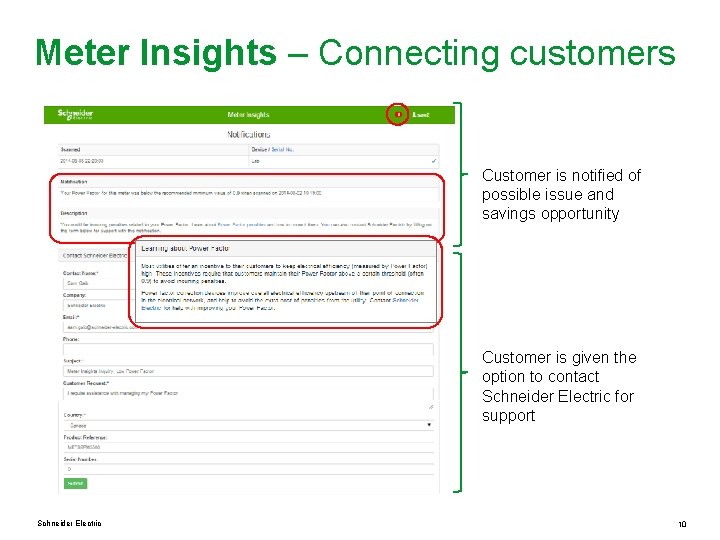
Meter Insights – Connecting customers Customer is notified of possible issue and savings opportunity Customer is given the option to contact Schneider Electric for support Schneider Electric 10
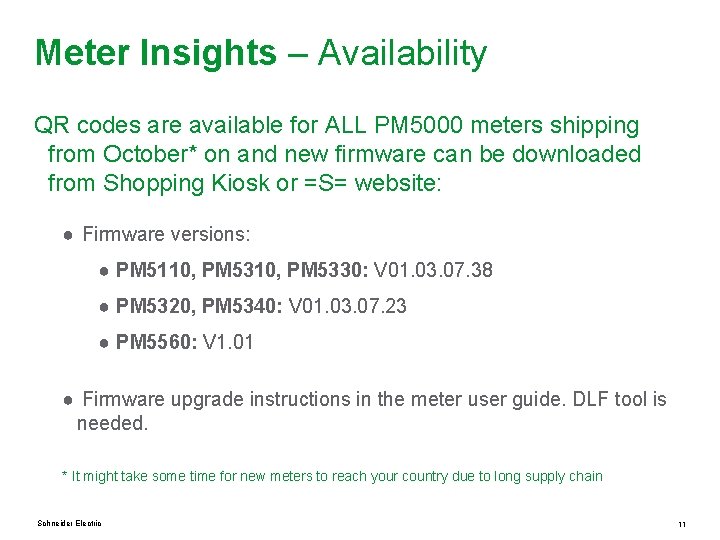
Meter Insights – Availability QR codes are available for ALL PM 5000 meters shipping from October* on and new firmware can be downloaded from Shopping Kiosk or =S= website: ● Firmware versions: ● PM 5110, PM 5330: V 01. 03. 07. 38 ● PM 5320, PM 5340: V 01. 03. 07. 23 ● PM 5560: V 1. 01 ● Firmware upgrade instructions in the meter user guide. DLF tool is needed. * It might take some time for new meters to reach your country due to long supply chain Schneider Electric 11
Meter Insights – FAQ Q: Do I have to pay to have access to my scans at meterinsights. com? A: No, the service is 100% free Q: Are there any plans to start charging for the service? A: No, we have no plans to charge for the service and if customers want more functionality they will be directed to acquire one of our software offers Q: Is there a limit on how many scans can I make? A: There are no limits at this point, however if the adoption increases we might want to limit scans to a maximum number per day Q: Can I export the logged data to CSV format? A: Yes, this functionality will be available in Dec. 2014 Schneider Electric 12
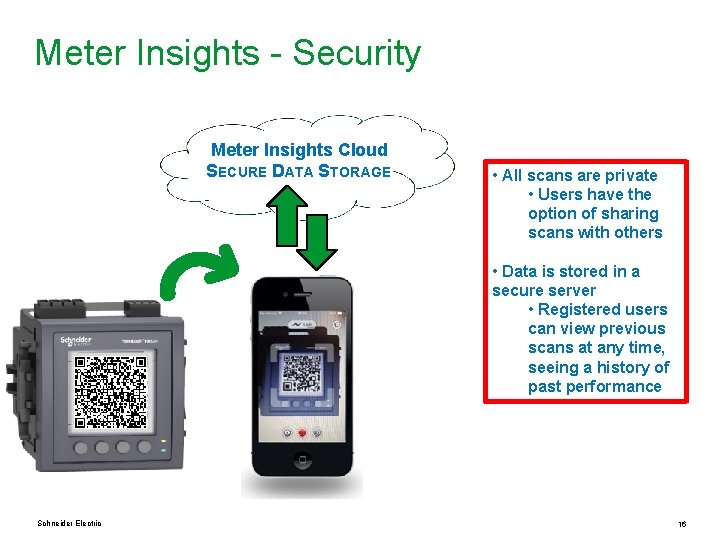
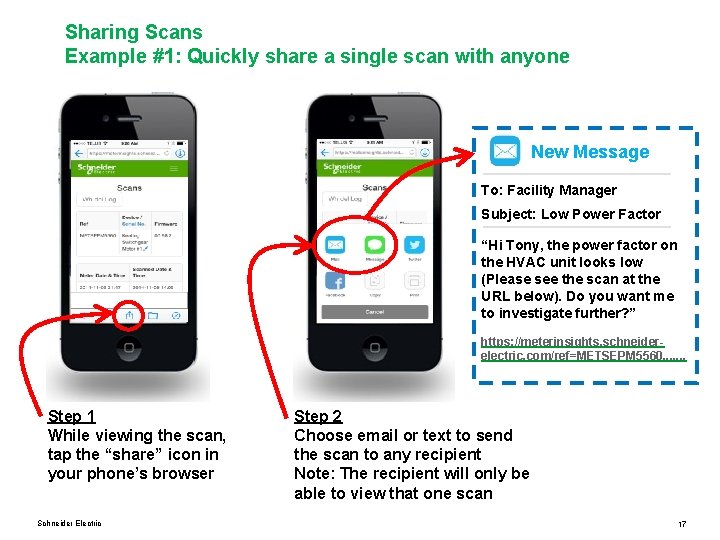
Meter Insights – FAQ Q: What’s the maximum number of data in each data log QR screen? A: The data log QR screen can store up to 75 values, over 3 days of hourly logged data Q: Is it possible to share a scan? A: Yes, users can forward a scan using their phone or configure meter insights to do it (please see appendix) Q: Who will have access to this data, is it secure? A: Yes, all scans are private and stored in a secure server. Schneider Electric 13
Unlocking meter insights Thank you
Unlocking meter insights Appendix
Meter Insights - Security Meter Insights Cloud SECURE DATA STORAGE • All scans are private • Users have the option of sharing scans with others • Data is stored in a secure server • Registered users can view previous scans at any time, seeing a history of past performance Schneider Electric 16
Sharing Scans Example #1: Quickly share a single scan with anyone New Message To: Facility Manager Subject: Low Power Factor “Hi Tony, the power factor on the HVAC unit looks low (Please see the scan at the URL below). Do you want me to investigate further? ” https: //meterinsights. schneiderelectric. com/ref=METSEPM 5560. . . . Step 1 While viewing the scan, tap the “share” icon in your phone’s browser Schneider Electric Step 2 Choose email or text to send the scan to any recipient Note: The recipient will only be able to view that one scan 17
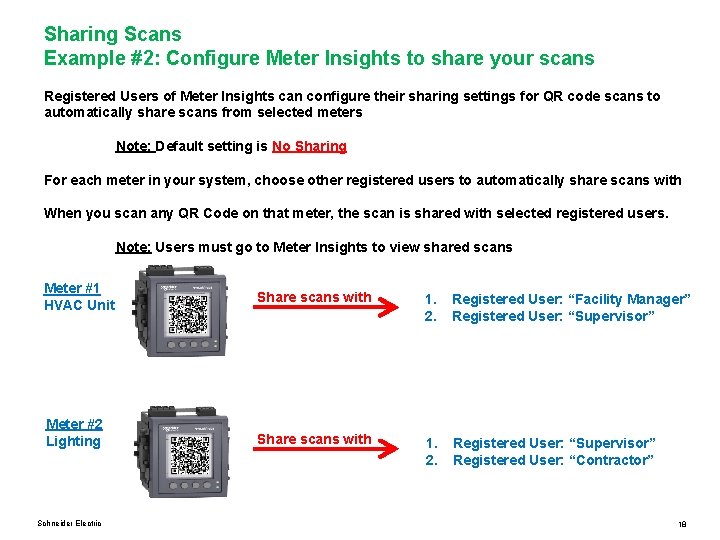
Sharing Scans Example #2: Configure Meter Insights to share your scans Registered Users of Meter Insights can configure their sharing settings for QR code scans to automatically share scans from selected meters Note: Default setting is No Sharing For each meter in your system, choose other registered users to automatically share scans with When you scan any QR Code on that meter, the scan is shared with selected registered users. Note: Users must go to Meter Insights to view shared scans Meter #1 HVAC Unit Share scans with 1. 2. Registered User: “Facility Manager” Registered User: “Supervisor” Meter #2 Lighting Share scans with 1. 2. Registered User: “Supervisor” Registered User: “Contractor” Schneider Electric 18
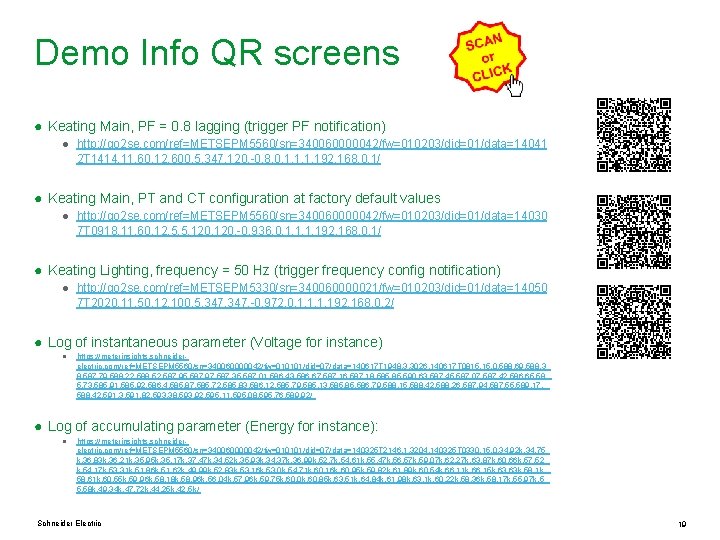
Demo Info QR screens ● Keating Main, PF = 0. 8 lagging (trigger PF notification) ● http: //go 2 se. com/ref=METSEPM 5560/sn=340060000042/fw=010203/did=01/data=14041 2 T 1414, 11, 60, 12, 600, 5, 347, 120, -0. 8, 0, 1, 192. 168. 0. 1/ ● Keating Main, PT and CT configuration at factory default values ● http: //go 2 se. com/ref=METSEPM 5560/sn=340060000042/fw=010203/did=01/data=14030 7 T 0918, 11, 60, 12, 5, 5, 120, -0. 936, 0, 1, 192. 168. 0. 1/ ● Keating Lighting, frequency = 50 Hz (trigger frequency config notification) ● http: //go 2 se. com/ref=METSEPM 5330/sn=340060000021/fw=010203/did=01/data=14050 7 T 2020, 11, 50, 12, 100, 5, 347, -0. 972, 0, 1, 192. 168. 0. 2/ ● Log of instantaneous parameter (Voltage for instance) ● https: //meterinsights. schneiderelectric. com/ref=METSEPM 5560/sn=340060000042/fw=010101/did=07/data=140617 T 1948, 3, 3026, 140617 T 0815, 0, 588. 69, 588. 3 8, 587. 79, 588. 22, 588. 52, 587. 95, 587. 97, 587. 35, 587. 01, 586. 43, 586. 67, 587. 16, 587. 18, 585. 85, 590. 63, 587. 45, 587. 07, 587. 42, 586. 65, 58 5. 73, 585. 91, 585. 92, 586. 4, 585. 87, 585. 72, 585. 83, 586. 12, 585. 79, 585. 13, 585. 85, 586. 79, 588. 15, 588. 42, 588. 26, 587. 94, 587. 55, 589. 17, 588. 42, 591. 3, 591. 82, 593. 38, 593. 92, 595. 11, 595. 08, 595. 76, 589. 92/ ● Log of accumulating parameter (Energy for instance): ● https: //meterinsights. schneiderelectric. com/ref=METSEPM 5560/sn=340060000042/fw=010101/did=07/data=140325 T 2146, 1, 3204, 140325 T 0330, 15, 0, 34. 92 k, 34. 75 k, 36. 83 k, 36. 21 k, 35. 95 k, 35. 17 k, 37. 47 k, 34. 52 k, 35. 93 k, 34. 37 k, 36. 99 k, 52. 7 k, 54. 61 k, 55. 47 k, 56. 57 k, 59. 07 k, 62. 27 k, 63. 87 k, 60. 66 k, 57. 52 k, 54. 17 k, 53. 31 k, 51. 86 k, 51. 62 k, 49. 99 k, 52. 83 k, 53. 16 k, 53. 0 k, 54. 71 k, 60. 16 k, 60. 95 k, 59. 82 k, 61. 89 k, 60. 54 k, 66. 11 k, 66. 15 k, 63. 63 k, 58. 1 k, 58. 61 k, 60. 55 k, 59. 96 k, 58. 18 k, 58. 96 k, 56. 04 k, 57. 96 k, 59. 75 k, 60. 0 k, 60. 85 k, 63. 51 k, 64. 84 k, 61. 98 k, 63. 1 k, 60. 22 k, 58. 36 k, 58. 17 k, 55. 97 k, 5 5. 58 k, 49. 34 k, 47. 72 k, 44. 25 k, 42. 5 k/ Schneider Electric 19
QR screen contents ● Info: ● Power system configuration ● Nominal frequency ● Total Alarm Counter ● CT + VT Primary & Secondary ● Power factor total ● RS-485 comm ● Ethernet ● Energy: ● Active energy delivered ● Active energy received ● Reactive energy delivered ● Reactive energy received ● Apparent energy delivered ● Apparent energy received ● Active power peak demand ● Power Demand Peak Reset Date Schneider Electric ● Demand: ● ● Active power peak demand & timestamp Reactive power peak demand & timestamp Apparent power peak demand & timestamp Power Demand Peak Reset Date ● Basic: ● ● Current A, B & C Current avg Voltage L-L avg Active, Reactive & Apparent power total ● Power Quality: ● ● ● THD current A, B & C THD voltage A-B, B-C & C-A Current unbalance (worst) Voltage unbalance L-L (worst) Current N Power Factor ● Alarm History Log ● Parameter Logs 20