
Unix Operating System Unix command user interface operating

- Slides: 99
Unix Operating System
• Unix –command user interface operating system • Unix , it can able to operate on any computing system – Mini computer, super computer, Main frames.
• 1969 Year @ AT&T Bell Lab • MULTICs – Multi Information computing service. 1 st official O. S In s/w Industry • Origin of O. S • It supports max 2 Users • In 1971 , to recover drawback of MULTICS, @ AT&T Lab, New Project – UNICS (Uni flexed information computing systems) , developed in assembly language. – low level langauage
• 1972 - C Language launched • 1973 - Ken Thomson (B language Father) • Dennise Riche (C Lang) + Others • They re implemented UNICS on C language and Renamed as UNIX O. S
Features 1. Multi user capability 2. Multi Programming 3. Portability (run s/w any H/w device) 4. security (authentication, file secure, protected) Mission independent (means system hiding M/C arch from end user) • Strong network support • Unix shell programming • Pipes and filters • • •
Unix Features • UNIX is a computer Operating System which is capable of handling activities from multiple users at the same time. • Unix was originated around in 1969 at AT&T Bell Labs by Ken Thompson and Dennis Ritchie. • It is basically a set of programs that acts as a link between computer and the user. • The computer programs that allocate the system resources and coordinate all details of the computer’s internals is called the operating system or kernel.
• Users communicate with the kernel through a program known as the shell. • The shell is a command line interpreter; it translates commands entered by the user and converts them into a language that is understood by the kernel. • There are various Unix variants available in the market. Solaris Unix, AIX, HP Unix and BSD are few examples. Linux is also a flavor of Unix which is freely available.
• Several people can use a UNIX computer at the same time; hence UNIX is called a multiuser system. • A user can also run multiple programs at the same time; hence UNIX is called multitasking.
Benefits of Unix • The system is written in high level language “C” which makes it easier to read understand update. It off-course is little slower in comparison to what written in assembly language but the advantages are far greater and possibilities are endless. • Complex programs can be built on simple programs on unix systems. • It has hierarchal file system which allows easy maintenance and efficient implementation.
• It has consistent format for files. The files are stored as byte streams which makes it easier for the programs to use files. • It provides simple and consistent interface to the peripheral devices. • It completely hides the machine architecture from the user which makes it easier for the programmers to write programs independent of hardware.
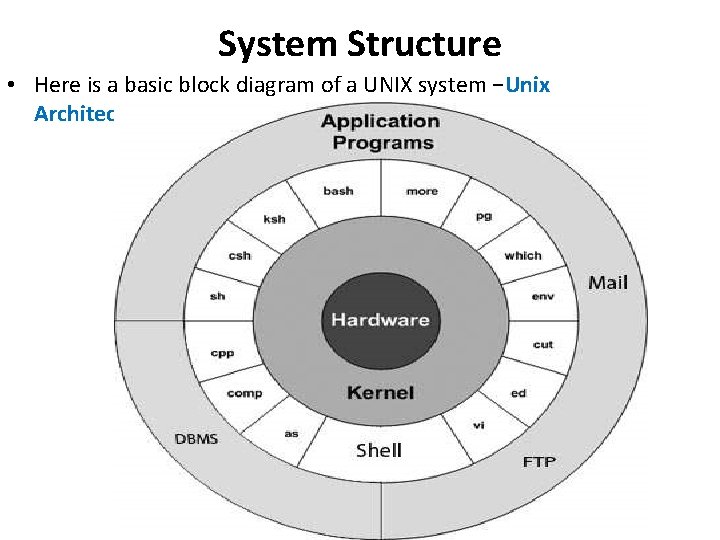
System Structure • Here is a basic block diagram of a UNIX system −Unix Architecture
• The main concept that unites all versions of UNIX is the following four basics − • Kernel: The kernel is the heart of the operating system. It interacts with hardware and most of the tasks like memory management, task scheduling and file management. • Shell: The shell is the utility that processes your requests When you type in a command at your terminal, the shell interprets the command calls the program that you want. • The shell uses standard syntax for all commands. C Shell, Bourne Shell and Korn Shell are most famous shells which are available with most of the Unix variants.
• Commands and Utilities: There are various command utilities which you would use in your day to day activities. cp, mv, cat and grep etc. are few examples of commands and utilities. • There are over 250 standard commands plus numerous others provided through 3 rd party software. All the commands come along with various optional options.
• Files and Directories: All data in UNIX is organized into files. • All files are organized into directories. • These directories are organized into a tree-like structure called the file system.
User perspective – The file system The characteristics of unix file system are • A hierarchical structure. • Consistent treatment of data • Ability to create and delete files • Dynamic growth of files • Peripheral devices are also treated as files
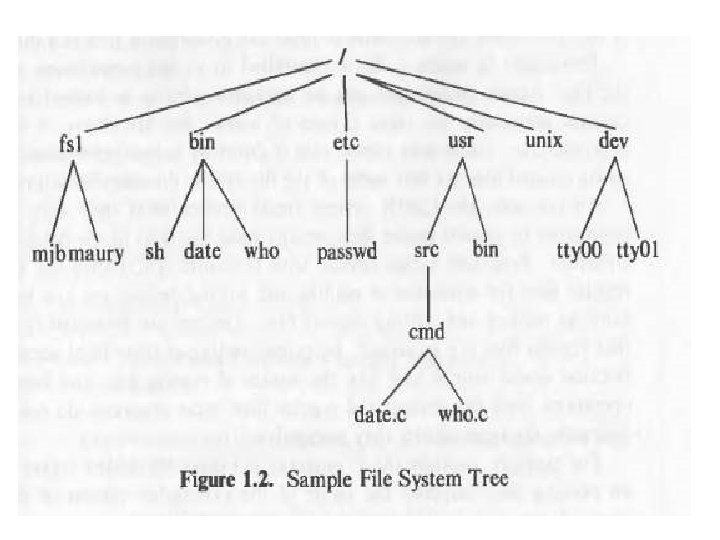
• The file system is organized as a tree. • The root node is called “root” and is denoted by “/”. • Every non leaf node in this structure is a directory and every leaf node is a file/special device file. • The name of the file is given by the path name.
• A full path name starts with the root directory i. e. a slash character and specifies the file that can be found by travestying the tree. Some examples of paths could be “/etc/passwd”, “/bin/who” and “/usr/src/programs/test. c”. • The path that starts from the root directory is called the absolute path. Alternatively we can give path of any file relative to any other directory. This path will be called relative path.
Unix - File System Basics • A file system is a logical collection of files on a partition or disk. A partition is a container for information and can span an entire hard drive if desired. • Your hard drive can have various partitions which usually contains only one file system, such as one file system housing the / file system or another containing the /home file system. • One file system per partition allows for the logical maintenance and management of differing file systems.
• Everything in Unix is considered to be a file, including physical devices such as DVD-ROMs, USB devices, floppy drives, and so forth.
Directory Structure • Unix uses a hierarchical file system structure, much like an upside-down tree, with root (/) at the base of the file system and all other directories spreading from there.
What is a process? • An instance of a program is called a Process. In simple terms, any command that you give to your Linux machine starts a new process. • It's possible to have multiple processes for the same program. • Types of Processes: Ø Foreground Processes: They run on the screen and need input from the user. For example : Office Programs Ø Background Processes: They run in the background and usually do not need user input. For example Antivirus.
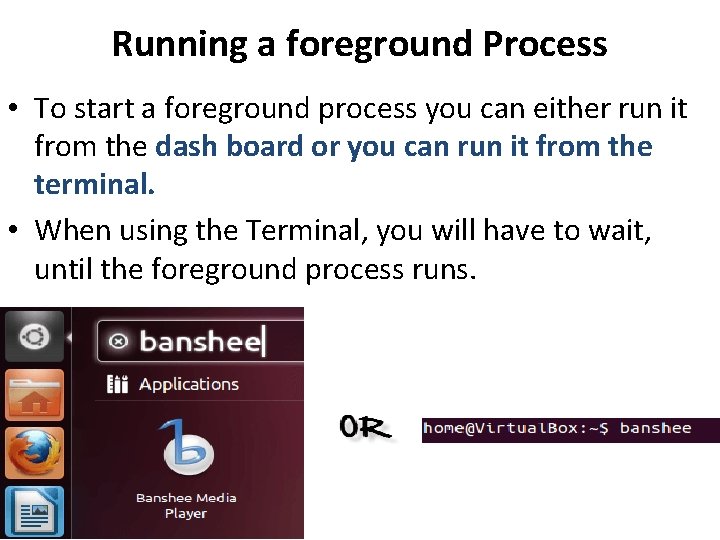
Running a foreground Process • To start a foreground process you can either run it from the dash board or you can run it from the terminal. • When using the Terminal, you will have to wait, until the foreground process runs. •
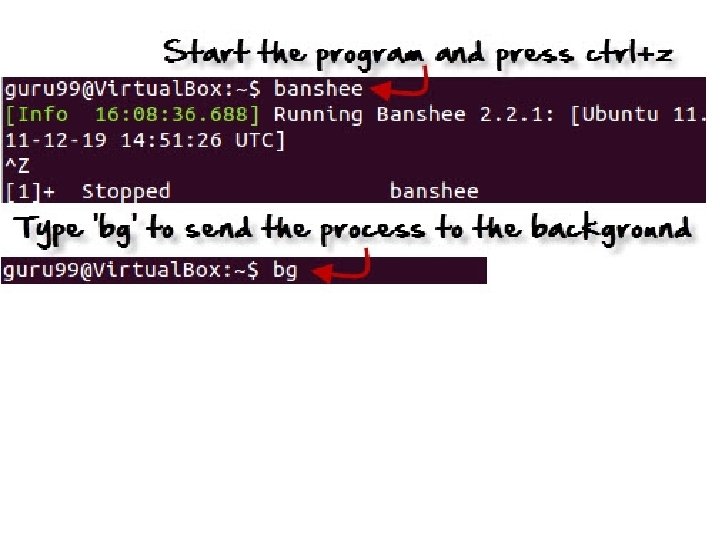
Running a Background process • If you start a foreground program/process from the terminal, then you cannot work on the terminal, till the program is up and running. • Certain, data intensive tasks take lots of processing power and may even take hours to complete. You do not want your terminal to be held up for such a long time. • To avoid such a situation, you can run the program and send it to the background so that terminal remains available to you. Let's learn how to do this
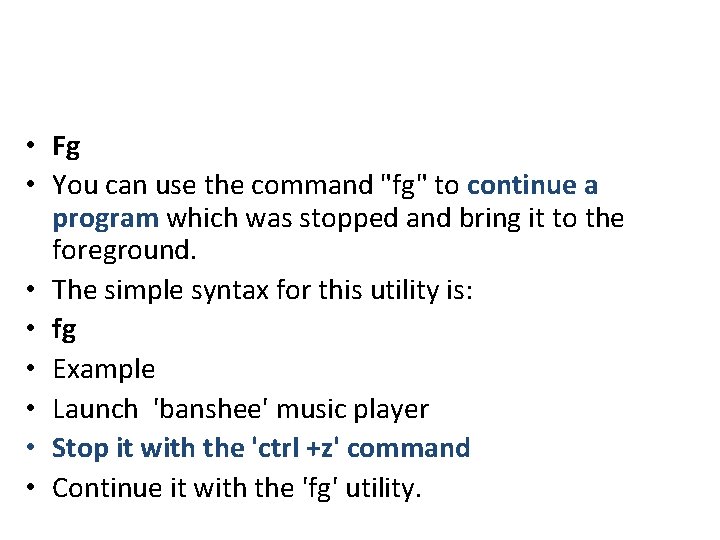
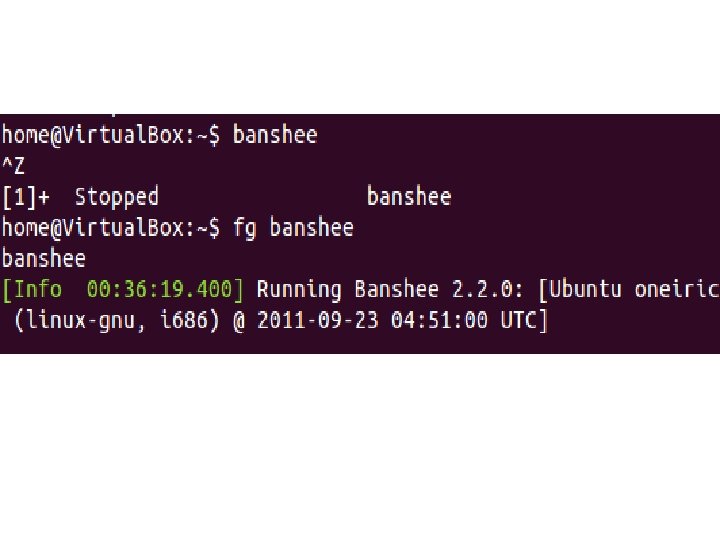
• Fg • You can use the command "fg" to continue a program which was stopped and bring it to the foreground. • The simple syntax for this utility is: • fg • Example • Launch 'banshee' music player • Stop it with the 'ctrl +z' command • Continue it with the 'fg' utility.
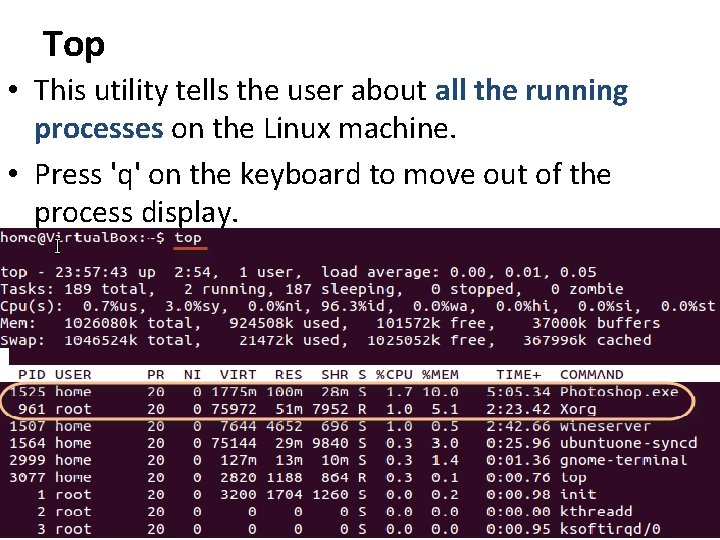
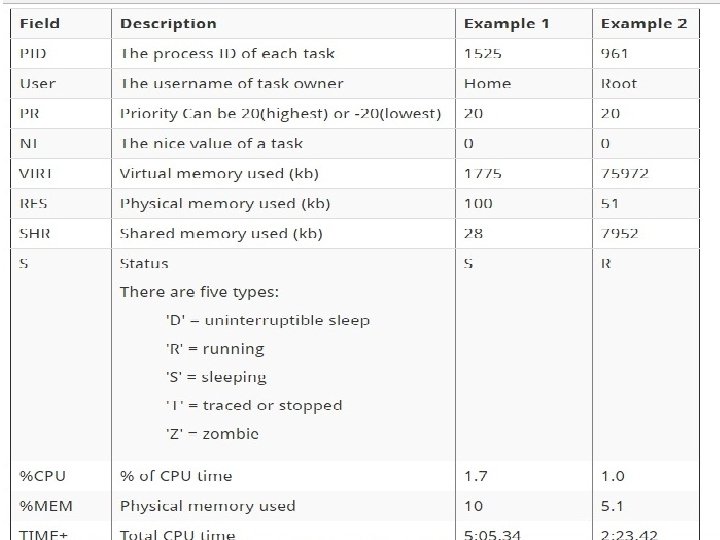
Top • This utility tells the user about all the running processes on the Linux machine. • Press 'q' on the keyboard to move out of the process display.
• PS • This command stands for 'Process Status'. It is similar to the "Task Manager" that pop-ups in a Windows Machine when we use Cntrl+Alt+Del. • This command is similar to 'top' command but the information displayed is different.
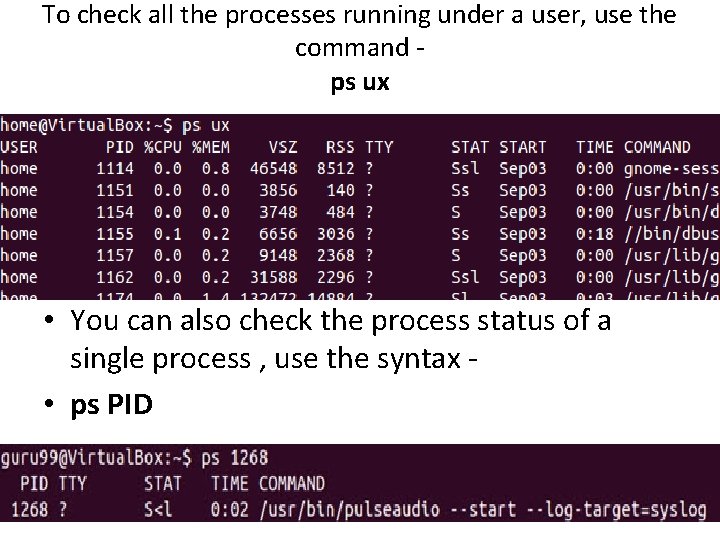
To check all the processes running under a user, use the command ps ux • You can also check the process status of a single process , use the syntax • ps PID
• Kill • This command terminates a running processes on a Linux machine. • In order to use this utility you need to know the PID (process id) of the process you want to kill • Syntax • kill PID
User perspective – Processing environment • A source code is our program source code, an executable file is the program for our source code and the process is the instance of our program in execution. • Many processes can execute simultaneously in unix. (Multiprogramming or multitasking). Also many instances of one program can run simultaneously.
User perspective – building block primitives • Unix allows user to write small programs, in a modular way. These programs can be used as building blocks to build the complex programs. Unix has three standard files: 1. Standard input file 2. Standard output file 3. Standard error file
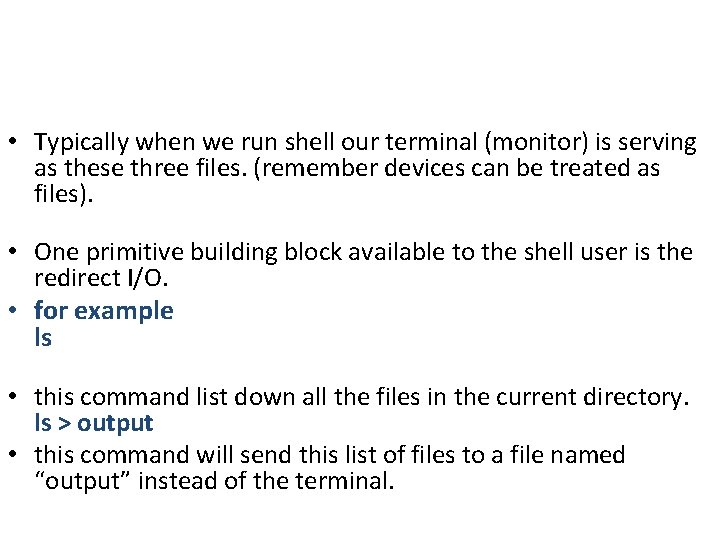
• Typically when we run shell our terminal (monitor) is serving as these three files. (remember devices can be treated as files). • One primitive building block available to the shell user is the redirect I/O. • for example ls • this command list down all the files in the current directory. ls > output • this command will send this list of files to a file named “output” instead of the terminal.
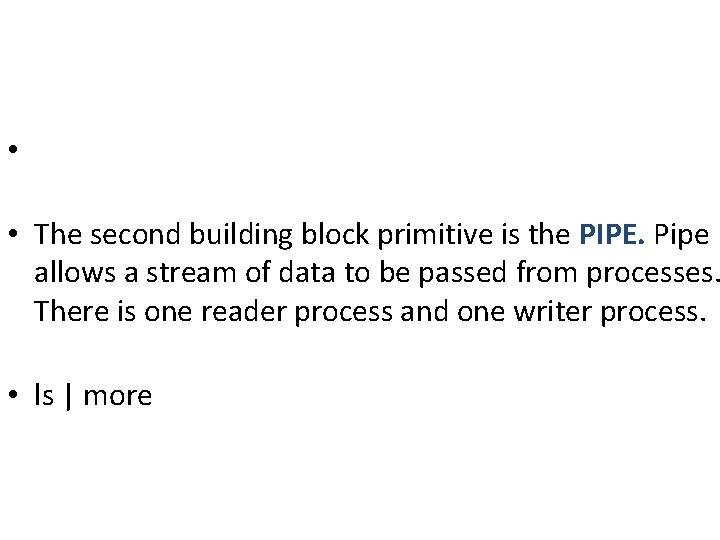
• • The second building block primitive is the PIPE. Pipe allows a stream of data to be passed from processes. There is one reader process and one writer process. • ls | more
Operating system Services • The kernel layer provides various operations on behalf of user processes. Some of the main services provided by the operating systems kernel are: 1. Process control: controlling the creating, termination and suspension of processes. 2. Scheduling processes: Since many programs can execute simultaneously in unix the process scheduling is also done by the kernel.
• Main memory management: allocating main memory to the user programs and protecting the memory region where kernel is running. Also, protecting the memory region of one process from another process. • Virtual memory: managing the swap device and handling the swapping system. Controlling the pages in the paging system(memory allocation) • Secondary memory management: Managing the secondary storage for the efficient and timely retrieval and storage of data. • Peripheral devices: kernel controls the peripheral devices such as terminals, disk drives and network devices.
Assumptions about the hardware • When a process executes on unix it executes on two levels or we can say it executes in two modes. • User level • Kernel level • User Mode: which has privileges to run all the utility programs and applications in this Mode by the user. (Restriction to access H/W) • Kernel Mode(Supervisor Mode or Secure Mode): Only kernel has the privileges to run and execute the program instructions in this mode.
• User Mode: In this any type of application can be executed any no of times but • Kernel Mode: This mode has limitation and only the secure program such that os processes and threads programs can be executed. • User Mode: This mode is not so safe because application run by anonymous and multiple user. • Kernel Mode: This mode is much safe than the User mode and run by only os processes.
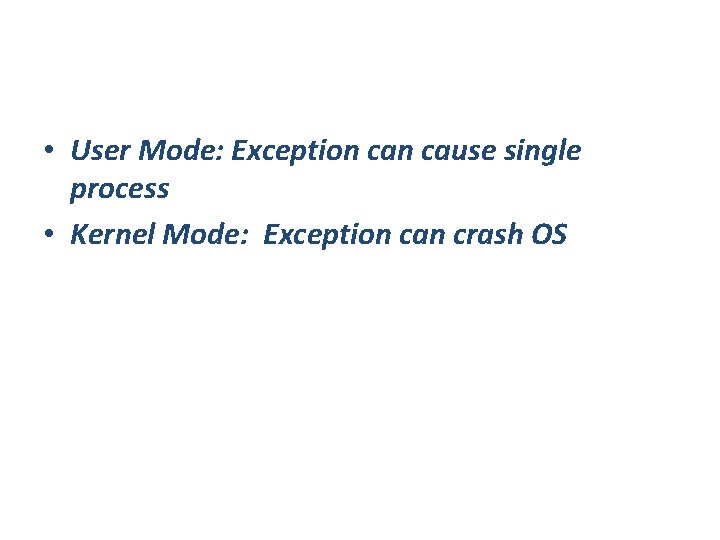
• User Mode: Exception cause single process • Kernel Mode: Exception can crash OS
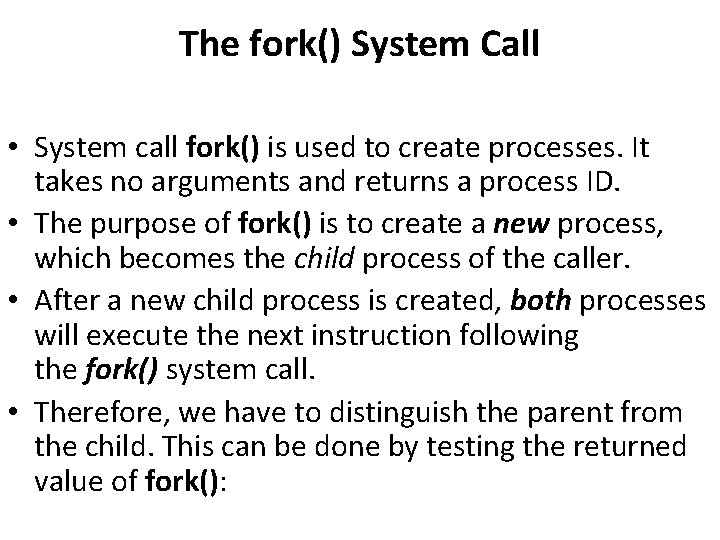
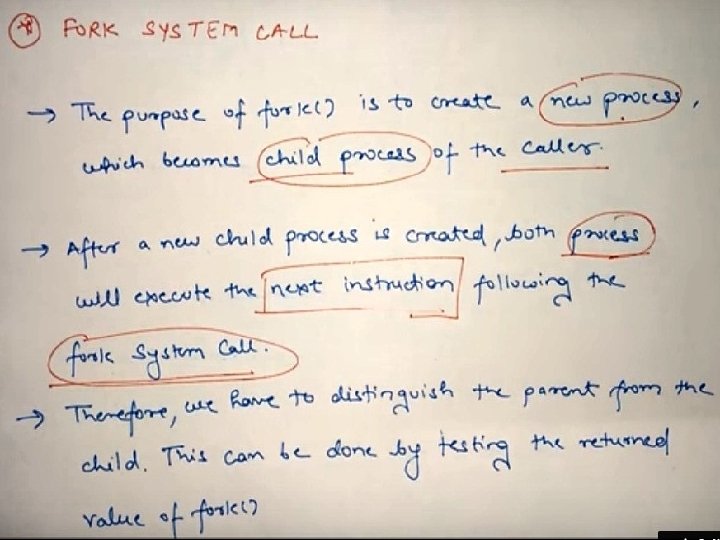
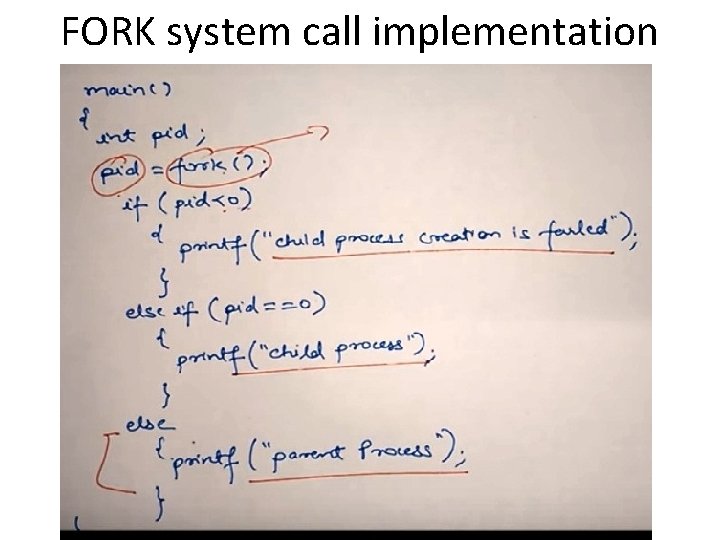
The fork() System Call • System call fork() is used to create processes. It takes no arguments and returns a process ID. • The purpose of fork() is to create a new process, which becomes the child process of the caller. • After a new child process is created, both processes will execute the next instruction following the fork() system call. • Therefore, we have to distinguish the parent from the child. This can be done by testing the returned value of fork():
FORK system call implementation
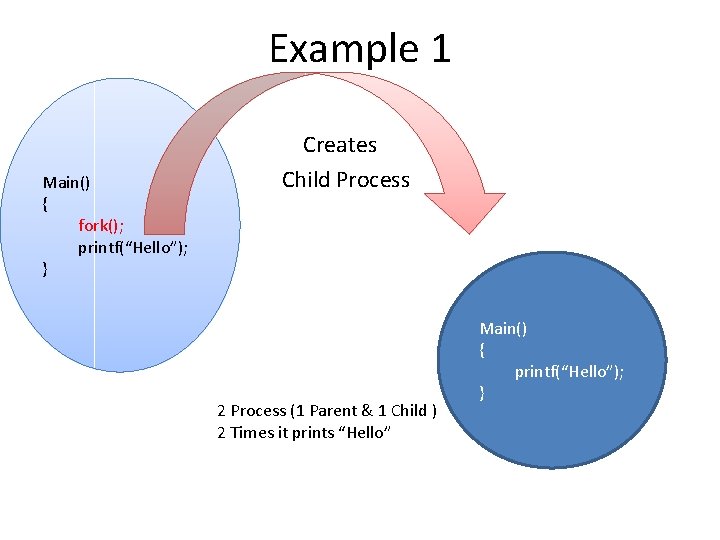
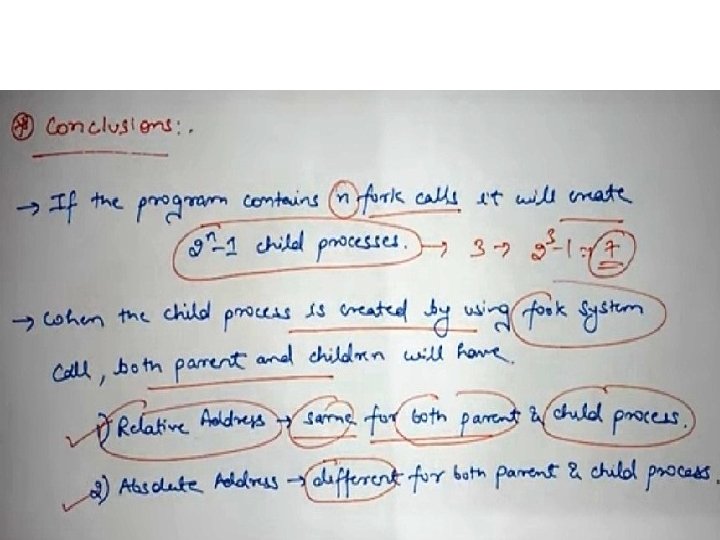
Example 1 • • Main() { } Creates Child Process fork(); printf(“Hello”); 2 Process (1 Parent & 1 Child ) 2 Times it prints “Hello” Main() { printf(“Hello”); }
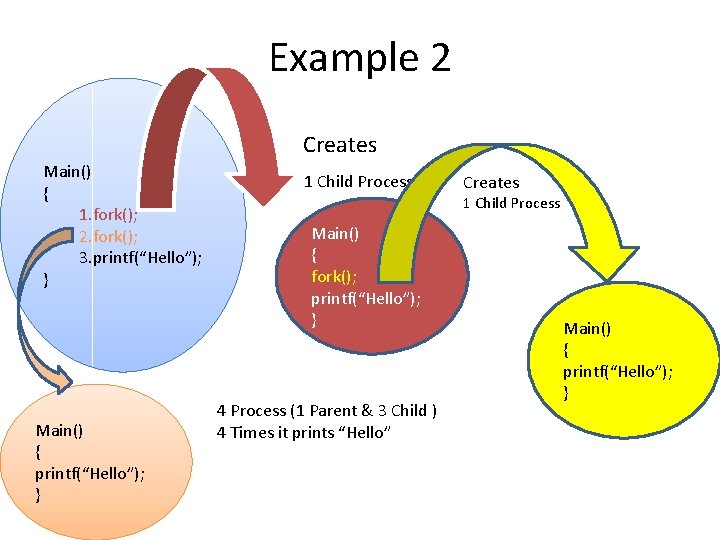
Example 2 • • Main() { } 1. fork(); 2. fork(); 3. printf(“Hello”); Main() { printf(“Hello”); } Creates 1 Child Process Main() { fork(); printf(“Hello”); } 4 Process (1 Parent & 3 Child ) 4 Times it prints “Hello” Main() { printf(“Hello”); }
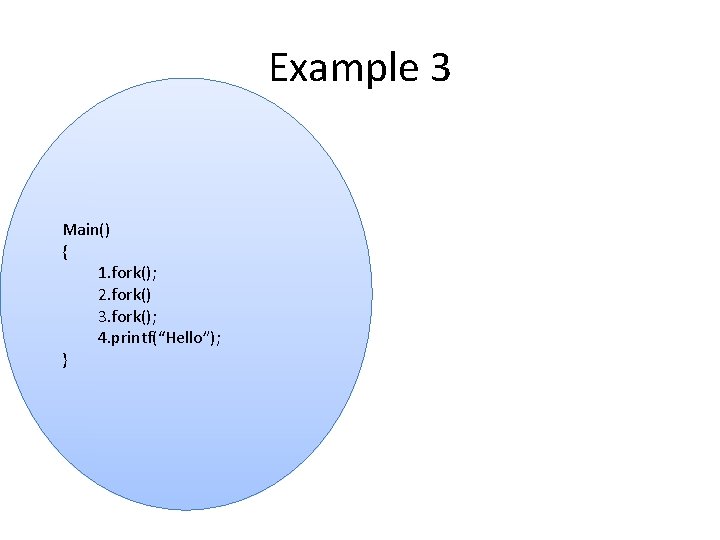
Example 3 Main() { 1. fork(); 2. fork() 3. fork(); 4. printf(“Hello”); }
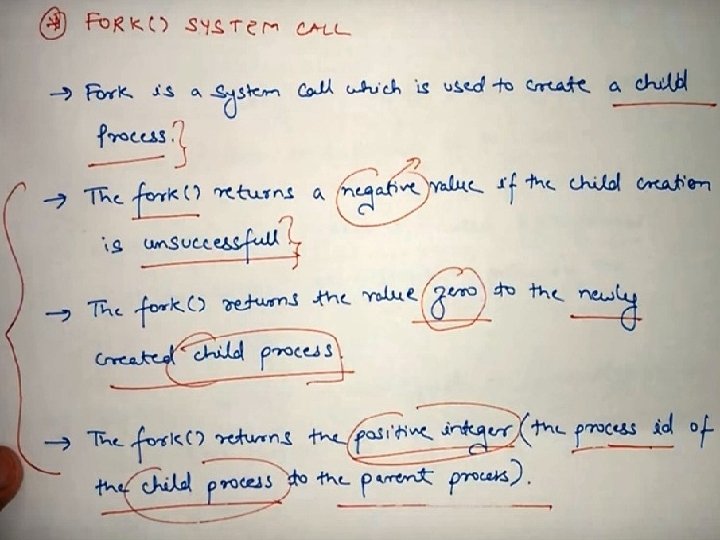
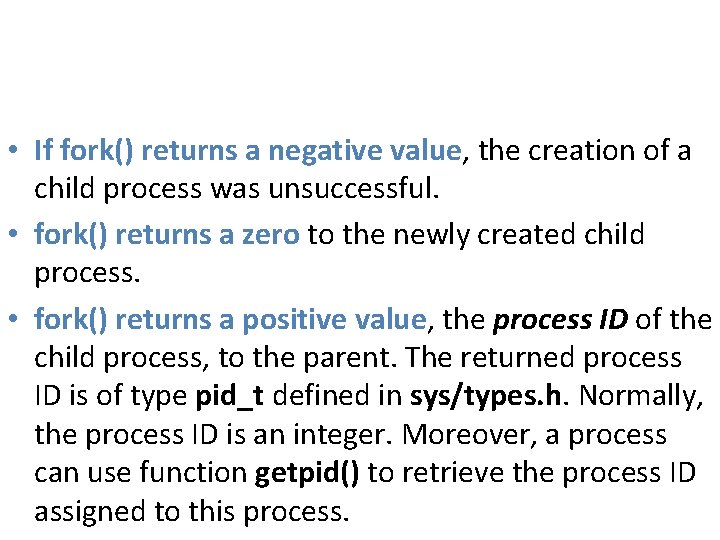
• If fork() returns a negative value, the creation of a child process was unsuccessful. • fork() returns a zero to the newly created child process. • fork() returns a positive value, the process ID of the child process, to the parent. The returned process ID is of type pid_t defined in sys/types. h. Normally, the process ID is an integer. Moreover, a process can use function getpid() to retrieve the process ID assigned to this process.
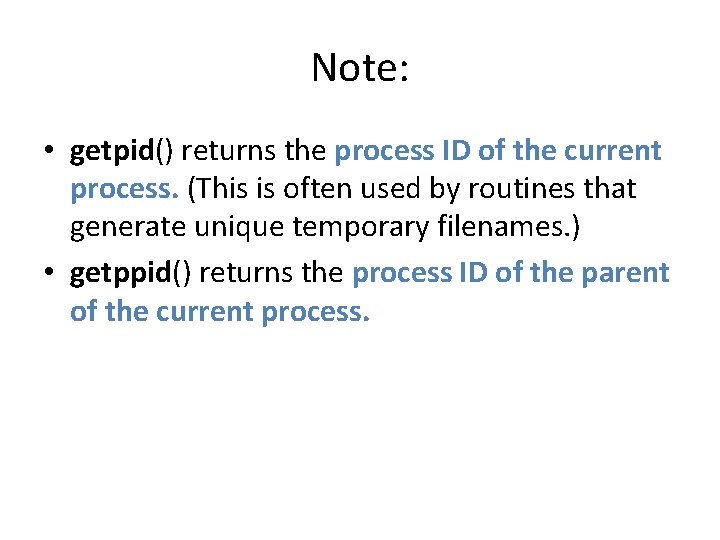
Note: • getpid() returns the process ID of the current process. (This is often used by routines that generate unique temporary filenames. ) • getppid() returns the process ID of the parent of the current process.
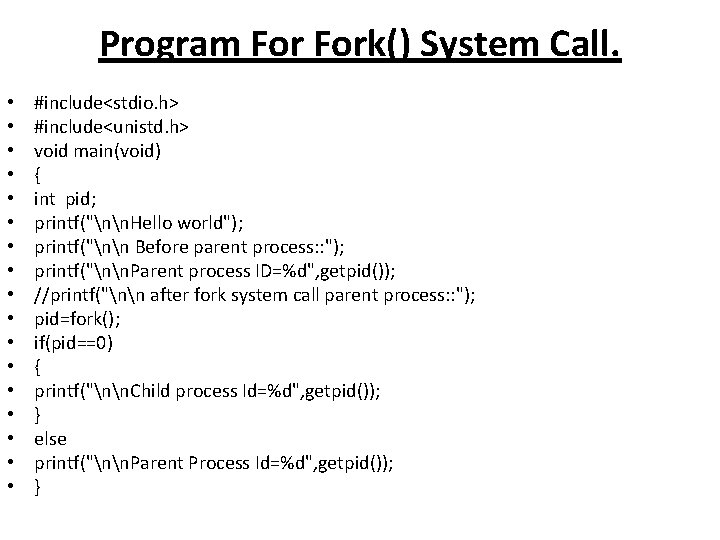
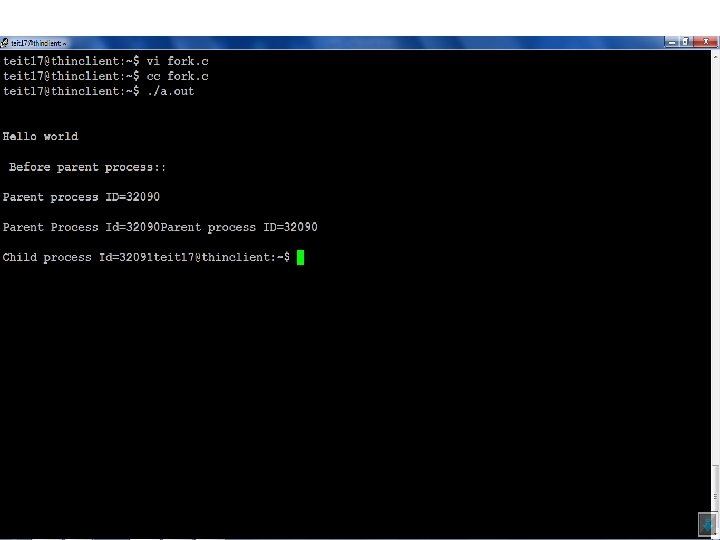
Program Fork() System Call. • • • • • #include<stdio. h> #include<unistd. h> void main(void) { int pid; printf("nn. Hello world"); printf("nn Before parent process: : "); printf("nn. Parent process ID=%d", getpid()); //printf("nn after fork system call parent process: : "); pid=fork(); if(pid==0) { printf("nn. Child process Id=%d", getpid()); } else printf("nn. Parent Process Id=%d", getpid()); }
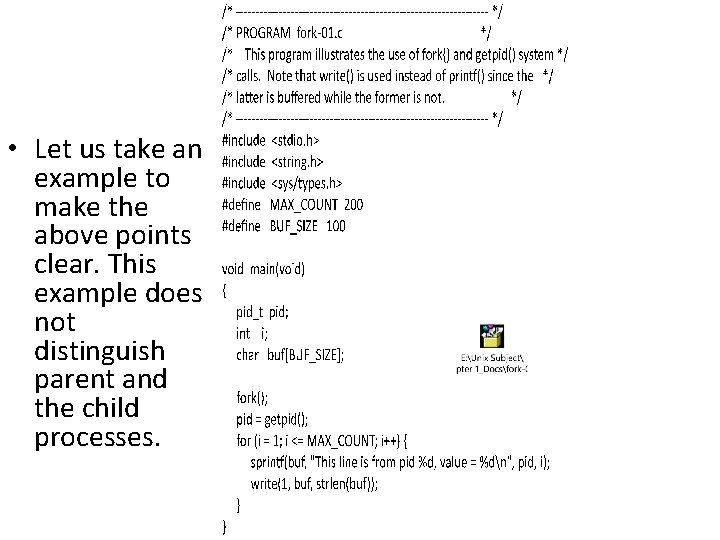
• Let us take an example to make the above points clear. This example does not distinguish parent and the child processes.
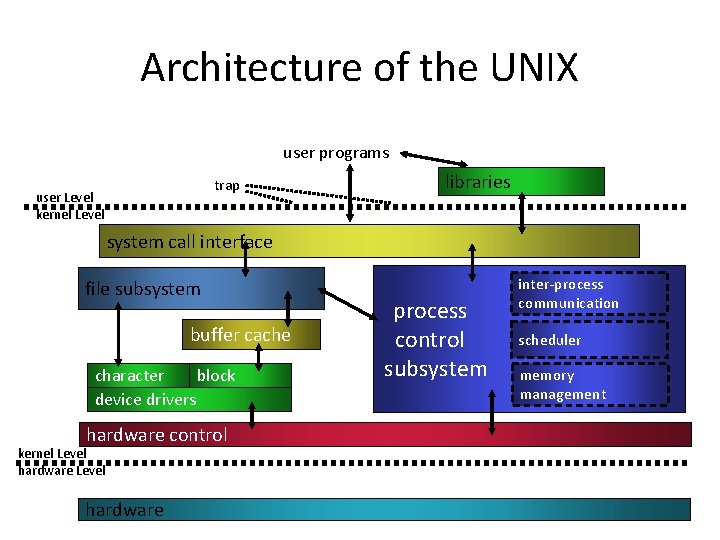
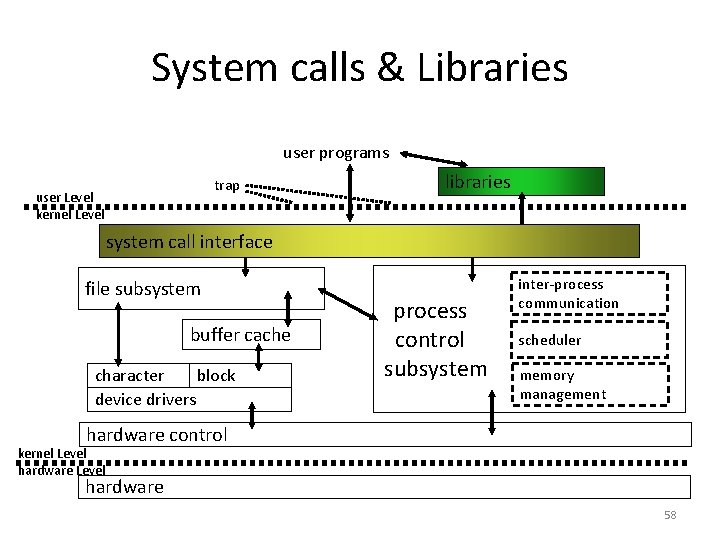
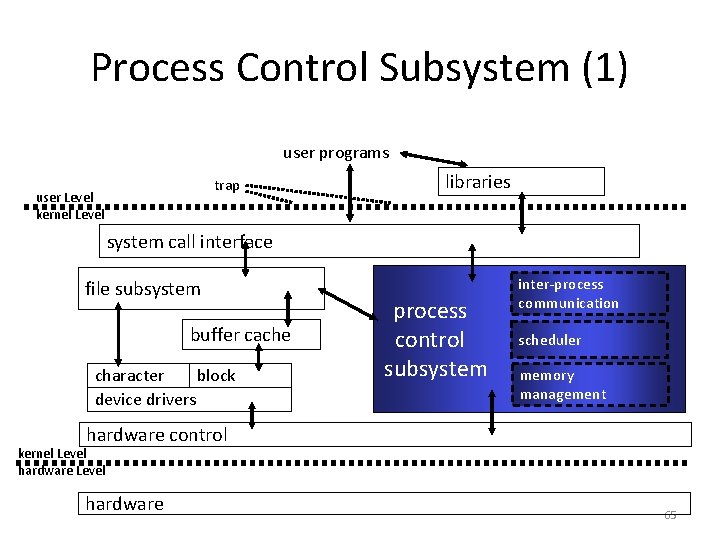
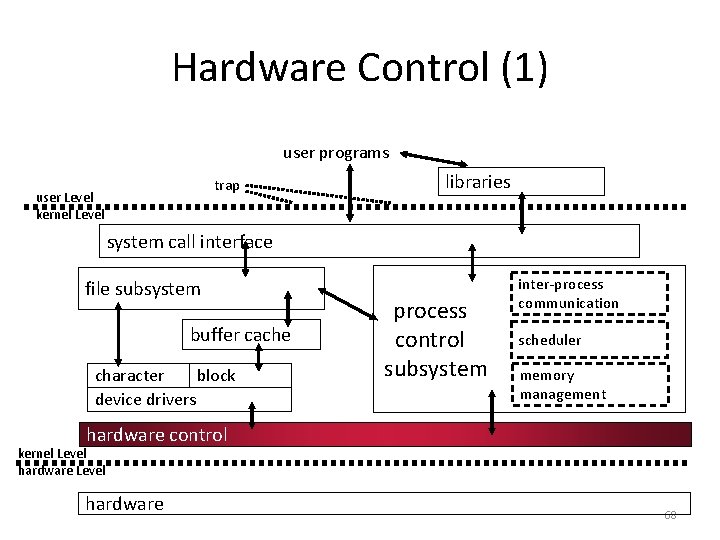
With a neat diagram explain block diagram of system kernel. • Figure gives a block diagram of the kernel, showing various modules and their relationships to each other. In particular, it shows the file subsystem on the left and the process control subsystem on the right, the two major component of the kernel. • The diagram serves as a useful logical view of the kernel, although in practice the kernel deviates from the model because some modules interact with the internal operations of others.
Architecture of the UNIX user programs trap user Level kernel Level libraries system call interface file subsystem buffer cache character block device drivers process control subsystem inter-process communication scheduler memory management hardware control kernel Level hardware 56
• Figure shows three levels: user, kernel, and hardware. The system call and library interface represent the border between user programs and the kernel depicted in Figure 1. 1. • System calls look like ordinary function calls in C programs, and libraries map these function calls to the primitives needed to enter the operating system. •
System calls & Libraries user programs trap user Level kernel Level libraries system call interface file subsystem buffer cache character block device drivers process control subsystem inter-process communication scheduler memory management hardware control kernel Level hardware 58
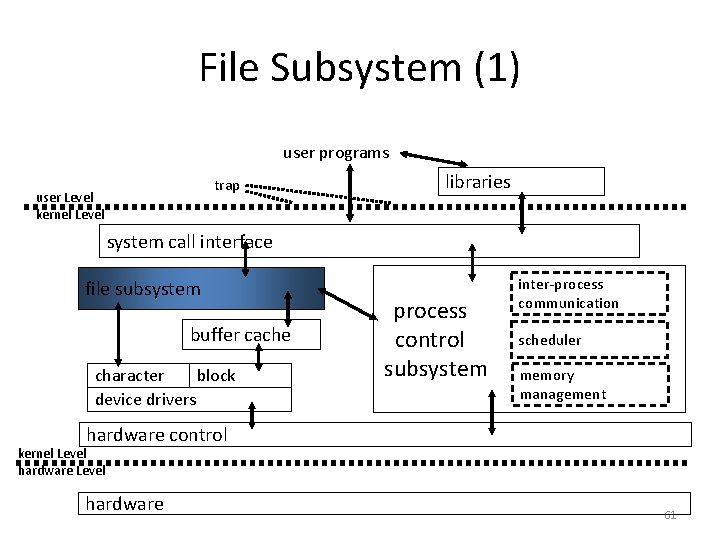
• However, Programs frequently use other libraries such as the standard I/O library to provide a more sophisticated use of the system calls. The libraries are linked with the programs at compile time. • The figure partitions the set of system calls into those that interact with the file subsystem and those that interact with the process control subsystem. • The file subsystem manages files, allocating file space, administering free space, controlling access to files, and retrieving data for users.
• Processes interact with the file subsystem via a specific set of system calls, such as open (to open a file for reading or writing), close, read, write, stat (query the attributes of a file).
File Subsystem (1) user programs trap user Level kernel Level libraries system call interface file subsystem buffer cache character block device drivers process control subsystem inter-process communication scheduler memory management hardware control kernel Level hardware 61
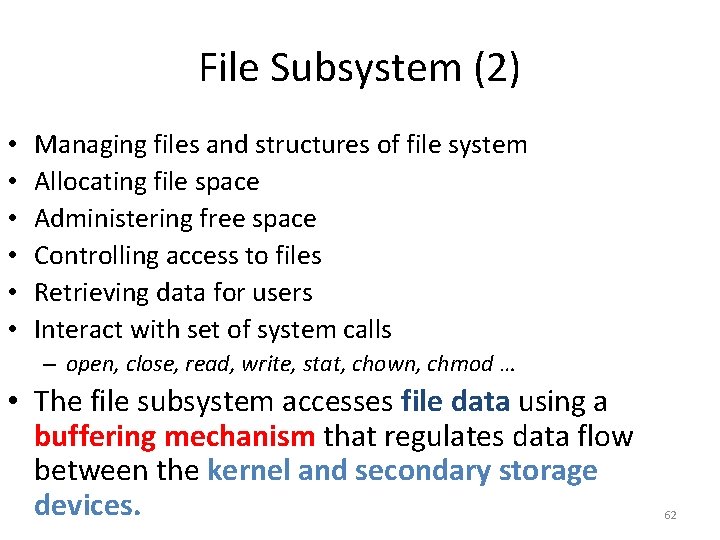
File Subsystem (2) • • • Managing files and structures of file system Allocating file space Administering free space Controlling access to files Retrieving data for users Interact with set of system calls – open, close, read, write, stat, chown, chmod … • The file subsystem accesses file data using a buffering mechanism that regulates data flow between the kernel and secondary storage devices. 62
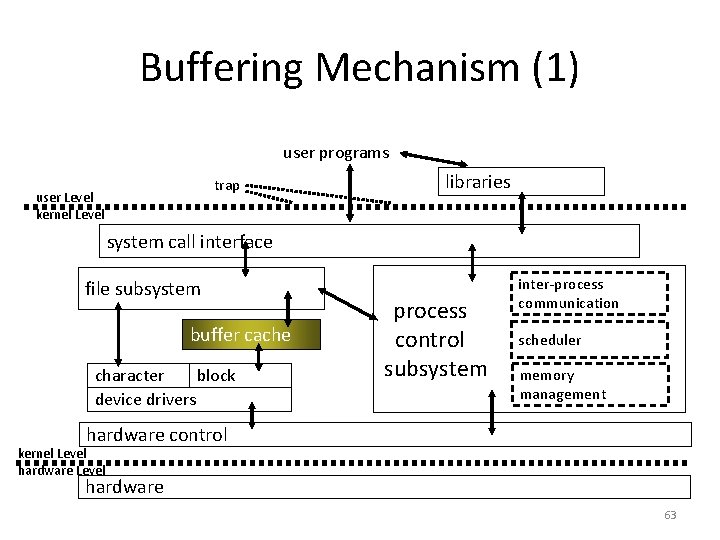
Buffering Mechanism (1) user programs trap user Level kernel Level libraries system call interface file subsystem buffer cache character block device drivers process control subsystem inter-process communication scheduler memory management hardware control kernel Level hardware 63
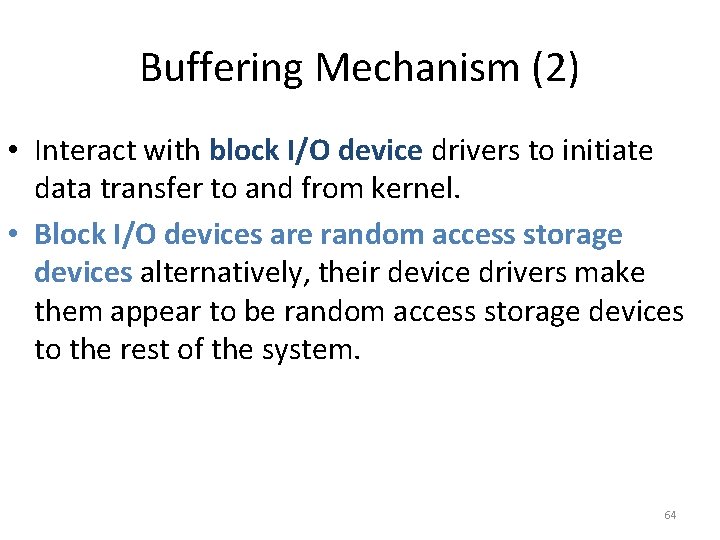
Buffering Mechanism (2) • Interact with block I/O device drivers to initiate data transfer to and from kernel. • Block I/O devices are random access storage devices alternatively, their device drivers make them appear to be random access storage devices to the rest of the system. 64
Process Control Subsystem (1) user programs trap user Level kernel Level libraries system call interface file subsystem buffer cache character block device drivers process control subsystem inter-process communication scheduler memory management hardware control kernel Level hardware 65
• The process control subsystem is responsible for process synchronization, inter process communication, memory management, and process scheduling. • The memory management module controls the allocation of memory. • The scheduler module allocates the CPU to processes.
• Communicate with file subsystem – Loading a file into memory for execution • Interact with set of system calls – fork, exec, exit, wait, brk, signal …
Hardware Control (1) user programs trap user Level kernel Level libraries system call interface file subsystem buffer cache character block device drivers process control subsystem inter-process communication scheduler memory management hardware control kernel Level hardware 68
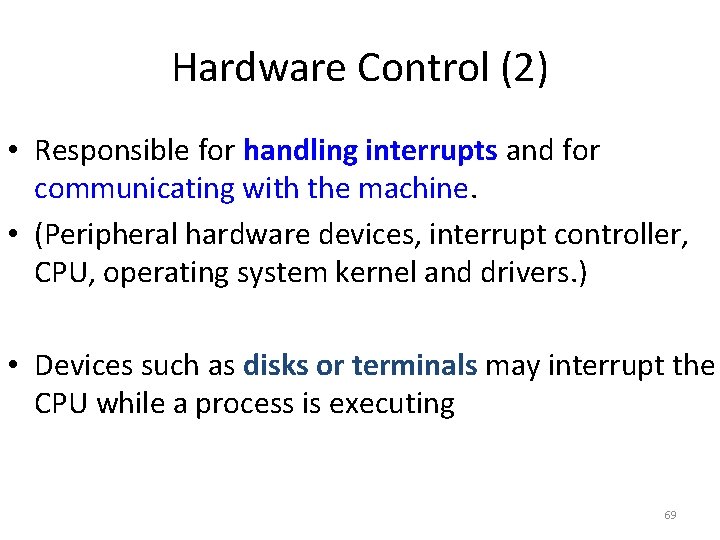
Hardware Control (2) • Responsible for handling interrupts and for communicating with the machine. • (Peripheral hardware devices, interrupt controller, CPU, operating system kernel and drivers. ) • Devices such as disks or terminals may interrupt the CPU while a process is executing 69
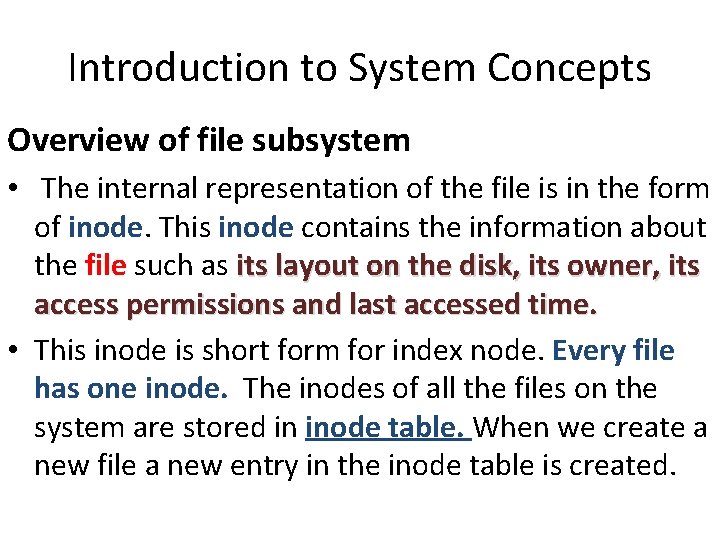
Introduction to System Concepts Overview of file subsystem • The internal representation of the file is in the form of inode. This inode contains the information about the file such as its layout on the disk, its owner, its access permissions and last accessed time. • This inode is short form for index node. Every file has one inode. The inodes of all the files on the system are stored in inode table. When we create a new file a new entry in the inode table is created.
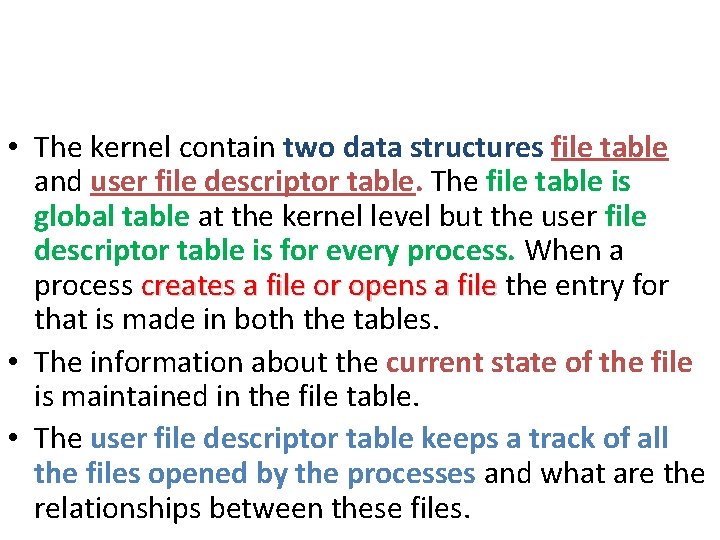
• The kernel contain two data structures file table and user file descriptor table. The file table is global table at the kernel level but the user file descriptor table is for every process. When a process creates a file or opens a file the entry for that is made in both the tables. • The information about the current state of the file is maintained in the file table. • The user file descriptor table keeps a track of all the files opened by the processes and what are the relationships between these files.
• Inode: Its a complex data-structure that contains all the necessary information to specify a file. It includes the memory layout of the file on disk, file permissions, access time, number of different links to the file etc. • Global File table: It contains information that is global to the kernel e. g. the byte offset in the file where the user's next read/write will start and the access rights allowed to the opening process.
• Process File Descriptor table: It is local to every process and contains information like the identifiers of the files opened by the process. Whenever, a process creates a file, it gets an index from this table primarily known as File Descriptor.
OPEN system call • fd = open(pathname, flags, mode); • open() system call returns an integer called the file descriptor. Other system calls use this file descriptor for reading, writing, seeking, duplicating, closing the file etc. • Kernel parses the pathname given in the input and finds the inode of the file corresponding to the pathname. Then it allocates an entry into the global file table.
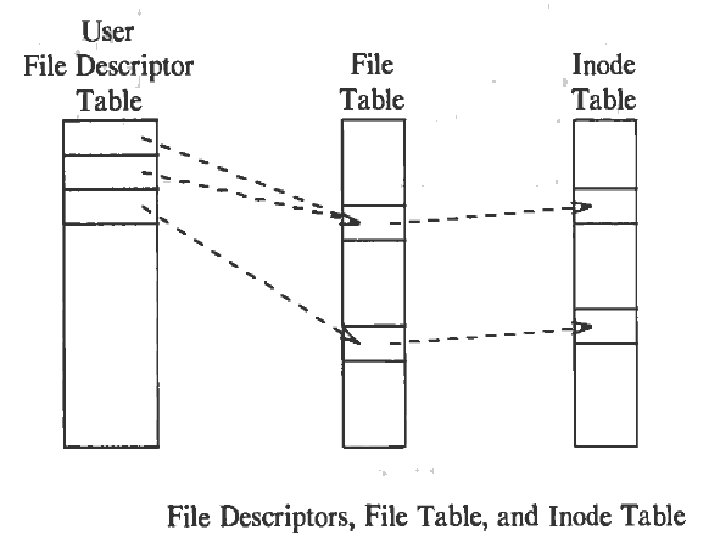
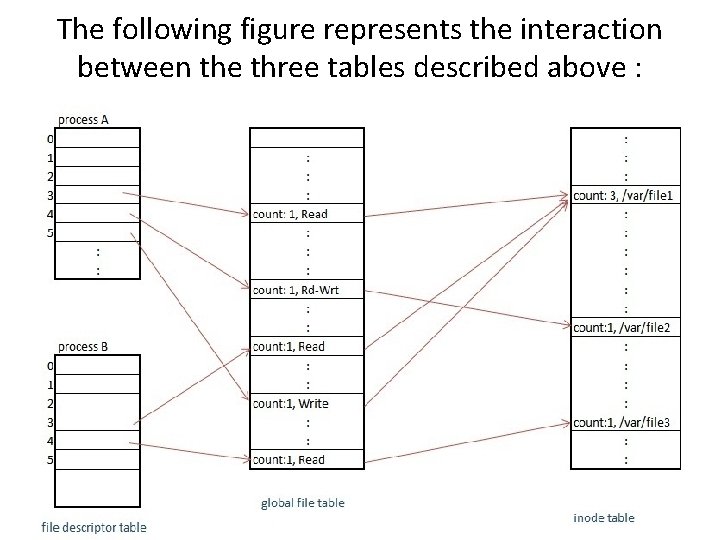
• This file table contains a pointer to the inode of the open file and a field that indicates the byte offset in the file where the kernel expects the next read/write to begin. • The entry in the file descriptor table points to the entry in the global file table.
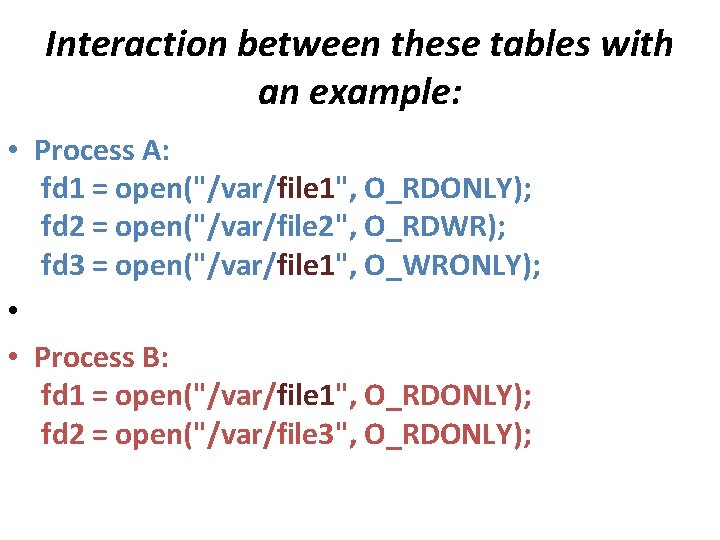
Interaction between these tables with an example: • Process A: fd 1 = open("/var/file 1", O_RDONLY); fd 2 = open("/var/file 2", O_RDWR); fd 3 = open("/var/file 1", O_WRONLY); • • Process B: fd 1 = open("/var/file 1", O_RDONLY); fd 2 = open("/var/file 3", O_RDONLY);
The following figure represents the interaction between the three tables described above :
• Each open() returns a file descriptor to the process, and the corresponding entry in the user file descriptor table points to a unique entry in the global file table even though a file(/var/file 1) is opened more then once. • These global file table entries map to the in-core inode table entry. Every opened file has a unique entry in the global file table and the user file descriptor table but kernel keeps only single entry per file in the in-core inode table.
• * Summary - With every open() system call, user gets its own private reference number known as file descriptor. - Separate entries are created in user file descriptor and global file table, but only the reference count is increased in the inode table. - all the system calls related to file handling use these tables for data manipulation. •
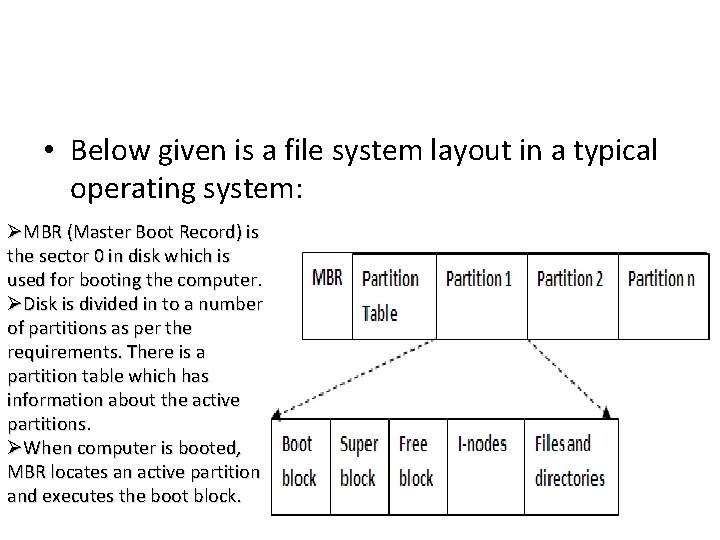
• Below given is a file system layout in a typical operating system: ØMBR (Master Boot Record) is the sector 0 in disk which is used for booting the computer. ØDisk is divided in to a number of partitions as per the requirements. There is a partition table which has information about the active partitions. ØWhen computer is booted, MBR locates an active partition and executes the boot block.
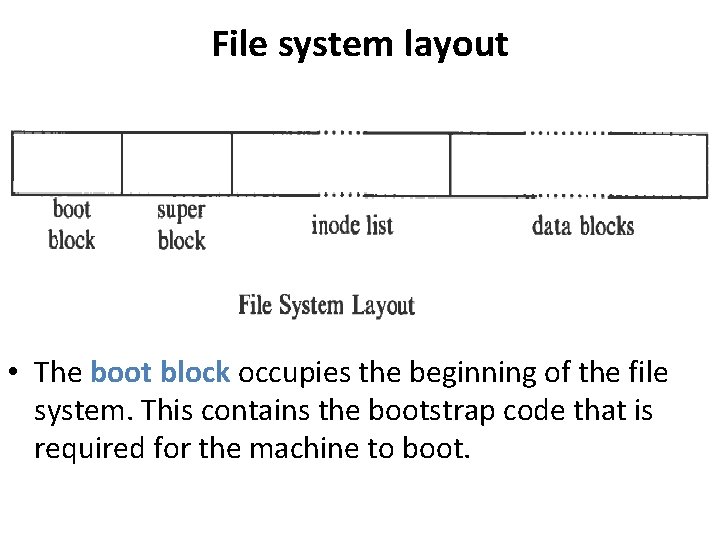
File system layout • The boot block occupies the beginning of the file system. This contains the bootstrap code that is required for the machine to boot.
• Super block describes the state of the file system i. e. its size, maximum number of files that can be stored and the free space information. • The inode list contains the inode table and the kernel references the inode list area to get the information about the files stored on the machine. • The data block is the end of the inode list and starting of the blocks that can be used to store the user files. The starting area of the data block will contain some administrative files and information and the later block contains the actual files.
Process Management • Process Definition: Program under execution. • 1)It has to reside in the Main memory. • 2)It should occupy the CPU
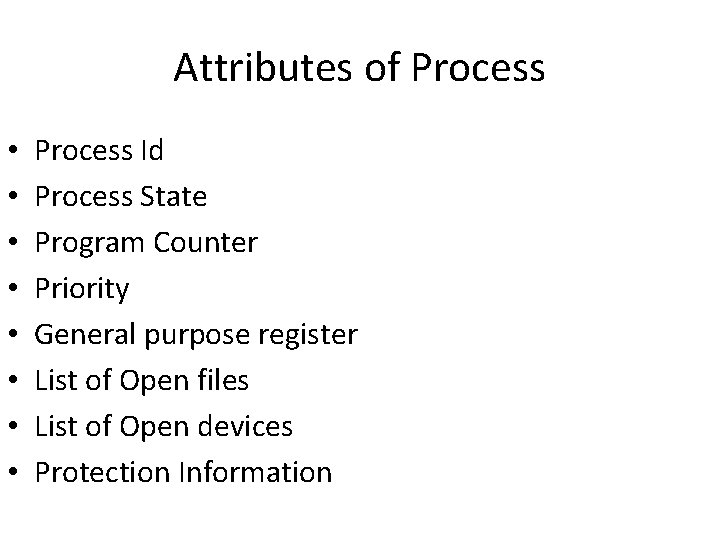
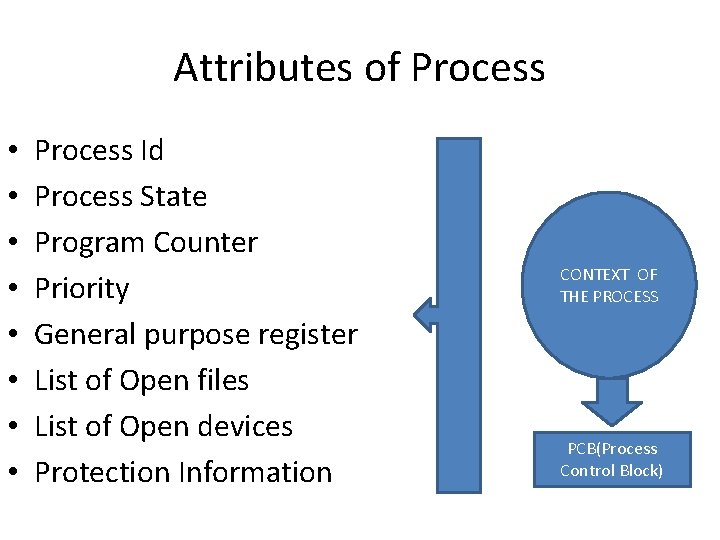
Attributes of Process • • Process Id Process State Program Counter Priority General purpose register List of Open files List of Open devices Protection Information
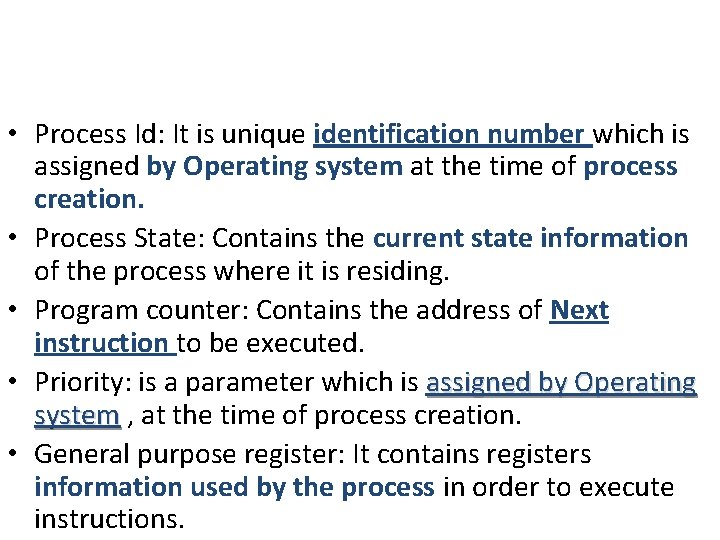
• Process Id: It is unique identification number which is assigned by Operating system at the time of process creation. • Process State: Contains the current state information of the process where it is residing. • Program counter: Contains the address of Next instruction to be executed. • Priority: is a parameter which is assigned by Operating system , at the time of process creation. • General purpose register: It contains registers information used by the process in order to execute instructions.
Attributes of Process • • Process Id Process State Program Counter Priority General purpose register List of Open files List of Open devices Protection Information CONTEXT OF THE PROCESS PCB(Process Control Block)
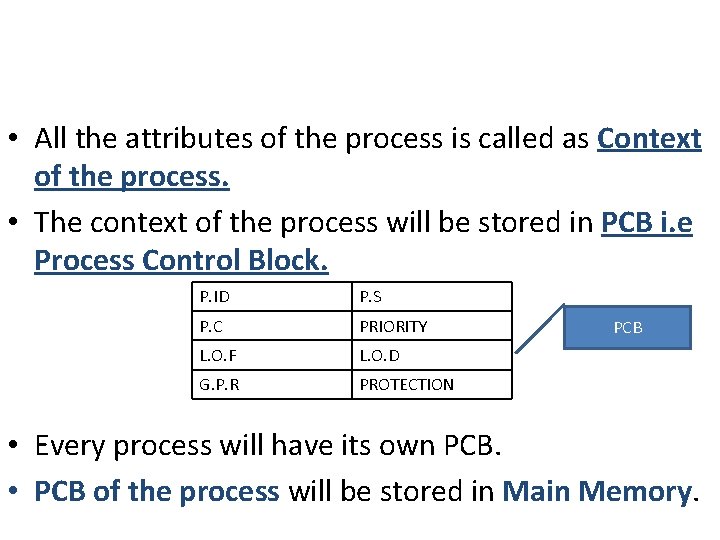
• All the attributes of the process is called as Context of the process. • The context of the process will be stored in PCB i. e Process Control Block. P. ID P. S P. C PRIORITY L. O. F L. O. D G. P. R PROTECTION PCB • Every process will have its own PCB. • PCB of the process will be stored in Main Memory.
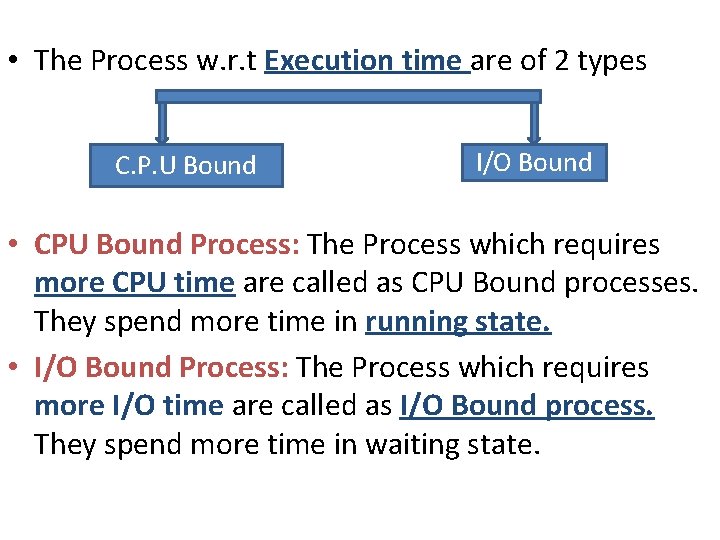
• The Process w. r. t Execution time are of 2 types C. P. U Bound I/O Bound • CPU Bound Process: The Process which requires more CPU time are called as CPU Bound processes. They spend more time in running state. • I/O Bound Process: The Process which requires more I/O time are called as I/O Bound process. They spend more time in waiting state.
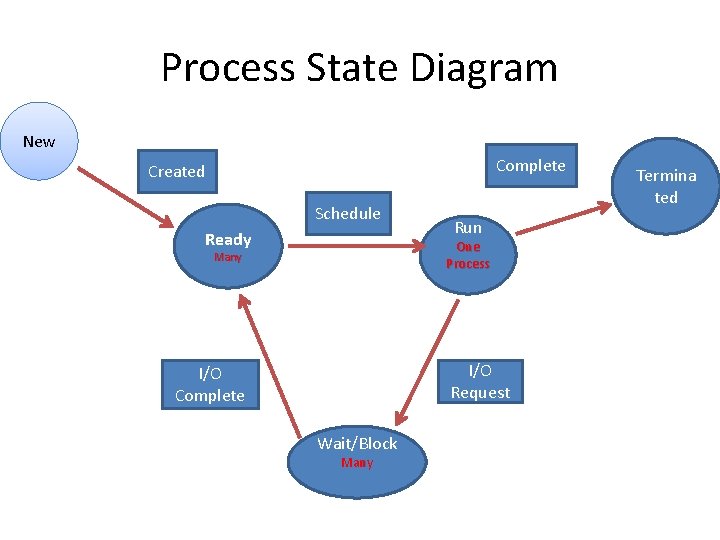
Process State Diagram New Complete Created Schedule Ready Run One Process Many I/O Request I/O Complete Wait/Block Many Termina ted
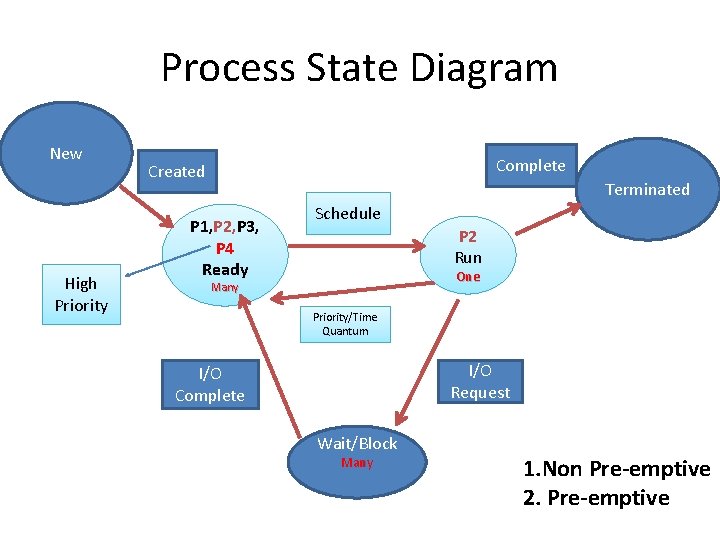
Process State Diagram New High Priority Complete Created Terminated P 1, P 2, P 3, P 4 Ready Schedule P 2 Run One Many Priority/Time Quantum I/O Request I/O Complete Wait/Block Many 1. Non Pre-emptive 2. Pre-emptive
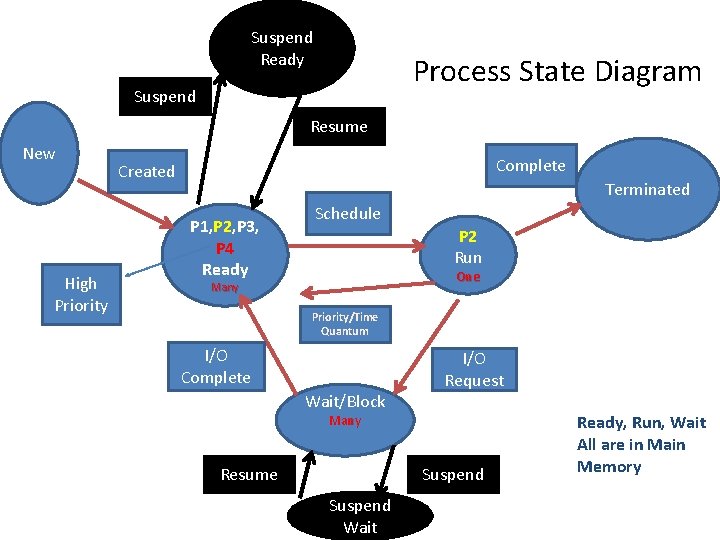
Suspend Ready Process State Diagram Suspend Resume New High Priority Complete Created Terminated P 1, P 2, P 3, P 4 Ready Schedule P 2 Run One Many Priority/Time Quantum I/O Complete Wait/Block I/O Request Many Resume Suspend Wait Ready, Run, Wait All are in Main Memory
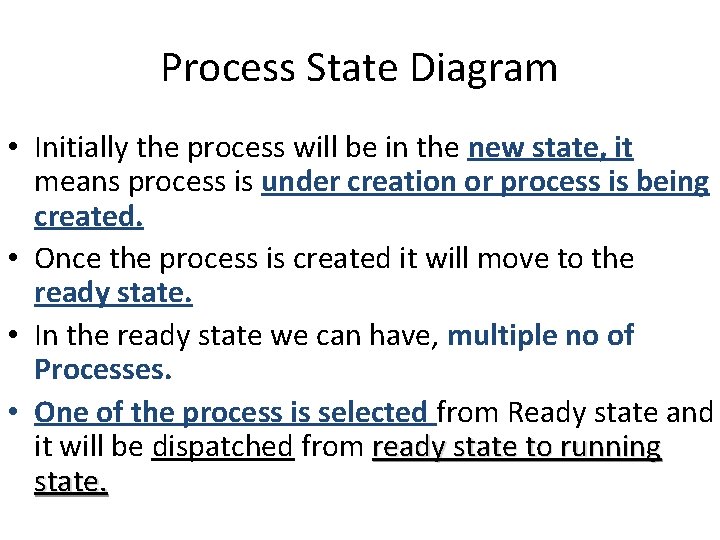
Process State Diagram • Initially the process will be in the new state, it means process is under creation or process is being created. • Once the process is created it will move to the ready state. • In the ready state we can have, multiple no of Processes. • One of the process is selected from Ready state and it will be dispatched from ready state to running state.
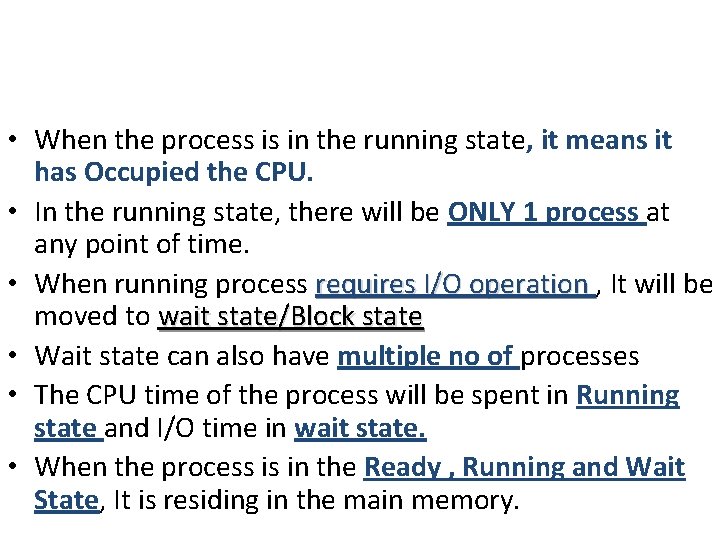
• When the process is in the running state, it means it has Occupied the CPU. • In the running state, there will be ONLY 1 process at any point of time. • When running process requires I/O operation , It will be moved to wait state/Block state • Wait state can also have multiple no of processes • The CPU time of the process will be spent in Running state and I/O time in wait state. • When the process is in the Ready , Running and Wait State, It is residing in the main memory.
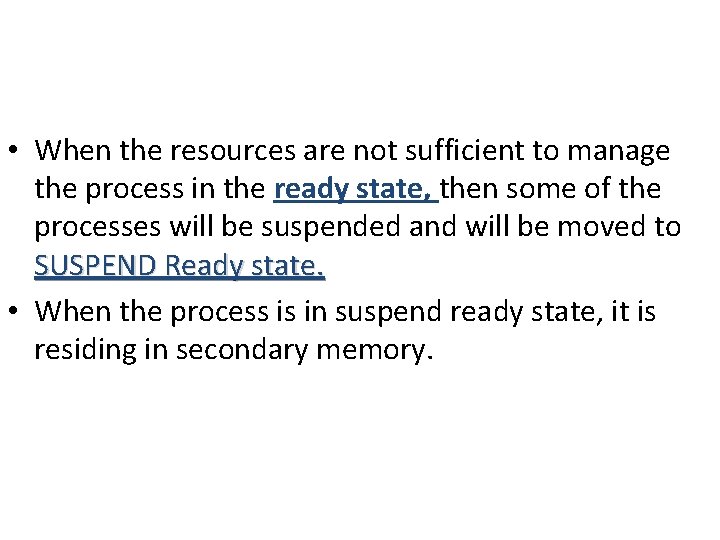
• When the resources are not sufficient to manage the process in the ready state, then some of the processes will be suspended and will be moved to SUSPEND Ready state. • When the process is in suspend ready state, it is residing in secondary memory.
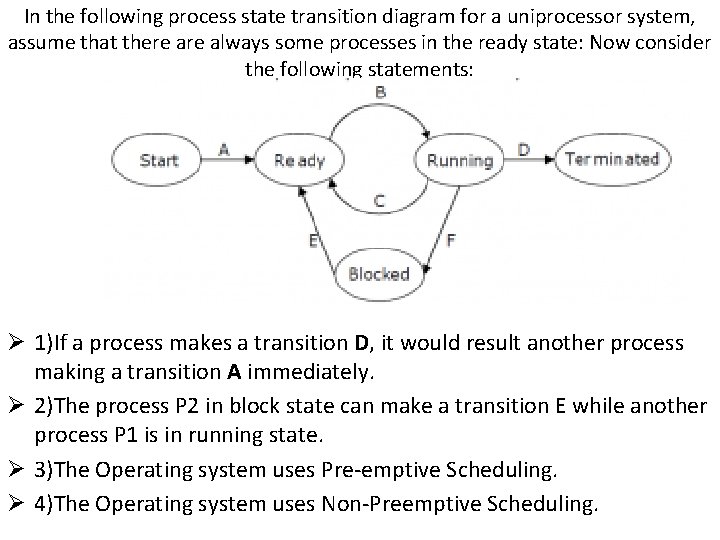
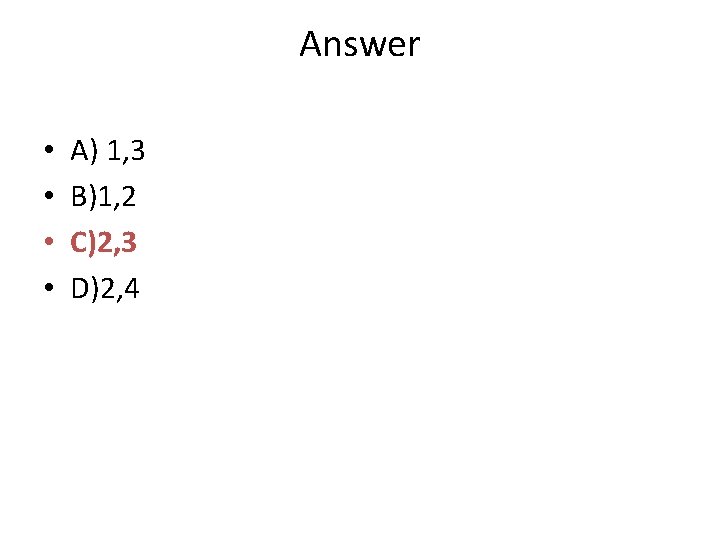
In the following process state transition diagram for a uniprocessor system, assume that there always some processes in the ready state: Now consider the following statements: Ø 1)If a process makes a transition D, it would result another process making a transition A immediately. Ø 2)The process P 2 in block state can make a transition E while another process P 1 is in running state. Ø 3)The Operating system uses Pre-emptive Scheduling. Ø 4)The Operating system uses Non-Preemptive Scheduling.
Answer • • A) 1, 3 B)1, 2 C)2, 3 D)2, 4
• https: //www. youtube. com/watch? v=Y 3 m. QYa Qsrvg
• http: //edusagar. com/articles/view/24/inodeand-file-descriptor-table-Interaction • http: //www. employees. org/~tjsundar/html/tu torials/unixprocesses. html