
Unix Commands on processes Xiaolan Zhang Spring 2013
![BSD style output of ps [zhang@storm ~]$ ps axu 13 USER PID %CPU %MEM](https://slidetodoc.com/presentation_image_h2/cd538b6ff61856d240cc147de2b247b8/image-13.jpg "BSD style output of ps [zhang@storm ~]$ ps axu 13 USER PID %CPU %MEM")
![Nice command nice [OPTION] [COMMAND [ARG]. . . ] prints or modifies a process's](https://slidetodoc.com/presentation_image_h2/cd538b6ff61856d240cc147de2b247b8/image-36.jpg "Nice command nice [OPTION] [COMMAND [ARG]. . . ] prints or modifies a process's")
![At command To start programs at specified time (e. g. midnight) at [-V] [-q](https://slidetodoc.com/presentation_image_h2/cd538b6ff61856d240cc147de2b247b8/image-37.jpg "At command To start programs at specified time (e. g. midnight) at [-V] [-q")
- Slides: 51
Unix Commands on processes Xiaolan Zhang Spring 2013 1
Outlines Last class: commands working with files tree, ls and echo od (octal dump), stat (show meta data of file) touch, temporary file, file with random bytes locate, type, which, find command: Finding files tar, gzip, gunzip, zcat: learn this in next assignment xargs: passing arguments to a command Process-related commands 2
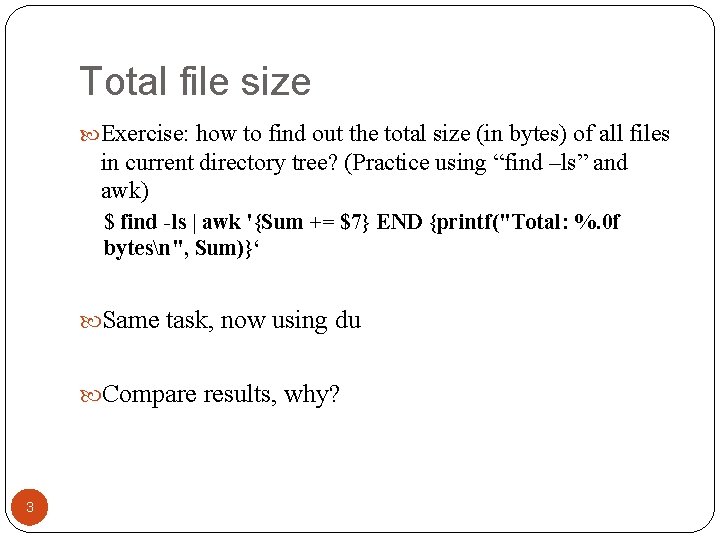
Total file size Exercise: how to find out the total size (in bytes) of all files in current directory tree? (Practice using “find –ls” and awk) $ find -ls | awk '{Sum += $7} END {printf("Total: %. 0 f bytesn", Sum)}‘ Same task, now using du Compare results, why? 3
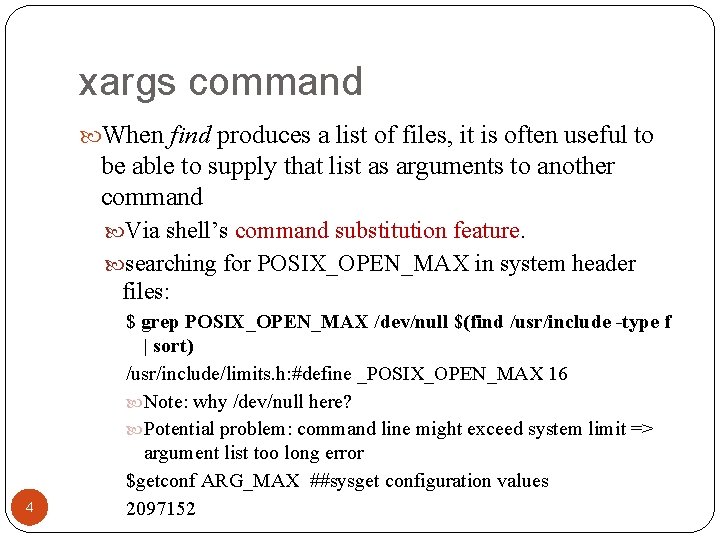
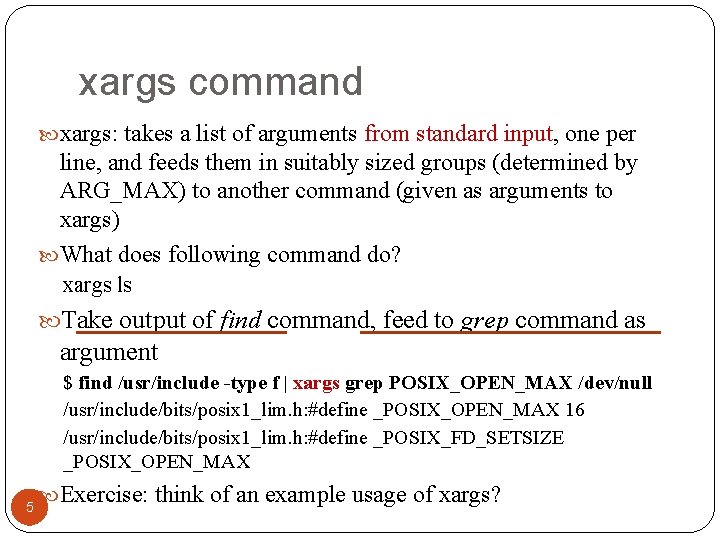
xargs command When find produces a list of files, it is often useful to be able to supply that list as arguments to another command Via shell’s command substitution feature. searching for POSIX_OPEN_MAX in system header files: 4 $ grep POSIX_OPEN_MAX /dev/null $(find /usr/include -type f | sort) /usr/include/limits. h: #define _POSIX_OPEN_MAX 16 Note: why /dev/null here? Potential problem: command line might exceed system limit => argument list too long error $getconf ARG_MAX ##sysget configuration values 2097152
xargs command xargs: takes a list of arguments from standard input, one per line, and feeds them in suitably sized groups (determined by ARG_MAX) to another command (given as arguments to xargs) What does following command do? xargs ls Take output of find command, feed to grep command as argument $ find /usr/include -type f | xargs grep POSIX_OPEN_MAX /dev/null /usr/include/bits/posix 1_lim. h: #define _POSIX_OPEN_MAX 16 /usr/include/bits/posix 1_lim. h: #define _POSIX_FD_SETSIZE _POSIX_OPEN_MAX 5 Exercise: think of an example usage of xargs?
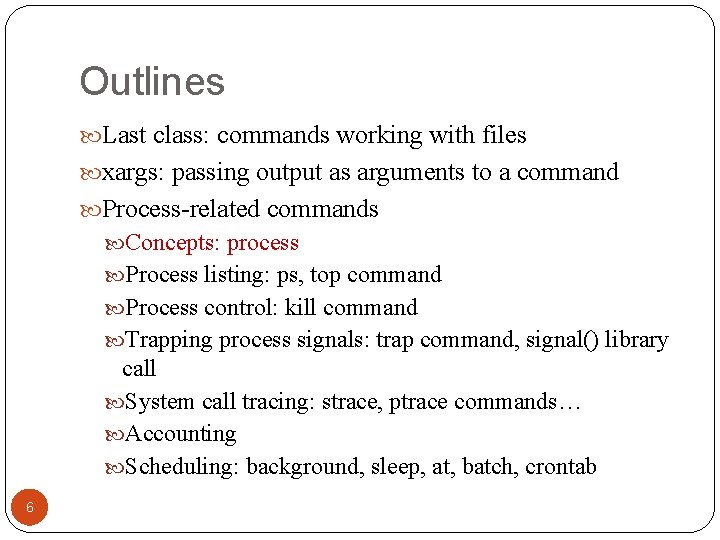
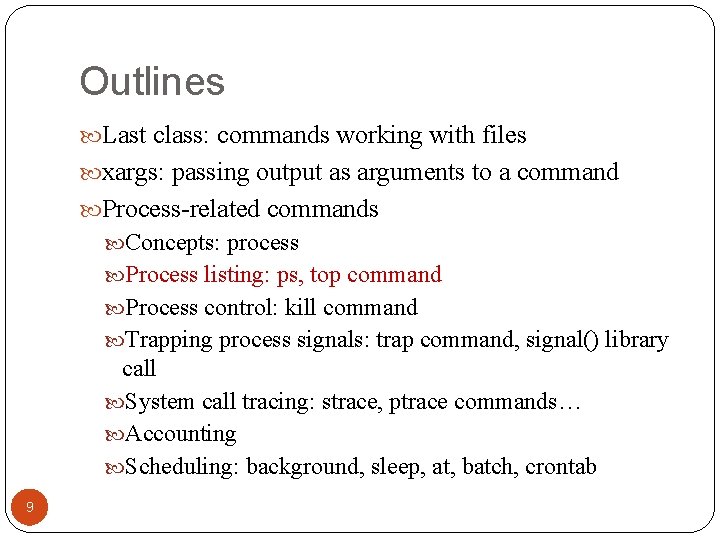
Outlines Last class: commands working with files xargs: passing output as arguments to a command Process-related commands Concepts: process Process listing: ps, top command Process control: kill command Trapping process signals: trap command, signal() library call System call tracing: strace, ptrace commands… Accounting Scheduling: background, sleep, at, batch, crontab 6
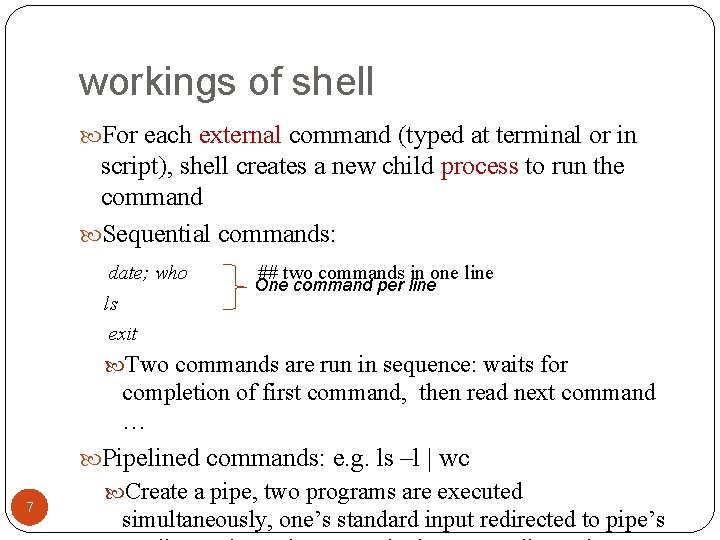
workings of shell For each external command (typed at terminal or in script), shell creates a new child process to run the command Sequential commands: date; who ls exit ## two commands in one line One command per line Two commands are run in sequence: waits for completion of first command, then read next command … Pipelined commands: e. g. ls –l | wc 7 Create a pipe, two programs are executed simultaneously, one’s standard input redirected to pipe’s
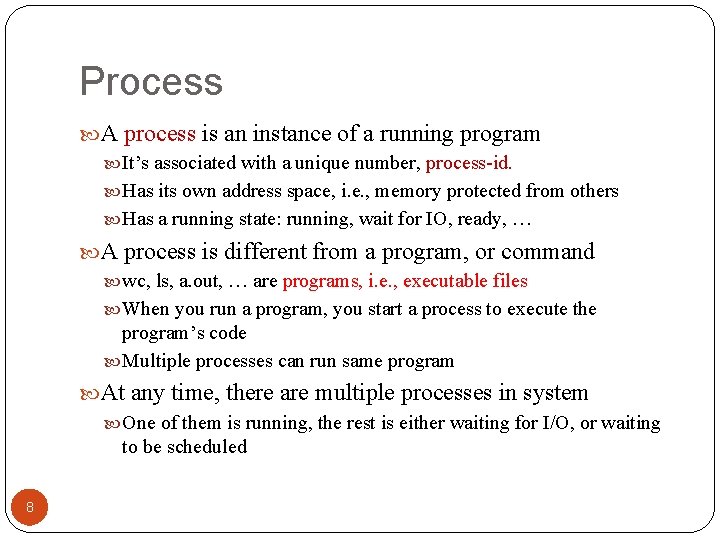
Process A process is an instance of a running program It’s associated with a unique number, process-id. Has its own address space, i. e. , memory protected from others Has a running state: running, wait for IO, ready, … A process is different from a program, or command wc, ls, a. out, … are programs, i. e. , executable files When you run a program, you start a process to execute the program’s code Multiple processes can run same program At any time, there are multiple processes in system One of them is running, the rest is either waiting for I/O, or waiting to be scheduled 8
Outlines Last class: commands working with files xargs: passing output as arguments to a command Process-related commands Concepts: process Process listing: ps, top command Process control: kill command Trapping process signals: trap command, signal() library call System call tracing: strace, ptrace commands… Accounting Scheduling: background, sleep, at, batch, crontab 9
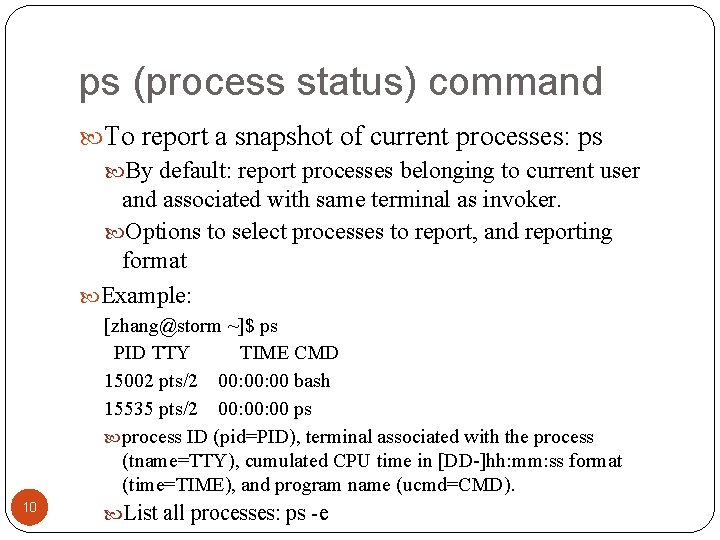
ps (process status) command To report a snapshot of current processes: ps By default: report processes belonging to current user and associated with same terminal as invoker. Options to select processes to report, and reporting format Example: 10 [zhang@storm ~]$ ps PID TTY TIME CMD 15002 pts/2 00: 00 bash 15535 pts/2 00: 00 ps process ID (pid=PID), terminal associated with the process (tname=TTY), cumulated CPU time in [DD-]hh: mm: ss format (time=TIME), and program name (ucmd=CMD). List all processes: ps -e
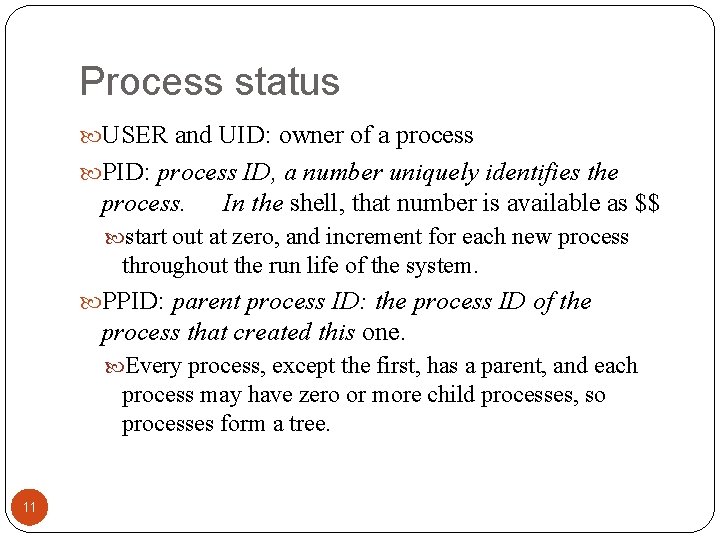
Process status USER and UID: owner of a process PID: process ID, a number uniquely identifies the process. In the shell, that number is available as $$ start out at zero, and increment for each new process throughout the run life of the system. PPID: parent process ID: the process ID of the process that created this one. Every process, except the first, has a parent, and each process may have zero or more child processes, so processes form a tree. 11
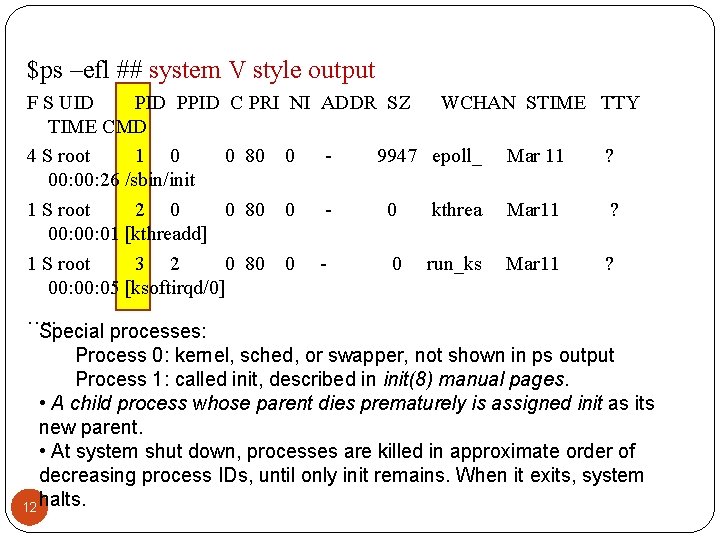
$ps –efl ## system V style output F S UID PPID C PRI NI ADDR SZ WCHAN STIME TTY TIME CMD 4 S root 1 0 0 80 0 9947 epoll_ Mar 11 ? 00: 26 /sbin/init 1 S root 2 0 0 80 0 0 kthrea Mar 11 ? 00: 01 [kthreadd] 1 S root 3 2 0 80 0 0 run_ks Mar 11 ? 00: 05 [ksoftirqd/0] …. . Special processes: Process 0: kernel, sched, or swapper, not shown in ps output Process 1: called init, described in init(8) manual pages. • A child process whose parent dies prematurely is assigned init as its new parent. • At system shut down, processes are killed in approximate order of decreasing process IDs, until only init remains. When it exits, system 12 halts.
BSD style output of ps [zhang@storm ~]$ ps axu 13 USER PID %CPU %MEM VSZ RSS TTY STAT START TIME COMMAND root 1 0. 0 2112 672 ? Ss Jan 17 0: 11 init [3] root 2 0. 0 0 0? S< Jan 17 0: 00 [kthreadd] root 3 0. 0 0 0? S< Jan 17 0: 00 [migration/0] root 4 0. 0 0 0? S< Jan 17 0: 00 [ksoftirqd/0] root 5 0. 0 0 0? S< Jan 17 0: 00 [watchdog/0] root 6 0. 0 0 0? S< Jan 17 0: 00 [migration/1] root 7 0. 0 0 0? S< Jan 17 0: 00 [ksoftirqd/1] root 8 0. 0 0 0? S< Jan 17 0: 00 [watchdog/1] root 9 0. 0 0 0? S< Jan 17 0: 00 [migration/2]
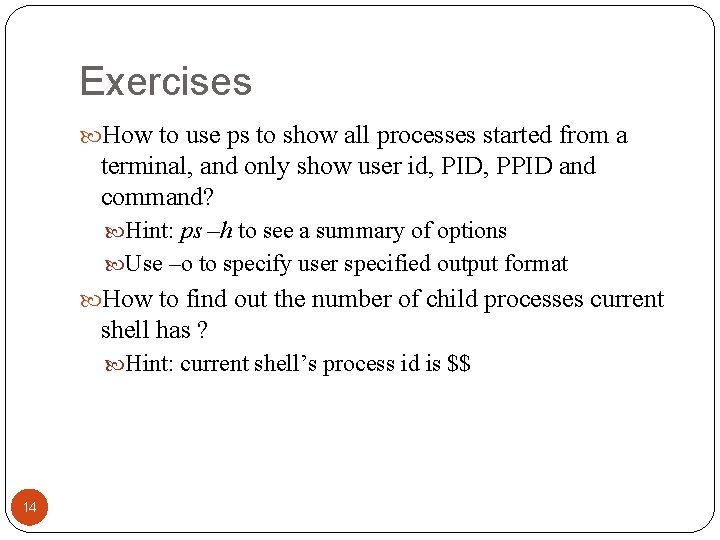
Exercises How to use ps to show all processes started from a terminal, and only show user id, PID, PPID and command? Hint: ps –h to see a summary of options Use –o to specify user specified output format How to find out the number of child processes current shell has ? Hint: current shell’s process id is $$ 14
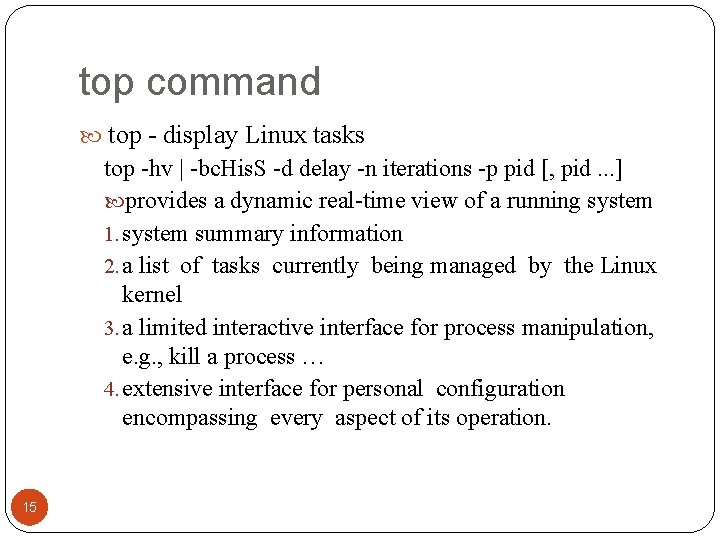
top command top - display Linux tasks top -hv | -bc. His. S -d delay -n iterations -p pid [, pid. . . ] provides a dynamic real-time view of a running system 1. system summary information 2. a list of tasks currently being managed by the Linux kernel 3. a limited interactive interface for process manipulation, e. g. , kill a process … 4. extensive interface for personal configuration encompassing every aspect of its operation. 15
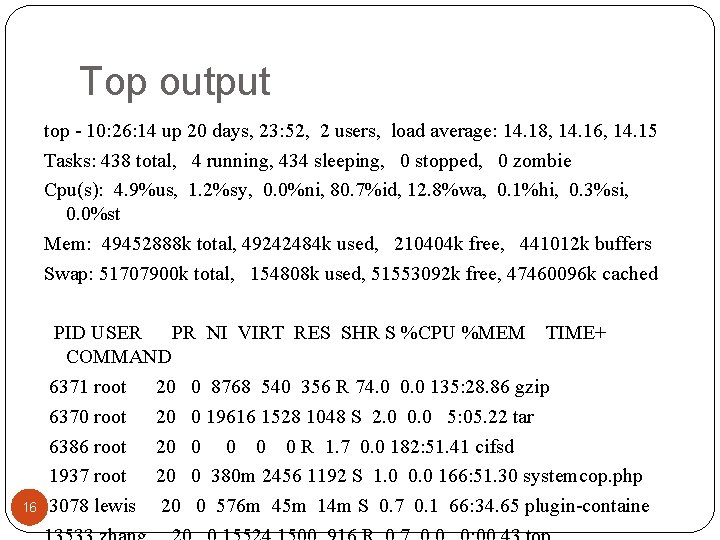
Top output top - 10: 26: 14 up 20 days, 23: 52, 2 users, load average: 14. 18, 14. 16, 14. 15 Tasks: 438 total, 4 running, 434 sleeping, 0 stopped, 0 zombie Cpu(s): 4. 9%us, 1. 2%sy, 0. 0%ni, 80. 7%id, 12. 8%wa, 0. 1%hi, 0. 3%si, 0. 0%st Mem: 49452888 k total, 49242484 k used, 210404 k free, 441012 k buffers Swap: 51707900 k total, 154808 k used, 51553092 k free, 47460096 k cached 16 PID USER PR NI VIRT RES SHR S %CPU %MEM TIME+ COMMAND 6371 root 20 0 8768 540 356 R 74. 0 0. 0 135: 28. 86 gzip 6370 root 20 0 19616 1528 1048 S 2. 0 0. 0 5: 05. 22 tar 6386 root 20 0 0 R 1. 7 0. 0 182: 51. 41 cifsd 1937 root 20 0 380 m 2456 1192 S 1. 0 0. 0 166: 51. 30 systemcop. php 3078 lewis 20 0 576 m 45 m 14 m S 0. 7 0. 1 66: 34. 65 plugin-containe
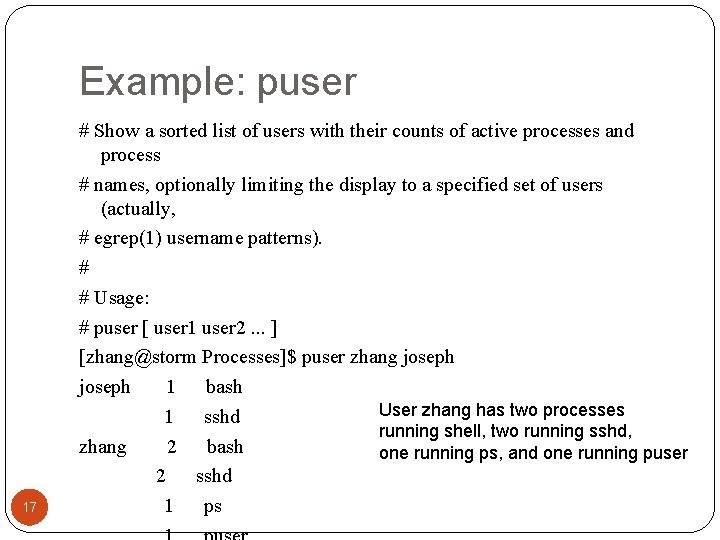
Example: puser 17 # Show a sorted list of users with their counts of active processes and process # names, optionally limiting the display to a specified set of users (actually, # egrep(1) username patterns). # # Usage: # puser [ user 1 user 2. . . ] [zhang@storm Processes]$ puser zhang joseph 1 bash User zhang has two processes 1 sshd running shell, two running sshd, zhang 2 bash one running ps, and one running puser 2 sshd 1 ps
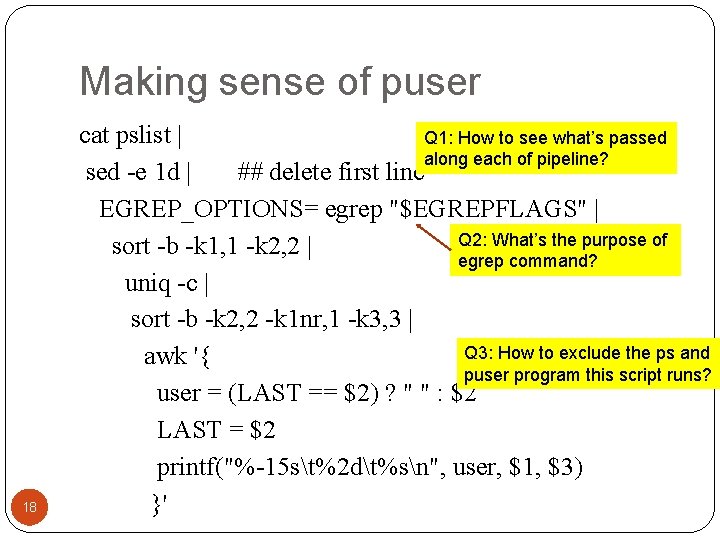
Making sense of puser 18 cat pslist | Q 1: How to see what’s passed along each of pipeline? sed -e 1 d | ## delete first line EGREP_OPTIONS= egrep "$EGREPFLAGS" | Q 2: What’s the purpose of sort -b -k 1, 1 -k 2, 2 | egrep command? uniq -c | sort -b -k 2, 2 -k 1 nr, 1 -k 3, 3 | Q 3: How to exclude the ps and awk '{ puser program this script runs? user = (LAST == $2) ? " " : $2 LAST = $2 printf("%-15 st%2 dt%sn", user, $1, $3) }'
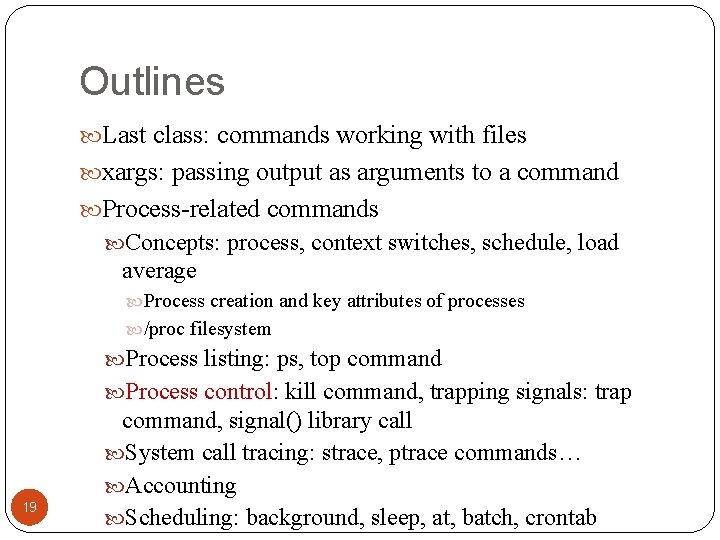
Outlines Last class: commands working with files xargs: passing output as arguments to a command Process-related commands Concepts: process, context switches, schedule, load average Process creation and key attributes of processes /proc filesystem Process listing: ps, top command Process control: kill command, trapping signals: trap 19 command, signal() library call System call tracing: strace, ptrace commands… Accounting Scheduling: background, sleep, at, batch, crontab
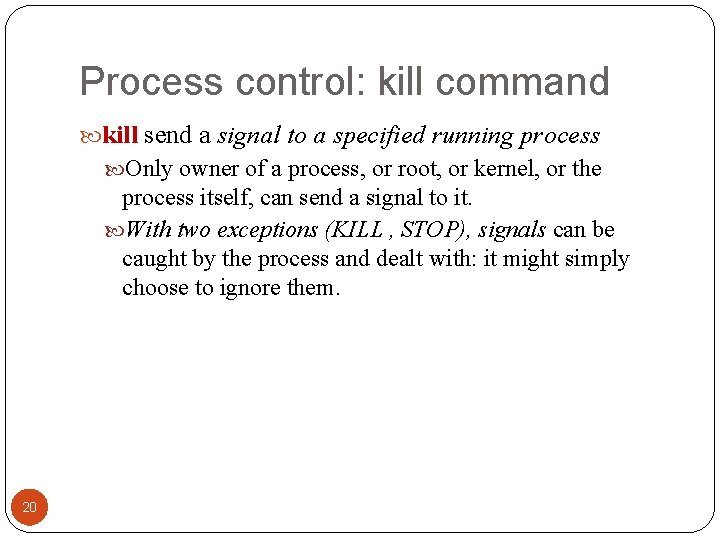
Process control: kill command kill send a signal to a specified running process Only owner of a process, or root, or kernel, or the process itself, can send a signal to it. With two exceptions (KILL , STOP), signals can be caught by the process and dealt with: it might simply choose to ignore them. 20
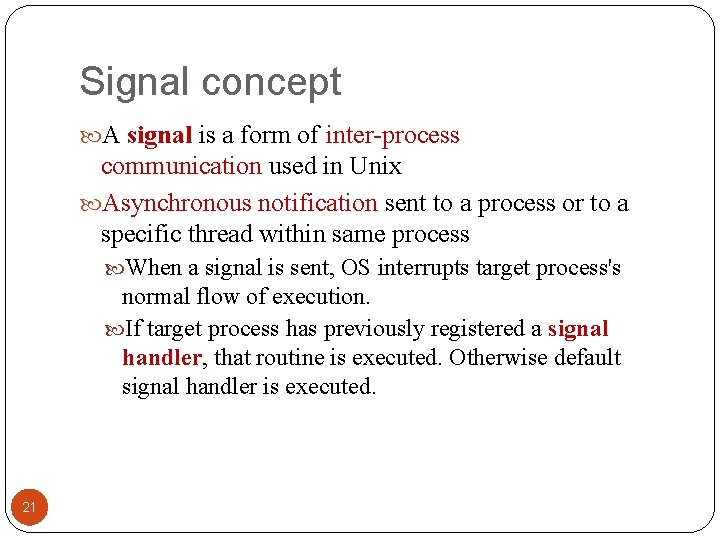
Signal concept A signal is a form of inter-process communication used in Unix Asynchronous notification sent to a process or to a specific thread within same process When a signal is sent, OS interrupts target process's normal flow of execution. If target process has previously registered a signal handler, that routine is executed. Otherwise default signal handler is executed. 21
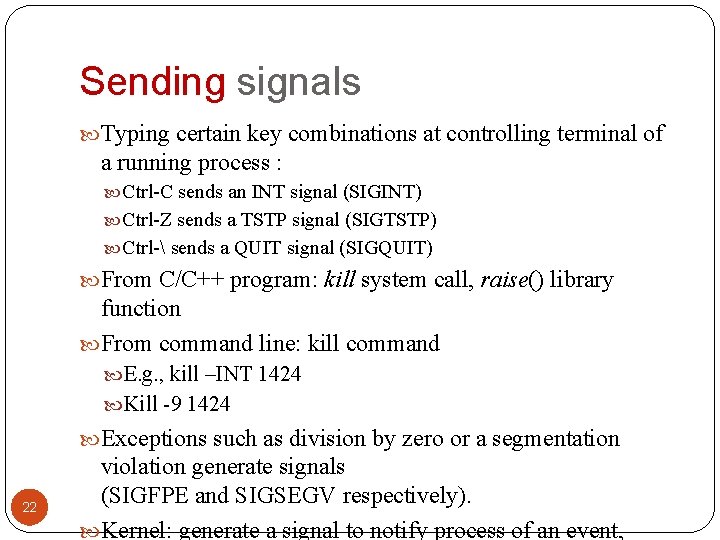
Sending signals Typing certain key combinations at controlling terminal of a running process : Ctrl-C sends an INT signal (SIGINT) Ctrl-Z sends a TSTP signal (SIGTSTP) Ctrl- sends a QUIT signal (SIGQUIT) From C/C++ program: kill system call, raise() library function From command line: kill command E. g. , kill –INT 1424 Kill -9 1424 Exceptions such as division by zero or a segmentation 22 violation generate signals (SIGFPE and SIGSEGV respectively). Kernel: generate a signal to notify process of an event,
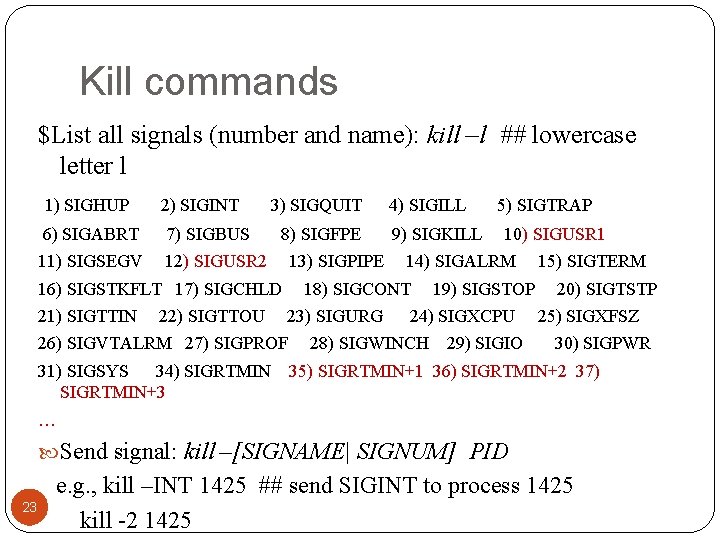
Kill commands $List all signals (number and name): kill –l ## lowercase letter l 1) SIGHUP 2) SIGINT 6) SIGABRT 7) SIGBUS 11) SIGSEGV 12) SIGUSR 2 3) SIGQUIT 8) SIGFPE 13) SIGPIPE 16) SIGSTKFLT 17) SIGCHLD 21) SIGTTIN 22) SIGTTOU 9) SIGKILL 23) SIGURG 5) SIGTRAP 10) SIGUSR 1 14) SIGALRM 18) SIGCONT 26) SIGVTALRM 27) SIGPROF 31) SIGSYS 34) SIGRTMIN+3 4) SIGILL 19) SIGSTOP 24) SIGXCPU 28) SIGWINCH 29) SIGIO 15) SIGTERM 20) SIGTSTP 25) SIGXFSZ 30) SIGPWR 35) SIGRTMIN+1 36) SIGRTMIN+2 37) … Send signal: kill –[SIGNAME| SIGNUM] PID 23 e. g. , kill –INT 1425 ## send SIGINT to process 1425 kill -2 1425
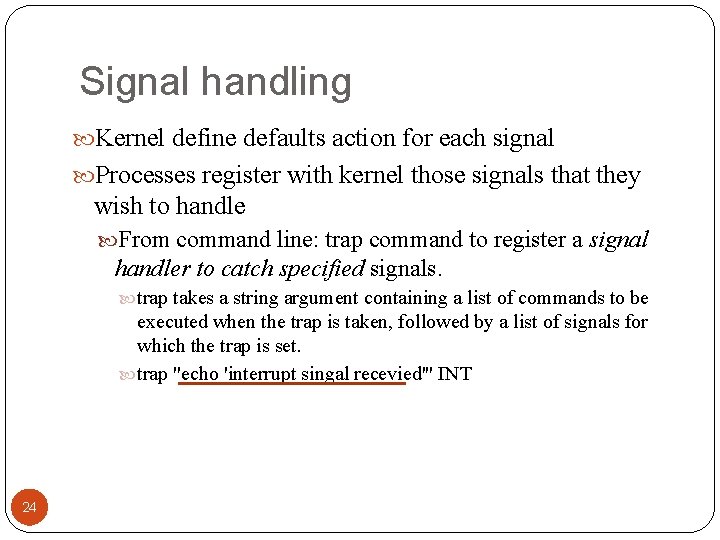
Signal handling Kernel define defaults action for each signal Processes register with kernel those signals that they wish to handle From command line: trap command to register a signal handler to catch specified signals. trap takes a string argument containing a list of commands to be executed when the trap is taken, followed by a list of signals for which the trap is set. trap "echo 'interrupt singal recevied'" INT 24
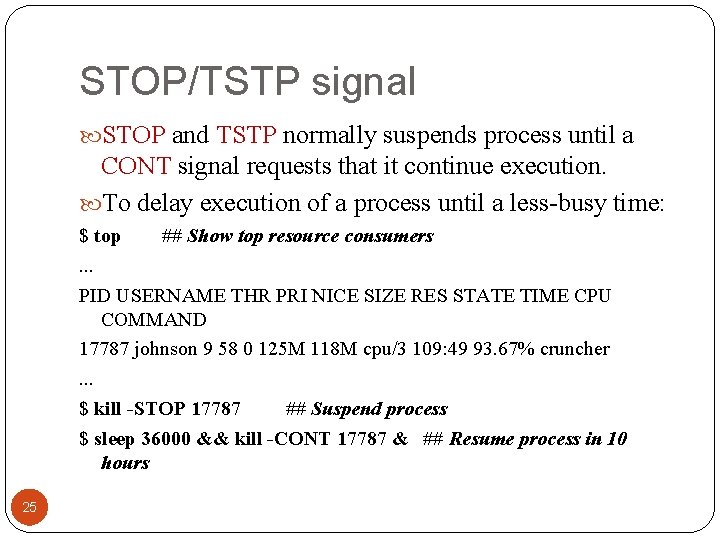
STOP/TSTP signal STOP and TSTP normally suspends process until a CONT signal requests that it continue execution. To delay execution of a process until a less-busy time: $ top ## Show top resource consumers. . . PID USERNAME THR PRI NICE SIZE RES STATE TIME CPU COMMAND 17787 johnson 9 58 0 125 M 118 M cpu/3 109: 49 93. 67% cruncher. . . $ kill -STOP 17787 ## Suspend process $ sleep 36000 && kill -CONT 17787 & ## Resume process in 10 hours 25
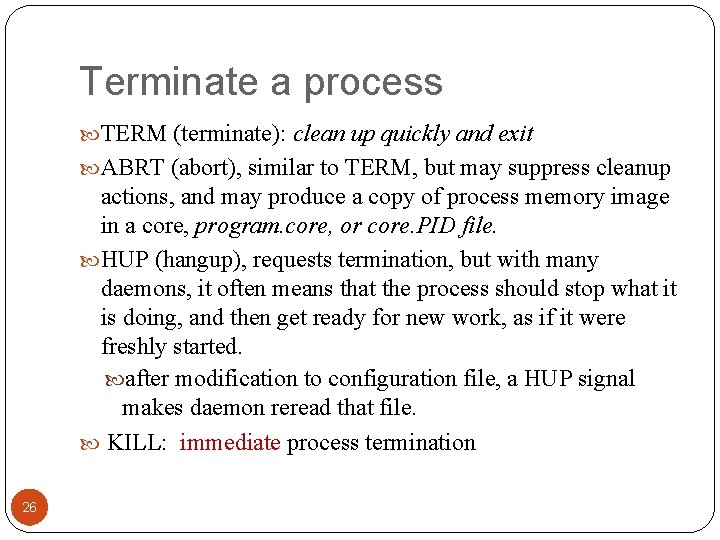
Terminate a process TERM (terminate): clean up quickly and exit ABRT (abort), similar to TERM, but may suppress cleanup actions, and may produce a copy of process memory image in a core, program. core, or core. PID file. HUP (hangup), requests termination, but with many daemons, it often means that the process should stop what it is doing, and then get ready for new work, as if it were freshly started. after modification to configuration file, a HUP signal makes daemon reread that file. KILL: immediate process termination 26
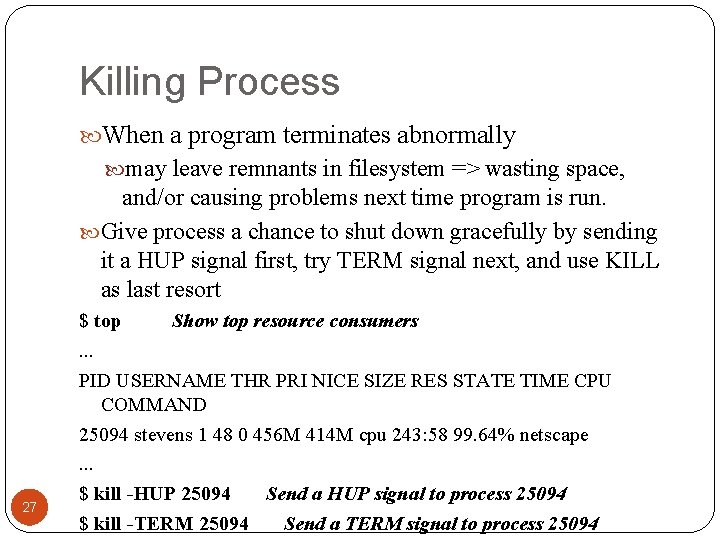
Killing Process When a program terminates abnormally may leave remnants in filesystem => wasting space, and/or causing problems next time program is run. Give process a chance to shut down gracefully by sending it a HUP signal first, try TERM signal next, and use KILL as last resort 27 $ top Show top resource consumers. . . PID USERNAME THR PRI NICE SIZE RES STATE TIME CPU COMMAND 25094 stevens 1 48 0 456 M 414 M cpu 243: 58 99. 64% netscape. . . $ kill -HUP 25094 Send a HUP signal to process 25094 $ kill -TERM 25094 Send a TERM signal to process 25094
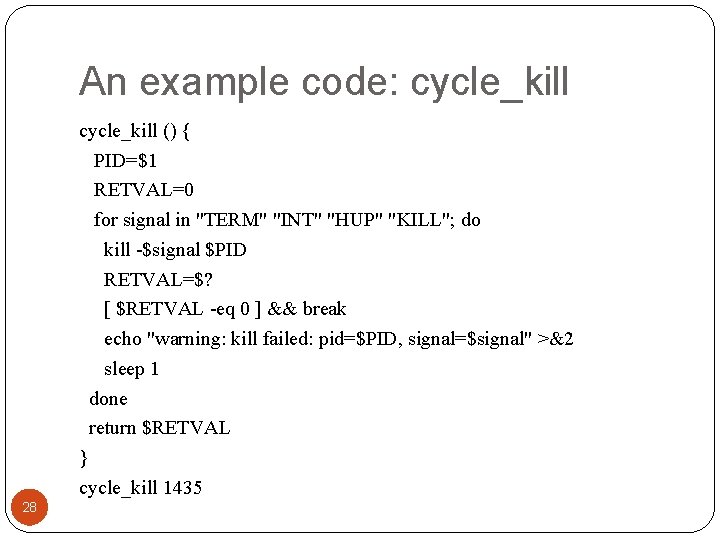
An example code: cycle_kill () { PID=$1 RETVAL=0 for signal in "TERM" "INT" "HUP" "KILL"; do kill -$signal $PID RETVAL=$? [ $RETVAL -eq 0 ] && break echo "warning: kill failed: pid=$PID, signal=$signal" >&2 sleep 1 done return $RETVAL } cycle_kill 1435 28
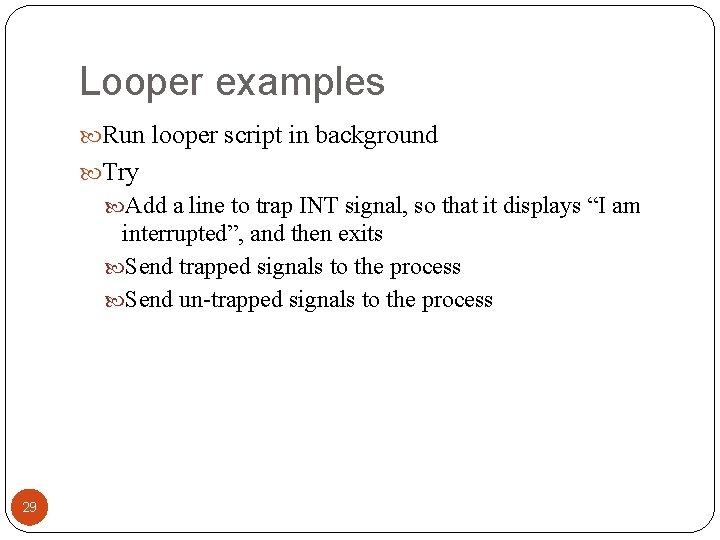
Looper examples Run looper script in background Try Add a line to trap INT signal, so that it displays “I am interrupted”, and then exits Send trapped signals to the process Send un-trapped signals to the process 29
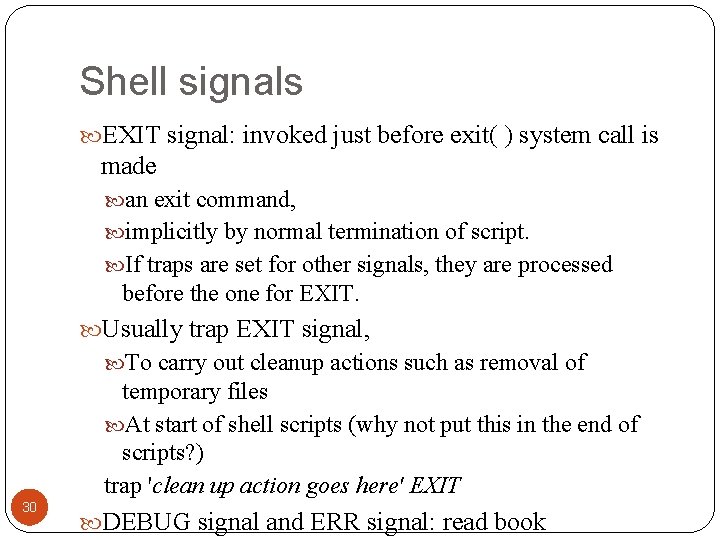
Shell signals EXIT signal: invoked just before exit( ) system call is made an exit command, implicitly by normal termination of script. If traps are set for other signals, they are processed before the one for EXIT. Usually trap EXIT signal, To carry out cleanup actions such as removal of temporary files At start of shell scripts (why not put this in the end of scripts? ) trap 'clean up action goes here' EXIT 30 DEBUG signal and ERR signal: read book
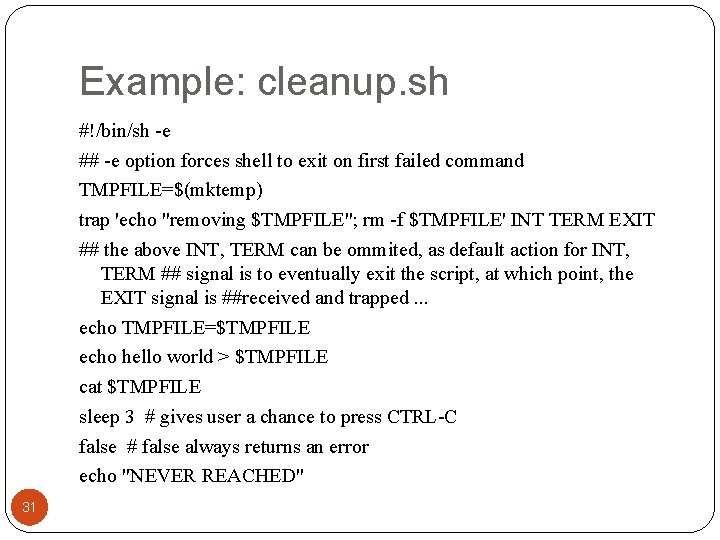
Example: cleanup. sh #!/bin/sh -e ## -e option forces shell to exit on first failed command TMPFILE=$(mktemp) trap 'echo "removing $TMPFILE"; rm -f $TMPFILE' INT TERM EXIT ## the above INT, TERM can be ommited, as default action for INT, TERM ## signal is to eventually exit the script, at which point, the EXIT signal is ##received and trapped. . . echo TMPFILE=$TMPFILE echo hello world > $TMPFILE cat $TMPFILE sleep 3 # gives user a chance to press CTRL-C false # false always returns an error echo "NEVER REACHED" 31
Outlines Last class: commands working with files xargs: passing output as arguments to a command Process-related commands Concepts: process, context switches, schedule, load average Process creation and key attributes of processes /proc filesystem Process listing: ps, top command Process control: kill command, trapping process signals: 32 trap command, signal() library call System call tracing: strace, ptrace commands… Accounting Scheduling: background, sleep, at, batch, crontab
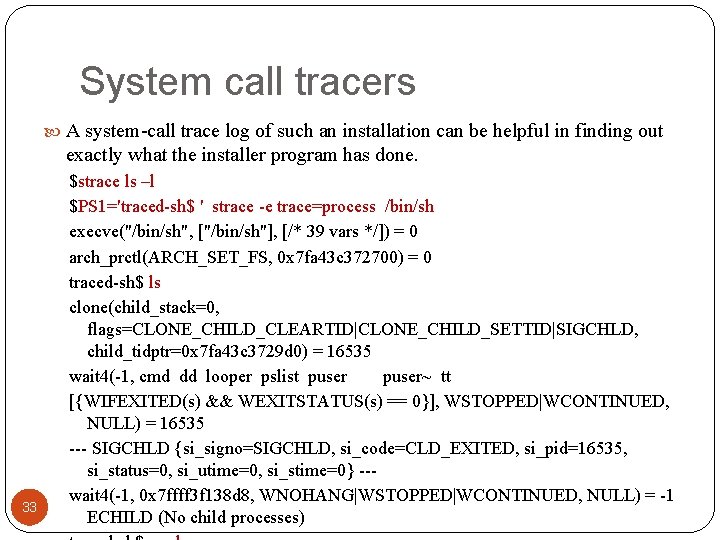
System call tracers A system-call trace log of such an installation can be helpful in finding out exactly what the installer program has done. 33 $strace ls –l $PS 1='traced-sh$ ' strace -e trace=process /bin/sh execve("/bin/sh", ["/bin/sh"], [/* 39 vars */]) = 0 arch_prctl(ARCH_SET_FS, 0 x 7 fa 43 c 372700) = 0 traced-sh$ ls clone(child_stack=0, flags=CLONE_CHILD_CLEARTID|CLONE_CHILD_SETTID|SIGCHLD, child_tidptr=0 x 7 fa 43 c 3729 d 0) = 16535 wait 4(-1, cmd dd looper pslist puser~ tt [{WIFEXITED(s) && WEXITSTATUS(s) == 0}], WSTOPPED|WCONTINUED, NULL) = 16535 --- SIGCHLD {si_signo=SIGCHLD, si_code=CLD_EXITED, si_pid=16535, si_status=0, si_utime=0, si_stime=0} --wait 4(-1, 0 x 7 ffff 3 f 138 d 8, WNOHANG|WSTOPPED|WCONTINUED, NULL) = -1 ECHILD (No child processes)
Outlines Last class: commands working with files xargs: passing output as arguments to a command Process-related commands Concepts: process, context switches, schedule, load average Process creation and key attributes of processes /proc filesystem Process listing: ps, top command Process control: kill command Trapping process signals: trap command, signal() library 34 call System call tracing: strace, ptrace commands… Accounting: accton
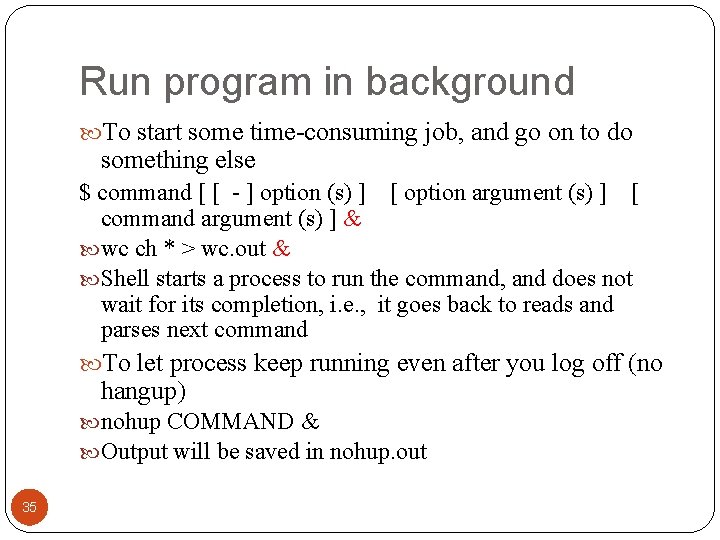
Run program in background To start some time-consuming job, and go on to do something else $ command [ [ - ] option (s) ] [ option argument (s) ] [ command argument (s) ] & wc ch * > wc. out & Shell starts a process to run the command, and does not wait for its completion, i. e. , it goes back to reads and parses next command To let process keep running even after you log off (no hangup) nohup COMMAND & Output will be saved in nohup. out 35
Nice command nice [OPTION] [COMMAND [ARG]. . . ] prints or modifies a process's "niceness", a parameter that affects whether the process is scheduled favorably. Niceness values range at least from -20 (process has high priority and gets more resources, thus slowing down other processes) through 19 (process has lower priority and runs slowly itself, but has less impact on speed of other running processes). 36
At command To start programs at specified time (e. g. midnight) at [-V] [-q queue] [-f file] [-mldv] timespec. . . By default, read programs from standard input: [zhang@storm assignment]$ date Mon Jan 31 21: 51: 38 EST 2011 [zhang@storm assignment]$ at 10 pm < todo job 15 at Mon Jan 31 22: 00 2011 [zhang@storm assignment]$ more todo echo "HI!" ls | wc –l > temp Standard output of the commands are sent to you by email To view “at” queue or remove jobs there: atq, atrm 37 Related command: batch
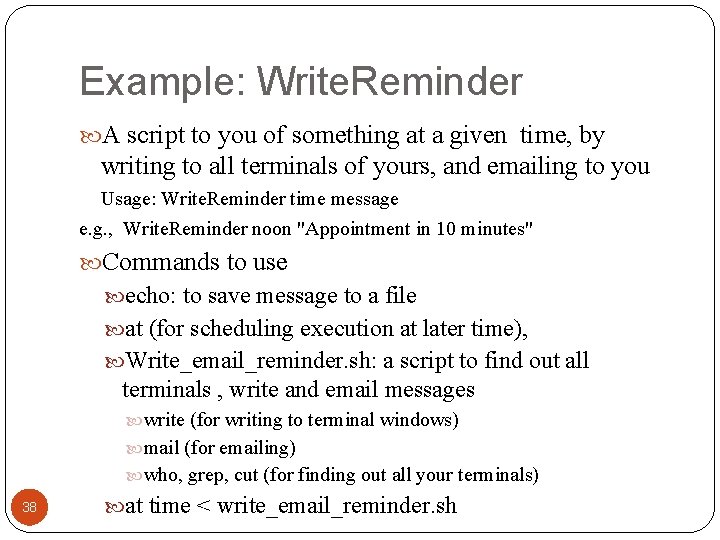
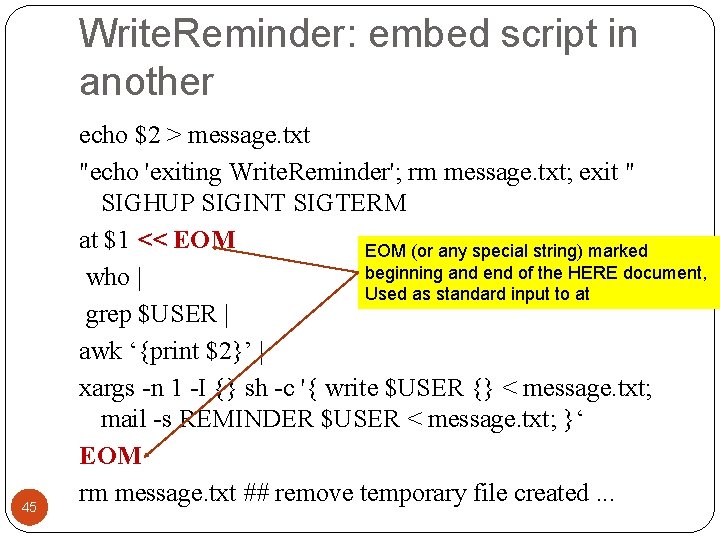
Example: Write. Reminder A script to you of something at a given time, by writing to all terminals of yours, and emailing to you Usage: Write. Reminder time message e. g. , Write. Reminder noon "Appointment in 10 minutes" Commands to use echo: to save message to a file at (for scheduling execution at later time), Write_email_reminder. sh: a script to find out all terminals , write and email messages write (for writing to terminal windows) mail (for emailing) who, grep, cut (for finding out all your terminals) 38 at time < write_email_reminder. sh
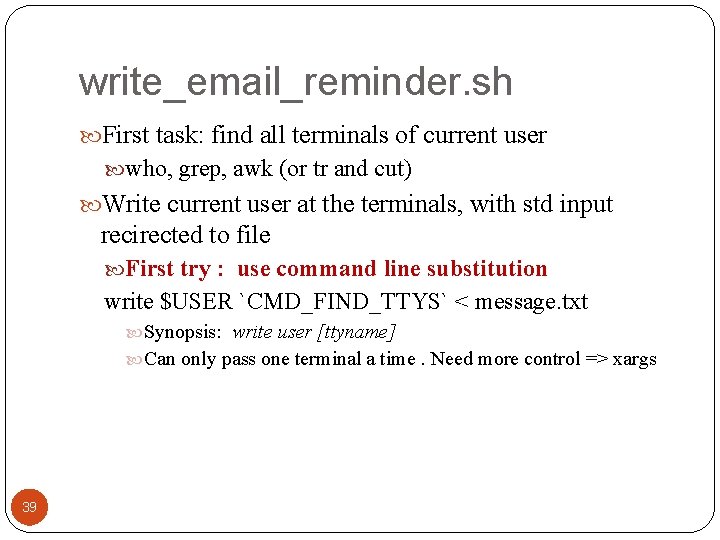
write_email_reminder. sh First task: find all terminals of current user who, grep, awk (or tr and cut) Write current user at the terminals, with std input recirected to file First try : use command line substitution write $USER `CMD_FIND_TTYS` < message. txt Synopsis: write user [ttyname] Can only pass one terminal a time. Need more control => xargs 39
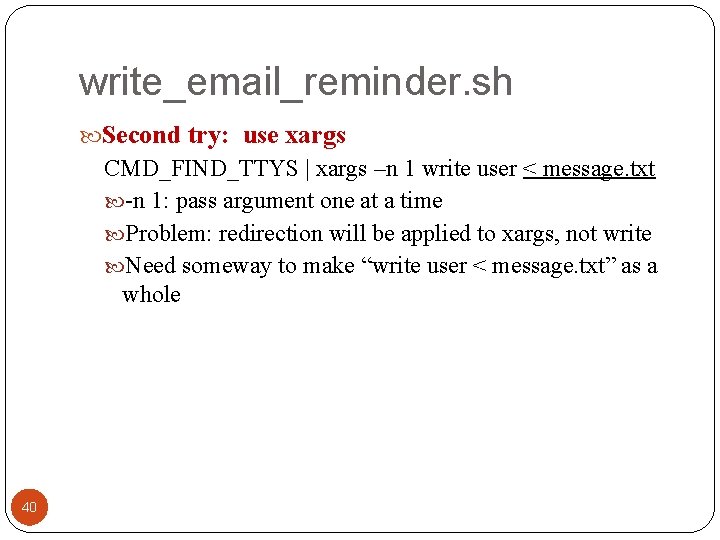
write_email_reminder. sh Second try: use xargs CMD_FIND_TTYS | xargs –n 1 write user < message. txt -n 1: pass argument one at a time Problem: redirection will be applied to xargs, not write Need someway to make “write user < message. txt” as a whole 40
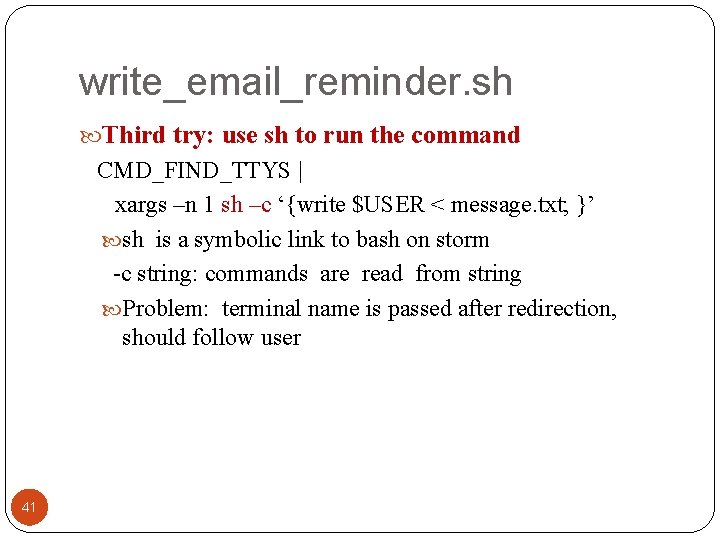
write_email_reminder. sh Third try: use sh to run the command CMD_FIND_TTYS | xargs –n 1 sh –c ‘{write $USER < message. txt; }’ sh is a symbolic link to bash on storm -c string: commands are read from string Problem: terminal name is passed after redirection, should follow user 41
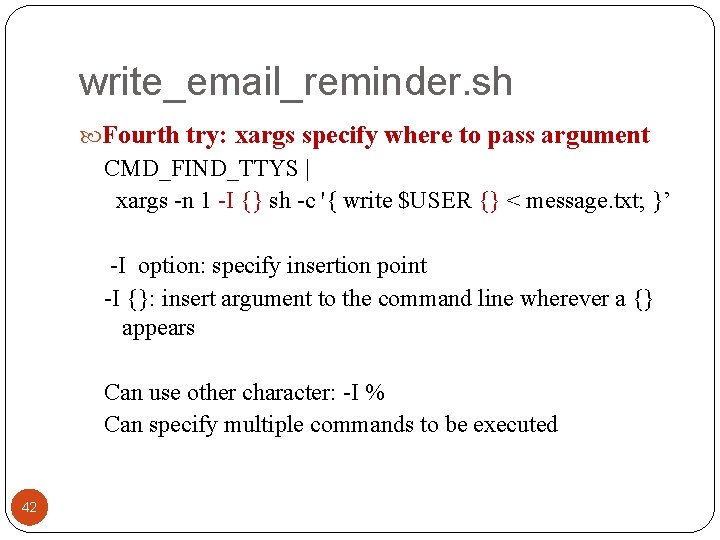
write_email_reminder. sh Fourth try: xargs specify where to pass argument CMD_FIND_TTYS | xargs -n 1 -I {} sh -c '{ write $USER {} < message. txt; }’ -I option: specify insertion point -I {}: insert argument to the command line wherever a {} appears Can use other character: -I % Can specify multiple commands to be executed 42
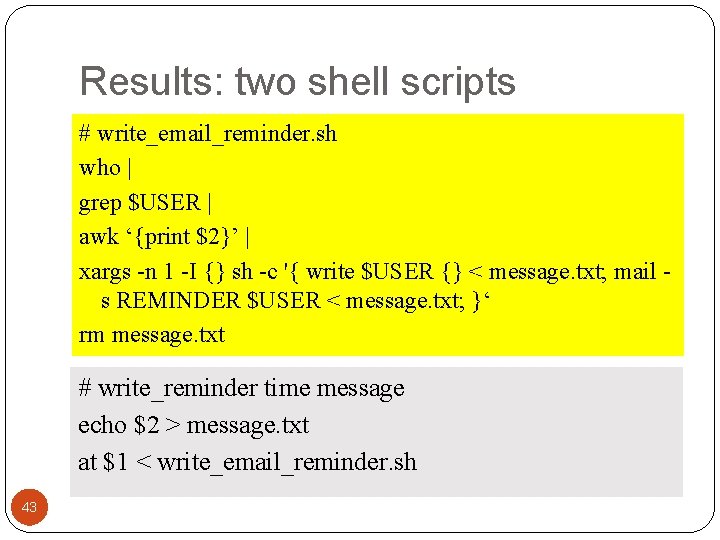
Results: two shell scripts # write_email_reminder. sh who | grep $USER | awk ‘{print $2}’ | xargs -n 1 -I {} sh -c '{ write $USER {} < message. txt; mail s REMINDER $USER < message. txt; }‘ rm message. txt # write_reminder time message echo $2 > message. txt at $1 < write_email_reminder. sh 43
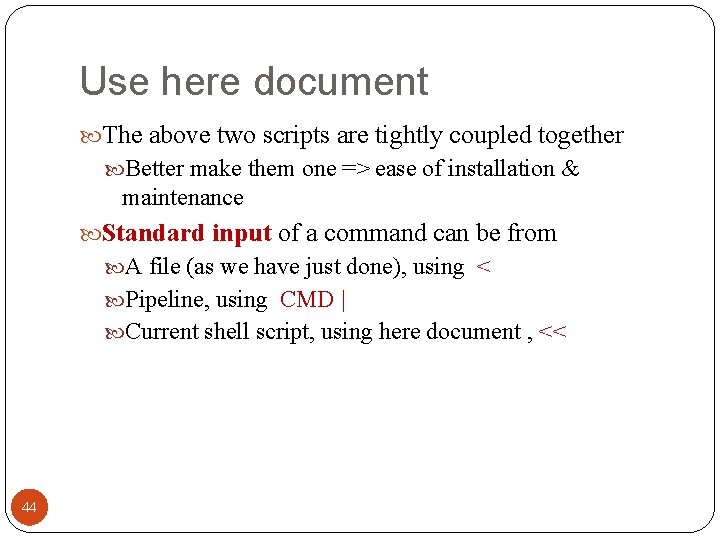
Use here document The above two scripts are tightly coupled together Better make them one => ease of installation & maintenance Standard input of a command can be from A file (as we have just done), using < Pipeline, using CMD | Current shell script, using here document , << 44
Write. Reminder: embed script in another 45 echo $2 > message. txt "echo 'exiting Write. Reminder'; rm message. txt; exit " SIGHUP SIGINT SIGTERM at $1 << EOM (or any special string) marked beginning and end of the HERE document, who | Used as standard input to at grep $USER | awk ‘{print $2}’ | xargs -n 1 -I {} sh -c '{ write $USER {} < message. txt; mail -s REMINDER $USER < message. txt; }‘ EOM rm message. txt ## remove temporary file created. . .
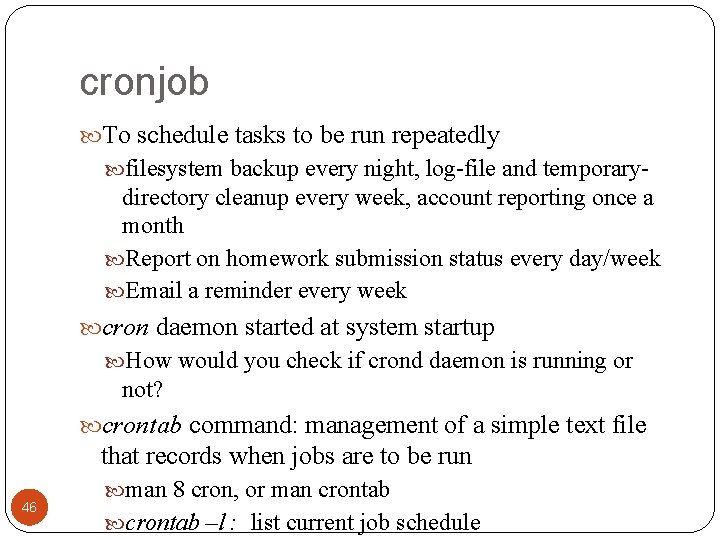
cronjob To schedule tasks to be run repeatedly filesystem backup every night, log-file and temporary- directory cleanup every week, account reporting once a month Report on homework submission status every day/week Email a reminder every week cron daemon started at system startup How would you check if crond daemon is running or not? crontab command: management of a simple text file that records when jobs are to be run 46 man 8 cron, or man crontab –l : list current job schedule
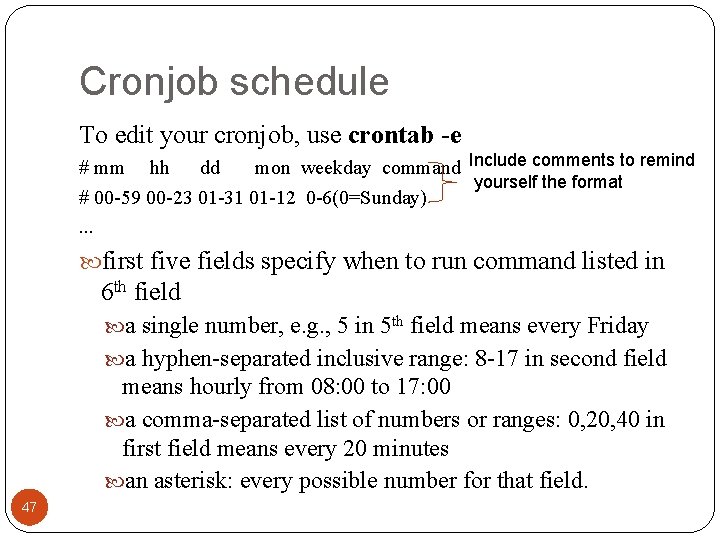
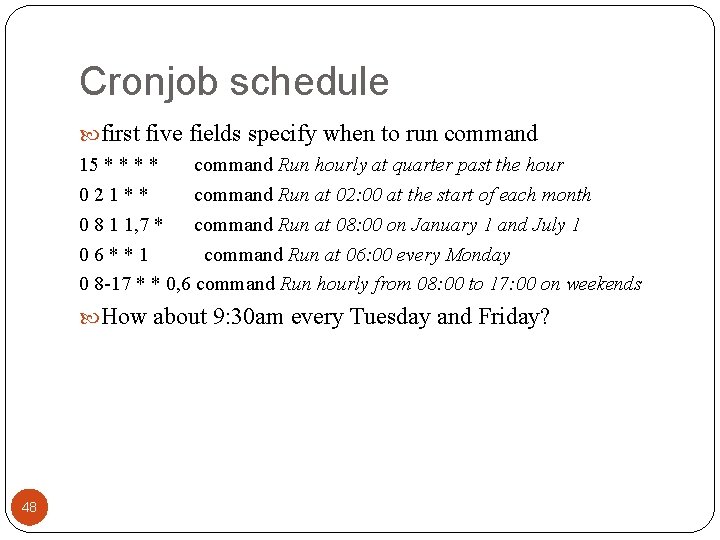
Cronjob schedule To edit your cronjob, use crontab -e # mm hh dd mon weekday command Include comments to remind yourself the format # 00 -59 00 -23 01 -31 01 -12 0 -6(0=Sunday). . . first five fields specify when to run command listed in 6 th field a single number, e. g. , 5 in 5 th field means every Friday a hyphen-separated inclusive range: 8 -17 in second field means hourly from 08: 00 to 17: 00 a comma-separated list of numbers or ranges: 0, 20, 40 in first field means every 20 minutes an asterisk: every possible number for that field. 47
Cronjob schedule first five fields specify when to run command 15 * * command Run hourly at quarter past the hour 021** command Run at 02: 00 at the start of each month 0 8 1 1, 7 * command Run at 08: 00 on January 1 and July 1 06**1 command Run at 06: 00 every Monday 0 8 -17 * * 0, 6 command Run hourly from 08: 00 to 17: 00 on weekends How about 9: 30 am every Tuesday and Friday? 48
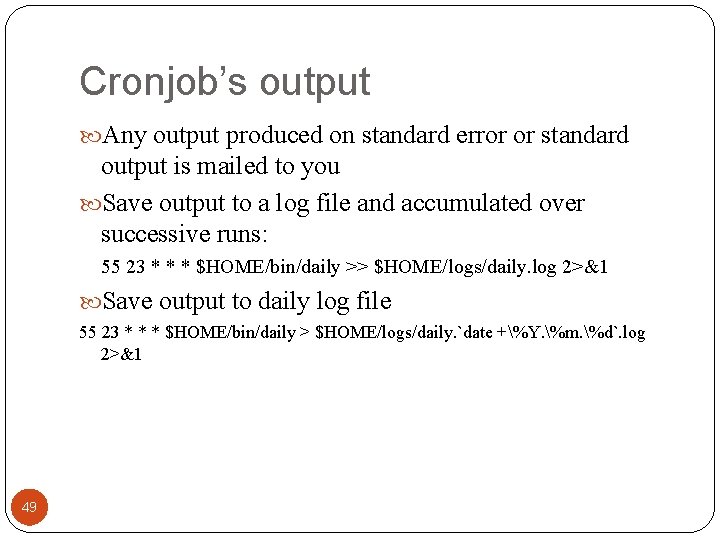
Cronjob’s output Any output produced on standard error or standard output is mailed to you Save output to a log file and accumulated over successive runs: 55 23 * * * $HOME/bin/daily >> $HOME/logs/daily. log 2>&1 Save output to daily log file 55 23 * * * $HOME/bin/daily > $HOME/logs/daily. `date +%Y. %m. %d`. log 2>&1 49
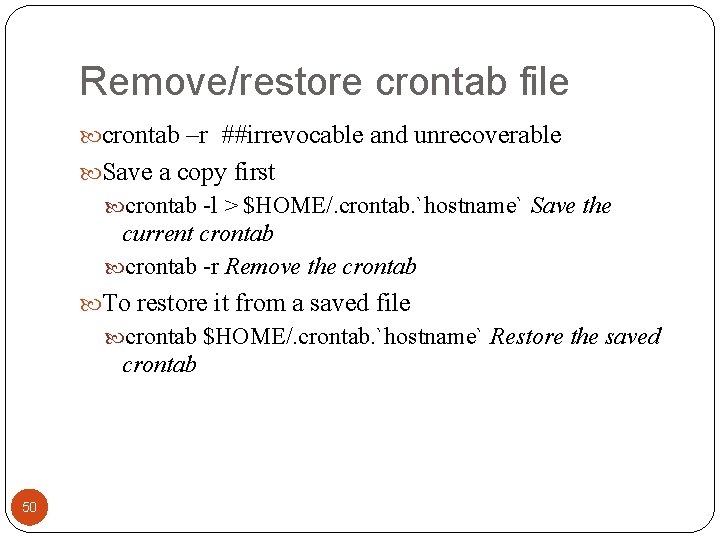
Remove/restore crontab file crontab –r ##irrevocable and unrecoverable Save a copy first crontab -l > $HOME/. crontab. `hostname` Save the current crontab -r Remove the crontab To restore it from a saved file crontab $HOME/. crontab. `hostname` Restore the saved crontab 50
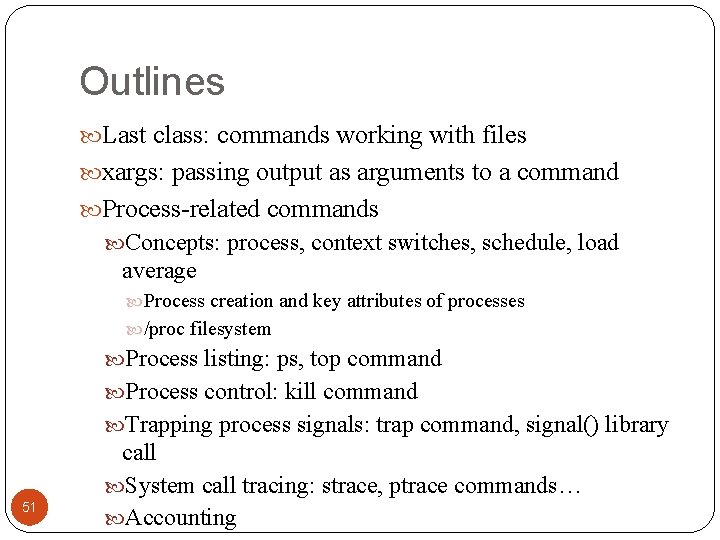
Outlines Last class: commands working with files xargs: passing output as arguments to a command Process-related commands Concepts: process, context switches, schedule, load average Process creation and key attributes of processes /proc filesystem Process listing: ps, top command Process control: kill command Trapping process signals: trap command, signal() library 51 call System call tracing: strace, ptrace commands… Accounting