
University of California Irvine University Registrar Web Reg

University of California, Irvine University Registrar Web. Reg Demonstration Fall 2011 University Registrar
Use Web. Reg to Enroll in Classes v. UCInet. ID and password required v. Receive immediate feedback v. Automatic log off* will result if: Ø Exceeding the maximum time (5 minutes of idle time and 20 minutes of activity) Ø Minimizing the window Ø hitting the <BACK> button *An automatic log off may result in a delay in disconnecting Web. Reg from a record resulting in the message “Student record in use, please try again in a few minutes. ” If this happens wait about 3 -5 minutes then try again. University Registrar
Office of Information Technology (OIT) v. Activate a UCInet. ID and password ØOn line – http: //www. oit. uci. edu ØQuestions? – call the help desk (949) 824 -2222 or email oit@uci. edu University Registrar
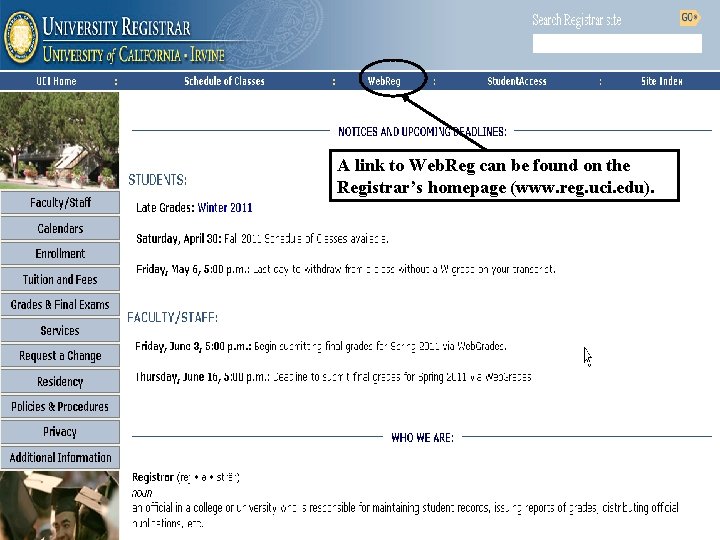
A link to Web. Reg can be found on the Registrar’s homepage (www. reg. uci. edu).
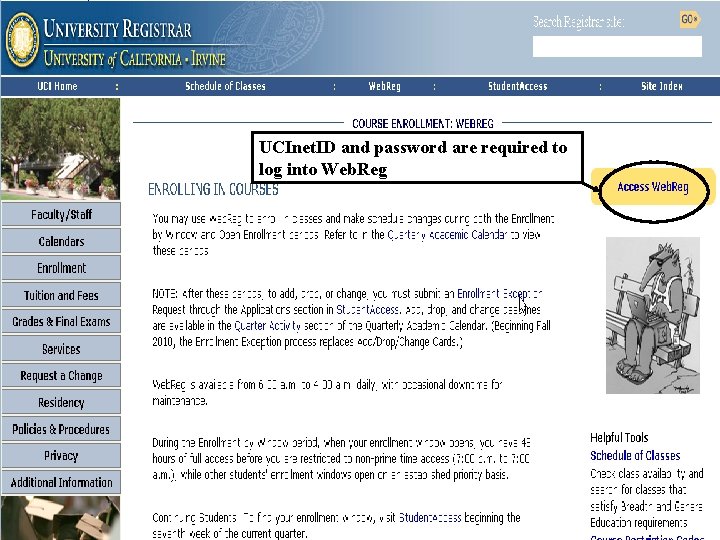
UCInet. ID and password are required to log into Web. Reg
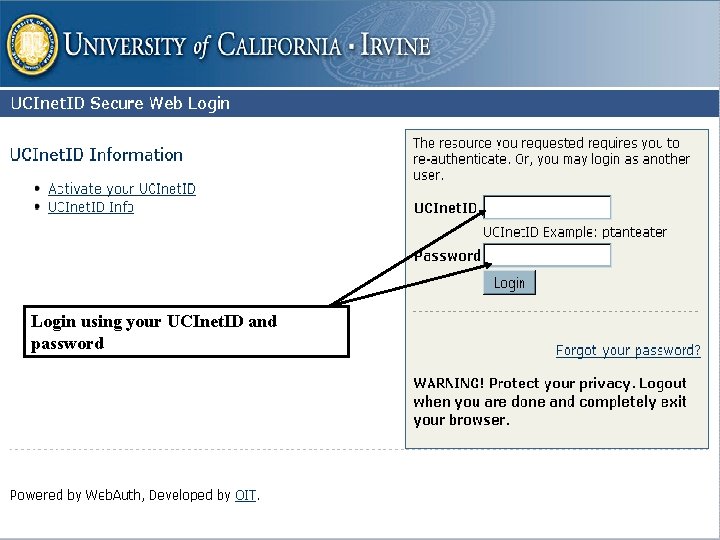
Login using your UCInet. ID and password University Registrar
Important Information on Log In *A hold will appear before term menu • A (hard) hold prevents enrollment in classes. Note the department name appears on the notification. • A (soft) hold is less severe and allows the student to enroll in classes. If the hold is not cleared by the fee payment deadline classes will be dropped. • Do not delay, students with any kind of hold on his or her record should contact the department indicated immediately. University Registrar
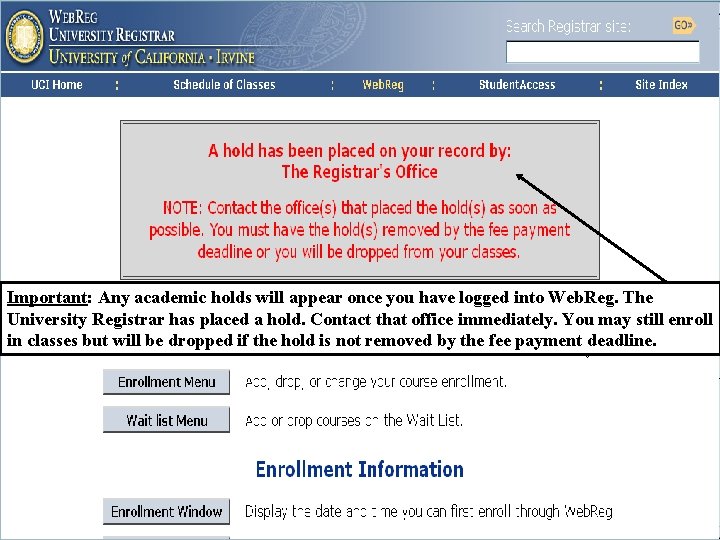
Important: Any academic holds will appear once you have logged into Web. Reg. The University Registrar has placed a hold. Contact that office immediately. You may still enroll in classes but will be dropped if the hold is not removed by the fee payment deadline. University Registrar
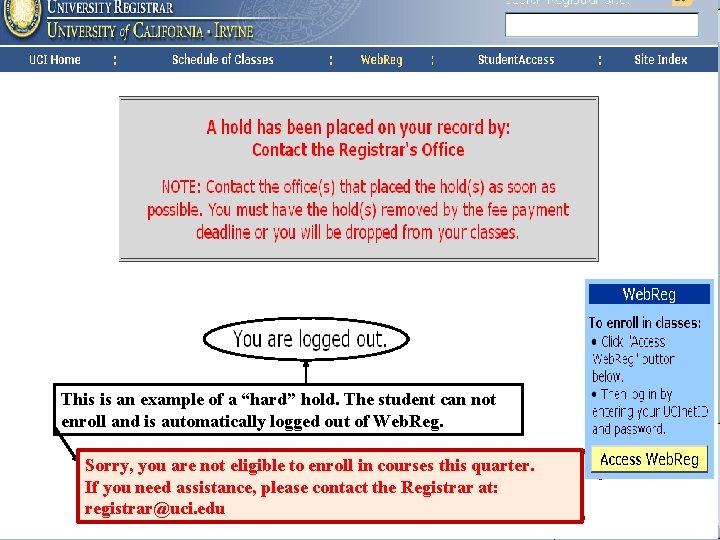
This is an example of a “hard” hold. The student can not enroll and is automatically logged out of Web. Reg. Sorry, you are not eligible to enroll in courses this quarter. If you need assistance, please contact the Registrar at: University Registrar registrar@uci. edu
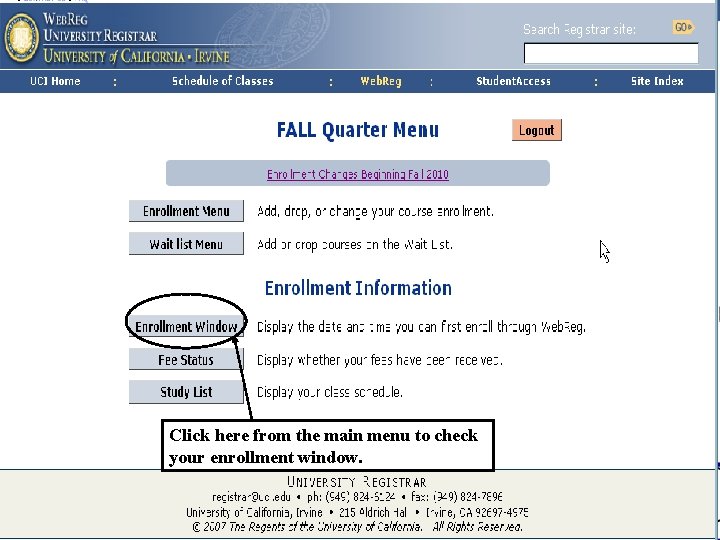
Click here from the main menu to check your enrollment window. University Registrar
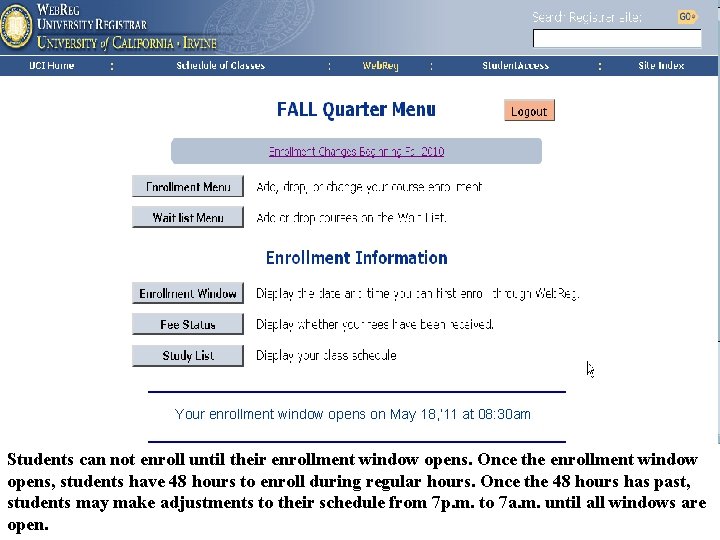
Your enrollment window opens on May 18, ’ 11 at 08: 30 am Students can not enroll until their enrollment window opens. Once the enrollment window opens, students have 48 hours to enroll during regular hours. Once the 48 hours has past, students may make adjustments to their schedule from 7 p. m. to 7 a. m. until all windows are University Registrar open.
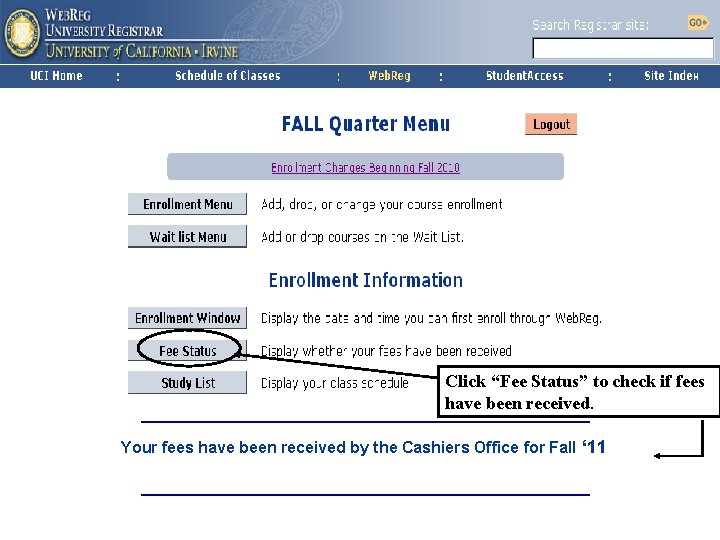
Click “Fee Status” to check if fees have been received. Your fees have been received by the Cashiers Office for Fall ‘ 11 University Registrar
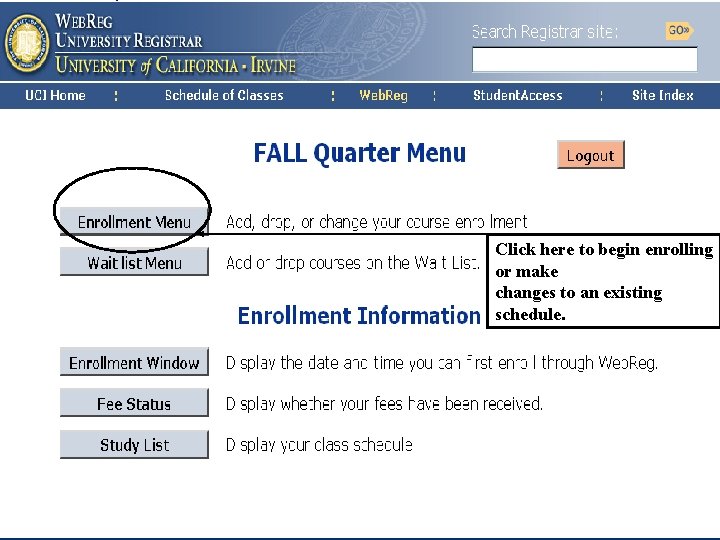
Click here to begin enrolling or make changes to an existing schedule. University Registrar
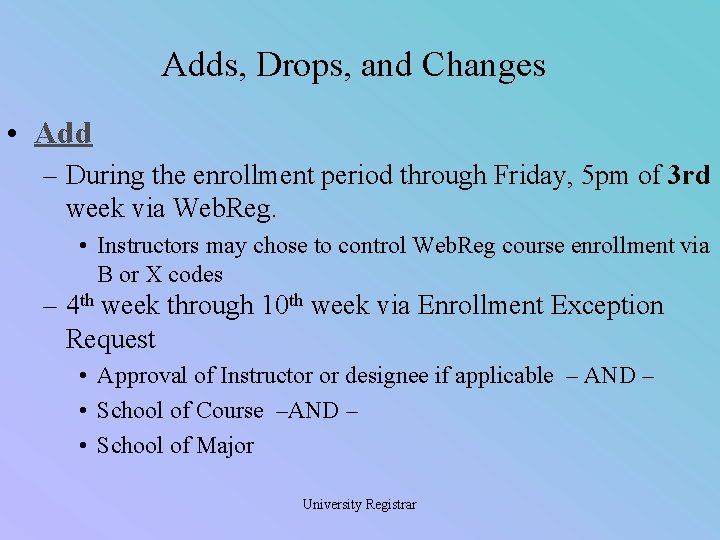
Adds, Drops, and Changes • Add – During the enrollment period through Friday, 5 pm of 3 rd week via Web. Reg. • Instructors may chose to control Web. Reg course enrollment via B or X codes – 4 th week through 10 th week via Enrollment Exception Request • Approval of Instructor or designee if applicable – AND – • School of Course –AND – • School of Major University Registrar
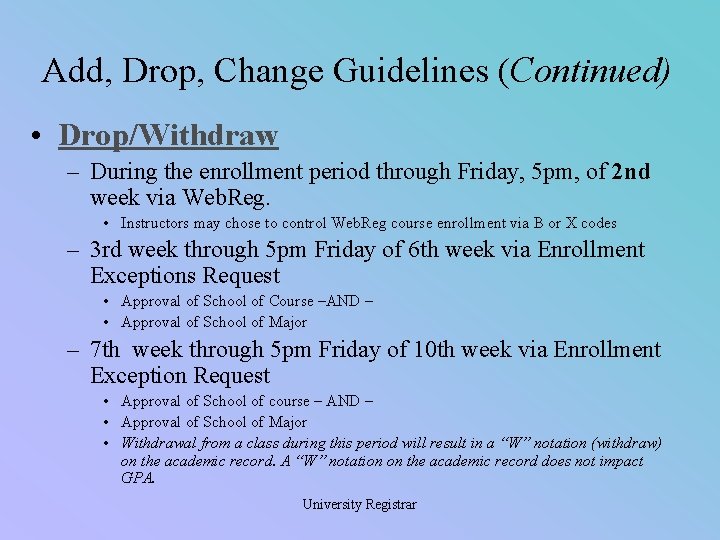
Add, Drop, Change Guidelines (Continued) • Drop/Withdraw – During the enrollment period through Friday, 5 pm, of 2 nd week via Web. Reg. • Instructors may chose to control Web. Reg course enrollment via B or X codes – 3 rd week through 5 pm Friday of 6 th week via Enrollment Exceptions Request • Approval of School of Course –AND – • Approval of School of Major – 7 th week through 5 pm Friday of 10 th week via Enrollment Exception Request • Approval of School of course – AND – • Approval of School of Major • Withdrawal from a class during this period will result in a “W” notation (withdraw) on the academic record. A “W” notation on the academic record does not impact GPA. University Registrar
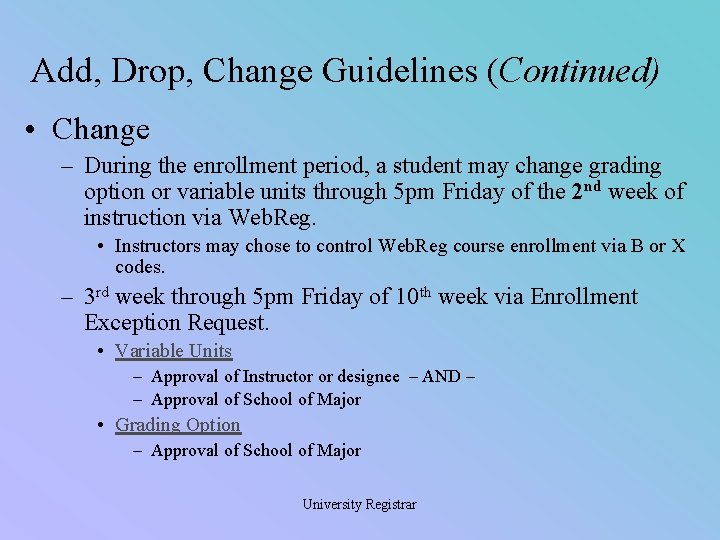
Add, Drop, Change Guidelines (Continued) • Change – During the enrollment period, a student may change grading option or variable units through 5 pm Friday of the 2 nd week of instruction via Web. Reg. • Instructors may chose to control Web. Reg course enrollment via B or X codes. – 3 rd week through 5 pm Friday of 10 th week via Enrollment Exception Request. • Variable Units – Approval of Instructor or designee – AND – – Approval of School of Major • Grading Option – Approval of School of Major University Registrar
Add, Drop, Change Guidelines (Continued) • Switch a secondary component class – A secondary component class is zero unit coclass, such as an alternate discussion. University Registrar
Approval of an Enrollment Exception Request is not Guaranteed • The Enrollment Exception Request can be found in Student. Access. • Follow the prompts to make your request to add, drop, or change. • Check the status of your request daily for messages. University Registrar
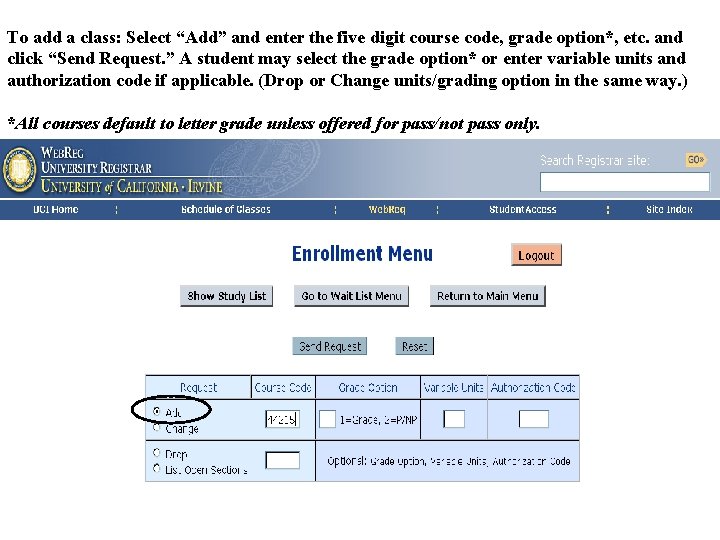
To add a class: Select “Add” and enter the five digit course code, grade option*, etc. and click “Send Request. ” A student may select the grade option* or enter variable units and authorization code if applicable. (Drop or Change units/grading option in the same way. ) *All courses default to letter grade unless offered for pass/not pass only. University Registrar
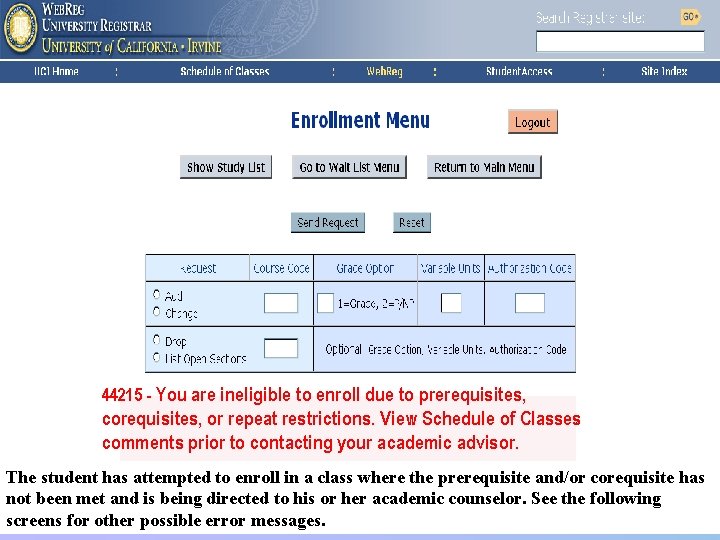
44215 - You are ineligible to enroll due to prerequisites, corequisites, or repeat restrictions. View Schedule of Classes comments prior to contacting your academic advisor. The student has attempted to enroll in a class where the prerequisite and/or corequisite has not been met and is being directed to his or her. Registrar academic counselor. See the following University screens for other possible error messages.
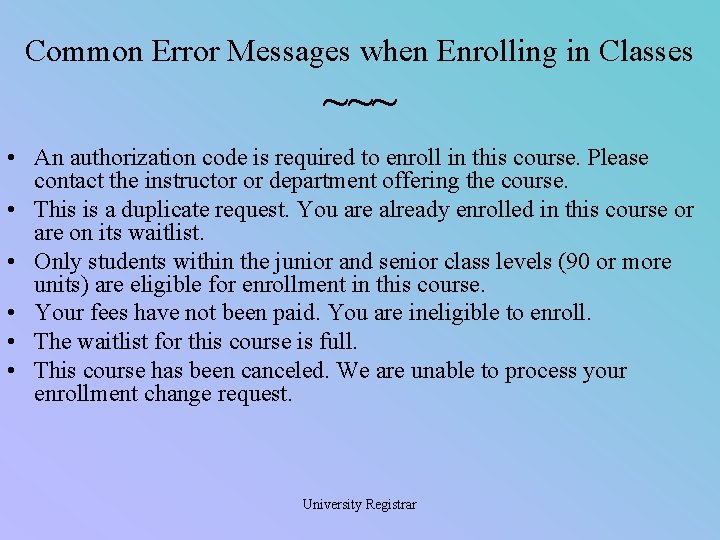
Common Error Messages when Enrolling in Classes ~~~ • An authorization code is required to enroll in this course. Please contact the instructor or department offering the course. • This is a duplicate request. You are already enrolled in this course or are on its waitlist. • Only students within the junior and senior class levels (90 or more units) are eligible for enrollment in this course. • Your fees have not been paid. You are ineligible to enroll. • The waitlist for this course is full. • This course has been canceled. We are unable to process your enrollment change request. University Registrar
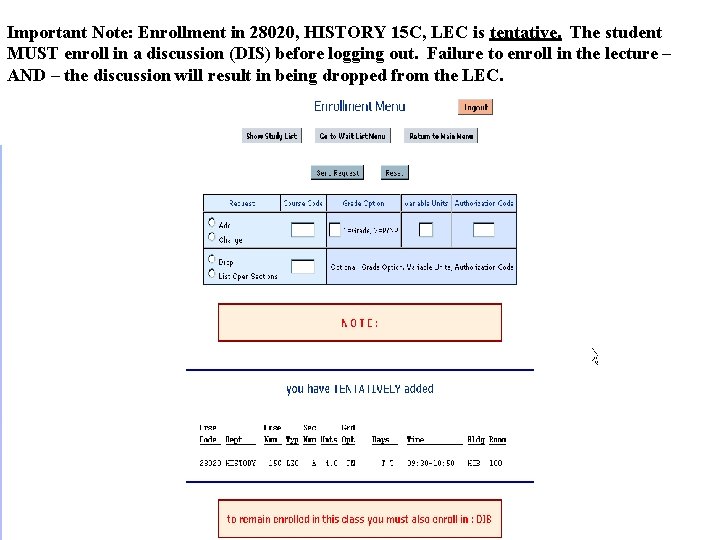
Important Note: Enrollment in 28020, HISTORY 15 C, LEC is tentative. The student MUST enroll in a discussion (DIS) before logging out. Failure to enroll in the lecture – AND – the discussion will result in being dropped from the LEC. in a drop when logged out. University Registrar
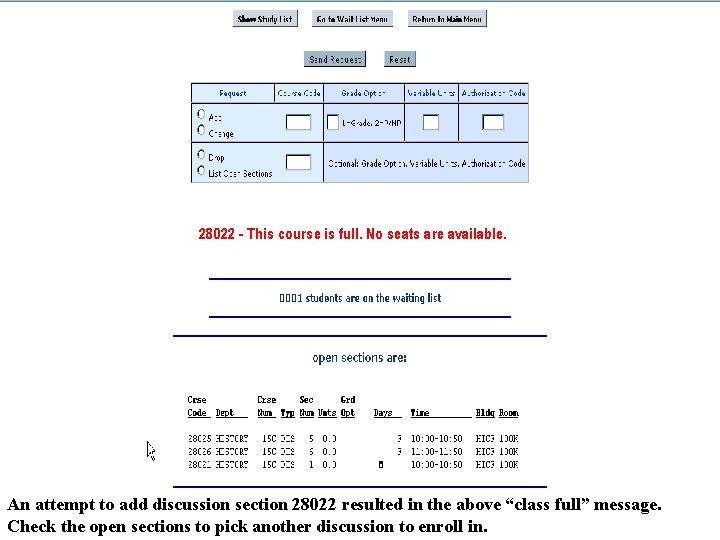
28022 - This course is full. No seats are available. University Registrar An attempt to add discussion section 28022 resulted in the above “class full” message. Check the open sections to pick another discussion to enroll in.
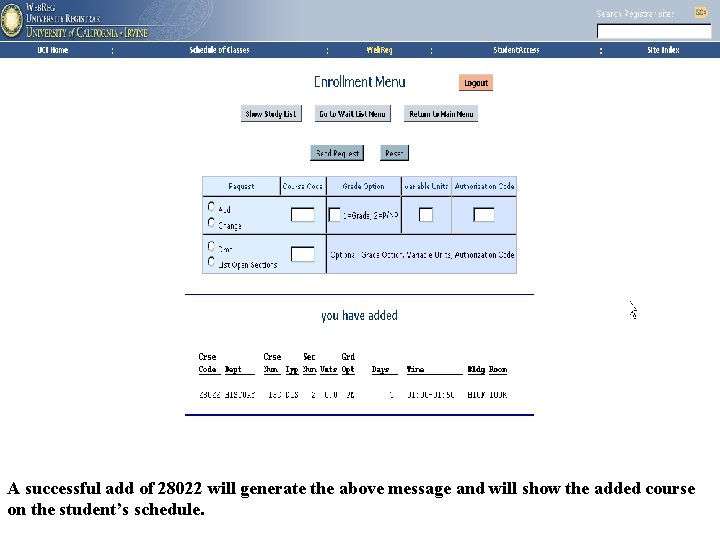
A successful add of 28022 will generate the above message and will show the added course University Registrar on the student’s schedule.
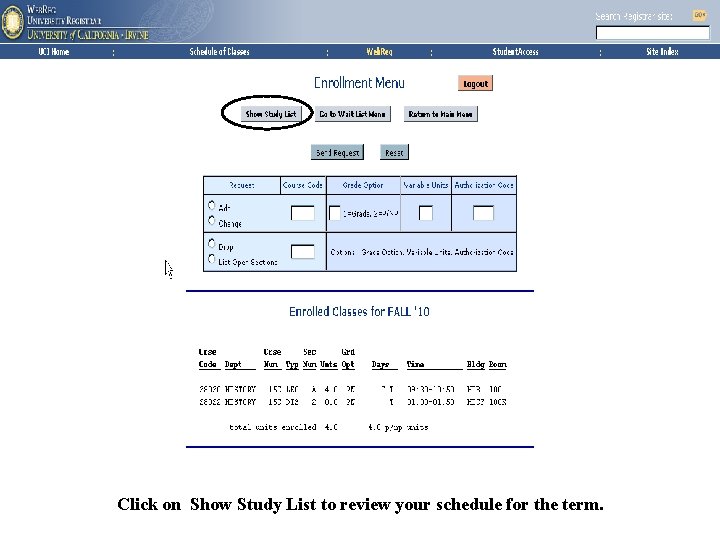
University Registrar Click on Show Study List to review your schedule for the term.
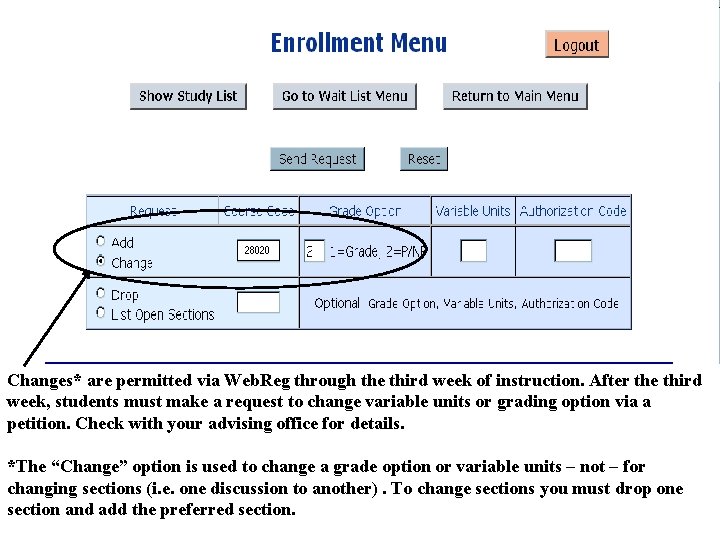
28020 Changes* are permitted via Web. Reg through the third week of instruction. After the third week, students must make a request to change variable units or grading option via a petition. Check with your advising office for details. *The “Change” option is used to change a grade option or variable units – not – for changing sections (i. e. one discussion to another). To change sections you must drop one section and add the preferred section. University Registrar
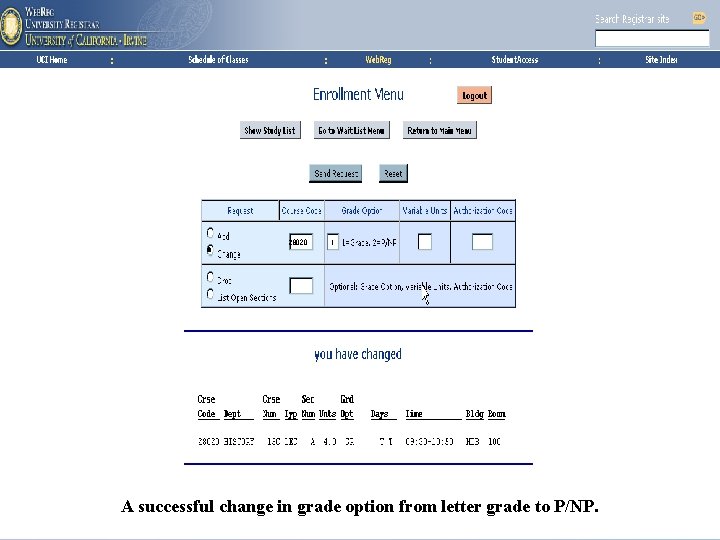
28020 1 University Registrar A successful change in grade option from letter grade to P/NP.
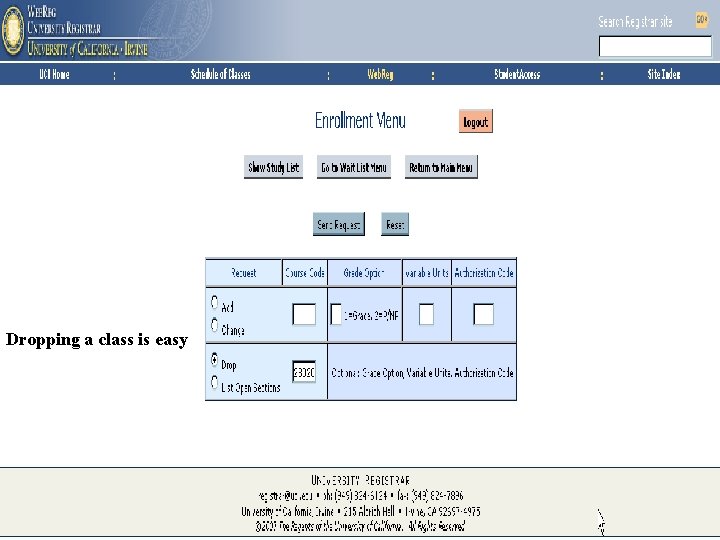
Dropping a class is easy University Registrar
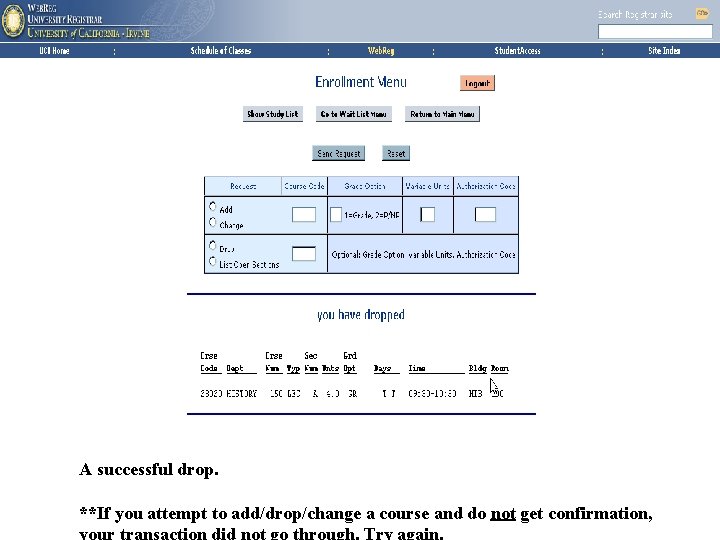
A successful drop. University Registrar **If you attempt to add/drop/change a course and do not get confirmation,
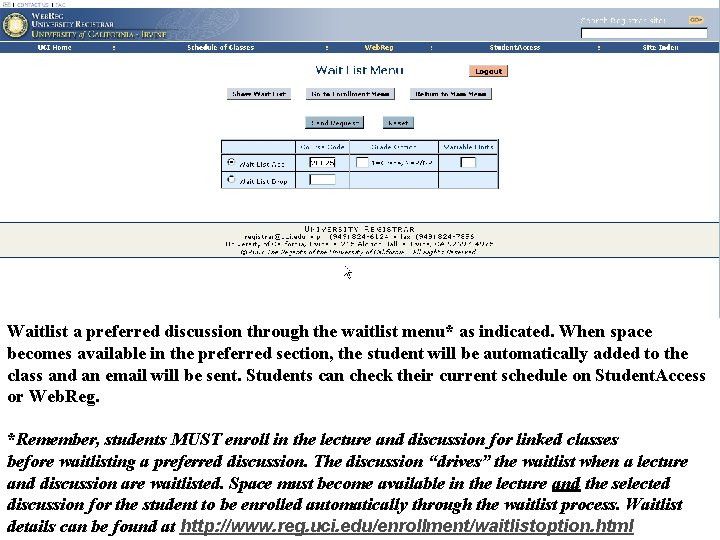
28025 Waitlist a preferred discussion through the waitlist menu* as indicated. When space becomes available in the preferred section, the student will be automatically added to the class and an email will be sent. Students can check their current schedule on Student. Access or Web. Reg. *Remember, students MUST enroll in the lecture and discussion for linked classes before waitlisting a preferred discussion. The discussion “drives” the waitlist when a lecture and discussion are waitlisted. Space must become available in the lecture and the selected Registrarthrough the waitlist process. Waitlist discussion for the student to be enrolled University automatically details can be found at http: //www. reg. uci. edu/enrollment/waitlistoption. html
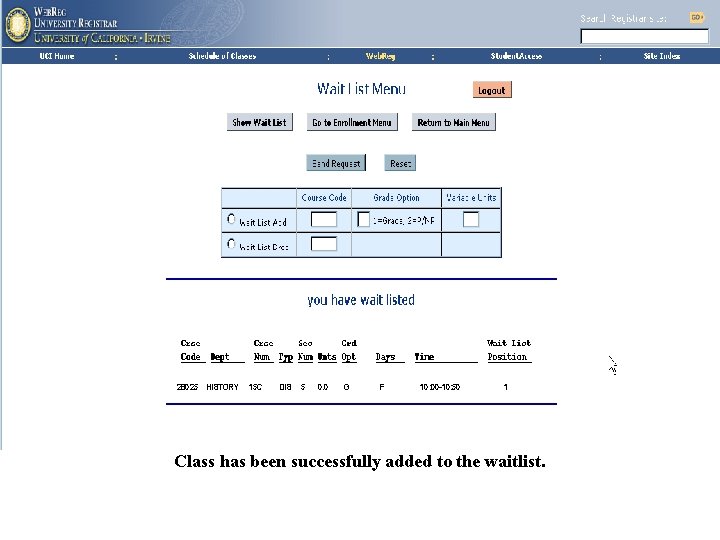
28025 HISTORY 15 C DIS 5 0. 0 G F 10: 00 -10: 50 1 Class has been successfully added to the waitlist. University Registrar
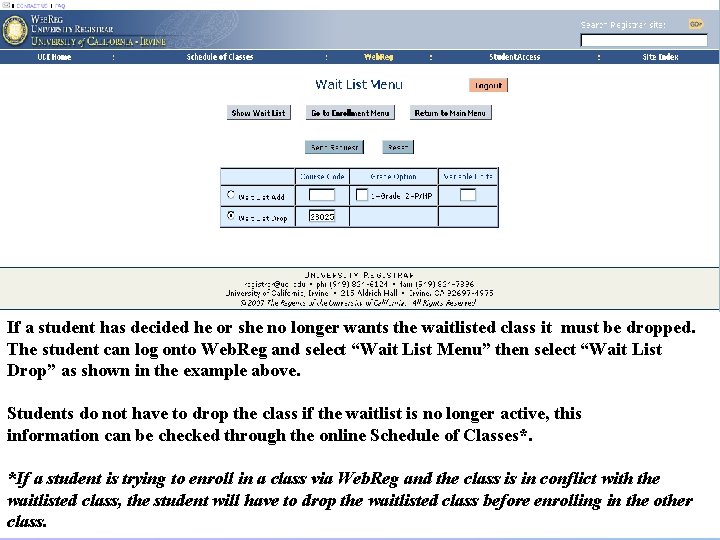
44450 If a student has decided he or she no longer wants the waitlisted class it must be dropped. The student can log onto Web. Reg and select “Wait List Menu” then select “Wait List Drop” as shown in the example above. Students do not have to drop the class if the waitlist is no longer active, this information can be checked through the online Schedule of Classes*. *If a student is trying to enroll in a class via Web. Reg and the class is in conflict with the waitlisted class, the student will have to drop the Registrar waitlisted class before enrolling in the other University class.
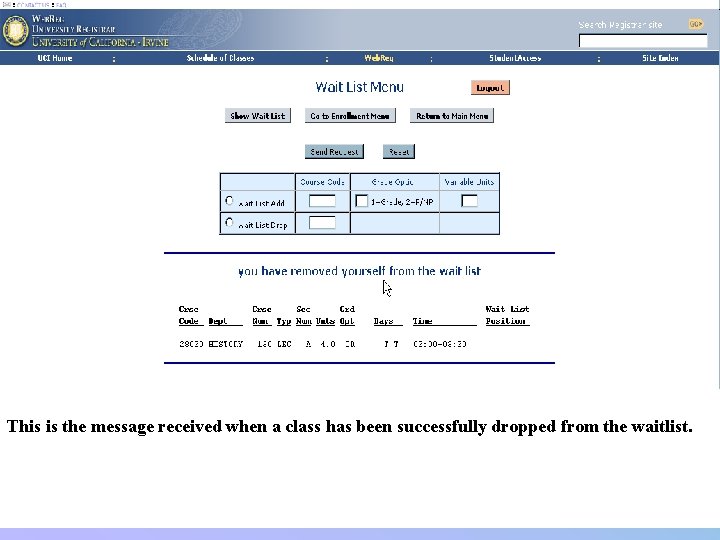
This is the message received when a class has been successfully dropped from the waitlist. University Registrar
Class Full or Seats Reserved • A full class can mean the department reserved seats for new incoming freshman and transfer students (New. Only) and the class is full to all continuing students. Check the Schedule of Classes’ “Status” column to see if the class has been reserved to new incoming students. • The New. Only restriction will be removed by the department at a later time, check with them for details. *Go to the Registrar Quarterly Academic Calendar (www. reg. uci. edu) for important deadlines. University Registrar
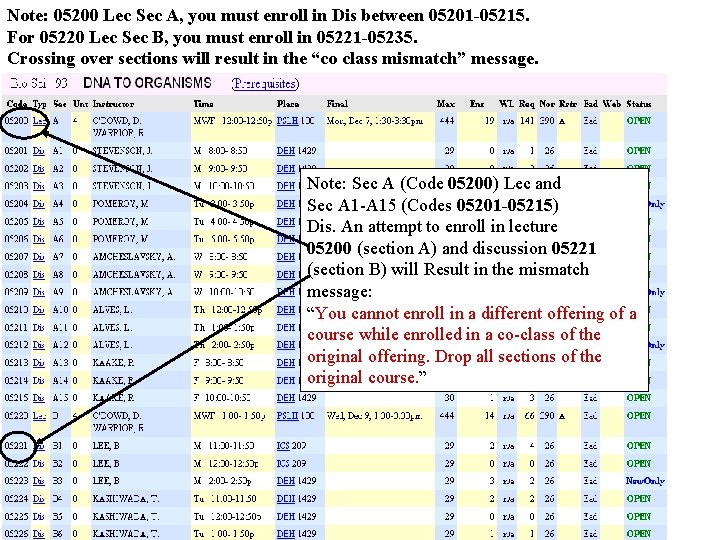
Note: 05200 Lec Sec A, you must enroll in Dis between 05201 -05215. For 05220 Lec Sec B, you must enroll in 05221 -05235. Crossing over sections will result in the “co class mismatch” message. Note: Sec A (Code 05200) Lec and Sec A 1 -A 15 (Codes 05201 -05215) Dis. An attempt to enroll in lecture 05200 (section A) and discussion 05221 (section B) will Result in the mismatch message: “You cannot enroll in a different offering of a course while enrolled in a co-class of the original offering. Drop all sections of the original course. ” University Registrar
Students are responsible for the accuracy of their class schedule and should check it each time a change is made to be sure there are no errors. Before logging out of Web. Reg verify enrollment changes on the Study List. University Registrar
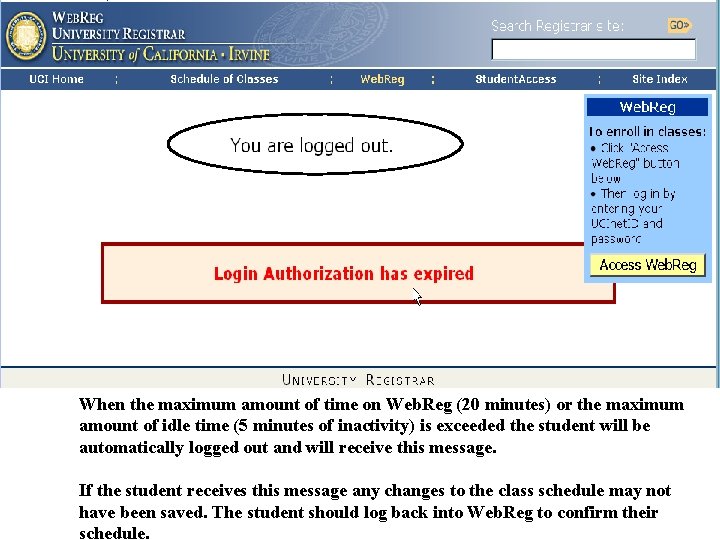
When the maximum amount of time on Web. Reg (20 minutes) or the maximum amount of idle time (5 minutes of inactivity) is exceeded the student will be automatically logged out and will receive this message. If the student receives this message any changes to the class schedule may not Registrar have been saved. The student. University should log back into Web. Reg to confirm their schedule.
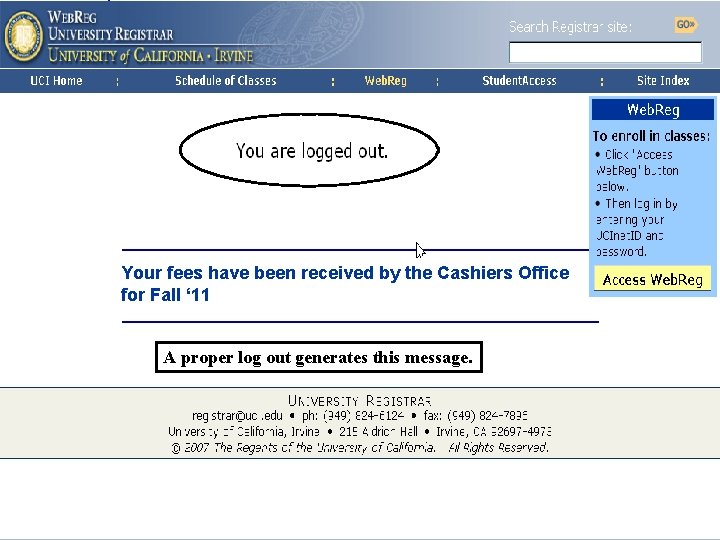
Your fees have been received by the Cashiers Office for Fall ‘ 11 A proper log out generates this message. University Registrar
Questions • What classes should I take? – Contact your academic counselor. • When does my window open? – Log into Web. Reg (Enrollment Window) or Student. Access (Student Profile>Enrollment) • Why doesn’t my class change show on My. EEE? – It can take up to four (4) hours to show changes in your schedule on My. EEE. Changes show up in real time in Student. Access. • Who do I contact if I am having problems with Web. Reg? – Email registrar@uci. edu or call (949) 824 -6124 University Registrar
- Slides: 39