
University of British Columbia CPSC 314 Computer Graphics

University of British Columbia CPSC 314 Computer Graphics Jan-Apr 2016 Tamara Munzner Hidden Surfaces / Depth Test http: //www. ugrad. cs. ubc. ca/~cs 314/Vjan 2016

Hidden Surface Removal 2
The Rendering Pipeline
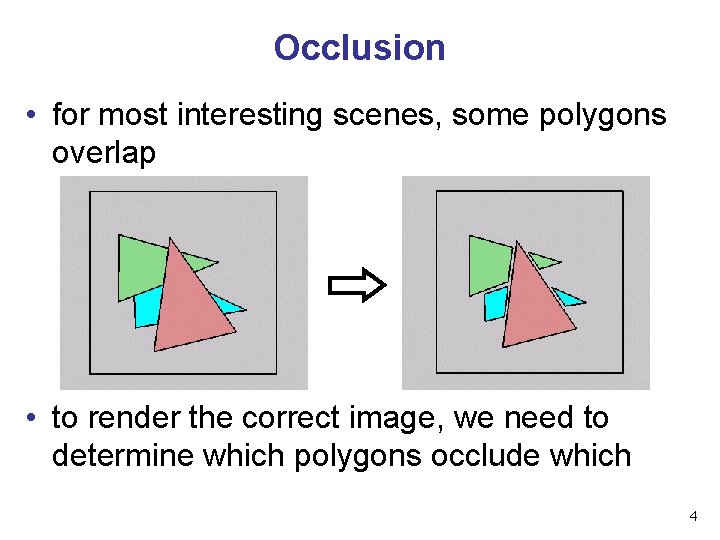
Occlusion • for most interesting scenes, some polygons overlap • to render the correct image, we need to determine which polygons occlude which 4
The Z-Buffer Algorithm (mid-70’s) • BSP trees proposed when memory was expensive • first 512 x 512 framebuffer was >$50, 000! • Ed Catmull proposed a radical new approach called z-buffering • the big idea: • resolve visibility independently at each pixel 5
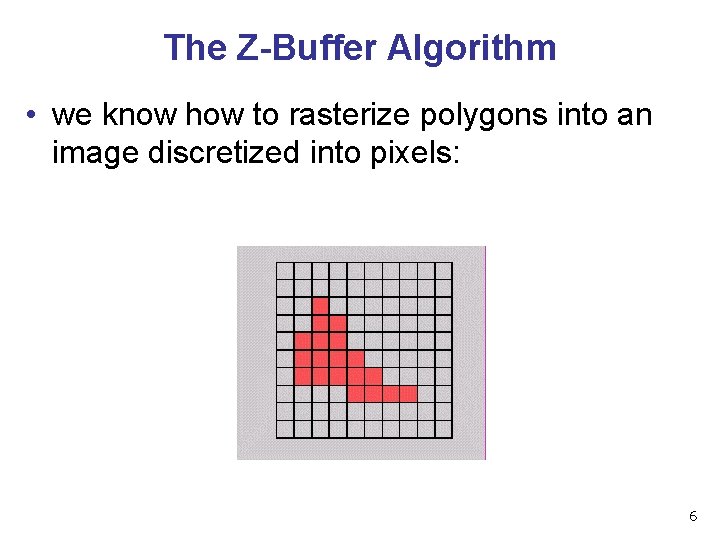
The Z-Buffer Algorithm • we know how to rasterize polygons into an image discretized into pixels: 6
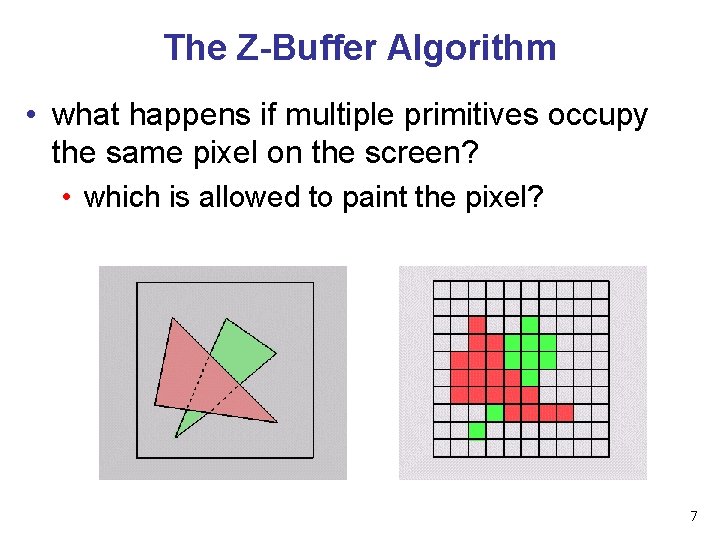
The Z-Buffer Algorithm • what happens if multiple primitives occupy the same pixel on the screen? • which is allowed to paint the pixel? 7
The Z-Buffer Algorithm • idea: retain depth after projection transform • each vertex maintains z coordinate • relative to eye point • can do this with canonical viewing volumes 8
The Z-Buffer Algorithm • augment color framebuffer with Z-buffer or depth buffer which stores Z value at each pixel • at frame beginning, initialize all pixel depths to • when rasterizing, interpolate depth (Z) across polygon • check Z-buffer before storing pixel color in framebuffer and storing depth in Z-buffer • don’t write pixel if its Z value is more distant than the Z value already stored there 9
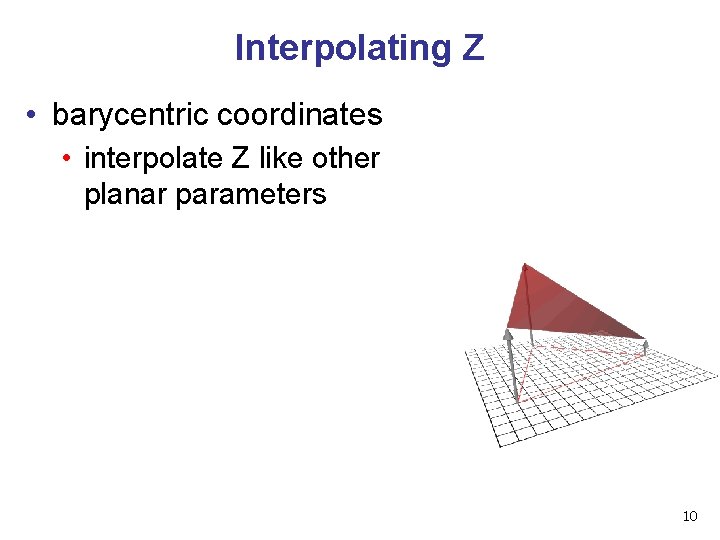
Interpolating Z • barycentric coordinates • interpolate Z like other planar parameters 10
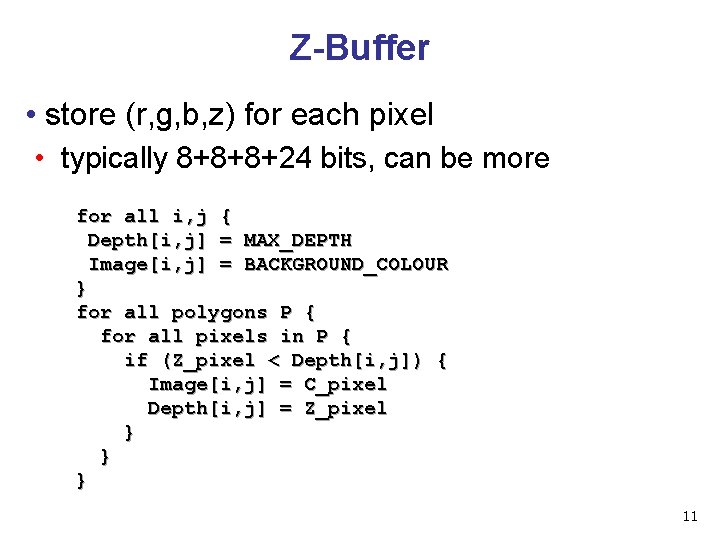
Z-Buffer • store (r, g, b, z) for each pixel • typically 8+8+8+24 bits, can be more for all i, j { Depth[i, j] = MAX_DEPTH Image[i, j] = BACKGROUND_COLOUR } for all polygons P { for all pixels in P { if (Z_pixel < Depth[i, j]) { Image[i, j] = C_pixel Depth[i, j] = Z_pixel } } } 11
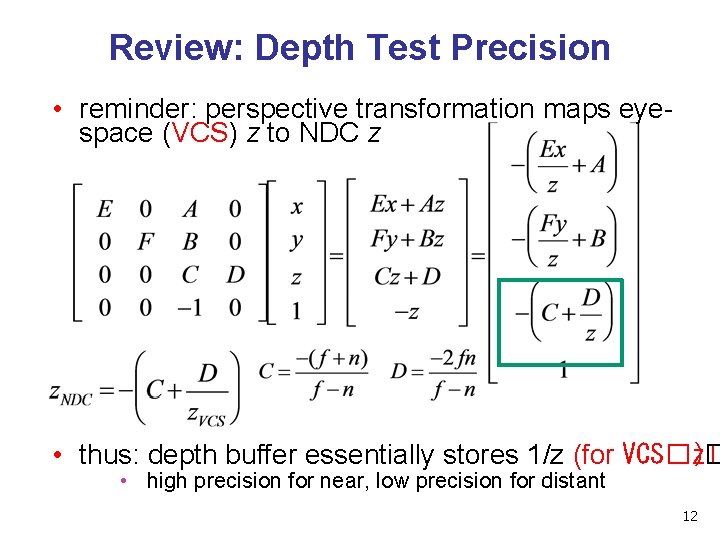
Review: Depth Test Precision • reminder: perspective transformation maps eyespace (VCS) z to NDC z • thus: depth buffer essentially stores 1/z (for VCS�z)� � • high precision for near, low precision for distant 12
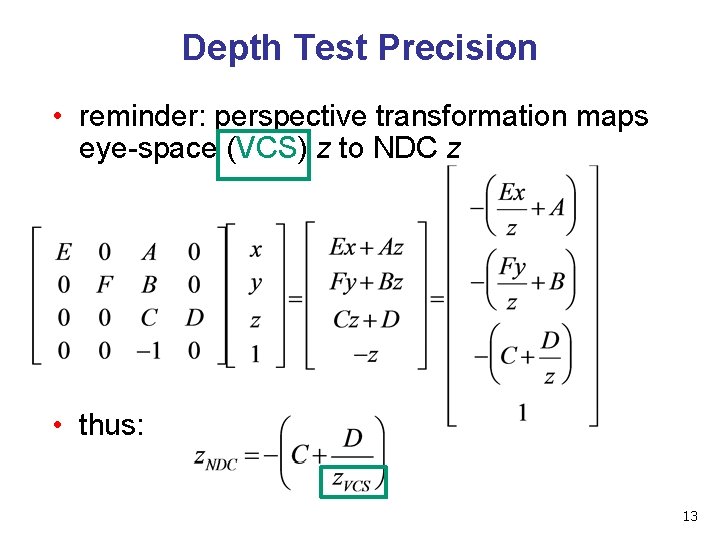
Depth Test Precision • reminder: perspective transformation maps eye-space (VCS) z to NDC z • thus: 13
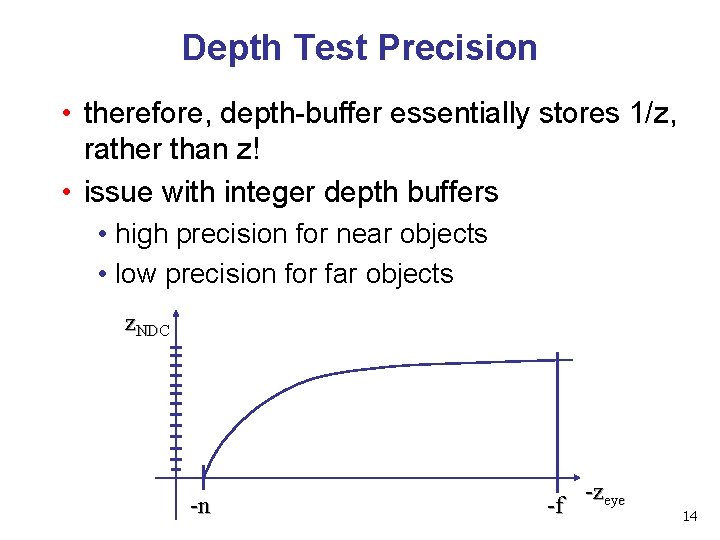
Depth Test Precision • therefore, depth-buffer essentially stores 1/z, rather than z! • issue with integer depth buffers • high precision for near objects • low precision for far objects z. NDC -n -f -zeye 14
Depth Test Precision • low precision can lead to depth fighting for far objects • two different depths in eye space get mapped to same depth in framebuffer • which object “wins” depends on drawing order and scanconversion • gets worse for larger ratios f: n • rule of thumb: f: n < 1000 for 24 bit depth buffer • with 16 bits cannot discern millimeter differences in objects at 1 km distance 15
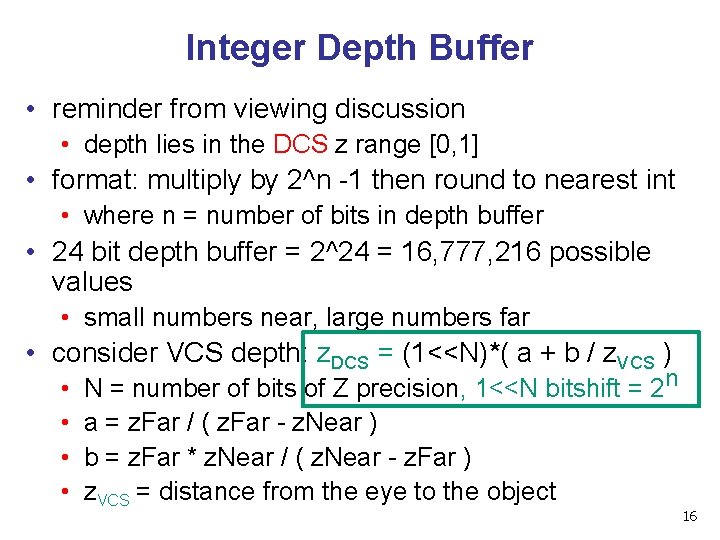
Integer Depth Buffer • reminder from viewing discussion • depth lies in the DCS z range [0, 1] • format: multiply by 2^n -1 then round to nearest int • where n = number of bits in depth buffer • 24 bit depth buffer = 2^24 = 16, 777, 216 possible values • small numbers near, large numbers far • consider VCS depth: z. DCS = (1<<N)*( a + b / z. VCS ) • • N = number of bits of Z precision, 1<<N bitshift = 2 n a = z. Far / ( z. Far - z. Near ) b = z. Far * z. Near / ( z. Near - z. Far ) z. VCS = distance from the eye to the object 16
Z Buffer Calculator • demo: • https: //www. sjbaker. org/steve/omniv/love_your_z_buffer. html 17
Z-Buffer Algorithm Questions • how much memory does the Z-buffer use? • does the image rendered depend on the drawing order? • does the time to render the image depend on the drawing order? • how does Z-buffer load scale with visible polygons? with framebuffer resolution? 18
Z-Buffer Pros • simple!!! • easy to implement in hardware • hardware support in all graphics cards today • polygons can be processed in arbitrary order • easily handles polygon interpenetration • enables deferred shading • rasterize shading parameters (e. g. , surface normal) and only shade final visible fragments 19
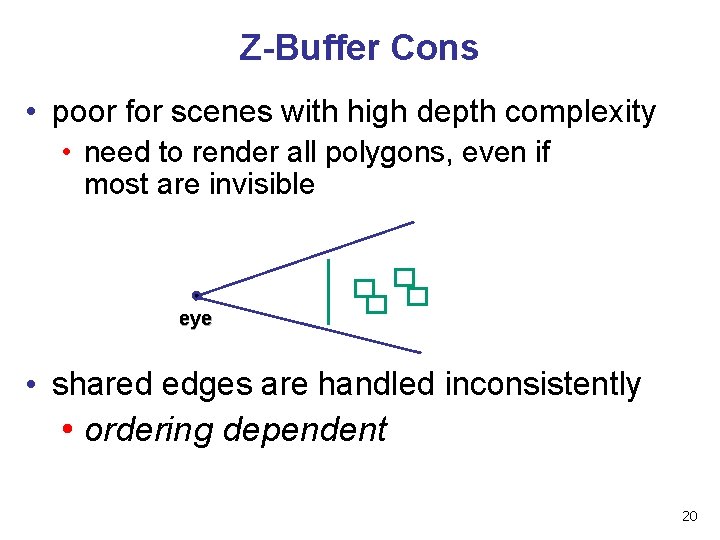
Z-Buffer Cons • poor for scenes with high depth complexity • need to render all polygons, even if most are invisible eye • shared edges are handled inconsistently • ordering dependent 20
Z-Buffer Cons • requires memory • (e. g. 1280 x 1024 x 32 bits) • requires fast memory • Read-Modify-Write in inner loop • hard to simulate translucent polygons • we throw away color of polygons behind closest one • works if polygons ordered back-to-front • extra work throws away much of the speed advantage 21

Picking 22
Interactive Object Selection • move cursor over object, click • how to decide what is below? • inverse of rendering pipeline flow • from pixel back up to object: unprojecting • ambiguity • many 3 D world objects map to same 2 D point • two common approaches • ray intersection (three. js support) • off-screen buffer color coding • other approaches • bounding extents • deprecated: Open. GL selection region with hit list 23
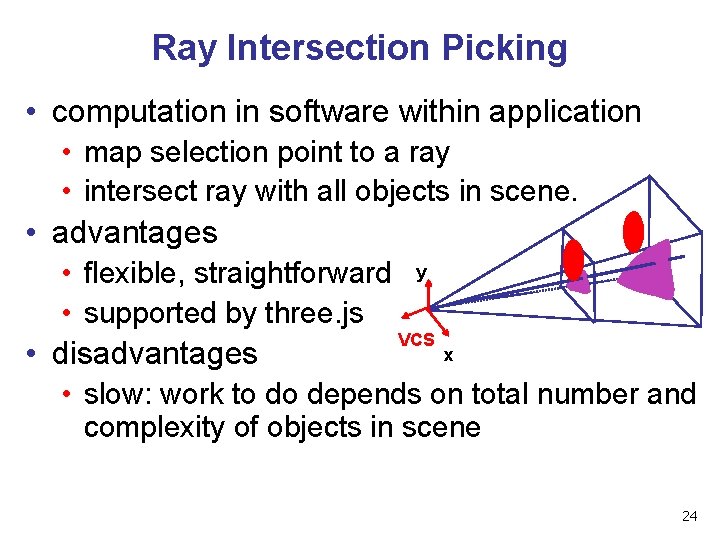
Ray Intersection Picking • computation in software within application • map selection point to a ray • intersect ray with all objects in scene. • advantages • flexible, straightforward y • supported by three. js VCS x • disadvantages • slow: work to do depends on total number and complexity of objects in scene 24
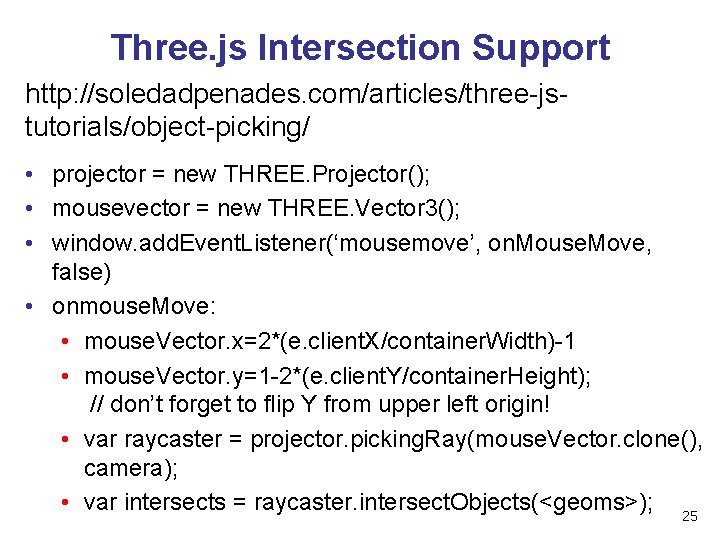
Three. js Intersection Support http: //soledadpenades. com/articles/three-jstutorials/object-picking/ • projector = new THREE. Projector(); • mousevector = new THREE. Vector 3(); • window. add. Event. Listener(‘mousemove’, on. Mouse. Move, false) • onmouse. Move: • mouse. Vector. x=2*(e. client. X/container. Width)-1 • mouse. Vector. y=1 -2*(e. client. Y/container. Height); // don’t forget to flip Y from upper left origin! • var raycaster = projector. picking. Ray(mouse. Vector. clone(), camera); • var intersects = raycaster. intersect. Objects(<geoms>); 25
three. js Intersection http: //soledadpenades. com/articles/three-jstutorials/object-picking/ • intersect. Objects function returns array • all ray intersections for children of root geometry • ordered by distance, nearest first • intersection object contains • distance from camera • exact point • face • object 26
Offscreen Buffer Color Coding • use offscreen buffer for picking • create image as computational entity • never displayed to user • redraw all objects in offscreen buffer • turn off lighting/shading calculations • set unique color for each pickable object • store in table • read back pixel at cursor location • check against table 27
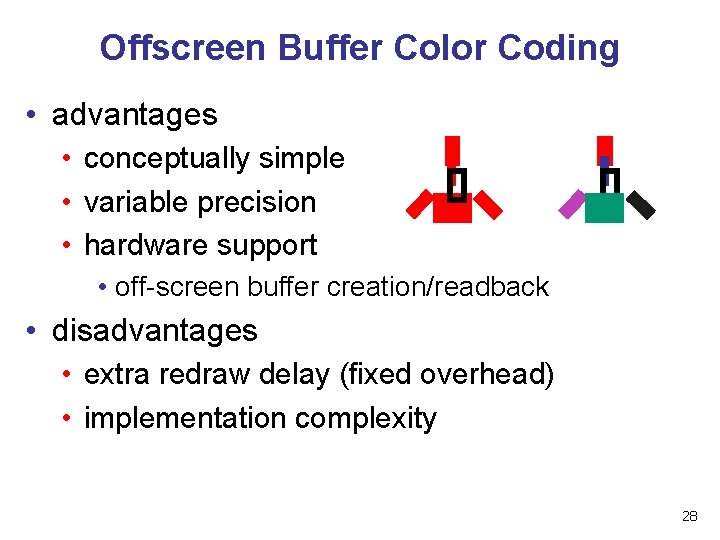
Offscreen Buffer Color Coding • advantages • conceptually simple • variable precision • hardware support • off-screen buffer creation/readback • disadvantages • extra redraw delay (fixed overhead) • implementation complexity 28
Web. GL Offscreen Buffer Picking http: //coffeesmudge. blogspot. ca/2013/08/implementin g-picking-in-webgl. html • create offscreen framebuffer • like rendering into texture • render each object with unique color in framebuffer (up to 16 M with 24 bit integers) • gl. read. Pixels readback to find color under cursor • look up object with that color • color[0]*65536 + color[1]*256 + color[2] 29
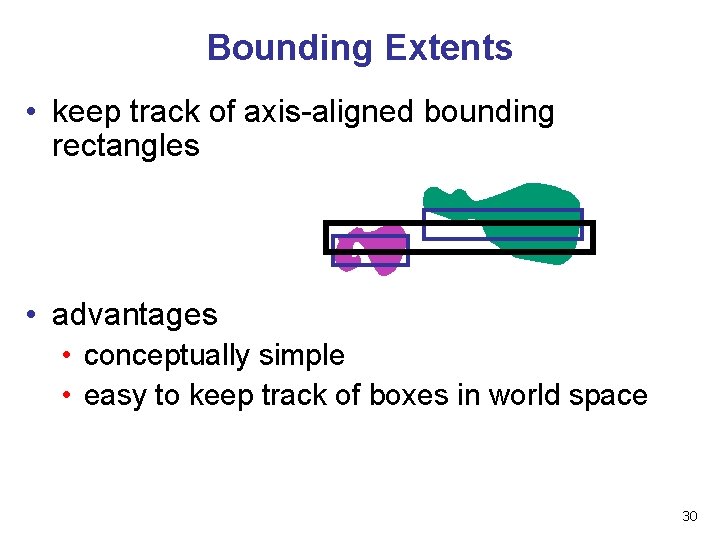
Bounding Extents • keep track of axis-aligned bounding rectangles • advantages • conceptually simple • easy to keep track of boxes in world space 30
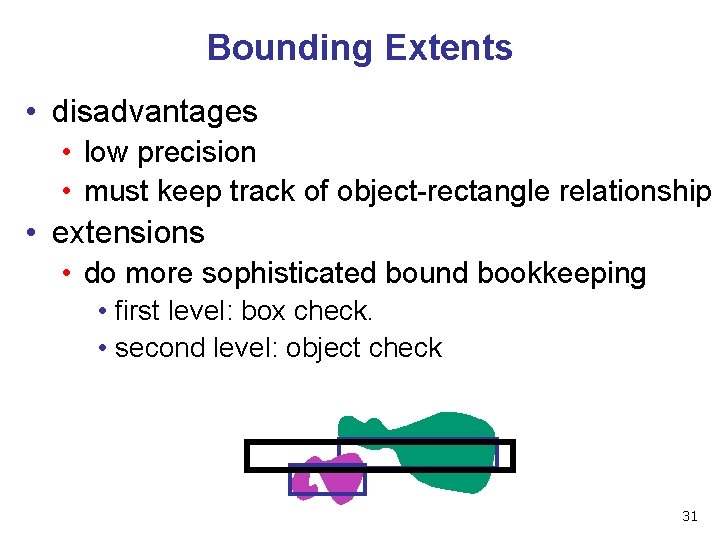
Bounding Extents • disadvantages • low precision • must keep track of object-rectangle relationship • extensions • do more sophisticated bound bookkeeping • first level: box check. • second level: object check 31
Open. GL vs Web. GL Picking • very different world, don’t get confused by old tutorials • Open. GL • fast hardware support for select/hit • re-render small area around cursor • backbuffer color • straighforward but slow without hardware support • no standard library support for ray intersection • slow and laborious • Web. GL • good library support for intersection • best choice for most of you! • fast offscreen buffer hardware support • select/hit unsupported 32
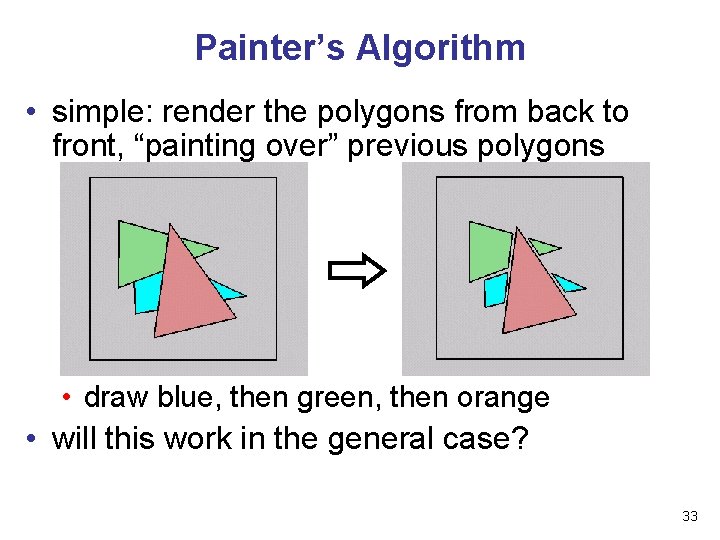
Painter’s Algorithm • simple: render the polygons from back to front, “painting over” previous polygons • draw blue, then green, then orange • will this work in the general case? 33
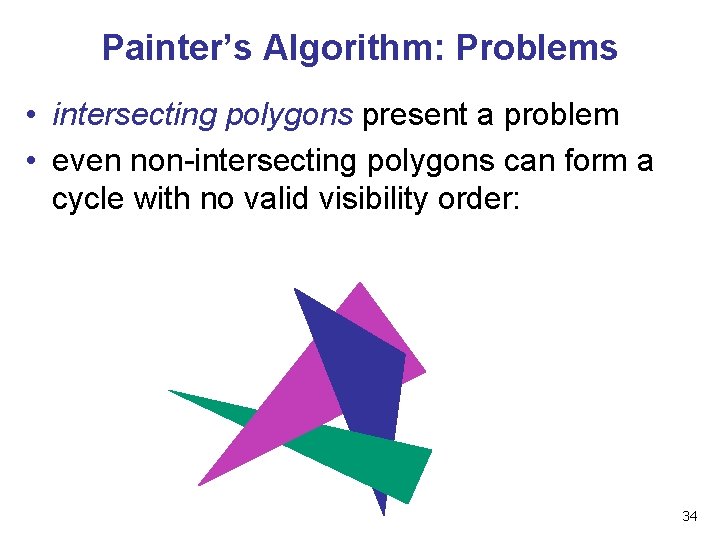
Painter’s Algorithm: Problems • intersecting polygons present a problem • even non-intersecting polygons can form a cycle with no valid visibility order: 34
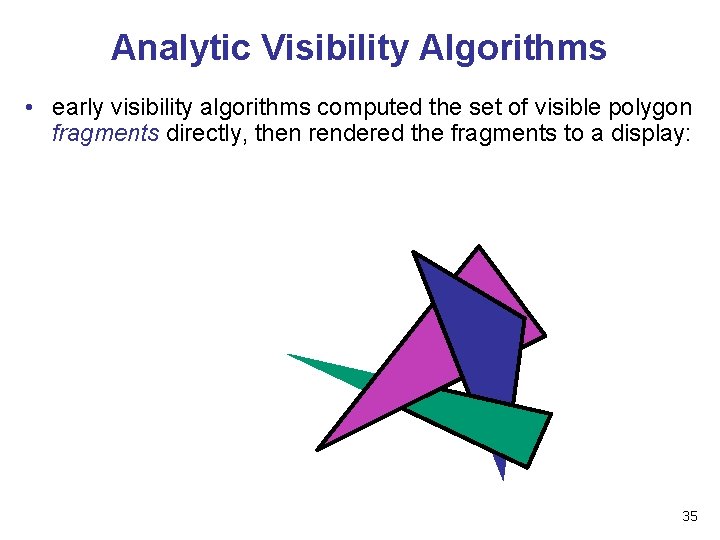
Analytic Visibility Algorithms • early visibility algorithms computed the set of visible polygon fragments directly, then rendered the fragments to a display: 35
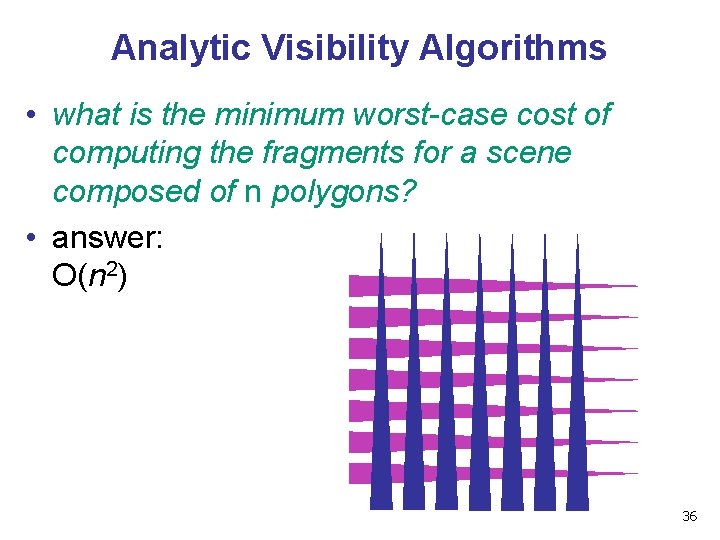
Analytic Visibility Algorithms • what is the minimum worst-case cost of computing the fragments for a scene composed of n polygons? • answer: O(n 2) 36
Analytic Visibility Algorithms • so, for about a decade (late 60 s to late 70 s) there was intense interest in finding efficient algorithms for hidden surface removal • we’ll talk about one: • Binary Space Partition (BSP) Trees 37
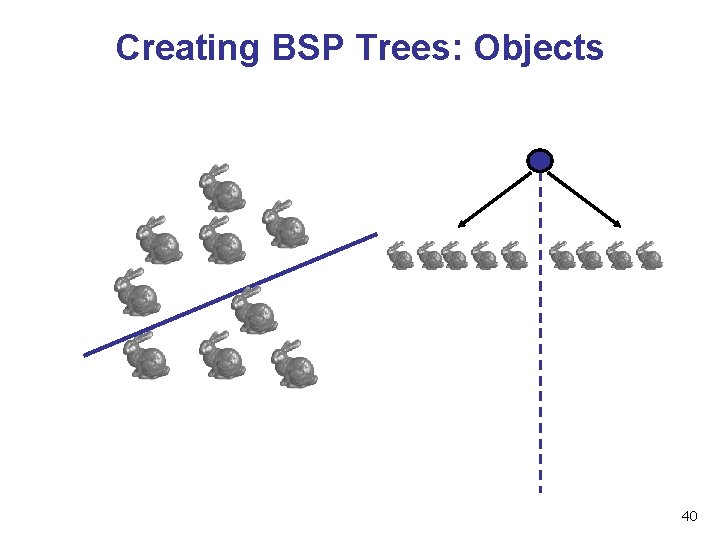
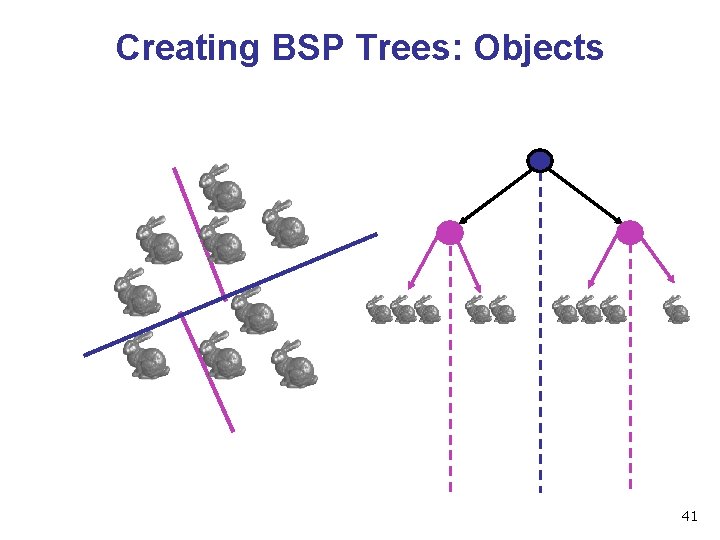
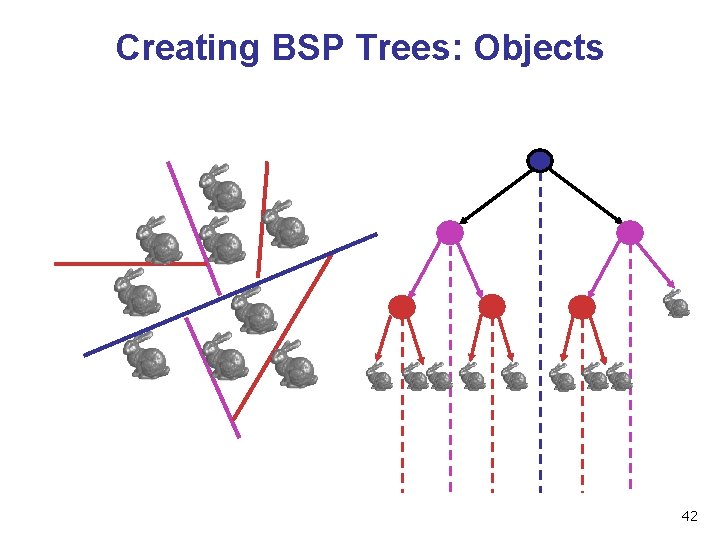
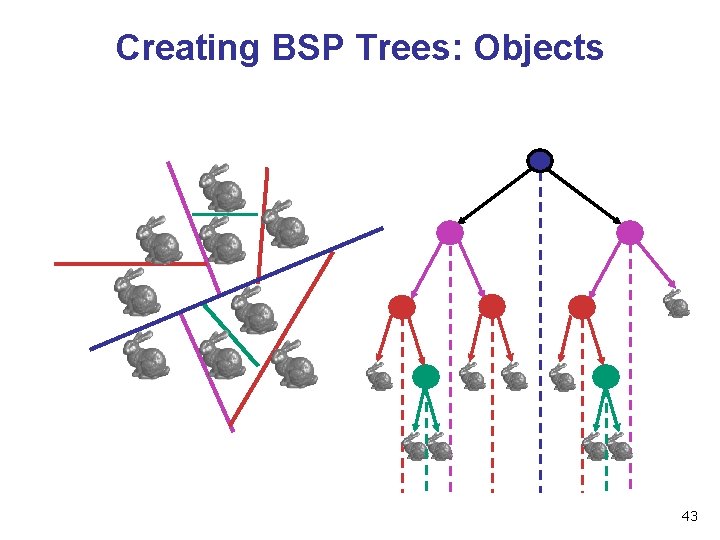
Binary Space Partition Trees (1979) • BSP Tree: partition space with binary tree of planes • idea: divide space recursively into half-spaces by choosing splitting planes that separate objects in scene • preprocessing: create binary tree of planes • runtime: correctly traversing this tree enumerates objects from back to front 38
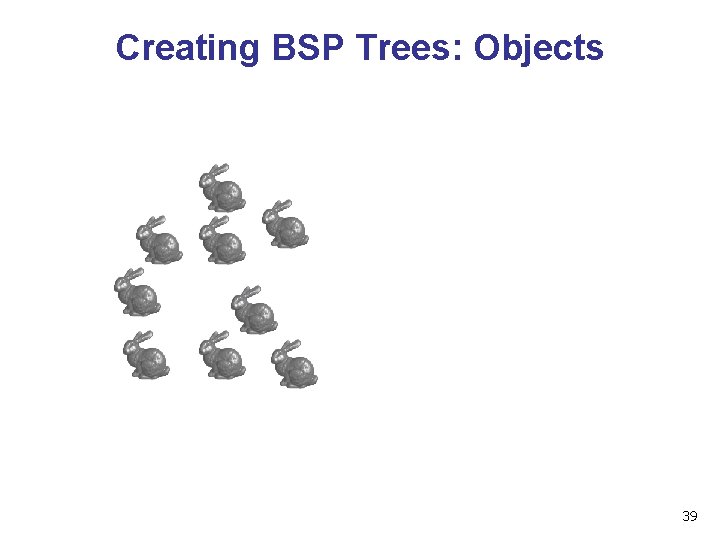
Creating BSP Trees: Objects 39
Creating BSP Trees: Objects 40
Creating BSP Trees: Objects 41
Creating BSP Trees: Objects 42
Creating BSP Trees: Objects 43
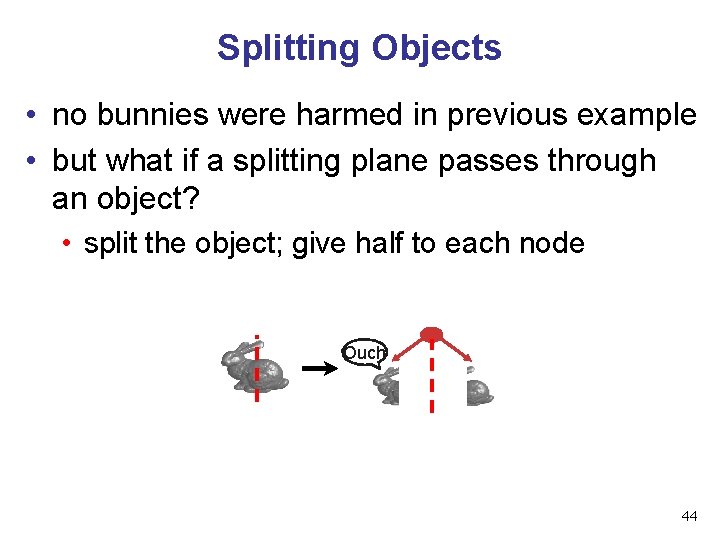
Splitting Objects • no bunnies were harmed in previous example • but what if a splitting plane passes through an object? • split the object; give half to each node Ouch 44
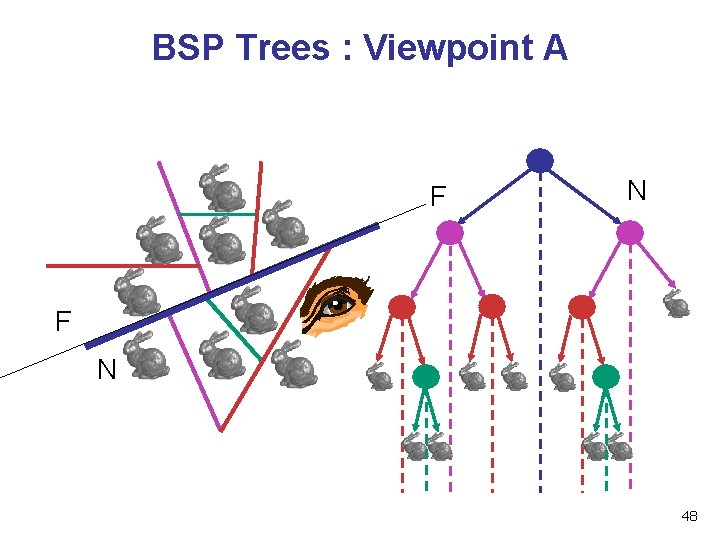
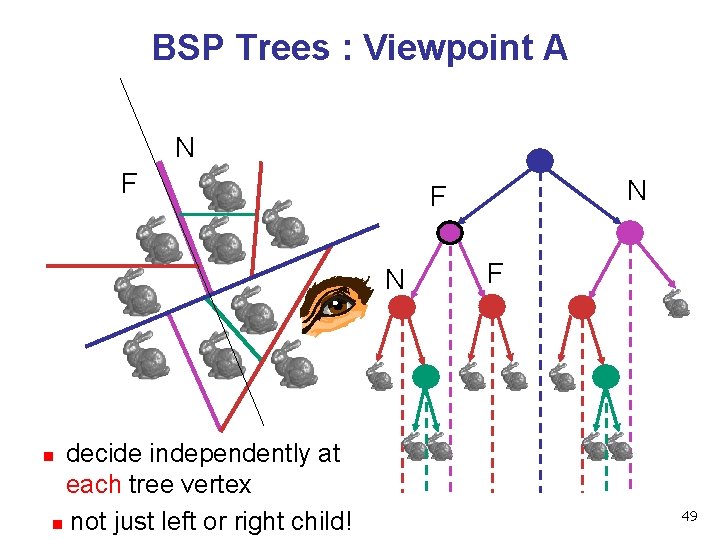
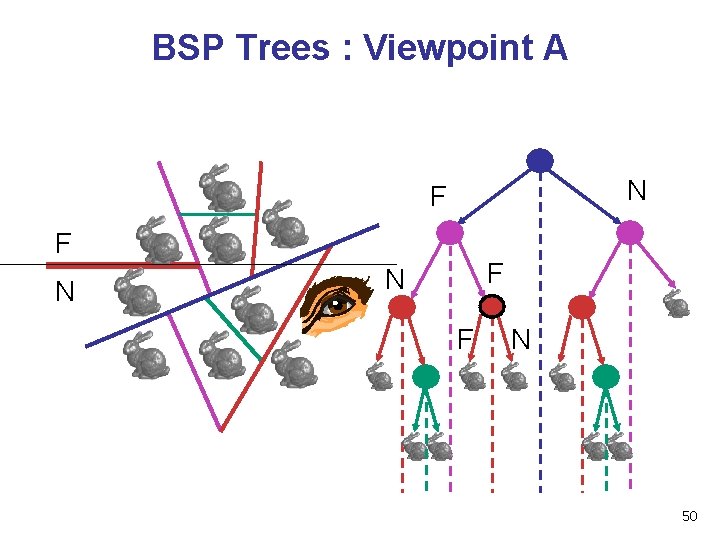
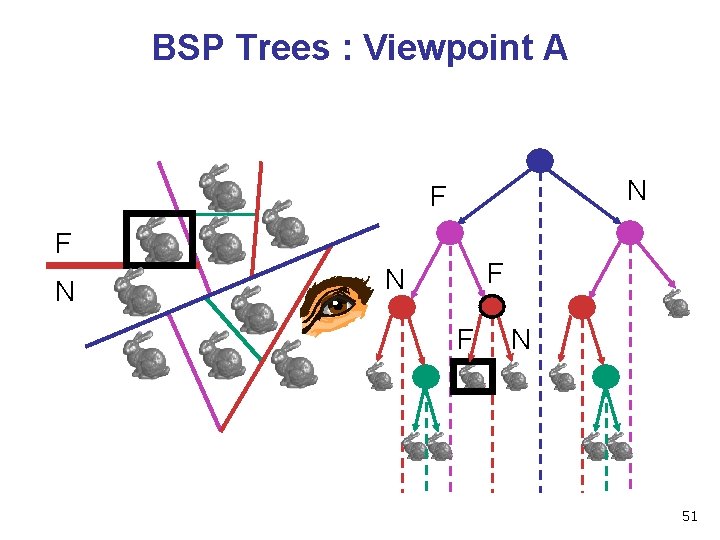
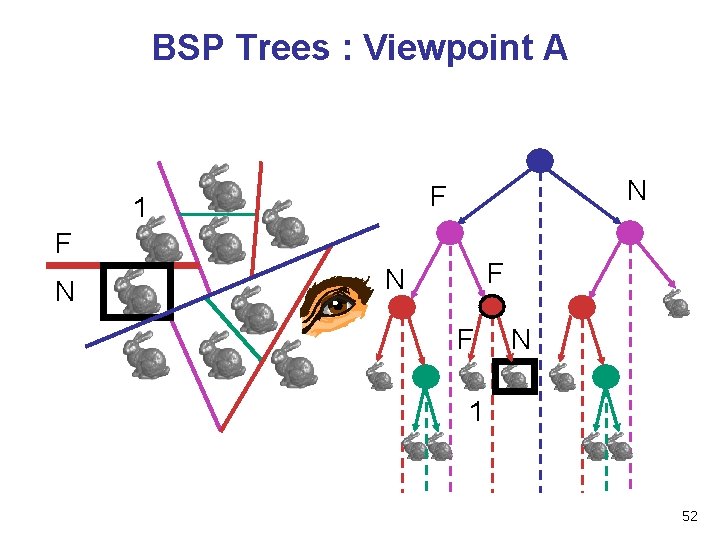
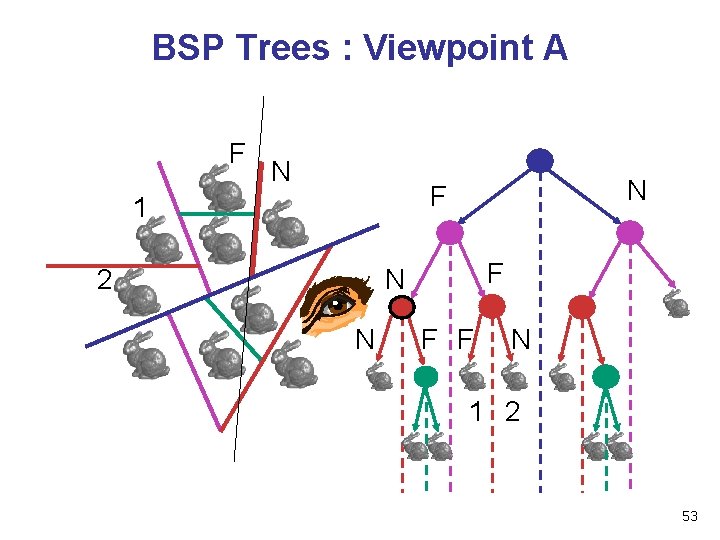
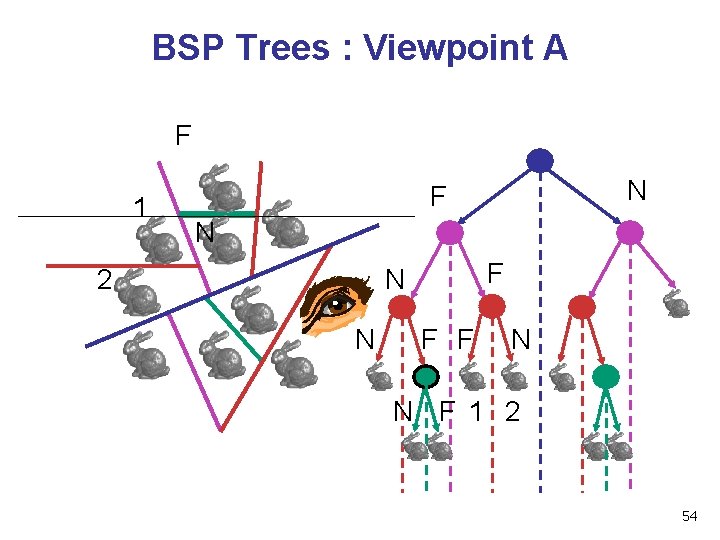
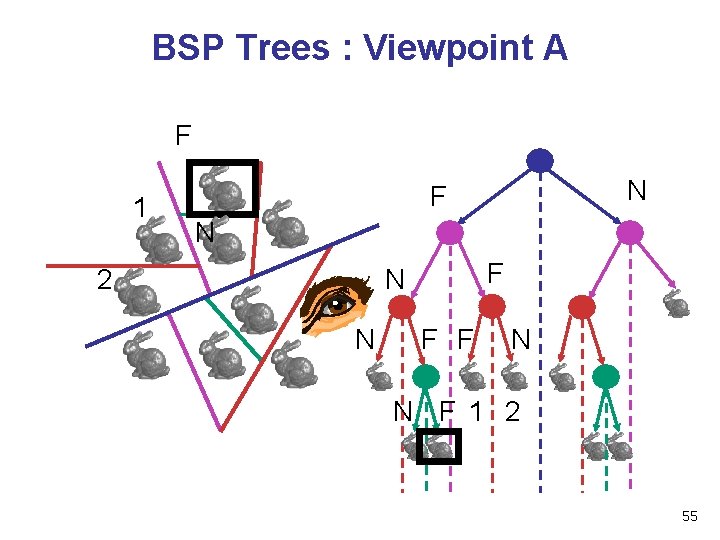
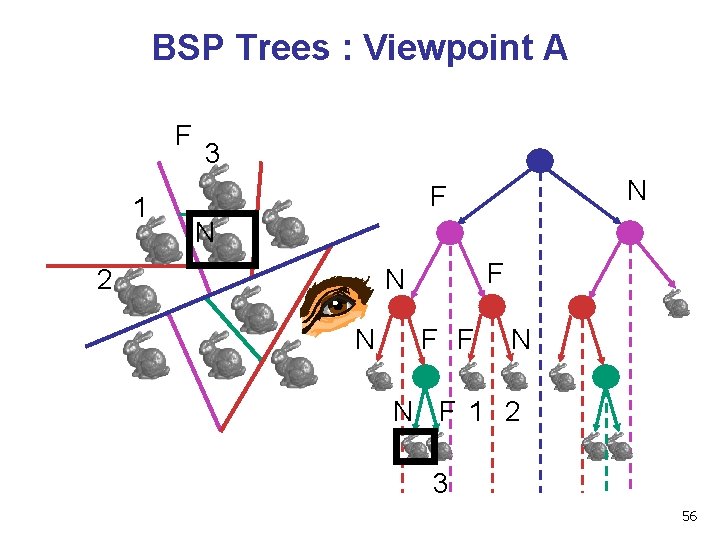
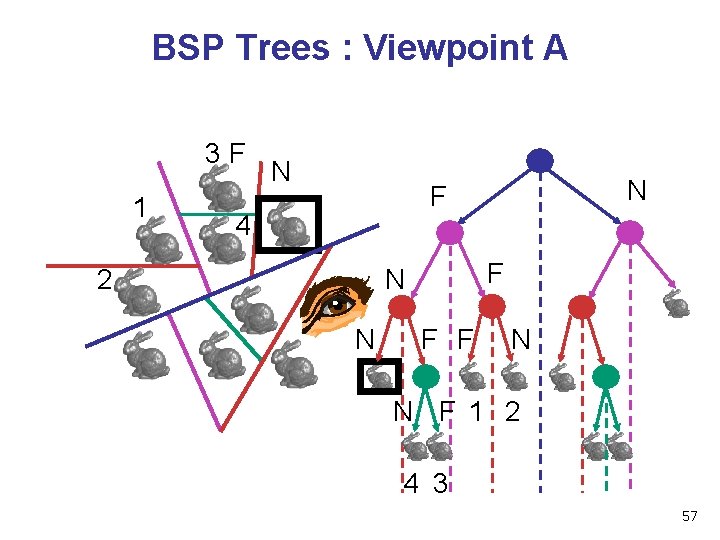
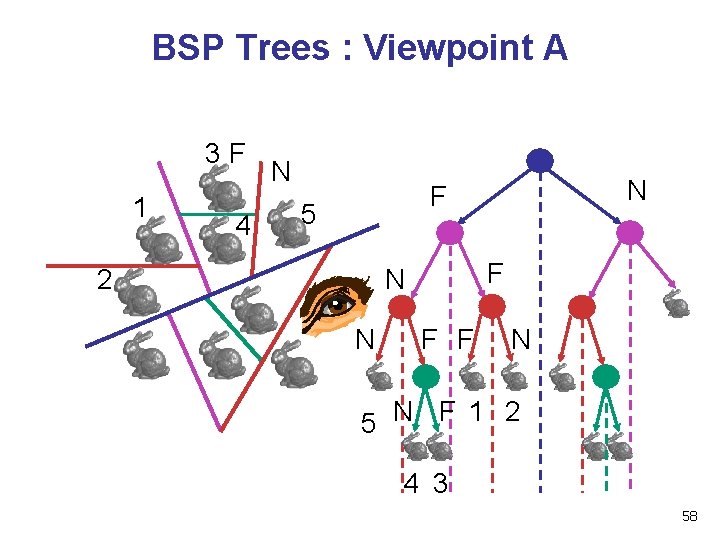
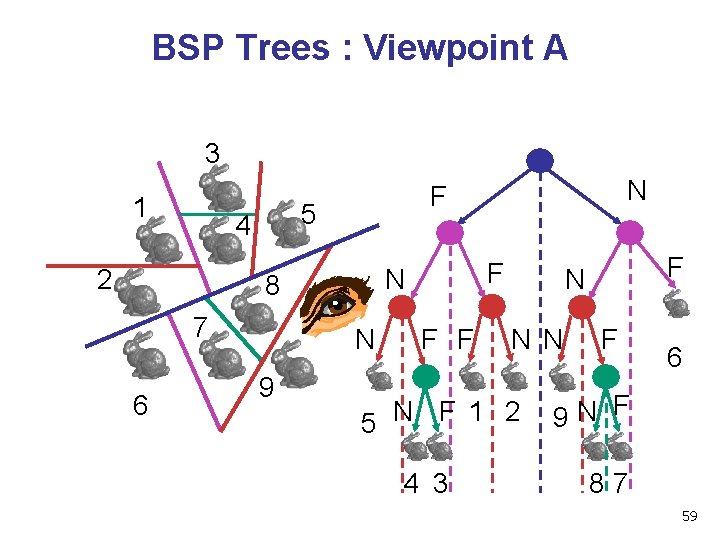
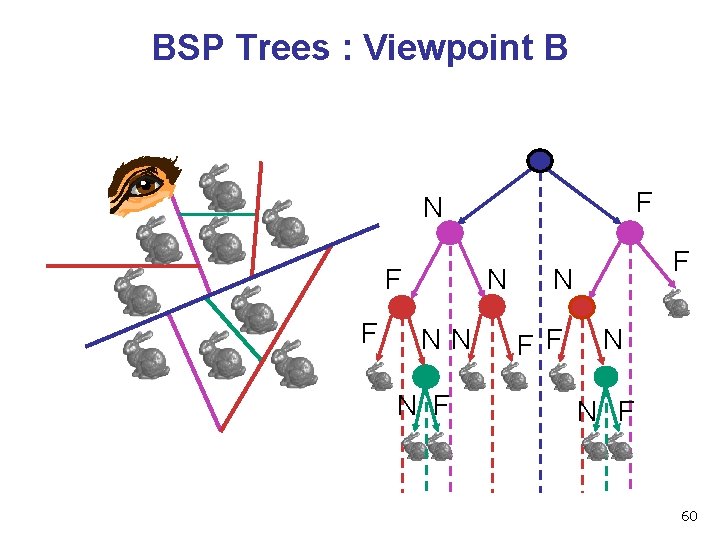
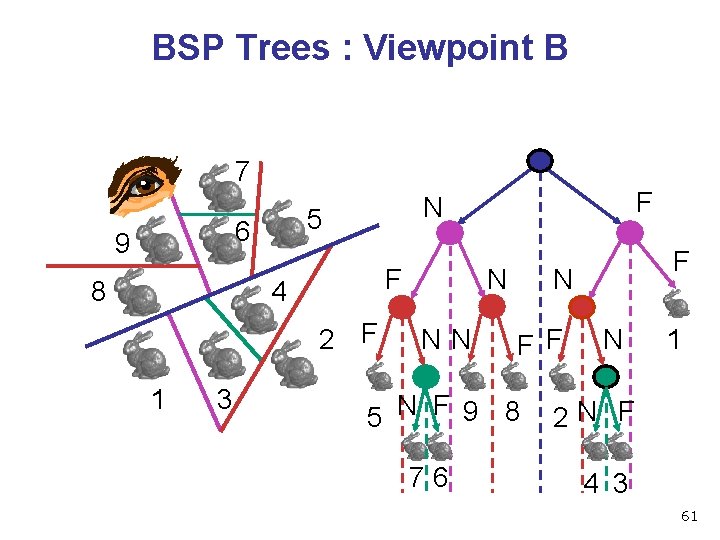
Traversing BSP Trees • tree creation independent of viewpoint • preprocessing step • tree traversal uses viewpoint • runtime, happens for many different viewpoints • each plane divides world into near and far • for given viewpoint, decide which side is near and which is far • check which side of plane viewpoint is on independently for each tree vertex • tree traversal differs depending on viewpoint! • recursive algorithm • recurse on far side • draw object • recurse on near side 45
Traversing BSP Trees query: given a viewpoint, produce an ordered list of (possibly split) objects from back to front: render. BSP(BSPtree *T) BSPtree *near, *far; if (eye on left side of T->plane) near = T->left; far = T->right; else near = T->right; far = T->left; render. BSP(far); if (T is a leaf node) render. Object(T) render. BSP(near); 46
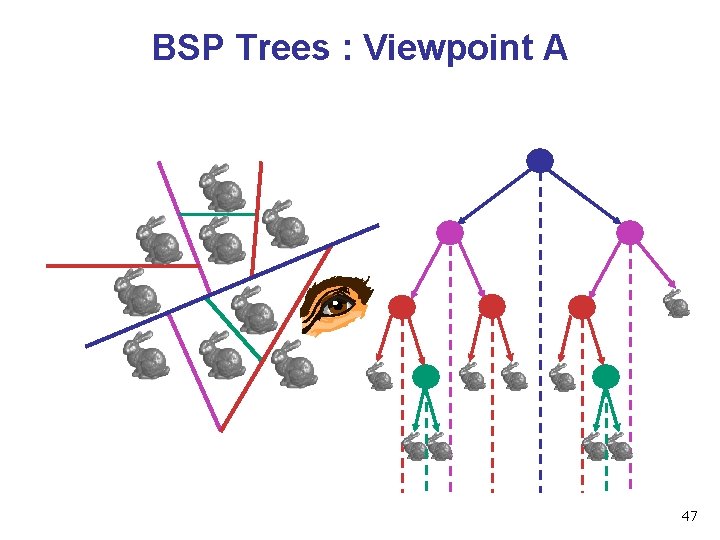
BSP Trees : Viewpoint A 47
BSP Trees : Viewpoint A F N 48
BSP Trees : Viewpoint A N F N decide independently at each tree vertex n not just left or right child! N F F n 49
BSP Trees : Viewpoint A N F F N F N 50
BSP Trees : Viewpoint A N F F N F N 51
BSP Trees : Viewpoint A N F 1 F N F N 1 52
BSP Trees : Viewpoint A F N N F 1 2 F N N F F N 1 2 53
BSP Trees : Viewpoint A F 1 N F N 2 F N N F 1 2 54
BSP Trees : Viewpoint A F 1 N F N 2 F N N F 1 2 55
BSP Trees : Viewpoint A F 1 3 N F N 2 F N N F 1 2 3 56
BSP Trees : Viewpoint A 3 F 1 N N F 4 2 F N N F 1 2 4 3 57
BSP Trees : Viewpoint A 3 F 1 4 N N F 5 2 F N N F F N 5 N F 1 2 4 3 58
BSP Trees : Viewpoint A 3 1 5 4 2 6 N 9 F N 8 7 N F F F NN 5 N F 1 2 4 3 F N F 6 9 N F 87 59
BSP Trees : Viewpoint B F N F F N NN N F F N N F 60
BSP Trees : Viewpoint B 7 5 6 9 8 F 4 2 F 1 3 F N N NN N F F 5 N F 9 8 76 F N 1 2 N F 4 3 61
BSP Tree Traversal: Polygons • split along the plane defined by any polygon from scene • classify all polygons into positive or negative half-space of the plane • if a polygon intersects plane, split polygon into two and classify them both • recurse down the negative half-space • recurse down the positive half-space 62
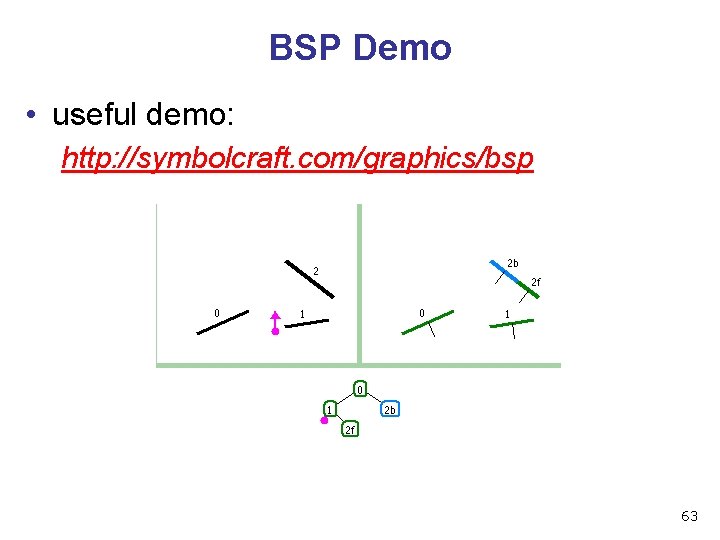
BSP Demo • useful demo: http: //symbolcraft. com/graphics/bsp 63
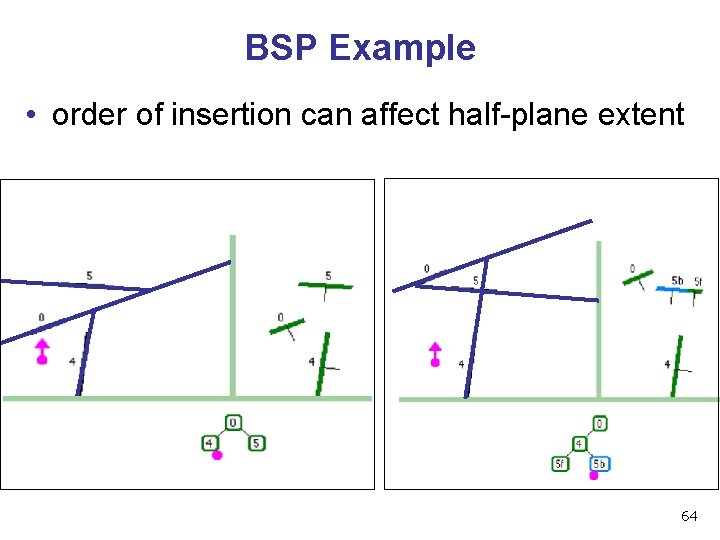
BSP Example • order of insertion can affect half-plane extent 64
Summary: BSP Trees • pros: • simple, elegant scheme • correct version of painter’s algorithm back-to-front rendering approach • was very popular for video games (but getting less so) • cons: • slow to construct tree: O(n log n) to split, sort • splitting increases polygon count: O(n 2) worst-case • computationally intense preprocessing stage restricts algorithm to static scenes 65
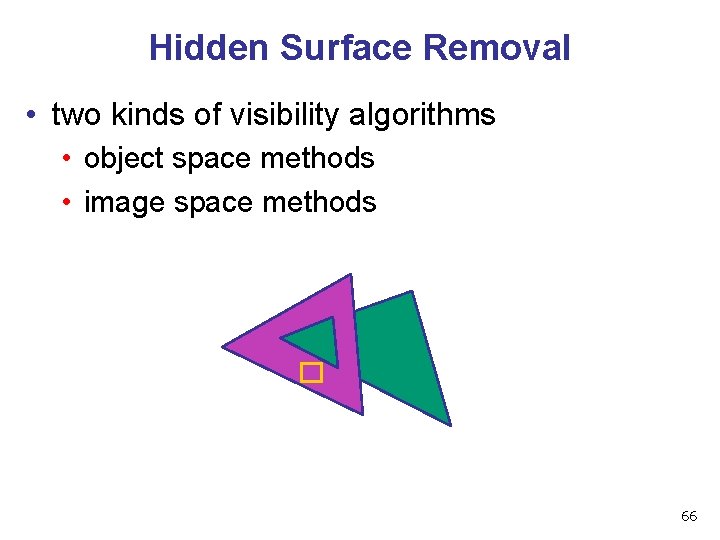
Hidden Surface Removal • two kinds of visibility algorithms • object space methods • image space methods 66
Object Space Algorithms • determine visibility on object or polygon level • using camera coordinates • resolution independent • explicitly compute visible portions of polygons • early in pipeline • after clipping • requires depth-sorting • painter’s algorithm • BSP trees 67
Image Space Algorithms • perform visibility test for in screen coordinates • limited to resolution of display • Z-buffer: check every pixel independently • performed late in rendering pipeline 68
The Rendering Pipeline
Backface Culling 70
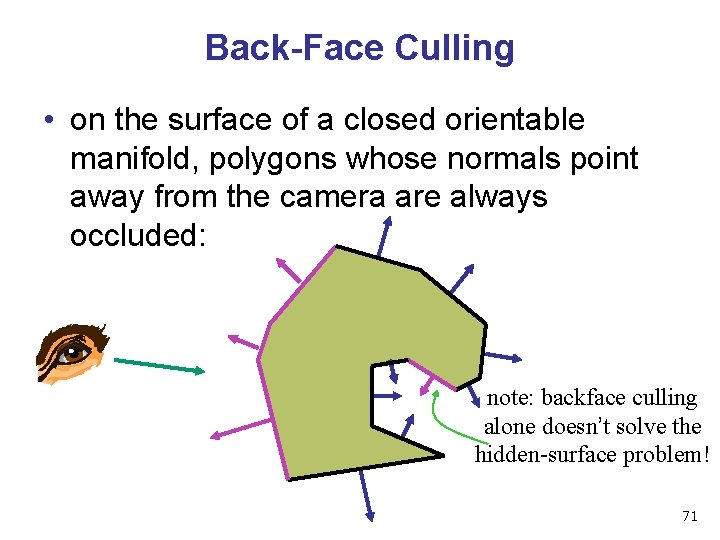
Back-Face Culling • on the surface of a closed orientable manifold, polygons whose normals point away from the camera are always occluded: note: backface culling alone doesn’t solve the hidden-surface problem! 71
Back-Face Culling • not rendering backfacing polygons improves performance • by how much? • reduces by about half the number of polygons to be considered for each pixel • optimization when appropriate 72
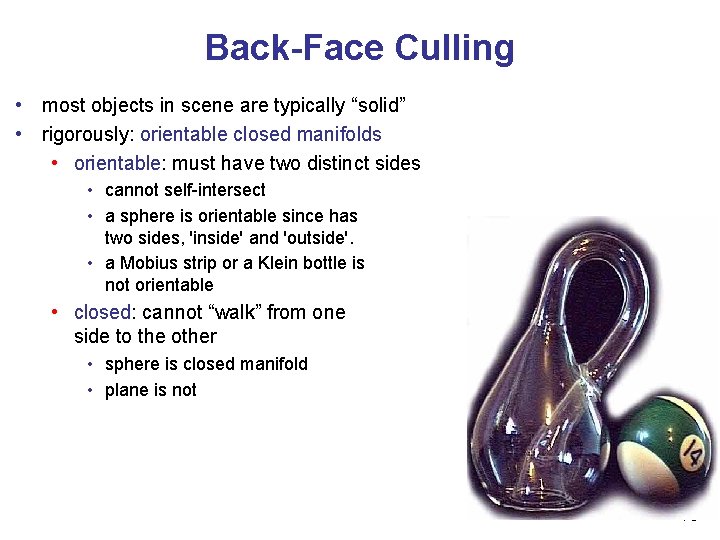
Back-Face Culling • most objects in scene are typically “solid” • rigorously: orientable closed manifolds • orientable: must have two distinct sides • cannot self-intersect • a sphere is orientable since has two sides, 'inside' and 'outside'. • a Mobius strip or a Klein bottle is not orientable • closed: cannot “walk” from one side to the other • sphere is closed manifold • plane is not 73
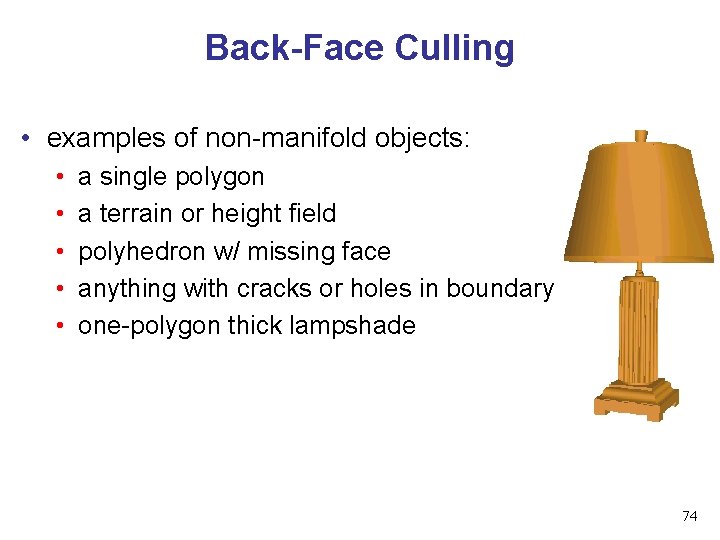
Back-Face Culling • examples of non-manifold objects: • • • a single polygon a terrain or height field polyhedron w/ missing face anything with cracks or holes in boundary one-polygon thick lampshade 74
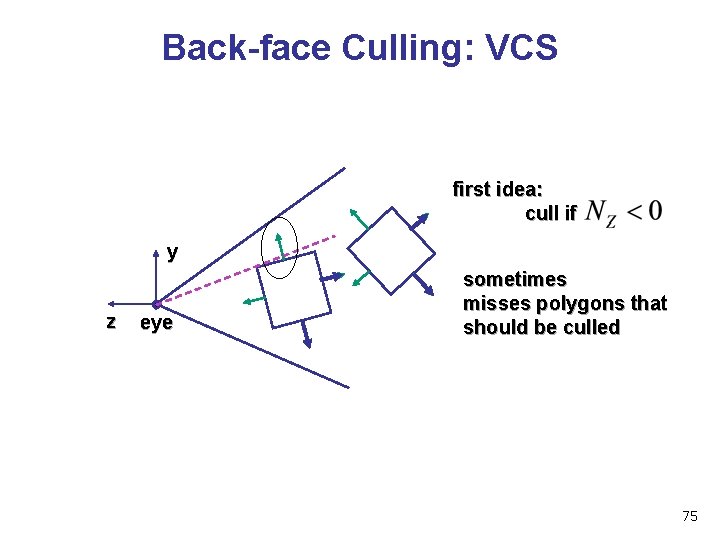
Back-face Culling: VCS first idea: cull if y z eye sometimes misses polygons that should be culled 75
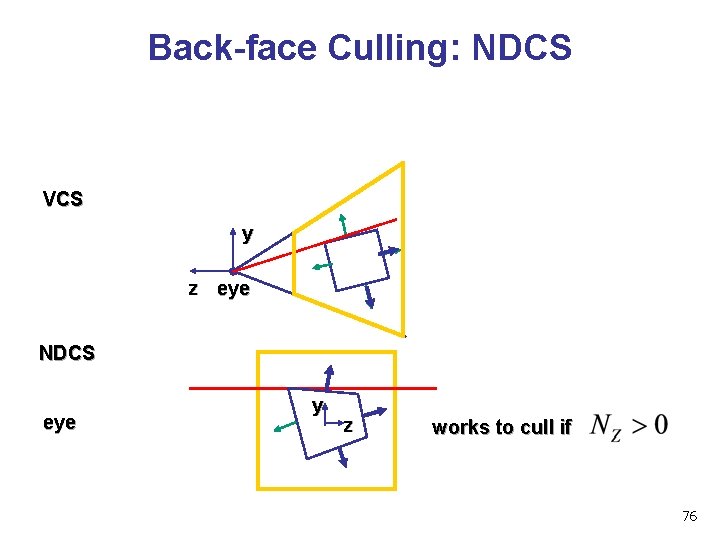
Back-face Culling: NDCS VCS y z eye NDCS eye y z works to cull if 76
Invisible Primitives • why might a polygon be invisible? • polygon outside the field of view / frustum • solved by clipping • polygon is backfacing • solved by backface culling • polygon is occluded by object(s) nearer the viewpoint • solved by hidden surface removal 77

78
Blending 79
The Rendering Pipeline
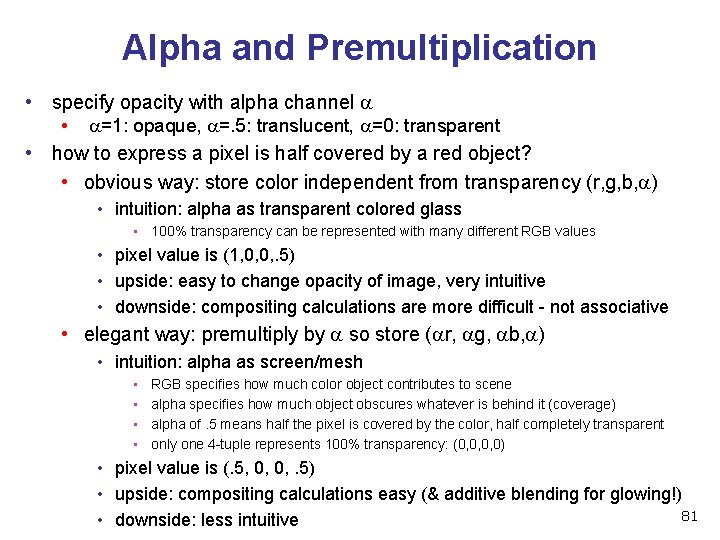
Alpha and Premultiplication • specify opacity with alpha channel a • a=1: opaque, a=. 5: translucent, a=0: transparent • how to express a pixel is half covered by a red object? • obvious way: store color independent from transparency (r, g, b, a) • intuition: alpha as transparent colored glass • 100% transparency can be represented with many different RGB values • pixel value is (1, 0, 0, . 5) • upside: easy to change opacity of image, very intuitive • downside: compositing calculations are more difficult - not associative • elegant way: premultiply by a so store (ar, ag, ab, a) • intuition: alpha as screen/mesh • • RGB specifies how much color object contributes to scene alpha specifies how much object obscures whatever is behind it (coverage) alpha of. 5 means half the pixel is covered by the color, half completely transparent only one 4 -tuple represents 100% transparency: (0, 0, 0, 0) • pixel value is (. 5, 0, 0, . 5) • upside: compositing calculations easy (& additive blending for glowing!) 81 • downside: less intuitive
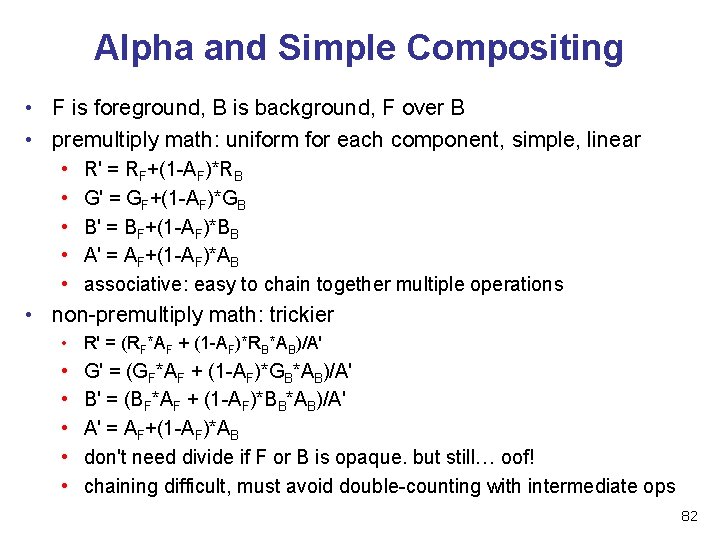
Alpha and Simple Compositing • F is foreground, B is background, F over B • premultiply math: uniform for each component, simple, linear • • • R' = RF+(1 -AF)*RB G' = GF+(1 -AF)*GB B' = BF+(1 -AF)*BB A' = AF+(1 -AF)*AB associative: easy to chain together multiple operations • non-premultiply math: trickier • R' = (RF*AF + (1 -AF)*RB*AB)/A' • • • G' = (GF*AF + (1 -AF)*GB*AB)/A' B' = (BF*AF + (1 -AF)*BB*AB)/A' A' = AF+(1 -AF)*AB don't need divide if F or B is opaque. but still… oof! chaining difficult, must avoid double-counting with intermediate ops 82
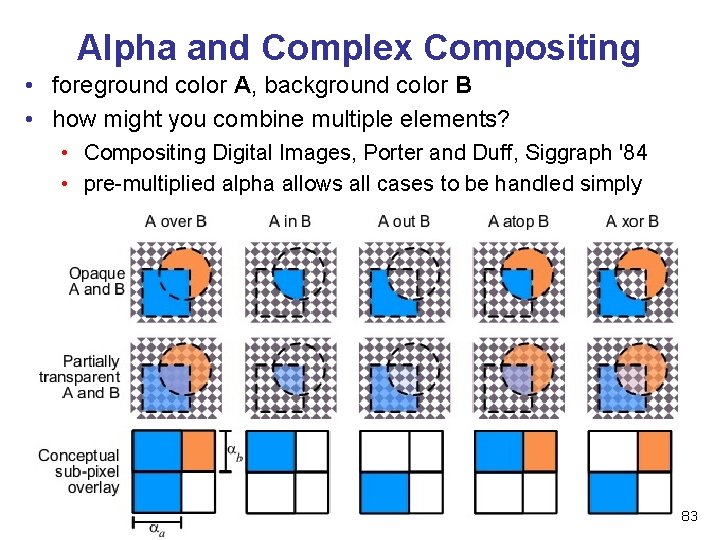
Alpha and Complex Compositing • foreground color A, background color B • how might you combine multiple elements? • Compositing Digital Images, Porter and Duff, Siggraph '84 • pre-multiplied alpha allows all cases to be handled simply 83
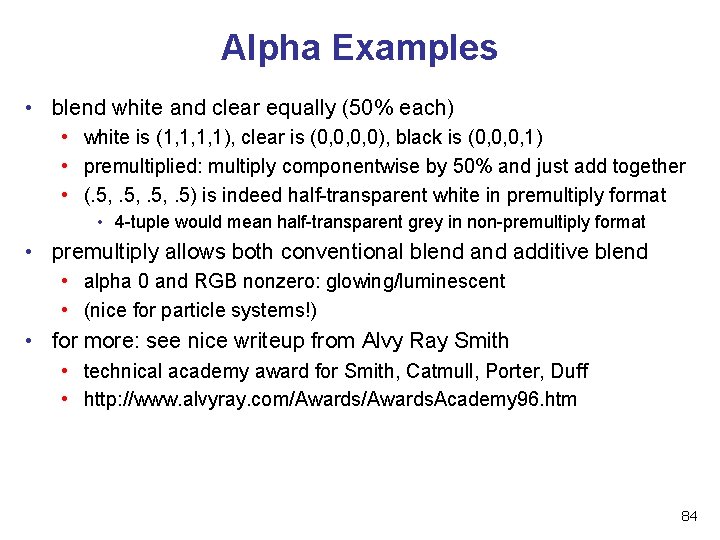
Alpha Examples • blend white and clear equally (50% each) • white is (1, 1, 1, 1), clear is (0, 0, 0, 0), black is (0, 0, 0, 1) • premultiplied: multiply componentwise by 50% and just add together • (. 5, . 5) is indeed half-transparent white in premultiply format • 4 -tuple would mean half-transparent grey in non-premultiply format • premultiply allows both conventional blend additive blend • alpha 0 and RGB nonzero: glowing/luminescent • (nice for particle systems!) • for more: see nice writeup from Alvy Ray Smith • technical academy award for Smith, Catmull, Porter, Duff • http: //www. alvyray. com/Awards. Academy 96. htm 84
- Slides: 84