
University of British Columbia CPSC 314 Computer Graphics
University of British Columbia CPSC 314 Computer Graphics May-June 2005 Tamara Munzner Intro, Math Review, Open. GL Pipeline Week 1, Tue May 10 n http: //www. ugrad. cs. ubc. ca/~cs 314/Vmay 2005
Introduction 2
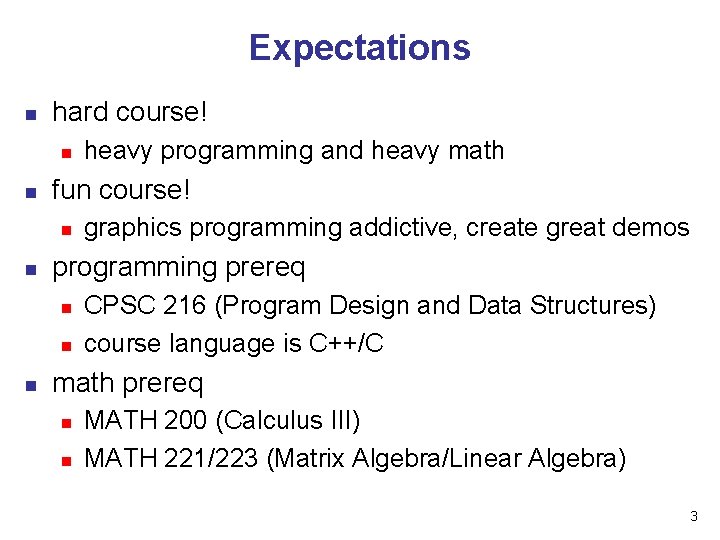
Expectations n hard course! n n fun course! n n graphics programming addictive, create great demos programming prereq n n n heavy programming and heavy math CPSC 216 (Program Design and Data Structures) course language is C++/C math prereq n n MATH 200 (Calculus III) MATH 221/223 (Matrix Algebra/Linear Algebra) 3
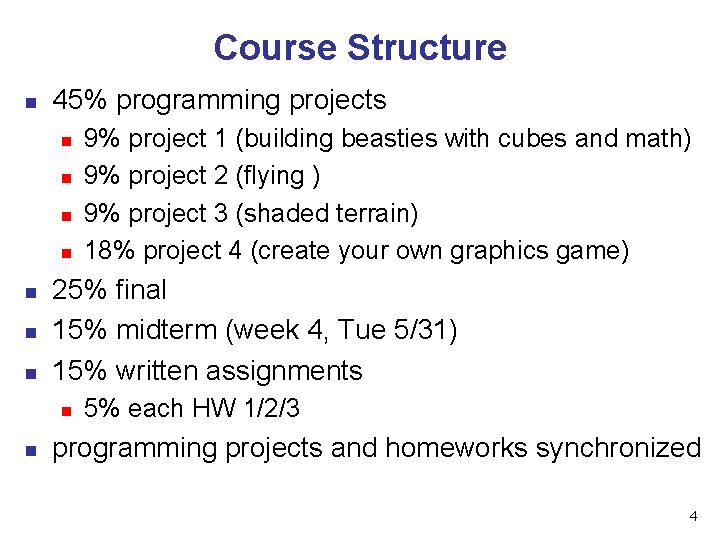
Course Structure n 45% programming projects n n n n 25% final 15% midterm (week 4, Tue 5/31) 15% written assignments n n 9% project 1 (building beasties with cubes and math) 9% project 2 (flying ) 9% project 3 (shaded terrain) 18% project 4 (create your own graphics game) 5% each HW 1/2/3 programming projects and homeworks synchronized 4
Programming Projects n structure n C++, Linux n n n OK to cross-platform develop on Windows Open. GL graphics library GLUT for platform-independent windows/UI face to face grading in lab Hall of Fame n project 1: building beasties n n previous years: elephants, birds, poodles project 4: create your own graphics game 5
Late Work n 3 grace days n n otherwise: 25% per 24 hours n n for unforeseen circumstances strong recommendation: don’t use early in term handing in late uses up automatically unless you tell us no work accepted after solutions handed out exception: severe illness or crisis, as per UBC rules n n let me know ASAP (in person or email) must also turn in form with documentation http: //www. ugrad. cs. ubc. ca/~cs 314/Vjan 2005/illness. html 6
Regrading n to request assignment or exam regrade n n must submit detailed written explanation of why you think the grader was incorrect for the particular problem that you are disputing I may regrade entire assignment n thus even if I agree with your original request, your score may end up higher or lower 7
Course Information n course web page is main resource n newsgroup is ubc. courses. cpsc. 414 n n n http: //www. ugrad. cs. ubc. ca/~cs 314/Vmay 2005 updated often, reload frequently note old course number still used readable on or off campus (no Web. CT) 8
Labs n attend two labs per week, 3 sessions each n Tue/Thu 11 -12, 3 -4, 4 -5 n n n Thursday afternoon better than Thu morning Tuesdays: example problems in spirit of written assignments and exams Thursdays: help with programming projects no deliverables strongly recommend that you attend 9
Teaching Staff n instructor: Dr. Munzner n n tmm@cs. ubc. ca office hrs in CICSR 011 n n TAs: Warren Cheung, Greg Kempe n n n Mon 4: 30 -5: 30 wcheung@cs. ubc. ca kempe@cs. ubc. ca use newsgroup not email for all questions that other students might care about 10
Required Reading n Fundamentals of Computer Graphics n n Open. GL Programming Guide, v 1. 4 n n n Peter Shirley, AK Peters Open. GL Architecture Review Board v 1. 1 available for free online readings posted on schedule page 11
Learning Open. GL n this is a graphics course using Open. GL n n not a course *on* Open. GL upper-level class: learning APIs mostly on your own n only minimal lecture coverage n n n basics, some of the tricky bits Open. GL Red Book many tutorial sites on the web n nehe. gamedev. net 12
Plagiarism and Cheating n don’t cheat, I will prosecute n n programming and assignment writeups must be individual work n n insult to your fellow students and to me exception: project 3 can be team of two can discuss ideas, browse Web but cannot just copy code or answers you must be able to explain algorithms during face-toface demo n or no credit for that part of assignment, possible prosecution 13
Citation n cite all sources of information n web sites, study group members, books README for programming projects end of writeup for written assignments n http: //www. ugrad. cs. ubc. ca/~cs 314/Vmay 2005/policies. html#plag n n 14
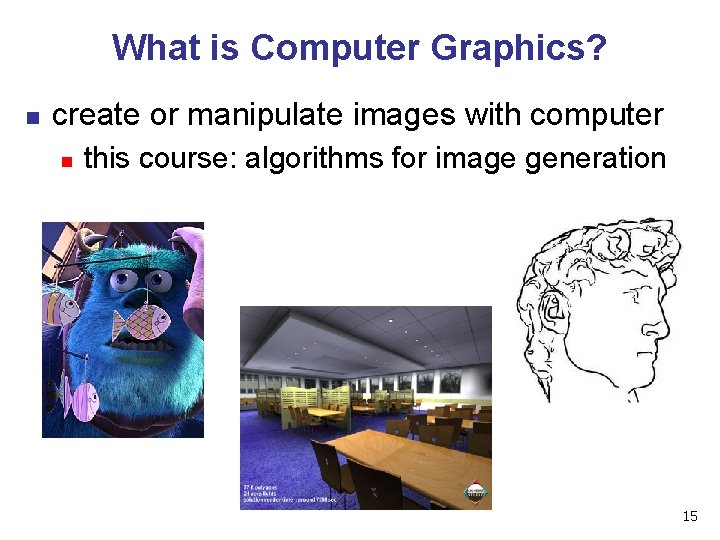
What is Computer Graphics? n create or manipulate images with computer n this course: algorithms for image generation 15
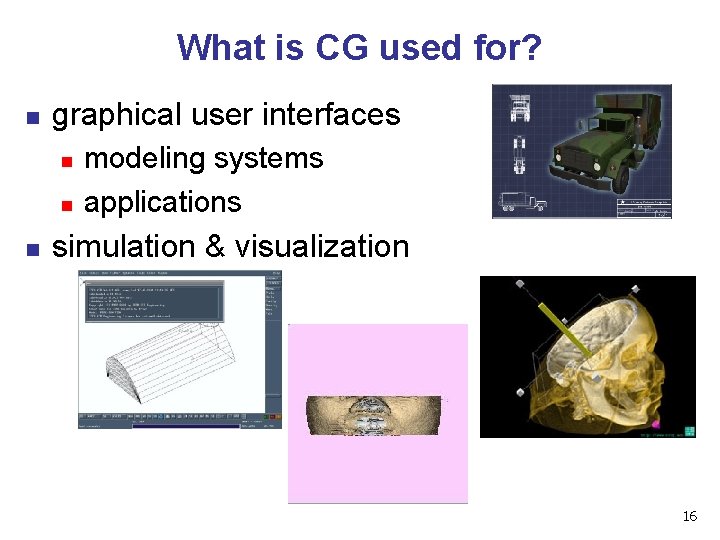
What is CG used for? n graphical user interfaces n n n modeling systems applications simulation & visualization 16
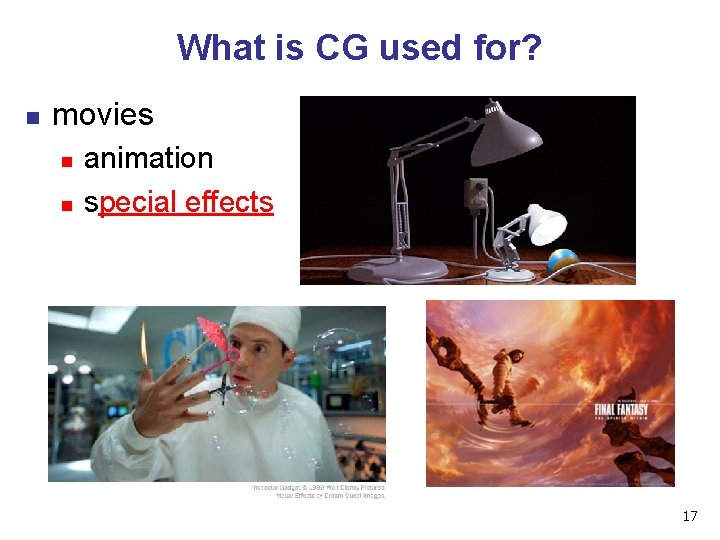
What is CG used for? n movies n n animation special effects 17
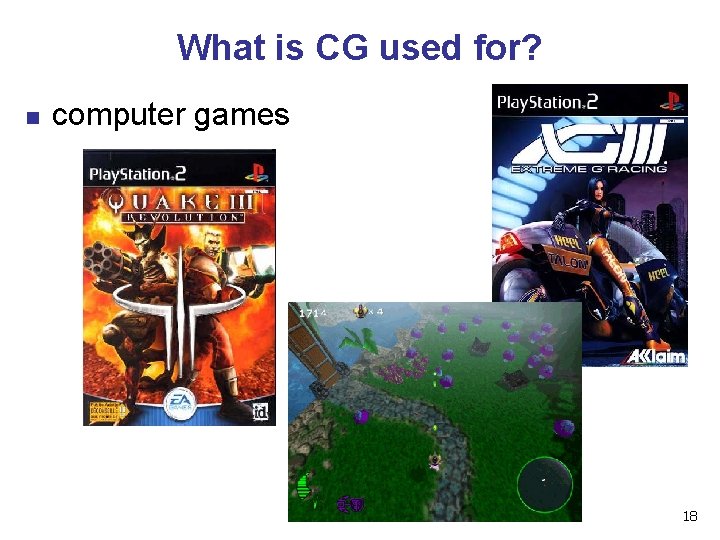
What is CG used for? n computer games 18
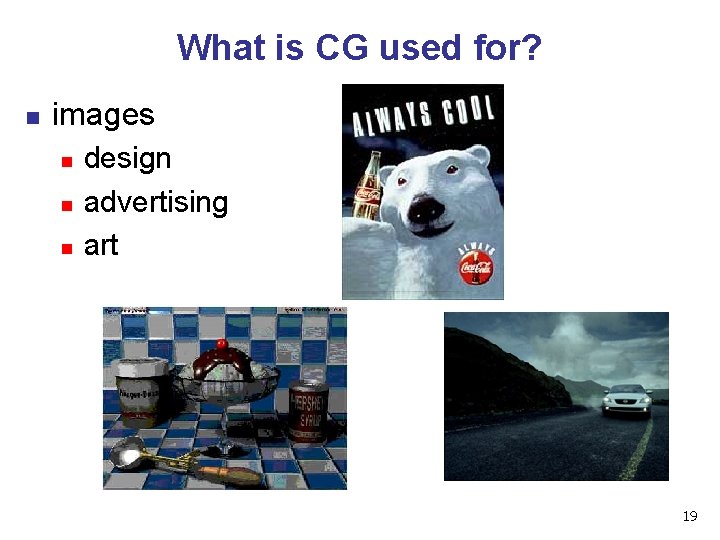
What is CG used for? n images n n n design advertising art 19
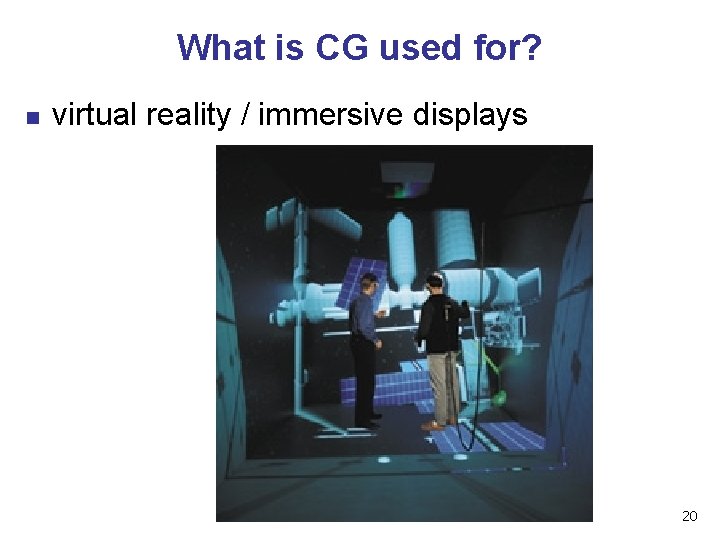
What is CG used for? n virtual reality / immersive displays 20
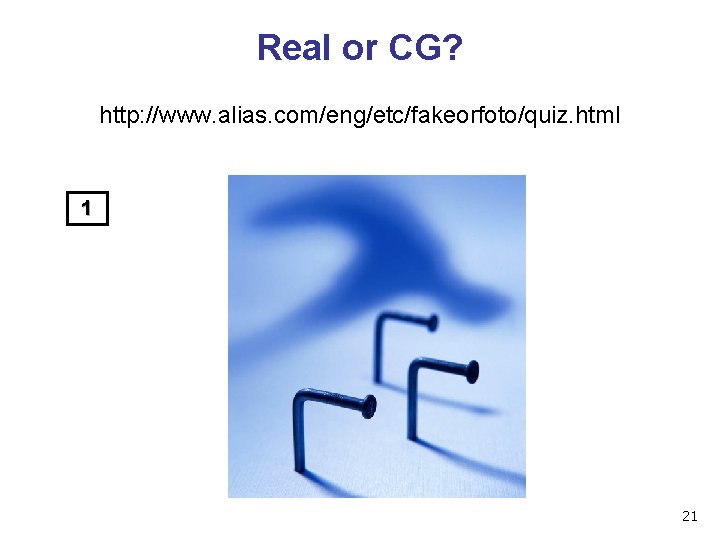
Real or CG? http: //www. alias. com/eng/etc/fakeorfoto/quiz. html 1 21
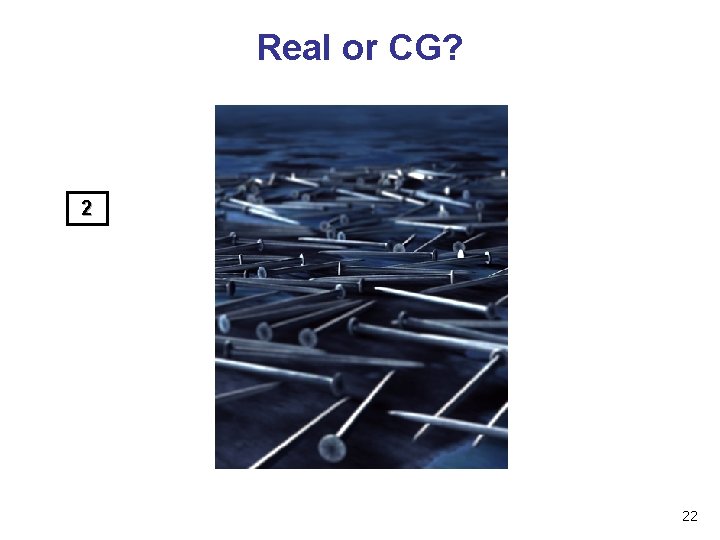
Real or CG? 2 22
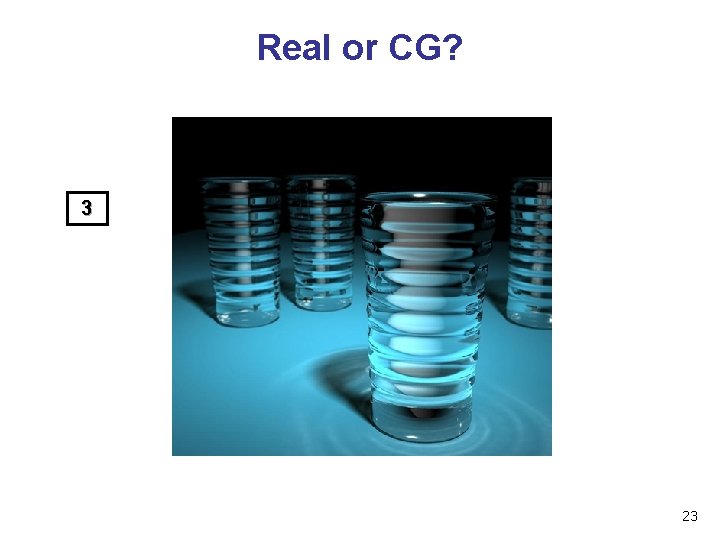
Real or CG? 3 23
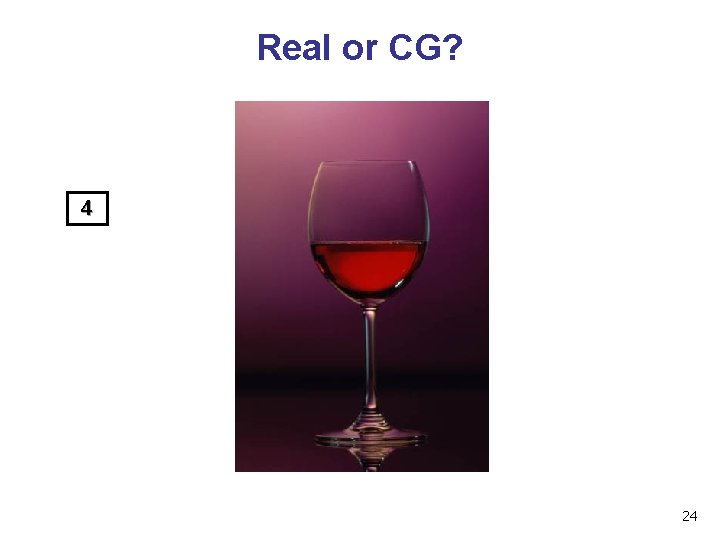
Real or CG? 4 24
This Course n we cover n basic algorithms for n n n rendering – displaying models (modeling – generating models) (animation – generating motion) programming in Open. GL, C++ we do not cover n n art/design issues commercial software packages 25
Other Graphics Courses n n CPSC 424: Geometric Modeling CPSC 426: Computer Animation n n CPSC 514: Image-based Modeling and Rendering CPSC 526: Computer Animation CPSC 533 A: Digital Geometry CPSC 533 B: Animation Physics CPSC 533 C: Information Visualization 26
Rendering n creating images from models n geometric objects n n camera n n pinhole camera, lens systems, orthogonal shading n n lines, polygons, curved surfaces light interacting with material Pixar Shutterbug series n Williams and Siegel using Renderman, 1990 n www. siggraph. org/education/ materials/Hyper. Graph/shutbug. htm 27
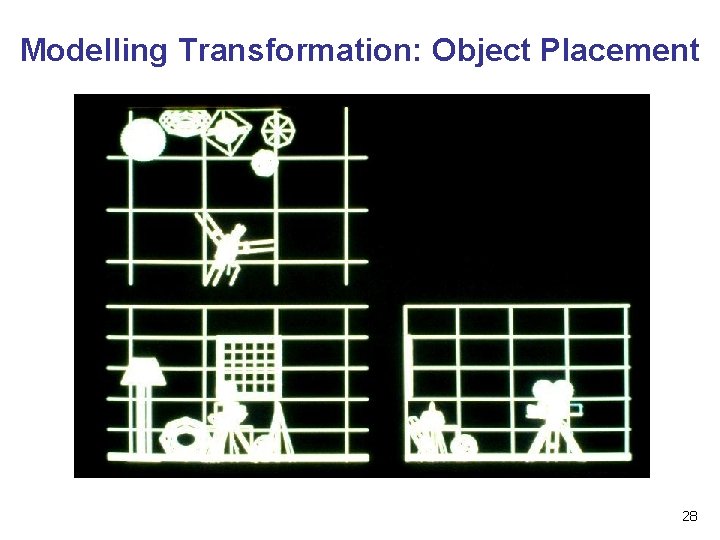
Modelling Transformation: Object Placement 28
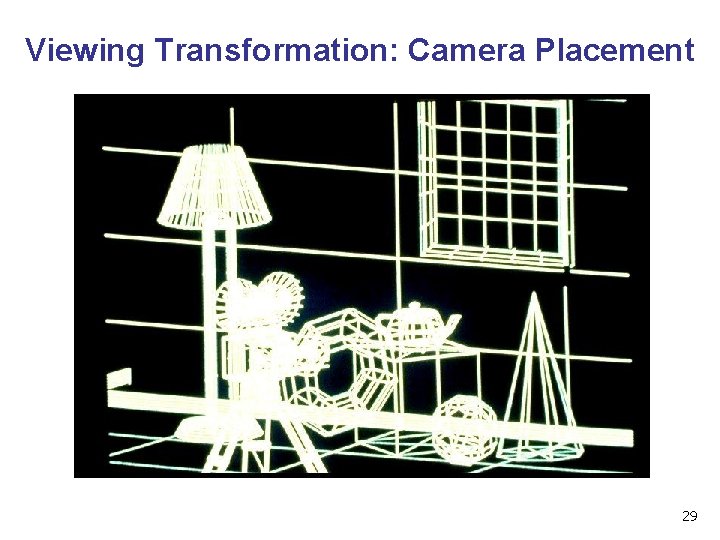
Viewing Transformation: Camera Placement 29
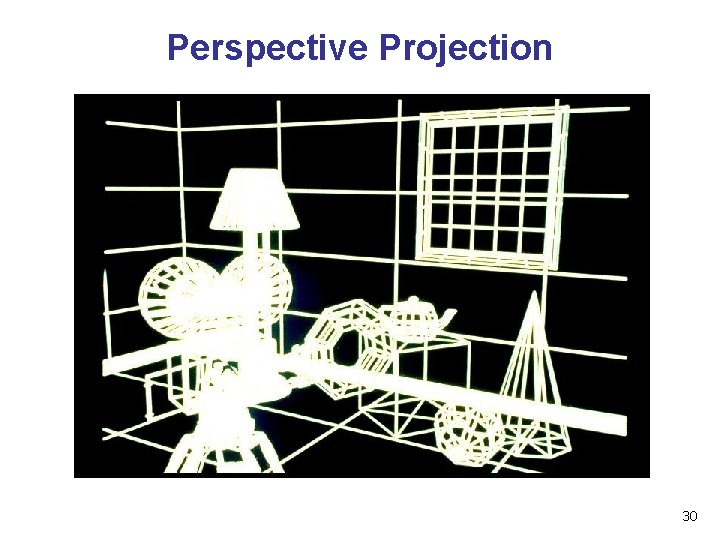
Perspective Projection 30
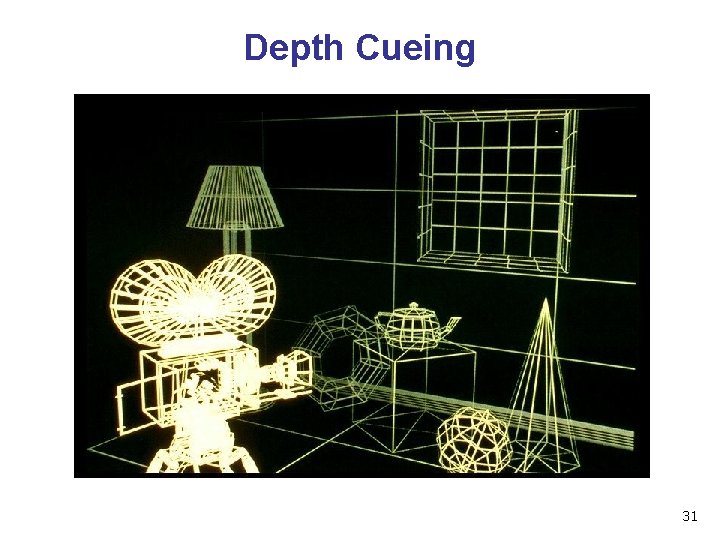
Depth Cueing 31
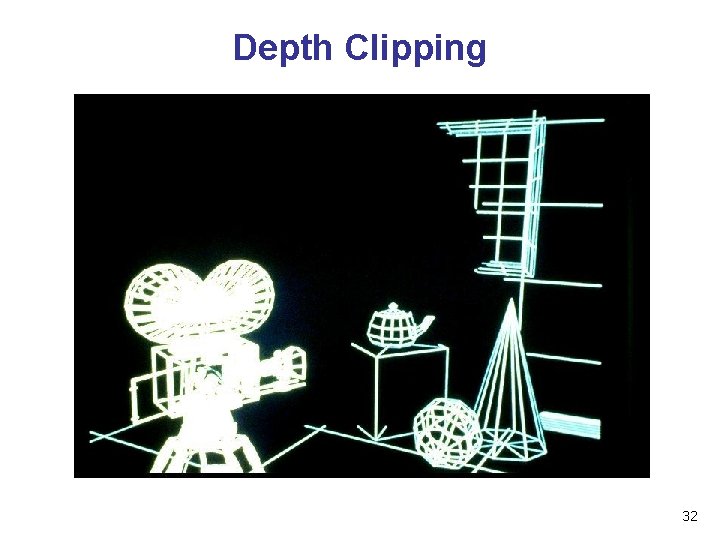
Depth Clipping 32
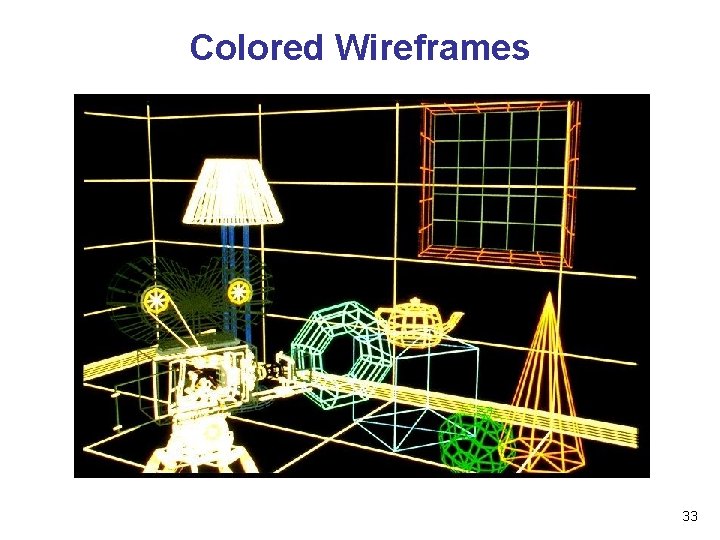
Colored Wireframes 33
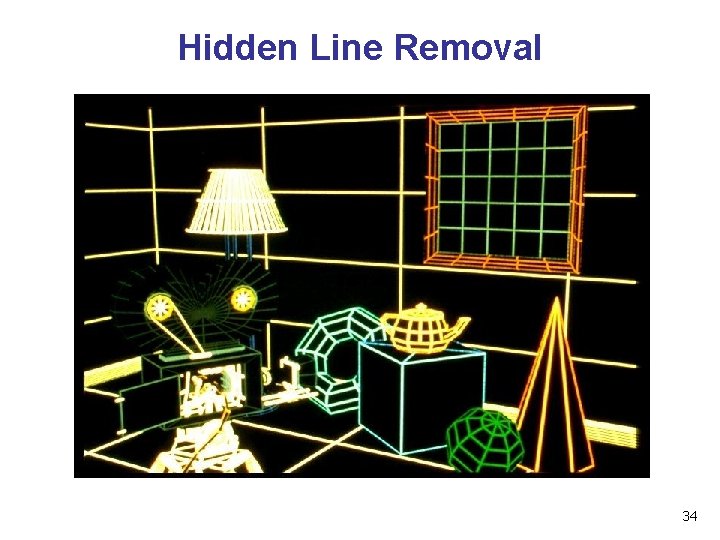
Hidden Line Removal 34
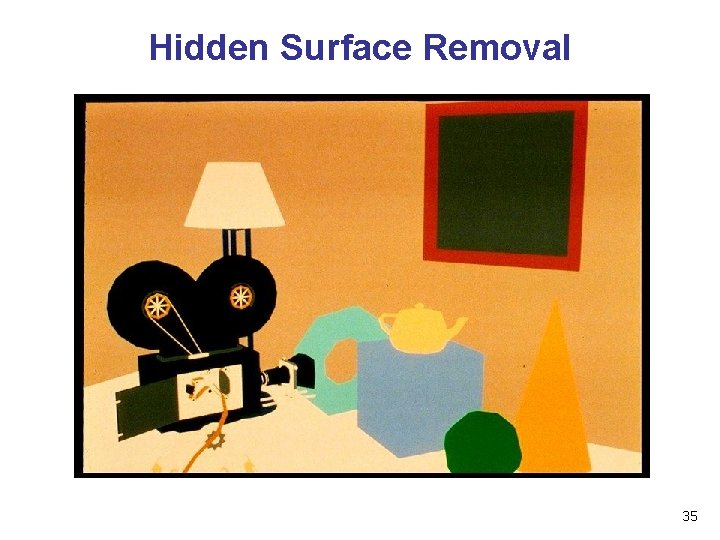
Hidden Surface Removal 35
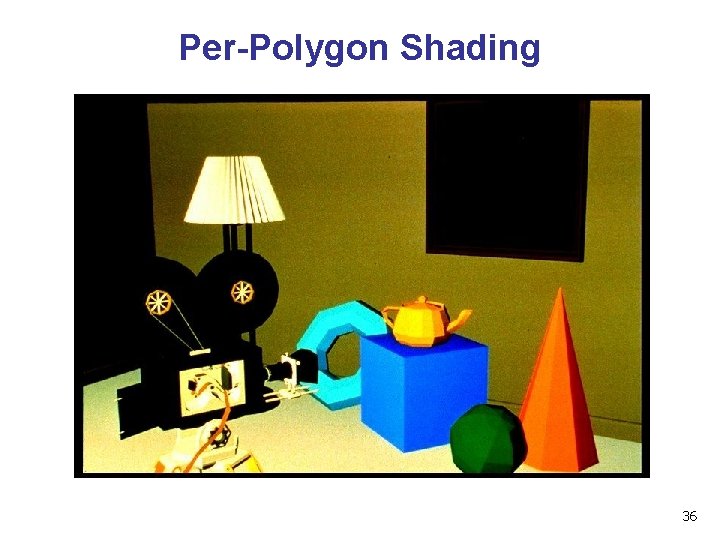
Per-Polygon Shading 36
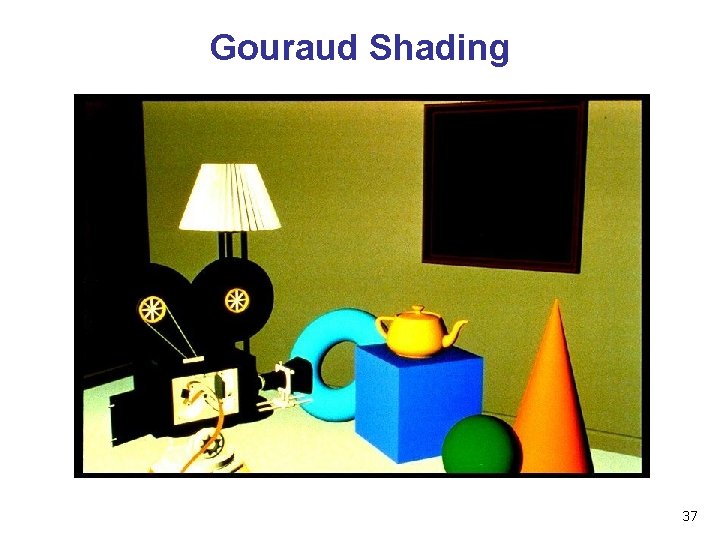
Gouraud Shading 37
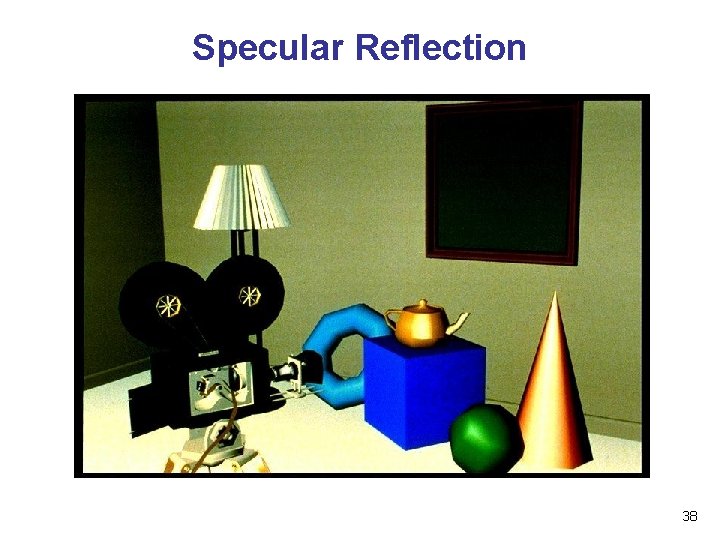
Specular Reflection 38
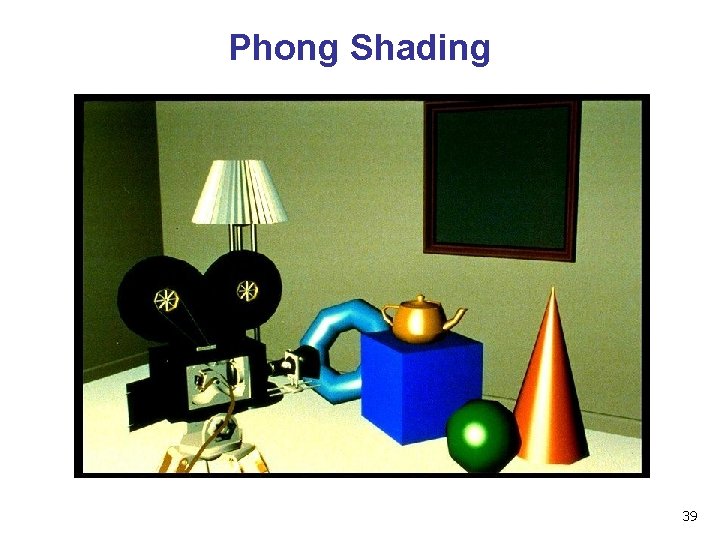
Phong Shading 39
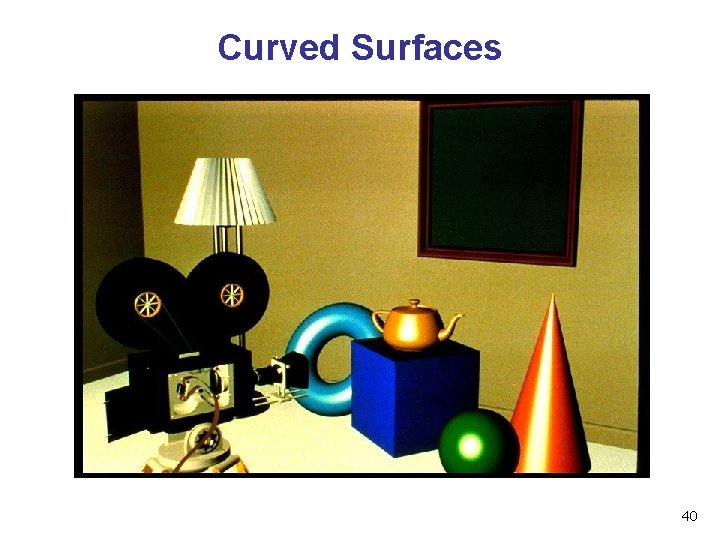
Curved Surfaces 40
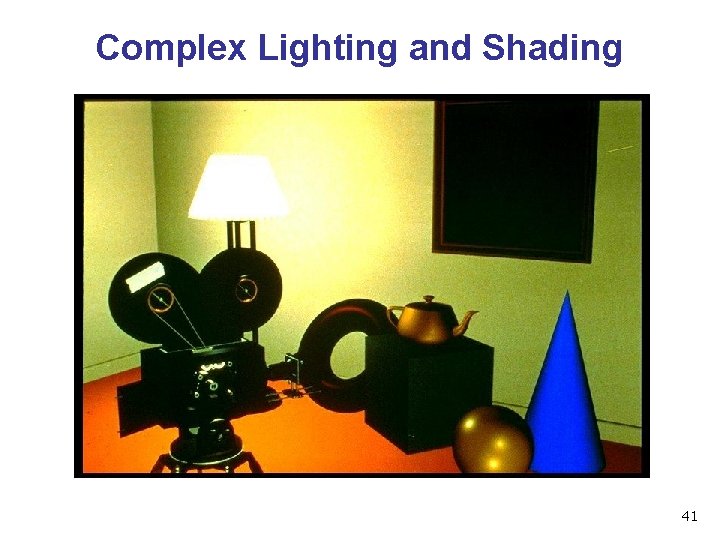
Complex Lighting and Shading 41
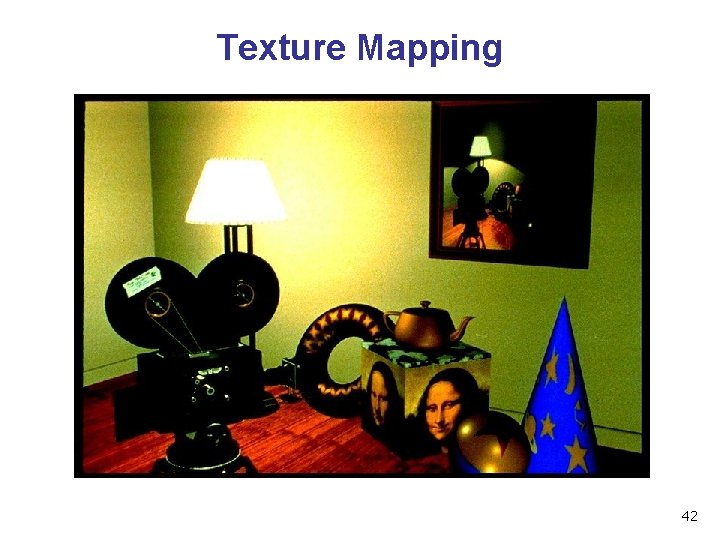
Texture Mapping 42
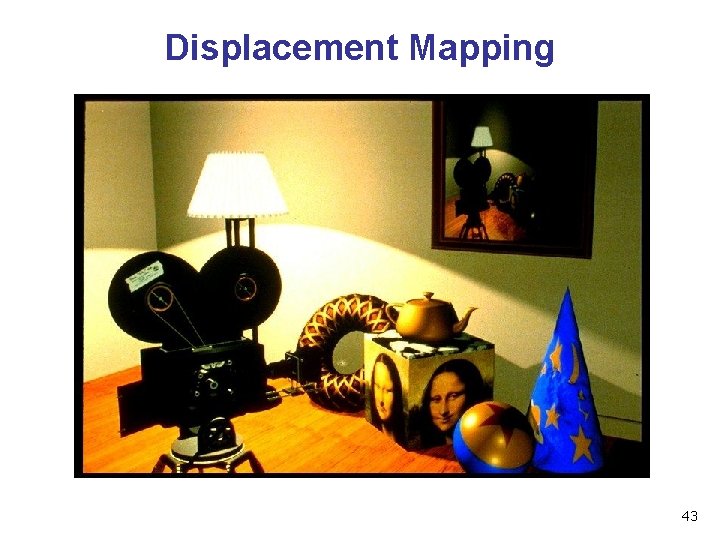
Displacement Mapping 43
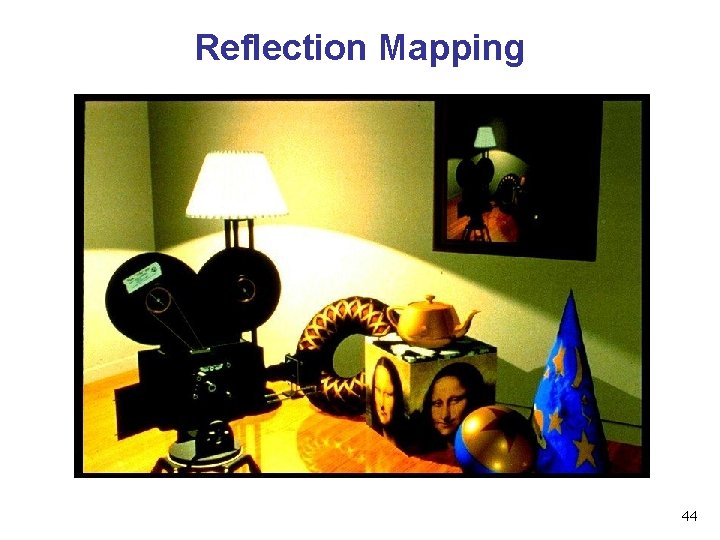
Reflection Mapping 44
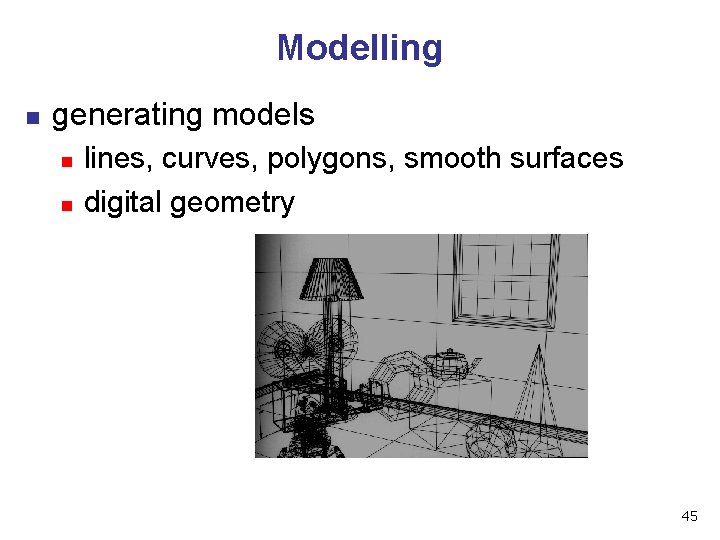
Modelling n generating models n n lines, curves, polygons, smooth surfaces digital geometry 45
Animation n generating motion n interpolating between frames, states 46
Math Review 47
Reading n FCG Chapter 2: Miscellaneous Math n n n except for 2. 11 (covered later) skim 2. 2 (sets and maps), 2. 3 (quadratic eqns) important: 2. 3 (trig), 2. 4 (vectors), 2. 5 -6 (lines) 2. 10 (linear interpolation) n n skip 2. 5. 1, 2. 5. 3, 2. 7. 1, 2. 7. 3, 2. 8, 2. 9 FCG Chapter 4. 1 -4. 25: Linear Algebra n n skim 4. 1 (determinants) important: 4. 2. 1 -4. 2. 2, 4. 2. 5 (matrices) n skip 4. 2. 3 -4, 4. 2. 6 -7 (matrix numerical analysis) 48
Textbook Errata n list at http: //www. cs. utah. edu/~shirley/fcg/errata n p 29, 32, 39 have potential to confuse 49
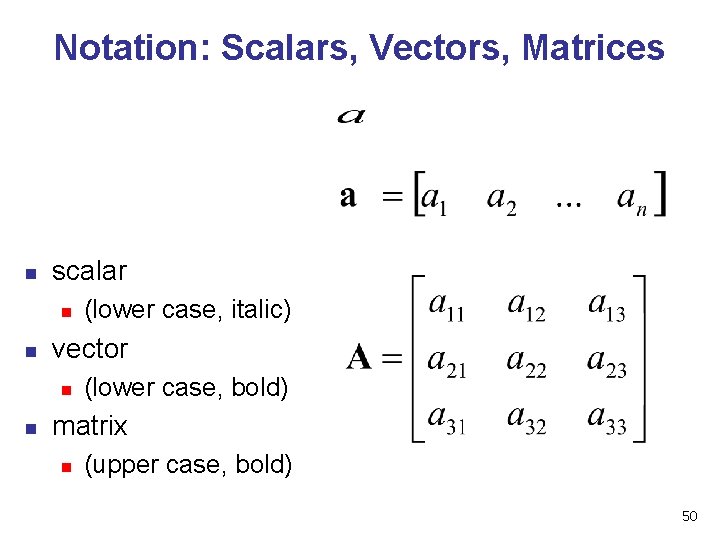
Notation: Scalars, Vectors, Matrices n scalar n n vector n n (lower case, italic) (lower case, bold) matrix n (upper case, bold) 50
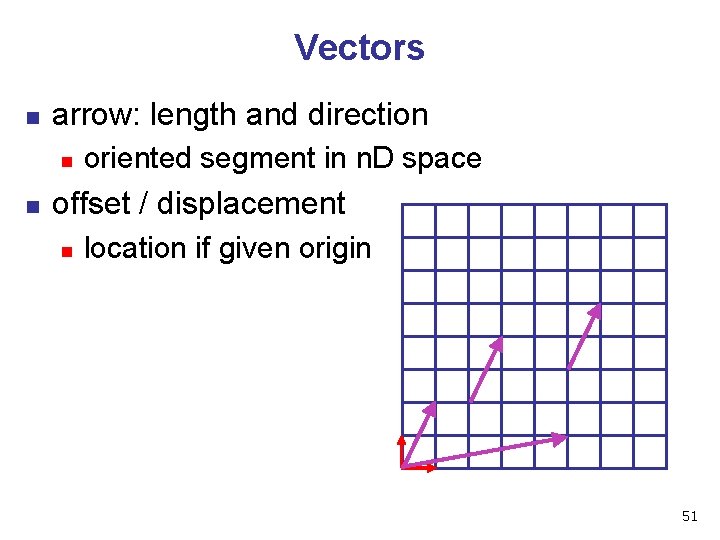
Vectors n arrow: length and direction n n oriented segment in n. D space offset / displacement n location if given origin 51
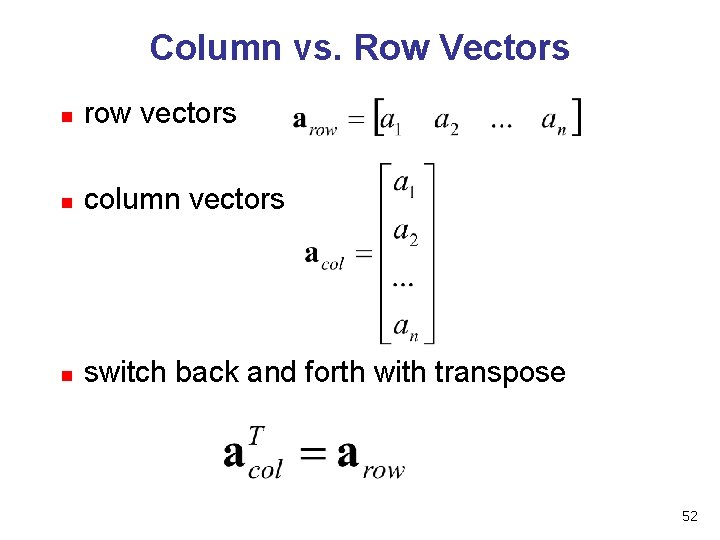
Column vs. Row Vectors n row vectors n column vectors n switch back and forth with transpose 52
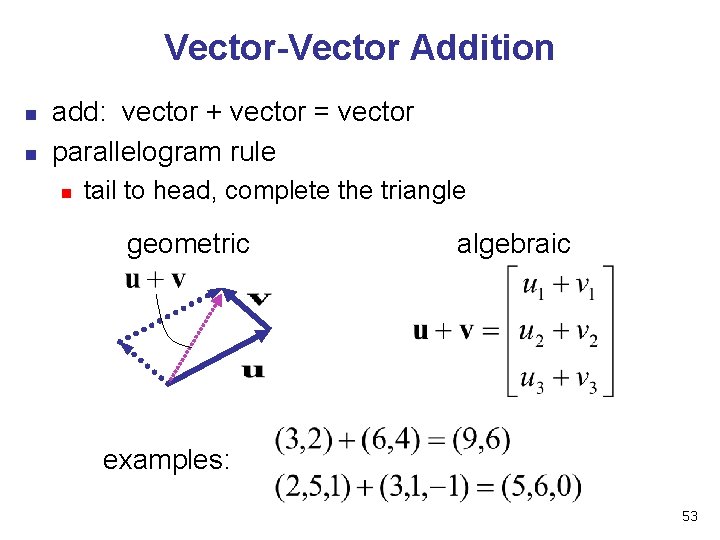
Vector-Vector Addition n n add: vector + vector = vector parallelogram rule n tail to head, complete the triangle geometric algebraic examples: 53
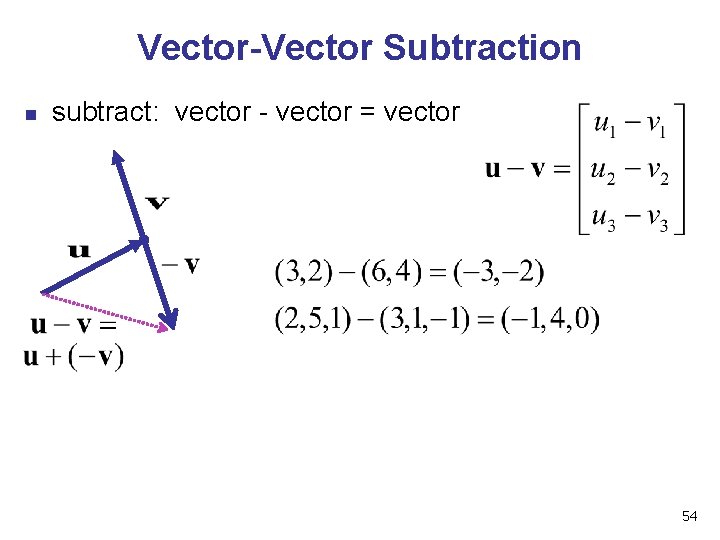
Vector-Vector Subtraction n subtract: vector - vector = vector 54
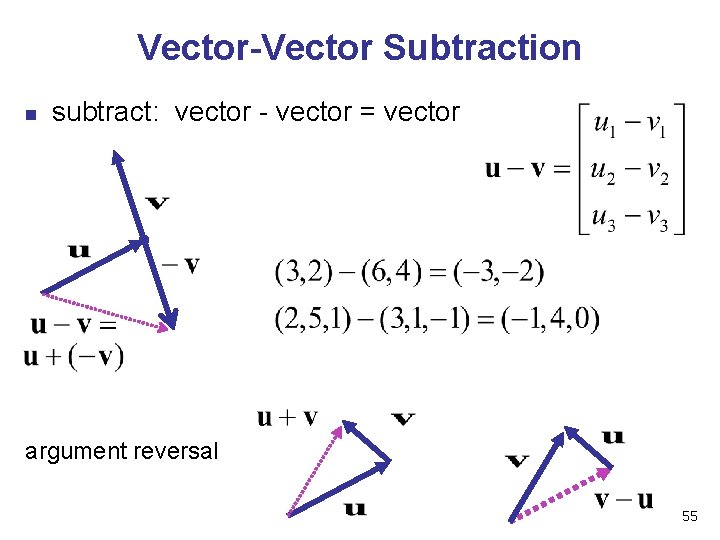
Vector-Vector Subtraction n subtract: vector - vector = vector argument reversal 55
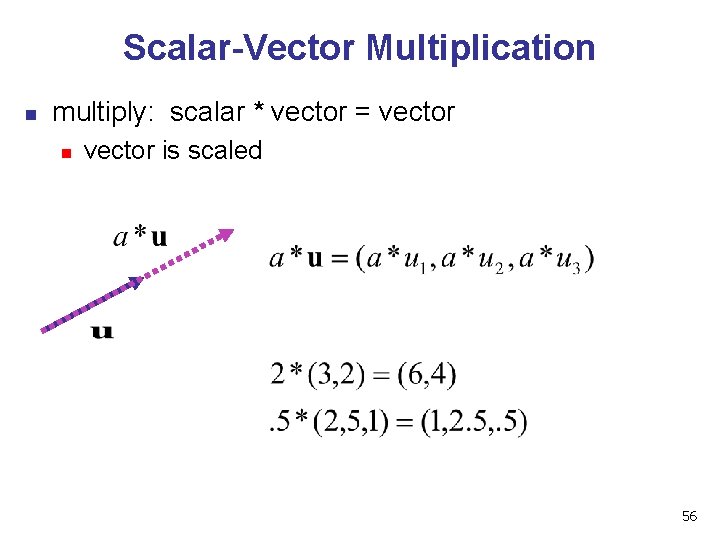
Scalar-Vector Multiplication n multiply: scalar * vector = vector n vector is scaled 56
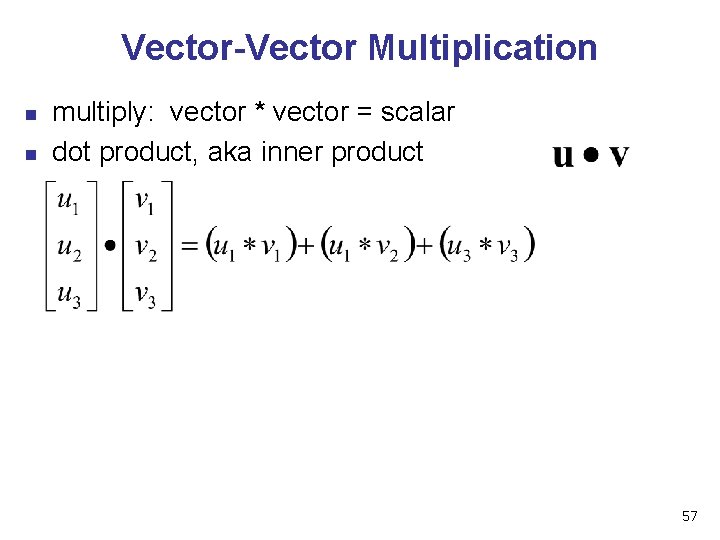
Vector-Vector Multiplication n n multiply: vector * vector = scalar dot product, aka inner product 57
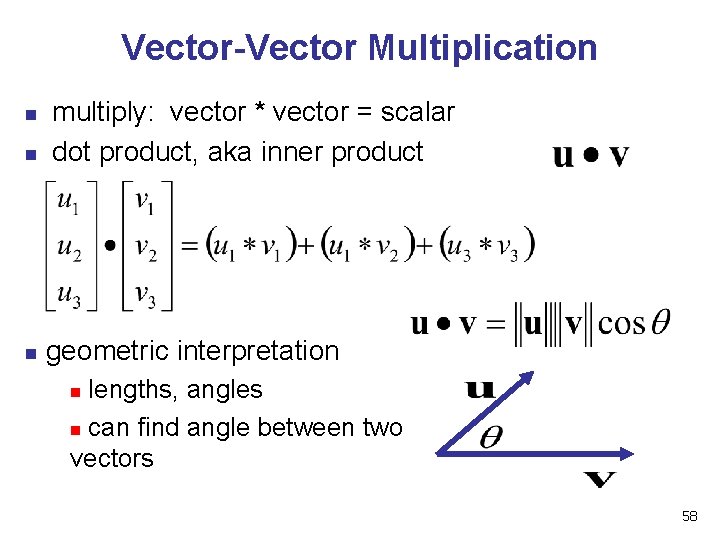
Vector-Vector Multiplication n multiply: vector * vector = scalar dot product, aka inner product geometric interpretation lengths, angles n can find angle between two vectors n 58
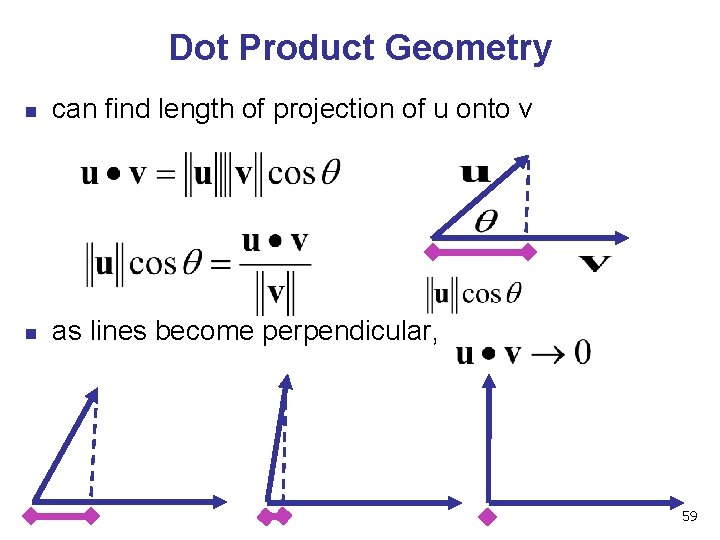
Dot Product Geometry n can find length of projection of u onto v n as lines become perpendicular, 59
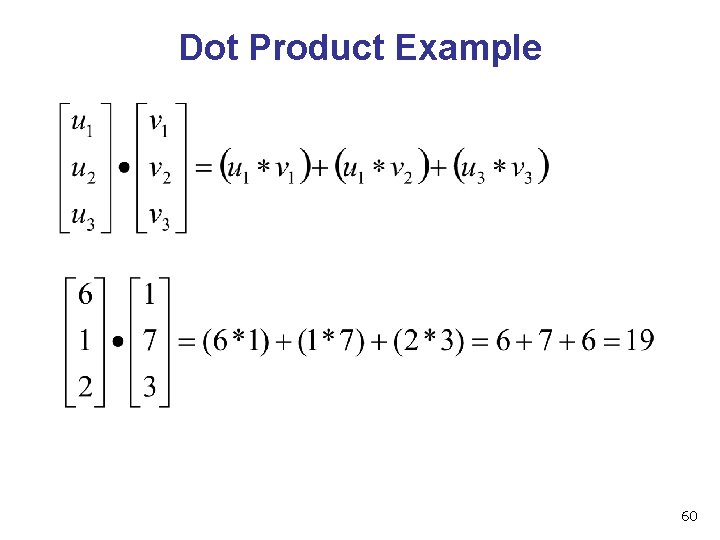
Dot Product Example 60
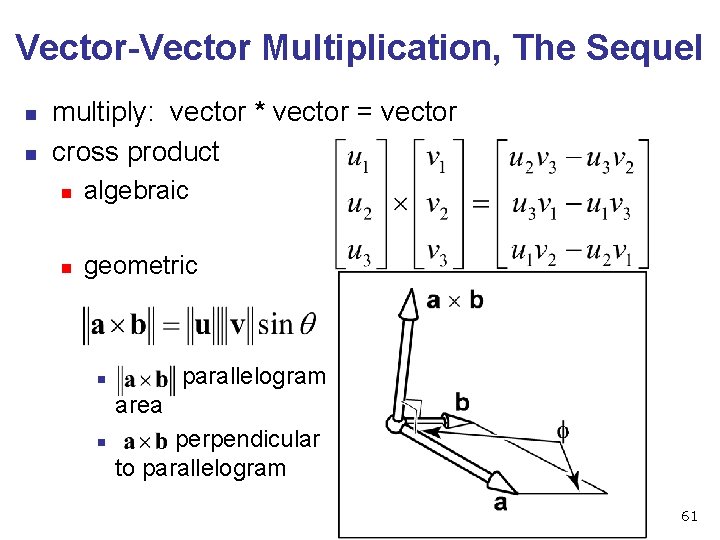
Vector-Vector Multiplication, The Sequel n n multiply: vector * vector = vector cross product n algebraic n geometric n n parallelogram area perpendicular to parallelogram 61
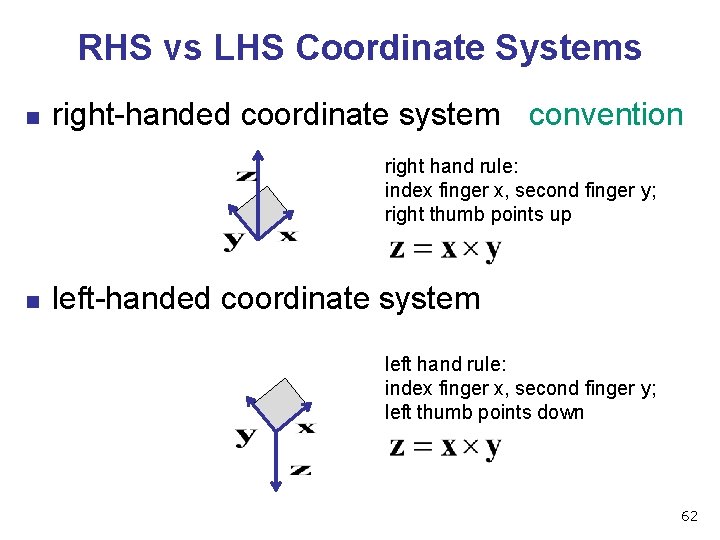
RHS vs LHS Coordinate Systems n right-handed coordinate system convention right hand rule: index finger x, second finger y; right thumb points up n left-handed coordinate system left hand rule: index finger x, second finger y; left thumb points down 62
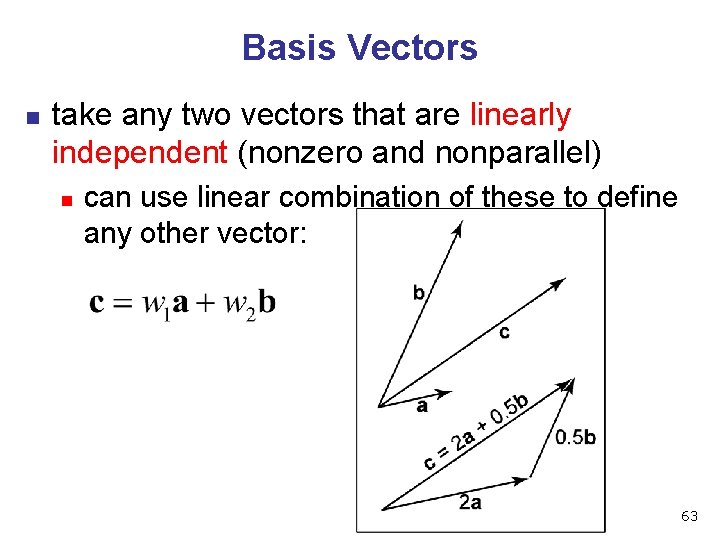
Basis Vectors n take any two vectors that are linearly independent (nonzero and nonparallel) n can use linear combination of these to define any other vector: 63
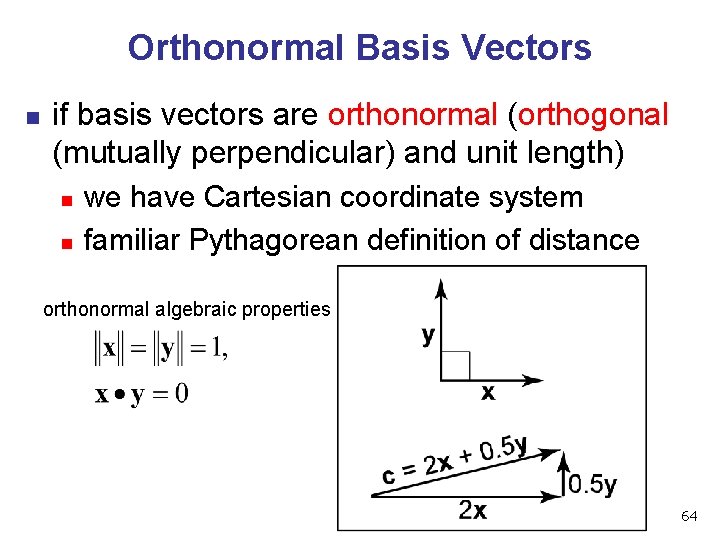
Orthonormal Basis Vectors n if basis vectors are orthonormal (orthogonal (mutually perpendicular) and unit length) n n we have Cartesian coordinate system familiar Pythagorean definition of distance orthonormal algebraic properties 64
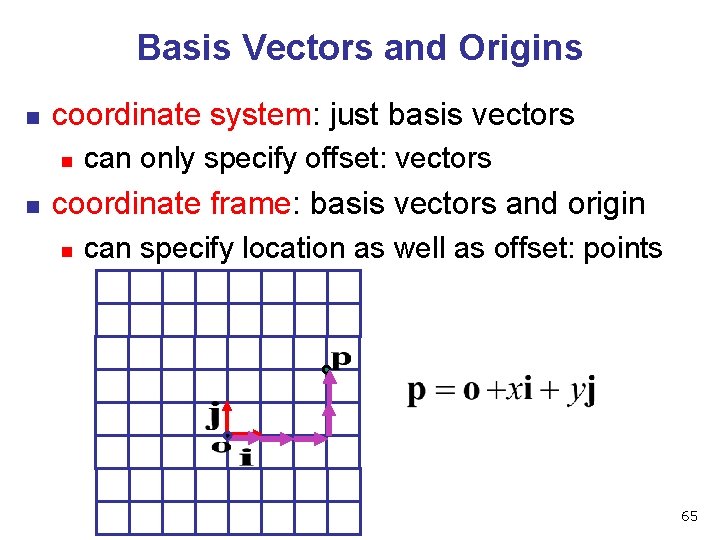
Basis Vectors and Origins n coordinate system: just basis vectors n n can only specify offset: vectors coordinate frame: basis vectors and origin n can specify location as well as offset: points 65
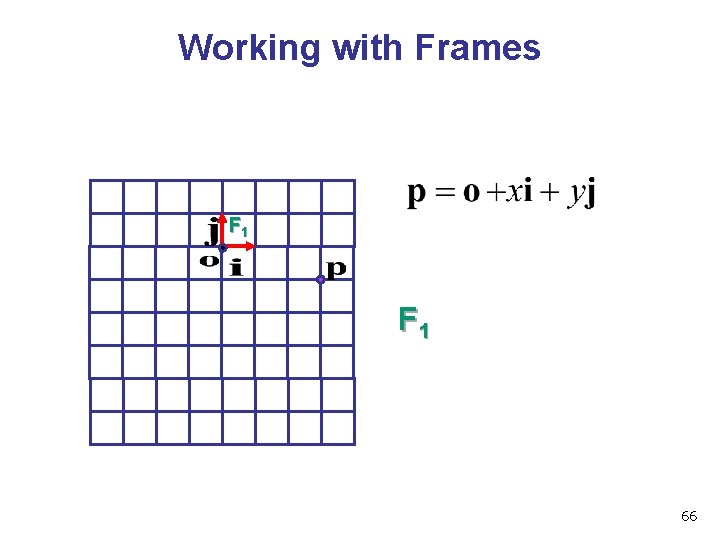
Working with Frames F 1 66
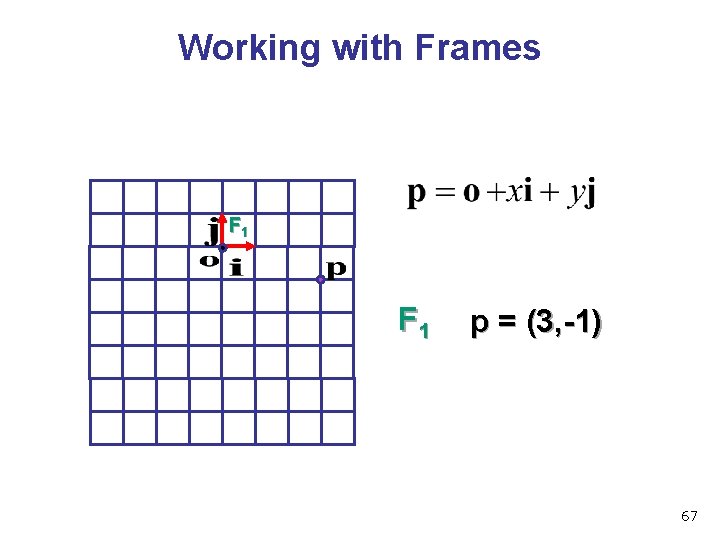
Working with Frames F 1 p = (3, -1) 67
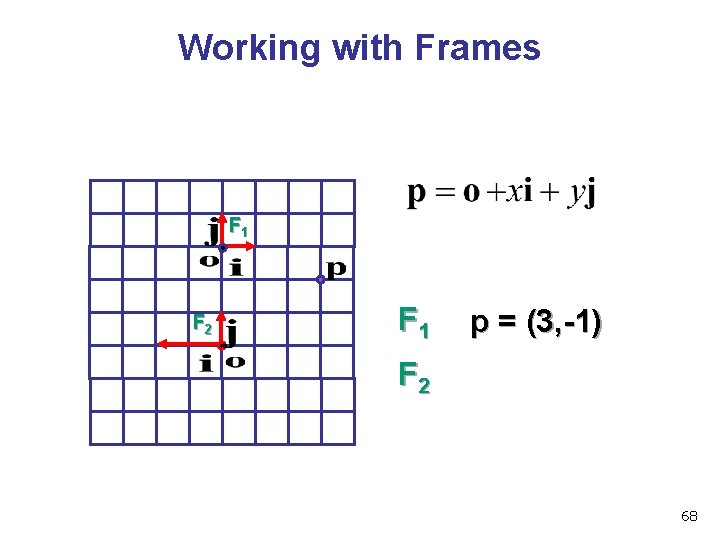
Working with Frames F 1 F 2 F 1 p = (3, -1) F 2 68
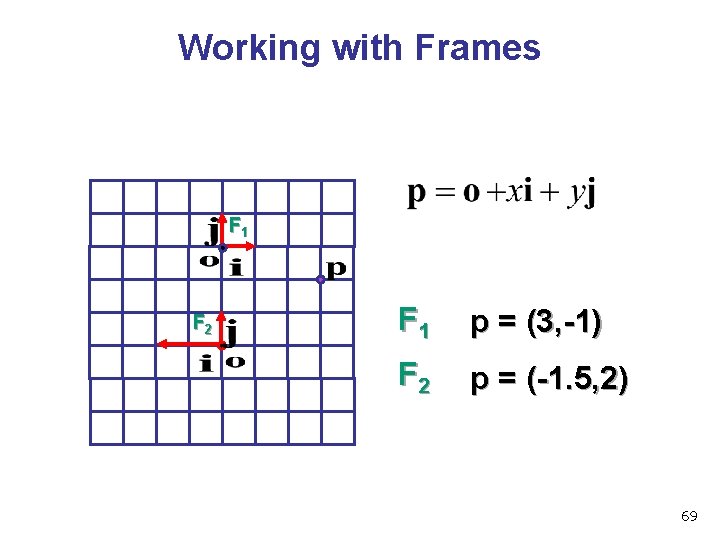
Working with Frames F 1 F 2 F 1 p = (3, -1) F 2 p = (-1. 5, 2) 69
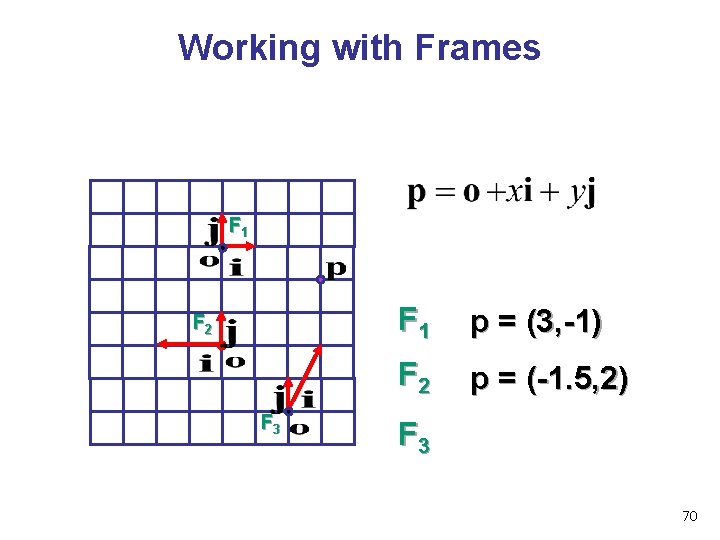
Working with Frames F 1 F 2 F 3 F 1 p = (3, -1) F 2 p = (-1. 5, 2) F 3 70
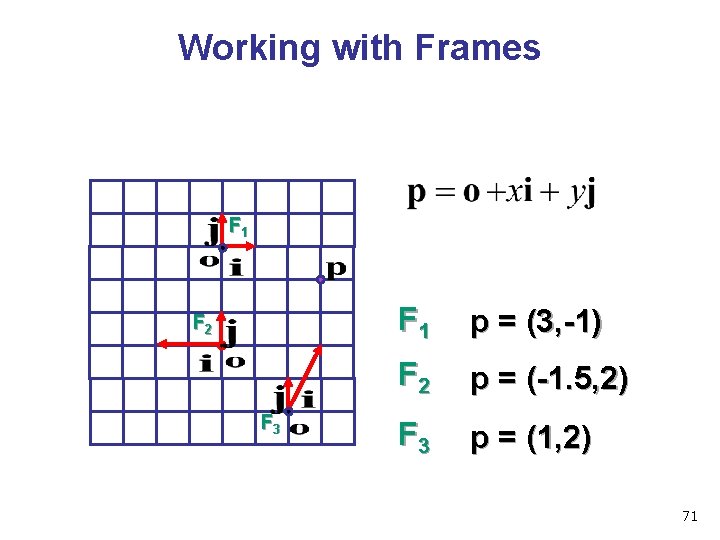
Working with Frames F 1 F 2 F 3 F 1 p = (3, -1) F 2 p = (-1. 5, 2) F 3 p = (1, 2) 71
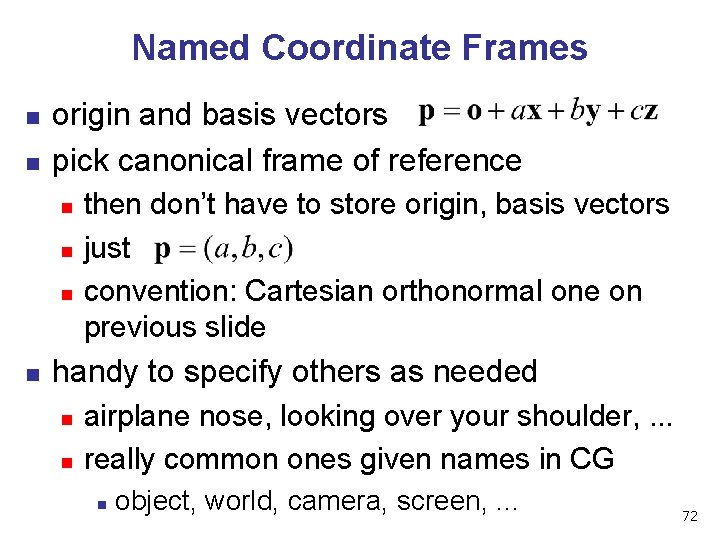
Named Coordinate Frames n n origin and basis vectors pick canonical frame of reference n n then don’t have to store origin, basis vectors just convention: Cartesian orthonormal one on previous slide handy to specify others as needed n n airplane nose, looking over your shoulder, . . . really common ones given names in CG n object, world, camera, screen, . . . 72
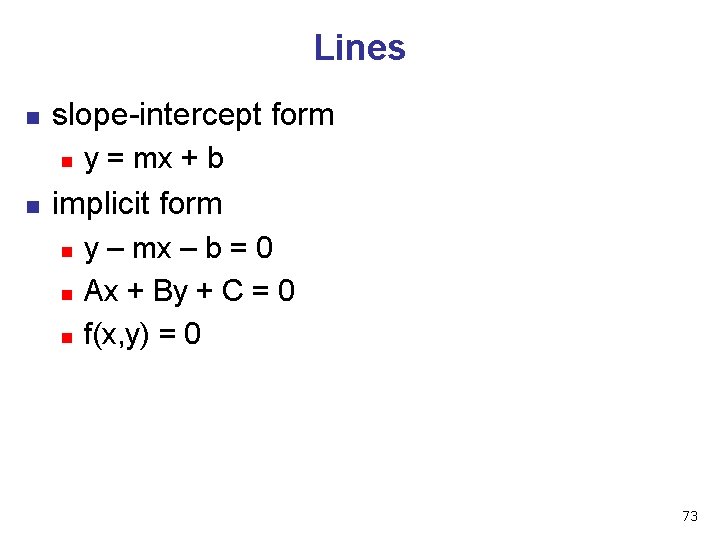
Lines n slope-intercept form n n y = mx + b implicit form n n n y – mx – b = 0 Ax + By + C = 0 f(x, y) = 0 73
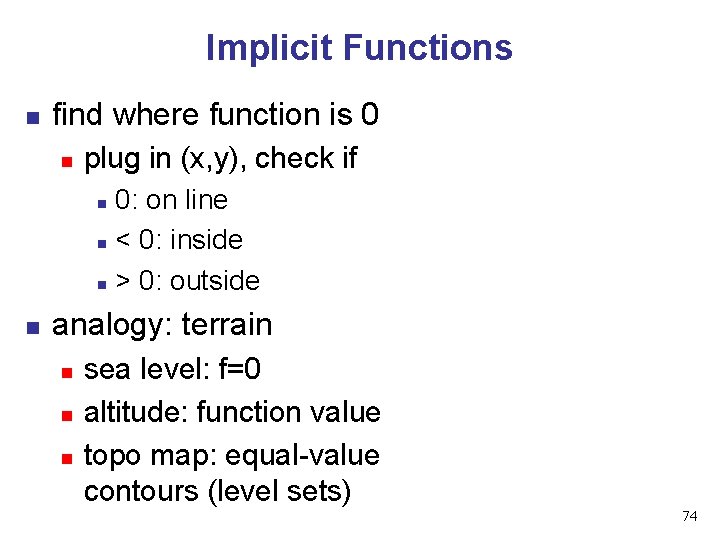
Implicit Functions n find where function is 0 n plug in (x, y), check if 0: on line n < 0: inside n > 0: outside n n analogy: terrain n sea level: f=0 altitude: function value topo map: equal-value contours (level sets) 74
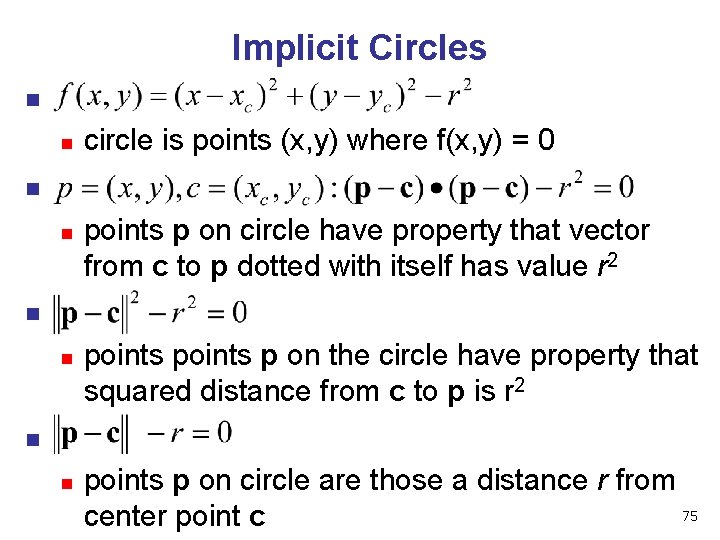
Implicit Circles n n n points p on circle have property that vector from c to p dotted with itself has value r 2 n n circle is points (x, y) where f(x, y) = 0 points p on the circle have property that squared distance from c to p is r 2 n points p on circle are those a distance r from 75 center point c
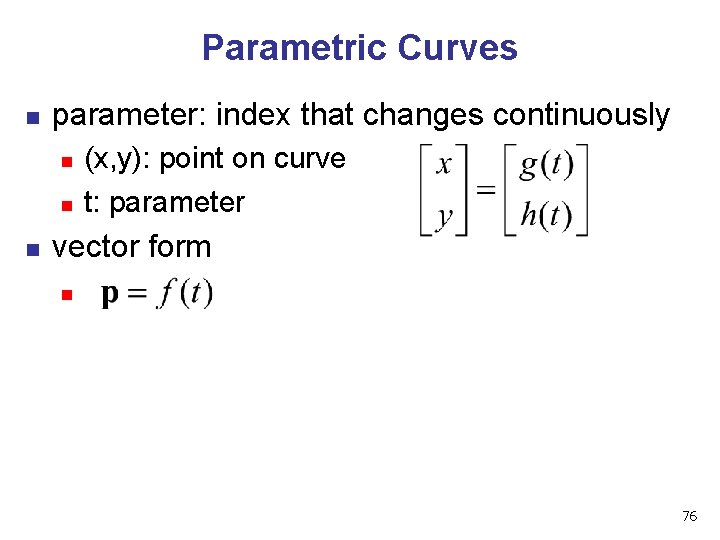
Parametric Curves n parameter: index that changes continuously n n n (x, y): point on curve t: parameter vector form n 76
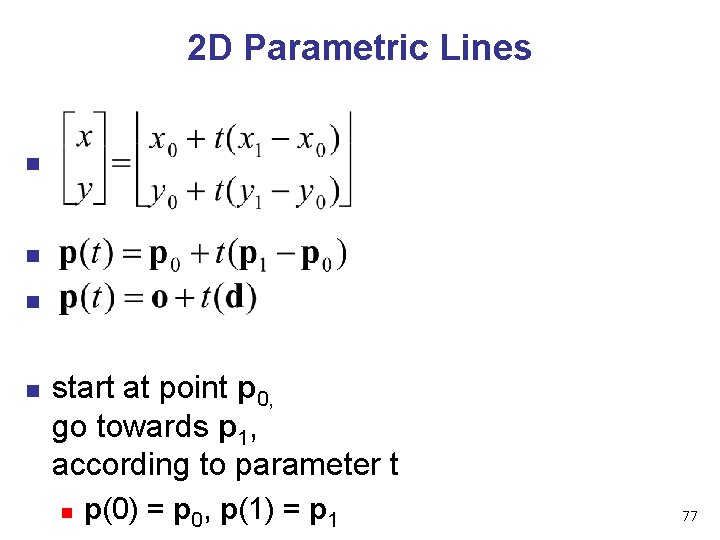
2 D Parametric Lines n n start at point p 0, go towards p 1, according to parameter t n p(0) = p 0, p(1) = p 1 77
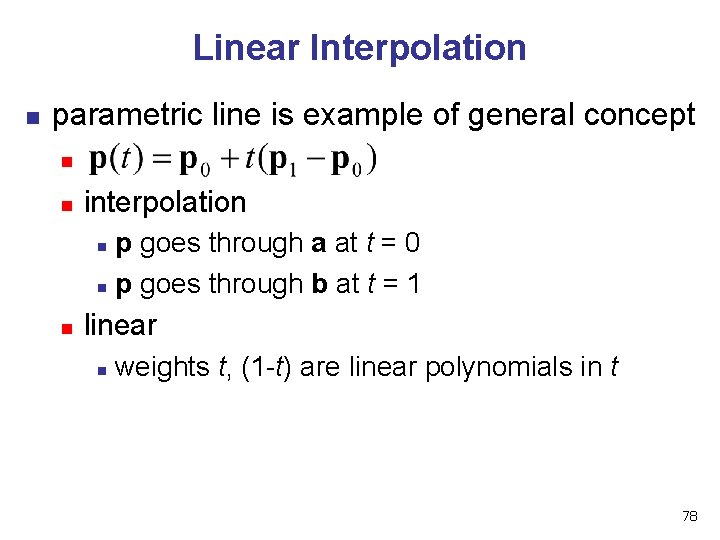
Linear Interpolation n parametric line is example of general concept n n interpolation p goes through a at t = 0 n p goes through b at t = 1 n n linear n weights t, (1 -t) are linear polynomials in t 78
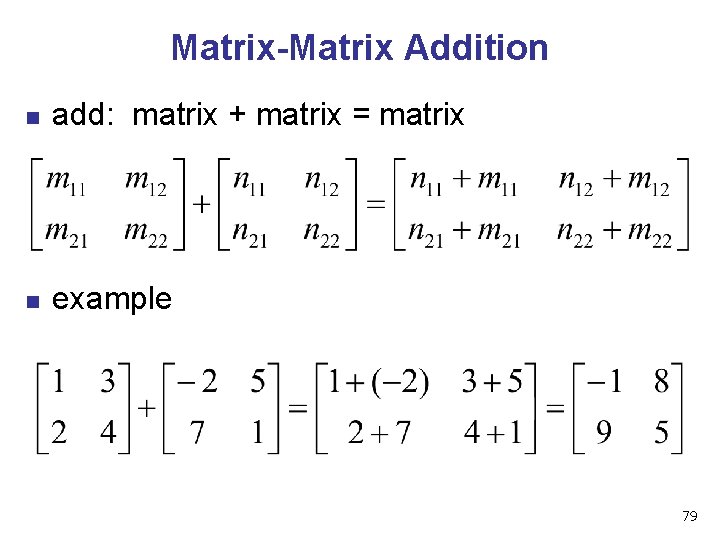
Matrix-Matrix Addition n add: matrix + matrix = matrix n example 79
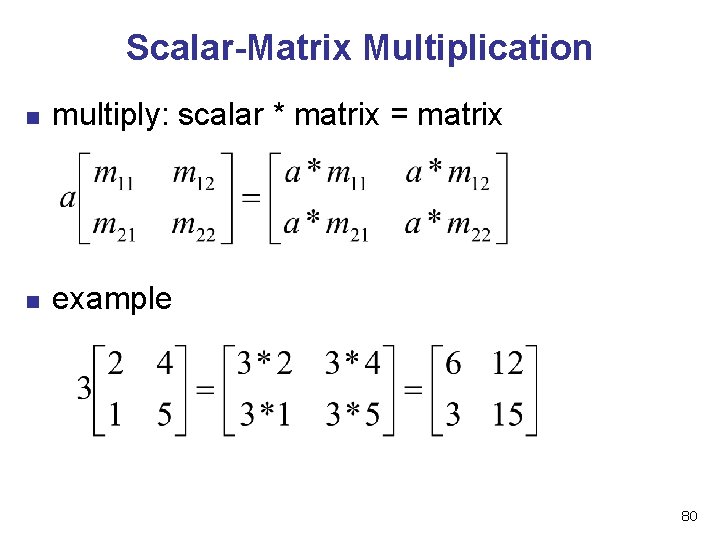
Scalar-Matrix Multiplication n multiply: scalar * matrix = matrix n example 80
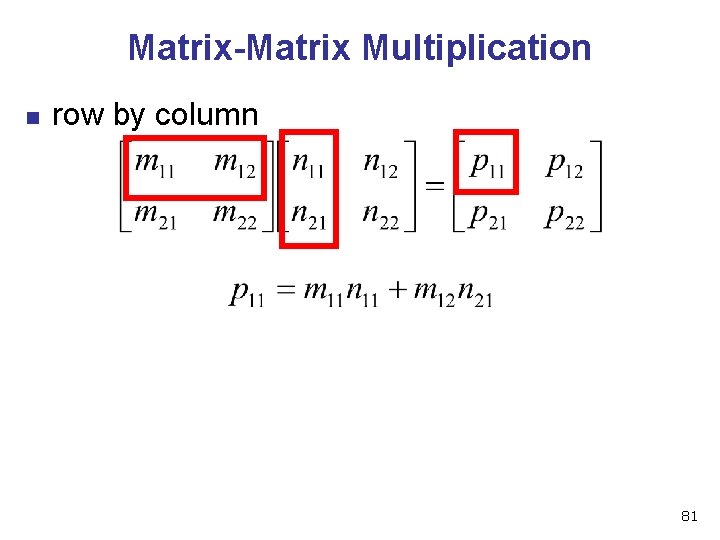
Matrix-Matrix Multiplication n row by column 81
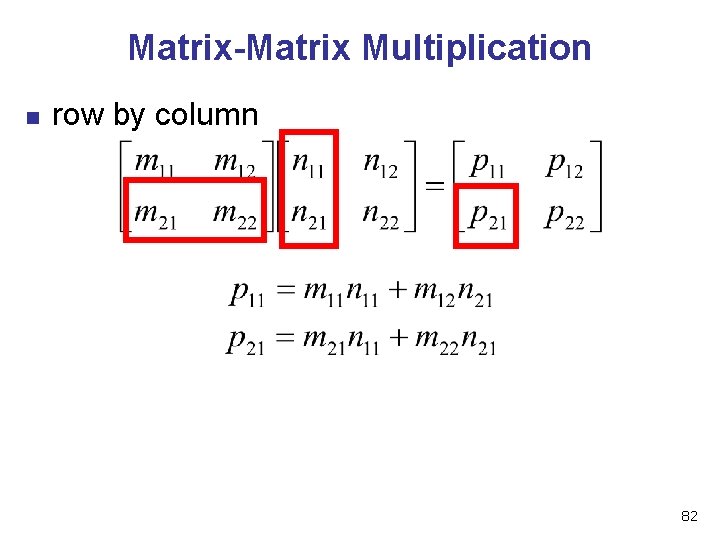
Matrix-Matrix Multiplication n row by column 82
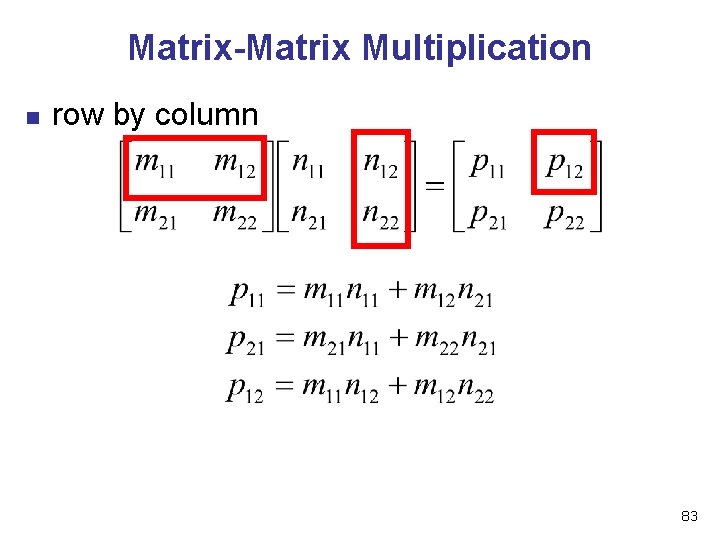
Matrix-Matrix Multiplication n row by column 83
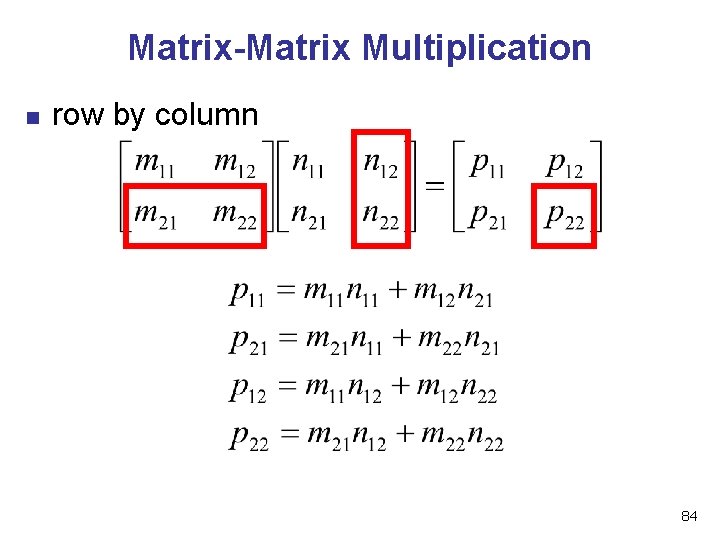
Matrix-Matrix Multiplication n row by column 84
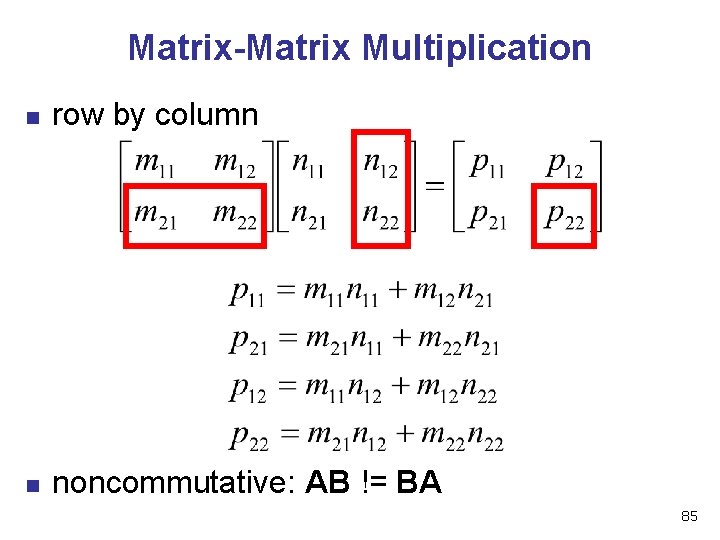
Matrix-Matrix Multiplication n row by column n noncommutative: AB != BA 85
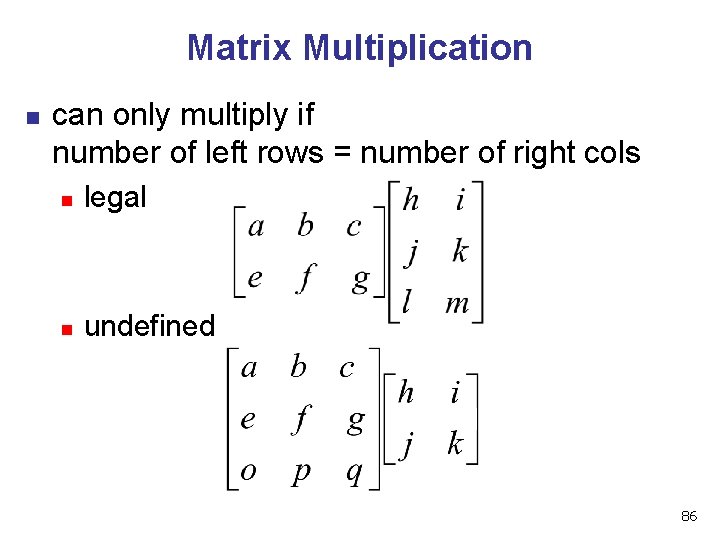
Matrix Multiplication n can only multiply if number of left rows = number of right cols n legal n undefined 86
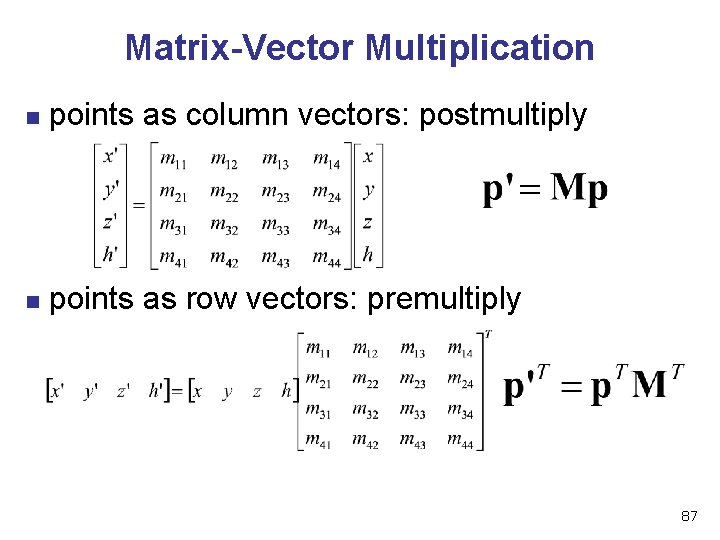
Matrix-Vector Multiplication n points as column vectors: postmultiply n points as row vectors: premultiply 87
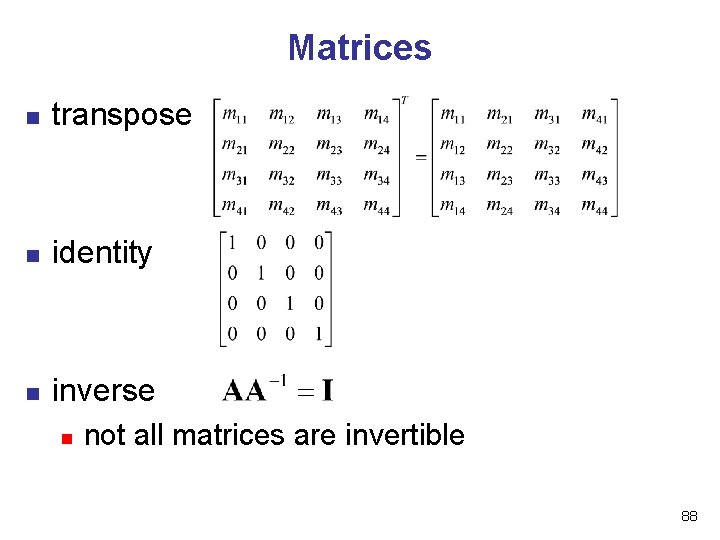
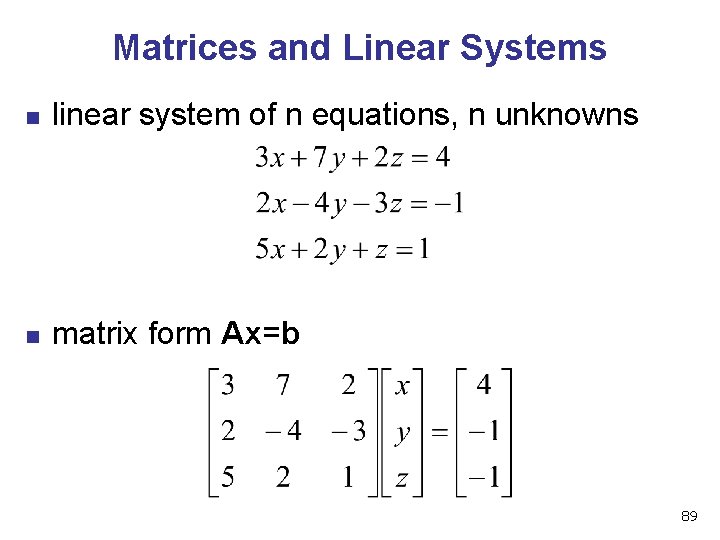
Matrices n transpose n identity n inverse n not all matrices are invertible 88
Matrices and Linear Systems n linear system of n equations, n unknowns n matrix form Ax=b 89
Rendering Pipeline 90
Reading n n n RB Chap. Introduction to Open. GL RB Chap. State Management and Drawing Geometric Objects RB Appendix Basics of GLUT n (Basics of Aux in v 1. 1) 91
Rendering n goal n n n transform computer models into images may or may not be photo-realistic interactive rendering n n fast, but limited quality roughly follows a fixed patterns of operations n n rendering pipeline offline rendering n n ray-tracing global illumination 92
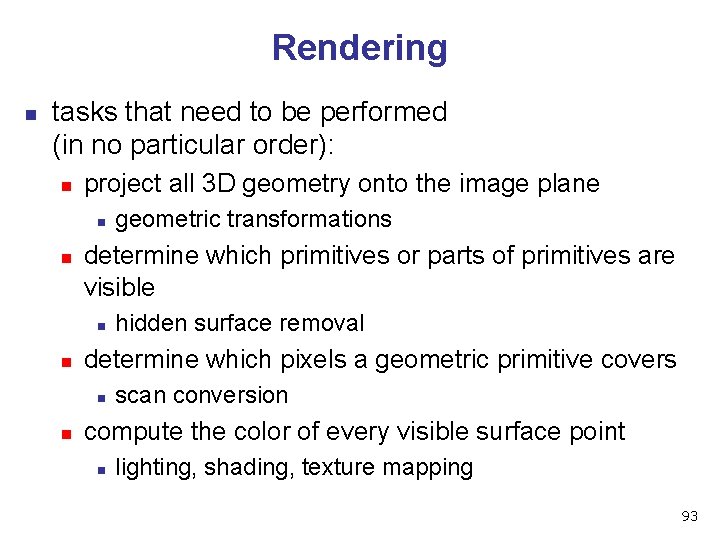
Rendering n tasks that need to be performed (in no particular order): n project all 3 D geometry onto the image plane n n determine which primitives or parts of primitives are visible n n hidden surface removal determine which pixels a geometric primitive covers n n geometric transformations scan conversion compute the color of every visible surface point n lighting, shading, texture mapping 93
Rendering Pipeline n what is the pipeline? n n n abstract model for sequence of operations to transform geometric model into digital image abstraction of the way graphics hardware works underlying model for application programming interfaces (APIs) that allow programming of graphics hardware n n n Open. GL Direct 3 D actual implementation details of rendering pipeline will vary 94
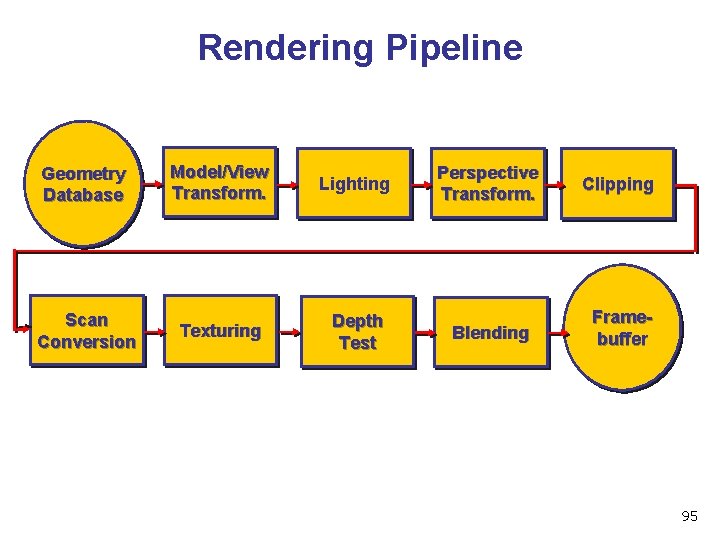
Rendering Pipeline Geometry Database Scan Conversion Model/View Transform. Lighting Texturing Depth Test Perspective Transform. Clipping Blending Framebuffer 95
Geometry Database n geometry database n n application-specific data structure for holding geometric information depends on specific needs of application n triangle soup, points, mesh with connectivity information, curved surface 96
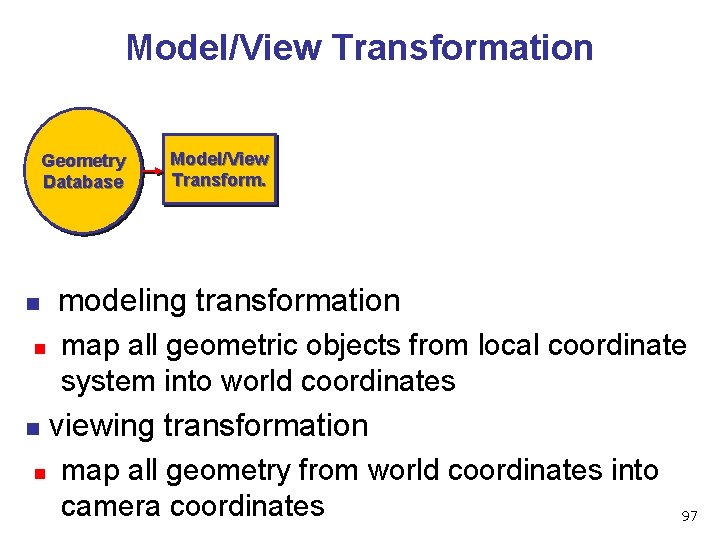
Model/View Transformation Geometry Database n modeling transformation n n Model/View Transform. map all geometric objects from local coordinate system into world coordinates viewing transformation n map all geometry from world coordinates into camera coordinates 97
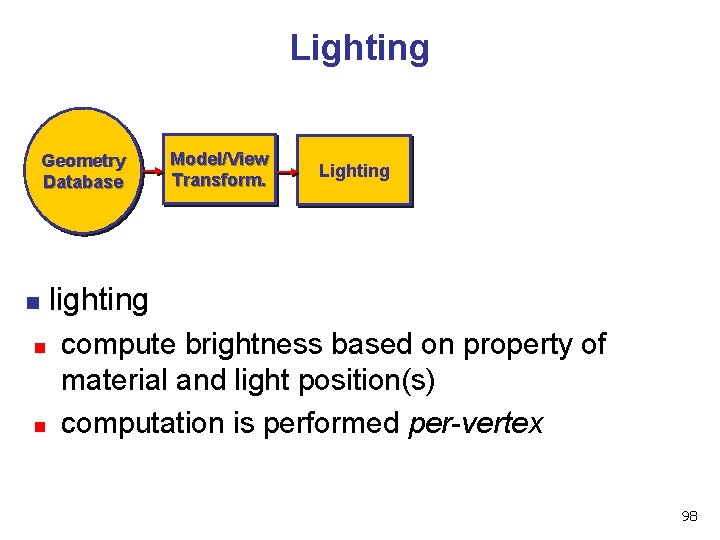
Lighting Geometry Database n Model/View Transform. Lighting lighting n n compute brightness based on property of material and light position(s) computation is performed per-vertex 98
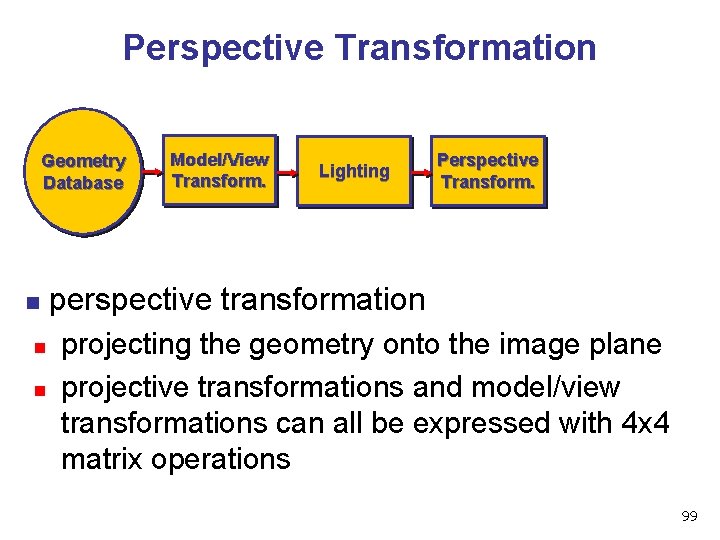
Perspective Transformation Geometry Database n Model/View Transform. Lighting Perspective Transform. perspective transformation n n projecting the geometry onto the image plane projective transformations and model/view transformations can all be expressed with 4 x 4 matrix operations 99
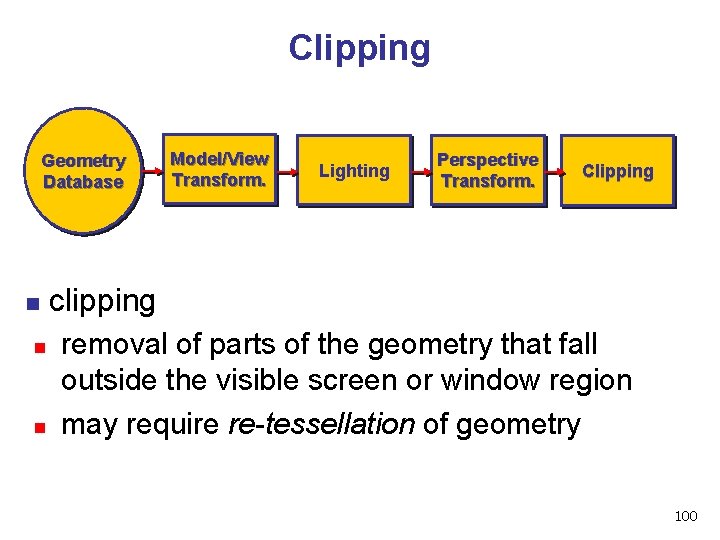
Clipping Geometry Database n Model/View Transform. Lighting Perspective Transform. Clipping clipping n n removal of parts of the geometry that fall outside the visible screen or window region may require re-tessellation of geometry 100
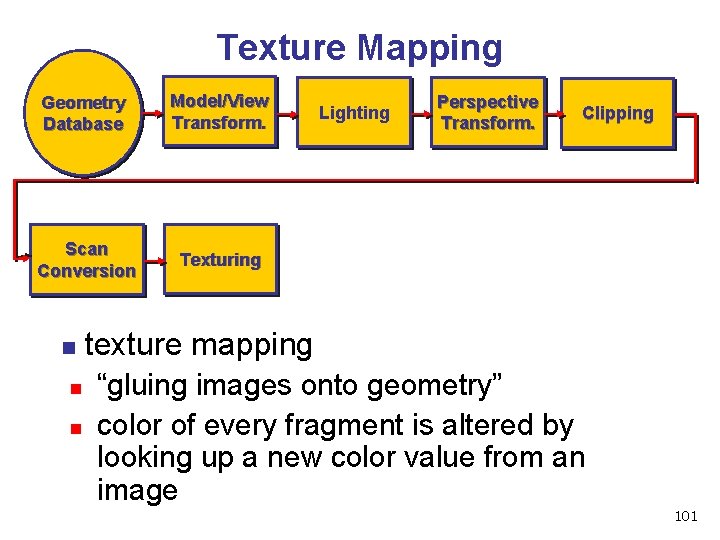
Texture Mapping Geometry Database Model/View Transform. Scan Conversion Texturing n Lighting Perspective Transform. Clipping texture mapping n n “gluing images onto geometry” color of every fragment is altered by looking up a new color value from an image 101
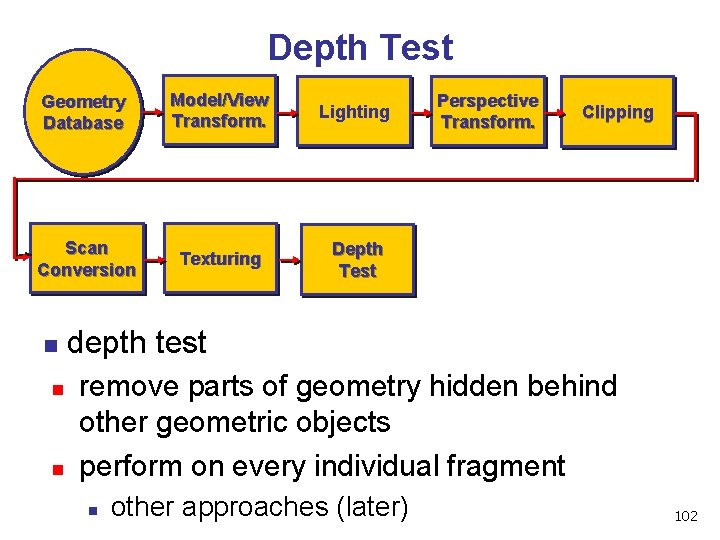
Depth Test Geometry Database Model/View Transform. Lighting Scan Conversion Texturing Depth Test n Perspective Transform. Clipping depth test n n remove parts of geometry hidden behind other geometric objects perform on every individual fragment n other approaches (later) 102
Pipeline Advantages modularity: logical separation of different components n easy to parallelize n n n earlier stages can already work on new data while later stages still work with previous data similar to pipelining in modern CPUs but much more aggressive parallelization possible (special purpose hardware!) important for hardware implementations only local knowledge of the scene is necessary 103
Pipeline Disadvantages limited flexibility n some algorithms would require different ordering of pipeline stages n n n hard to achieve while still preserving compatibility only local knowledge of scene is available n n shadows global illumination 104
Open. GL (briefly) 105
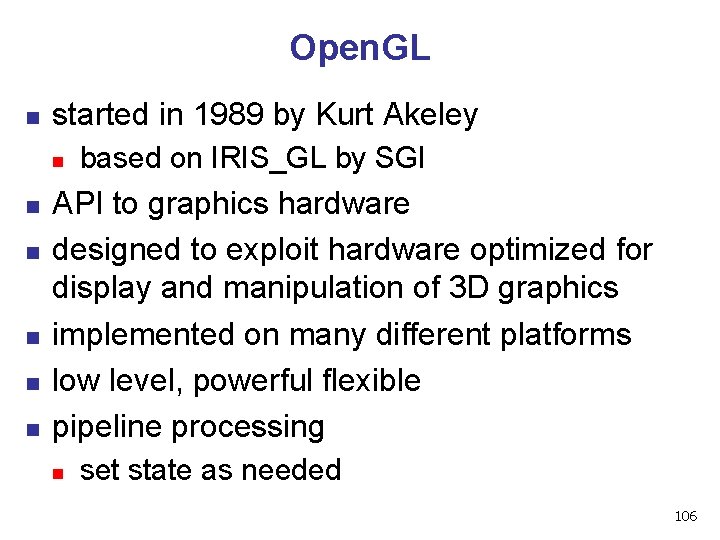
Open. GL n started in 1989 by Kurt Akeley n n n based on IRIS_GL by SGI API to graphics hardware designed to exploit hardware optimized for display and manipulation of 3 D graphics implemented on many different platforms low level, powerful flexible pipeline processing n set state as needed 106
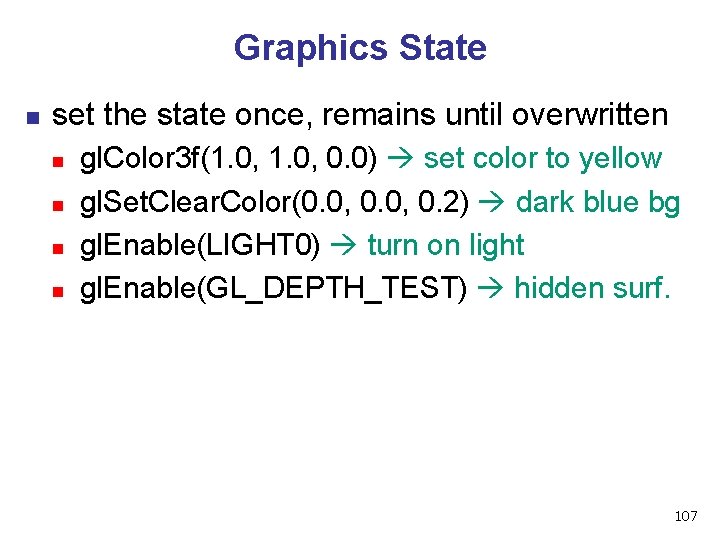
Graphics State n set the state once, remains until overwritten n n gl. Color 3 f(1. 0, 0. 0) set color to yellow gl. Set. Clear. Color(0. 0, 0. 2) dark blue bg gl. Enable(LIGHT 0) turn on light gl. Enable(GL_DEPTH_TEST) hidden surf. 107
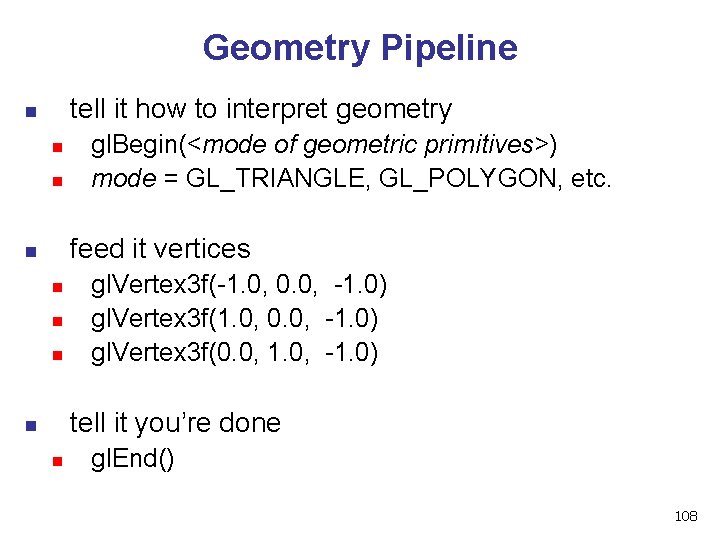
Geometry Pipeline tell it how to interpret geometry n n n gl. Begin(<mode of geometric primitives>) mode = GL_TRIANGLE, GL_POLYGON, etc. feed it vertices n n gl. Vertex 3 f(-1. 0, 0. 0, -1. 0) gl. Vertex 3 f(0. 0, 1. 0, -1. 0) tell it you’re done n n gl. End() 108
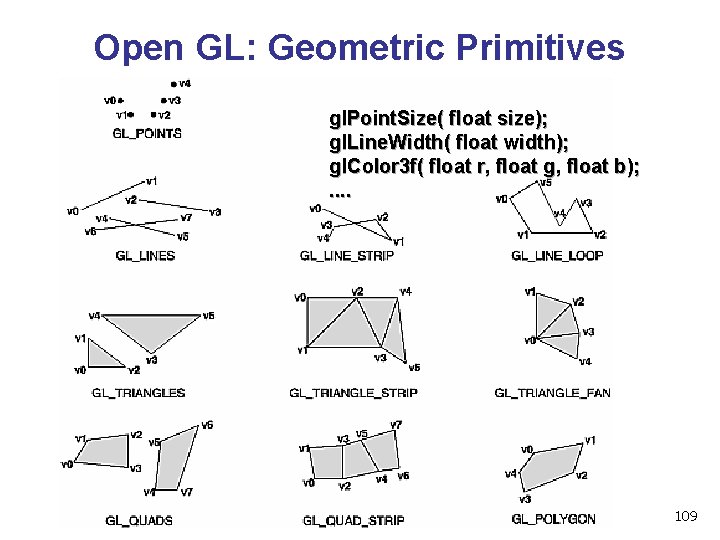
Open GL: Geometric Primitives gl. Point. Size( float size); gl. Line. Width( float width); gl. Color 3 f( float r, float g, float b); . . 109
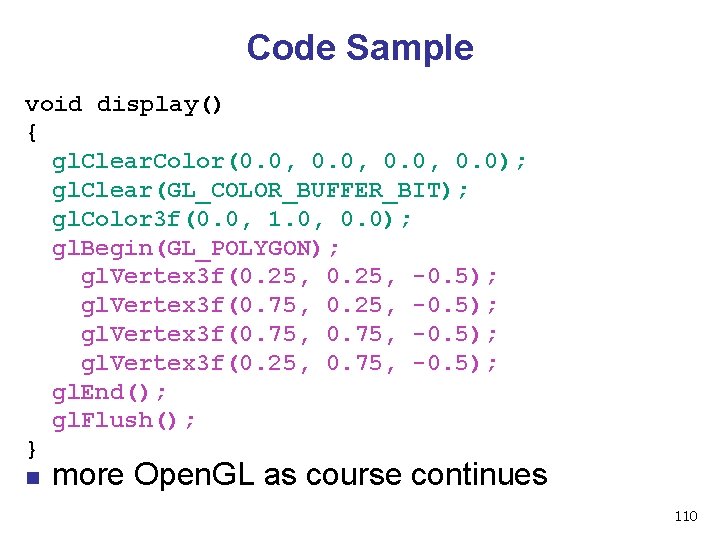
Code Sample void display() { gl. Clear. Color(0. 0, 0. 0); gl. Clear(GL_COLOR_BUFFER_BIT); gl. Color 3 f(0. 0, 1. 0, 0. 0); gl. Begin(GL_POLYGON); gl. Vertex 3 f(0. 25, -0. 5); gl. Vertex 3 f(0. 75, -0. 5); gl. Vertex 3 f(0. 25, 0. 75, -0. 5); gl. End(); gl. Flush(); } n more Open. GL as course continues 110
GLUT 111
GLUT: Open. GL Utility Toolkit n n developed by Mark Kilgard (also from SGI) simple, portable window manager n opening windows n n handling input with callbacks n n n keyboard, mouse, window reshape events timing n n handling graphics contexts idle processing, idle events designed for small-medium size applications distributed as binaries n free, but not open source 112
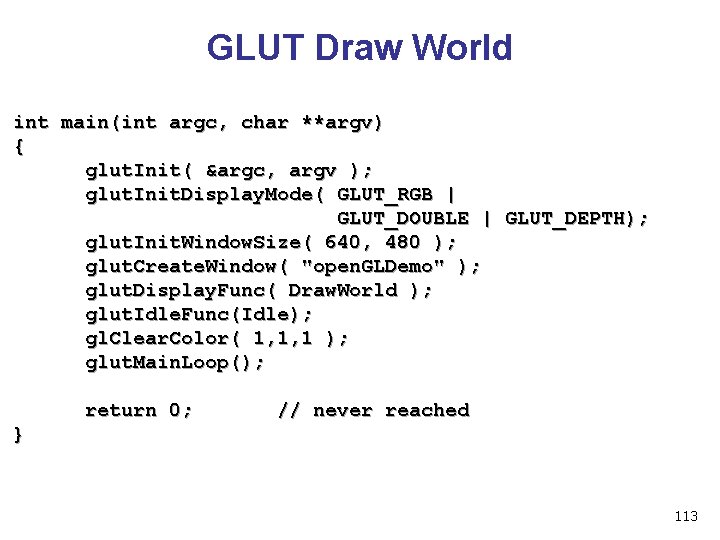
GLUT Draw World int main(int argc, char **argv) { glut. Init( &argc, argv ); glut. Init. Display. Mode( GLUT_RGB | GLUT_DOUBLE | GLUT_DEPTH); glut. Init. Window. Size( 640, 480 ); glut. Create. Window( "open. GLDemo" ); glut. Display. Func( Draw. World ); glut. Idle. Func(Idle); gl. Clear. Color( 1, 1, 1 ); glut. Main. Loop(); return 0; // never reached } 113
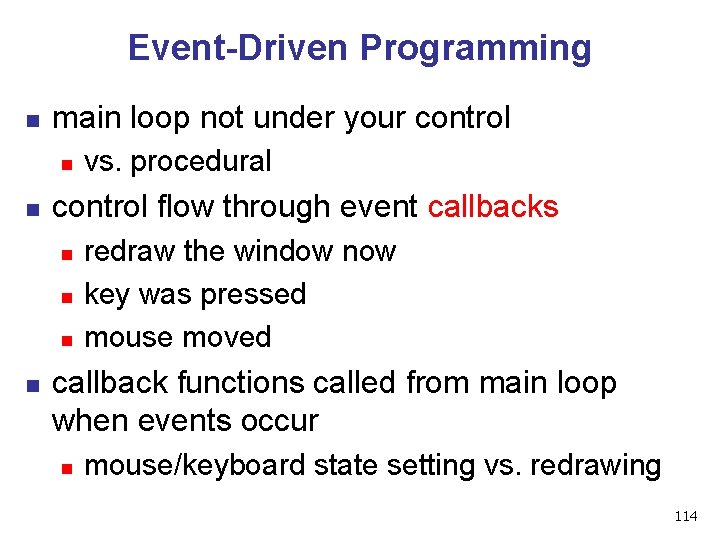
Event-Driven Programming n main loop not under your control n n control flow through event callbacks n n vs. procedural redraw the window now key was pressed mouse moved callback functions called from main loop when events occur n mouse/keyboard state setting vs. redrawing 114
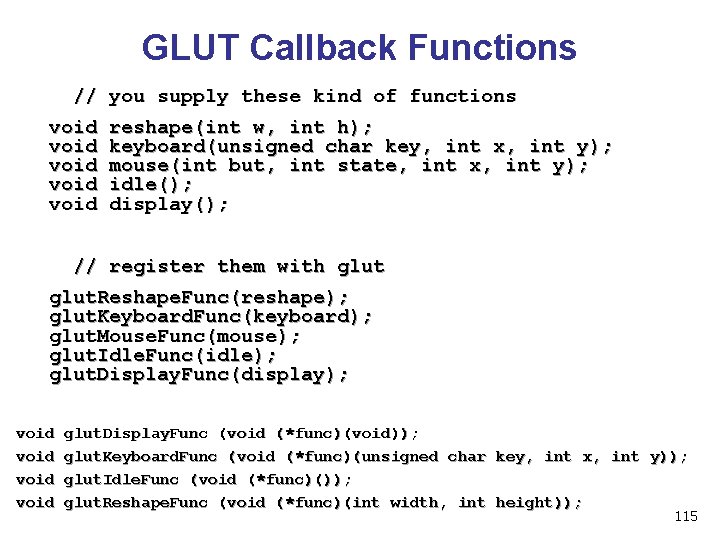
GLUT Callback Functions // you supply these kind of functions void reshape(int w, int h); void keyboard(unsigned char key, int x, int y); void mouse(int but, int state, int x, int y); void idle(); void display(); // register them with glut. Reshape. Func(reshape); glut. Keyboard. Func(keyboard); glut. Mouse. Func(mouse); glut. Idle. Func(idle); glut. Display. Func(display); void glut. Display. Func (void (*func)(void)); void glut. Keyboard. Func (void (*func)(unsigned char key, int x, int y)); void glut. Idle. Func (void (*func)()); void glut. Reshape. Func (void (*func)(int width, int height)); 115
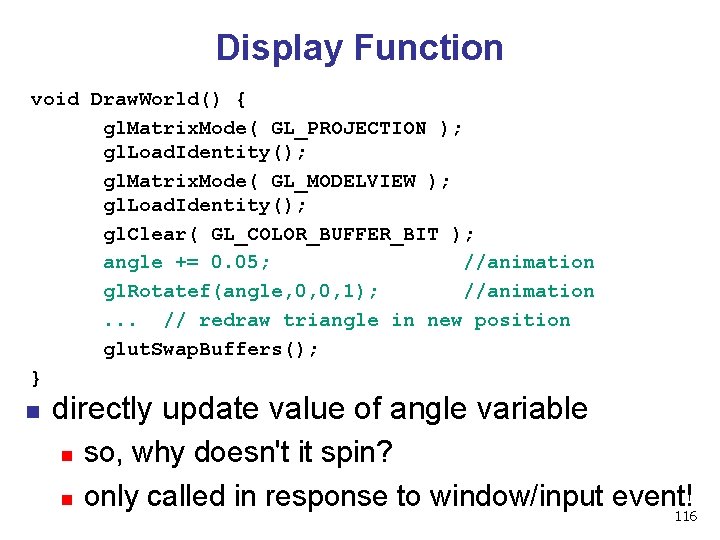
Display Function void Draw. World() { gl. Matrix. Mode( GL_PROJECTION ); gl. Load. Identity(); gl. Matrix. Mode( GL_MODELVIEW ); gl. Load. Identity(); gl. Clear( GL_COLOR_BUFFER_BIT ); angle += 0. 05; //animation gl. Rotatef(angle, 0, 0, 1); //animation. . . // redraw triangle in new position glut. Swap. Buffers(); } n directly update value of angle variable n n so, why doesn't it spin? only called in response to window/input event! 116
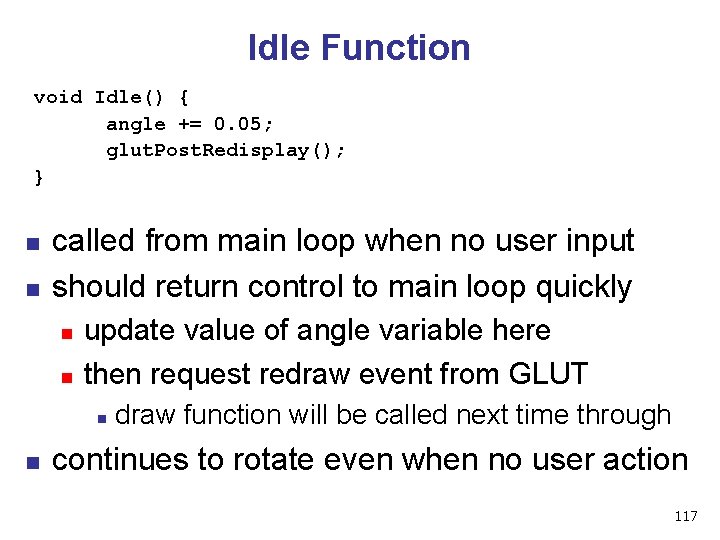
Idle Function void Idle() { angle += 0. 05; glut. Post. Redisplay(); } n n called from main loop when no user input should return control to main loop quickly n n update value of angle variable here then request redraw event from GLUT n n draw function will be called next time through continues to rotate even when no user action 117
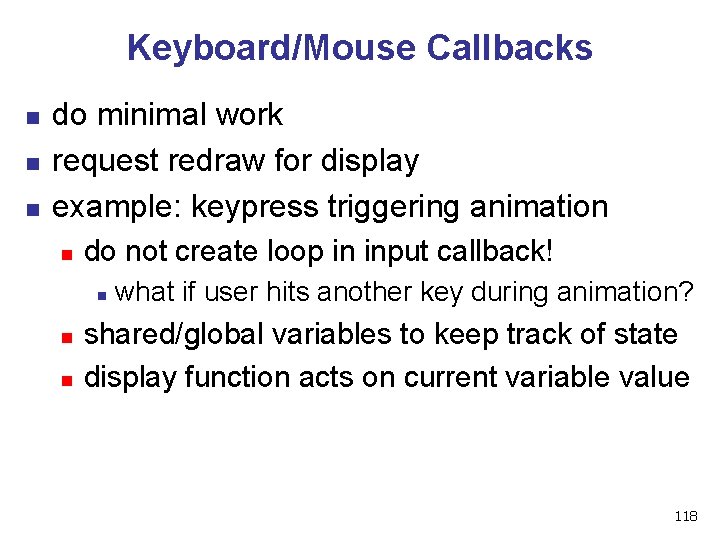
Keyboard/Mouse Callbacks n n n do minimal work request redraw for display example: keypress triggering animation n do not create loop in input callback! n n n what if user hits another key during animation? shared/global variables to keep track of state display function acts on current variable value 118
Labs 119
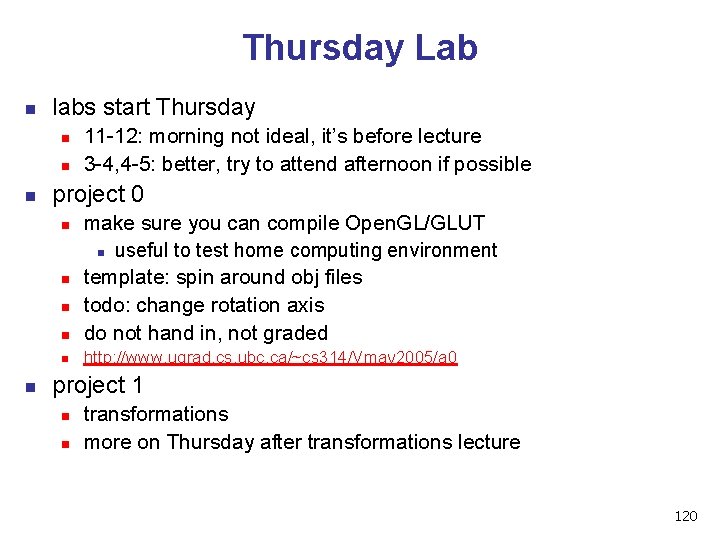
Thursday Lab n labs start Thursday n n n project 0 n make sure you can compile Open. GL/GLUT n useful to test home computing environment template: spin around obj files todo: change rotation axis do not hand in, not graded n http: //www. ugrad. cs. ubc. ca/~cs 314/Vmay 2005/a 0 n n 11 -12: morning not ideal, it’s before lecture 3 -4, 4 -5: better, try to attend afternoon if possible project 1 n n transformations more on Thursday after transformations lecture 120
Remote Graphics n Open. GL does not work well remotely n n only one user can use graphics at a time n n n very slow current X server doesn’t give priority to console, just does first come first served problem: FCFS policy = confusion/chaos solution: console user gets priority n only use graphics remotely if nobody else logged on n with ‘who’ command, “: 0” is console person stop using graphics if asked by console user via email or console user can reboot machine out from under you 121
- Slides: 121