
University of British Columbia CPSC 314 Computer Graphics
University of British Columbia CPSC 314 Computer Graphics Jan-Apr 2010 Tamara Munzner Lighting/Shading I Week 6, Fri Feb 12 • http: //www. ugrad. cs. ubc. ca/~cs 314/Vjan 2010
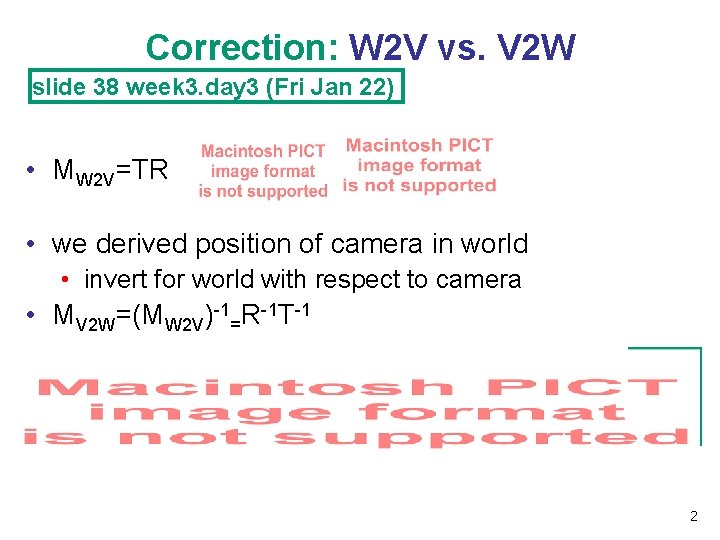
Correction: W 2 V vs. V 2 W slide 38 week 3. day 3 (Fri Jan 22) • MW 2 V=TR • we derived position of camera in world • invert for world with respect to camera • MV 2 W=(MW 2 V)-1=R-1 T-1 2
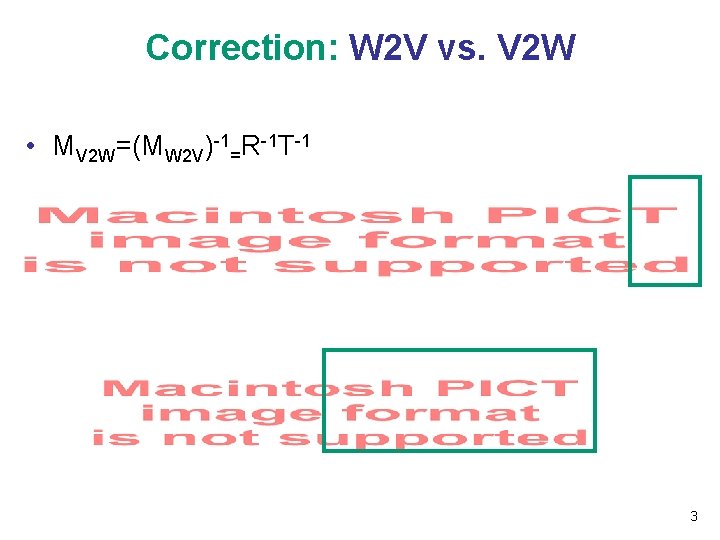
Correction: W 2 V vs. V 2 W • MV 2 W=(MW 2 V)-1=R-1 T-1 3
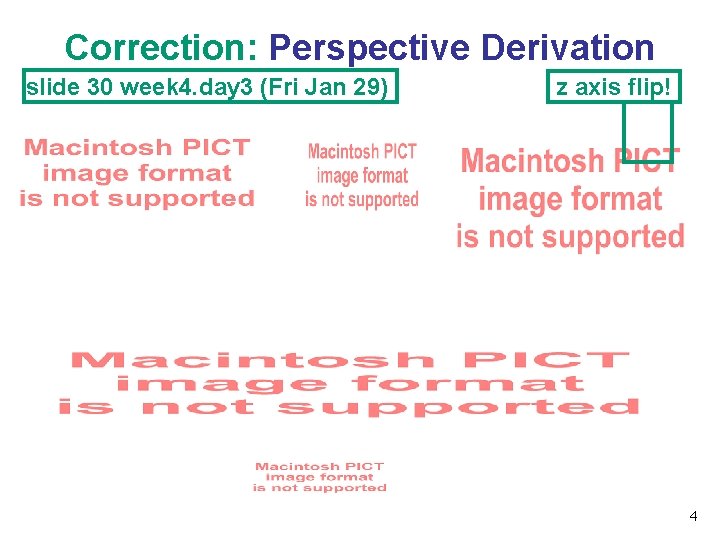
Correction: Perspective Derivation slide 30 week 4. day 3 (Fri Jan 29) z axis flip! 4
News • P 2 due date extended to Tue Mar 2 5 pm • V 2 W correction affects Q 1 and thus cascades to Q 4 -Q 7 • perspective correction affects Q 8 • TA office hours in lab for P 2/H 2 questions Fri 2 -4 (Garrett) 5
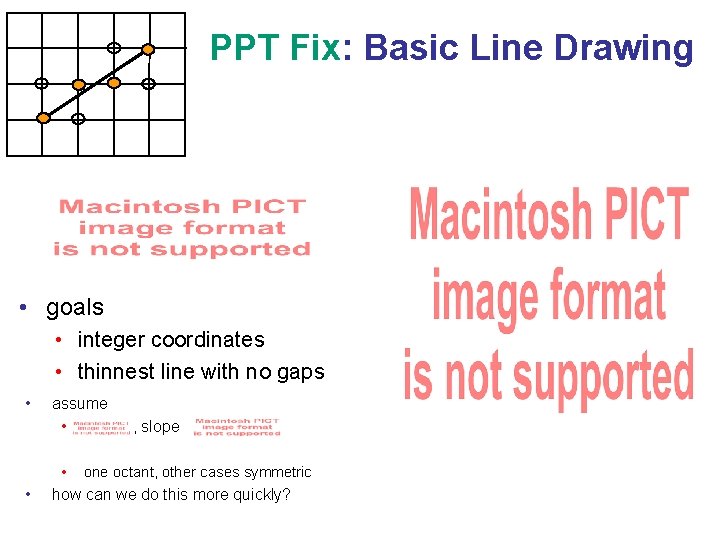
PPT Fix: Basic Line Drawing • goals • integer coordinates • thinnest line with no gaps • • assume • , slope • one octant, other cases symmetric how can we do this more quickly?
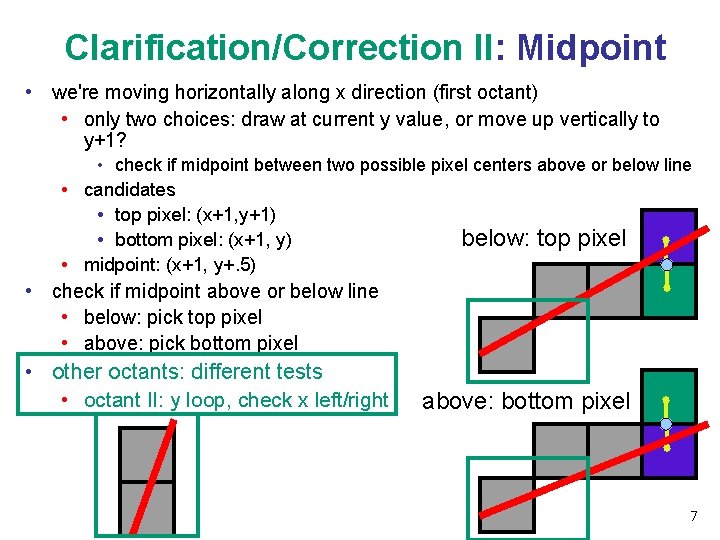
Clarification/Correction II: Midpoint • we're moving horizontally along x direction (first octant) • only two choices: draw at current y value, or move up vertically to y+1? • check if midpoint between two possible pixel centers above or below line • candidates • top pixel: (x+1, y+1) below: top pixel • bottom pixel: (x+1, y) • midpoint: (x+1, y+. 5) • check if midpoint above or below line • below: pick top pixel • above: pick bottom pixel • other octants: different tests • octant II: y loop, check x left/right above: bottom pixel 7
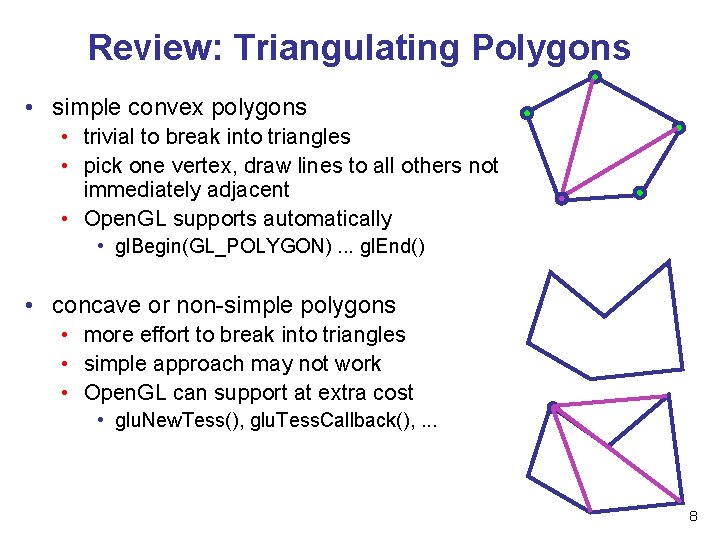
Review: Triangulating Polygons • simple convex polygons • trivial to break into triangles • pick one vertex, draw lines to all others not immediately adjacent • Open. GL supports automatically • gl. Begin(GL_POLYGON). . . gl. End() • concave or non-simple polygons • more effort to break into triangles • simple approach may not work • Open. GL can support at extra cost • glu. New. Tess(), glu. Tess. Callback(), . . . 8
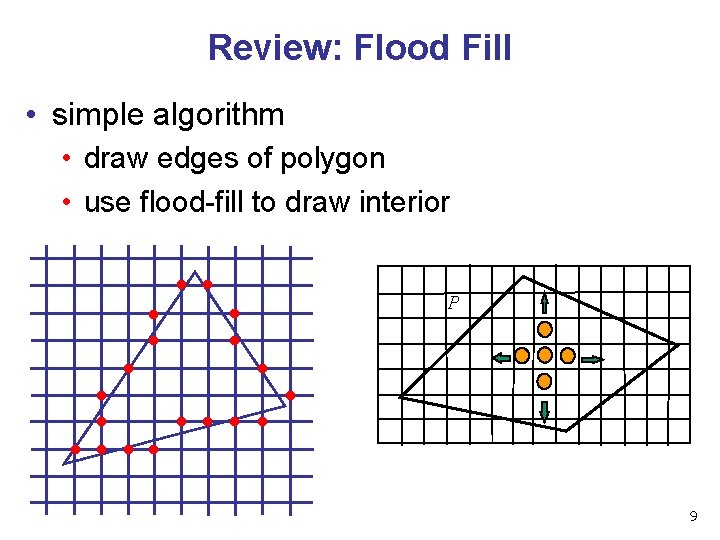
Review: Flood Fill • simple algorithm • draw edges of polygon • use flood-fill to draw interior P 9
PPT Fix: Flood Fill • draw edges • run: • drawbacks? 10
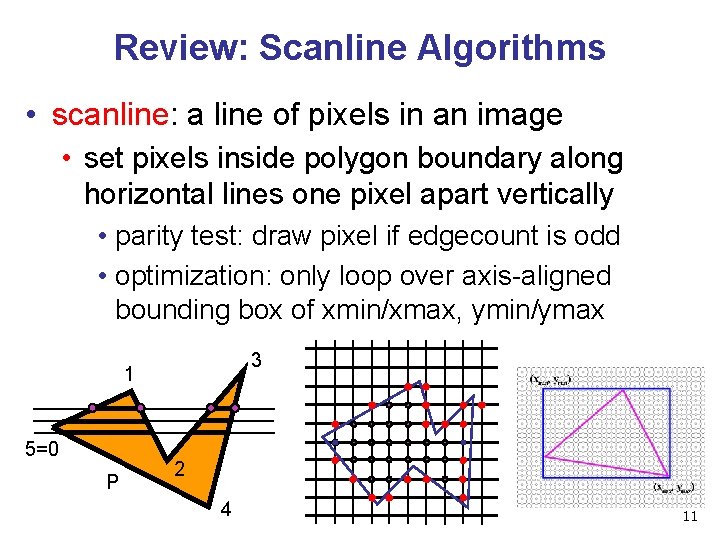
Review: Scanline Algorithms • scanline: a line of pixels in an image • set pixels inside polygon boundary along horizontal lines one pixel apart vertically • parity test: draw pixel if edgecount is odd • optimization: only loop over axis-aligned bounding box of xmin/xmax, ymin/ymax 3 1 5=0 P 2 4 11

Review: Bilinear Interpolation • interpolate quantity along L and R edges, as a function of y • then interpolate quantity as a function of x P 1 P 3 y P(x, y) PL PR P 2 12
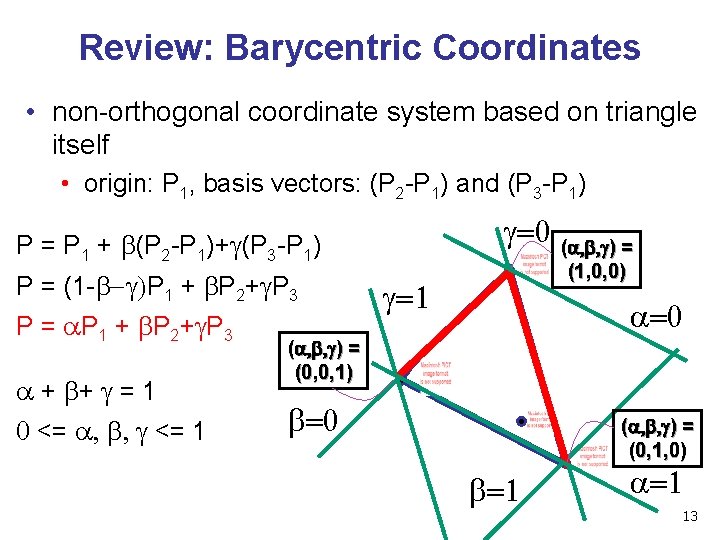
Review: Barycentric Coordinates • non-orthogonal coordinate system based on triangle itself • origin: P 1, basis vectors: (P 2 -P 1) and (P 3 -P 1) g=0 (a, b, g) = P 1 + b(P 2 -P 1)+g(P 3 -P 1) P = (1 -b-g)P 1 + b. P 2+g. P 3 P = a P 1 + b P 2+ g P 3 a + b+ g = 1 0 <= a, b, g <= 1 (1, 0, 0) g=1 a=0 (a, b, g) = (0, 0, 1) b=0 (a, b, g) = (0, 1, 0) b=1 a=1 13
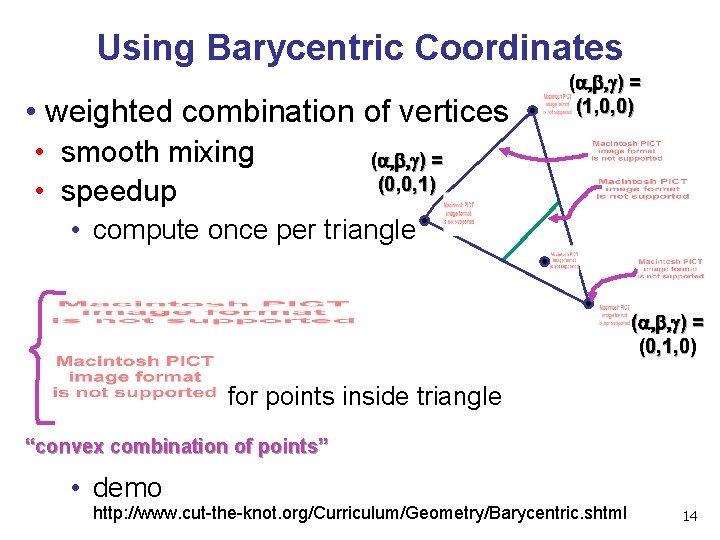
Using Barycentric Coordinates • weighted combination of vertices • smooth mixing • speedup (a, b, g) = (1, 0, 0) (a, b, g) = (0, 0, 1) • compute once per triangle (a, b, g) = (0, 1, 0) for points inside triangle “convex combination of points” • demo http: //www. cut-the-knot. org/Curriculum/Geometry/Barycentric. shtml 14
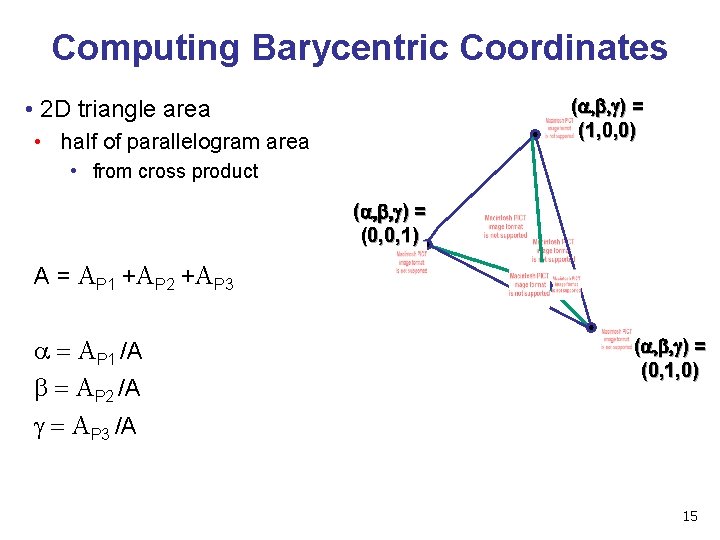
Computing Barycentric Coordinates (a, b, g) = (1, 0, 0) • 2 D triangle area • half of parallelogram area • from cross product (a, b, g) = (0, 0, 1) A = AP 1 +AP 2 +AP 3 a = AP 1 /A b = AP 2 /A g = AP 3 /A (a, b, g) = (0, 1, 0) 15
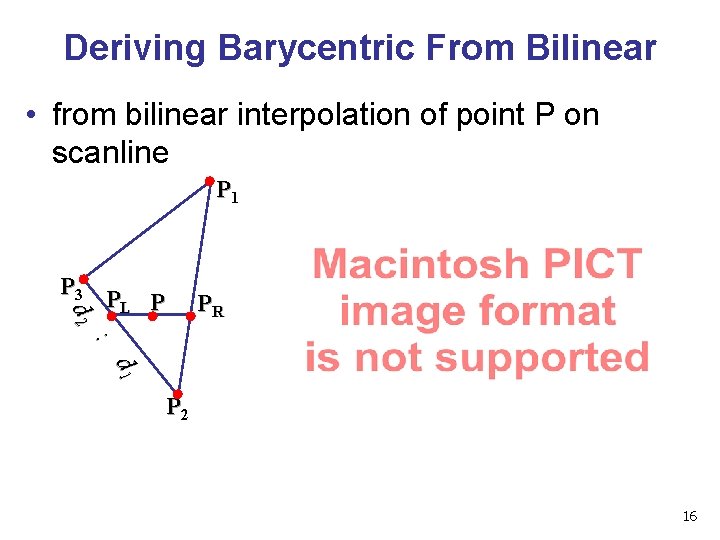
Deriving Barycentric From Bilinear • from bilinear interpolation of point P on scanline P 1 P 3 d 2 PL P PR : d 1 P 2 16
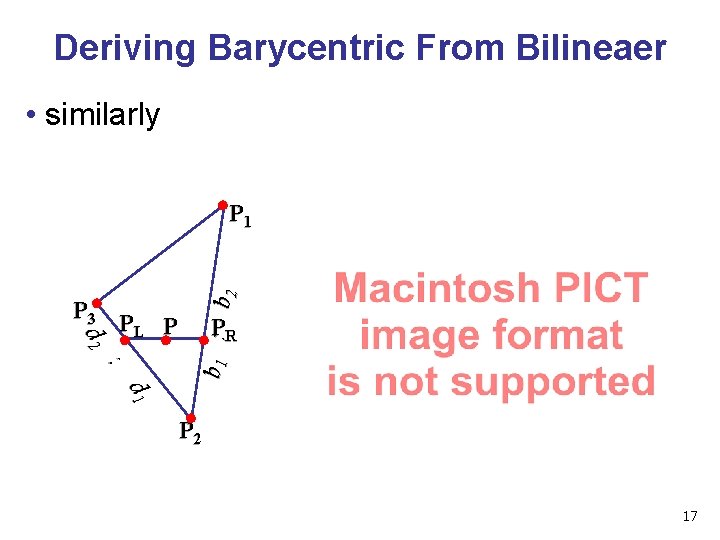
Deriving Barycentric From Bilineaer • similarly d 2 P 3 PL P : b 1 : b 2 P 1 PR d 1 P 2 17
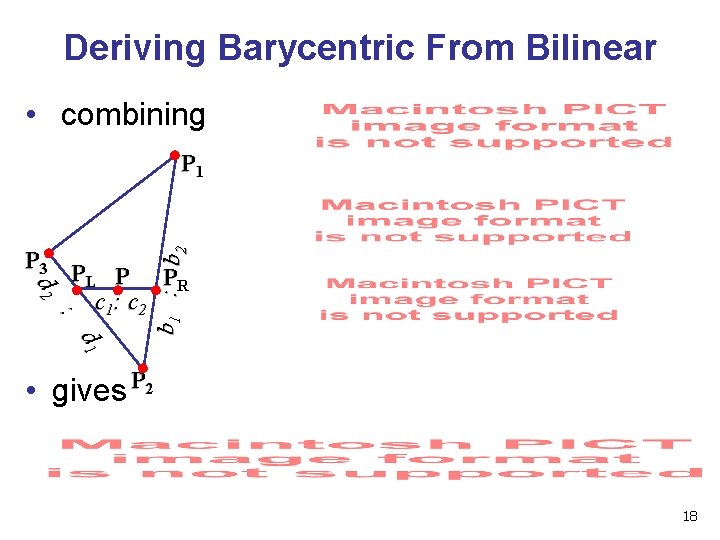
Deriving Barycentric From Bilinear • combining b 1 : b 2 P 1 d 2 P 3 PL P PR c 1: c 2 : d 1 • gives P 2 18
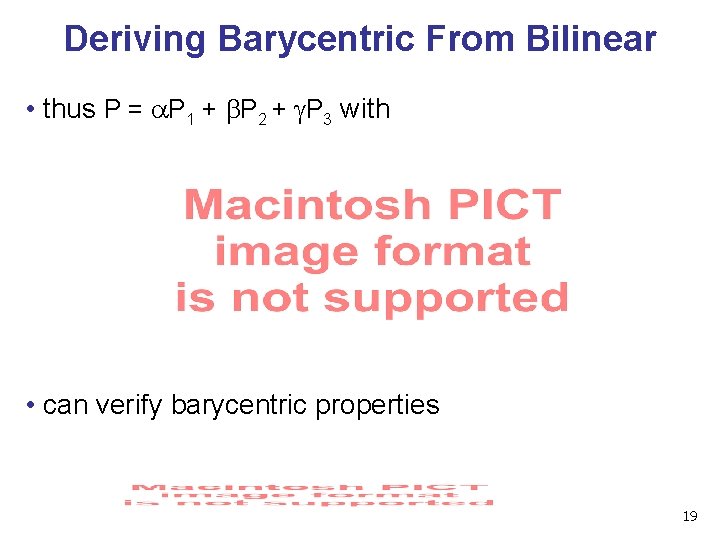
Deriving Barycentric From Bilinear • thus P = a. P 1 + b. P 2 + g. P 3 with • can verify barycentric properties 19
Lighting I 20
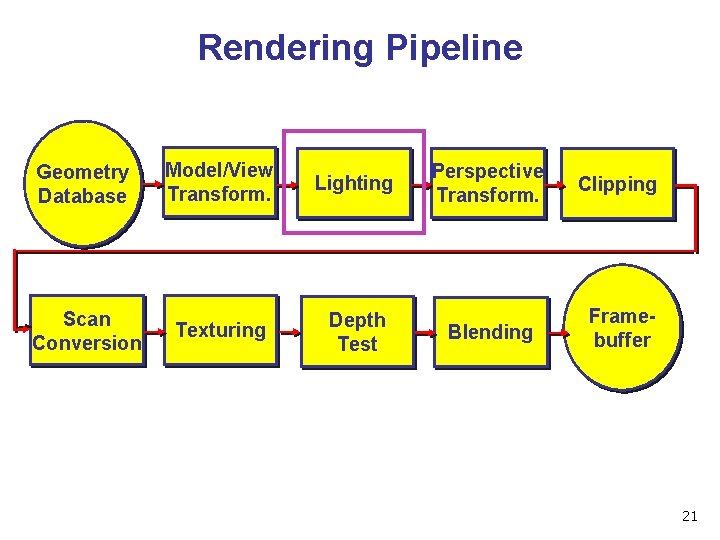
Rendering Pipeline Geometry Database Scan Conversion Model/View Transform. Lighting Texturing Depth Test Perspective Transform. Clipping Blending Framebuffer 21
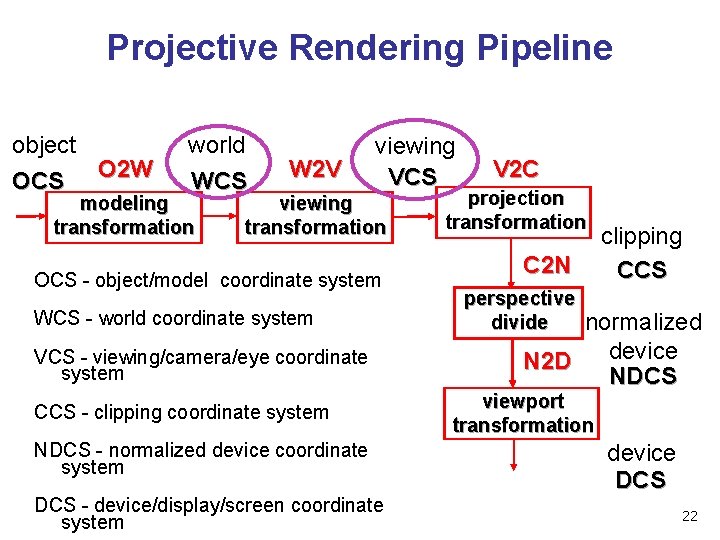
Projective Rendering Pipeline object OCS O 2 W world WCS modeling transformation W 2 V viewing VCS viewing transformation OCS - object/model coordinate system WCS - world coordinate system VCS - viewing/camera/eye coordinate system CCS - clipping coordinate system NDCS - normalized device coordinate system DCS - device/display/screen coordinate system V 2 C projection transformation C 2 N clipping CCS perspective divide normalized device N 2 D NDCS viewport transformation device DCS 22
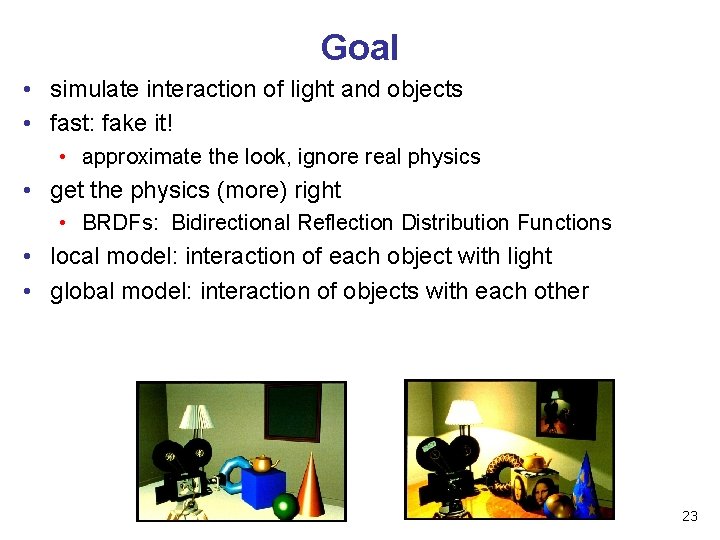
Goal • simulate interaction of light and objects • fast: fake it! • approximate the look, ignore real physics • get the physics (more) right • BRDFs: Bidirectional Reflection Distribution Functions • local model: interaction of each object with light • global model: interaction of objects with each other 23
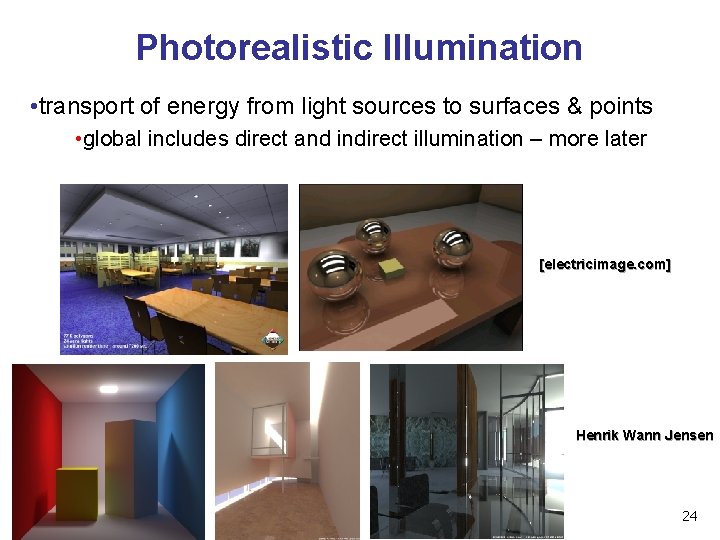
Photorealistic Illumination • transport of energy from light sources to surfaces & points • global includes direct and indirect illumination – more later [electricimage. com] Henrik Wann Jensen 24
Illumination in the Pipeline • local illumination • only models light arriving directly from light source • no interreflections or shadows • can be added through tricks, multiple rendering passes • light sources • simple shapes • materials • simple, non-physical reflection models 25
![Light Sources • types of light sources • gl. Lightfv(GL_LIGHT 0, GL_POSITION, light[]) •](http://slidetodoc.com/presentation_image_h2/12ef6c288f8baf3e43f87e65138f9764/image-26.jpg "Light Sources • types of light sources • gl. Lightfv(GL_LIGHT 0, GL_POSITION, light[]) •")
Light Sources • types of light sources • gl. Lightfv(GL_LIGHT 0, GL_POSITION, light[]) • directional/parallel lights • real-life example: sun • infinitely far source: homogeneous coord w=0 • point lights • same intensity in all directions • spot lights • limited set of directions: • point+direction+cutoff angle 26
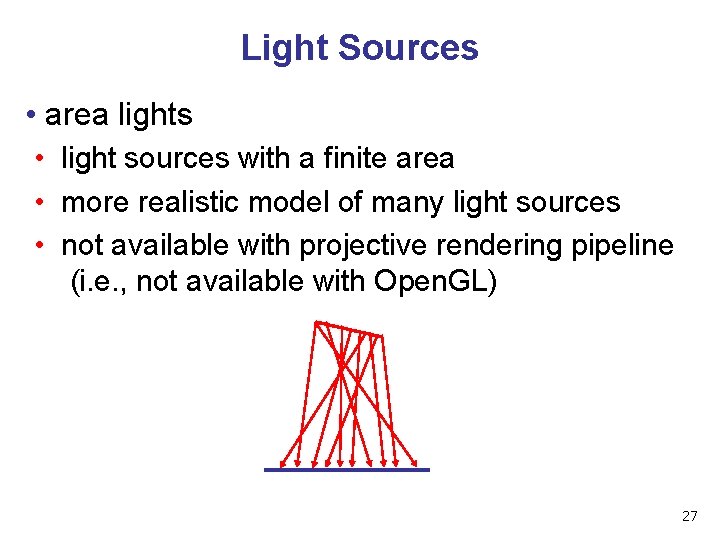
Light Sources • area lights • light sources with a finite area • more realistic model of many light sources • not available with projective rendering pipeline (i. e. , not available with Open. GL) 27
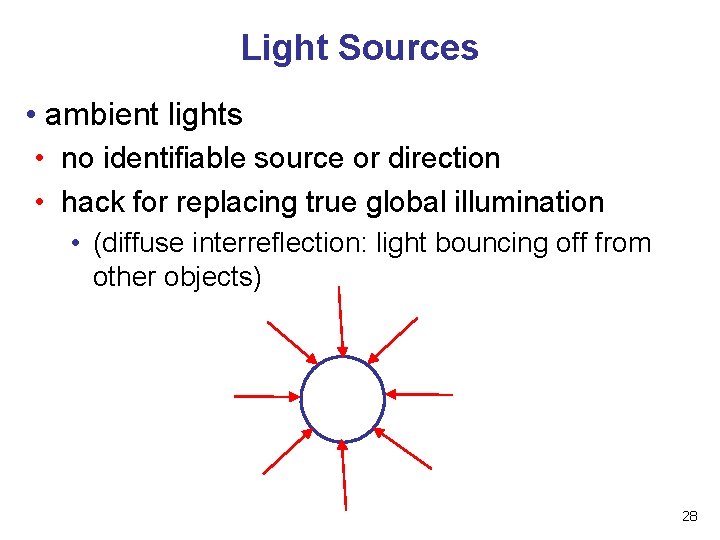
Light Sources • ambient lights • no identifiable source or direction • hack for replacing true global illumination • (diffuse interreflection: light bouncing off from other objects) 28
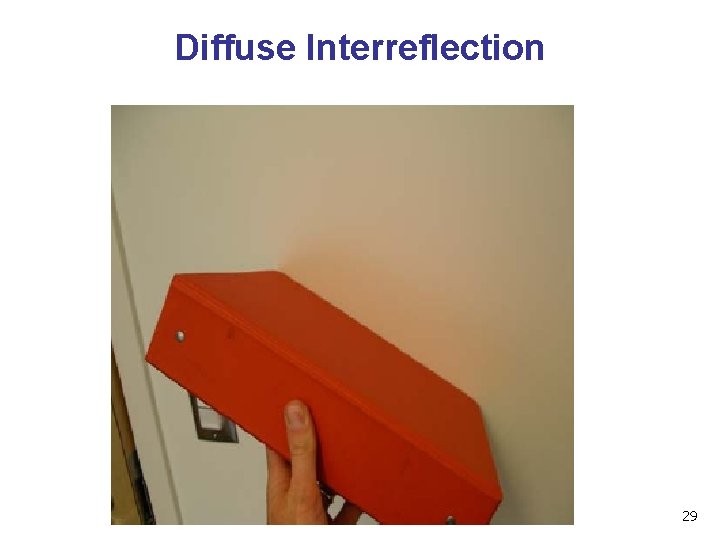
Diffuse Interreflection 29
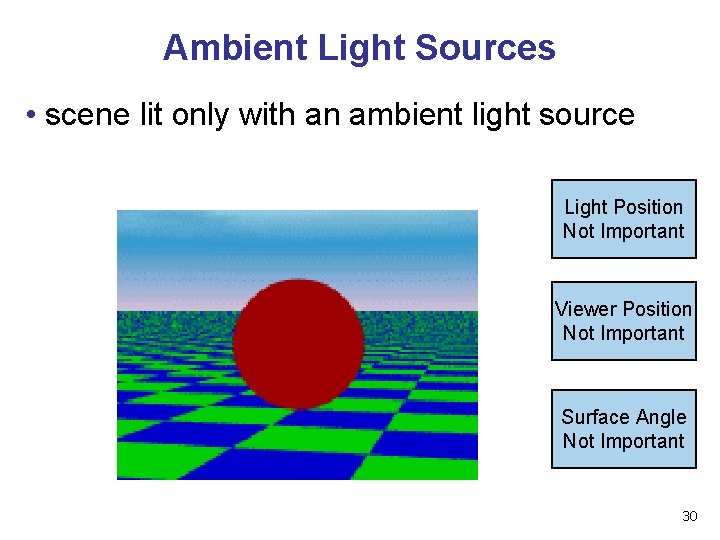
Ambient Light Sources • scene lit only with an ambient light source Light Position Not Important Viewer Position Not Important Surface Angle Not Important 30
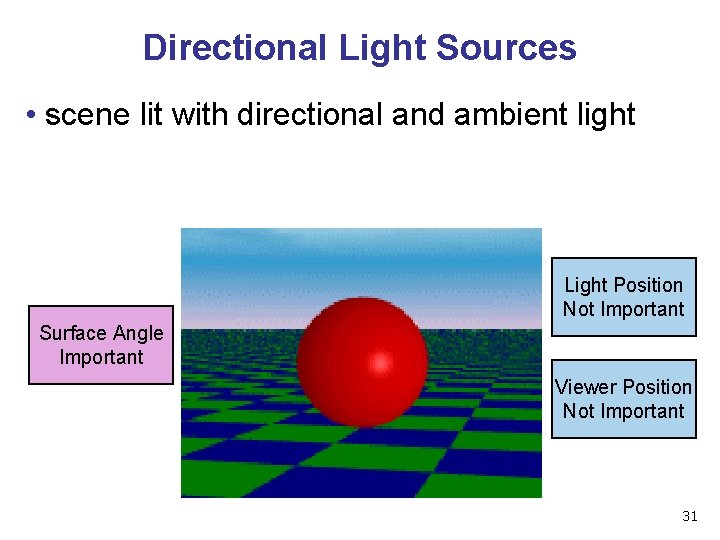
Directional Light Sources • scene lit with directional and ambient light Light Position Not Important Surface Angle Important Viewer Position Not Important 31
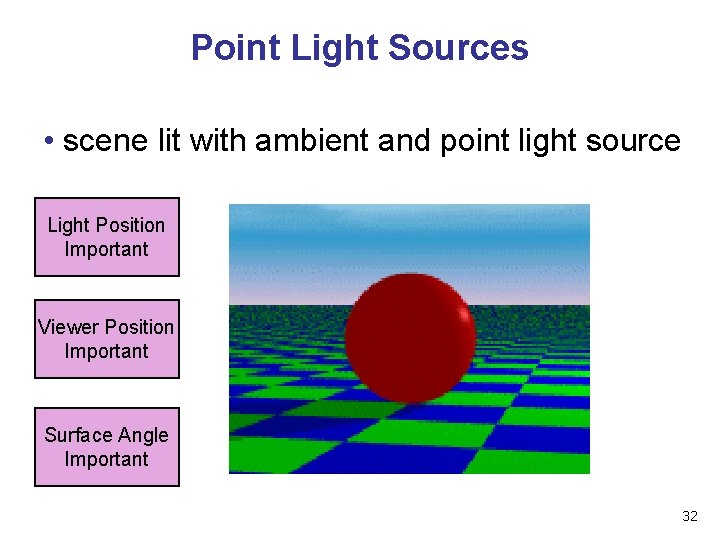
Point Light Sources • scene lit with ambient and point light source Light Position Important Viewer Position Important Surface Angle Important 32
Light Sources • geometry: positions and directions • standard: world coordinate system • effect: lights fixed wrt world geometry • demo: http: //www. xmission. com/~nate/tutors. html • alternative: camera coordinate system • effect: lights attached to camera (car headlights) • points and directions undergo normal model/view transformation • illumination calculations: camera coords 33
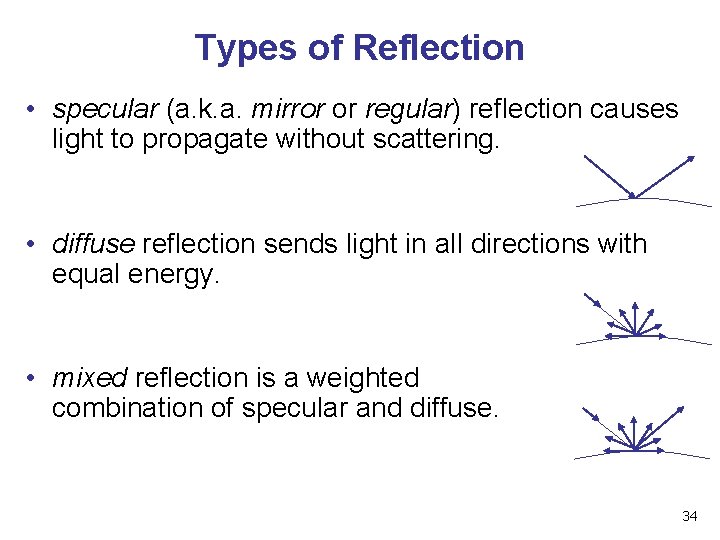
Types of Reflection • specular (a. k. a. mirror or regular) reflection causes light to propagate without scattering. • diffuse reflection sends light in all directions with equal energy. • mixed reflection is a weighted combination of specular and diffuse. 34
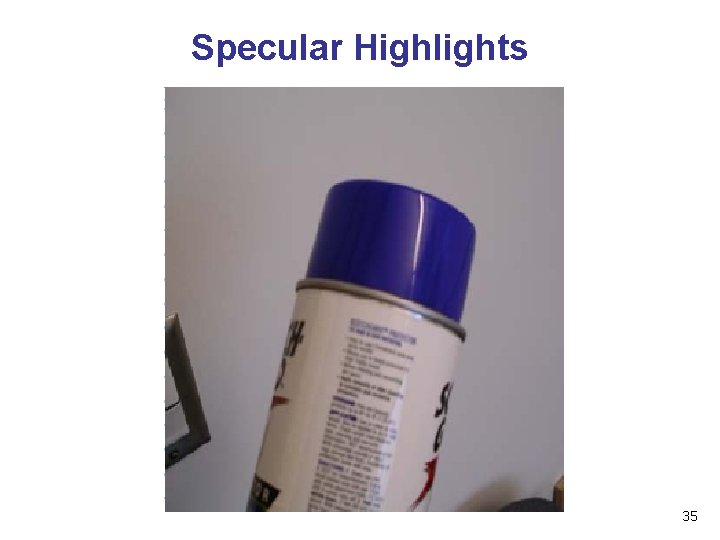
Specular Highlights 35
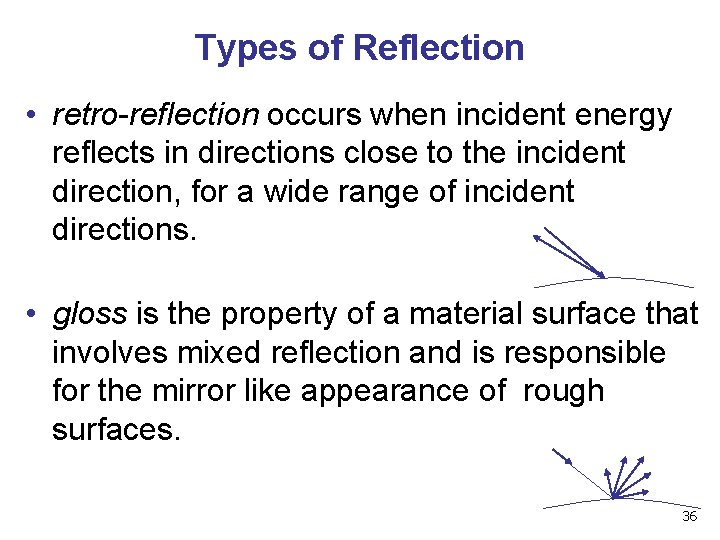
Types of Reflection • retro-reflection occurs when incident energy reflects in directions close to the incident direction, for a wide range of incident directions. • gloss is the property of a material surface that involves mixed reflection and is responsible for the mirror like appearance of rough surfaces. 36
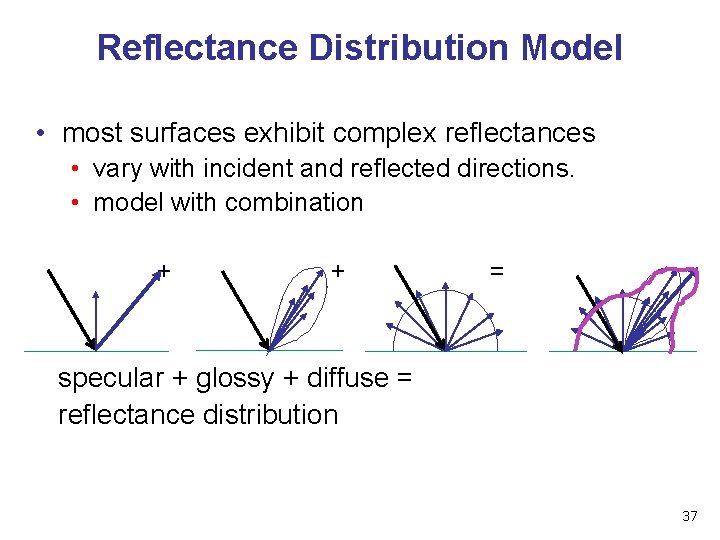
Reflectance Distribution Model • most surfaces exhibit complex reflectances • vary with incident and reflected directions. • model with combination + + = specular + glossy + diffuse = reflectance distribution 37
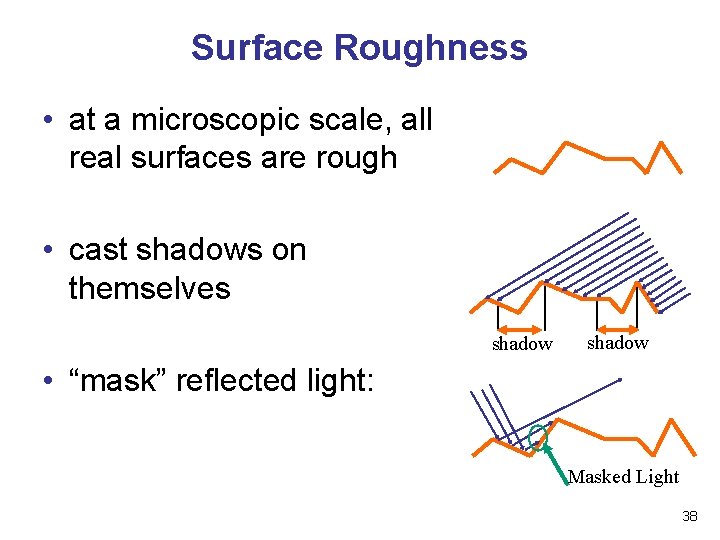
Surface Roughness • at a microscopic scale, all real surfaces are rough • cast shadows on themselves shadow • “mask” reflected light: Masked Light 38
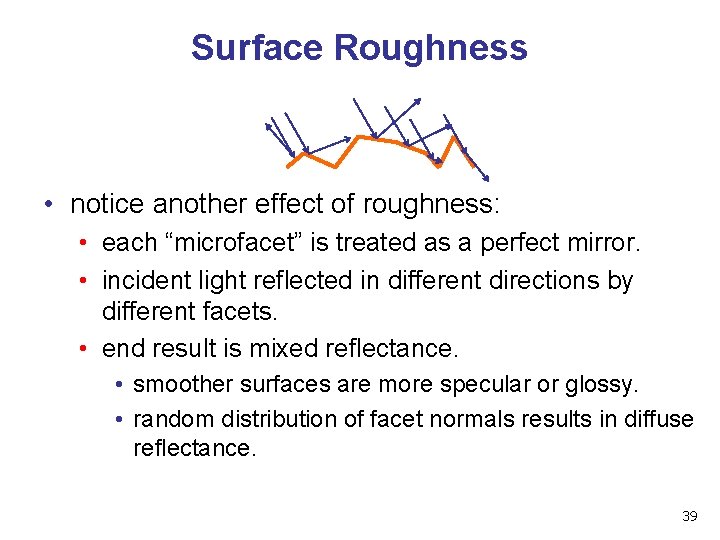
Surface Roughness • notice another effect of roughness: • each “microfacet” is treated as a perfect mirror. • incident light reflected in different directions by different facets. • end result is mixed reflectance. • smoother surfaces are more specular or glossy. • random distribution of facet normals results in diffuse reflectance. 39
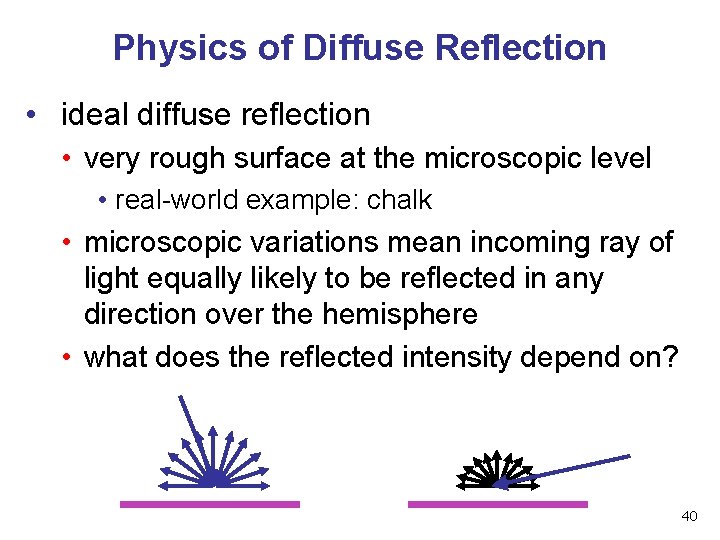
Physics of Diffuse Reflection • ideal diffuse reflection • very rough surface at the microscopic level • real-world example: chalk • microscopic variations mean incoming ray of light equally likely to be reflected in any direction over the hemisphere • what does the reflected intensity depend on? 40
Lambert’s Cosine Law • ideal diffuse surface reflection the energy reflected by a small portion of a surface from a light source in a given direction is proportional to the cosine of the angle between that direction and the surface normal • reflected intensity • independent of viewing direction • depends on surface orientation wrt light • often called Lambertian surfaces 41
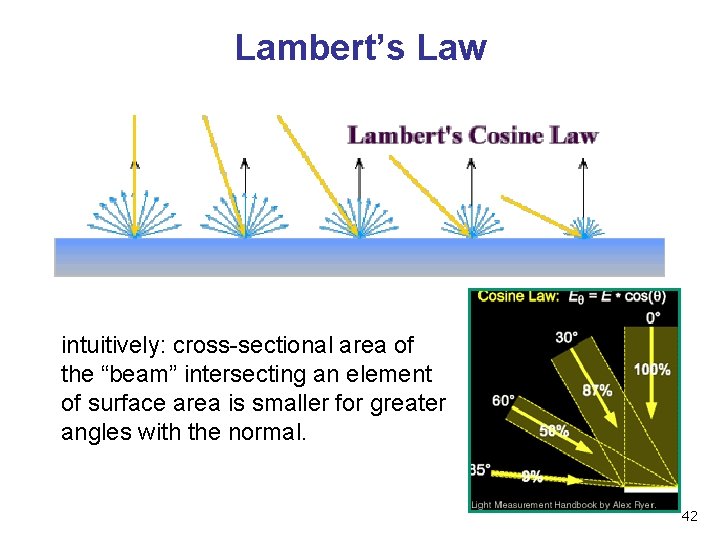
Lambert’s Law intuitively: cross-sectional area of the “beam” intersecting an element of surface area is smaller for greater angles with the normal. 42
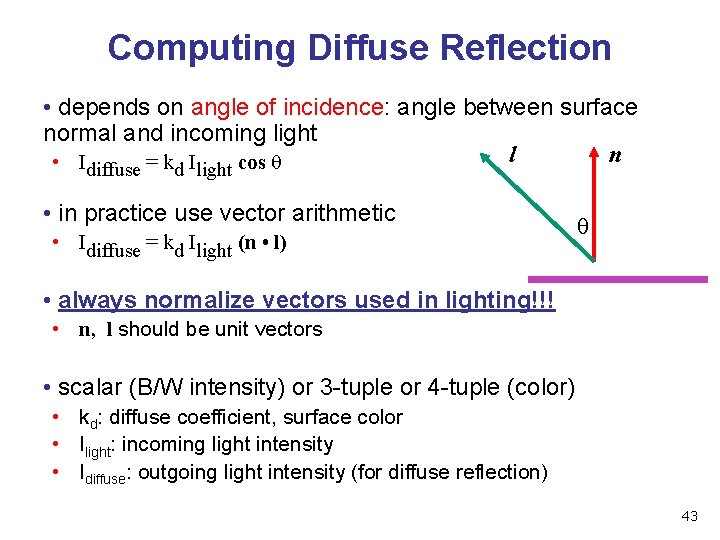
Computing Diffuse Reflection • depends on angle of incidence: angle between surface normal and incoming light l n • I =k I cos diffuse d light • in practice use vector arithmetic • Idiffuse = kd Ilight (n • l) • always normalize vectors used in lighting!!! • n, l should be unit vectors • scalar (B/W intensity) or 3 -tuple or 4 -tuple (color) • kd: diffuse coefficient, surface color • Ilight: incoming light intensity • Idiffuse: outgoing light intensity (for diffuse reflection) 43
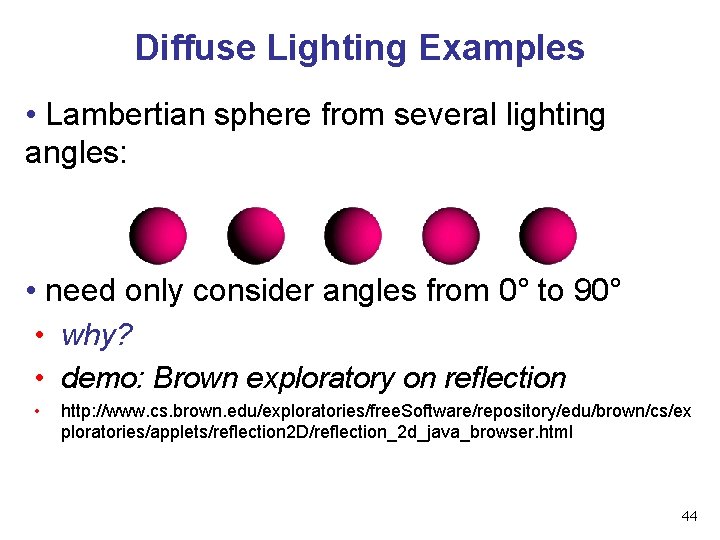
Diffuse Lighting Examples • Lambertian sphere from several lighting angles: • need only consider angles from 0° to 90° • why? • demo: Brown exploratory on reflection • http: //www. cs. brown. edu/exploratories/free. Software/repository/edu/brown/cs/ex ploratories/applets/reflection 2 D/reflection_2 d_java_browser. html 44
- Slides: 44